
Link tracking & analytics
See where every click comes from, and where it goes
Clicks, unique visitors and QR scans by country, city, device, browser and referrer, for every short link, bio page and QR code.
Join 350,000+ marketers and agencies who use Replug to brand, share and track their links.
How link tracking works in Replug
Every short link, bio page and QR code is tracked from the first click, with no code to install.
Shorten the URL you want to track. Tracking starts on its own. Add UTM parameters to see the visit in Google Analytics too.
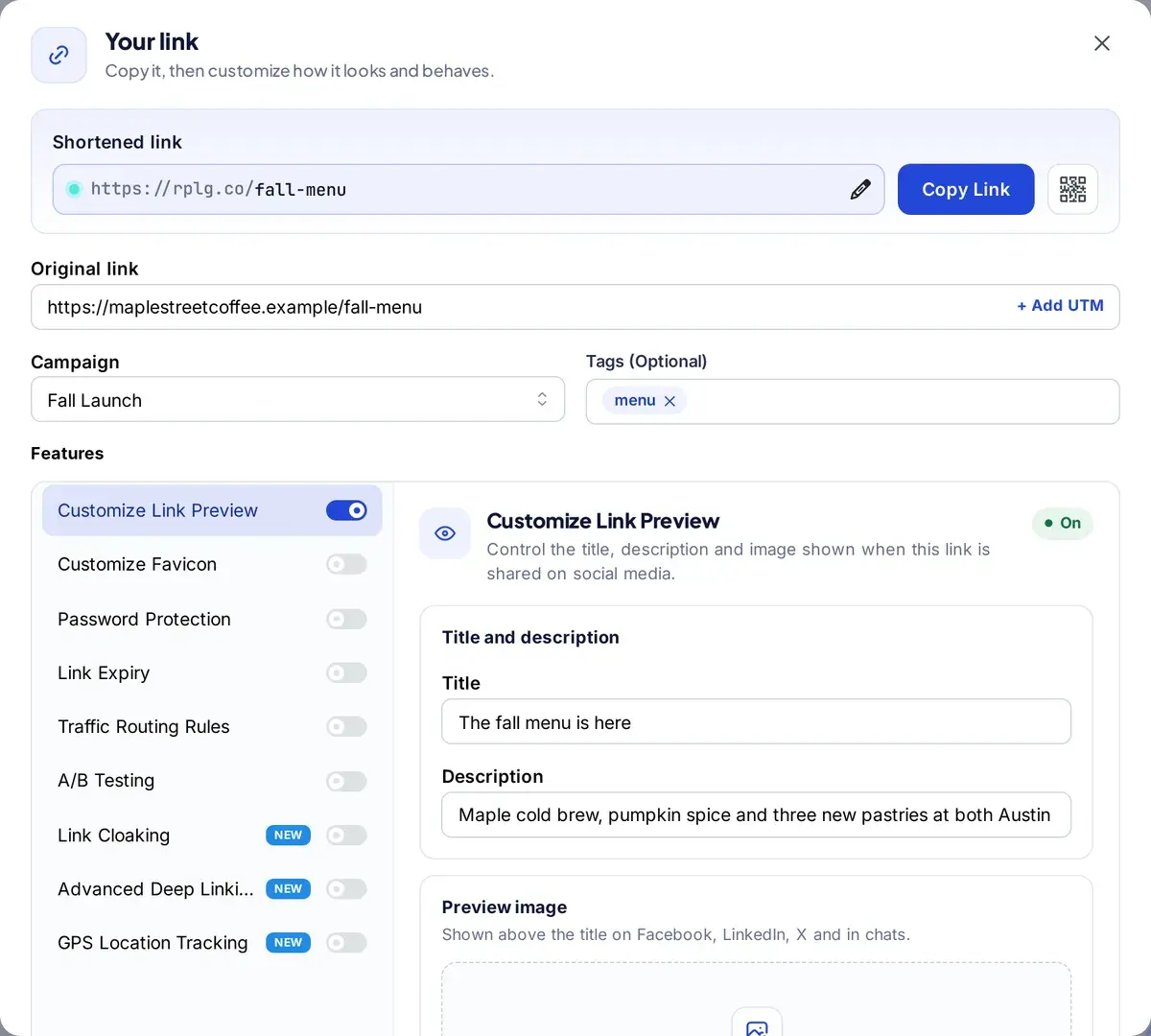
See clicks, unique clicks and QR scans for any date range, next to the period before. Filter by campaign or zoom in on one link.
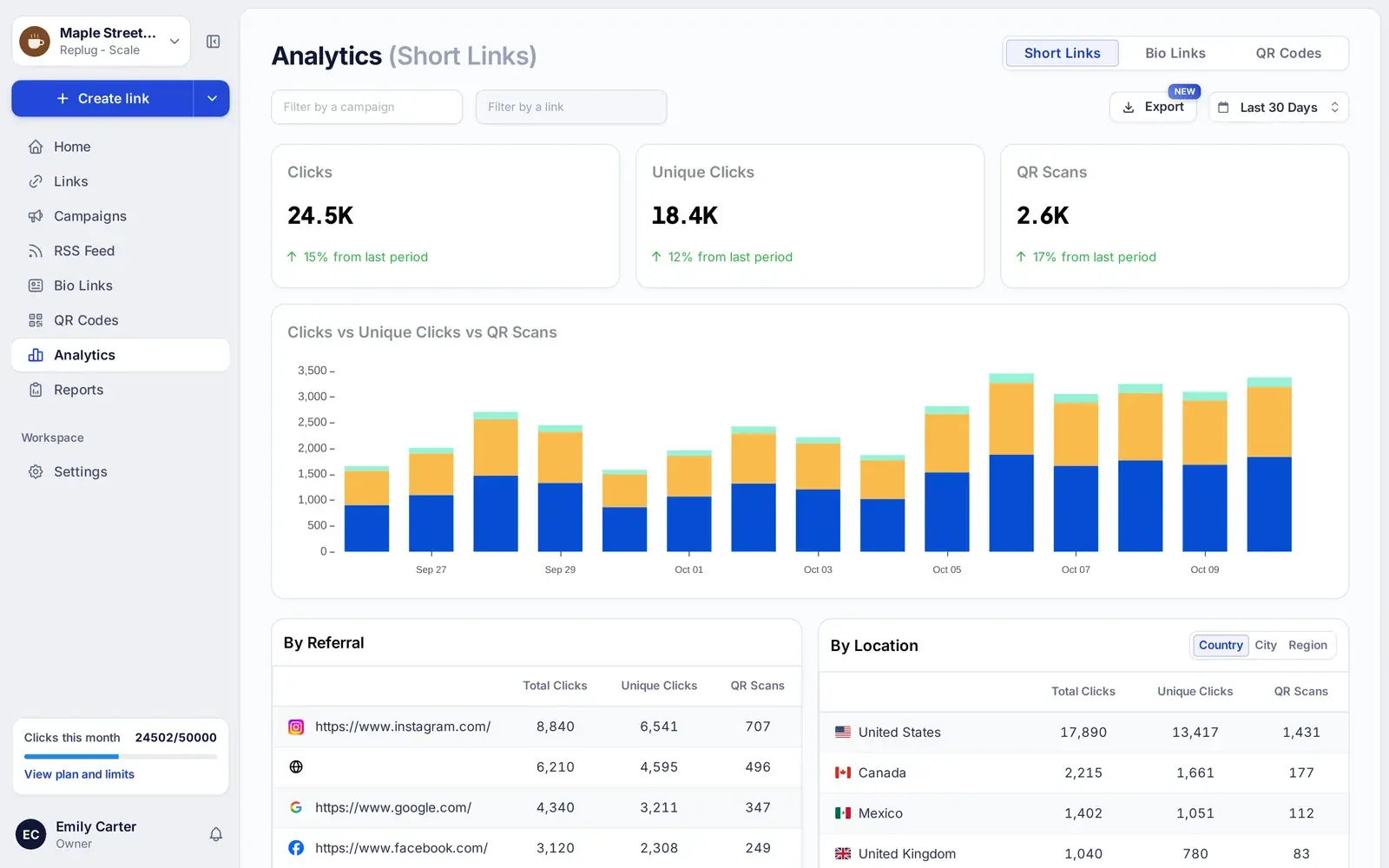
Break clicks down by source and audience, then export the numbers or get a report by email on a schedule. For every click you see:
- The referrer: the site or app that sent the visitor
- Country, region and city
- Browser, operating system and device
- Whether it was a click or a QR scan
- GPS location, when the visitor allows it (Scale and Agency)
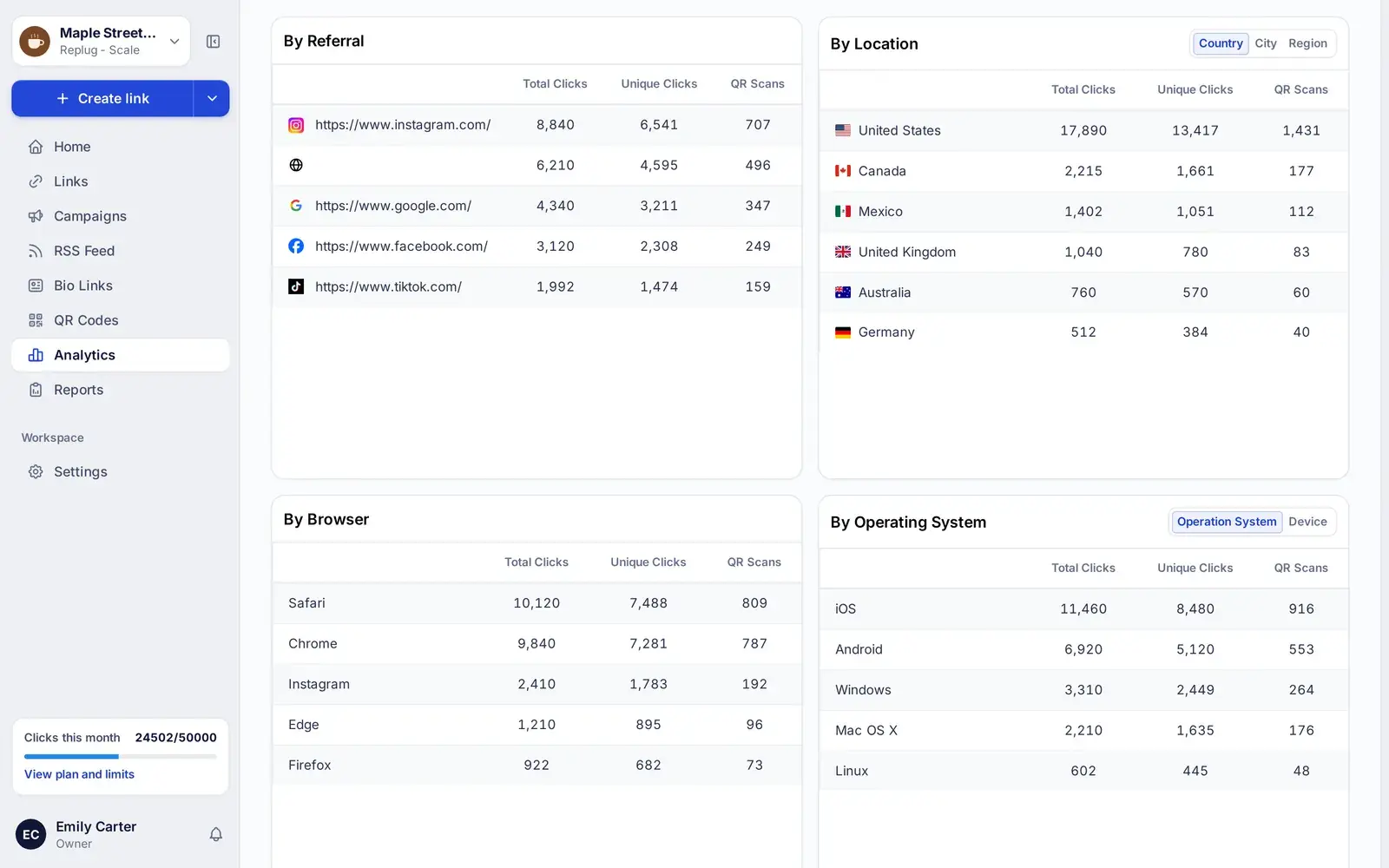
Every click and scan, broken down
See clicks, unique clicks and QR scans over time for each short link, bio page and QR code. Then split them by country, region, city, device, operating system, browser and referrer to learn which channels send traffic and which audiences actually click.
Street-level locations, with consent
Turn on GPS tracking and visitors who agree to share their location appear on a map down to the street, not just the nearest city an IP address points to. Available on Scale and Agency.
Results for every variation and routing rule
When a link splits traffic across up to 20 destinations with A/B testing, or sends visitors to different pages with traffic routing rules, analytics shows how many clicks each variation and each rule received. Keep what works and drop the rest.
Reports that send themselves
Download any report as PDF, Excel or CSV, or schedule daily, weekly or monthly email reports for your team and clients, so the numbers arrive without anyone having to ask. Scheduled reports start on Essentials.
Keep your own clicks out of the numbers
Exclude Traffic leaves out clicks from the IP addresses you list, such as your office or your agency, so testing a link before launch doesn’t inflate your stats. Your links still work as usual for those visitors. Included from Essentials.
What Replug measures
Every short link, bio page and QR code records the same data, so you can compare channels side by side.
Clicks and unique clicks
Total and unique clicks over the date range you pick, so you can spot spikes and compare campaigns.
QR scans
Scans are counted separately from clicks, so you can see what print, packaging and signage bring in.
Location
Country, region and city for every click, plus street-level GPS locations from visitors who allow it on Scale and Agency.
Device, OS and browser
The device type, operating system and browser behind each click.
Referrers
The website, app or social network that sent each visitor.
UTM parameters
Add UTM tags as you create a link so Google Analytics attributes each visit to the right campaign.
Variations and routing rules
Clicks per destination on A/B tests and per rule on routed links, on Scale and Agency.
PDF, Excel and CSV exports
Download reports for presentations, spreadsheets and client updates.
History by plan
14 days of analytics on Free, 90 days on Essentials and your full history on Scale and Agency.
Link tracking on every plan
Every plan tracks clicks. Upgrade for longer history, scheduled reports, IP exclusions and GPS.
| Feature | Free | Essentials | Scale | Agency |
|---|---|---|---|---|
| Monthly price | $0 | $19 | $39 | $99 |
| Tracked clicks per month | 1,000 | 10,000 | 50,000 | 250,000 |
| Analytics history | 14 days | 90 days | Full history | Full history |
| Retargeting pixels | Not included | 1 | Unlimited | Unlimited |
| Scheduled email reports | Not included | Included | Included | Included |
| Exclude your own traffic by IP | Not included | Included | Included | Included |
| GPS location tracking | Not included | Not included | Included | Included |
| Team members | 1 | 1 | 3 | 10 |
US prices, checked October 10, 2026. Annual billing costs less. See every feature on the pricing page.
Take your marketing further with Replug
Frequently asked questions
More on link tracking
Go deeper on clicks, UTM parameters and attribution.
How to create a tracking link
Build a link that shows who clicked, from where and on which device.
Read the guideClick tracking explained
What click tracking is, how it works and what it tells you.
Read the guideUnique clicks vs total clicks
Why the two numbers differ, and which one to report.
Read the guideHow to create UTM links
Tag your links so Google Analytics credits the right campaign.
Read the guideQR code tracking
Measure scans from print, packaging and signs.
Read the guideSee who clicks your Instagram link
Track the link in your bio, stories and posts.
Read the guide