

 5 minutes
A website QR code lets you turn any URL into a scannable code, making it easy for users to visit your webpage without typing a thing. Just point, scan, and go.
It’s one of the easiest ways to connect your offline materials with your online presence. Whether you’re sharing your website on flyers, packaging, menus, business cards, or storefronts, a custom QR code for your website helps users reach your site instantly. It’s fast, convenient, and highly effective for driving traffic and boosting engagement.
What is the best way to create a QR code for a website?
The best way is by using an advanced QR code generator that offers customization, analytics, and flexibility. We recommend Replug, a powerful tool that lets you design on-brand QR codes, track real-time scan data, and even update the destination link without reprinting the code.


Step 1: Log in to your Replug account
Visit Replug and log in to your dashboard. If you don’t have an account yet, you can sign up for a free trial.
Step 2: Go to the “QR codes” section
From the top navigation bar, click on “QR codes.” Once inside the QR code dashboard, click the “Create new” button in the top-right corner.
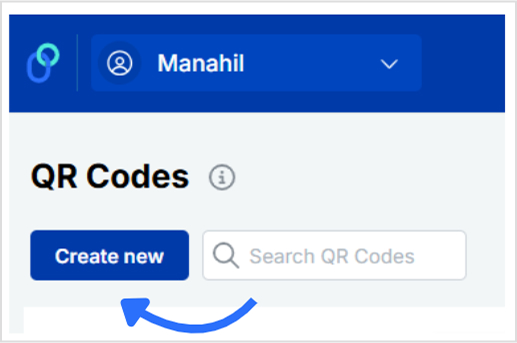
You’ll be redirected to a new window with three tabs:
Details, QR code types, and Customization.
(optional)
Details tab: Give your QR code a name and an optional description for easier management.
Step 3: Add your website URL
Here’s what to do:
- Move to the QR code types tab and select Website.
- Paste the URL of your website.
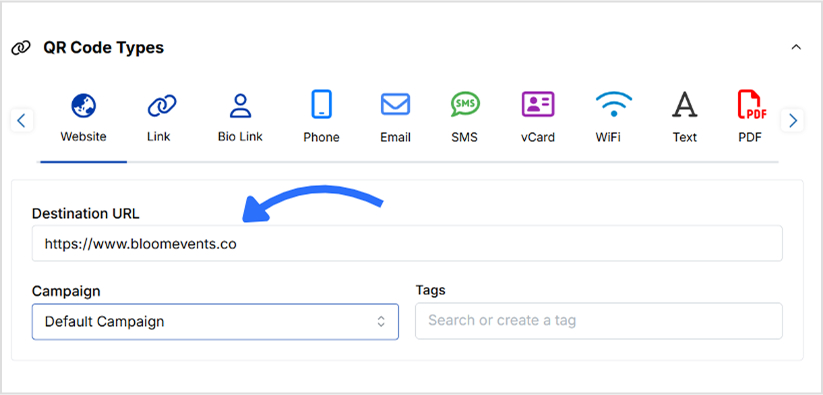
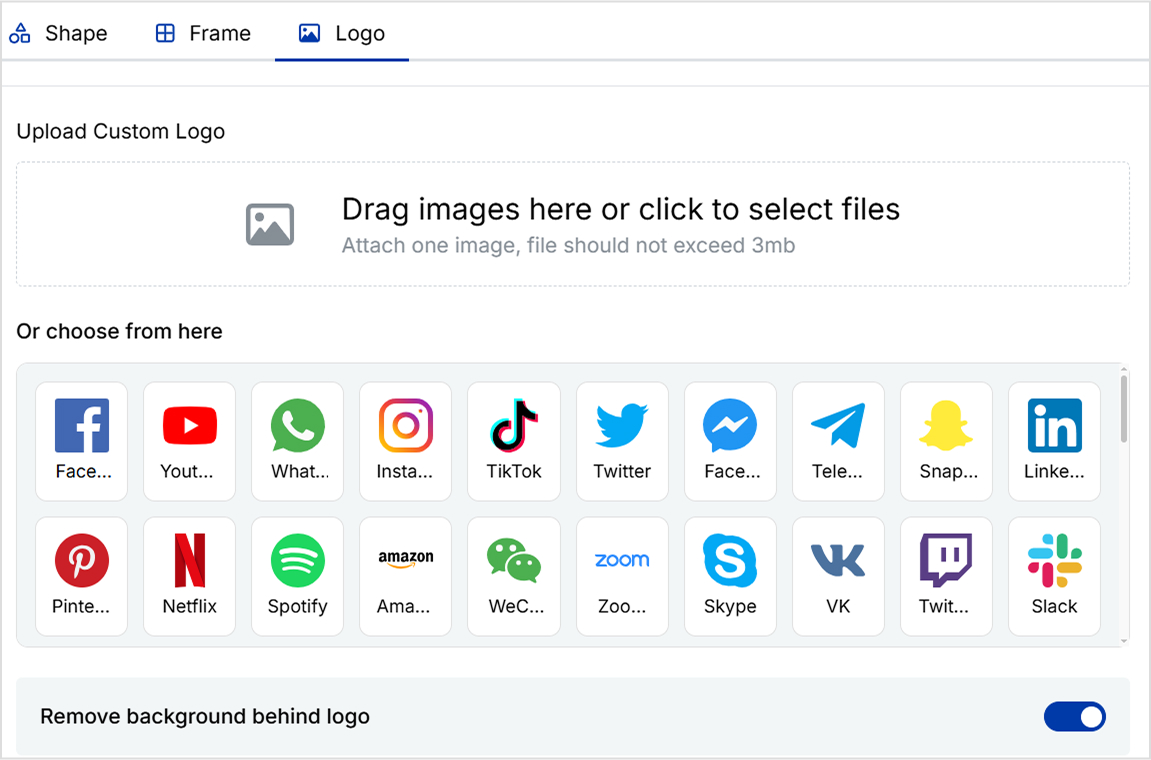
Step 4: Customize your QR code
Replug lets you design your QR code exactly how you want it. You can:
- Choose from different QR shapes, styles, and colors
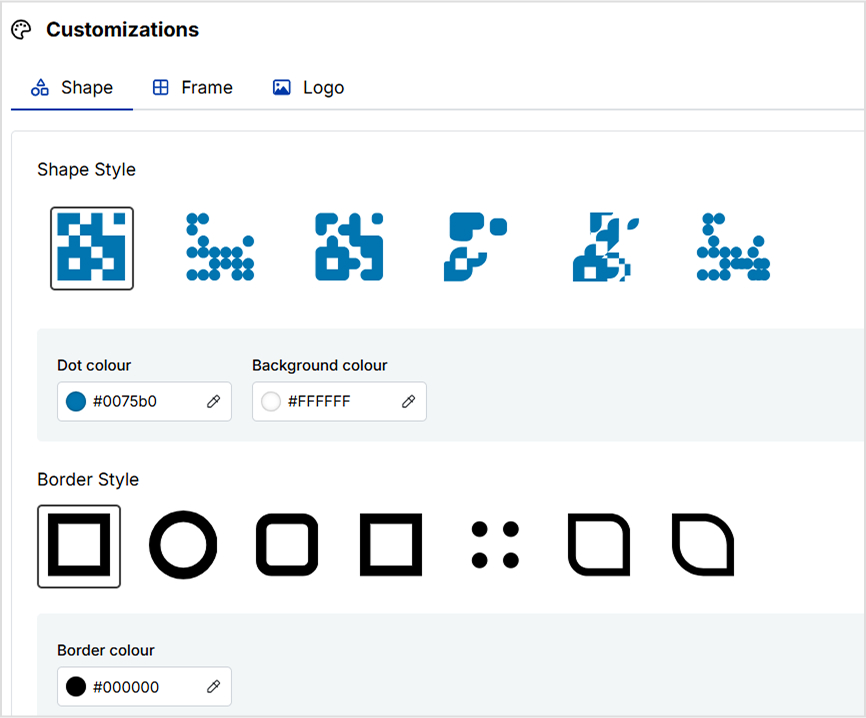
- Add your preferred frame and frame text
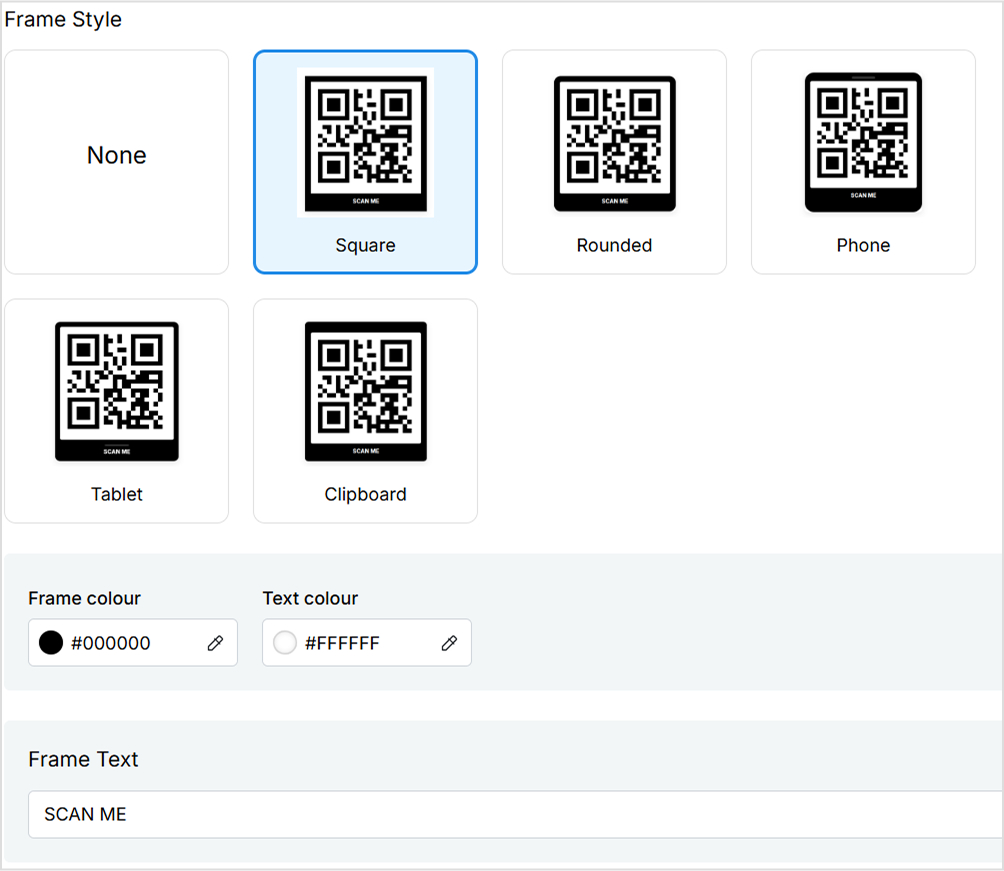
- Add your brand logo if you want
💡 Tip: Use high-contrast colors to ensure your QR code scans correctly. And always test it before finalizing.
And you’re done.
Step 5: Save and download your QR code
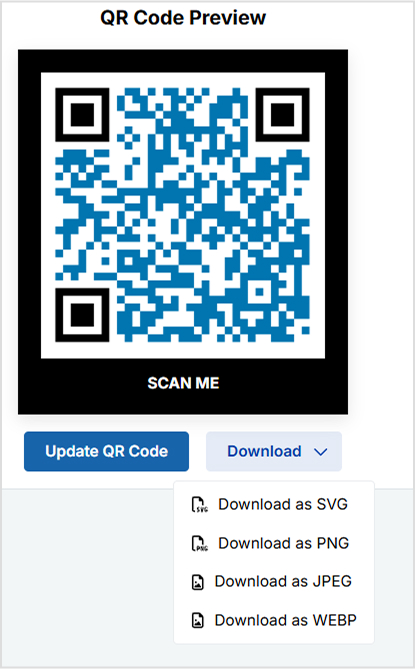
Once your design is ready, click “Create QR Code” at the bottom left.
After the QR code is created, you can download it in high-resolution formats like PNG, SVG, or PDF, perfect for both digital and print use.
You may also like: How to Make a QR Code for a PDF: 7 Simple Steps
Track QR code performance from your Replug dashboard
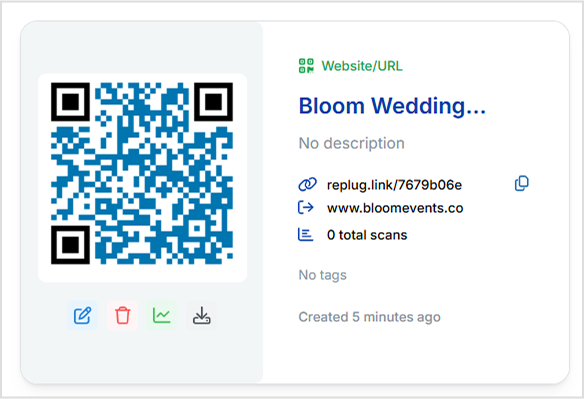
Once your QR code is live, Replug doesn’t just leave you hanging, it gives you full visibility into how it’s performing. With dynamic and trackable QR codes, you can access real-time data right from your dashboard. Monitor how many people have scanned your code, what devices they used, where they scanned it from, and even the time of each scan.
Need to update the destination URL after printing? No problem. Replug is a top-notch link management platform that lets you edit your link anytime without needing to create or reprint a new code. You can also pause or restart campaigns with a single click. These insights help you make smarter marketing decisions and continuously improve your offline-to-online strategy.
Final thoughts
With Replug, creating a custom QR code for your website is not only easy, it’s smart. You get full design control, dynamic editing options, and built-in analytics to measure real-world impact. Pair it with our URL shortener for enhanced link tracking.
Skip the plain black-and-white codes now. Create one that’s uniquely yours with Replug, today!
Frequently asked questions

Manahil
