How and why to use a Link Rotator?
A link rotator is a tool that allows you to rotate multiple links and track their performance. With Replug, you can rotate traffic between URLs from one short link. This can be useful for a number of reasons:
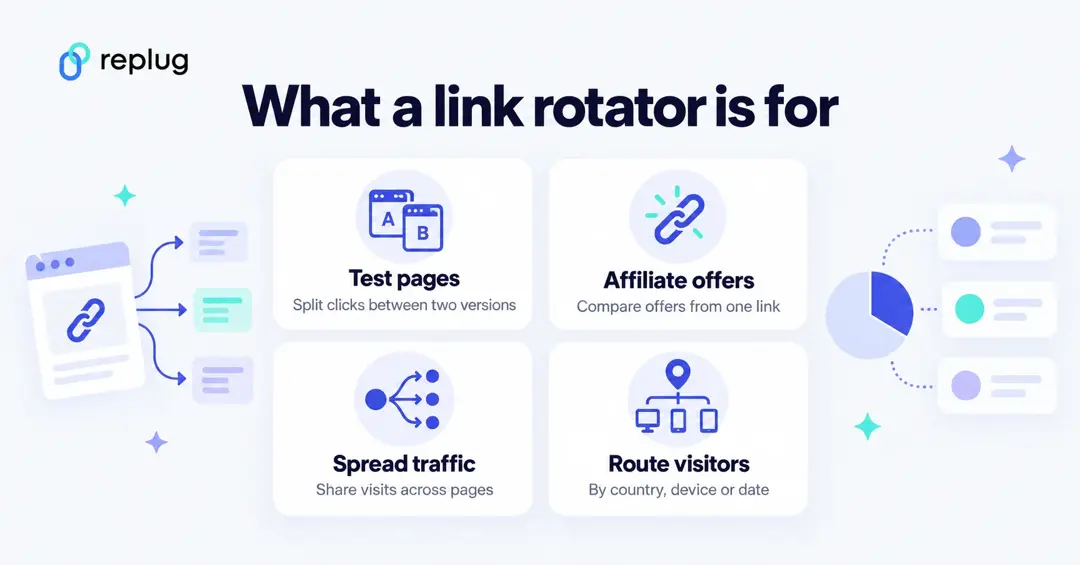
- A/B Test campaigns
- Promoting products in affiliate marketing
- Sending out emails in email marketing
- Driving traffic through social media
- Running ad campaigns
- Link Rotators and SEO
- Rotate multiple links
- Alter destination URLs
- Add a link weight
Read further to learn more….
Quick answer: A link rotator (also called a rotating link or URL rotator) is one short link that sends each click to one of several destination URLs. It either splits visitors by percentage, for A/B tests and offer comparisons, or routes them by rules such as country, device or date. The benefit: you share a single link everywhere and can test, compare and redirect behind it without changing what people click. In Replug, A/B testing splits a link across up to 20 URLs and traffic routing supports up to 10 rules per link, both on the Scale and Agency plans.
Marketers use link rotation tools to understand the website visitors or audience response towards the provided URL links, so to speak. So if you share your website or actively share content on social media then use short URLs on social media to drive traffic to your website pages, blog posts or fan pages. Adding link rotation to your marketing repertoire can be a good way to convert more audience.
URL shortening is a popular link management tactic. However, the story doesn’t end with utilizing short links on social media. This is why we decided to shed some light on the concept of link rotation .
What is a link rotator?
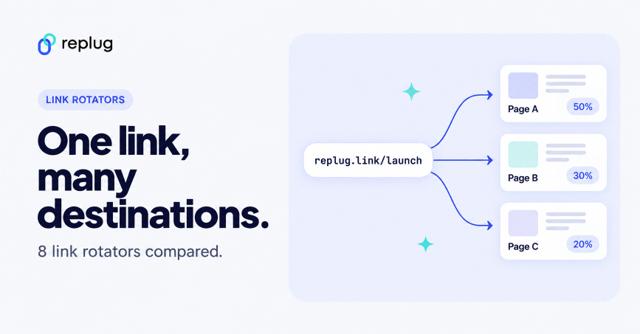
A link rotator sits between the link you share and the pages behind it. When someone clicks (or scans a QR code that holds the link), the rotator picks a destination and redirects the visitor there in a fraction of a second. Tools pick the destination in one of three ways:
| Type | How it picks a page | Good for |
|---|---|---|
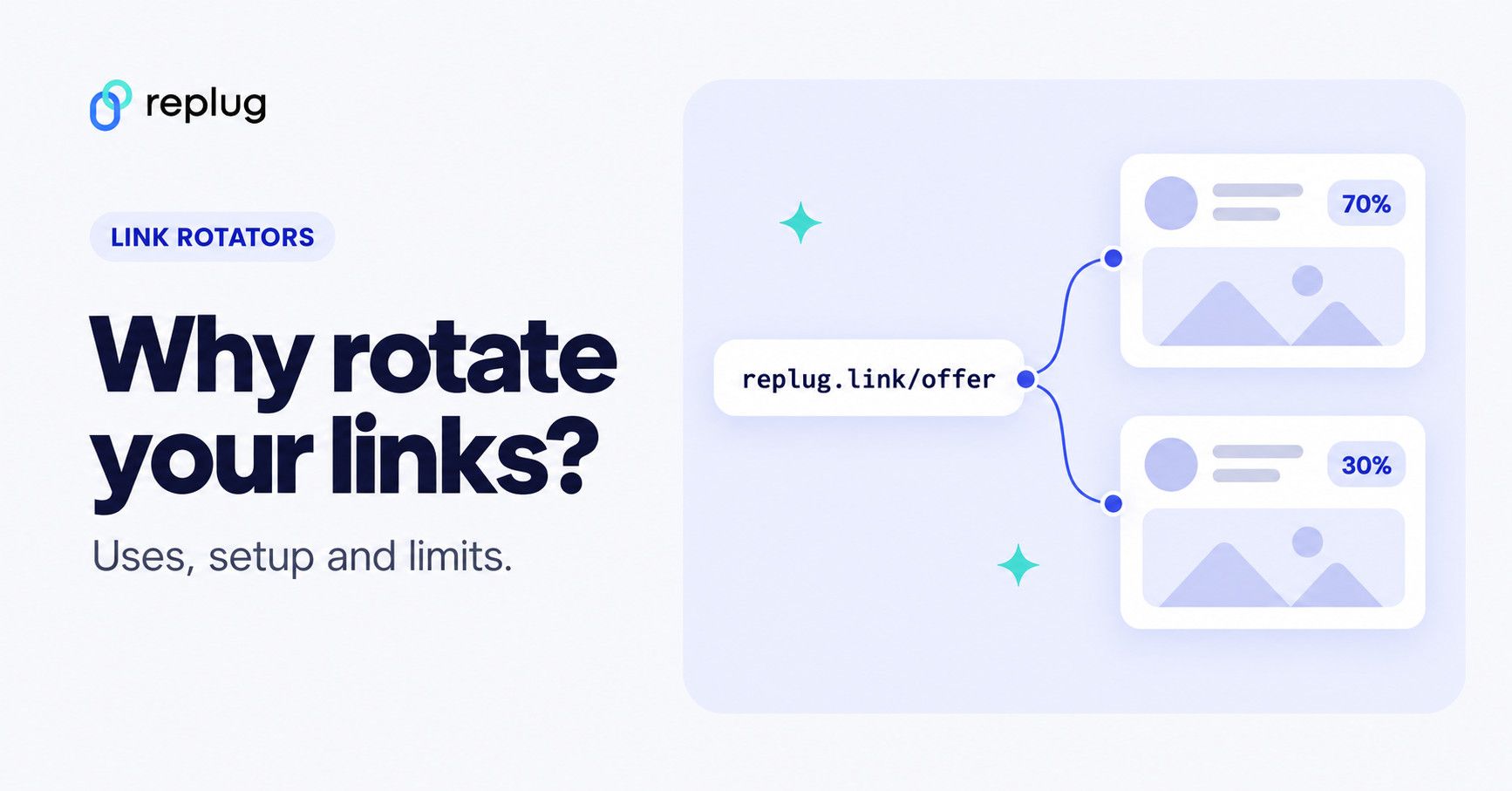
| Weighted split (A/B) | Sends each click to a URL according to the share you set, for example 50/50 or 70/30 | Comparing landing pages, offers or funnels |
| Sequential (round robin) | Sends click 1 to page A, click 2 to page B, and so on, where the tool offers it | Spreading traffic evenly across pages or partners |
| Rule-based routing | Sends each visitor to the first rule they match: country, device, browser, date and similar | Local pages, app store links by device, time-limited offers |
Replug offers the first and the third: A/B testing with weights on up to 20 URLs (Replug A/B testing) and traffic routing with up to 10 rules checked from top to bottom, with a fallback to the main URL (Replug link rotator).
A note on the name: searches for “rotate link” sometimes come from people who found an app with that name on their phone. This guide is about marketing link rotators, not phone apps.
For those who are curiously waiting to find out where exactly we could use link rotators, this section is written for them. There are several occasions when you could use link rotators. Let’s find out:
1. A/B Test Campaigns
Link rotators could come in handy when you want to run A/B split testing campaigns with your links. Digital marketing may have a million ways to market your product or content, but the end goal of every strategy or tactic is to attract the audience to take action. Therefore, embrace the link management strategies.
Many link management tools now include a link rotator for A/B testing. A/B testing is a testing strategy of creating two options for comparison. Usually, marketers test out two ad designs or ad headlines to do a comparison between them.
Since link rotators allow users to split the traffic to two different destinations, it helps them understand which one performed better. It could be two sales pages or separate websites.
2. Promoting products in affiliate marketing

Affiliate marketing is a monetization model that allows marketers to earn commissions on sales. Affiliate marketers – whether they’re bloggers, YouTubers, or Instagram influencers – the majority of them use short links for their affiliate links.
Plus, short URLs are used for almost all the outbound links that they need to track. There are short URL WordPress plugins that most of them use for shortening their URLs.
Link rotation could be used in affiliate marketing by setting up two different links to see which drives more visitors or which one attracts more eyeballs. It could quite be an experiment, because affiliate marketing depends on link clickability. One can’t earn a living with affiliate marketing if links aren’t being clicked.
Related: Affiliate Marketing Guideline for Beginners
3. Sending out emails in email marketing
Email marketing is a digital marketing strategy that allows brands, businesses, and marketers to reach out to their subscribers via email. The subscribers must opt-in to receive the email newsletters.
Email marketers use their email content to convey their message and insert links to drive traffic to their websites or landing pages.
Link rotators could be infused into an email marketing campaign by putting one rotating link in the email and splitting the clicks between two or more landing pages, so you can see which page does better with the same audience. Your email platform’s own A/B tests are the better tool for subject lines and send times; the rotator tests what happens after the click.
Related: Email Marketing: The Best Time And Day To Send Your emails And Make An Impact
4. Driving traffic through social media marketing

Social media is a powerful source of website traffic. Marketers heavily rely on social media platforms such as Pinterest, YouTube, Quora, and Facebook to get website traffic. A small portion of that social media website traffic could convert into paying customers.
Link rotation could be used on social media when driving website traffic. Since link rotation helps you understand how the audience behaves towards your links, it gets easier to understand the acceptability of a specific URL or website page.
5. Running ad campaigns
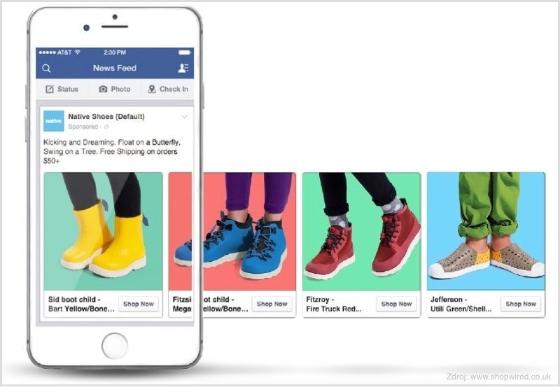
Online ad campaigns are incomplete without providing the destination URLs. Advertisers usually drive traffic through their online ads to the landing/sales pages or product pages on the website.
Link rotation could help advertisers with creating multiple links for their pages to analyze how those users receive those links.
So these were a few of the use cases of link rotators in digital marketing, but I’m sure there are plenty of other areas where link rotators could help marketers.
6. Link Rotators and SEO
(Data Box)
Link management is a vast domain and doesn’t only cover URL shortening. You must have learned so far that link rotation is a vital feature of URL-shortening tools.
Link rotators could come in handy in SEO for many reasons. One of those reasons is that link rotators go hand-in-hand with A/B testing and SEO experts split tests with landing pages, CTAs, navigation, content, and other stuff all the time .
Link rotators assist marketers and conversion specialists with driving traffic to specific pages or rotating some visitors for testing purposes. The reason behind pivoting some of the website visitors could be bringing some attention to the specific offer or landing page.
Similarly, the clickability on the CTAs or banners could also be analyzed by using the link rotation technology.
One caution for SEO: if you split traffic for pages that search engines index, Google’s testing guidelines say to use temporary 302 redirects rather than 301s, add a rel=”canonical” link from each variation to the original URL, show Googlebot the same thing as visitors and run the test only as long as necessary. Link rotators on short links you share in ads, emails and social posts don’t affect your site’s rankings, because those links aren’t your indexed pages.
7. Rotate multiple links
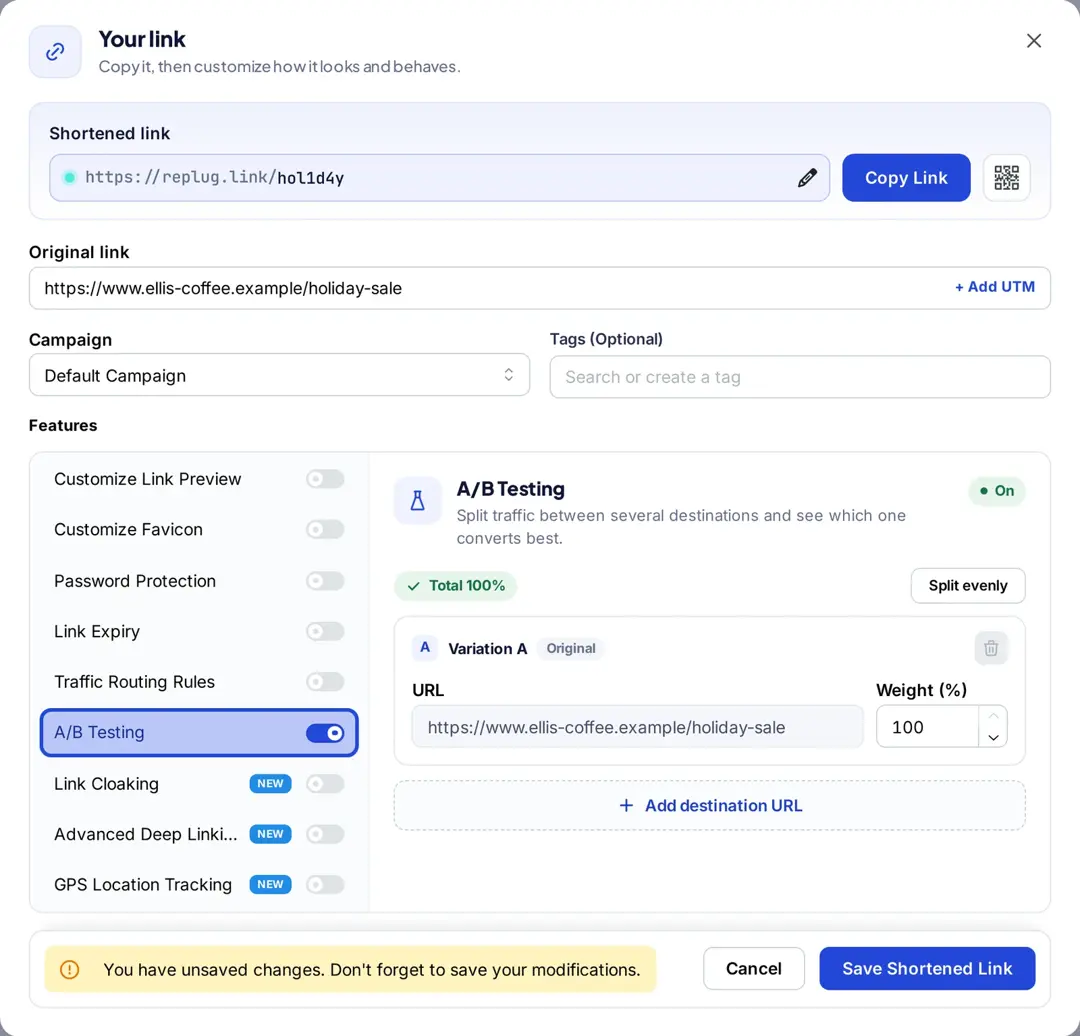
One of the reasons why you should be trying out the link rotating feature is to rotate multiple links for testing purposes. You might want to see which one works best for you. For instance, you could send the same audience to a long sales page and a short one, to two different offers, or to your own page and a partner’s. In Replug, turn on A/B Testing in the link’s settings and click Add destination URL for each page. (To compare a custom domain with the default one, create two separate links instead: a rotator changes where a link goes, not the address people see.)
8. Alter destination URLs
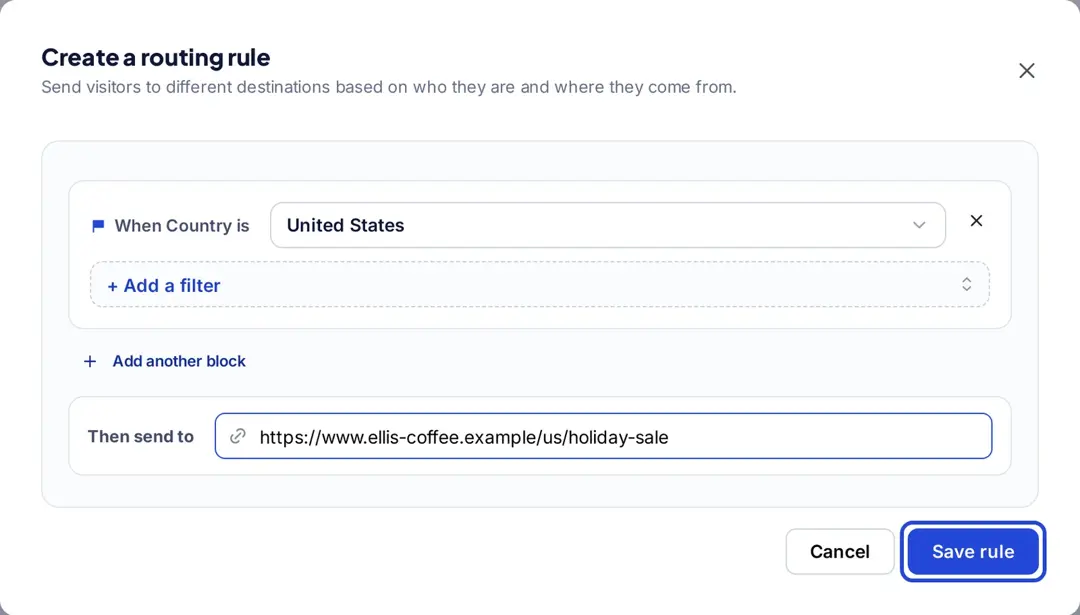
Altering or rotating destination URLs is one of the features that most URL rotators offer . It allows marketers and bloggers to test the outcome if they switched the destination URLs, meaning if the traffic lands on a different destination page. Rule-based routing goes a step further: in Replug, a rule such as “Country is United States” sends those visitors to their own page while everyone else goes to the main URL. Changing the destination of a link after you’ve shared it is part of the Scale and Agency plans (Replug pricing).
9. Add a link weight
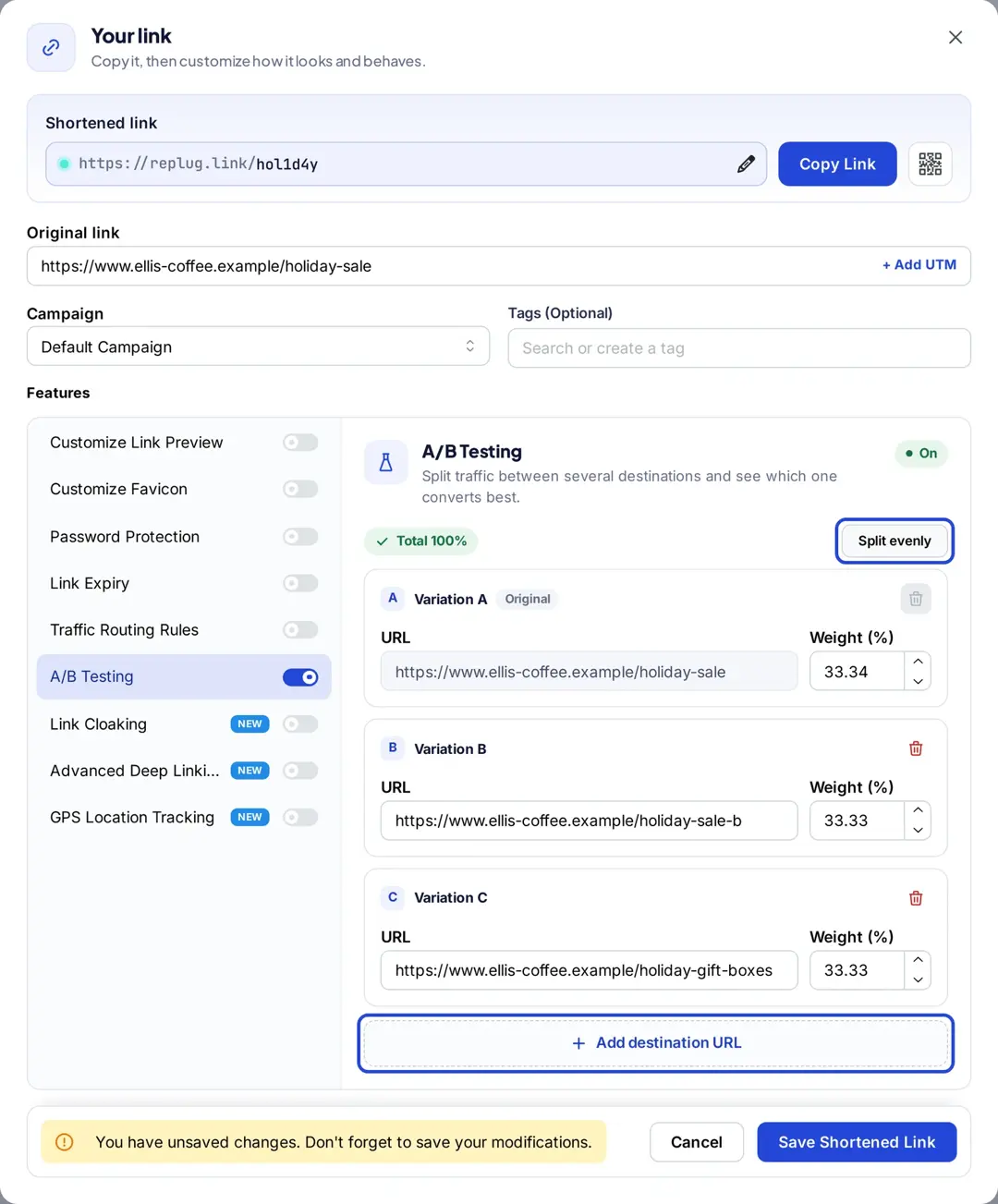
Adding a link weight is the ability to tell the link rotator about the importance of two or more links by setting a certain percentage for each link. Replug allows users to set the weight while A/B tests the URLs: type a share in Weight (%) for each URL, or click Split evenly. The weights add up to 100%, and you can move more traffic to the winner later without changing the link you shared.
How to set up a link rotator in Replug
- Click Create link, paste your main page URL and click Create short link.
- In the Your link window, turn on A/B Testing to split clicks, or Traffic Routing Rules to route them by country, city, region, device, browser, operating system, date, day of the week or IP address.
- For a split, add up to 20 destination URLs and set their weights. For routing, click Add new rule, set the condition and the page, and repeat for up to 10 rules.
- Add UTM parameters to each destination URL (there is an Add UTM button next to the original link) so you can follow conversions in your own analytics.
- Click Save Shortened Link and share the link. Clicks for each variation show up in the link’s analytics next to countries, devices and referrers.
Both features are part of the Scale and Agency plans, which you can try free for 14 days (Replug pricing). Retargeting pixels on the link still fire whichever page a visitor lands on.
What a link rotator can’t do
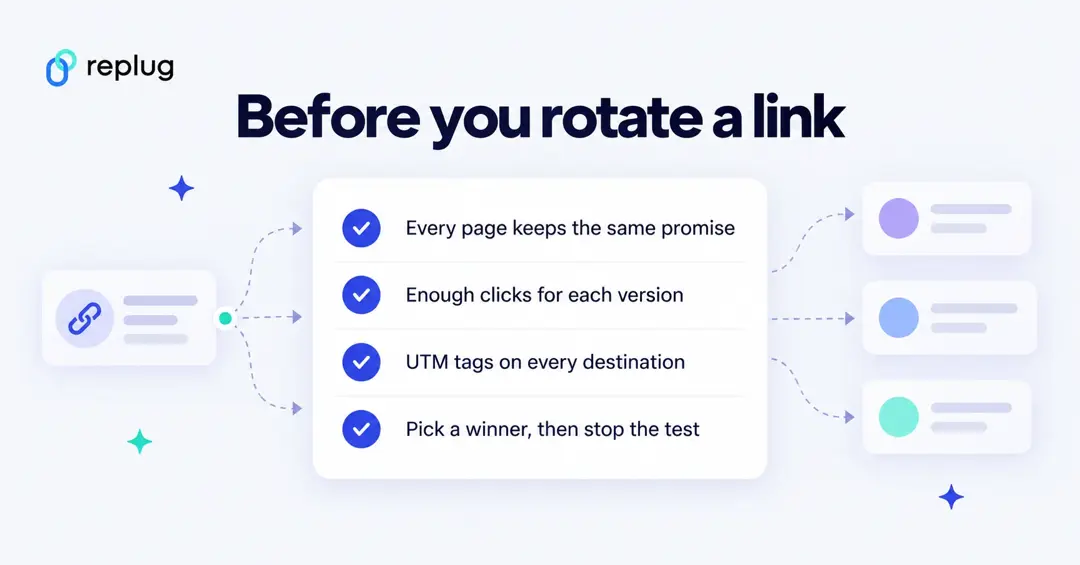
- It doesn’t measure sales by itself. Replug shows clicks per variation; conversions come from UTM tags in your analytics or from your shop or affiliate dashboard.
- It can’t fix a small sample. With a few dozen clicks per page, differences are mostly noise. Let a test run until each version has enough visits before you pick a winner.
- It shouldn’t change the promise. Every destination should deliver what the ad or post said, or people bounce and platforms may flag the link.
- It doesn’t override program rules. Some affiliate programs and ad platforms have rules about redirects and landing pages; check their terms before you rotate their links.
FAQ
What does it mean to rotate a link?
Rotating a link means one link sends visitors to different destination pages, by a percentage split or by rules, instead of always to the same page.
Are link rotators free?
Some are, and many paid tools include rotation in higher plans; the link rotation tools guide linked at the top of this article compares free and paid options. In Replug, rotation is part of the Scale and Agency plans.
Is a link rotator the same as A/B testing?
A weighted link rotator is a simple form of A/B testing: it splits visitors between pages. Full A/B testing tools also run tests inside a page and calculate statistical significance; a link rotator works for any page you can link to, even ones you can’t add code to.
Do link rotators hurt SEO?
Not when they’re used on links you share. If you split traffic between indexed pages on your own site, follow Google’s testing guidelines: temporary 302 redirects, rel=”canonical” to the original URL, no cloaking, and end the test when you have an answer.
In conclusion, link rotators provide a number of benefits for online marketers and businesses. They allow for easy tracking and analysis of traffic, enabling users to see which links are performing well and which are not. They also offer the ability to rotate multiple links, providing a way to test different campaigns and marketing strategies. Overall, link rotators offer a powerful tool for optimizing online marketing efforts and are an essential part of any online business strategy.
To further enhance and uplift your marketing campaigns, consider using Replug’s top-notch URL shortener with custom name to create branded, trackable links that complement your link rotator strategy.

Muhammad Ahsan Jamal