What is a Link Rotator?
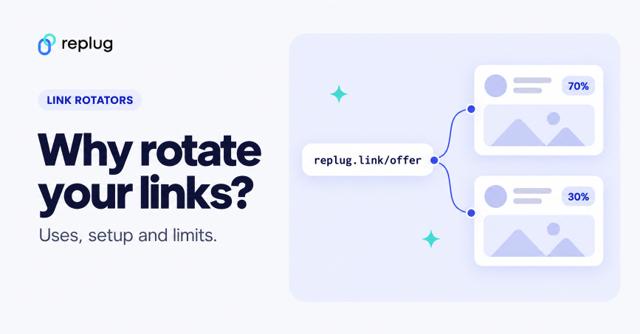
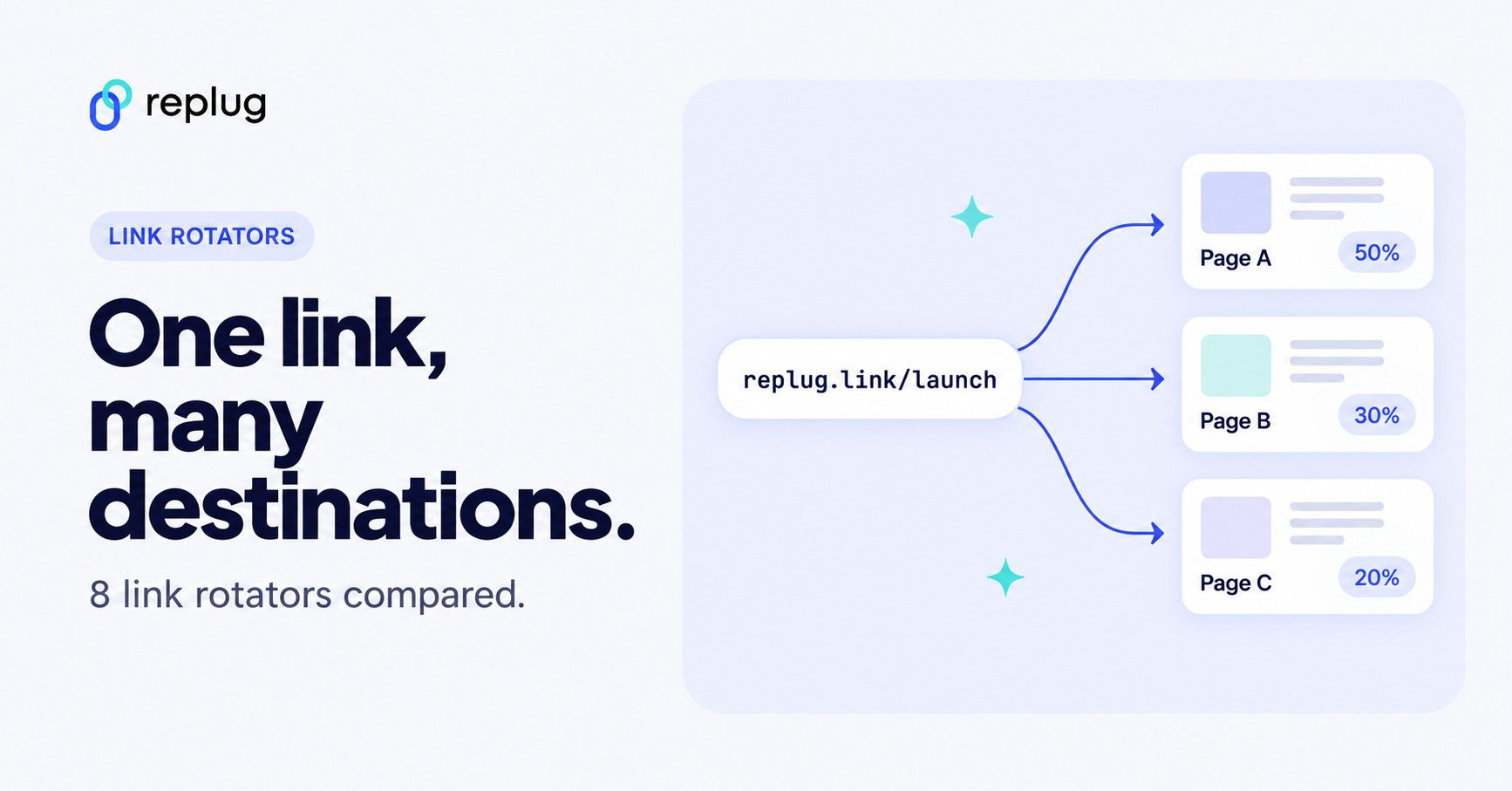
A link rotator is a link management strategy that splits a website page traffic and redirects visitors to multiple destinations.
The core idea behind this link strategy is to make a change in the destination URL and provide visitors with more than one option to analyze their response.
Why Marketers Need to Use a Link Rotator Tool?
The link rotation is mostly done by digital marketers for several reasons, such as conversion optimization, landing page analysis, user experience and others.
Link rotators in this guide
Read further to easily setup link rotation on any URL.
Quick answer: a link rotator is one link that sends each click to one of several destinations, either by percentage (a split or A/B test) or by rules such as the visitor’s country or device. The table below compares the link rotators worth a look in 2026, with prices taken from each vendor’s own pricing page in October 2026: Replug (routing rules plus A/B tests with up to 20 URLs), Rebrandly, Short.io, Geniuslink, JotURL, the free TPM Rotator, and Voluum for paid-traffic tracking.
Have you ever thought about experimenting with link rotation?
Bloggers, affiliate marketers, and digital marketing experts try to capitalize on every opportunity to grasp the audience’s attention and convert visitors into subscribers or customers.
Now different marketers and social media experts may opt for different routes to achieve this very goal of converting the audience. So they experiment with a number of tactics to achieve the goal.
Since links are vital in the digital world for conversion optimization, companies apply different techniques to make their links better and more prominent, such as URL shortening and link rotation.
Link rotators compared (prices checked October 2026)
Prices are the ones each vendor shows on its own pricing page, checked in October 2026, in US dollars unless noted. They change often, so confirm on the vendor’s page before you buy.
| Tool | How it rotates | Free option | Paid plans with rotation | Best for |
|---|---|---|---|---|
| Replug | Rules (country, city, region, device, browser, OS, date, day, IP; up to 10 per link) and weighted A/B split (up to 20 URLs) | Free plan, but rotation needs Scale or Agency (14-day trial) | Scale $23.40/mo billed annually ($39 monthly); Agency $79.20/mo billed annually ($99 monthly) (pricing) | Marketers who also want branded links, retargeting pixels and bio pages |
| Rebrandly | Dynamic Traffic Routing by location or device | Free plan without routing | From Professional, $32/mo billed annually or $39 monthly (pricing) | Teams already on Rebrandly |
| Short.io | A/B testing on every plan; country targeting from Hobby; city and region targeting on Team | Yes, A/B testing is on the Free plan | Hobby $5/mo, Pro $18/mo, Team $48/mo (pricing) | A low-cost start |
| Geniuslink | A/B traffic split | 14-day trial | $6/mo base fee plus $3.50 per 1,000 clicks (pricing) | Affiliate and Amazon links |
| JotURL | “Smart link rotator” and split A/B testing, listed among the features every plan includes | No | Growth €7/mo, Pro €55/mo, Business €135/mo (yearly view, pricing) | All-in-one tracking with conversion features |
| TPM Rotator | Split traffic across sites | Yes, the site says “100% Free Forever” | None listed (site) | Simple free rotation |
| Voluum | Traffic flows by country, device and time of day inside an ad tracker | No | Individual plans from $119/mo billed annually (pricing) | Media buyers running paid traffic |
| Spinster (script) | Self-hosted URL rotator script | No | $30 regular license on CodeCanyon; last updated October 2021 (listing) | Developers who want to host it themselves |
Rotation by percentage and rotation by rules solve different problems. A percentage split sends the same audience to several pages so you can see which one converts better. Rules send different audiences to the page that fits them, such as a local store or the right app store. Some tools only do one of the two, so check which one you need first.
Benefits of using a link rotator
The table below shows the benefits of a link rotator and why online marketers should start rotating link destinations and routing traffic.
| Benefits of using a Link Rotator | |
| Equitable traffic distribution | Ensures fair and balanced sharing of traffic among multiple URLs. |
| A/B testing capabilities | Enables testing various landing pages or offers to enhance conversion rates. |
| Operational efficiency | Allows specific criteria for URL rotation, enhancing control and customization. |
| Real-time optimization | Facilitates immediate adjustments based on performance analytics for better outcomes. |
| Flexible modifications | Easily update destination URLs without altering the shared link, ensuring adaptability. |
| Comprehensive tracking | Provides detailed analytics for each URL’s performance within the rotation, aiding in informed decisions. |
| Targeted marketing | Allows setting specific criteria for URL rotation, enhancing control and customization. |
| Customizable rules | Allow setting specific criteria for URL rotation, enhancing control and customization. |
Interesting read: Benefits of a link rotator: Why & when to use rotating links?
How do link rotators work?
Online marketers have a collection of different web links, each leading to a unique landing page or promotional offer. Instead of manually sharing these links or relying on a single destination, a link rotator acts as a dynamic guide, deciding where users should go when they click on a shared link.
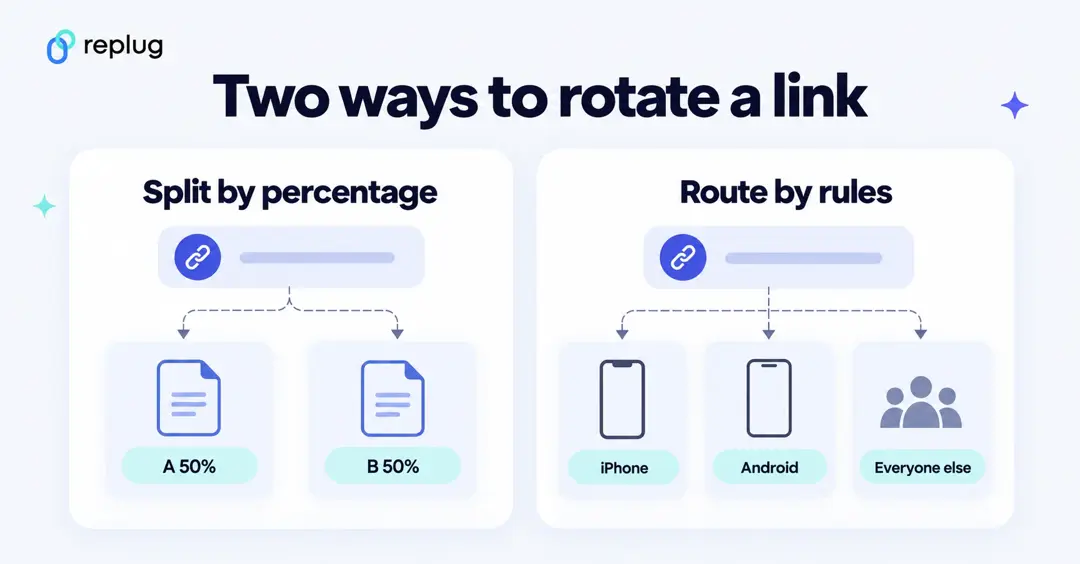
Now, here’s where it gets even more interesting. Some Link rotation tools are not just traffic directors; they are also powerful tools for marketers testing multiple versions of a landing page, each designed to appeal to your audience in a slightly different way.
This routing can be strategic, ensuring that certain links get more attention than others based on a predefined distribution plan or even randomized to ensure a fair distribution of clicks.
Related: How does a dynamic link rotator work?
Example of link rotation
In a global holiday sale campaign, a link rotator serves as a sophisticated traffic director.
Instead of sharing individual product links, a link rotator dynamically guides users to region-specific categories on the basis of preset filters.
For instance, you are a marketer of a global clothing brand and want to show tailored product pages based on your audience’s geographic/country location.

Customers in colder climates, like the United Kingdom, seamlessly transition to the “Winter Warmth Collection,” while those in warmer regions, such as Brazil, are seamlessly redirected to the “Summer Splendors Showcase.”
This strategic use of link rotation ensures a tailored shopping experience, allowing marketers to adapt and fine-tune their sales approach based on real-time insights into regional preferences and campaign performance.
Thus, the link rotator emerges as a powerful tool that can help e-commerce stores, SAAS companies, and any other business that sells products online. It helps steer online campaigns toward maximum effectiveness across diverse global markets with condition-based filters.
Best link rotators
It wouldn’t be fair to discuss everything about the link rotators but not mention industry-leading link rotators for marketers to try out.
Let’s first discuss the best link rotator.
Replug – The best link rotator with advanced features
Replug is a powerful link optimization platform that comes with several advanced features other than being a link rotator (see Replug’s link rotator) or a link disguiser, such as:
- Split testing
- Link rotation / Traffic Routing
- Deep links
- UTM tracking
- CTA
- Bio links
- Retargeting
- Branded short links
One of the best things about this tool is that it records click data for every link and every variation, and you can add UTM tags to each destination to follow conversions in your own analytics. Identify the most suitable marketing combinations and make the most of it. All these benefits speak volumes.
Digital marketers, affiliate bloggers, and conversion optimizers do a lot of testing.
For instance, they create multiple ads or landing pages to see which one performs better than the rest. And some marketers need to direct traffic on the basis of their audience preferences for more personalized experiences and targeted campaigns.
This is where Replug enters like a boss and shines, i.e. helping you get the most return from your online links and campaigns with Link rotation (also known as traffic routing) & A/B testing.
Replug has segregated link rotation into two separate features, i.e., Link Rotator (Traffic Routing) and A/B Testing. This helps users separate the campaigns and gain far more effective data insights for each marketing campaign.
Let’s have a more in-depth look at these essential features.
Link rotator (Traffic routing)
When your website visitors or social media followers click that snazzy short link, the link rotator gets activated and allocates the destination URL for the pre-defined settings.
In easier words, this method ensures your users are directed to their intended destination without any hassle. And you know who benefits from all this? E-commerce stores, SAAS companies—basically, any business selling stuff online gets a boost from these tactics. They help optimize the journey from click to conversion, making everyone happier in the end.
A/B testing
One of the essential features of Replug is A/B testing which allows marketers to redirect visitors to multiple destinations to see how splitting the traffic affects the campaign performance.
Marketers love A/B testing – They toss a bunch of destination URLs into the mix and set the percentage of visitors each link gets. It’s like running mini experiments to see which page or offer hits the jackpot.
Link rotation & A/B testing using Replug
First, you need sign up and log in to your Replug account.
Once you’ve set up the account, log in to your Replug account with your credentials to start the link management.
Then create a brand and campaign.
Note: Learn how to create a brand and campaign on Replug.
Link rotation with Replug
Step 01: On the Home page, paste your desired link in the top bar and click Shorten to generate a Replug short link.
Step 02: Replug opens the Your link window, where you can edit the slug or make other changes to your link.
Under Features, select “Traffic Routing Rules” and turn on its switch.
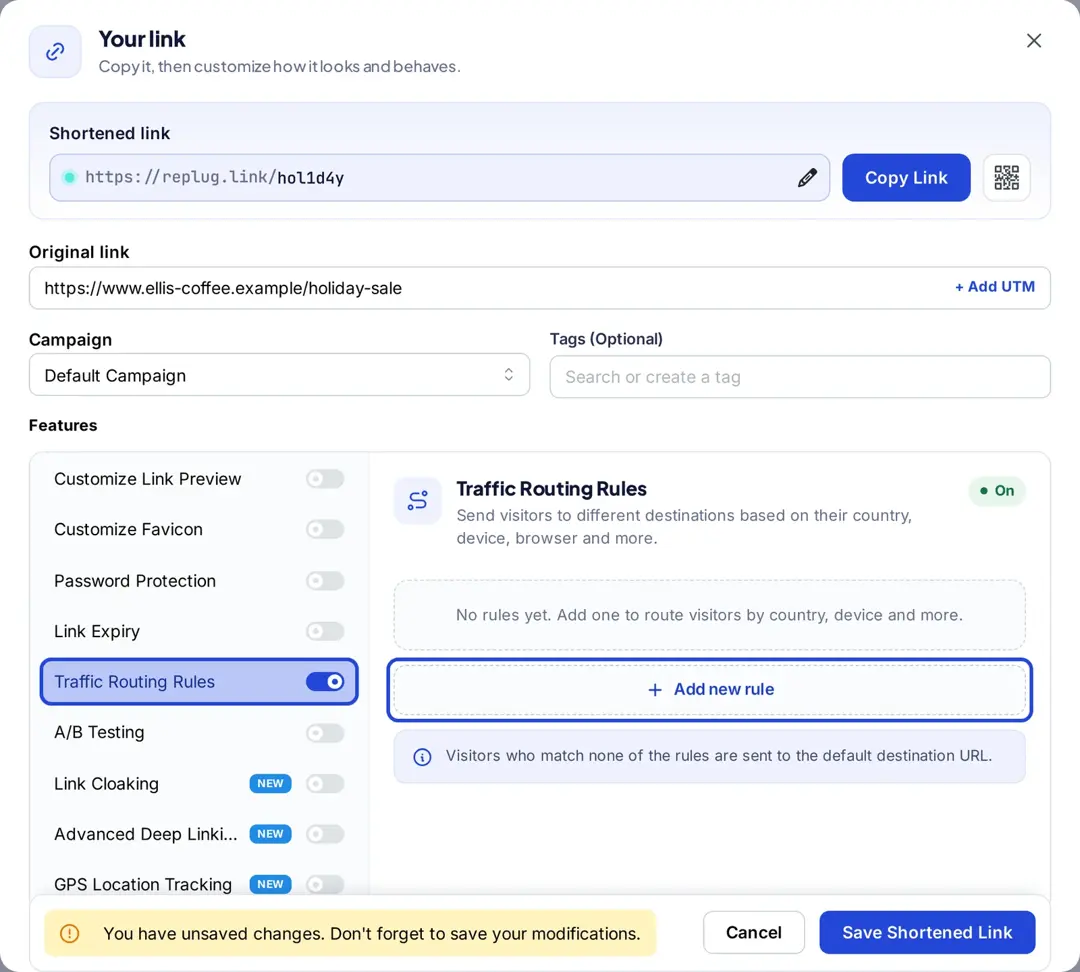
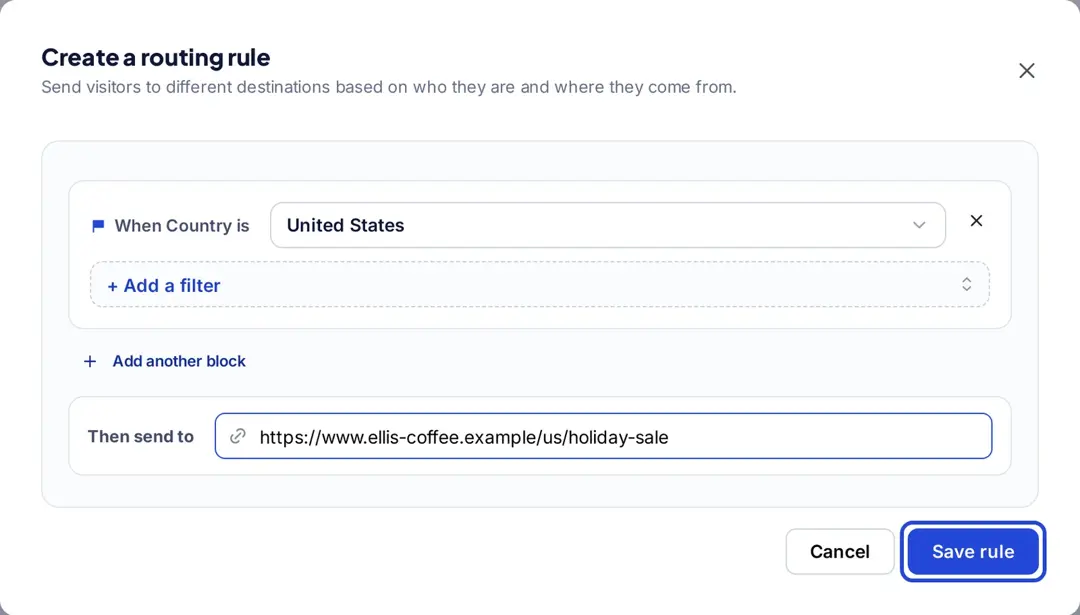
Step 03: Click “Add new rule”, then use “+ Add a filter” to set rotation rules. You can distribute and prioritize links based on preset conditions: country, city, region, device, browser, operating system, date, day of the week and IP address. You can add up to 10 rules per link; Replug checks them from top to bottom, sends each visitor to the first rule they match, and sends everyone else to the link’s main URL (source: Replug link rotator page).
Once the rules are set, click “Save rule” and then hit the “Save Shortened Link” button to start your campaign.
After launching your campaign, track performance and make adjustments as needed to improve results.
A/B testing with Replug
You need to follow the same procedure of creating a short link with Replug and then.
Step 01: Follow the same process to create a short link in Replug. Once created, the Your link window opens; select “A/B Testing” under Features and turn on its switch.
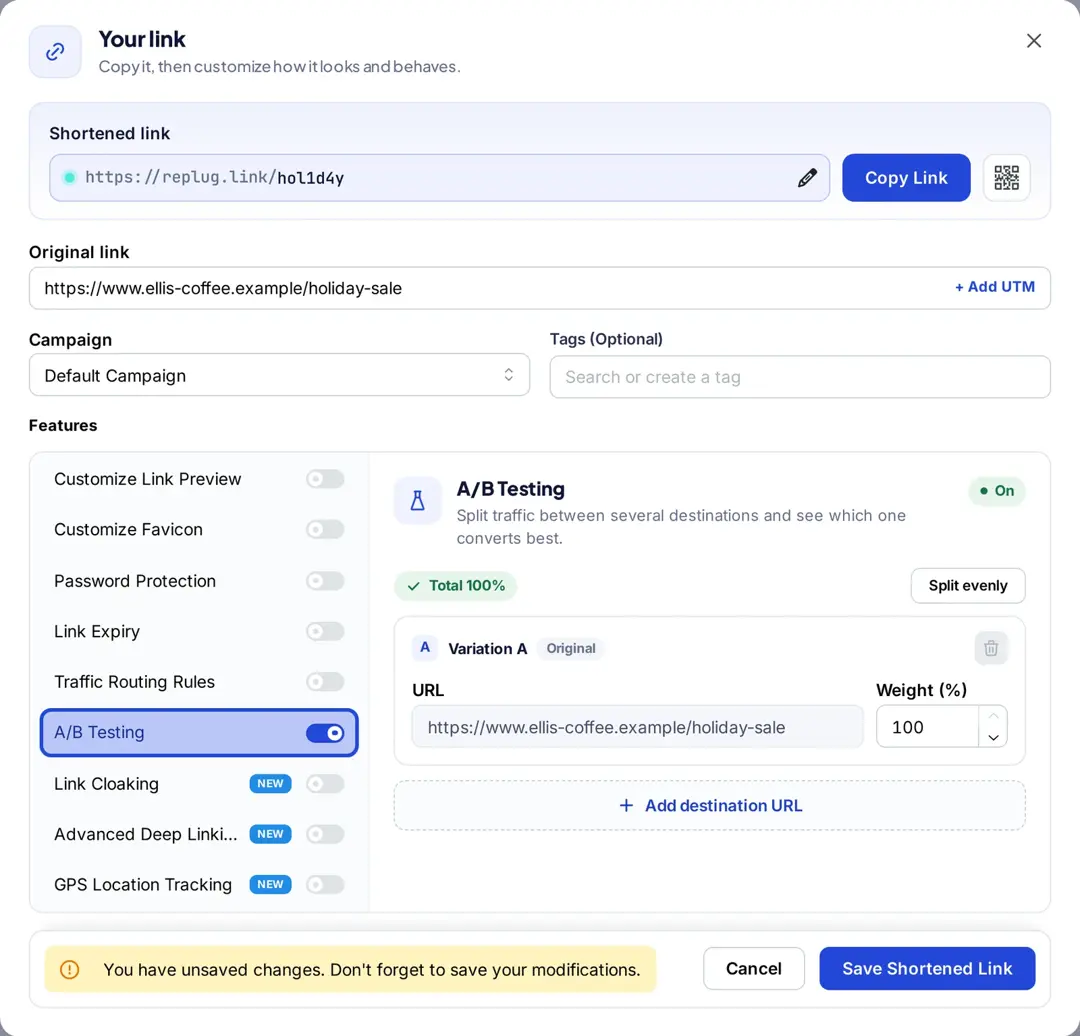
After you turn on the A/B testing option, the destination URL will be the first link with 100% weightage.
Step 02: Provide links for which you want to split traffic & test performance.
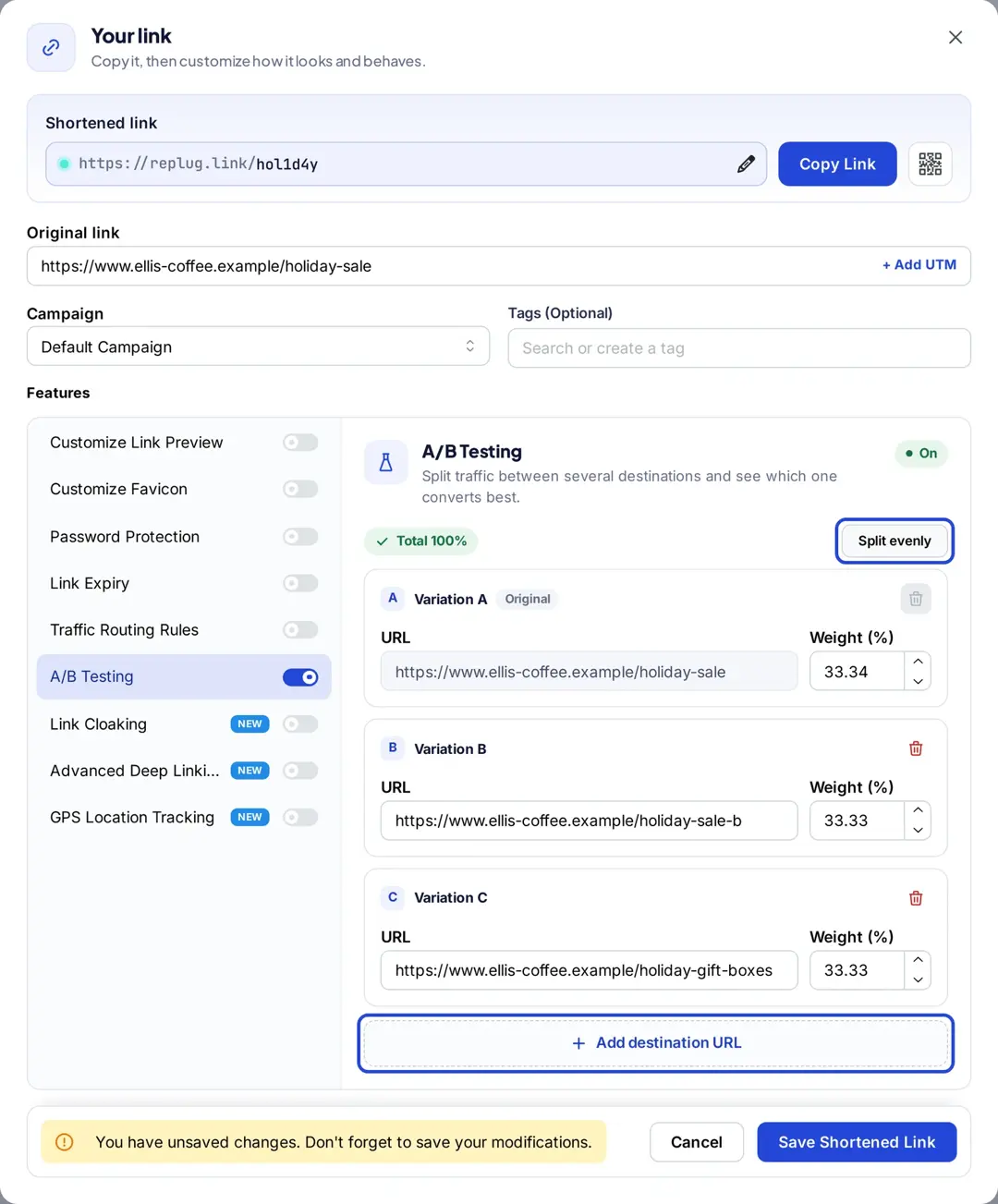
All you have to do is to click the “Add destination URL” button to add more links for A/B testing.
Then set the weights for each link, or click “Split evenly”. Once you’re done with it, finish creating the Replug link with the A/B testing feature enabled. Now, you’re ready to track the link rotation performance of your links.
Weights are percentages and add up to 100%. You can add up to 20 destination URLs to one link, compare clicks per variation in your link analytics, and move traffic to the winner without changing the link you shared (source: Replug A/B testing page). Plan note: traffic routing and A/B testing are on the Scale and Agency plans (pricing, October 2026).
[branded_short_links]
Other link-rotating tools
1. JotURL – Feature-rich click rotator software
JotURL is a URL shortener tool that offers UTM tracking, bio links, deep links, branded URLs, retargeting, and QR codes.
It’s not just a URL shortener that trims down long and clunky URLs for you. Instead, it empowers your branding, helps generate leads, and provides link tracking. Plus, it has a link rotation feature that puts this tool among the top link rotators for marketers.
2. Spinster – URL rotator
Spinster is a URL rotation solution built with JavaScript, HTML, and CSS for marketers and web entrepreneurs who want to create a personalized URL on their websites.
Spinster is a script you install on your own server rather than a hosted service. Its CodeCanyon listing shows a $30 regular license and a last update in October 2021, so check that it still works with your server setup before you buy.
This URL rotator creates a unique short URL to redirect the incoming traffic on the URL and help distribute the visitors to the pages of the choice. It’s a perfect solution for splitting a website page traffic and tracking the number of visits on each page.
3. Voluum – Best link tracker for CPA marketing
Voluum is an excellent link-tracking solution for online advertisers that run ad campaigns across different ad networks. It offers link tracking, campaign optimization, and process automation.
Voluum is built for media buyers rather than for sharing a single link: its features page describes handling country, device and dayparting logic inside Voluum so you can change traffic flows without changing the link in your ads. Individual plans start at $119 a month billed annually on Voluum’s pricing page (October 2026).
Voluum is a professional ad-tracking software that integrates with multiple ad platforms to provide campaign performance reports. It’s a fantastic link tracker for advertisers and marketers who are into conversion optimization.
How to choose a link rotator
- Split or rules? Pick a tool that does the kind of rotation you need: percentage splits for testing, rules for routing by country or device, or both.
- Per-variation stats. You should see clicks for each destination, not just for the link as a whole.
- Your own domain. A branded domain looks more trustworthy than a generic short domain in ads and emails.
- Change destinations without changing the link. That is the whole point once the link is printed or posted.
- A fallback. With rules, everyone who matches no rule should still land on a working page.
- Pricing that fits your traffic. Some tools charge per click, others per plan; estimate a month of clicks before comparing.
Conclusion
Link rotators are an integral part of the link management ecosystem, which is why many popular URL shorteners and link management tools now have this feature, though not all do (Bitly’s pricing page, for example, doesn’t list link rotation or A/B testing).
The core idea behind using link rotators is to dissect the number of website visitors and drive them to multiple destinations with the same or different proportions to see the impact on the results. That’s pretty much it.
Why choose Replug over other tools?
Replug is an all-in-one link management tool for marketers. It offers influencers, social media managers, and digital marketers handy features, such as create short links within seconds, link rotation, A/B testing, and more to play around with branded links.
FAQs on link rotators

Muhammad Ahsan Jamal