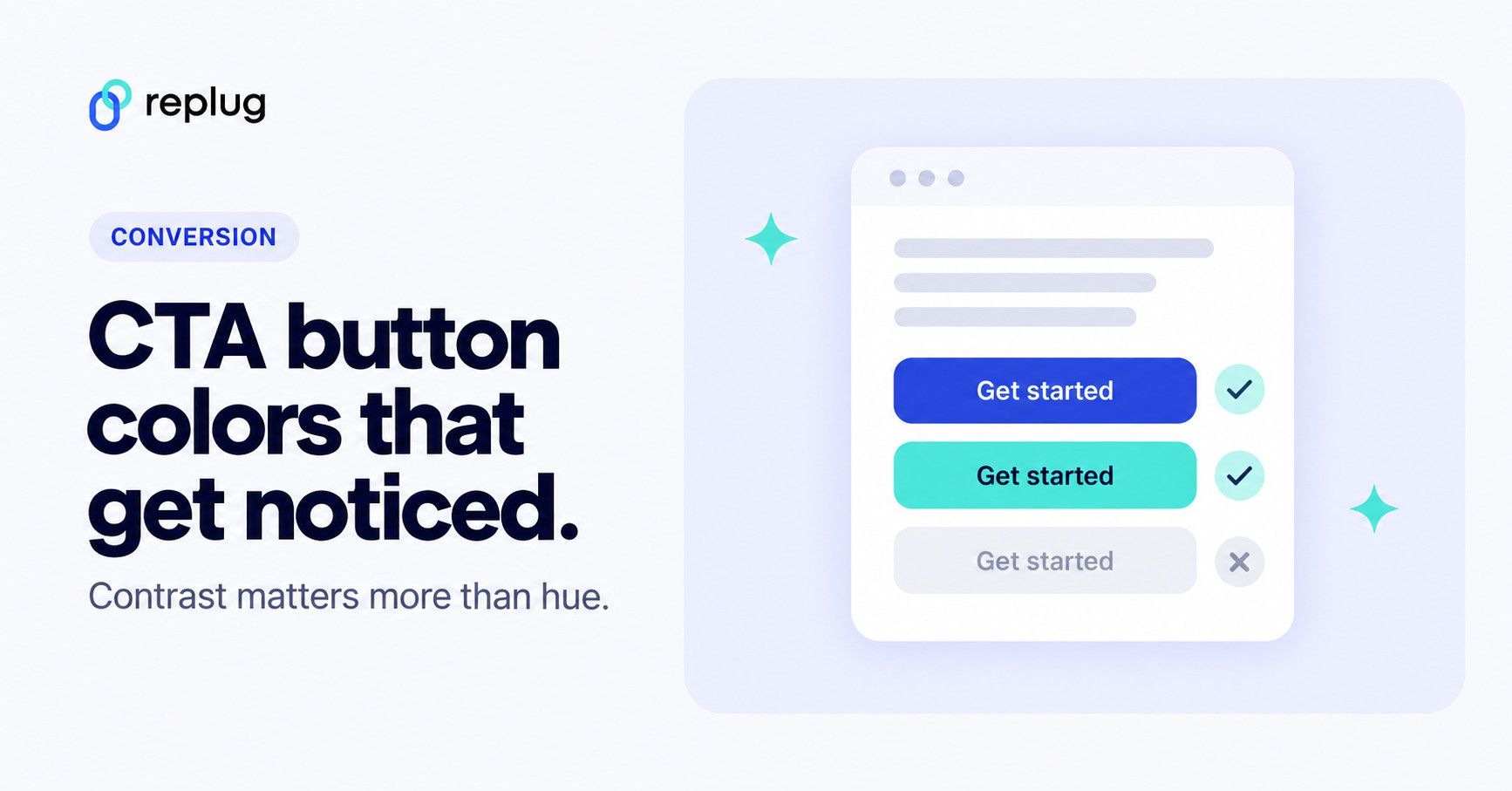
Quick answer: there is no single best call to action button color. The color that works is the one that stands out on your page: a hue nothing else on the page uses, with enough contrast against the background and against its own label. The Web Content Accessibility Guidelines (WCAG 2.2) give the numbers to check: at least 4.5:1 between the button text and the button, and 3:1 between the button and what surrounds it. Brand fit and tests with your own visitors decide the rest.
Colors do carry associations. Red reads as urgent, green as “go”, blue as calm and dependable. But when marketers test button colors, the winner is usually the button that is easier to see, not a magic hue. This guide covers what the evidence actually says, the contrast rules, ten common button colors with real examples, and how to set your own CTA colors.
Why call to action button color matters for website conversion
Your CTA button is the step between reading and acting: signing up, buying, booking or learning more. Its color decides how quickly people find it. A button that blends into the page, or that looks like every other box on it, gets overlooked; a button in a distinct, high-contrast color is found at a glance.
Think of a bold orange “Start free with email” button on a white landing page. It is almost impossible to miss, because nothing else on the page is that color.

So the goal is less “pick the right emotion” and more “make the main action the most visible thing on the page”, in a color that still fits your brand.
What the evidence says about CTA button color
Button color is one of the most-tested design details, and the results point the same way: contrast and visibility matter more than the hue itself.
- Red beat green once, for a reason. The often-quoted HubSpot test, summarized by CXL in Which CTA Button Color Converts the Best?, found a red button outperformed a green one by 21% on a client site over a few days and more than 2,000 visits. CXL’s conclusion after reviewing that and similar tests: no single color converts best; what drives results is how much the button stands out from the rest of the page.
- Convention can win too. The GOV.UK Design System uses green start buttons and notes that testing on GOV.UK showed green improved click-through rates. Green is also the color GOV.UK users have learned to expect for “start”.
- Big companies test tiny differences. Former Google designer Douglas Bowman wrote in Goodbye, Google (2009) that a team there tested 41 shades of blue to settle a design debate. It shows how far data-driven teams take color tests, not that one shade is right for everyone.
- Buttons must look clickable. Nielsen Norman Group’s guide to making clickable elements recognizable advises buttons that resemble buttons (a clear shape, consistent treatment) and warns against making non-clickable items look like buttons with a background color.
The practical takeaway: choose a color for visibility and brand fit, then test it against your own audience instead of copying another company’s winner.
Contrast rules for CTA buttons (WCAG 2.2)
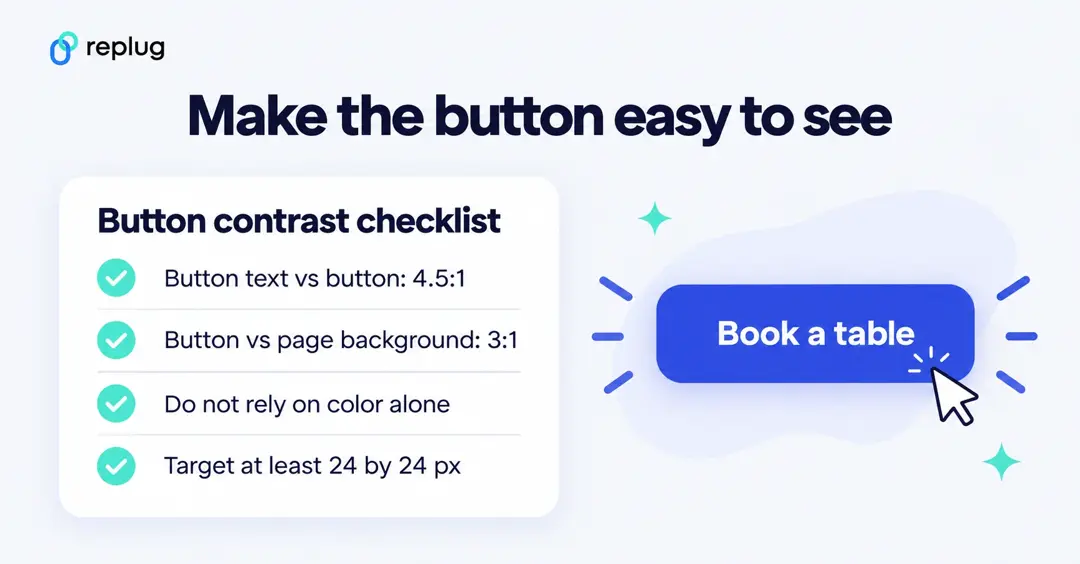
Contrast is measurable. WCAG 2.2, the accessibility standard most websites aim for, sets these minimums at level AA:
- Button text against the button: at least 4.5:1, or 3:1 for large text (Success Criterion 1.4.3, Contrast (Minimum)).
- The button against the page: the visual parts needed to see the button, such as its fill or border, need at least 3:1 against adjacent colors (SC 1.4.11, Non-text Contrast).
- Don’t rely on color alone: color can’t be the only way to tell people something, such as which option is selected or which button deletes data (SC 1.4.1, Use of Color).
- Make it big enough to hit: pointer targets should be at least 24 by 24 CSS pixels, or spaced so they don’t crowd each other (SC 2.5.8, Target Size (Minimum)).
Here is how some common button color pairs measure, calculated with the WCAG contrast formula (check your own exact colors with WebAIM’s Contrast Checker):
| Button | Text color | Contrast | Passes 4.5:1? |
|---|---|---|---|
| Red #D32F2F | White | 4.98:1 | Yes |
| Orange #FF6D00 | White | 2.82:1 | No: use dark text (6.69:1) |
| Yellow #FFD600 | White | 1.41:1 | No: use black text (13.37:1) |
| Green #2E7D32 | White | 5.13:1 | Yes |
| Light green #4CAF50 | White | 2.78:1 | No: darken the green |
| Blue #1565C0 | White | 5.75:1 | Yes |
| Purple #6A1B9A | White | 9.39:1 | Yes |
| Pink #EC407A | White | 3.76:1 | Large text only |
| Grey #9E9E9E | White | 2.68:1 | No |
| Black #111111 | White | 18.88:1 | Yes |
Bright orange, yellow, light green and mid grey are the usual traps: they look loud, but white text on them is hard to read. Either darken the button or switch to dark text.
Call to action button color psychology: How colors influence user behavior
Colors come with associations people have learned: red for stop, warnings and sales; green for go and “safe”; blue for links and calm. Those associations can help a button feel right for its job, but they are not universal. Color meanings differ by culture: white, for example, is associated with mourning in parts of East Asia. And associations never override a page where the button is hard to find.
Your button must stand out from the background, reflect your brand tone and stay consistent across your site. A color that pops in one layout can fade in another: a bold red stands out on a white page but can disappear against a red-toned hero image. Brand identity plays a role too: playful orange can feel off for a luxury brand, while black can feel too stark for a children’s site.
In short: color doesn’t just decorate, it directs. Use it to make the one action you want most the easiest thing to see.
Best practices for using CTA button colors
Picking red or green isn’t enough on its own. These habits make button color work:
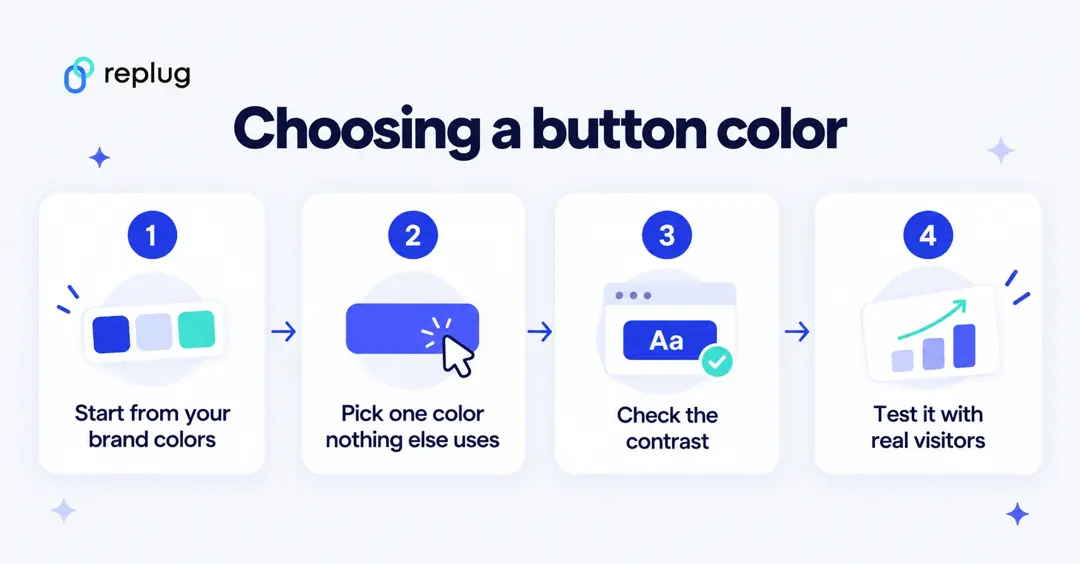
Contrast is key
Your button should stand out, not blend in. Check the contrast of the label against the button (4.5:1) and of the button against the page (3:1), as above.
Stick to one primary CTA color
Choose one color for your main action and use it for nothing else on the page. Secondary actions get a quieter style, such as an outline or grey button, so the main action keeps its pull. The GOV.UK Design System also warns that pages with too many calls to action make it hard for people to know what to do next.
Test what works for your audience
Color psychology is not one-size-fits-all. A/B test the button color, together with its label and placement, on your own pages, and run the test long enough to reach a meaningful sample. Our A/B testing basics guide explains how.
Use a customizable CTA generator
When you share links to pages you don’t control, such as articles or partner pages, a call to action generator lets you add your own on-brand button on top of the page (see the Replug section below).
Get inspiration from the best brands
Look at how top brands style their buttons: which color they reserve for the main action, how much space surrounds it, and how the label reads. The examples below are a good start.
Pair color with strong copy
Even the most vibrant button won’t work if the label is vague. Use action-driven text like “Get Started”, “Try it Free”, or “See How It Works.”
Make it mobile-friendly
Your CTA should be big enough to tap and look just as clear on a phone as on desktop. Apple’s Human Interface Guidelines suggest a hit region of at least 44 by 44 points for buttons in iOS apps.
10 best call to action button colors (and when to use them)
So, what is the best call to action button color? The honest answer: the one with the most contrast that still fits your brand. Here is what each common color tends to signal, when it fits, and the contrast trap to watch for, with real examples.
1. Red: urgency, excitement
Red is bold and loud. It is associated with urgency and sales, which suits flash sales, limited-time offers and high-energy “Get Started” buttons.
- When to use: Short-term offers, countdowns or high-energy campaigns.
- When to skip: Calm, health or luxury brands, where red can feel aggressive; and pages where red already means errors or warnings.
- Contrast check: White text on a mid red such as #D32F2F passes (4.98:1); lighter reds may not.
Examples (screenshots captured in 2025):
- Coca-Cola: Shop Collection, matching the brand’s red.
- Netflix: Get Started, in the brand’s signature red.


2. Green: comfort, progress, and go-ahead vibes
Green reads as “go” and “safe”, which is why it is common on checkout and start buttons and in health and finance.
- When to use: Moments where you want people to feel reassured as they take the next step, like starting a form or checking out.
- When to skip: Pages that already use a lot of green, where the button would fade into the background.
- Contrast check: Dark greens pass with white text (#2E7D32: 5.13:1); bright light greens don’t (#4CAF50: 2.78:1).
Examples (screenshots captured in 2025):
- Postnitro: Start creating free carousels.
- Evernote: Get Evernote free.


Also read: 150+ effective call to action examples for 2026: Boost conversions with high-converting CTAs!
3. Blue: trust, calm, and professional polish
Blue is the web’s traditional link color and a favorite of banks, software and corporate sites, where it reads as calm and dependable.
- When to use: Professional services, information-heavy sites or brands built on credibility.
- When to skip: Pages where the brand and links are already blue, so the button doesn’t stand out.
- Contrast check: Mid and dark blues pass with white text (#1565C0: 5.75:1).
Examples (screenshots captured in 2025):
- Replug: Get your short link for free with its URL shortener online.
- ContentStudio: Start your free trial.


4. Orange: friendly, fun, and attention-grabbing
Orange combines red’s energy with yellow’s warmth. On white or blue pages it is one of the most visible button colors.
- When to use: Playful brands, or when you want fast engagement without feeling aggressive.
- When to skip: Luxury products or serious industries where a more premium feel is needed.
- Contrast check: White text on bright orange often fails (#FF6D00: 2.82:1). Use dark text or a deeper orange.
Examples (screenshots captured in 2025):
- HubSpot: Get a demo.
- The Budgetnista: Take the 60 sec quiz.


Also read: Call to action for social media: 15 best examples
5. Yellow: Bright, optimistic, and grabs attention
Yellow pops off the page and brings a cheerful energy. Too much of it can feel like a warning sign.
- When to use: Highlights, secondary actions, or main buttons on dark backgrounds.
- When to skip: White-background pages where a pale yellow button disappears.
- Contrast check: White text on yellow fails badly (#FFD600: 1.41:1). Use black or dark text, which passes easily (13.37:1).
Examples (screenshots captured in 2025):
- charity: water: Join now.
- Mailchimp: Start preview.


6. Pink: playful, creative, and niche
Pink feels fresh and youthful and is common in beauty, lifestyle and creative brands.
- When to use: Brands that already use pink in their identity.
- When to skip: Minimalist or corporate designs where pink would look out of place.
- Contrast check: Mid pinks with white text often only pass for large text (#EC407A: 3.76:1); use a deeper pink or dark text.
Examples (screenshots captured in 2025):
- Barbie: Join #BarbieWatchParty on X.
- Wool and the Gang: SHOP NOW.


7. Purple: luxury, creativity, and prestige
Purple has long been tied to royalty and creativity, and many software and creative brands use it.
- When to use: High-end products, boutique brands or creative spaces.
- When to skip: When nothing else on your page is purple, it stands out well; skip it if your brand palette clashes.
- Contrast check: Deep purples pass comfortably with white text (#6A1B9A: 9.39:1).
Examples (screenshots captured in 2025):
- Usermaven: Sign up free.
- Discord: Earn Orbs.


8. Black: sleek, bold, and modern minimalism
Black buttons look strong and stylish, especially for fashion, luxury and tech brands with minimal layouts.
- When to use: Premium product lines, minimalist designs, or when you want to add weight to your button.
- When to skip: Dark pages, where a black button disappears, or friendly brands where black feels harsh.
- Contrast check: Black with white text has the highest contrast possible (18.88:1 for #111111).
Examples (screenshots captured in 2025):
- Contentpen: Start with 3 free articles.
- Typeform: Get Started — it’s free.


9. Grey: neutral, calm, and understated
Grey doesn’t compete for attention, which makes it a good fit for secondary actions next to a colored main button.
- When to use: Supporting buttons and actions that don’t need the spotlight.
- When to skip: Your main CTA: grey buttons can look disabled.
- Contrast check: White on mid grey fails (#9E9E9E: 2.68:1); use dark text on light grey.
Examples (screenshots captured in 2025):
- Canva: Read more.
- Etsy: Shop these unique finds.


10. White: pure, simple, and clean
White buttons work on dark or photo backgrounds, where they are often the brightest thing on screen.
- When to use: Dark backgrounds, image headers or premium, airy layouts.
- When to skip: White or light pages, unless the button has a strong border or dark fill.
- Contrast check: On a white page, a white button needs a border with at least 3:1 contrast to be visible.
Examples (screenshots captured in 2025):
- M&M’s: Personalize your M&M’S.
- Apple: Watch the clip.


Quick recap
- Warm colors like red, orange and yellow stand out on white and cool-toned pages; check that their labels stay readable.
- Cool colors like blue, green and purple feel calm and dependable, and their darker shades pass contrast checks with white text.
- There’s no single “best color”, only the most visible choice for your brand, page and audience.
Put theory into action with Replug
When you share a link to a page you don’t control, such as a news article, a partner’s product page or your own blog post, you can’t change its buttons. Replug’s CTA generator adds your own call to action on top of the page you share, through a short link. In a CTA campaign you choose the style (button, link or form; pop-up, banner, bridge page and more), write the message and button label, and pick the colors.
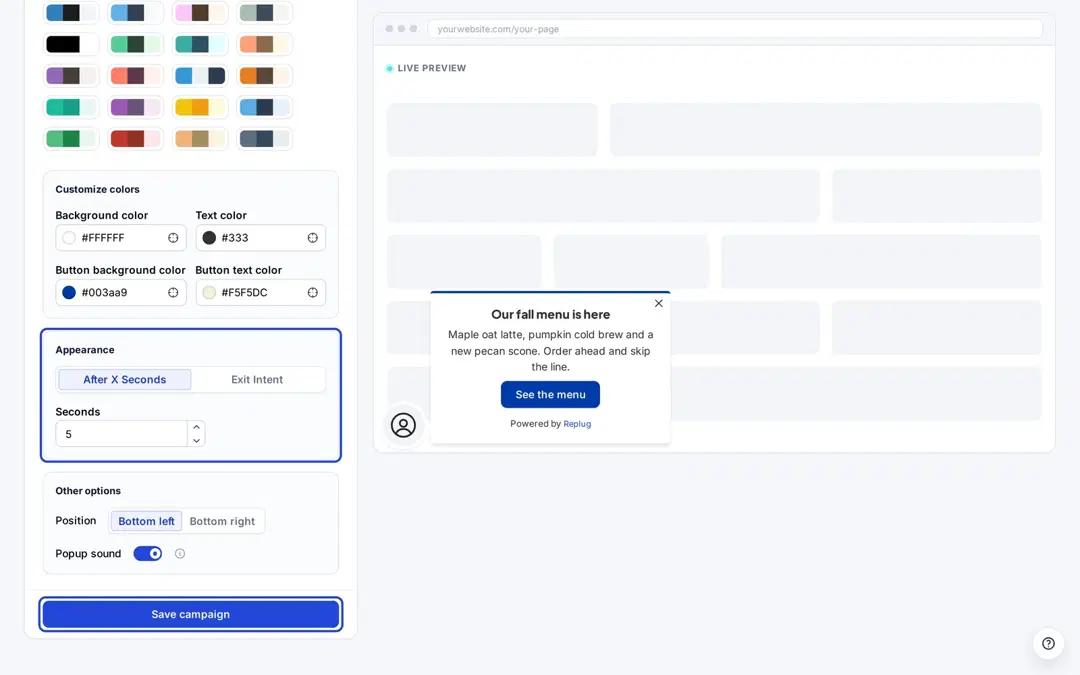
The Customization step has a color palette plus fields for the background color, text color, button background color and button text color, with a live preview, so you can check the contrast of your button before you save. Call-to-actions, CTA colors and position settings are on the Essentials plan and above, according to Replug’s pricing page. Our guide to CTA overlays shows the formats, and how to create a call to action covers the copy.
Replug counts clicks on the short links that carry your CTA. To compare two button colors on your own landing page, use your website’s A/B testing tool, and judge the result by sign-ups or sales in your analytics.
Wrapping it up
The right CTA button color is the one people notice first. Make it the only element in that color, pass the contrast checks, give it a clear label, then test it with your own visitors.
Want trust? Blue fits. Need urgency? Red can help. Going for luxury? Black works. But whichever you choose, contrast is what makes people see it.
FAQs for call-to-action button color

Amna Yawar