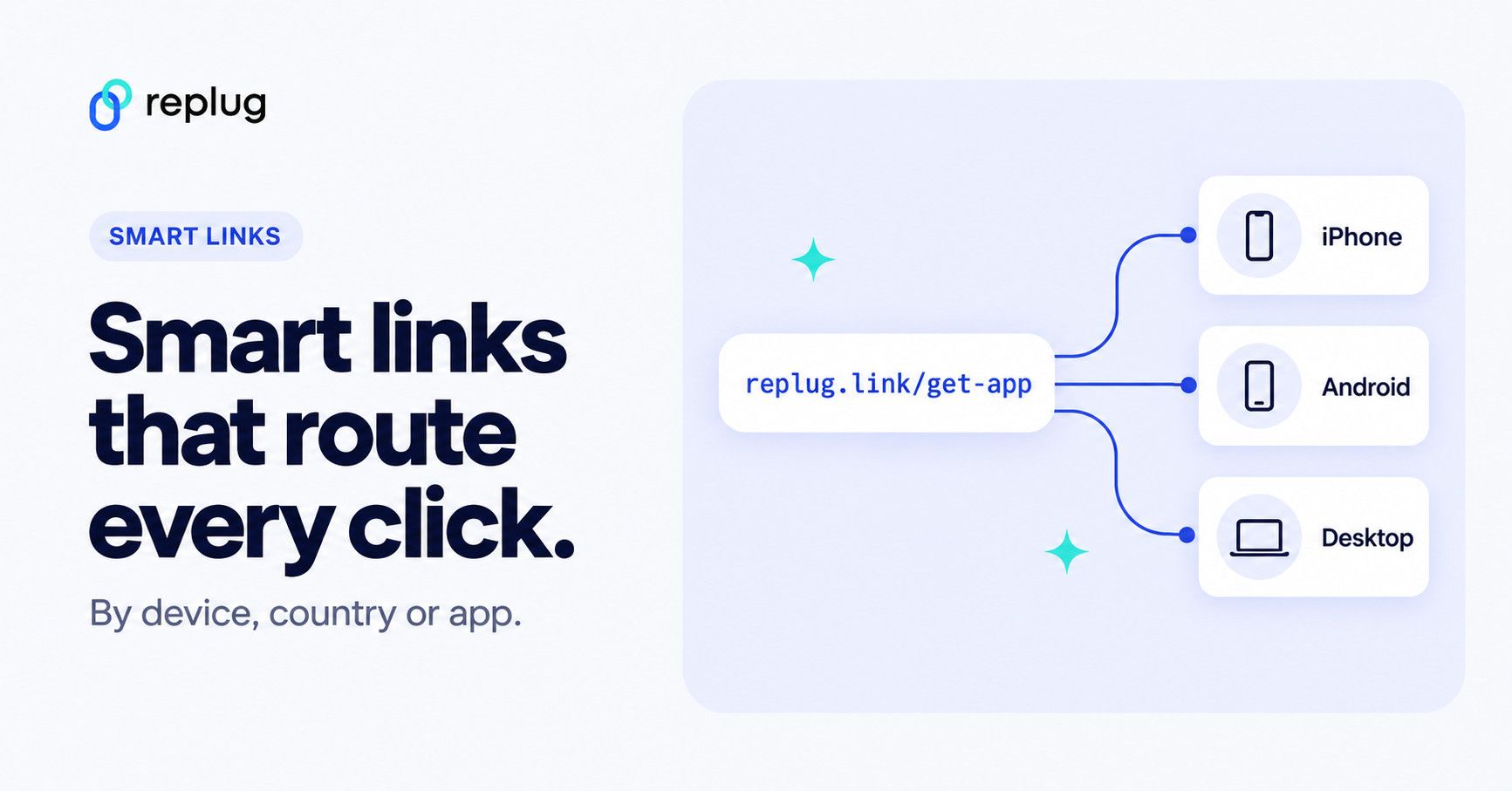
Quick answer: a smart URL (or smart link) is one link that sends each visitor to the right place based on rules: their device or operating system, their country or city, the day or date, or whether they have an app installed. For example, iPhone users go to the App Store, Android users go to Google Play and everyone else lands on your website. To create one, shorten your URL in a link tool that supports routing rules, add a rule for each audience with its own destination, and keep a fallback URL for everyone who matches no rule. In Replug that is traffic routing (up to 10 rules per link), plus deep links when you want the link to open inside an app.
Smart URLs, also known as dynamic URLs, are generated automatically based on a set of rules. This contrasts static URLs, which are manually created and do not change. Smart URLs can be used to improve the user experience, track website traffic, and improve search engine optimization.
Smart URLs can be valuable for businesses of all sizes.
A note on terms: in marketing, “smart link” usually means a link that routes people by device, location or app, which is what the steps below cover. A “dynamic URL” on a website (a page address built from parameters, like ?id=42) is a different thing and has nothing to do with routing.
They can help businesses to:
- Improve the user experience by making it easier for users to find the information they are looking for.
- Track website traffic and see how users are interacting with the website.
- Keep links short, readable and on-brand, so people trust them before they tap. (A short or smart link redirects to your page; it doesn’t change how that page ranks in search results.)
Before using smart URLs, consider:
- Make sure that the rules for generating smart URLs are clear and easy to understand.
- Use a consistent naming convention for smart URLs.
- Monitor the performance of smart URLs to make sure that they are meeting your expectations.
Also read: Unique URLs: What They Are and How to Use Them?
How to create a smart URL link?
To create a smart URL link, you can use a custom link shortener online. Replug allows you to create short, easy-to-remember links for long URLs. When you create a smart URL link, you can also add a readable custom slug and UTM parameters to it. This helps people recognize the link before they tap it and helps you see where the clicks came from.
Here’s how to create a smart URL link using Replug
Step 1: Sign in to Replug or create an account for free.
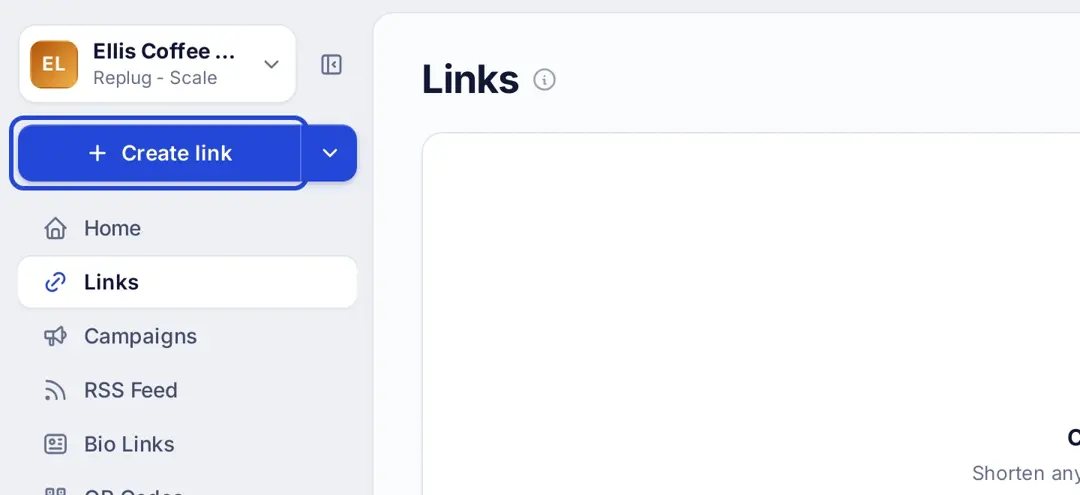
Step 2: Click “Create link” at the top of the left menu. You can file the link under a campaign on the next screen, or create a new campaign in just a few seconds.
Step 3: Paste the URL that you want to shorten into the “Create a short link” window.
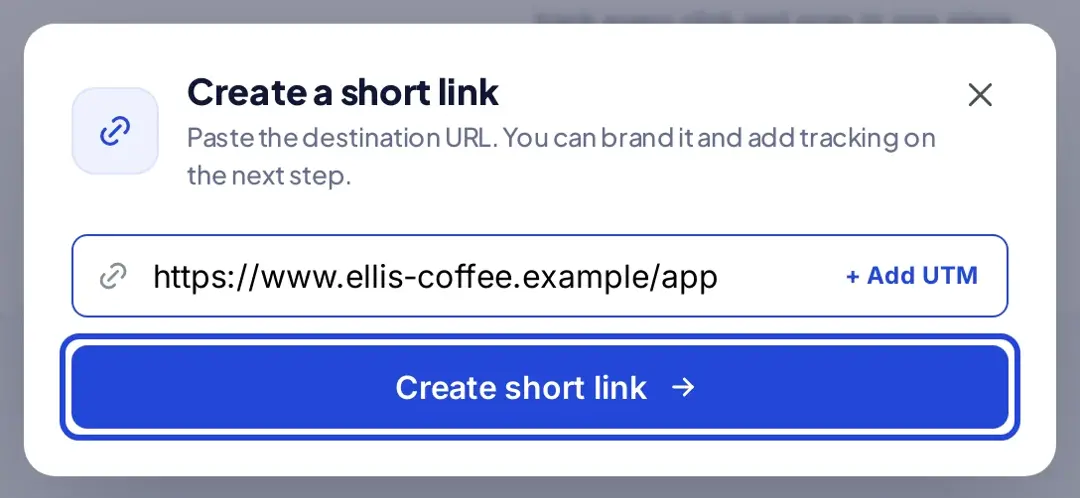
Note: Here you can also add UTM parameters to your link.
Step 4: Click the “Create short link” button.
Step 5: Replug will generate a short URL for you and open it in the “Your link” window. You can then customize it (click the pencil icon to change the ending), copy it with “Copy Link” and share it.
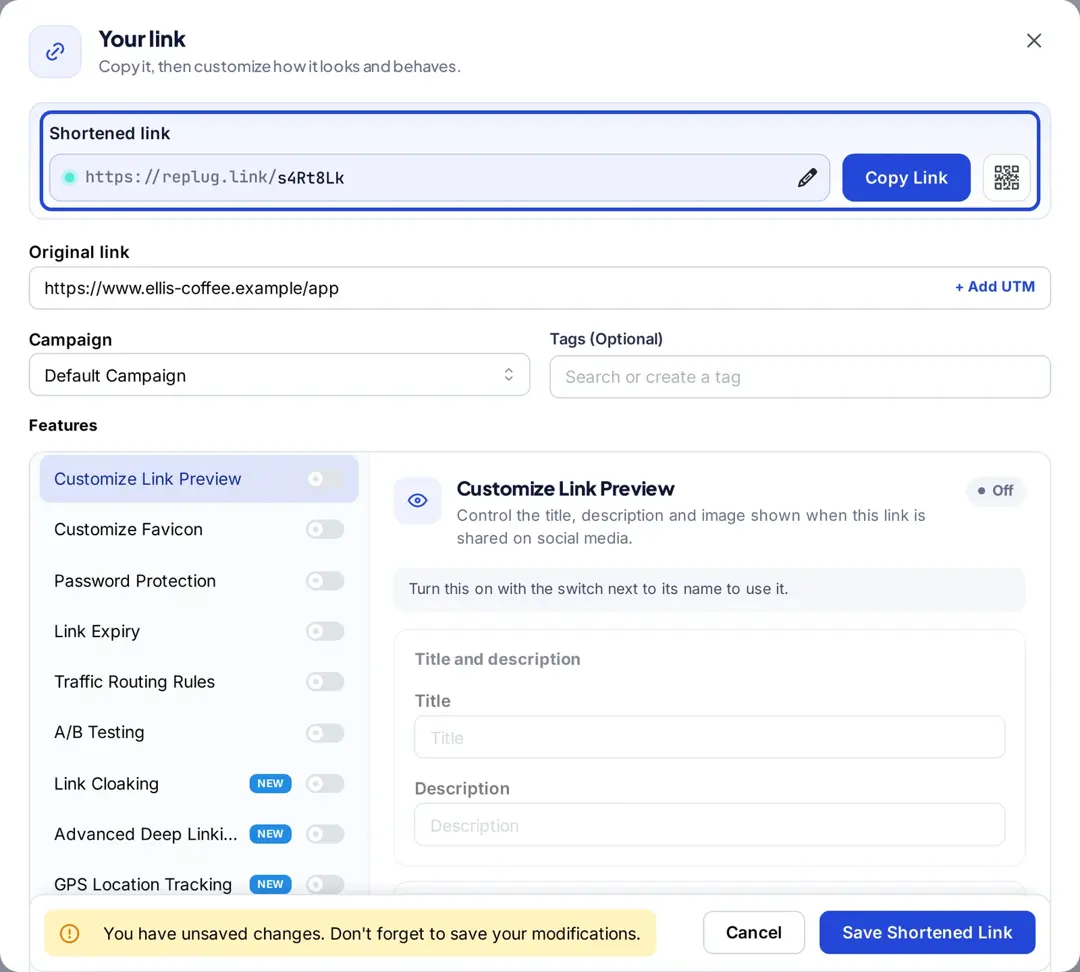
Step 6: Here you can also add features to your short URLs which include:
- Customize link preview
- Customize favicon
- Password protected
- Link Expiry
- Traffic routing rules
- A/B testing
- Deep linking
Plan note (from Replug’s pricing page, checked October 2026): link preview and favicon customization start on the Essentials plan; password protection, link expiry, traffic routing rules, A/B testing and deep linking are on the Scale and Agency plans, which come with a 14-day free trial.
Here are some tips for creating a smart URL link:
- Make sure that the link is easy to remember and type.
- Use a readable custom slug (for example replug.link/spring-app) so people know where the link goes. Custom slugs are on Replug’s Essentials plan and up.
- Keep the link short so that it is easy to share.
- Track the number of clicks on your link to know how it’s performing.
What can a smart link do?
Every smart link has one address and a set of rules. When someone clicks, the link checks the rules and redirects them to the matching destination. These are the rule types people use most:
| Rule | Example | Typical use |
|---|---|---|
| Device or operating system | iPhone and iPad go to the App Store, Android phones go to Google Play | One “download our app” link for ads, emails and QR codes |
| Country, region or city | Visitors in the UK go to your UK store, Canadians to your Canadian pricing page | Local stores, prices and languages |
| Date or day of the week | Weekend clicks go to the weekend offer | Time-limited promotions |
| Browser or IP address | Clicks from your office IP go to an internal page | Testing and internal links |
| App (deep link) | A YouTube or Amazon link opens in the app instead of the browser | Social, video and shopping links on mobile |
| Split by percentage (A/B test) | Half the visitors see landing page A, half see page B | Testing which page converts better |
Routing rules decide where a visitor goes based on who they are. An A/B test splits one audience between several pages to compare them; Replug’s A/B testing supports up to 20 weighted destinations per link.
How to make a smart link with device and location rules
Here is how to build one in Replug with traffic routing (Scale and Agency plans). The feature details below come from Replug’s link rotator and traffic routing page.
- Create a new short link and paste your main destination into Original link. This is the fallback URL for anyone who matches none of your rules.
- Turn on Traffic Routing Rules and create a routing rule.
- Pick the conditions for the rule: country, city, region, device, browser, operating system, date, day of the week or IP address. Every condition in a rule has to match, so one rule can target, for example, Android phones in Germany on weekends.
- Enter the destination URL for that rule, then add more rules if you need them (up to 10 per link).
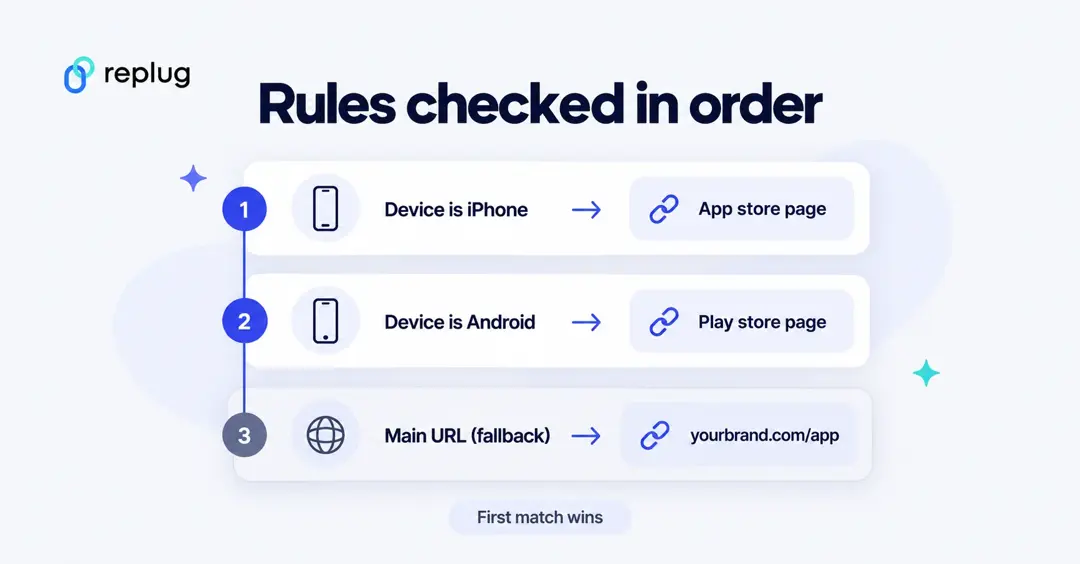
- Put the rules in order. Replug checks them from top to bottom and sends each visitor to the first rule they match; everyone else goes to the main URL.
- Save the link and share it. In your link analytics, each click shows which rule routed it, so you can compare devices, markets or dates and change a destination without changing the link.
Example: one app download link. Rule 1: device is iPhone or iPad, destination your App Store page. Rule 2: device is Android, destination your Google Play page. Main URL: your website’s app page, for desktop visitors. You can now put one link in your Instagram bio, your email footer and a printed QR code.
Smart links that open apps
A regular link to a YouTube video, an Instagram profile or an Amazon product usually opens in the phone’s browser, where people are signed out. A deep link opens the same content in the app instead. According to Replug’s deep links page, Replug builds app links for YouTube, Instagram, Spotify, Amazon and 75 other apps on iOS and Android from the URL you paste, and falls back to the app store, the mobile browser or a URL you choose when the app isn’t installed. Deep linking is on the Scale and Agency plans; in the link editor it is the Advanced Deep Linking option.
Smart links for music
Musicians often use “smart link” for a different idea: one link to a page that lists a song on every streaming service. Those pages come from music-specific tools. If you want something similar with Replug, you can build a bio link page with the Music block (available on every plan, including Free) and buttons for each service, or create a deep link that opens a track straight in the Spotify or YouTube Music app.
Smart link, short link or bio link?
| Link type | What it does | Use it when |
|---|---|---|
| Short link | Redirects everyone to one destination and counts the clicks | You have one page to share |
| Smart link | Redirects each visitor to a different destination based on rules | Different audiences need different pages |
| Bio link page | A small page with several buttons the visitor chooses from | You want to offer many links in one place |
Replug link analytics: Track your link’s performance
Replug empowers you to unleash the true potential of your links by providing a comprehensive suite of analytics.
No more flying blind – with Replug’s data-driven insights, you can make informed decisions that amplify your marketing efforts.
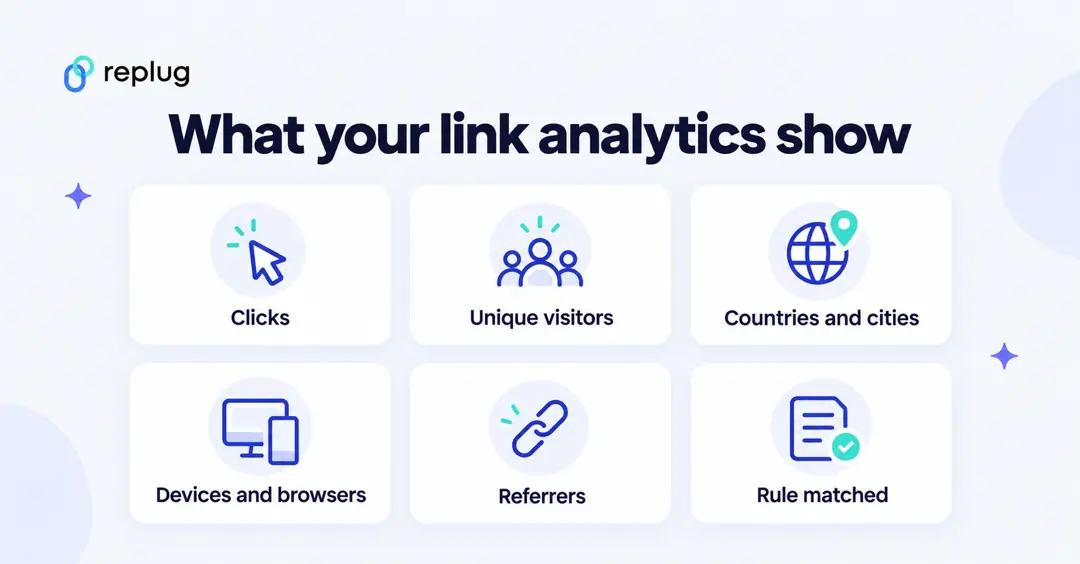
Picture this: a dashboard that paints a vivid picture of your link’s journey across the web.
From the number of clicks and unique visitors to geographical data, referral sources, and even the devices your audience prefers – it’s all there at your fingertips.
Here’s how to create a tracking link with Replug:
You may also like:
How to Link a QR Code to a Website: A Quick Guide
Also read: How to shorten a link?
FAQs

Arslan Jadoon