How many times have you heard the buzzword “deep links” and thought about googling it?
Deep linking has been around for a while, and if you’re a developer working in the tech industry or you have been doing affiliate marketing to make money, then you may know about this.
However, the rest of the readers might not be exactly sure what deep linking is and why they need to learn about it.
Replug users and blog readers are online marketers, affiliate bloggers, digital marketing gurus, web developers, and social media experts.
So, we need to discuss a vital topic in the link management industry to make sure that you don’t miss out on any user engagement opportunities.
Well, this article is going to help you explain what deep linking is and your brand can benefit from deep linking.
So buckle up because you might want to pick a few nuggets from the sections below.
What is deep linking?
A deep link is a pathway that drives users directly to a specific page or section of the website or mobile app without having to launch the app or open the website from the home page.
In simple words, deep links are administered by marketers or app developers to direct the users to a specific in-app location or website URL before the user decides to take off.
Quick answer: deep linking means using a link that takes people to a specific piece of content, such as a product, a video or a profile, instead of a home page. On mobile, a deep link opens that content inside the app when the app is installed. Google’s Search Central blog describes app deep links as “special URIs that take users beyond your mobile app’s homepage, leading them directly to specific in-app content” (App deep links, May 2025). On iOS they are built with Universal Links, on Android with App Links.
Deep links on the web vs deep links in apps
The term has two everyday meanings. On the web (and in SEO), a deep link is any link to an inner page of a site, for example a link to a blog post or product page rather than to the home page; almost every link you click is a deep link in this sense. In mobile marketing, which is what most guides (and this one) mean, a deep link is a link that opens a specific screen in an app. When people search for “deep linking in SEO”, they usually mean the first; when they search for a “deep link generator”, they mean the second.
A brief history of deep linking
The concept of deep linking has been around since the early days of the web, but it wasn’t until the widespread adoption of smartphones and apps that deep linking really took off.
Deep linking went mainstream when social media platforms took over the internet marketing realm. In a nutshell, the convenience of linking to specific content or section within an app, rather than just launching the app from the home screen turned things around for this marketing tactic.
Imagine opening an app and going across different sections to reach a specific section within the app. It would surely take a while to do that. Therefore, deep linking is immediately adopted by digital marketers and app developers to improve engagement and conversion.
Importance of deep links
Brands now understand the power of quick user engagement. Therefore, they try to squeeze every marketing channel to attract, engage, and convert the audience.
No doubt, such engagement tactics do wonders for social media marketing along the way. Not only does a deep link improve user engagement, but it also positively impacts the conversion rate.
In 2026, deep links are specifically linked to mobile apps and social media platforms. However, deep linking has been around for a long time.
Pro-bloggers and veteran affiliate marketing would know that many affiliate networks offer a deep linking tool for affiliate marketers to generate deep links to advertisers’/brands’ product pages.
So affiliate marketers copy and paste the landing pages or specific product pages of brands/advertisers into the deep link tools to generate their custom affiliate URLs for their campaign.
Several affiliate networks offer the facility to create a deep link for the specific page of the advertiser’s website. Usually, it’s the landing page or a product page that affiliate marketers want to promote.
impact.com (formerly Impact Radius) is a popular affiliate network that provides a deep linking tool for affiliate marketers. Take a look at the screenshot below:
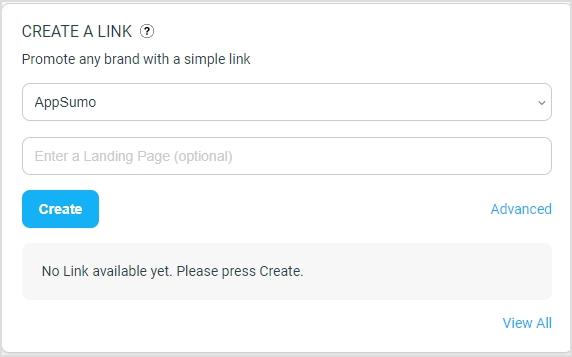
Similarly, ShareASale offered a custom link generator that did the same thing. ShareASale has since become part of Awin: when we checked in October 2026, shareasale.com sent visitors to Awin’s sign-up page titled “ShareASale Is Now Awin”, so look for the deep link tool in your Awin account instead. Note that some programs restrict how you may change or shorten their affiliate links: Amazon’s Associates Program Policies, for example, say you will not use a link shortening service in a way that makes it unclear you are linking to an Amazon site. Check your program’s rules before you wrap an affiliate deep link in anything else.
How Does a Deep Link Work?
The way deep links work is that such links are created using a specific URL format that includes the full path to the specific page or content within the website or app.
Suppose a website that has a page with information about a particular product. The URL for the homepage of this website might be “http://www.examplewebsite123.com”, while the URL for the product page might be “http://www.examplewebsite123.com/products/product-name”.
In this case, when the deep link to the product page would be created, the web browser or app will open and navigate visitors directly to the specific product page using the deep link system.
Moreover, in the case of a mobile app, the app may need to be installed on the user’s device in order for the deep link to work properly.
The three ways a link opens an app
Under the hood, mobile deep links use one of three mechanisms:
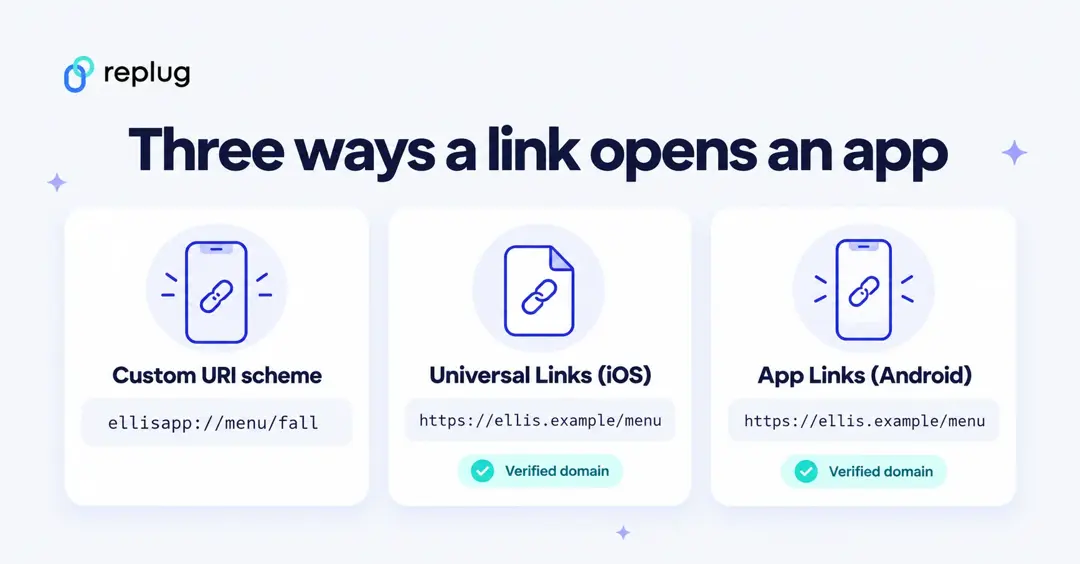
- Custom URI schemes, such as
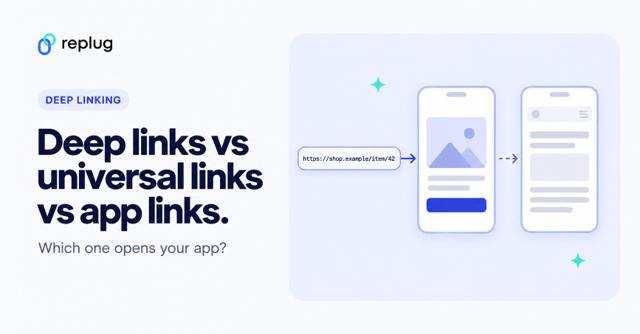
ellisapp://menu/fall. The app registers its own scheme, and any link that starts with it opens the app. Apple calls this “an acceptable form of deep linking” but says universal links are strongly recommended, partly because other apps can register the same scheme (Apple Developer, Defining a custom URL scheme). If the app isn’t installed, a scheme link simply fails. - Universal Links (iOS) are ordinary https links on your own domain. When someone taps one, iOS opens your app directly; if the app isn’t installed, the same URL opens in the browser. The app and website prove they belong together through a file on your web server (Apple Developer, Allowing apps and websites to link to your content).
- Android App Links work the same way on Android: verified https links to your website open the app without asking the user to choose an app, on Android 6 and later on devices with Google services (Android Developers, About deep links). Unverified deep links still work, but Android may show a “choose an app” dialog or open the browser (Create deep links).
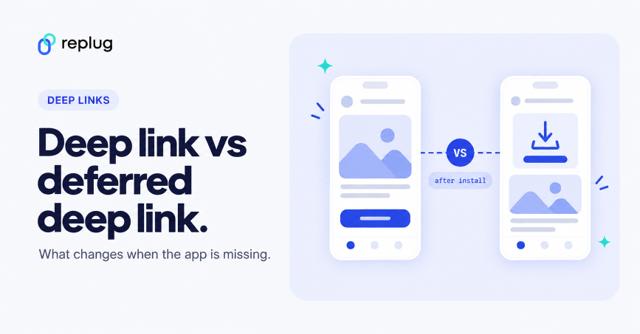
Two more terms come up often. A deferred deep link remembers where the person wanted to go, sends them to the app store, and opens that screen after they install the app; we compare the two in deep link vs deferred deep link. A contextual deep link carries extra information, such as a referral code or campaign, into the app.
Deep links are also one ingredient of a smart link, which routes people by device, country or app; see how to create a smart URL link.
Deep links can be created and used in a variety of contexts, including in emails, social media posts, advertising campaigns, and more. However, they’re widely used in the social media industry mostly by top-tier social media and communication apps.
Why deep linking is so critical in building great mobile journeys?
Deep linking helps brands and influencers create a seo friendly and effective engagement experience that facilities the overall user experience of the prospects and customers.
A great mobile journey is a term that describes how easy and quick the accessibility of a tool or app is for the target audience.
It’s the era of smart devices and mobile communication, so brands might not want to comprise the mobile-first user experience. No wonder companies pay close attention to building responsive websites these days.
Since deep linking assists businesses in providing customers with quick access to resources, it directly influences the conversion rate.
To understand why deep linking is crucial to building a great mobile journey for the audience, it’s important to dive deep into the key reasons to use deep linking for better mobile journeys:
Seamless integration
Deep linking allows for more seamless integration of mobile apps into the overall user experience, as it enables developers to create links that take users directly to specific pages or features within an app, rather than just the home screen. This can help to improve the overall flow and continuity of the user journey.
Intuitive user experience
By allowing developers to link directly to specific content or features within an app, deep linking can help to create a more intuitive user experience, as it makes it easier for users to find and access the information or functionality that they are looking for.
Conversion optimization
Deep linking can be used to optimize the conversion process by allowing developers to create links that take users directly to the pages or features within an app that are most relevant to their needs or interests. This can help to increase the chances of a successful conversion by making it easier for users to find and engage with the content or functionality that they are looking for.
Fast communication
Deep linking can help to facilitate fast communication between apps and websites, as it allows developers to create links that can be used to quickly open specific pages or features within an app. This can help to improve the overall speed and efficiency of the user journey.
User engagement
Deep linking can be used to drive user engagement by allowing developers to create links that take users directly to specific sections or features within an app that are likely to be of interest to them. This can help to increase the amount of time that users spend within an app, and can help to improve the overall user experience.
Customer retention
Deep linking can be used to improve customer retention by allowing developers to create links that take users directly to the features or content within an app that are most relevant to their needs or interests. This can help to keep users engaged with an app and can help to increase the likelihood of them returning to the app in the future.
You may also like: What are app deep links? Here’s why marketers love them!
Benefits of Deep Linking in Mobile Apps
Deep linking has essentially become more useful to social media platforms and mobile applications after the vast adoption of mobile devices globally. The concept seems more like an engagement strategy for mobile users, let’s dive deep into the benefits of deep linking in mobile apps:
Access to location-based content
Deep linking allows you to link directly to a specific location-based page within an app, which can be useful if you want to direct users to content that is relevant to their current location.
Often companies have different versions of the apps or websites, so deep linking helps them navigate the users to the appropriate app or website version based on their country or city.
Personalized user experience
It can be used to provide a more personalized user experience by linking users directly to the content that is most relevant to them or the app version designed for them.
This can be especially useful for e-commerce websites where deep linking can be used to direct users to a specific homepage based on their IP address or other location-detecting parameters.
Target a specific audience segment
Brands and entrepreneurs try to segment their audience whether they’re doing email marketing or social media advertising. Once they successfully do that, it makes it easier for them to reach out to a specific segment of the audience.
This is where deep linking comes in handy when companies and experts can generate specialized deep links based on the credentials of the specific segment.
Speed up the communication
No doubt that deep linking can speed up the communication process by allowing users to access specific content within an app quickly and easily. This can be especially useful in situations where users need to access information quickly, such as when they are trying to make a purchase decision.
Improve conversion rate
By providing a more personalized and relevant user experience, deep linking can help to improve the conversion rate for an app or website. This can be especially important for e-commerce apps, where deep linking can be used to direct users to specific product pages and increase the likelihood of a sale.
You must have noticed that sometimes when you visit a rather big e-commerce store, it automatically detects your country or sometimes directs you to your country-specific online store version.
Improves search engine discoverability
App deep links also connect search results to your app. Google Search supports both Universal Links and App Links, so a result for a page on your site can open the matching screen in your app, and Search Console reports how your Android app deep links perform (Google Search Central Blog, May 2025). The page itself still has to earn its ranking on the web.
Deep linking examples
Some everyday examples of deep links at work (with fictional names):
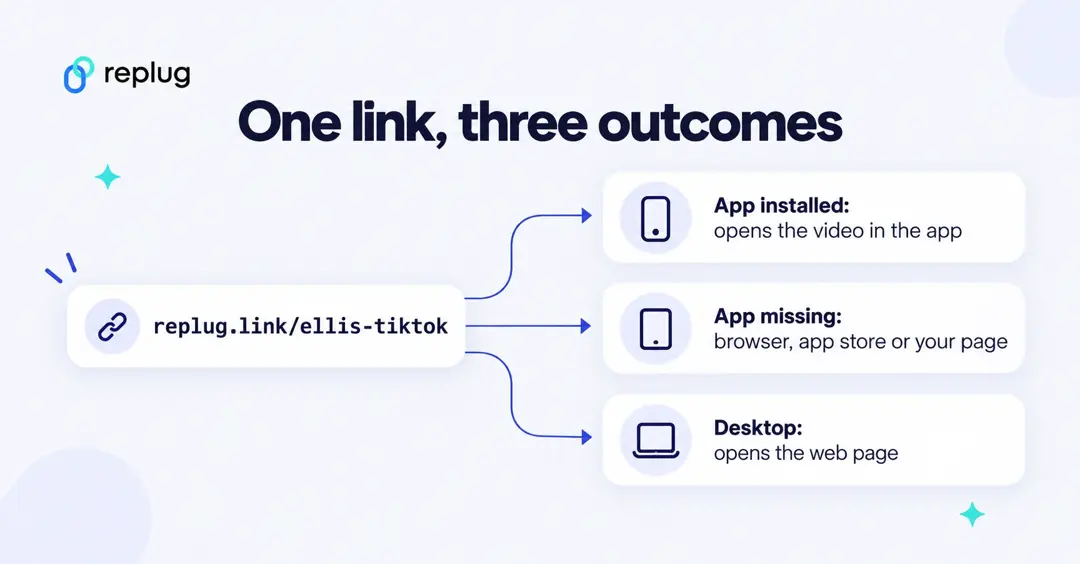
- A product in a promo email: Ellis Coffee Co. emails a link to its fall blend. On a phone with the shopping app, it opens the product screen in the app, where the shopper is already signed in; on a laptop it opens the product page on the website.
- A video in a social post: a creator in Austin shares a YouTube or TikTok link. A deep link opens it in the app, where viewers can subscribe or follow with one tap instead of signing in on a mobile browser.
- A playlist on a poster: a QR code on a gig poster opens the band’s playlist in a music app.
- A meeting invite: a video-call link opens the meeting app straight into the call.
- An affiliate product link: an affiliate network’s deep link tool turns a specific product page into a tracked link (see the section above).
In each case the deep link removes steps: no home screen, no search, no sign-in page.
How to create deep links using Replug?
Replug is among the best link management tools that offer precise and branded short links, bio links, QR codes, and several other URL management services.
Replug’s deep link generator builds the app links for you from a normal URL: paste a link from a supported app, and the short link opens that content in the app on iPhone and Android, with a fallback you choose when the app isn’t installed. According to the deep links page, it covers 79 apps (Instagram, TikTok, YouTube, Spotify, Amazon, Zoom and more), needs no SDK, and is part of the Scale and Agency plans, which come with a 14-day free trial. I’ll use a TikTok video as the example.
Step 1: Log in to your Replug account
Log in to your account, or create an account if you haven’t signed up yet. Every account starts on the Free plan; to use deep links, start the 14-day trial of Scale or Agency.
Step 2: Check that the app is supported (optional)
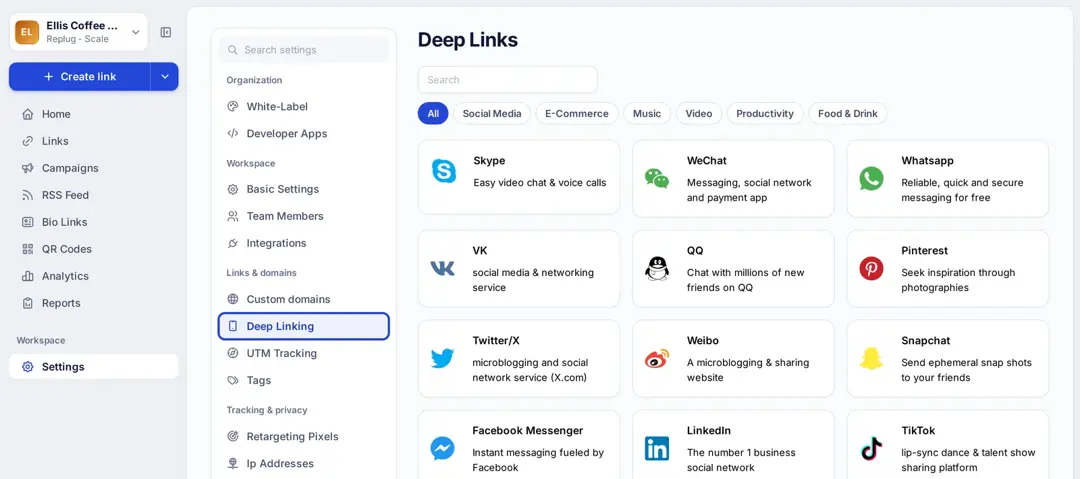
Go to Settings > Deep Linking. You’ll see every supported app, grouped into categories such as Social Media, E-Commerce, Music, Video and Productivity, with a search box at the top.
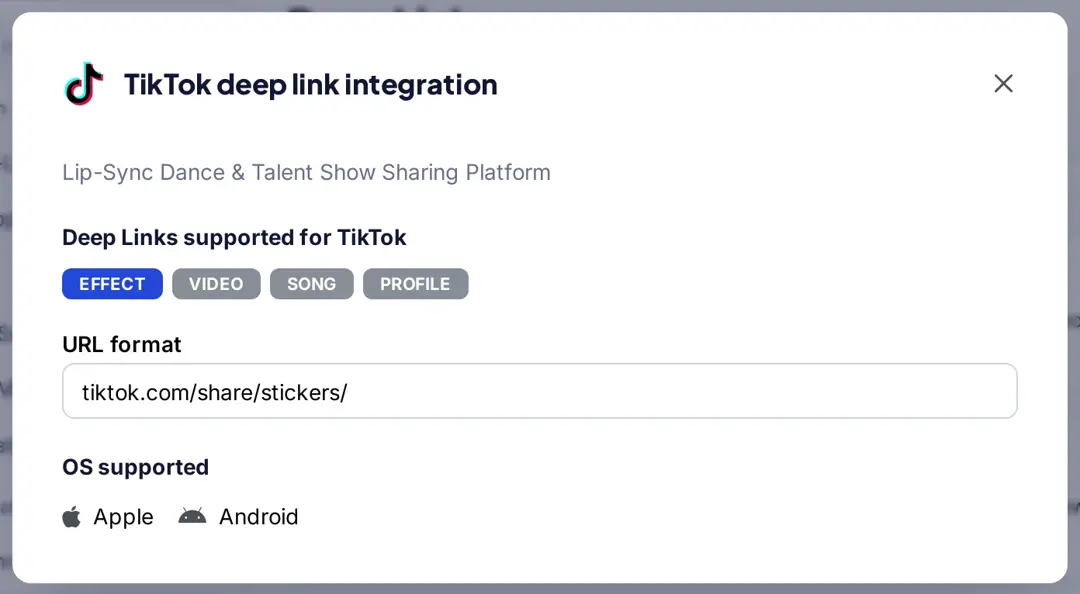
Click an app to see which of its links can be deep linked and the URL format Replug expects. For TikTok, that’s effects, videos, songs and profiles, on both iOS and Android.
Step 3: Paste the link and shorten it
On the Home screen, paste the TikTok video URL into the box and click Shorten. (You can also use Create link in the sidebar.) Replug creates the short link and opens the link editor.

Step 4: Turn on Advanced Deep Linking and pick a fallback
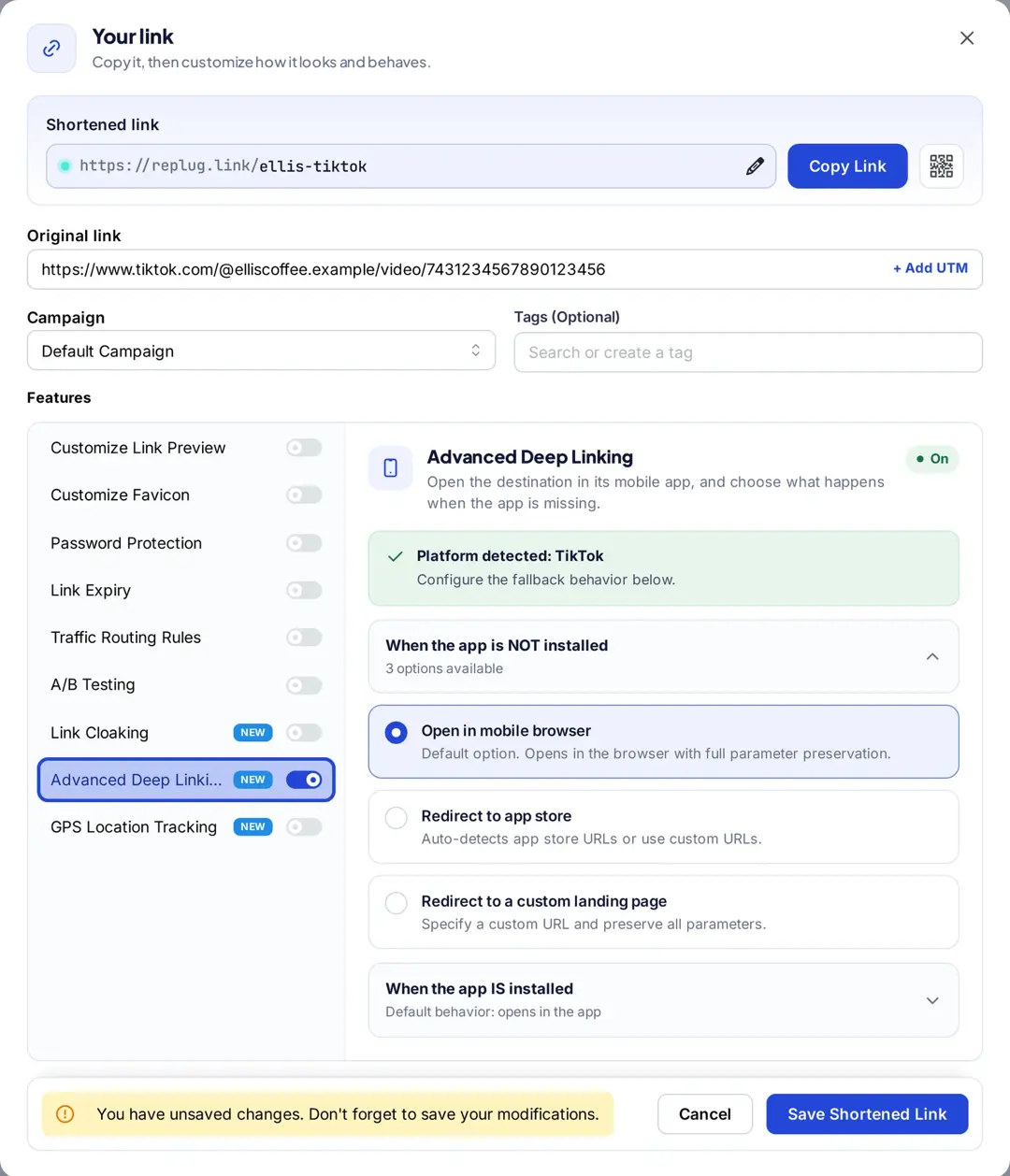
In the link editor, under Features, switch on Advanced Deep Linking. Replug checks the URL and shows Platform detected: TikTok. If it says the URL isn’t eligible, the link isn’t from a supported app or isn’t in a supported format.
Then choose what happens when the app is NOT installed: open the page in the mobile browser (the default), redirect to the app store, or redirect to a custom landing page with your parameters kept. When the app is installed, the link opens in the app by default.
Step 5: Save the link and test it
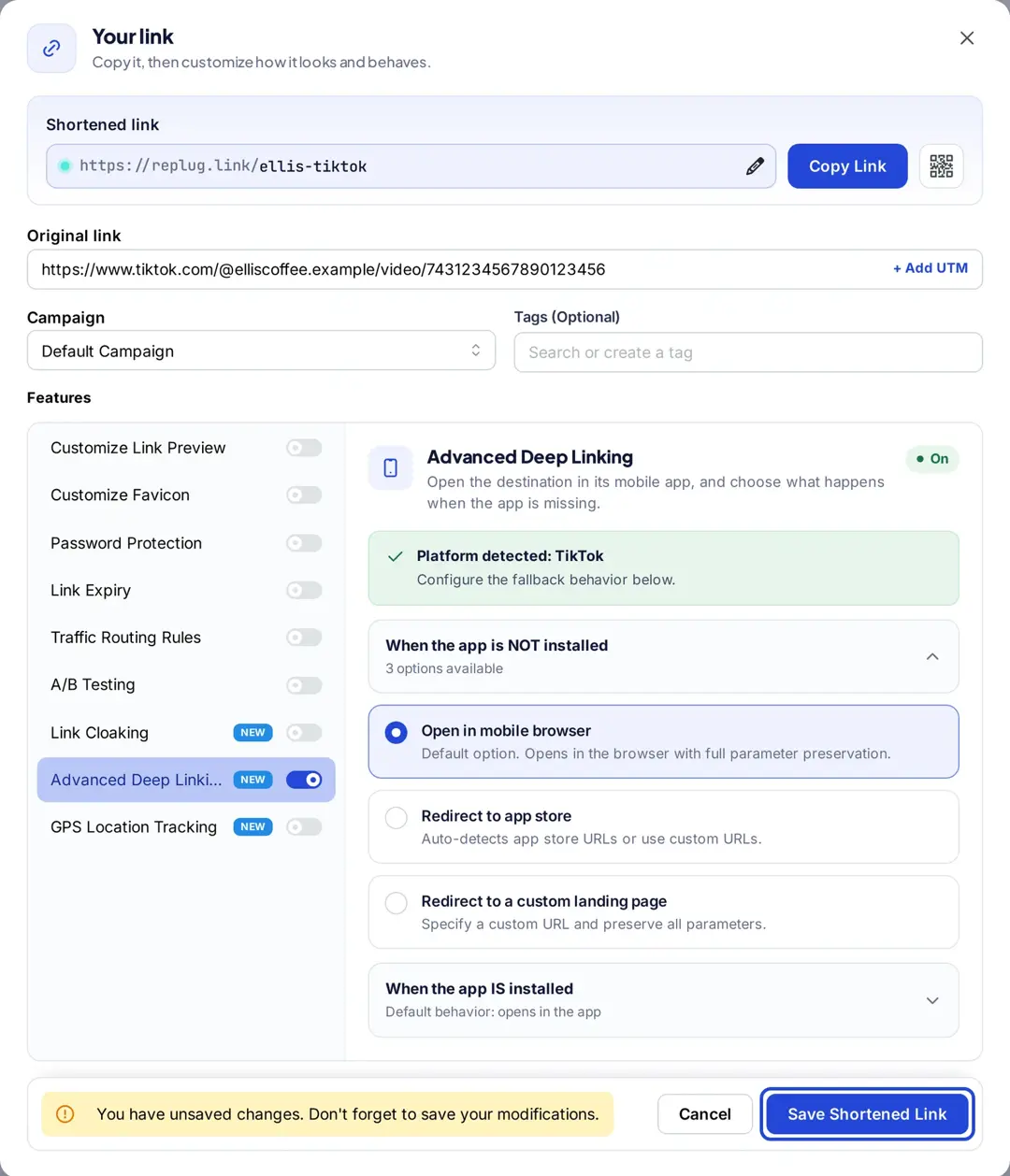
Click Save Shortened Link and copy your short link. Test it on a phone that has the app and on one that doesn’t, then on a computer, where it opens the regular web page. Every tap is counted in Replug’s click analytics; Replug counts clicks, not app installs, and doesn’t take people back to the content after they install the app.
FAQs about deep links

Muhammad Ahsan Jamal