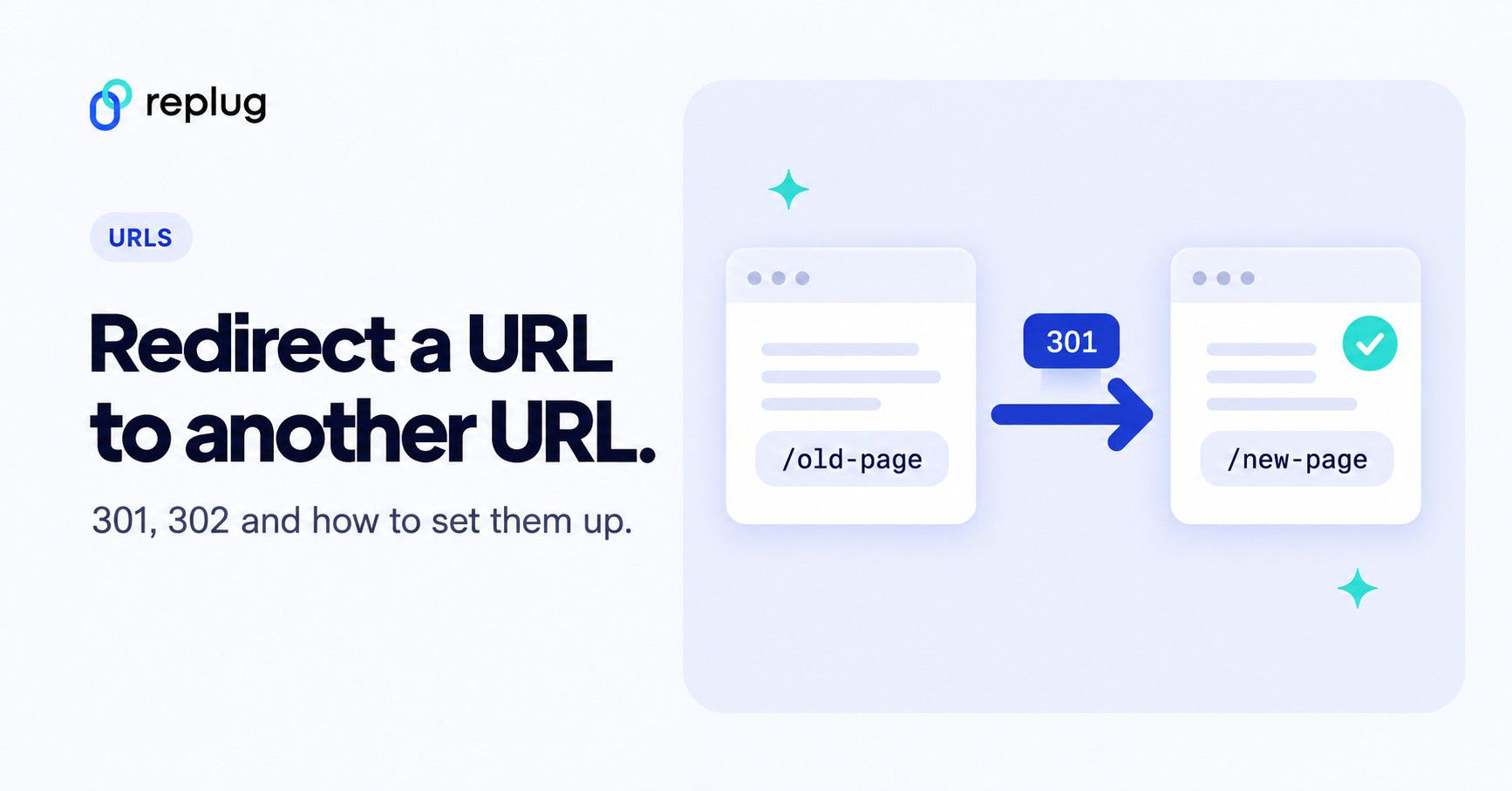
Quick answer: to redirect a URL to another URL, make the old address answer with a redirect status code and the new address. Use 301 (or 308) when the move is permanent and 302 (or 307) when it is temporary (Google Search Central). Where you set it depends on what you control:
- Apache: add
Redirect 301 /old-page https://www.example.com/new-pageto your .htaccess file. - Nginx: add
location = /old-page { return 301 https://www.example.com/new-page; }to the server block. - A whole domain you registered: use your registrar’s URL forwarding (301 or 302).
- WordPress, Shopify, Wix and other site builders: use the built-in redirect settings or a redirect plugin.
- A link you share: use a short link that you can point at any address.
Step-by-step instructions for each option are below.
Have you ever clicked a link only to end up somewhere unexpected, or worse, hit a dead end? That tiny URL redirect you didn’t notice might be the culprit.
Redirects are everywhere: moved pages, HTTP-to-HTTPS upgrades, old domains and short links all rely on them to keep the web usable and up to date.
But here’s the catch!
While redirects help fix broken links and support site moves, they can also slow down pages, confuse search engines, and chip away at hard-earned SEO value if misused.
That’s why understanding how redirects really work matters more than ever, especially in 2026, when performance and search rankings go hand-in-hand.
So what exactly is URL redirection, and why should every site owner know it?
Let’s get started!
What is URL redirection?
At its simplest, “URL redirection” is when one web address (a URL) automatically sends you to another without you having to click anything.
Think of it like someone gently guiding you to the right room in a huge conference hall. You ask for one door, and a host points you straight to the correct one.
In technical terms, when a browser requests a specific URL, the server tells it, “Hey, this content has moved. Go here instead!”
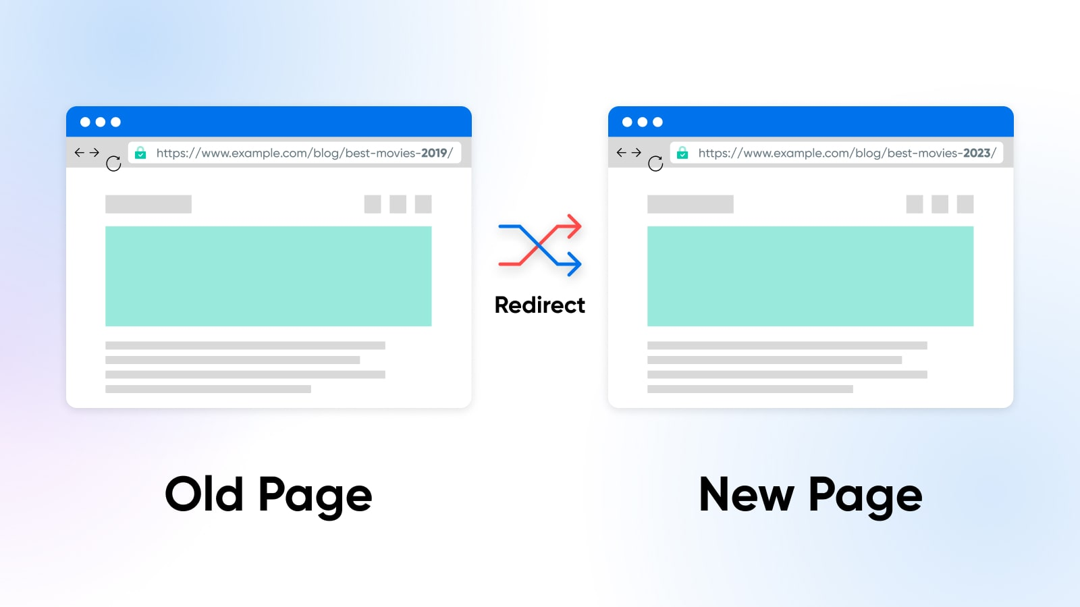
The primary goal of this technique is to keep users and search engines happy. It ensures that even when content moves, links don’t break, visitors land where they expect, and your website doesn’t lose hard-earned traffic or SEO value.
That’s why good redirects matter so much in web design and site maintenance. They help prevent those annoying dead ends that frustrate users and damage your site’s credibility.
How to redirect a URL to another URL, step by step
Step 1: Pick the right status code
| Code | Meaning | Use it when |
|---|---|---|
| 301 Moved Permanently | Permanent | A page or site has moved for good. Google shows the new URL in results. |
| 308 Permanent Redirect | Permanent, keeps the request method | Same as 301, for URLs that receive form posts or other non-GET requests. |
| 302 Found | Temporary | A page is unavailable for a while (maintenance, a seasonal page) and the original URL will come back. |
| 307 Temporary Redirect | Temporary, keeps the request method | Same as 302, for URLs that receive non-GET requests. |
| 303 See Other | Temporary, switches to GET | After a form submission, so refreshing the result page doesn’t submit again. |
The method notes come from MDN’s guide to HTTP redirections: 301 and 302 may turn other requests into GET in some browsers, while 307 and 308 never change the method. Google treats 301 and 308 as permanent and 302, 303 and 307 as temporary (Google Search Central).
Step 2: Add the redirect on your server (Apache or Nginx)
On Apache, the simplest option is the Redirect directive from mod_alias, which works in the server config or in a .htaccess file (Apache mod_alias docs). Without a status code, Redirect sends a temporary 302, so add 301 for a permanent move (MDN):
# .htaccess in your site root
Redirect 301 /old-page https://www.example.com/new-page

# send a whole folder to a new location
RedirectMatch 301 ^/blog/2023/(.*)$ https://www.example.com/blog/$1
On Nginx, use the return directive with the status code and the new URL (Nginx rewrite module docs):
# one page
location = /old-page {
    return 301 https://www.example.com/new-page;
}

# a whole old domain to the new one, keeping the path
server {
    server_name old-domain.com www.old-domain.com;
    return 301 https://www.new-domain.com$request_uri;
}
Reload the server after editing (for Nginx, test the config first), then check the redirect as shown in Step 5.
Step 3: Or use your domain registrar, CDN or site builder
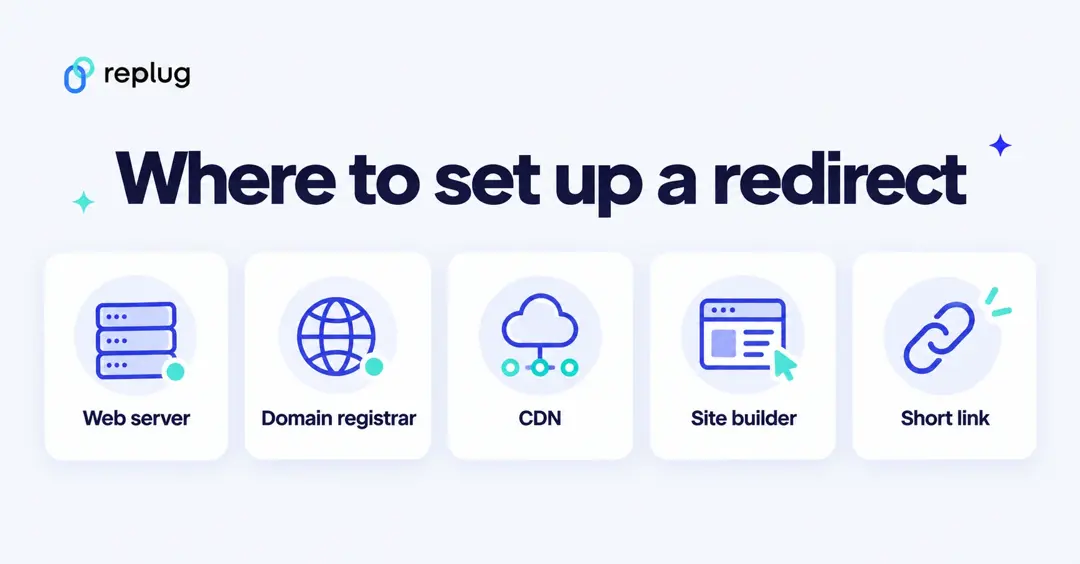
- Domain registrar: most registrars have a URL forwarding or redirect screen. Namecheap, for example, offers 301 (Permanent), 302 (Unmasked) and Masked (URL Frame) redirects, and says a new redirect usually starts working in about 30 minutes (Namecheap Knowledgebase). Choose 301 or 302; a masked redirect keeps your domain in the address bar but comes with real drawbacks, covered in our guide to URL masking.
- Cloudflare: Single Redirects send visitors to a fixed or dynamically built target URL before the request reaches your server (Cloudflare docs).
- Shopify: go to Content > Menus, click View URL redirects, then Create URL redirect, fill in Redirect from and Redirect to, and click Save redirect. Shopify only redirects URLs that no longer load a page (Shopify Help Center).
- WordPress: use a redirect plugin or your SEO plugin’s redirect manager; our guide on how to redirect a URL in WordPress walks through it.
Step 4: Use client-side redirects only as a fallback
If you can’t change server settings, you can put a meta refresh in the page’s <head>. Google reads an instant (0-second) meta refresh as a permanent redirect and a delayed one as temporary. JavaScript redirects are the last resort: Google says to use them only if server-side or meta refresh redirects aren’t possible, because it might never see them if rendering fails (Google Search Central).
<!-- meta refresh (in <head>) -->
<meta http-equiv="refresh" content="0; url=https://www.example.com/new-page">

<!-- JavaScript (last resort) -->
<script>window.location.href = "https://www.example.com/new-page";</script>
Step 5: Test the redirect
Open the old URL in a private window and check that you land on the new page. To see the status code, run curl -I https://www.example.com/old-page in a terminal and look for the 301 or 302 line and the Location header, or open your browser’s developer tools, go to the Network tab and reload. Make sure the old URL goes straight to the final page in one hop, not through a chain.
Redirecting a link you share: use a short link
When the “URL” is a link you post in emails, ads, bios or print, you often can’t change the place it’s printed. A short link solves that: the short address redirects to your destination, and on plans with destination editing you can point it somewhere else later without changing the link people already have. In Replug, every plan includes short links on your own domain with 301 redirect codes and click tracking; changing a link’s destination after you share it is on the Scale and Agency plans (Replug pricing). For what happens behind the scenes, see how a URL shortener works.
URL redirect types
When we talk about the different types of URL redirects, we’re really just grouping the ways one URL sends users (and search engines) to another.
Redirects can be short- or long-term, and each has its own purpose and impact on how browsers and search bots behave.
They’re a big deal when you’re managing a website because the wrong one can hurt traffic or search rankings if you’re not careful.
Permanent redirects
A permanent redirect tells the browser and search engines that a page has moved for good. The most common permanent status code is 301 (“Moved Permanently”), which signals that the original URL should no longer be used and that the new one takes its place.
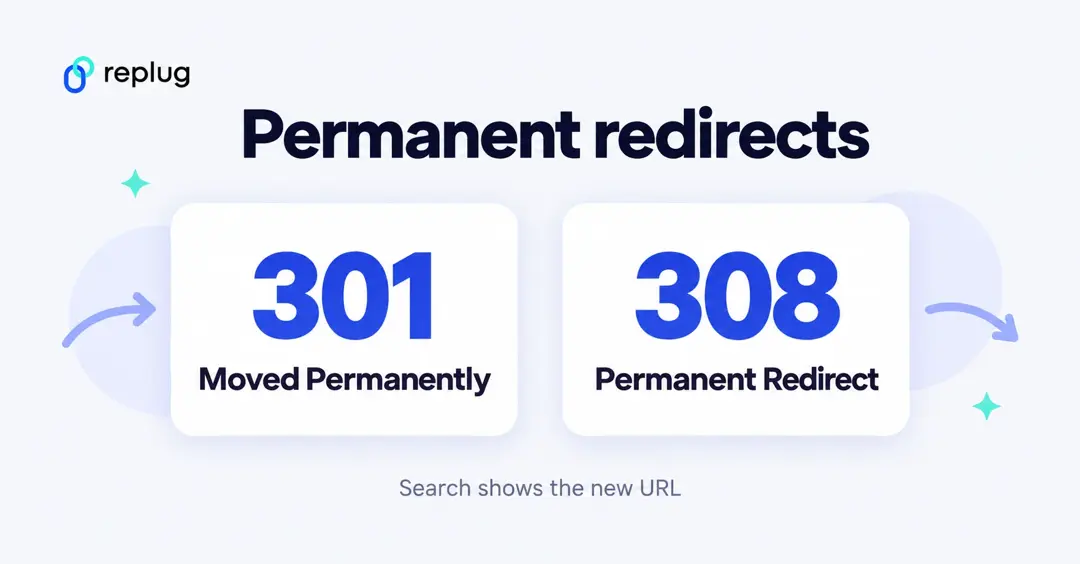
Search engines typically carry over most of the original’s SEO value to the new URL, making it ideal for site moves, structural changes, or page consolidation.
Temporary redirects
A temporary redirect (like 302, 303, or 307) sends visitors to another URL for now, but indicates the original URL is only temporarily unavailable. The idea is that the original one might come back someday.
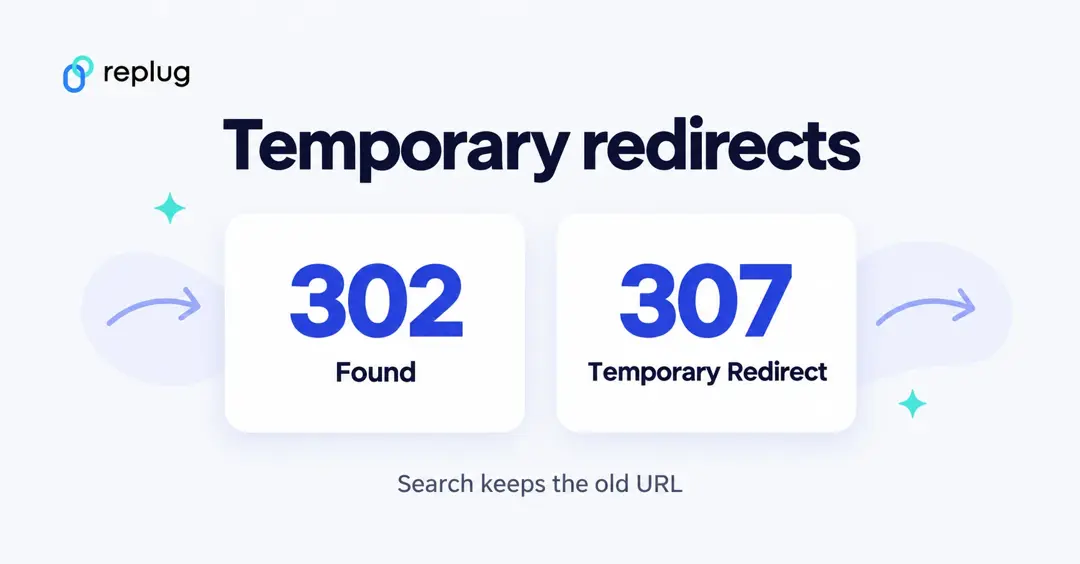
Search engines usually keep the old URL indexed: Google shows the source page in its results for a temporary redirect and the new target for a permanent one (Google). This type is handy for things like short-term promotions, maintenance pages, or A/B testing.
Server-side redirects
Server-side redirects happen at the web server level before any content loads. The server simply returns a special HTTP status code and a new destination URL, and the browser follows it immediately.
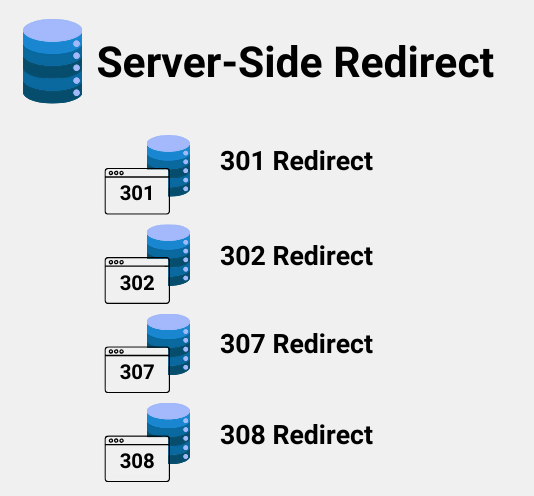
These are usually the best choice because they’re fast and clear to browsers and search engines.
Permanent server-side redirects
This is the classic “set it and forget it” move, using a server-side permanent status (like 301 or 308) to point an old URL to a new one forever.
It tells crawlers and browsers to update their records so that, over time, users and search engines only experience the new address.
Temporary server-side redirects
With temporary server-side redirects (like 302 or 307), you tell the server to send people elsewhere, but only for a limited time. The server itself handles the redirect, but search engines recognize that the original URL remains the “real” one in the long run.
That makes this perfect for things like site maintenance or seasonal campaigns where you expect to revert back.
How does URL redirection work?
URL redirection might sound technical, but it’s really just about guiding a browser from the URL someone requests to another URL that actually has the content you want them to see.
Behind the scenes, there’s a simple conversation between your browser and the server that makes it happen.
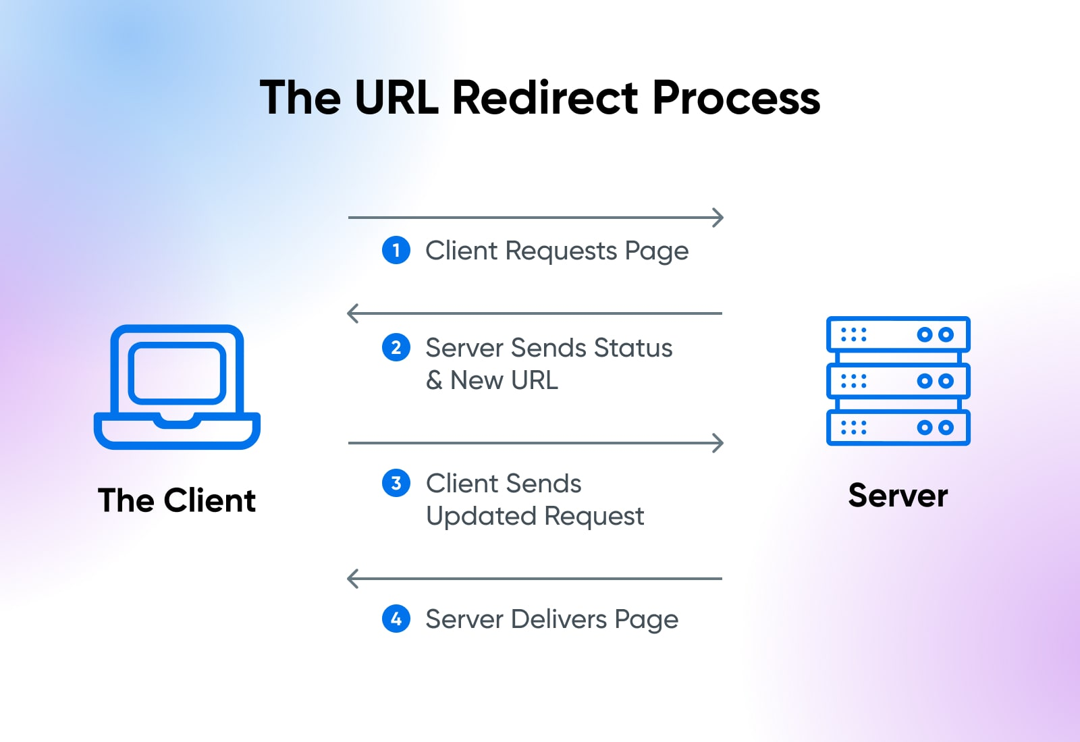
Here’s the complete process explained:
1. Request
It all starts when someone types a URL into their browser or clicks a link. That browser sends a request to the server that hosts that address, asking for the resource (page, image, etc.).
Think of it like knocking on the server’s door and saying, “Hey, can I see this page?”
2. Server response
The server examines the request and checks whether the URL needs to be redirected. If it’s been set up to redirect, the server doesn’t send the page content.
Instead, it sends a special redirect response with a status code in the 300 range, along with a “Location” header that tells the browser the new URL to use.
3. Browser action
Once the browser receives that special response with the new URL, it doesn’t sit there; it follows the instruction immediately.
The browser makes a new request to the destination URL that the server told it about. That’s why when a redirect happens, you might see the address in the browser change (updated).
4. Content served
Now that the browser has requested the correct final URL, the server at that location sends back the real content you were after, no matter if that’s a web page, image, file, or anything else. The browser then displays it as if it were a normal page load.
So, in short: your browser asks for a URL → the server says “go to this other URL instead” → your browser follows it → and then you get the content you wanted. Simple, smooth, and essential for keeping the web working properly!
Common reasons for performing URL redirection
URL redirection isn’t just a typical tech trick! It’s used in lots of everyday web situations to make the internet smoother and more user-friendly.
From cleaning up links to protecting user privacy (and yes, even the bad stuff), redirects play a role in how we get around online.
To shorten URLs or links
Sometimes URLs are long, messy, or hard to remember, especially when you’re sharing them in a tweet or text. Redirects let you use short links that forward users to the original, long URL while keeping things neat and easy to share.
To exclude broken links
When pages move or get deleted, clicking old links can lead to a dead end (like a 404 error). Redirects help by sending visitors from the old URL to a working page instead, keeping links alive and users happy.
To permit multiple domain names
Many site owners register several domain names (like “.com”, “.net”, or common misspellings) but want them all to show the same website. Redirects make this possible by directing everyone to a single primary domain.
To facilitate smooth website navigation
Redirects help guide users around your site hassle-free, e.g., when a page has moved, during maintenance, or when content is reorganized. They assist visitors so they don’t run into confusing errors or outdated pages.
For privacy and data protection
Some services redirect links through intermediary systems to hide things like referrer information and other sensitive details before sending users to their destination. This can help protect user privacy and obscure internal URLs.
For malicious intent (not recommended)
Unfortunately, redirects can also be abused. Cybercriminals sometimes use them to hide phishing pages or distribute malware by making a link look safe before sending you somewhere dangerous. That’s why it’s always best to be cautious with unfamiliar or suspicious links.
Also read: What is URL phishing: Definition, practical examples & prevention techniques
Major purposes of URL redirection
URL redirection isn’t just a geeky server trick; it’s used every day on the web to make sure people land where they should, protect data, improve usability, and sometimes (unfortunately) for shady stuff.
Let’s walk through the primary objectives for which this happens!
Ensuring secure site access (HTTPS)
Websites often redirect visitors from HTTP (insecure) to HTTPS (secure) URLs, so data such as passwords and personal information is encrypted. This is critical for privacy and defense against snooping or tampering.
Redirecting misspelled or variant domain names
People often make typos or try different domain endings, like “.net” or “.org”. Redirecting these to your leading site helps capture that traffic instead of losing it or showing errors.
Seamless transition to a new domain
If you redesign your site, rebrand, or change domains, redirects make sure old links still point people to the right place so bookmarks and search results don’t break.
Monitoring outgoing traffic & tracking outbound clicks
Redirects can be used to log when someone leaves your site, for example, to track which external links get clicked most, helping with link analytics and marketing insights.
Simplifying messy, long URLs with short aliases
Short links (like replug.io links) are easier to share and remember. They work by redirecting people from a short alias to the full, complex URL in the background.
Long-lasting redirect aliases for dynamic URLs
Some services create stable URLs that always point to changing or complex content. This is especially handy with long query strings or dynamic parameters. This makes sharing and linking cleaner.
“Post-Redirect-Get” design pattern to prevent duplicate submissions
In web forms, redirecting after a “POST” request prevents a user from accidentally resubmitting the form if or when they refresh the page, which prevents duplicate actions like double purchases.
Device-specific and geo-based routing
Redirects can send users to different URLs based on their device (mobile vs desktop) or where they’re browsing from (country/language), giving a tailored experience.
Search engine manipulation, influencing SERP results
Some people try to use redirects to game rankings or send search traffic to pages that shouldn’t rank otherwise, but major search engines now detect and penalize these tricks.
Misleading site visitors
Redirects can be exploited to confuse users, like sending someone to a spammy or unexpected page. Modern browsers show the real URL, but this can still be part of phishing or scam tactics.
Stripping off “referrer” information
When you click a link, browsers send the page you came from in the referrer field. Some redirects hide or strip this to protect privacy or sensitive info before loading the destination.
Various URL redirect implementation methods
There are several ways to make one URL send visitors to another, depending on your access, needs, and how strict you want to be about standards, SEO, or user experience.
Now, let’s walk through the main methods you’ll run into.
Manual redirect
This is the simplest kind! You just put a normal link on a page, asking users to click it to go somewhere else. It’s not automatic, but it works as a fallback or basic suggestion if more advanced redirects aren’t available.
HTTP status codes
This is the most reliable, standard way to redirect. The server responds with a “3xx status code” (e.g., 301, 302, or 307) and a Location header pointing to the new URL. Browsers and search engines understand this instantly and act on it before loading content.
Refresh Meta tag & HTTP refresh header
If you can’t set server headers, you can use an HTML <meta http-equiv=”refresh”> tag in the <head> of a page. With a zero-second delay, browsers will automatically load the new address.
Note: It’s a fallback method and usually less preferred for SEO, but it’s useful when you don’t control the server.
JavaScript URL redirects
You can use JavaScript in a page to change the “window.location” to a new URL. This happens in the browser after the page starts loading and works great for conditional or interactive redirects, but search engines may not always follow it during crawling.
Frame URL redirects
Older sites sometimes use “frames” or “iframes”, where one page loads another inside a frame. This redirect loads the target URL inside the frame, giving a similar effect.
Note: It’s not common anymore and can cause usability or SEO problems, but you may still see it on legacy systems.
Redirect chains & loops
These aren’t methods you want; they’re pitfalls. A redirect chain is when A → B → C happens instead of a direct A → C, which slows loading and can lose SEO value.
On the other hand, a redirect loop occurs when URLs keep pointing back to each other, forming an endless cycle that traps browsers. Both should be avoided with careful planning and testing.
Create & manage URL redirects
Once you know why redirects matter, the next step is figuring out how to actually set them up and manage them, whether you’re using a website platform, a server, a DNS service, or even a browser tool.
Different environments offer different tools and levels of control, so let’s go through the most common ones you’ll encounter.
WordPress URL redirect
On WordPress, the easiest way to create and manage redirects without touching server files is to use a redirect plugin like “Redirection”.
This lets you set up 301s, 302s, and more right from your dashboard, track 404 errors, and handle query parameters without editing “.htaccess” or Nginx configs. It’s especially handy for non-technical users or larger sites with lots of redirects.
Cloudflare URL redirect
If your site uses Cloudflare, you can manage redirects at the edge using “Page Rules”, “Single Redirects”, or “Bulk Redirects” in the dashboard.
These tools let you send traffic from one URL to another before it even reaches your server, which is fast and efficient. You choose the source and destination patterns and set the HTTP status code (e.g., HTTP 301 or HTTP 302).
DNS URL redirect
Some DNS providers let you create simple redirects at the DNS level by pointing a hostname (like a root domain) to an IP and combining it with a redirect rule in your DNS or host settings.
This redirects traffic for the whole domain. It is particularly useful if you want domain-wide forwarding without a web server.
Note: Pure DNS records without associated redirect rules won’t forward URLs on their own.
Google URL redirect
When you set up redirects, Google will follow them and understand relationships between old and new URLs.
For example, with a 301 (permanent) redirect, Google treats the destination as the canonical URL for indexing. This means pages you’ve moved or consolidated can stay visible to search engines with minimal SEO impact.
URL redirect Chrome
On your own browser, tools like Chrome extensions (e.g., “Requestly” or “Redirect Path”) let you test, debug, or override redirects locally.
These are especially useful for developers or QA testers who want to simulate or observe a redirect or a redirect chain in the browser in real-time.
nginx URL redirect
If your site runs on an Nginx server, you can define redirects in your server block using “return” or “rewrite” directives.
For instance, a simple 301 redirect from an old path to a new one can be done in the Nginx “config” file. This is very flexible and powerful, but it requires server access.
Django URL redirect
In Django (a Python web framework), redirects are handled in your app’s URL configuration or views using functions like “redirect()” and careful validation to prevent open redirect vulnerabilities.
Django also provides tools to help ensure safety when redirecting based on request parameters.
URL redirect with parameters
Sometimes you need redirects that include parameters (e.g., “?ref=123”) or that pass query strings through to the new URL.
Many redirect tools, whether in WordPress plugins, Cloudflare rules, or server configurations, let you preserve or customize query parameters so your tracking or dynamic values aren’t lost during redirection.
URL redirection benefits
Now, you guys are well aware that URL redirection isn’t just a behind-the-scenes web thing. It has real perks for your website, your visitors, and your brand.
From keeping your SEO strong to making links easier to use and remember, redirects play a significant role in modern web management.
Preserving SEO value by passing link equity
When you move or rename a page, search engines like Google transfer the link equity (the SEO value built up through backlinks and ranking signals) from the old URL to the new one using a redirect. This keeps your rankings steady and prevents you from losing hard-earned SEO visibility.
Preventing traffic loss from broken links
Without redirects, old links can result in 404 errors, which frustrate users and drive them away. Redirects guide visitors from outdated URLs to the right content, helping you keep traffic flowing where it should.
Improving user experience (UX)
Redirects make sure visitors always land on relevant content, even if they click an old or shared link. This smooth browsing experience keeps people engaged and reduces bounce rates, which search engines appreciate too.
Maintaining brand consistency
No matter if you’ve moved to a new domain or reorganized content, redirects help keep your brand message consistent. Instead of ending up on error pages or old URLs, visitors always see your current, branded content.
Simplifying marketing with memorable, short URLs
Using tactics like a vanity URL (custom, branded short links) makes your URLs easier to remember and share. These clean, descriptive redirects not only look professional, but also encourage more clicks in campaigns and social posts.
Summing up
In a continuously transforming digital world, URL redirection is one of those tools that quietly keep everything running smoothly.
From preserving SEO value and preventing broken links to improving user experience and simplifying marketing with clean, memorable links, everything is done efficiently (behind the scenes).
Whether you’re managing redirects on a CMS, server, or with tools like a URL shortener, understanding how redirects work helps you keep your site healthy and your users happy.
We’ve covered types, purposes, methods, and real-world reasons you’d use them, so you’re set to make smart redirection decisions moving forward.
And if you’re looking to streamline and optimize your links even more, give Replug, i.e., an all-in-one link optimization platform, a try today. It is a reliable URL shortener that shortens links in seconds, with built-in tracking and testing features.
Frequently asked questions

Muhammad Ahsan Jamal