Quick Summary:
- HTTP 302 status code is a temporary redirect that indicates the requested resource has been temporarily moved to a new URL.
- Many URL shorteners use temporary redirects (302 or 307) to send people from the short link to the long URL. Because the redirect is temporary, every click reaches the shortener, which helps it count clicks and lets you change the destination later.
- For SEO, a 302 tells Google the move is temporary, so Google keeps showing the original URL. Use a 301 or 308 when a page has moved for good.
You may have experienced HTTP code 302 if you’ve ever visited a website and been redirected to a different page or domain. In this blog post, we’ll define HTTP 302, explain how it works, and discuss recommended practices for using it.
Quick answer: HTTP 302 Found is a redirect status code. It tells the browser that the page you asked for is temporarily at another address, given in the response’s Location header, and the browser loads that address straight away. Because the move is temporary, browsers and search engines keep using the original URL for future requests, as the HTTP standard (RFC 9110, section 15.4.3) and MDN’s 302 reference describe. Use a 302 (or 307) for short-term moves such as a sale page, maintenance or a test, and a 301 (or 308) for permanent moves.
To manage and shorten your own links with reliable redirects, many developers and marketers turn to Replug.io!
What exactly is HTTP 302 status code?
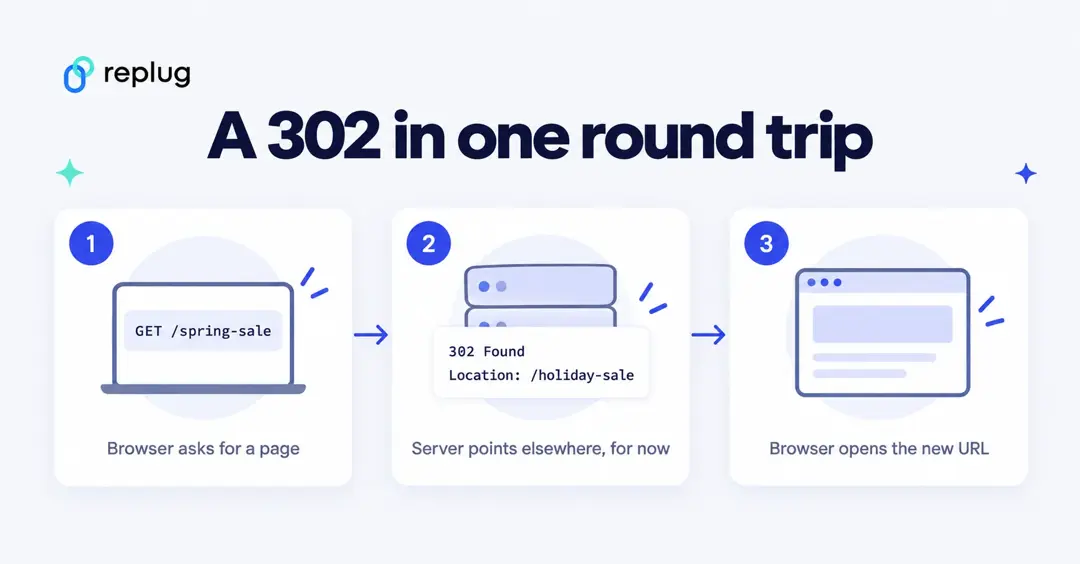
HTTP 302 is a status code that indicates that a client’s request has been temporarily redirected. When a client asks a server for a resource, the server may answer with an HTTP 302 status code and a new location where the resource can be found. To obtain the resource, the client then submits a new request to the new location.
Importance of understanding HTTP status codes
Understanding HTTP status codes is vital because they are required for keeping a well-performing and optimized website. Further, understanding the meaning of various status codes allows website owners and developers to rapidly diagnose and resolve issues such as broken links or server faults.
HTTP status codes are also significant in search engine optimization (SEO). When a search engine crawls a website, the status codes are used to determine the status of each page. To understand HTTP status codes like HTTP 302 is also vital for improving user experience. If a person gets diverted to a different place and does not understand why, they may feel puzzled or upset.
Website owners and developers may guarantee that users enjoy a smooth and seamless experience by giving clear and succinct status codes.
In conclusion, understanding HTTP status codes, such as HTTP 302, is critical for keeping a well-performing and optimized website, as well as for SEO and user experience.
Website owners and developers may guarantee that their websites stay speedy, user-friendly, and search engine optimized by following best practices for managing HTTP 302 redirection.
Related: How To Change A URL Of Any Website?
How does HTTP 302 code work?
When a client (for example, a web browser) submits a request to a server for a resource (for example, a web page), the server may respond with an HTTP status code of 302 and a new URL where the requested resource may be accessed. This updated URL is often given in the response headers in the “Location” field. To obtain the resource, the client then submits a new request to the updated URL.
A 302 redirect example
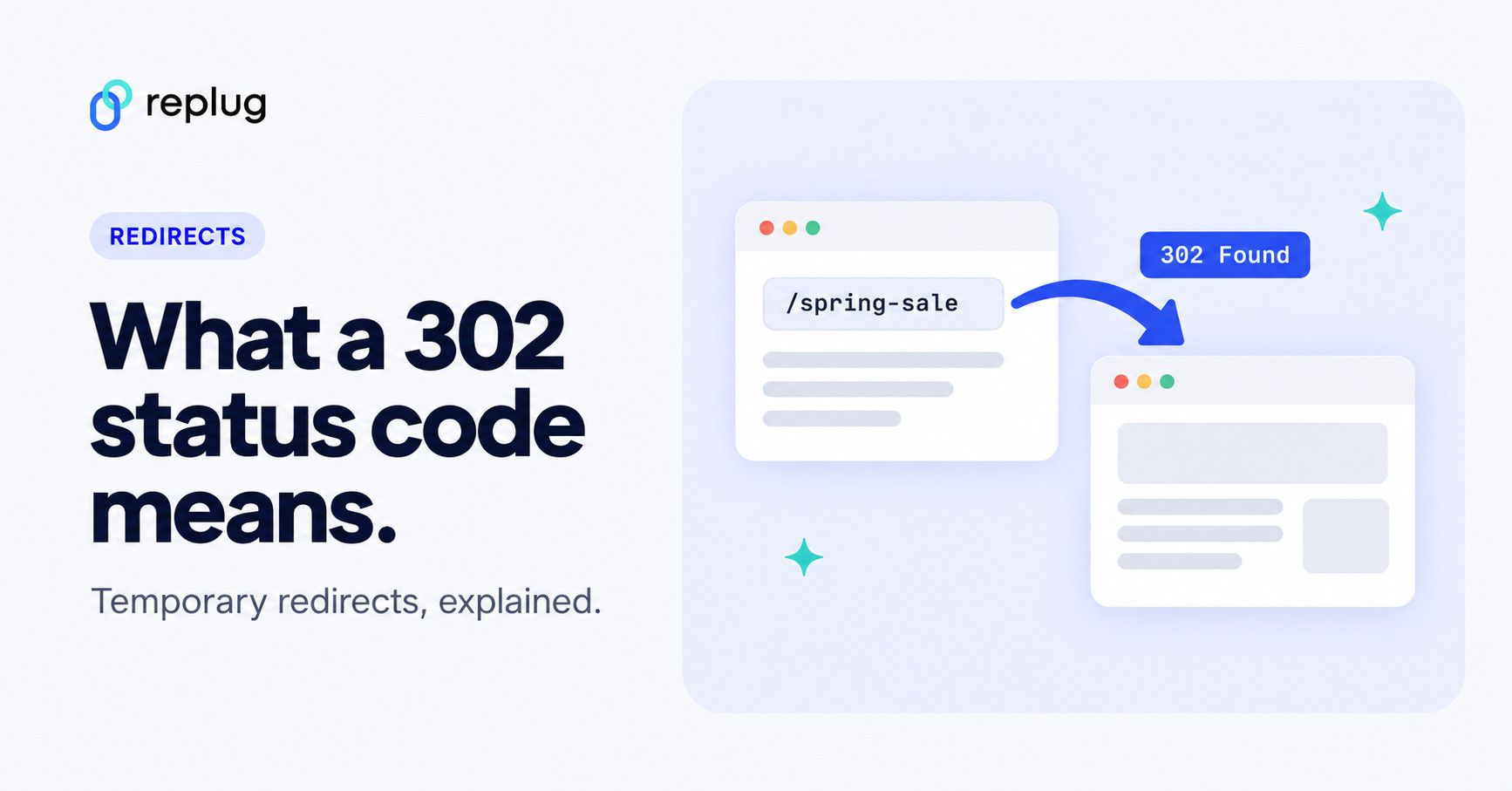
Here is what a 302 looks like on the wire. The browser asks for one page, the server answers with 302 and a Location header, and the browser follows it with a second request:
GET /spring-sale HTTP/1.1
Host: www.example.com

HTTP/1.1 302 Found
Location: https://www.example.com/holiday-sale
Content-Length: 0
The person only sees the final page; the hop takes one extra round trip. MDN’s guide to redirections in HTTP covers how browsers handle each redirect code.
The server may utilize HTTP 302 for a variety of reasons, including redirecting users to a temporary landing page while a website is being maintained, diverting traffic away from an overcrowded server, and so on.
Overall, the HTTP 302 status code is an important aspect of how web servers and clients communicate about the location of requested resources, and it plays a crucial role in ensuring that users have rapid and easy access to the information they require.
How does the 302 code differ from other HTTP status codes?
HTTP status codes are a standardized means for web servers to send to a client’s browser information about the outcome of a request. The HTTP 302 status code is one of many that are used to send various types of information.
A “Found” HTTP 302 status code indicates that the requested resource has been temporarily relocated to a different URL. When a client submits a request to a server and receives a 302 status code response, the client’s browser will immediately redirect the user to the new URL given in the response header.
It fits a page that is moved for a while, for example during maintenance or a short promotion. It is not the right code for moving a website to a new domain: for permanent moves, Google’s redirects documentation recommends a permanent server-side redirect (301 or 308).
Other HTTP status codes provide other sorts of information. A 200 status code, for example, indicates that the requested resource was successfully located, whereas a 404 status code indicates that the requested resource could not be located. A 500 status code indicates that an issue occurred while the server was processing the client’s request.
302 vs 301 vs 303 vs 307 vs 308
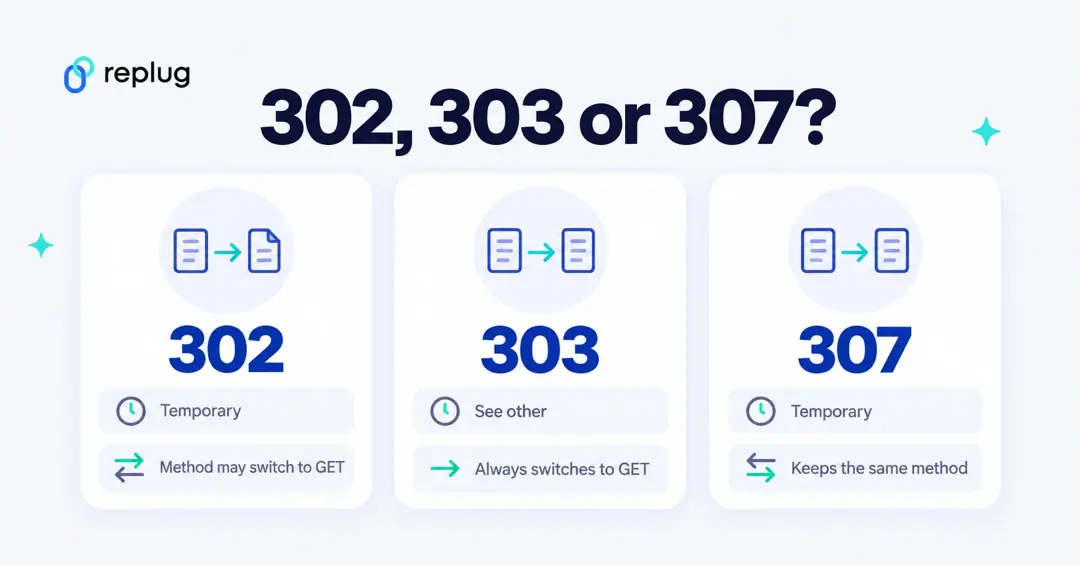
All five codes send the browser to the URL in the Location header. They differ in two ways: whether the move is permanent, and whether the browser may change the request method (for example, turn a form POST into a GET). The definitions come from RFC 9110 and MDN’s pages on 301, 303, 307 and 308; the last column is from Google Search Central.
| Code | Name | Permanent? | Request method on the next request | How Google Search treats it |
|---|---|---|---|---|
| 301 | Moved Permanently | Yes | May change from POST to GET | Permanent: shows the new URL |
| 302 | Found | No | May change from POST to GET | Temporary: keeps the original URL |
| 303 | See Other | No | Always GET | Temporary |
| 307 | Temporary Redirect | No | Kept the same | Temporary: keeps the original URL |
| 308 | Permanent Redirect | Yes | Kept the same | Permanent: shows the new URL |
For ordinary page visits (GET requests) a 302 and a 307 behave the same, and so do a 301 and a 308. The method rule matters for forms and APIs: if a POST must stay a POST after the redirect, use 307 or 308.
When to use HTTP 302 redirects?
Here are some examples of why an HTTP 302 redirect could be useful:
Temporary Page Unavailability: If a webpage is temporarily inaccessible or undergoing maintenance, you may use an HTTP 302 redirect to transfer viewers to a temporary page informing them of the issue. This can assist to enhance the user experience and avoid people from receiving 404 errors.
Product Availability: If a product is temporarily out of stock or unavailable, you may redirect consumers to a comparable product or a waitlist page using an HTTP 302 redirect. This can assist to increase user engagement and decrease bounce rates.
Site Migration: When you move a website to a new domain or URL structure for good, use a permanent redirect (301 or 308), not a 302; Google’s redirects documentation says a permanent redirect is the way to change the URL shown in search results. A 302 only fits a short trial period, for example while you check a new section before switching it on permanently.
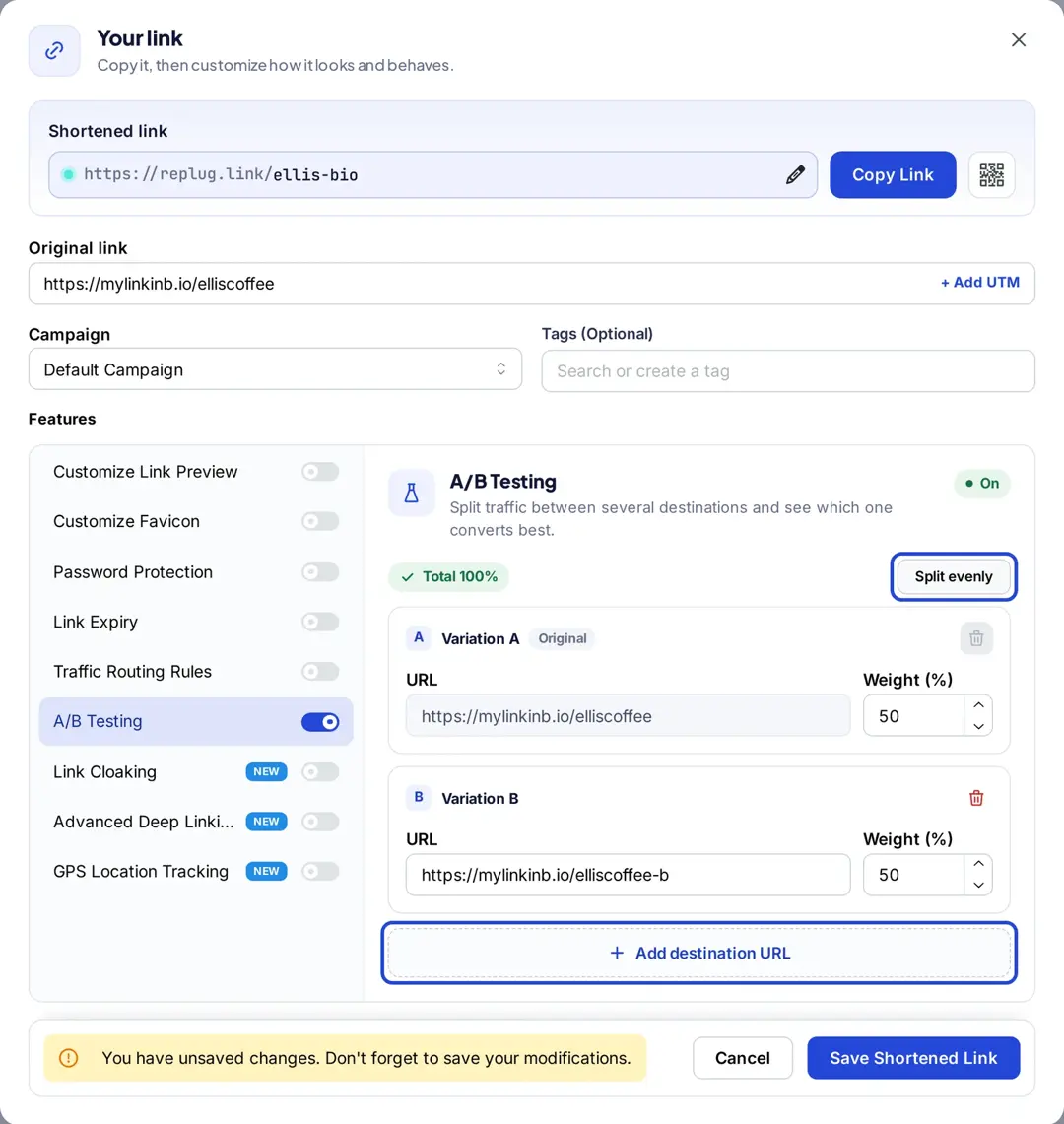
A/B Testing: If you’re doing an A/B test on your website, you may split traffic between multiple variants of your page by using an HTTP 302 redirect. Google’s guidance on website testing recommends exactly this: use a 302 (temporary) redirect, not a 301, for test variations, so search engines keep the original URL in their index.
Temporary Promotions: If you’re holding a temporary promotion or sale on your website, you may redirect customers to a landing page that explains the deal using an HTTP 302 redirect. This can aid in increasing user engagement and driving sales.
The role of HTTP 302 code in the performance of URL shorteners
Many URL shorteners use a temporary redirect (302 or 307); some use a 301. When a user clicks on a shortened URL, the server responds with the redirect status code and the long URL in the Location header, causing the user’s browser to load the original URL.
Here is a general overview of how this process works:
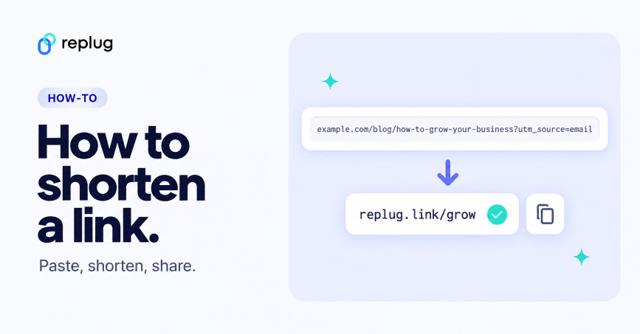
- The user enters a long URL into the URL shortening tool.
- The URL shortening tool generates a unique, shortened URL for the long URL and saves both URLs in its database.
- When a user clicks on the shortened URL, the server hosting the link shortening tool responds with a redirect status code (often 302 or 307) and the original, long URL in the response header.
- The user’s browser then automatically redirects to the original, long URL.
Note: By using a dedicated link shortener, you can generate clean, branded URLs that rely on temporary redirects, giving you both flexibility and tracking capabilities. In our October 2026 check, a public replug.link short link answered with a 307, and Replug’s pricing page lists 301 redirect codes as an option on every plan. For the full picture of what happens behind a short link (slugs, lookups, click logging), see how a URL shortener works.
Advantages of using 302 redirects
The usage of a 302 redirect in this procedure offers various advantages, such as…
One advantage is that it allows to simply alter or update the redirection in the future without affecting any current links that are utilizing the abbreviated URL.
For example, if the long URL or the website domain changes, the URL shortening tool’s database may be updated to redirect the abbreviated URL to the new address, and all old links will continue to function normally.
Another benefit of employing a 302 redirect is that the URL shortening service can measure clicks on the reduced URL. Because the user’s browser instantly redirects to the original URL, the URL shortening service can track how many times the abbreviated URL is clicked and utilize this data for analytics or other reasons. Overall, using a 302 redirect is a frequent and successful method for URL shortening providers to transfer consumers from a short URL to a larger, original URL while still providing flexibility and click monitoring.
Lastly, a temporary redirect keeps the short link itself in charge: because browsers don’t treat it as a permanent move, they come back to the short link each time, so a changed destination takes effect for everyone. It doesn’t make the destination page rank better; the page’s own content and links do that.
What impact does HTTP 302 status code have on SEO?
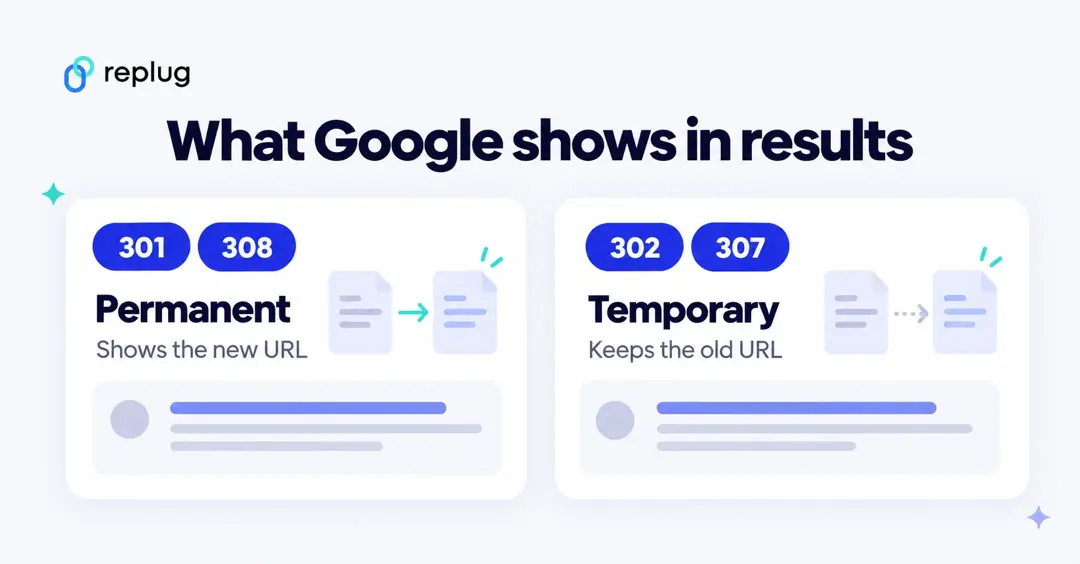
The original URL stays in search: Googlebot follows a 302, but according to Google’s redirects documentation the indexing pipeline doesn’t use a temporary redirect as a signal that the target should be the canonical URL, so the original page usually keeps its place in results. That is what you want for a short-term move. If the page has moved for good, a 302 is the wrong tool: use a 301 or 308 so Google shows the new URL.
Flexibility: The HTTP 302 status code is a versatile redirect that enables webmasters to make temporary adjustments to their website without affecting the URL structure. This might be handy when a website is being maintained or a page is temporarily inaccessible.
Improved User Experience: When used properly, the HTTP 302 status code may provide a consistent user experience by redirecting users to appropriate information. If a user clicks on a product that is temporarily out of stock, an HTTP 302 redirect might take them to a comparable product or a waitlist page. This keeps people from hitting a dead end while the product is unavailable.
Speed: A redirect is quick, but it isn’t free: every hop adds a round trip before the page starts loading, and a new domain in the chain adds a DNS lookup and connection too. Keep redirects to a single hop and avoid chains (A to B to C).
Easy to Implement: Setting up an HTTP 302 redirect takes one line in most server configs, a redirect plugin in a CMS, or a setting in your host’s control panel (examples below). The step-by-step setup for each server is in our guide on how to redirect a URL to another URL.
Related: What is a URL slug: Its impact on SEO, examples, best practices, & more
How to set up a 302 redirect
Use whichever your site runs on. Each example sends /spring-sale to /holiday-sale with a 302:
Apache (.htaccess), using the Redirect directive from Apache’s mod_alias (“temp” means 302):
Redirect temp /spring-sale https://www.example.com/holiday-saleNginx, using return from the rewrite module:
location = /spring-sale {
    return 302 https://www.example.com/holiday-sale;
}
PHP (the PHP manual notes that a Location header returns a 302 unless another 3xx code is set):
header('Location: https://www.example.com/holiday-sale', true, 302);
exit();
On WordPress, a redirect plugin or your SEO plugin can do the same without code; see how to redirect a URL in WordPress.
Why many URL shorteners avoid 301 redirects
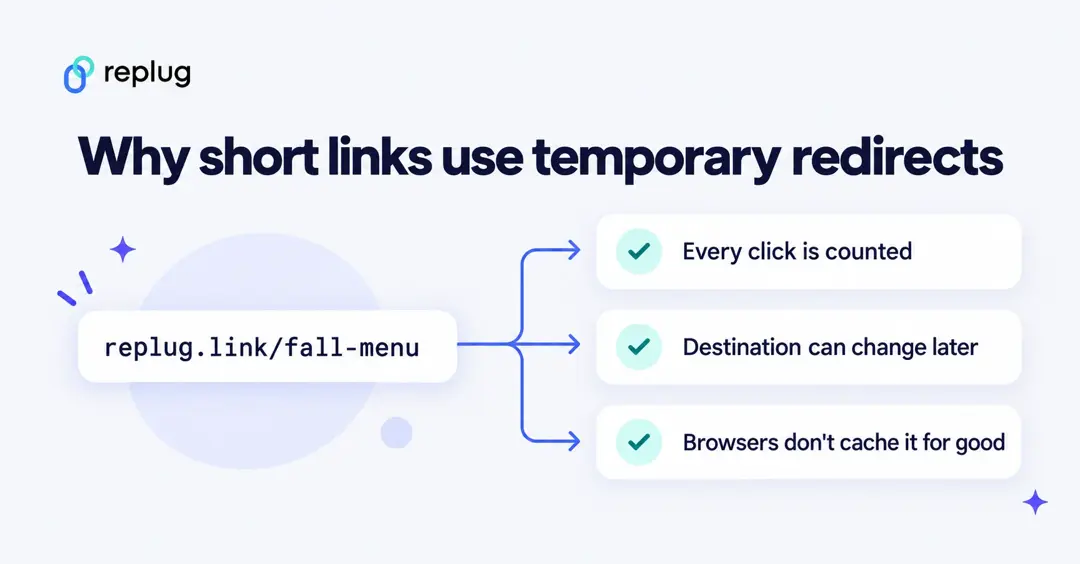
URL shorteners can use 301 redirects, and some do, but many prefer a temporary code for a few reasons. One is caching: MDN notes in its redirections guide that browsers may cache permanent redirects, so a returning visitor can skip the short link entirely, which means the click isn’t counted and a changed destination isn’t picked up.
To begin, a 301 redirect is a permanent redirect, indicating that the original URL has been permanently relocated to a new destination. This is not always the case when using a URL shortener because the abbreviated URL may be connected with a specific campaign, event, or other transitory purpose. In this case, if a 301 redirect is utilized, search engines and other online services may continue to route consumers to the original URL long after the campaign or event has concluded, resulting in a bad user experience.
Second, temporarily employing a 301 redirect might have bad SEO repercussions. A 301 redirect may be seen by search engines as a signal that the original URL has been permanently relocated, and any authority or link equity connected with the original URL may be transferred to the new URL. If the original URL is restored later, search engines may take some time to identify it as the canonical URL and restore any lost authority or link equity.
How to fix and prevent HTTP 302 code errors in shortened URLs?
A 302 on its own isn’t an error; it’s a normal answer that says “look over there”. What people call a “302 error” is usually a redirect that goes to the wrong place, never ends (a loop, which browsers report as “too many redirects”), or returns a 302 where you expected the page itself (a 200). The following are some measures you may take to resolve it:
Check the URL:
Make sure you’ve typed the proper URL for the page you’re looking for. A redirect to the wrong page can be caused by a mistyped URL or a missing character, in the address or in the redirect rule itself.
Clear the cache in your browser:
Your browser may have cached a previous version of the page, causing the new page to conflict. Clearing your cache may resolve the problem.
Check your redirects:
If you are the website’s owner and are experiencing this issue on your own site, make sure your redirects are working properly. To find problems with your redirects, utilize a tool like Redirect Checker.
You can also see every hop yourself. In a terminal, curl -I prints the status code and Location header without following the redirect, and -L follows the whole chain:
curl -I https://www.example.com/spring-sale
curl -sIL https://www.example.com/spring-sale | grep -i -E "^HTTP|^location"
In Chrome, Firefox or Safari, open the developer tools, go to the Network tab, tick “Preserve log”, and load the URL: each redirect shows up as its own row with its status code.
Examine your website for malware:
Malware can occasionally generate a 302 error by forwarding users to a malicious page. Run a malware check on your computer and website to ensure they are free of malware.
Check with the website’s owner:
If you’re having trouble accessing a third-party website, the problem might be on their end. Contact the website’s owner to check if there are any known problems or if they can help.
If the problem persists, try viewing the page from a different browser or device. This will assist you in determining whether the problem is particular to your device or browser.
If none of these solutions work, you may need to contact the website’s owner or your web host.
FAQs for HTTP 302 code for URL shorteners

Mustafa Niazi