Have you ever tried clicking a link only to get hit with the “This site is not available in your region” message?
Frustrating, right? You’re not alone, not even close.
Internet shutdowns and systemic censorship affected 4.6 billion people in 2025, which is more than half the world’s population. And roughly 80% of global internet users live in countries that practice some form of online censorship or surveillance.
Whether it’s a government firewall, a workplace filter, school restrictions, or plain old geo-blocking, chances are you’ve knocked into a digital wall at some point.
The good news?
Those walls aren’t as solid as they look. There are dozens of reliable ways to get around them, some technical, some surprisingly simple.
In this post, we’re breaking down 22 proven methods to unblock websites and access restricted content in 2026.
But first, let’s get clear on the basics: What exactly is a blocked website, and why does it happen?
What is a blocked website?
A blocked website is any site you can’t access because someone (a government, your ISP, your school, or your employer) has deliberately restricted it.
Think of it like a locked door. The website exists, it’s running fine, but you’re simply not being allowed in based on your location, network, or device.
The goal behind blocking varies:
- Governments do it to control information.
- Schools and workplaces do it to limit distractions.
- Streaming platforms do it to enforce licensing deals.
Whatever the reason, the result is the same: you hit a wall!
Why are websites blocked/banned?
Websites get blocked for all kinds of reasons, and it’s not always a government pulling the strings. From your office Wi-Fi to your internet provider, restrictions can come from multiple directions.
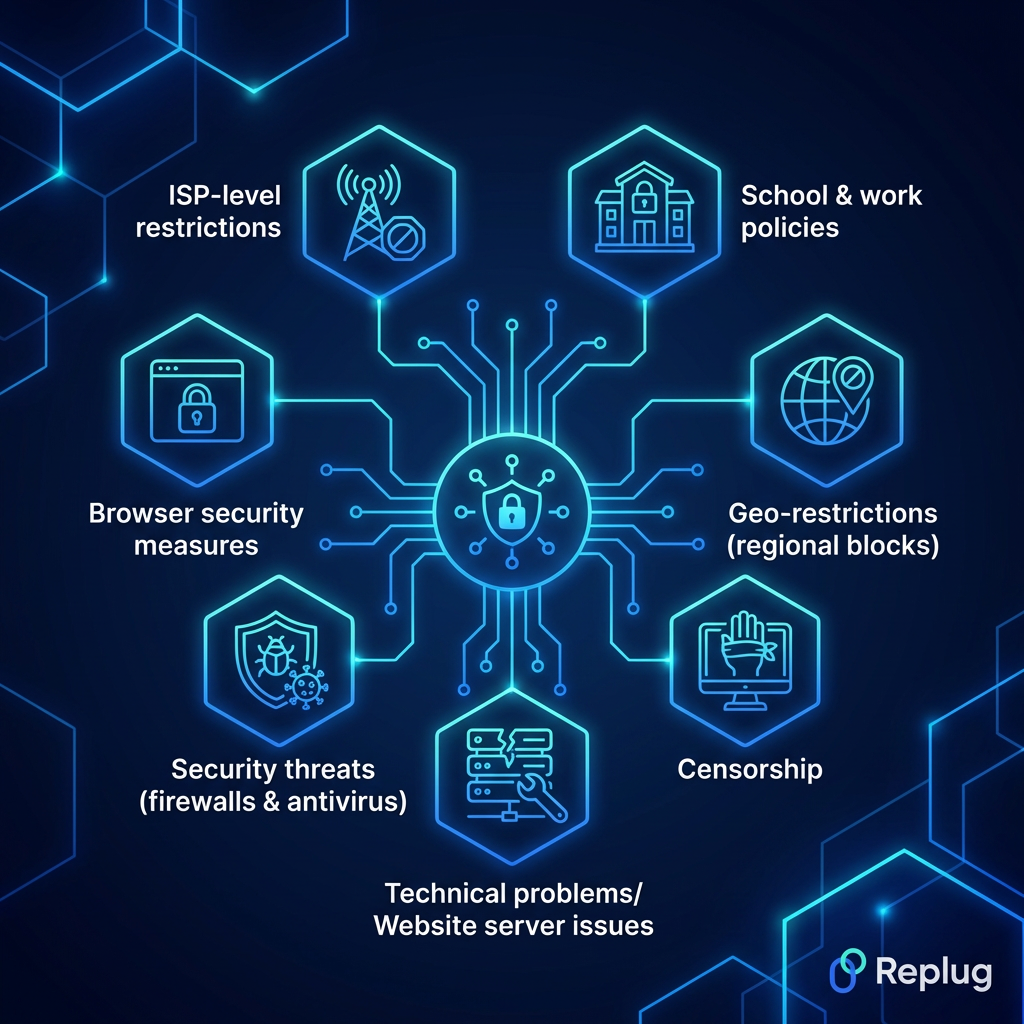
Here’s a breakdown of the most common culprits:
School & work policies
Schools and workplaces block sites like social media, gaming platforms, or streaming services to keep students and employees focused. These restrictions are applied at the network level, so even if a site is perfectly legal, it’s off-limits on their Wi-Fi.
Geo-restrictions (regional blocks)
Ever seen “this content is not available in your country”? That’s geo-blocking. Platforms like Netflix, Hulu, or BBC iPlayer license their content by region, so they restrict access based on your IP address and location.
Censorship
Some governments block websites to control what their citizens can see or read online. Social media platforms, news outlets, and even messaging apps get restricted this way (China’s Great Firewall being the most well-known example).
Technical problems/Website server issues
Sometimes a site isn’t blocked on purpose; it’s just down. Server crashes, maintenance, or technical glitches can make a website temporarily inaccessible, and it can look a lot like a deliberate block from the user’s end.
Network-level blocking/Network administrator policies
Network admins (the people managing a Wi-Fi network) are privileged to block specific websites or entire categories of content for everyone connected. This is common in offices, hospitals, universities, and public hotspots.
Security threats (firewalls & antivirus)
Firewalls and antivirus software sometimes block websites they flag as dangerous (malware-infected pages, phishing sites, or suspicious domains). This type of block is actually protective, even if it occasionally catches harmless sites by mistake.
Browser security measures
Browsers like Chrome or Firefox have built-in safety features that warn you or block access to sites flagged for phishing, malware, or deceptive content. It’s your browser looking out for you, though it can sometimes be overly cautious.
ISP-level restrictions
Your Internet Service Provider can block or throttle access to certain websites, either by government mandate or their own policies. In many countries, ISPs are legally required to block specific categories of content, like piracy sites or adult (18+) platforms.
Is it legal to unblock websites?
Honestly, it depends on where you live.
In most Western countries, like the US, UK, Canada, and Australia, using tools like VPNs or proxies to access blocked content is completely legal. You might break a platform’s terms of service, but that’s not the same as breaking the law.
However, in countries like China, Russia, Iran, and North Korea, bypassing internet restrictions can land you in serious legal trouble. The rules vary wildly from one place to another.
So before you try any method to unblock a website, it’s worth doing a quick check on the laws in your specific country. When in doubt, err on the side of caution.
Top methods to unblock websites easily
There’s no single “one size fits all” solution when it comes to unblocking websites. Different situations call for different tools.
Below, we’ve rounded up the most effective ways people actually use, starting with the most powerful and effective one.
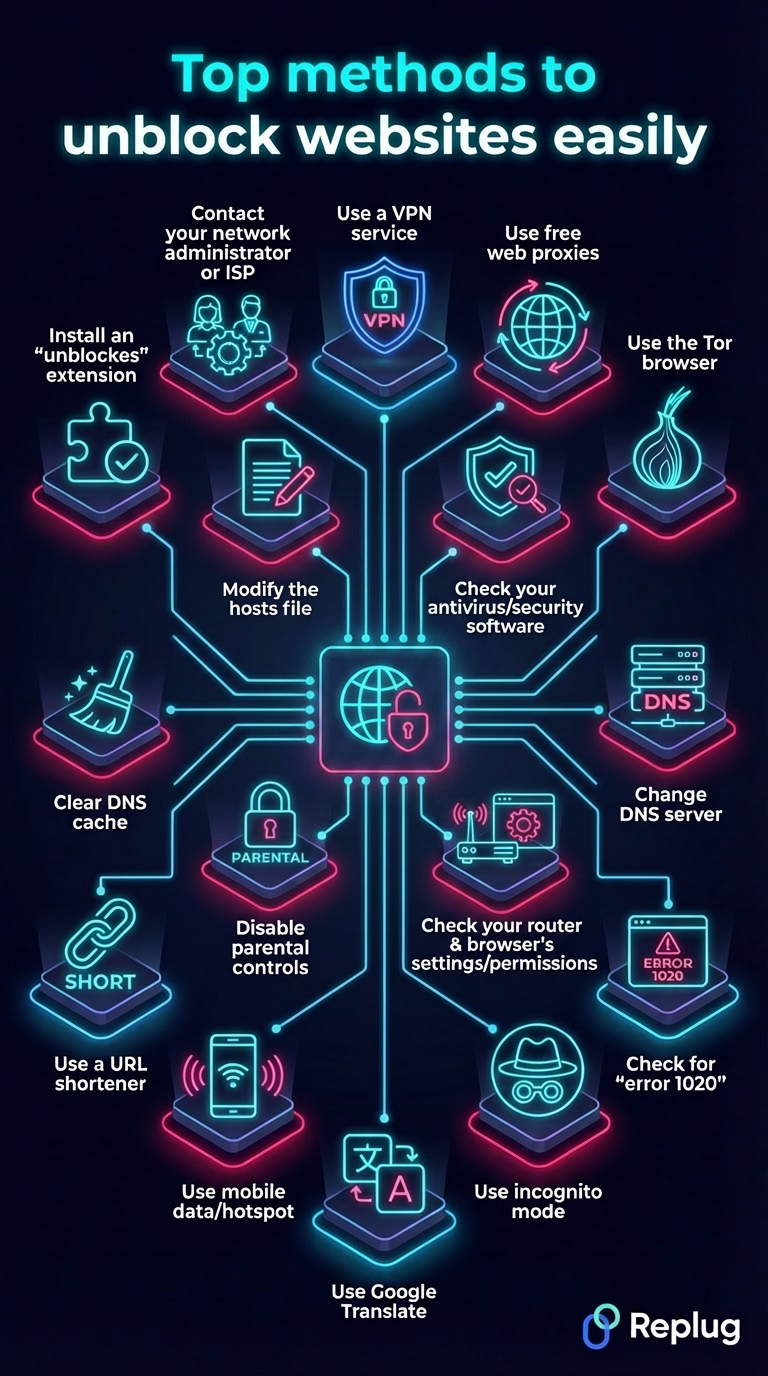
Method #01: Use a VPN service (best security)
A VPN (Virtual Private Network) is hands down the most popular and reliable way to unblock websites.
It works by routing your internet traffic through a server in another country, masking your real IP address and making it look like you’re browsing from somewhere else entirely.
The biggest benefits?
You get access to geo-blocked content, your traffic is encrypted, and your online activity stays private, all at the same time. It’s a clean, all-in-one solution.
For faster connections with less overhead, the WireGuard VPN protocol uses a lightweight, modern design built around efficient encryption.
That said, not all VPNs are created equal. A reputable VPN service will offer strong encryption, a strict no-logs policy, and fast server speeds; things that budget or free VPNs often cut corners on.
Watch out for VPNs that cap your bandwidth, log your data, or lack basic security features. For best results, always go with a paid, well-reviewed provider.
Method #02: Use free web proxies (fast & easy)
A web proxy acts as a middleman between you and the website you’re trying to reach.
You type the blocked URL into the proxy site, it fetches the page on your behalf, and boom, you’re in, without changing any settings on your device.
The biggest appeal here is convenience. No downloads, no sign-ups, no configuration. Just open your browser, find a proxy site, and you’re good to go in seconds. It’s a solid quick fix when you need access fast.
However, there are a few things to keep in mind. Free proxies are generally slower than VPNs, don’t encrypt your traffic, and some of them can be outright shady (logging your data or serving you ads laced with malware).
Always verify that the proxy you’re using is actually working and safe. Tools like a free online proxy checker can help you confirm this before you commit.
For finding reliable and tested proxy options, resources like ProxyCoupons can point you toward trustworthy choices without the guesswork.
Method #03: Use the Tor browser (high anonymity)
If privacy is your top concern, Tor is about as anonymous as it gets.
The Tor browser routes your traffic through multiple encrypted layers across a network of volunteer-run servers called “nodes” before it reaches its destination. This makes it extremely difficult for anyone to trace your activity back to you.
It’s completely free, requires no account, and works right out of the box. Journalists, activists, and whistleblowers in heavily censored countries rely on it regularly for unblocking certain websites.
The main downside, however, is speed. Because your traffic is bouncing through several relays around the world, browsing can feel noticeably slow. It’s not ideal for streaming or downloading large files.
Some websites also block Tor exit nodes entirely, so you might still hit walls on certain platforms. Another thing worth noting is that Tor keeps you anonymous, but it doesn’t make you invincible.
Avoid logging into personal accounts or sharing sensitive information while using it, as that can quickly undo the anonymity it provides.
Method #04: Change DNS server to Cloudflare’s 1.1.1.1 or Google’s 8.8.8.8
When you type a website address or a URL into your browser, your DNS server is what translates it into an actual IP address.
By default, your ISP assigns you its own DNS, and that’s often where the blocking happens. Switching to a public DNS like Cloudflare’s 1.1.1.1 or Google’s 8.8.8.8 can bypass those restrictions pretty effectively.
The best part?
It’s free, takes just a few minutes to set up, and noticeably improves your browsing speed in many cases. No extra software needed, just a small tweak in your network settings.
That said, this method only works against DNS-level blocking. If a website is blocked through IP blocking or deep packet inspection, changing your DNS won’t help.
It also doesn’t encrypt your traffic or hide your activity as a VPN does, so your ISP can still see what sites you’re visiting, just not block them through DNS filtering.
Overall, it’s a great lightweight option for mild restrictions, but not a complete privacy solution on its own.
Method #05: Check for “error 1020” or similar warnings
Before trying any technical workaround, it’s worth pausing and reading the error message on your screen.
Error codes like “Error 1020” (Cloudflare access denied), “Error 403” (forbidden), or “Error 404” (not found) each tell a different story. Knowing which one you’re dealing with saves you a lot of wasted effort.
For example, Error 1020 usually means the website’s firewall is blocking your IP address specifically, not a government or ISP restriction.
In that case, simply clearing your cookies, switching browsers, or using a different network might fix it instantly without needing a VPN or proxy at all.
The benefit here is simple: diagnose first, act second. Jumping straight into complex solutions when a basic fix would do is just unnecessary hassle.
The thing to watch out for is misreading the error. Not every blocked page looks the same, and some sites show generic error pages that don’t reveal the real cause.
If the error message is vague, a quick Google search of the exact code will usually tell you exactly what you’re dealing with.
Method #06: Use incognito mode
Incognito mode (or “private browsing”) is probably the quickest thing you can try when a website isn’t loading.
It opens a fresh session with no cookies, cached data, or browser extensions running in the background. Sometimes that’s all it takes to get a blocked or misbehaving site to load normally.
This works particularly well when a site is blocked due to cookies tracking your location or login history, or when a browser extension like an AD Blocker is accidentally interfering with the page.
The benefits are pretty obvious. It’s instant, built into every major browser, and requires zero technical knowledge. Just press Ctrl+Shift+N (or Cmd+Shift+N on Mac), and you’re in.
However, don’t mistake incognito for a real privacy or unblocking tool. It doesn’t hide your IP address, bypass network-level restrictions, or fool your ISP in any way.
If a website is blocked by your school, workplace, or government, incognito mode won’t make a difference. Think of it as a first quick check rather than a proper solution.
Method #07: Use Google Translate
This method surprises a lot of people, but it actually works!
Google Translate can function as a makeshift proxy. Simply paste the blocked website’s URL into the translation box, set it to translate from any language into English, and click the link in the output.
Google fetches the page on your behalf, and you end up viewing it through Google’s servers rather than accessing it directly.
It’s completely free, requires no downloads or setup, and since the traffic appears to come from Google’s IP address, basic network filters often don’t catch it. Pretty clever for something that wasn’t designed for this purpose at all.
That said, it does have real limitations. The formatting of the page often looks broken or messy through the translation interface. Dynamic features, videos, and login-based content frequently don’t work properly. It also won’t bypass heavy government-level censorship or sophisticated firewalls.
Think of it as a handy little trick for occasional use. Great option for quickly reading a blocked article, but not something you’d want to rely on for regular browsing.
Method #08: Use mobile data or mobile hotspot
Sometimes the simplest fix is just switching networks entirely.
If a website is blocked on your school, office, or home Wi-Fi, it might load just fine on your mobile data. This is because your cellular network operates independently from whoever is managing that Wi-Fi.
You can either browse directly on your phone or turn on a mobile hotspot and connect your laptop to it.
The beauty of this method is how effortless it is. No settings to change, no apps to install; just toggle off Wi-Fi and switch to mobile data. It bypasses network-level and administrator-level blocks almost instantly.
The main thing to watch out for is your data usage. Streaming videos or downloading files over mobile data can eat up your plan surprisingly fast.
It’s also worth remembering that if a website is blocked at the ISP level or by government mandate in your country, your mobile carrier (being another ISP) may enforce the exact same restrictions.
So this method works brilliantly for workplace and school blocks, but won’t necessarily help with broader regional or government-imposed restrictions.
Method #09: Use a reliable URL shortener
Here’s a lesser-known trick that can work surprisingly well in certain situations.
When a specific URL is blacklisted by a network filter, the block is often tied to that exact web address. Running it through a URL shortener generates a brand new link pointing to the same destination, and many basic filters simply don’t recognize it as blocked content.
Tools like Replug.io go beyond just shortening links. They come packed with features like click tracking, branded links, and even A/B testing for different URLs. This makes them genuinely useful for marketers and everyday users alike, not just people trying to bypass restrictions.
The setup is dead simple. Paste your blocked URL, generate a shortened version, and try accessing it through that new link.
That said, this method only works against unsophisticated, URL-based filters. More advanced network systems that inspect traffic by destination IP address or domain won’t be fooled by a shortened link.
It’s also worth noting that some network filters have caught on to popular shortener domains and block those, too. Use it as a quick first attempt, but don’t rely on it as a permanent solution.
Method #10: Clear DNS cache
Your device stores a local record of previously visited websites called a DNS cache to speed up future visits.
However, sometimes this cache holds outdated or corrupted information, which can make a perfectly accessible website appear blocked or simply refuse to load.
Clearing your DNS cache forces your device to fetch fresh DNS information, which can instantly resolve access issues that have nothing to do with actual blocking.
It’s one of those fixes that takes under a minute but gets overlooked surprisingly often.
- On Windows, it’s as simple as opening Command Prompt and running this command as administrator: ipconfig /flushdns.
- On Mac, a quick Terminal command sudo killall -HUP mDNSResponder does the job, and
- On mobile devices, toggling airplane mode or a simple restart usually clears it automatically.
The main thing to keep in mind is that this method only fixes locally stored DNS issues. It won’t help if a website is genuinely blocked by your ISP, network administrator, or government.
Think of it more as a housekeeping step than a full unblocking solution. Try it early in your troubleshooting process before jumping to more complex methods. You might be surprised how often it works.
Method #11: Install an “unblock websites” browser extension
Browser extensions designed to unblock websites are essentially lightweight VPNs or proxies that work directly inside your browser.
Popular options like Windscribe, Hola, or Browsec can be installed in just a couple of clicks from your browser’s extension store and start working almost immediately. No separate app or complicated setup required.
The appeal is obvious. They’re quick to install, beginner-friendly, and many offer a decent free tier that’s good enough for casual unblocking.
If you just need to access a blocked site occasionally without committing to a full VPN subscription, an extension is a pretty convenient middle ground.
That said, there are some real limitations. Browser extensions only route your browser traffic, not your entire device’s connection. So other apps remain unaffected.
Free extensions in particular can be hit or miss on privacy, with some known to log browsing data or inject ads into pages.
Before installing anything, check the reviews carefully and stick to well-known, reputable extensions. Avoid random ones with little to no user feedback.
The browser extension store, unfortunately, has its fair share of shady options dressed up to look legitimate.
Method #12: Contact your network administrator or ISP
Sometimes the most straightforward solution is just asking.
If a website you genuinely need access to is blocked on your work or school network, reaching out to your network administrator and explaining why you need it unblocked can actually work.
The same goes for your ISP. If a site appears to be incorrectly blocked, a simple support call or ticket can get it resolved faster than you’d expect.
This approach is especially useful in professional settings where you need access to a specific tool or platform for legitimate work purposes. A reasonable request with a clear explanation often gets approved without much pushback.
The thing to keep in mind is that this only works when the block is unintentional or when you have a valid, justifiable reason.
Don’t expect a school IT department to unblock social media just because you asked nicely. Timing and context matter too.
Framing your request around productivity or work necessity goes a long way compared to a vague “can you just unblock this?”
It won’t always work, but when it does, it’s the cleanest and most hassle-free solution on this entire list.
Method #13: Modify the hosts file (advanced)
Every computer has a hosts file, a small but powerful local text file that maps domain names to IP addresses before your DNS server even gets involved.
By editing this file, you can manually redirect a blocked domain to its correct IP address, effectively bypassing DNS-level blocks on your device.
It’s a genuinely effective method for technically savvy users, and since it works locally on your machine, it doesn’t rely on any third-party tools or services. No subscriptions, no extensions, no extra software needed.
However, this one comes with a clear warning: it’s not for beginners. Editing the hosts file incorrectly can break your internet connection or stop certain websites from loading altogether.
- On Windows, you’ll find it at C:\Windows\System32\drivers\etc\hosts, and
- On Mac or Linux, it sits at /etc/hosts.
You’ll need administrator privileges to make any changes!
It’s also worth noting that this method only bypasses DNS-based blocking. If the website is blocked through IP filtering or deep packet inspection, modifying the hosts file won’t help.
Always back up the original file before making any edits. That way, you can easily restore it if something goes wrong.
Method #14: Check your antivirus or security software
If a website suddenly stops loading and you can’t figure out why, your antivirus or security software might quietly be the culprit.
Many security tools come with built-in web filtering features that automatically block sites they flag as suspicious. And sometimes they get it wrong, flagging perfectly safe websites as threats.
The fix is usually straightforward. Open your antivirus dashboard, look for web protection or URL filtering settings, and check if the site in question has been added to a blocklist.
Most programs let you whitelist specific websites, which tells the software to stop interfering with them (in the future).
The benefit of catching this early is that it saves you from going down a rabbit hole of VPNs and proxies when the real issue is sitting right on your own device.
That said, be cautious about what you whitelist. Your antivirus flagged that site for a reason, and while false positives do happen regularly, it’s worth doing a quick check on the website’s credibility before overriding the block.
Tools like Google’s Safe Browsing checker or VirusTotal can help you verify if a site is genuinely safe before you grant it unrestricted access.
Method #15: Check your router & browser’s settings/permissions
Before assuming a website is blocked externally, it’s worth checking closer to home.
Many routers come with built-in parental controls or content filtering features that can block specific websites or entire categories of content. And, these settings sometimes get enabled without everyone in the household even knowing about it.
Log in to your router’s admin panel (usually accessible by typing 192.168.1.1 or 192.168.0.1 into your browser). Then navigate to the content filtering or parental controls section, and check if the site you’re trying to reach has been restricted there.
On the other side, certain browser permissions and settings, like strict safe browsing modes or content restrictions, can also prevent specific pages from loading correctly.
The benefit of checking here first is that it’s a quick, free fix that requires no extra tools. If something was accidentally misconfigured, you can sort it out in minutes.
Just be mindful that if you’re on someone else’s network (a family member’s or roommate’s), changing router settings without permission isn’t great etiquette. Have a conversation first, rather than quietly modifying settings that affect everyone connected to that network.
Method #16: Disable parental controls
Parental controls are one of the most overlooked reasons why a website might be blocked, especially on home networks and family devices.
These controls can be set up at multiple levels:
- on the router,
- directly on your device,
- through your ISP, or
- even within specific apps and browsers
If you’re scratching your head, wondering why a completely harmless site won’t load, parental controls might be quietly doing their job in the background.
Disabling or adjusting them is usually simple once you locate where they’ve been set up.
- On Windows, check Family Safety settings.
- On Mac, look under Screen Time.
Router-level controls are accessible through the admin panel, as covered in the previous method.
The obvious benefit is that once removed, your access is restored instantly (no third-party tools required).
That said, this one comes with a common-sense reminder. If the parental controls were set up by a parent or guardian for a minor, disabling them without permission isn’t appropriate.
This method is really aimed at adults who’ve inherited restricted settings on a device or network, or situations where controls were set up and simply forgotten about over time.
How to unblock websites without a VPN
Not everyone wants to pay for a VPN or go through the hassle of setting one up, and that’s completely fair. The good news is that there are several solid ways to access blocked content without one.
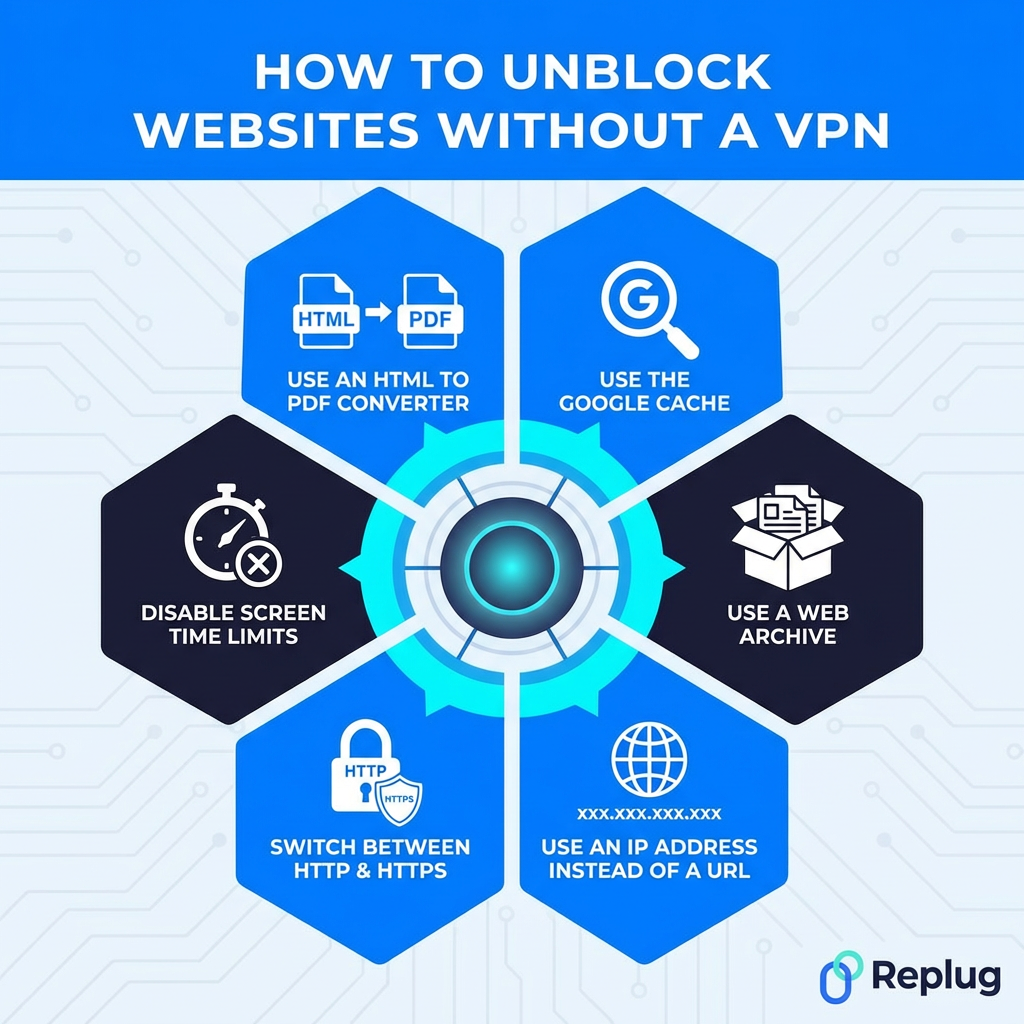
Here are some of the best alternatives worth trying:
Method #17: Use the Google cache
Google regularly saves snapshots of web pages every time it crawls them. By accessing the cached version, you’re essentially viewing a saved copy stored on Google’s servers rather than the live site itself, bypassing the block entirely.
Just type cache:websiteurl.com directly into Google’s search bar to access it.
It’s free, instant, and requires nothing extra. The downside is that cached pages can be outdated, and interactive or login-based content won’t work.
Method #18: Use a web archive
Web archives like the Wayback Machine (web.archive.org) store historical snapshots of websites going back years. If a site is blocked, you can often access a saved version simply by entering the URL into the archive’s search bar.
It’s completely free and requires no setup whatsoever. Great for accessing blocked articles, research pages, or reference content.
The catch is that archived versions are static snapshots, so dynamic content, videos, and anything requiring a login won’t function. It’s best suited for reading text-based content rather than interactive browsing.
Method #19: Use an IP address instead of a URL
Most website blocks target domain names rather than the actual IP address sitting behind them. So instead of typing www.website.com, try entering the site’s direct IP address into your browser.
You can find a website’s IP by running a simple nslookup <domain> or ping <domain> command in your device’s terminal or command prompt.
It’s free, instant, and requires no extra tools. However, this only works if the block is purely DNS-based. If the IP address itself is blocked, or the site uses shared hosting with multiple sites on one IP, this method won’t get you through.
Method #20: Switch between HTTP & HTTPS
Some network filters block either the HTTP or HTTPS version of a website, but not both. So if http://website.com isn’t loading, try https://website.com instead, or vice versa.
It sounds almost too simple, but it genuinely works in certain situations. No tools, no setup, completely free. Just manually edit the URL in your address bar and hit “Enter.”
The limitation is obvious. This only works when the block is version-specific and inconsistent. Against properly configured filters that block both versions simultaneously, simply switching protocols won’t make any difference.
Method #21: Disable screen time limits
Screen time features on iOS, Android, macOS, and Windows allow users to restrict access to specific websites or apps during set hours.
If a site suddenly becomes inaccessible at certain times of the day, screen time limits could be the reason rather than an external block. Check your device’s screen time or digital wellbeing settings and adjust or disable the restrictions as needed.
It’s a quick, free fix requiring no extra tools. Just keep in mind that on family-shared devices, these settings may be password-protected by a parent or guardian, so bypassing them without permission isn’t appropriate.
Method #22: Use an HTML to PDF converter
Online HTML to PDF converters like PDFcrowd or Web2PDF fetch a webpage on your behalf and convert it into a downloadable PDF file, similar to how a proxy works. Since the request comes from the converter’s servers rather than your device, basic network filters often don’t catch it.
It’s free, requires no installation, and works directly in your browser. Perfect for accessing blocked articles or text-heavy pages.
The downside is that it only works for reading static content. Videos, interactive elements, and login-required pages simply won’t convert properly.
How to unblock websites in specific environments
The right unblocking method often depends on where you are and what device you’re using. A fix that works perfectly at home might be completely useless at school or work. Here’s a quick environment-by-environment breakdown to point you in the right direction.
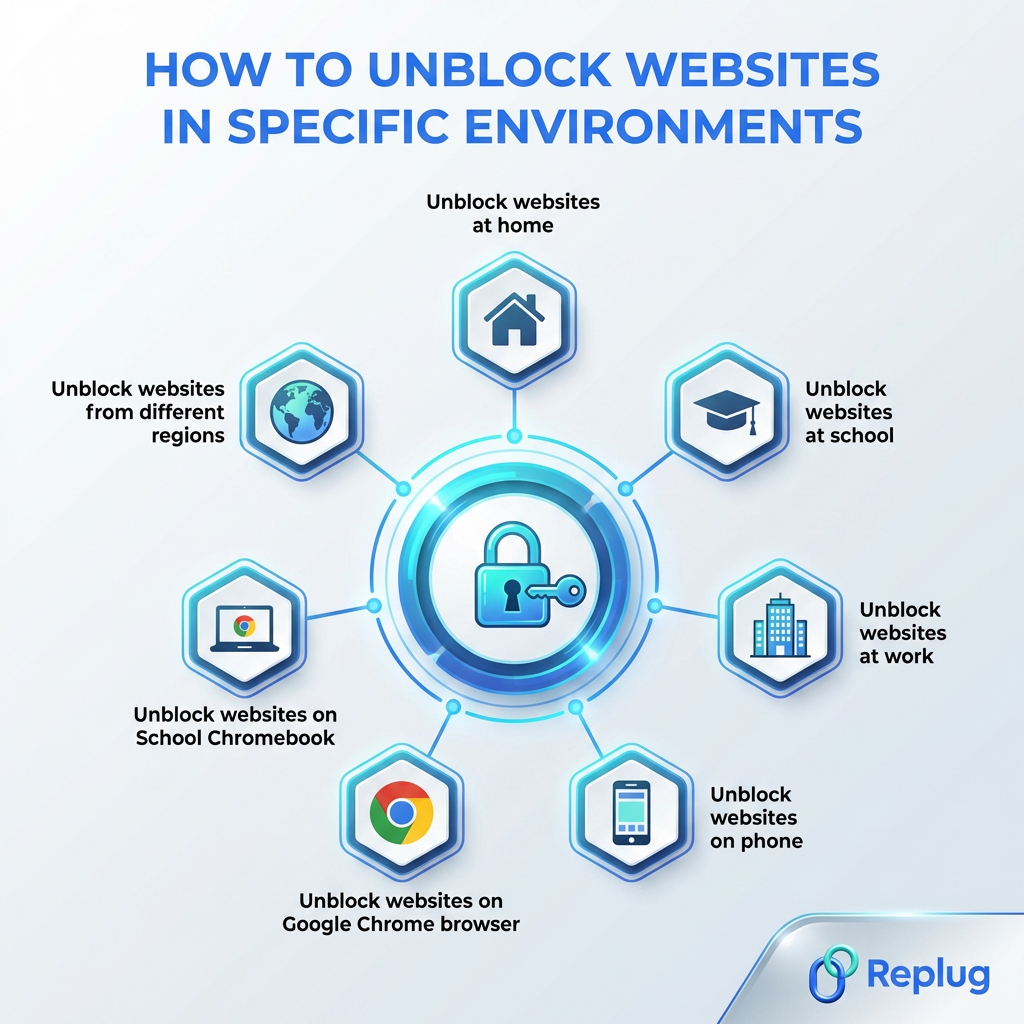
Unblock websites at home
At home, you have the most control.
- Start by checking your router’s content filtering settings and disabling any parental controls that might be active.
- Switching your DNS to Cloudflare’s 1.1.1.1 or Google’s 8.8.8.8 is another easy win.
- If your ISP is the one doing the blocking, a VPN is your best bet.
Since it’s your own network, you have full freedom to adjust settings without needing anyone’s permission, making your home the easiest environment to unblock websites in.
Unblock websites at school
School networks are typically locked down pretty tightly by IT administrators. Your best options here are:
- Using mobile data instead of the school Wi-Fi, or installing a browser extension with built-in proxy or VPN functionality.
- Google Translate and web proxies can also work against basic filters.
Just be aware that many schools actively monitor network activity, so it’s worth understanding your school’s policy before attempting any workaround. This is because some can get you in genuine trouble if caught.
Unblock websites at work
Workplace restrictions are similar to school blocks but often more sophisticated.
- A reputable VPN app installed on your personal device is the cleanest solution, especially if you’re using your own laptop.
- If you’re on a company-managed device, be cautious. IT departments can often see exactly what’s running on those machines. Using mobile data for personal browsing is a safer, less risky approach.
- For work-related sites that are unnecessarily blocked, simply contacting your IT department with a clear business reason is always worth trying first.
Unblock websites on phone
To unblock websites on iPhone:
1. Start by checking screen time settings under Settings → Screen Time → Content & Privacy Restrictions → Content Restrictions → Web Content.
2. Select “Unrestricted Access” to allow all websites, or remove specific sites from the “Never Allow” list.
3. A screen time passcode is required if one was set.
To unblock websites on an Android smartphone:
- Use a VPN,
- Change your Private DNS to 1dns.cloudflare.net in settings, or
- Use a proxy site.
If your Wi-Fi network is the issue, switching to mobile data usually bypasses it instantly.
For broader restrictions, installing a VPN app from the App Store is the most reliable fix.
iOS/Android also supports manual DNS changes under Wi-Fi settings, so swapping to a public DNS like 1.1.1.1 is another quick option worth trying.
Unblock websites on Google Chrome browser
Chrome has several built-in tools worth checking first.
- Make sure Safe Browsing settings aren’t overly aggressive, and check that no extensions are interfering with site access.
- Trying the site in an Incognito window rules out cookie or cache-related issues.
- If the block is network-based, installing a Chrome VPN or proxy extension directly from the Chrome Web Store is the most straightforward browser-level fix.
- Switching Chrome’s DNS settings to a public DNS server under Settings → Privacy and Security → Security is another solid option.
Unblock websites on School Chromebook
School-issued Chromebooks are among the toughest to work around because they’re typically enrolled in Google Admin, giving IT full control over what’s accessible. Most VPN extensions get blocked at the admin level before you can even use them.
- Your most practical option is switching to mobile data via a hotspot rather than the school’s network entirely.
- Alternatively, accessing cached versions or web archives of blocked content can work for reading purposes.
- You can use proxy websites, browser-based proxies (“browser in a browser”), or translation services to bypass firewalls.
- Specific unblocker platforms like Space Unblocker or Red Exploit Center can often be your friend.
- For legitimate access needs, speaking directly to your teacher or IT administrator is genuinely the most effective route.
Unblock websites from different regions
Geo-blocked content (like streaming libraries, news sites, or regional platforms) requires tools that can mask or change your apparent location.
- A VPN with servers in the target country is the most reliable and widely used solution here.
- Proxy servers set to the relevant region work too, though with less security.
- Smart DNS services are another popular option specifically for streaming, as they unblock geo-restricted content without slowing down your connection the way some VPNs can.
What is the best way to access a blocked website in 2026?
Honestly, it depends on your situation, but if we had to pick one method that works reliably across the board, a secure VPN is still the winner in 2026.
It handles geo-blocks, network restrictions, and ISP-level blocks all at once, while keeping your connection encrypted and your activity private. Nothing else on this list does all three simultaneously.
That said, if a VPN feels like too much for what you need, switching your DNS or using a web proxy gets the job done for lighter restrictions without any fuss.
The smartest approach is matching the method to the problem. Identify why a site is blocked first, then pick the tool that fits in the best. Don’t use a sledgehammer when a simple fix will do the job!
Wrapping up
And there you have it!
22 proven ways to unblock websites and take back control of your browsing experience. As internet restrictions continue to tighten globally, knowing your options isn’t just handy, it’s becoming essential.
No matter if you go with a full VPN setup, a quick DNS switch, or a simple Google Cache workaround, there’s genuinely something on this list for every situation and skill level.
The key takeaway is simple: no single method works for everything, so understanding why a site is blocked gets you halfway to fixing it.
Stay curious, browse smart, and always make sure whatever method you choose is legal and appropriate in your region.
Happy browsing!
Frequently asked questions

Muhammad Ahsan Jamal