
You’re running an e-commerce store with top-notch products, vibrant themes, detailed listings, and genuine reviews. Coupled with high-end SEO and social media marketing campaigns.
Everything seems in place, but your conversion rates need to hit the mark. Then what’s the missing piece? Let us clue you in – it’s the absence of an advanced call-to-action tool!
Using an advanced call-to-action tool can make all the difference by converting your website visitors into paying customers.
With strategic placement and catchy texts, CTAs compel users to take specific actions. Which ultimately helps you in boosting brand revenue potential.
In this guide you’ll find CTA tips first, then the tools, grouped by what they actually do. Every price and plan below comes from the vendor’s own page, checked October 2026.
Quick answer: the right CTA tool depends on where the call to action has to appear. For pop-ups and banners on your own website, look at HubSpot’s CTA tool, OptinMonster or Hello Bar. To add a CTA to links you share, including links to other people’s content, use a link CTA tool such as Replug or Sniply. For the wording itself, an AI CTA generator gives you ideas to test.
| Tool | Type | Where the CTA shows | Free option | Paid plans (checked Oct 2026) |
|---|---|---|---|---|
| Replug | Link CTAs + link management | On pages behind your short links | Free plan (CTAs not included) | CTAs from Essentials, per replug.io/pricing |
| HubSpot CTAs | Pop-ups, banners, embedded buttons | HubSpot pages, and external pages with the HubSpot tracking code | Not listed for CTAs | Marketing Hub or Content Hub Starter and above |
| Sniply | Link CTAs | On pages behind Sniply links | 14-day trial | From $9/month (Basic) |
| OptinMonster | On-site pop-ups and forms | Your website | 14-day money-back guarantee | Basic $9/month billed annually (first-year offer) |
| Hello Bar | On-site pop-ups and bars | Your website | Starter: free up to 5,000 views | From $29/month billed annually |
| Copy.ai | AI CTA copy generator | Anywhere you paste the text | Free tool | Paid Copy.ai plans for more |
| Canva | Design tool for CTA graphics | Images and banners you design | Free plan, per canva.com/pricing | Pro, Business and Enterprise plans |
What’s a CTA?
CTA stands for “Call to Action”. It’s an instruction that tells your audience what you want them to do next. These are commonly found in marketing and advertising but can be used anywhere you want to guide users toward a specific action. Here’s how to write a call to action that works.
What is a good call-to-action example?
A good example of a call-to-action is a clear and simple statement that tells users what to do next. For example, ContentStudio’s CTA “Try it for free” invites users to explore the tool without any commitments.

Best call-to-action tips to use
1. Try to use action verbs
Action verbs are the powerhouse behind persuasive CTAs. They prompt users to take immediate action, driving them toward the desired goal. Incorporate dynamic verbs like “discover,” “explore,” or “get” to instill a sense of urgency and motivation in your audience. Grab attention, Drive action!
Related: 100+ call-to-action phrases you NEED to use [+ best examples]
2. Focus on value
Communicate the value proposition clearly in your CTAs. Highlight the benefits or rewards users will receive by clicking through, whether it’s accessing exclusive content, unlocking special discounts, or gaining valuable insights. The more value users perceive, the more likely they are to act.
3. Create FOMO
Creating a sense of FOMO (Fear of Missing Out) is a potent tactic to drive action. Hint at limited-time offers, exclusive deals, or upcoming events to instill urgency in your audience. By suggesting that time is running out, you motivate users to act quickly to seize the opportunity.
4. Use fancy graphics and colors
Visual appeal is key to capturing attention and enticing clicks. Incorporate eye-catching graphics, vibrant colors, and captivating imagery to make your CTAs stand out. Choose visuals that align with your brand identity and message while grabbing the user’s attention.
5. Catchy shapes or sizes
Experiment with unique shapes or sizes for your CTAs to make them visually appealing and memorable. Whether it’s a bold button, a playful icon, or a custom design element, think outside the box to create CTAs that stand out and invite interaction.
6. Keep the text brief
Keep your CTA text concise and to the point. Avoid overwhelming users with too much information. Instead, focus on conveying your message succinctly, highlighting the key action or benefit users should take.
7. A/B test multiple CTA’s
Don’t settle for the first iteration of your CTAs. Experiment with different variations, including text, design, placement, and color scheme, to identify what resonates best with your audience. A/B testing allows you to optimize your CTAs for maximum effectiveness and drive better results over time.
Top call to action tools to use
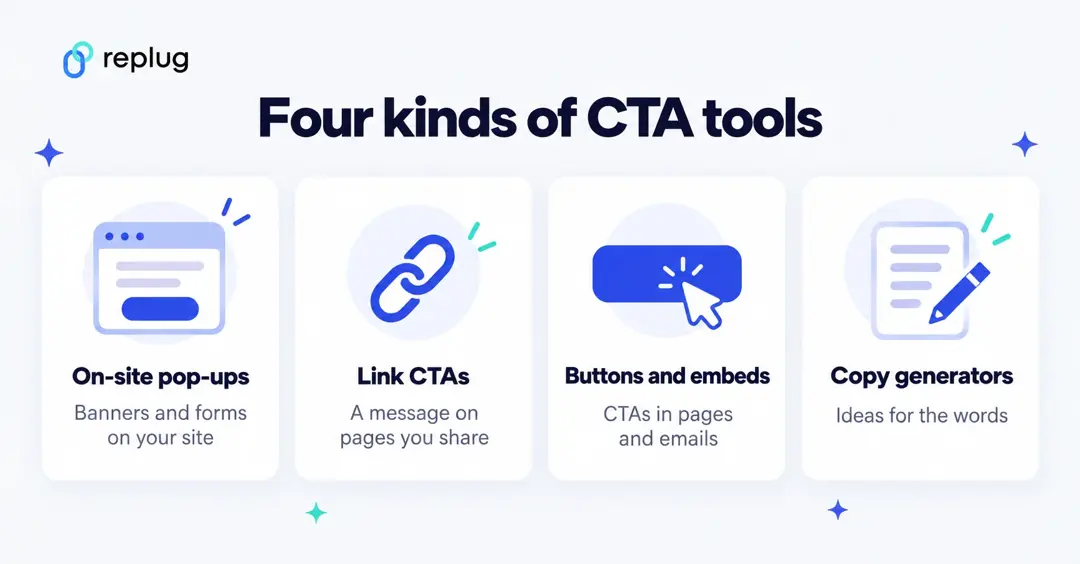
CTA tools fall into four groups: on-site pop-up and banner builders, link CTA tools that show a message on pages you share, button and embed builders inside a marketing platform, and copy generators that suggest the words. Most teams use one of the first three plus their own judgment on wording.
1. Replug
Our top favorite is Replug – a powerful link management platform that allows users to create branded short links, track click data, and retarget audiences across various digital channels.
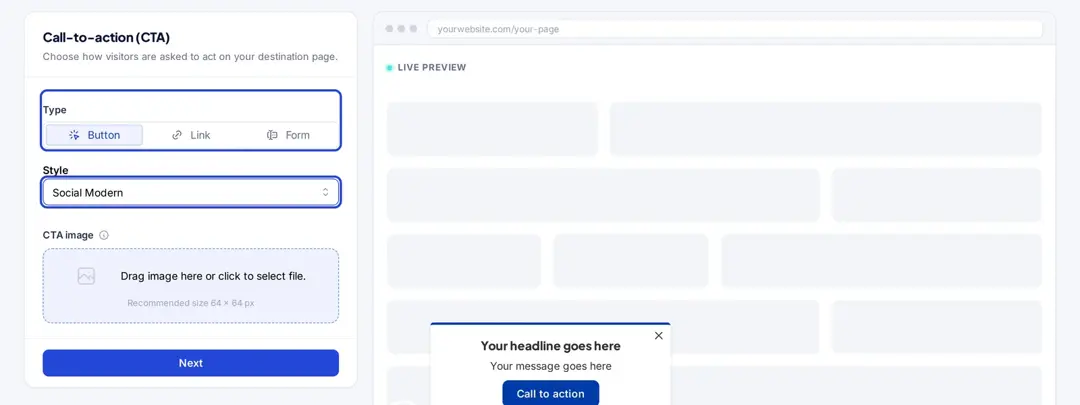
Replug adds a CTA to the pages behind your short links: you set it up once in a campaign (Campaigns > Create new > Call-to-action), pick a type (Button, Link or Form) and a style (Social Classic, Social Modern, Banner, Exit Intent, Popup, Scroll Box or Bridge Page), write the message, and every link you shorten into that campaign shows it. More on the formats in our guide to CTA overlays. CTAs, exit-intent pop-ups and bridge pages are on the Essentials plan and above, per replug.io/pricing.
For each link you see clicks and unique clicks with country, city, device, browser and referrer. Replug counts clicks on your links; it doesn’t track what visitors do on the page afterwards.
You can further streamline your campaigns by using this top-notch URL shortener to create branded, trackable links that complement your CTAs and enhance overall engagement.
2. HubSpot CTAs
HubSpot’s CTA tool is part of Marketing Hub and Content Hub (Starter, Professional and Enterprise), per HubSpot’s Knowledge Base (checked October 2026). It builds pop-up CTAs (a fixed banner, a pop-up box or a slide-in) and embedded CTAs (buttons, banners or images for pages and HubSpot emails). It works on HubSpot pages and, once you install the HubSpot tracking code or WordPress plugin, on other sites too. You can A/B test CTAs and see their performance.
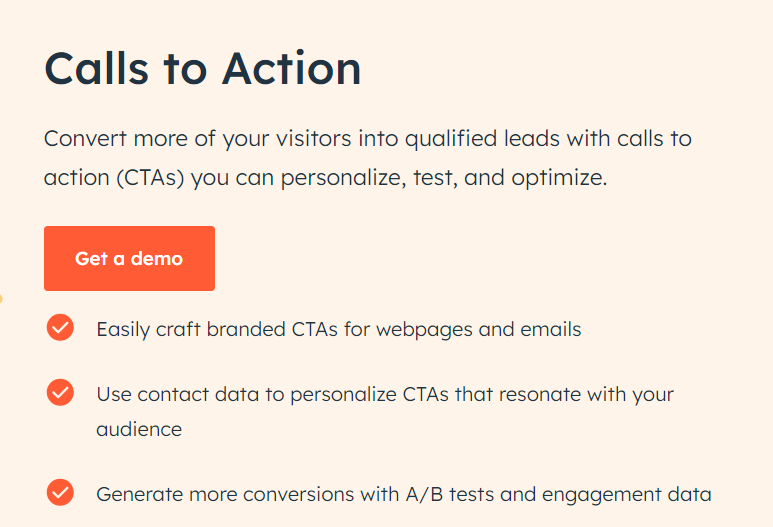
If you used HubSpot CTAs before: the older CTA (legacy) tool isn’t available to accounts created after March 17, 2025, according to HubSpot. The screenshot above is from an earlier HubSpot product page.
3. Sniply
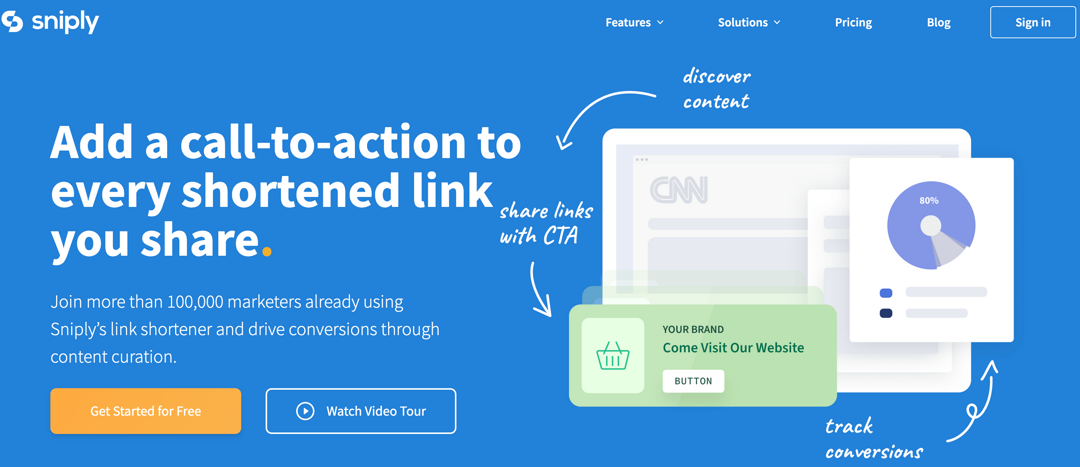
Sniply adds a custom message or CTA on top of any page you share, even pages you don’t own. Sniply says it has been acquired by UpContent (banner on sniply.io, checked October 2026).
Per its pricing page, plans start with a 14-day free trial; Basic is $9/month for 250 Sniply links a month, 5 CTAs and 5,000 CTA impressions, Pro is $29/month and Business $59/month. CTA types include a button, text link, email capture form and banner image. The screenshot above shows its earlier site at snip.ly.
Scalenut (no longer listed) and Copy.ai
Scalenut is an AI-powered content marketing platform that helps businesses create, distribute, and optimize content at scale.
Earlier versions of this article listed a free Scalenut CTA generator. Its free tools page no longer lists one (checked October 2026), and Scalenut now presents itself as an AI SEO and content platform, per scalenut.com/tools. If you want an AI tool for CTA wording, Copy.ai offers a free AI call to action generator that writes CTA options from a short description of your product, audience and goal.
OptinMonster
OptinMonster builds pop-ups, floating bars, slide-ins and other on-site campaigns with page, time and scroll triggers. Per its pricing page (checked October 2026), Basic is $9/month billed annually as a first-year offer ($210/year at renewal) for one site and 2,500 campaign impressions; A/B testing starts on Plus. Every plan has a 14-day money-back guarantee.
Hello Bar
Hello Bar makes pop-ups and top bars for your site. Per its pricing page (checked October 2026), the Starter plan is free for up to 5,000 views, and paid plans start at $29/month billed annually (Growth, up to 50,000 popup views), with A/B testing on every paid plan.
Canva
Canva is a versatile design platform that empowers users to create stunning graphics, presentations, and marketing materials with ease.
While not a dedicated CTA tool, Canva provides users with the tools to design eye-catching CTAs that complement their branding and messaging. Users can create custom graphics or templates for CTAs to be used across various digital channels, from social media posts to website banners.

Things to consider when choosing your CTA tool
Here are some of the most important things to consider when choosing your CTA tool.
- Consider your budget: Free options offer good basic functionality, while paid tools might have advanced features like A/B testing or performance analytics. New to testing? Start with these A/B testing basics.
- Think about your needs: Do you need a simple CTA builder or a tool with AI-powered suggestions? How important is customization for you?
- Read reviews and comparisons: Researching user experiences can help you find a tool that works well for others in your situation.
You may also like: Call to action for social media: 15 best examples
What is the best CTA generation tool?
The best call to action generator is none other than Replug. This is because:
- Easy to use: Replug doesn’t require coding. You build CTAs with customizable text, buttons, forms and pop-up styles in a campaign, on the Essentials plan and above.
- One CTA, many links: every link you shorten into a campaign carries its CTA, so you set it up once per campaign or audience.
- A/B testing: on the Scale and Agency plans, one short link can split traffic between up to 20 destination URLs, and you compare clicks for each. Replug measures clicks, not sales or sign-ups on the page.
- Retargeting pixels: add a Meta, Google, LinkedIn or other ad platform pixel to your links so people who clicked can see your ads later (1 pixel on Essentials, unlimited on Scale and Agency).
If your CTAs need to appear on content you share, Replug is a good fit. If you only need pop-ups on your own site, an on-site tool like the ones above may be simpler.
Frequently asked questions

Manahil