Your Discord bio is your chance to make a solid first impression. Whether you’re gaming, chatting with friends, or connecting with fellow creators, it’s the perfect spot to let your personality shine. But we get it; it can be tough coming up with the right bio.
So, how do you sum yourself up in just a few words?
Don’t worry; we’ve got you covered!
We’ve compiled 100+ Discord bio ideas to help you nail it. From cool and aesthetic vibes to funny and witty one-liners, we’ve got something for everyone. No matter what vibe you’re going for, you’ll find the perfect bio ideas here to boost engagement on your Discord profile.
Ready to make your Discord profile pop? Let’s get started!
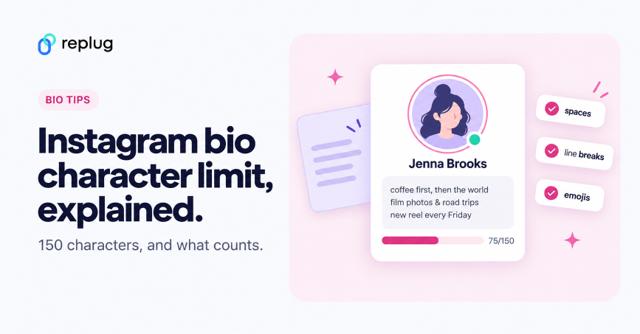
Quick answer: a good Discord bio is one to three short lines that say who you are, what you’re into and where else to find you. According to Discord’s Custom Profiles help article (October 2026), your About Me holds up to 190 characters, including emoji and links, and Discord lists no higher limit for Nitro, so keep it tight: a funny one-liner, a favorite quote, the games you play or your timezone and pronouns. Below you’ll find 200+ ideas grouped by vibe, plus how to write and change your bio.
Discord bio basics: everything you need to know
Before we get into the juicy stuff, let’s quickly go over the basics of how to write a winning, professional bio. After all, a solid understanding of Discord’s bio setup will make your ideas pop even more.
- Bio length:
Discord’s Custom Profiles help article (October 2026) says the About Me section holds up to 190 characters, counting emoji, markdown and links. Nitro adds extras like custom emoji and per-server profiles, but the help article lists no extra bio space. However, if you want a customized bio with quick bio links, consider Replug’s link in bio tool, since it will keep it neat and make the most of your space. - Where it appears:
Your bio shows up on your profile card when someone clicks your username. It appears fully expanded on a desktop, while mobile users see a condensed version. - Profile picture synergy:
Your bio and profile picture should vibe together. If your avatar screams “gamer,” your bio should have that same energy. For a professional or creative vibe, make sure your bio matches your tone. - Custom status integration:
Pair your bio with a custom status! This tells people exactly what you’re up to, whether in a game, taking a break, or working on something important. - Emoji usage:
Emojis are your best friend! They break up text, highlight key info, and add personality. But remember, emojis count toward your character limit, so use them wisely!
- Cool Discord bio ideas
- Funny Discord bio ideas
- Aesthetic Discord bio ideas
- Cute Discord bio ideas
- Witty Discord bio ideas
Cool Discord bio ideas
Want to keep it cool and effortless? Here are some cool Discord bio ideas to show off your laid-back yet stylish side:
- “Running on caffeine and good vibes.”
- “Master of memes, keeper of chaos.”
- “Currently in a relationship with sleep.”
- “I’m not a robot… but I might be after the next update.”
- “The only time I’m a morning person is when the sun is setting.”
- “Living life one playlist at a time.”
- “Just a small fish in a big pond.”
- “Be yourself—everyone else is taken.”
- “I’m on a seafood diet. I see food and I eat it.”
- “On a quest for world domination. One meme at a time.”
- “I’m not arguing, I’m just explaining why I’m right.”
- “My hobbies include sleeping, eating, and avoiding responsibilities.”
- “Fluent in sarcasm.”
- “Do more things that make you forget to check your phone.”
- “Stay hydrated and stay woke.”
- “I’m a professional overthinker.”
- “Currently fighting the urge to be productive.”
- “Rolling through life like a smooth playlist.”
- “In a complicated relationship with my bed.”
- “Too cool for school, too tired for anything else.”
- “A work in progress.”
- “Searching for Wi-Fi in a world of no connection.”
- “Work hard, nap harder.”
- “Netflix and sleep.”
Funny Discord bio ideas
Who doesn’t love a good laugh? Here are some funny Discord bio ideas that’ll make everyone do a double-take:
- “I’m not lazy, I’m just on energy-saving mode.”
- “I’m not short, I’m concentrated awesome.”
- “Life is short. So am I.”
- “I put the ‘pro’ in procrastination.”
- “If I were any cooler, I’d be frozen.”
- “Warning: I’m an acquired taste. If you don’t like me, acquire some taste.”
- “I would agree with you, but then we’d both be wrong.”
- “My life is a meme, and I’m the punchline.”
- “I’m like a software update: takes forever, but I’m worth the wait.”
- “I’m not arguing, I’m just explaining why I’m right.”
- “Life is 10% what happens to me and 90% how I react to it—except in the case of traffic.”
- “I don’t suffer from insanity—I enjoy every minute of it.”
- “I’m on a diet, I only eat cake now.”
- “Call me a fireman because I’m always putting out fires (usually my own).”
- “If you don’t like me, that’s okay. I’m not a fan of you either.”
- “My bed is a magical place where I suddenly remember everything I forgot to do.”
- “I can’t hear you over the sound of how awesome I am.”
- “I’m not late, I’m just early for tomorrow.”
- “You had me at ‘Hello.’ You lost me at ‘Here’s the plan.’”
- “I’m like a sloth on a bad day.”
- “If I had a dollar for every time I got distracted, I’d probably be rich by now.”
More funny Discord bios (the kind people actually screenshot):
- I put the “pro” in procrastinate.
- My sleep schedule is a myth.
- Here for a good time, not a long call.
- Fluent in sarcasm and GIFs.
- I came, I saw, I went AFK.
- Certified snack goblin.
- Not ignoring you, just buffering.
- Born to game, forced to do homework.
- My only cardio is running from my responsibilities.
- Mic is muted, opinions are not.
- I’d agree with you, but then we’d both be wrong.
- If found, return to the nearest voice channel.
Aesthetic Discord bio ideas
For those looking to make their profile a little more artsy, here are some aesthetic Discord bio ideas:
- “🌙 Chasing the stars, one night at a time.”
- “☁️ Living in my daydreams.”
- “🌿 Plant enthusiast | 🌱 Grow your own way.”
- “🎧 Music is my therapy.”
- “🌸 Serenity in simplicity.”
- “🌻 A soul that roams free.”
- “☾ Moonlight whispers.”
- “⚡ Let the vibes flow.”
- “🍃 Lost in the beauty of the moment.”
- “🌸 I am a work in progress.”
- “🌾 Wild at heart.”
- “🍂 Autumn leaves & cozy nights.”
- “💫 Dream big, sparkle more.”
- “🌺 Keep blooming.”
- “🌙 Stargazing under the city lights.”
- “🌱 Growth is beautiful.”
- “☁️ Floating through life.”
- “🍃 Catching my breath between moments.”
- “🌷 Living the dream, quietly.”
- “🌻 Sometimes the stars align.”
- “🦋 Finding peace in the chaos.”
- “🌼 Peaceful and grounded.”
- “🌴 Stay wild, moon child.”
- “🌸 Simplicity is the ultimate sophistication.”
- “🍃 Always in a state of becoming.”
Cute Discord bio ideas
Ready to show off your adorable side? These cute Discord bio ideas are perfect for you:
- “🌸 Here to spread some sunshine.”
- “🐾 Paws-itively the best at being cute.”
- “💖 Powered by love and hugs.”
- “🎀 Small but fierce.”
- “🍭 Sweet as candy.”
- “🐱 Cat cuddles over everything.”
- “🌼 Soft vibes only.”
- “🦄 I believe in magic.”
- “🍓 Cutie with a sprinkle of sass.”
- “🌸 Be the reason someone smiles today.”
- “💫 Dreaming big, looking cute.”
- “🌼 Here for the cuddles.”
- “💖 Sweetheart, through and through.”
- “🐇 Hoppy days ahead!”
- “🍀 Just a little bundle of joy.”
- “🌸 Don’t mind me, just spreading kindness.”
- “🐾 I’m fluffy, not fluffy-headed.”
- “🍬 Candy and kindness, that’s me.”
- “🍃 I’m a soft soul, gentle and kind.”
- “🌟 Shy but cute.”
- “💗 A little bit of sparkle, a little bit of magic.”
- “🎀 Soft as a cloud, fierce as a lion.”
- “🐾 You had me at ‘hello.’”
- “🦄 Magic lives within me.”
- “🌸 A gentle soul in a wild world.”
Witty Discord bio ideas
Ready to add some sass to your bio? Here are some witty Discord bio ideas for those who want to stand out with a little humor and charm:
- “I’m not lazy, I’m just on energy-saving mode.”
- “I’m not short, I’m concentrated awesome.”
- “Life is short. So am I.”
- “I put the ‘pro’ in procrastination.”
- “If I were any cooler, I’d be frozen.”
- “Warning: I’m an acquired taste. If you don’t like me, acquire some taste.”
- “I would agree with you, but then we’d both be wrong.”
- “I’m on a seafood diet. I see food and I eat it.”
- “My life is a meme, and I’m the punchline.”
- “I’m like a software update: takes forever, but I’m worth the wait.”
- “I’ve got 99 problems, but being boring isn’t one of them.”
- “I speak fluent sarcasm.”
- “You had me at ‘Hello.’ You lost me at ‘Here’s the plan.’”
- “If I had a dollar for every time I got distracted, I’d probably be rich by now.”
- “I’m not arguing, I’m just passionately explaining my point.”
- “I’m not weird. I’m just a limited edition.”
- “You can’t scare me—I’ve been inside my head for years.”
- “Not all who wander are lost. Some of us are just avoiding responsibilities.”
- “My hobbies include sleeping, eating, and avoiding responsibilities.”
- “I’m a professional overthinker.”
- “I don’t need an inspirational quote, I need coffee.”
- “Brains are awesome. I wish everybody had one.”
- “Sometimes I’m a morning person. Just not today.”
- “Being an adult is like folding a fitted sheet.”
- “My sense of humor is an acquired taste. Hope you like sarcasm.”
Still looking for inspiration? How about copy-paste templates that make your bio look fun? Check out our blog post on Discord bio templates for templates with emojis you can copy and paste into your bio.
You may also like: 300+ best Twitter bio ideas for inspiration: Stand out on X in 2026!
Discord bio quotes
Quotes are the most popular thing people put in a Discord bio. Pick one that sounds like you, keep the source if it fits, and you still have room for your pronouns or a link. Movie, game and book lines work best because people recognize them:
- “Not all those who wander are lost.” – J.R.R. Tolkien
- “All we have to decide is what to do with the time that is given to us.” – Gandalf, The Lord of the Rings
- “Do or do not. There is no try.” – Yoda
- “It’s dangerous to go alone.” – The Legend of Zelda
- “The cake is a lie.” – Portal
- “War. War never changes.” – Fallout
- “Praise the sun.” – Dark Souls
- “Fear is the mind-killer.” – Dune
- “Just keep swimming.” – Dory, Finding Nemo
- “To infinity and beyond!” – Buzz Lightyear
- “Why so serious?” – The Dark Knight
- “What we do in life echoes in eternity.” – Gladiator
- “Hope is a good thing, maybe the best of things.” – The Shawshank Redemption
- “Life moves pretty fast.” – Ferris Bueller’s Day Off
- “After all this time? Always.” – Harry Potter
- “I’ll be back.” – The Terminator
- “Stay hungry. Stay foolish.” – Whole Earth Catalog
- “Not everything that is faced can be changed, but nothing can be changed until it is faced.” – James Baldwin
Short original lines work just as well if you’d rather not quote anyone: “Small steps still count.” “Be kind, log off sometimes.” “Soft heart, loud keyboard.” “Here for the people, not the ping.”
Short Discord bio ideas
Short bios look clean on the small profile card, especially on mobile. All of these are under 40 characters:
- Professional tab closer.
- Error 404: bio not found.
- Online, but not available.
- Muted, but listening.
- Lag is my excuse.
- Snacks first, questions later.
- Main character, side quest energy.
- Just here for the memes.
- Low battery, high spirits.
- Speedrunning my to-do list.
- Professional overthinker.
- Bad at goodbyes, great at AFK.
- Sleep is a side quest.
- Always one more game.
- Coffee, chaos, code.
Gamer Discord bio ideas
If your server friends mostly know you from games, lead with what you play and when you’re online:
- Diamond in skill, bronze in luck.
- I don’t rage quit, I strategically retreat.
- Respawning since 2009.
- Will carry for snacks.
- Main: support. Side job: emotional support.
- Ranked by night, homework by day.
- Headphones on, world off.
- My aim is fine, the server is lagging.
- One more match, then sleep. (Lie.)
- Collecting achievements nobody asked for.
- Speedrunner at heart, completionist in practice.
- Ping me for co-op, not for drama.
Nonchalant and tuff Discord bio ideas
For a low-key, unbothered vibe, say less:
- Unbothered.
- It is what it is.
- Here. Kind of.
- No thoughts, just vibes.
- Read at 3:07 a.m.
- Busy doing nothing.
- Calm but not quiet.
- Moving in silence.
- Not lost, just exploring.
- You’ll figure me out.
Discord bio ideas for artists, streamers and server owners
When your profile has a job to do, like getting commissions, viewers or new members, tell people what you do and give them one place to go:
- Artist: Digital artist in Denver • commissions open • portfolio ↓
- Streamer: Live Tue/Thu/Sat 8 p.m. ET • cozy games and chaos • schedule ↓
- Server owner: Mod of a 2k-member book club server • DM me for partner requests
- Musician: Bedroom pop from Nashville • new single out Friday • listen ↓
- Developer: Building bots and small tools • open to collabs • GitHub ↓
- Writer: Fantasy writer, slow updates, long chapters • read my work ↓
The arrow points to a link. Links in your About Me are clickable, so one short link to a page that lists your portfolio, stream, shop and server invite does more than squeezing four long URLs into 190 characters. You can make that page with Replug’s bio links and see how many people open it.
Discord status ideas
Your custom status is separate from your bio. It sits under your name and, according to Discord’s Custom Status help article, clears after one day by default (you can pick a shorter or longer time), so it’s good for what you’re doing right now:
- In a ranked match, back in 20.
- Studying. Ping only if it’s urgent.
- Brb, touching grass.
- Accepting duo requests.
- Do not disturb, unless it’s snacks.
- Streaming soon.
- Recharging social battery.
- Exam week. Pray for me.
- Listening to the same song on repeat.
- Ask me about my new server.
How to write a good Discord bio
If none of the ideas above fit, build your own with this simple formula. Pick one item from each line and keep the total under 190 characters:
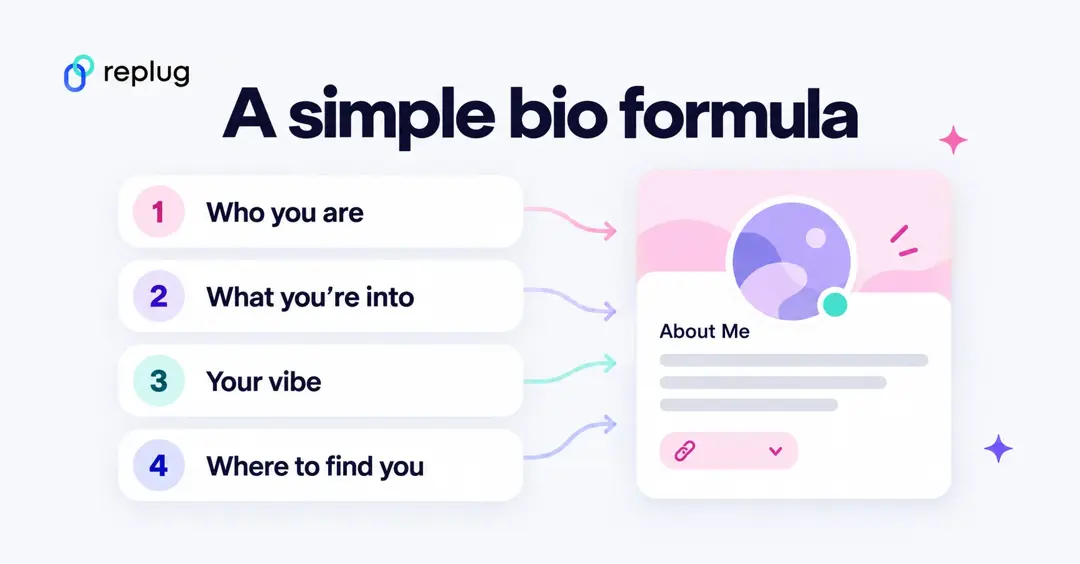
- Who you are: a name or nickname, pronouns, age range or timezone (only what you’re comfortable sharing).
- What you’re into: the games, shows, music or hobbies people can talk to you about.
- Your vibe: one funny, aesthetic or quote line that sounds like you.
- Where to find you: one link to your stream, art or bio page, if you want people to visit.
Example for a fictional user, Emily Carter: “Emily • she/her • EST | cozy games, horror movies, iced coffee | Do or do not. There is no try. | links ↓”. Keep personal details like your school, address or full birthday out of your bio; anyone in a shared server can see it.
How to change your Discord bio
On desktop or the web app:
- Click the gear icon next to your name at the bottom left to open User Settings.
- Open Profiles.
- Type your bio in the About Me box. The counter shows how many characters you have left.
- Click Save Changes.
On iPhone or Android:
- Tap your profile picture in the bottom bar.
- Tap Edit Profile.
- Tap About Me, type your bio and tap Save.
With Nitro you can also set a different bio for each server under Profiles → Server Profiles; Discord’s Per-Server Profiles article says each one also holds up to 190 characters. Discord changes its menus now and then; if a label looks different, search for “About Me” in User Settings.
Discord profile character limits
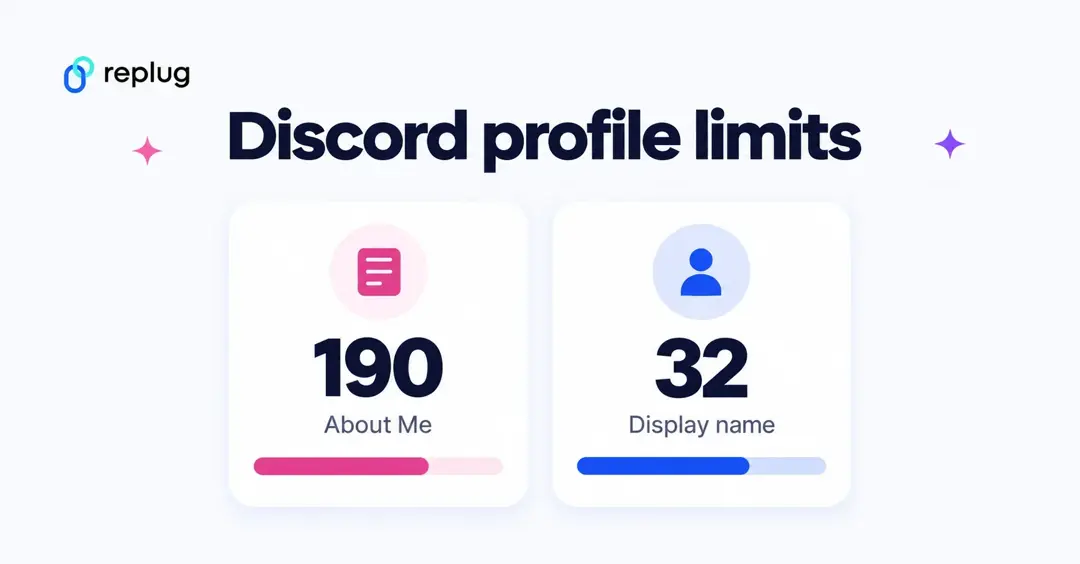
These limits come from Discord’s help center, checked in October 2026: the Custom Profiles article for the About Me section and the New Usernames & Display Names article for names. Discord doesn’t publish a length limit for custom status.
| Profile field | Limit |
|---|---|
| About Me (bio) | 190 characters, Nitro included |
| Display name | 1–32 characters |
| Username | 2–32 characters (lowercase letters, numbers, periods, underscores) |
Emoji count toward the limit, and some fancy Unicode fonts use more than one character per letter, so a styled bio fills up faster than it looks.
8 best practices for writing your Discord bio
Before we spill some of the best Discord bio ideas, let’s talk about best practices to make sure your bio is both engaging and clear:
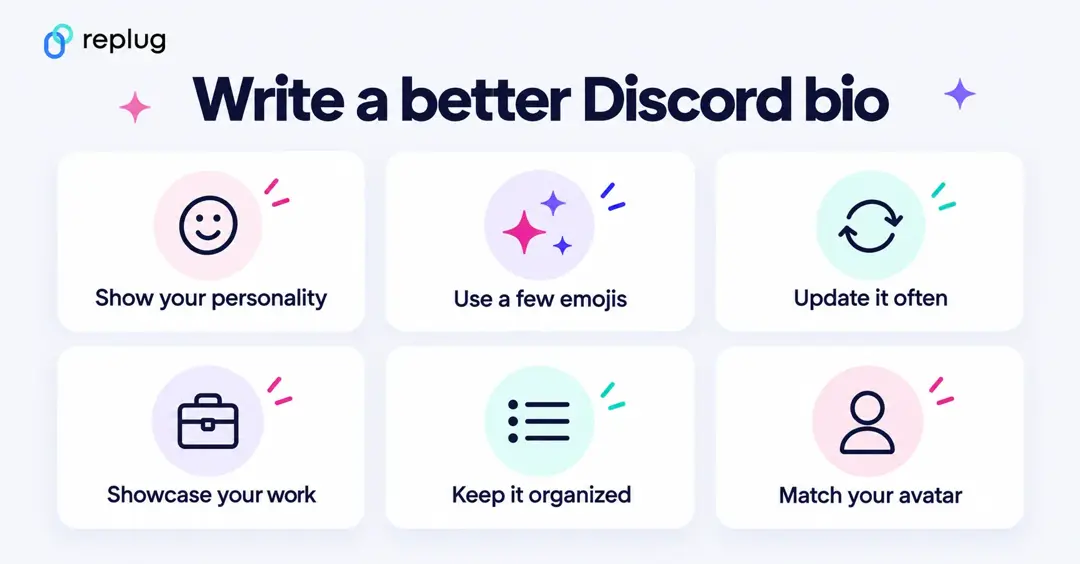
1. Show your personality
Your bio is your chance to show who you are. Whether you’re funny, creative, or chill, make sure your bio reflects your vibe. Keep it real, and don’t overthink it!
Example: “Just here to share memes and procrastinate. 👀”
2. Use emojis (but don’t go overboard)
Emojis can bring your bio to life. Use them to add personality, break up text, or highlight key points. Just remember to keep it balanced and not cluttered.
Example: “🎧 Music lover | 🎮 Gamer | 🍕 Pizza enthusiast”
3. Update your bio regularly
Your interests and activities change, and so should your bio. Keep it fresh by updating it to reflect what you’re into at the moment. Whether you’re obsessed with a new game or project, your bio should show it.
Example: “Currently obsessed with Cyberpunk 2077 🚗💥”
4. Make your bio a mini showcase
Your bio isn’t just about you—it’s an opportunity to highlight what you’re working on. Whether you’re a gamer, artist, or streamer, point people to your content or projects.
Example:
“🎮 Streamer | 🎧 Musician | 👾 Check out my channels”
5. Keep it organized
Formatting is key! Use line breaks, bullet points, or simple organization to make sure your bio is easy to scan. This way, people can quickly understand who you are without having to read through a long paragraph.
Example:
🎮 Gamer | Developer
🎧 Music Enthusiast | Meme King
📺 Currently watching: Stranger Things
6. Align your bio with your avatar
Your profile picture and bio should complement each other. If your avatar is gaming-related, your bio should match that vibe. Keep it cohesive and true to your style for a polished look.
Enhance your Discord bio: Go beyond the basics with Replug
1. Create a short link
You don’t have much space, so make every character count! Make sure your bio is impactful, concise, and easy to read.
Example: “🎮 Pro gamer | 🧑💻 Developer | ☕ Coffee addict.”
If you can’t fit everything about yourself in your Discord bio, you can use Replug’s free URL shortener with no sign up to create a short link that leads to a more detailed profile, portfolio, or social page. This way, people can learn more about you without cluttering your bio with too much text.
2. Create a Bio Link
Using Replug, i.e., a top-notch link optimization platform, you can create a link in your bio page that includes all your socials, streams, or other important links in one place without cluttering your bio.
3. Track your Discord bio’s analytics
With Replug, you can track where your audience is from, what browser and device they’re using, their referral source, geotargeting data, and more. This detailed bio link analytics data helps you understand your community’s behavior so you can tailor your content and strategies for better engagement.
4. Add Retargeting pixels to your Discord bio links
Add retargeting pixels to your Discord bio links using Replug to re-engage users to click on your link. This allows you to run targeted ads, bringing them back to your server or encouraging them to take action on promotions like discounts or giveaways. You can share these offers through channels, pinned messages, or a linktree that directs them to a landing page, boosting engagement and conversions.
5. Add a call-to-action (CTA)
The perfect CTA can direct people to take action. Want them to join your server or check out your stream? Be clear about what you want them to do, and include a direct link to make it easy.
Example: “Wanna team up? DM me! ⬇️”
Want an easy way to add a CTA? Use Replug’s free CTA generator to create a clickable link that directs people to your social media, stream, or other platforms.
You may also like: Call to action for social media: 15 best examples
Discord bio do’s and don’ts
When it comes to your Discord bio, there are a few things you should keep in mind to make it stand out in the best way.
| Do’s | Don’ts |
| Be yourself and let your personality shine | Overdo it with too many emojis or text |
| Keep it concise and impactful | Use generic or boring phrases |
| Use emojis to add personality | Include offensive or inappropriate content |
| Make your bio relevant to your activities | Overload your bio with unnecessary info |
| Update it regularly | Forget that your bio and profile picture should match |
Game over: You’ve mastered the art of Discord bios!
And there you have it: 100+ Discord bio ideas for all kinds of vibes! Whether you’re going for cool, funny, aesthetic, or witty, you’re all set to stand out on the platform. Just remember, your bio is a reflection of who you are, so make it count!
Now, go ahead and update your profile with one of these creative bio ideas!
P.S. Just between us… You can totally copy-paste these Discord bio ideas. We won’t tell.
Frequently asked questions

Manahil