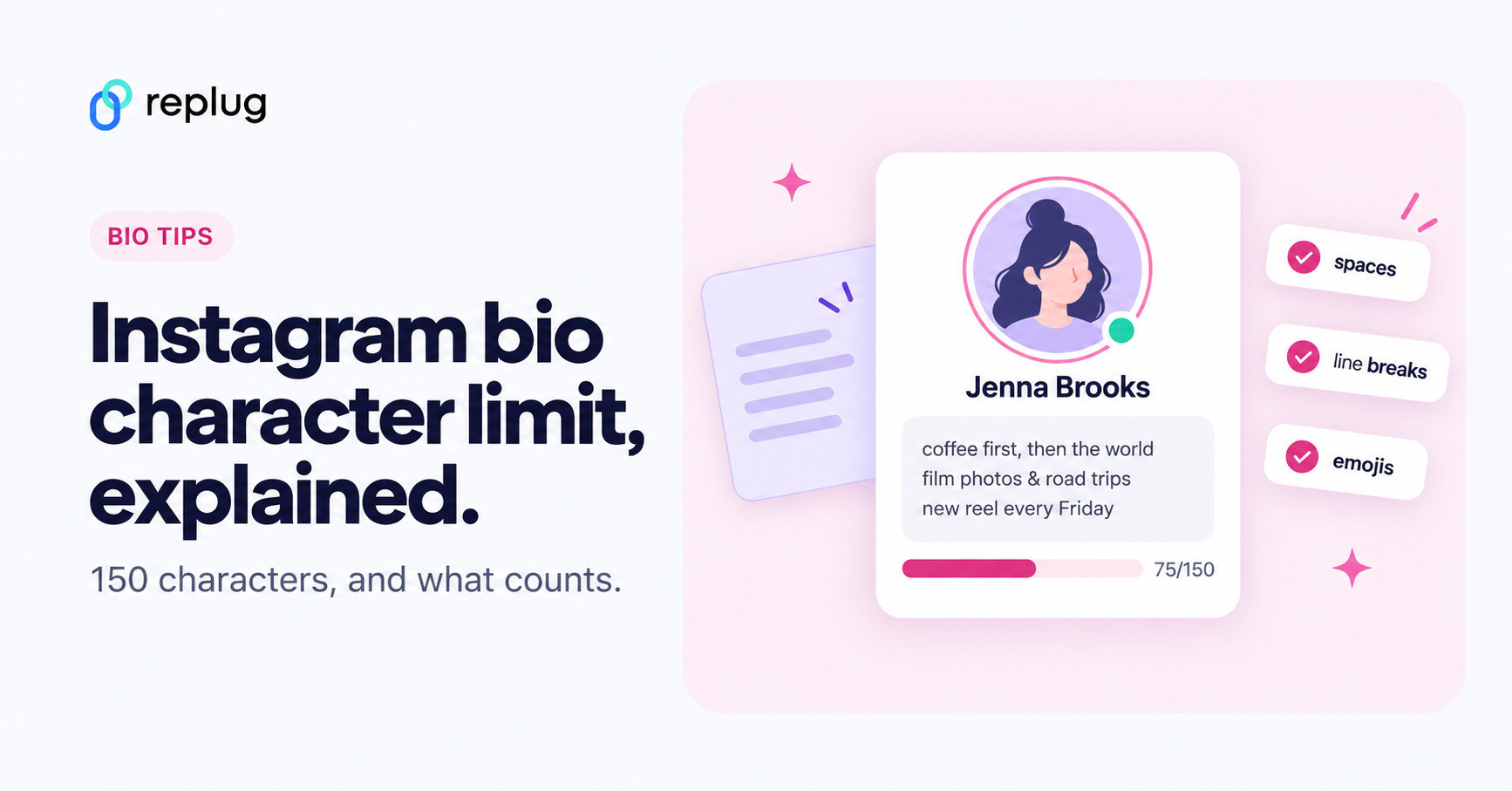
Quick answer: the Instagram bio character limit is 150 characters. Letters, numbers, spaces, punctuation, line breaks and emojis all count toward it, and the app won’t save a bio that goes over. Your name field gets a separate 30 characters, your username 30, and you can add up to 5 links that don’t use any bio characters.
| Profile field | Limit | Counts toward the 150? |
| Bio | 150 characters | Yes |
| Name (display name) | 30 characters (can be changed twice in 14 days) | No |
| Username (@handle) | 30 characters | No |
| Links (Edit profile > Links) | Up to 5 links | No |
| Line breaks, spaces, emojis | 1 or more characters each | Yes |
Below you’ll find what counts as a character, how to check your bio length before you save, copy-paste bio templates with exact character counts, and fixes for a bio that won’t save. Looking for bio ideas instead? Browse our 400+ Instagram bio examples.
Have you ever stared at your Instagram bio box, ready to tell the world who you are… only to realize you’re out of space? You’re not alone!
With only 150 characters to play with (including letters, spaces, and emojis), many people struggle to fit personality, purpose, and a call to action into that tiny text field.
It might seem like a tiny detail, but that character limit can make or break first impressions, especially when users decide whether to hit “Follow”.
That’s why understanding exactly how many characters you’re allowed, and how to use them wisely, is essential in 2026, when Instagram is busier and more competitive than ever.
Let’s start at the beginning, learning “What exactly is an Instagram bio?”
What is an Instagram bio?
Your “Instagram bio” is that short snippet of text that sits right under your profile picture and username.
It’s basically the first thing people see when they land on your profile, so think of it like your digital handshake. It tells visitors who you are, what you do, and why they should stick around, all in one quick glance.

The major goal of your bio is simple, i.e., “make a strong first impression and give people a reason to follow you”.
That might mean summarizing your passion, showcasing your niche, or even crafting a compelling professional bio that memorably highlights your work or business.
Note: A thoughtful bio matters because it can turn casual visitors into followers, customers, or clients, especially when every word counts.
Instagram bio character limit 2026
If you’ve ever wondered, “Is there a character limit on Instagram bio?”, yes, there is, and it hasn’t changed in 2026.
Understanding the IG bio character limit is essential because your bio is often the first thing people read before deciding to follow you. So knowing exactly how much space you have helps you plan your message better and avoid last-minute cuts.
Key points to know:
- Limit: So, “What is the maximum character limit for an Instagram bio?” Your profile bio description allows up to 150 characters in total.
- Content: Those 150 characters include everything (letters, numbers, emojis, punctuation, and spaces). This directly affects your overall Instagram bio character length, so every character counts.
- Enhancements: You can use emojis, line breaks, and symbols to make your bio more readable, but remember they all count toward the limit.
- More info? (Important character limits)
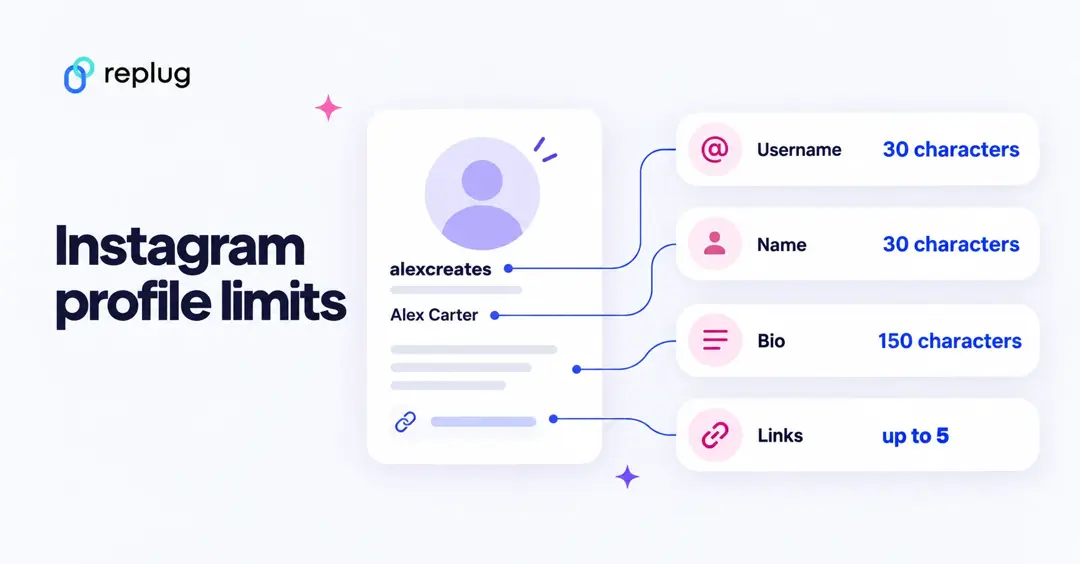
- Instagram bio name character limit: 30 characters
- Instagram bio description character limit: 150 characters
- Instagram profile bio character limit:150 characters (this refers to the bio text section)
Instagram bio character limit with spaces
“Does the Instagram character limit include spaces?”
Yes, it does!
Spaces count as characters, just like letters or emojis. If you add extra spacing or line breaks, you’re using up valuable character space, so use them wisely.
150 characters is all you’ve got, guys!
Instagram bio word limit
Instagram doesn’t set a fixed word limit for bios. Instead, it’s all based on characters.
Depending on word length and spacing, 150 characters usually correspond to ~20–30 words. That’s why short, precise wording works best.
What counts toward the 150-character Instagram bio limit?
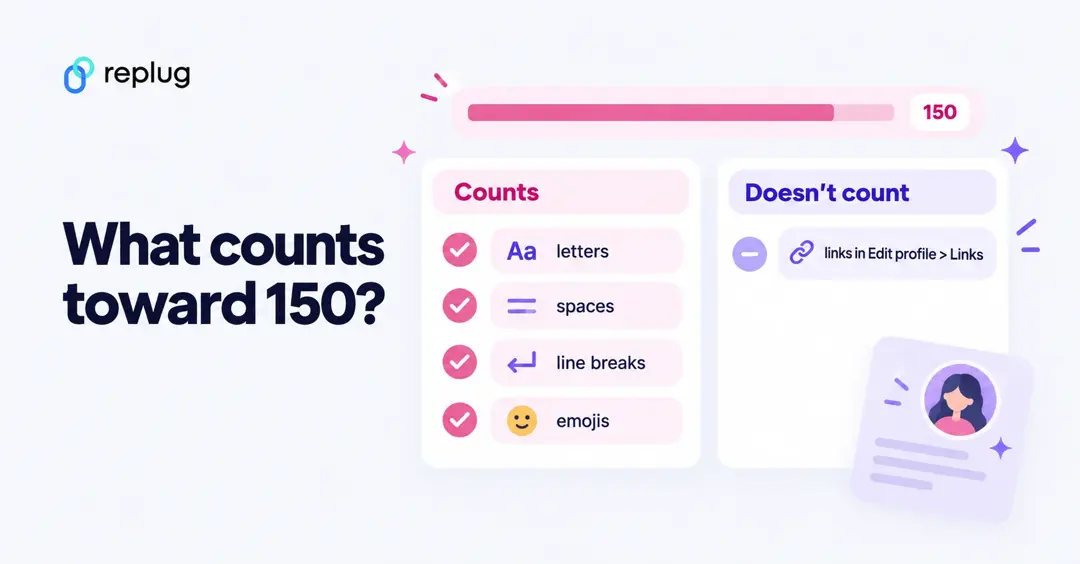
Everything you type in the Bio field counts. Here is how the common pieces add up:
| What you type | How it counts | Example |
| Letters, numbers, punctuation | 1 character each | “Austin, TX” = 10 |
| Spaces | 1 character each | “coffee lover” = 12 |
| Line breaks (pressing return) | 1 character each | 3 lines use 2 line breaks |
| Most emojis | 1 character each | ☕ = 1 |
| Flags, skin-tone and combined emojis | Can use 2 or more characters | Flags are built from two symbols |
| Fancy font letters (from font generators) | At least 1 each, sometimes 2 | Leave a few characters spare |
| @mentions and #hashtags | Count like normal text | “@austinbakes” = 12 |
| Links added in Edit profile > Links | Do not count | Up to 5 links |
Does the link in my bio count toward the 150 characters?
No. Links you add under Edit profile > Links sit in their own field and don’t use any bio characters. A web address typed into the bio text itself does count, character for character, and it won’t be clickable, so put links in the Links section instead.
Do fancy fonts use more characters?
Font generator sites replace normal letters with look-alike Unicode symbols. Each symbol still counts as at least one character, and some count as two, so a bio that fits in plain text can go over once you convert it. Keep fancy fonts to one short line and check the length again before saving.
How to check your Instagram bio length before you save
- Draft it in your notes app. Write the bio with the same line breaks you want on Instagram.
- Count it. Paste the text into any character counter, or use your phone’s word count tool if it has one. Remember that each line break adds 1.
- Paste it into Instagram. Go to your profile, tap Edit profile > Bio, paste, and tap Done. If Instagram stops you from typing or won’t save, you are over 150.
- Check it on your profile. Look at it on a phone screen, where most people will see it, and make sure the first line makes sense on its own.
Need wording that fits? The free Instagram bio generator writes short bios you can trim to size.
How to increase the character limit in Instagram bio
Instagram only gives you 150 characters for your bio text, which can feel very tiny when you’re trying to say a lot about yourself or your brand.
The good news?
While Instagram won’t officially expand that limit, there are smart, innovative ways to work around it and show more about who you are.
These methods are perfect if you’re wondering “how to make your Instagram bio longer than 150 characters” without interfering with Instagram’s hard limit.
Use a link in bio tool
One of the most popular tricks is using bio links from services like Replug or similar tools. These let you include a single clickable link in your bio that opens a custom page with much more valuable content.
You can write a long description, share your website, highlight services, show links to products, and more. Basically, the bio itself stays within the 150-character rule, but your link takes people to all the extra info you couldn’t fit otherwise.
Utilize Instagram story highlights
Story highlights let you save your past stories to your profile under your bio. Use highlights to expand on your bio, for example, a “Bio + More” or “About” highlight can tell your whole story, show FAQs, or explain what you do in detail.
This doesn’t technically increase the character limit, but it gives visitors more context without stuffing everything into 150 characters.
Use your profile name field
Don’t forget the name field! Instagram lets you use up to 30 characters here, and it’s searchable.
Add a few keywords that help describe you or your niche (like “Travel Coach & Photographer”). This effectively expands how you present yourself without altering the bio text.
Add text to first comment/caption
Another clever workaround (especially if you link to a post from your bio) is to use your first caption or comment to include extra details about you or your offer.
For instance, drop a more extended intro or expanded info in the caption of a pinned post and call it out in your bio. People who click through will see the full story without you squeezing it into that bio limit.
Add up to five links in the Links section
Instead of typing a web address into your bio (which eats characters and isn’t clickable), add it under Edit profile > Links > Add external link. You get up to five, none of them count toward the 150, and the first one shows under your bio. If you want all your links on one page with click stats, use a bio link page for Instagram.
How the Instagram business account bio character limit works in 2026
Even in 2026, the Instagram business account bio character limit works the same way it does for personal profiles. You’re still limited to 150 characters in that bio text box under your profile name and picture.
This means no matter if you’re running a small shop, a large brand, or a service-based business, your core bio space has the same tight limit. So, you need to make every word count when explaining who you are and what you offer, and to drive action from visitors.

Where business accounts have an edge is in the additional profile features; Instagram lets you use them alongside your 150-character bio.
For example, you can display your business category label, add contact buttons (like email, phone, or directions), and make use of tappable action buttons (like “Book Now” or “Order”), which help you share more info and drive conversions without using up those character slots.
So while there’s no official way to increase the written character limit itself, a business account lets you complement that space with more interactive details. These help visitors learn more about your brand effectively.
Factors that influence the ideal Instagram character limit
When you’re thinking about your Instagram bio, it’s not just about how many characters Instagram allows; it’s more about how those characters work for your goals.
Several key factors help shape what the ideal Instagram character length should be for your profile, especially if you want to make the most of that 150-character space.
Content’s purpose
What you want your bio to do will change how you use your characters. A personal account might focus on personality, while a business bio needs to clearly state what you offer and a call to action.
When your purpose is clear, you can tailor your bio message more effectively within the limited space.
Target audience
Understanding who you’re speaking to matters a lot! If your audience prefers casual, friendly language, your bio might use more relatable phrasing.
However, if you’re targeting professionals or a niche market, clarity about your service or niche helps visitors instantly know your value.
Note: Choosing words that resonate with your audience increases the chances they’ll stick around.
Engagement objectives
Think about what you want people to do when they land on your profile. Do you want them to follow, visit your website, or check out your latest reel?
Your engagement goals will shape how you structure your bio, which in turn affects how you use your character space; whether you include CTAs, emojis, or keywords that prompt action.
Brand style & voice
Your bio should reflect your unique style (playful, professional, bold, or artistic). Staying true to your brand voice helps build trust and connection right away.
Even with the strict Instagram character limit, selecting words that echo your brand personality makes your bio more memorable.
Market trends
Social media trends play a key part, too. What worked a couple of years ago might feel outdated now.
For example, many brands now use emojis, strategic keywords, and concise CTAs in bios because studies show they improve engagement and readability.
Note: Tailoring your character use to current trends helps your profile feel fresh and relevant.
These factors together shape what the ideal character usage looks like for your Instagram bio!
Best practices to make the most of your Instagram character limit
Getting the most out of your Instagram bio character limit means using your space strategically to communicate who you are, what you do, and what action you want visitors to take, all in a way that’s easy to read and memorable.
Here are some practical tips that help your bio work harder without feeling cluttered. Take a look!
Be clear & concise
Since you only have 150 characters to work with, keep your message short and to the point. Aim to quickly explain who you are and what you offer in a way that’s easy for anyone to understand at a glance. Brevity helps your bio feel clean and impactful.
Use line breaks
Line breaks make your bio easier to scan and help separate key pieces of information (like your role, niche, and call to action). Breaking your bio into small blocks gives it visual structure and makes it more inviting to read.
Use emojis smartly
Emojis can add personality and help you save space by replacing words, but don’t go overboard. A few well-placed emojis can highlight important bits or add a friendly tone without distracting from your message.
Fine-tune for the target audience
Think about who you want to connect with and choose your wording accordingly. Using language, keywords, and symbols that align with your ideal followers makes your bio feel more relevant and engaging.
Incorporate a call-to-action (CTA)
A strong CTA phrase tells visitors what you want them to do next, like “Follow for tips,” “Shop now,” or “Click the link below.” Adding one clear CTA increases the chances people will take that next step.
Using these simple practices lets you make the most of every character, helping your Instagram bio do more than just describe you. It connects with your audience and drives action.
Copy-paste Instagram bio templates that fit in 150 characters
Each template below is already under the limit. The count includes the line breaks, so you can see how much room is left for an emoji or a hashtag. Swap in your own city, niche and call to action.
| Type | Bio (each “/” is a line break) | Characters |
| Creator | Austin food creator / Easy dinners in 20 minutes / New recipe every Tuesday | 71 |
| Small business | Fresh sourdough in Denver / Baked daily, sold out by noon / Order ahead at the link below | 85 |
| Freelancer | Freelance web designer for local shops / Fast, simple sites that bring in customers / Free site audit: DM me “site” | 111 |
| Coach | Career coach for new grads / Resume, interview and salary tips / Free 15-minute call at the link | 92 |
| Personal | Emily | Austin, TX / Books, trails and bad puns / Currently reading three books at once | 83 |
| Student | Nursing student, Class of 2027 / Study tips and hospital life / Ask me anything | 75 |
| Real estate | Realtor in Tampa Bay / Helping first-time buyers find home / Free home-buying guide below | 85 |
| Long version | Wedding and family photographer in Nashville / Calm, candid photos without stiff poses / Booking spring and summer 2027 sessions / Check dates at the link | 148 |
The last one shows what a full bio looks like: four lines and still under 150. For hundreds more ideas by style and niche, see our list of Instagram bio examples.
Instagram bio not saving or getting cut off? Quick fixes
- Bio won’t save: you are almost always over 150 characters. Remove extra spaces at the ends of lines, swap a phrase for an emoji, or move a web address into the Links section.
- Line breaks disappear: write the bio in your notes app with no spaces at the end of each line, then paste it in. Updating the app also helps.
- Bio shows “more”: on some screens Instagram shows only the first few lines and hides the rest behind “more”. Put who you are and what you offer in the first line.
- Name field won’t change: Instagram lets you change your name twice in 14 days. Wait for the window to reset.
- Link isn’t clickable: links typed into the bio text are plain text. Add them under Edit profile > Links.
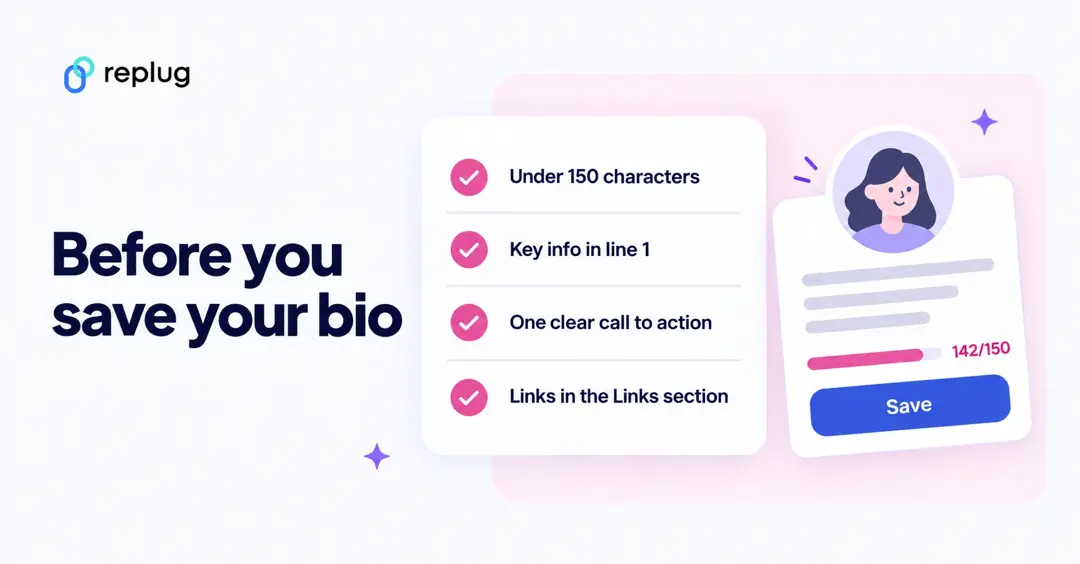
Character limits for every significant part of the Instagram platform
Instagram doesn’t let you write endless text everywhere. It has specific limits for things like bios, captions, DMs, comments, and more to keep things clean and readable.
These limits tell you exactly how much text you can use before Instagram cuts you off or won’t let you post.
| Instagram feature | Instagram character limit | What it means |
| Bio | Instagram bio character limit: 150 characters | The short intro under your profile; keep it snappy. |
| DM (Direct Message) | Instagram DM character limit: 1,000 characters | Max text per message in chats. |
| Post/Caption | Instagram post/captions character limit: 2,200 characters | The maximum limit for a post caption. |
| Caption Visible Before “More” | Caption truncation: 125 characters | After this, people need to tap “…more” to see the rest. |
| Comment | Instagram comment character limit: 2,200 characters | You can write pretty long comments. |
| Story Text (recommended) | Instagram story character limit: ~190 characters | Stories don’t have a strict official limit, but the best readability is around here. |
| Story Comments (replies) | Instagram story comments character limit: 60 characters | Replies to story stickers are short. (This is a typical social limit; it varies by sticker type.) |
| Username (@handle) | Instagram username character limit: 30 characters | Your unique handle must fit in this. |
| Profile Name (display) | Instagram profile name character limit: 30 characters | The bold name shown on your profile. |
| Notes | Instagram notes character limit: 60 characters | The short status that shows above your profile picture in the inbox. |
| Profile links | Instagram profile link limit: up to 5 links | Added in Edit profile > Links; they don’t use any of your 150 bio characters. |
| Hashtag Limit | Instagram hashtag limit: 5 hashtags per post or reel | Since December 18, 2025, you can add up to 5 hashtags to a post or reel (it was 30 before). |
| Ads Primary Text | Instagram ads character limit: 125 characters | Instagram ads work best under this limit for the main text. |
📌 A couple of quick notes (just so you’re clear)
- Those 2,200 characters for captions or comments include spaces, emojis, and hashtags (everything counts).
- For hashtags, you can have up to 5 per post or reel since December 2025 (the old limit was 30), so pick the most specific ones.
- Stories don’t have a hard “official” cap posted by Instagram, but in practice, people keep it under ~190 characters, so text stays visible and readable on screen.
- Some ad formats, like headlines and descriptions, have even tighter limits (like 30 or 40 characters for certain fields).
Related: Instagram character limits: bio, captions & more
How do different Instagram character limits impact engagement and perception?
The character limits on Instagram (whether it’s 150 characters for a bio or the 2,200-character limit for captions) shape not just how much you can write, but how people interact with your profile and posts.
A tight limit forces you to be concise and clear, often boosting readability and making your key message stand out quickly to users who scroll quickly.
Short, well-structured content is easier for visitors to process and can make your profile feel sharp and professional, increasing the chance they’ll follow or engage.
Meanwhile, overly long text that’s cut off or hard to read might turn users away before they even get the point, lowering engagement.
Good use of formatting (like line breaks and precise wording within these limits) helps maintain interest. It encourages interaction, especially since your bio and captions are among the first things people judge when they land on your page.
10 best tips for crafting engaging Instagram bios
Your Instagram bio is like your digital handshake. It’s one of the first things people see when they land on your profile, so it should tell them who you are, what you do, and why they should stick around.
A well-crafted bio can help you attract followers, show your personality, and guide people toward what you want them to do next.
Tip #01: Mention the brand identity clearly
Start by explaining what you or your brand is all about right away. No matter if you’re a baker, fitness coach, artist, or small business owner, saying it clearly helps people understand your focus at a glance. This sets the tone and enables the right audience to connect with you instantly.
Tip #02: Must add your name under the profile picture
Putting your real name or business name right under your profile picture makes your profile feel trustworthy and professional. If your handle is a creative or branded name, including your actual name helps with searchability and recognition, too. This little detail goes a long way in building credibility.
Tip #03: Use keywords strategically (keyword-optimized description)
Think of your bio as a mini SEO spot for Instagram. Using relevant keywords helps your profile show up when people search for topics related to your niche. Choose terms your audience is likely to look for and fit them in naturally.
Tip #04: Get creative with emojis (add emojis for character)
Emojis can make your bio more fun and eye-catching while breaking up blocks of text. Just be sure to use ones that match your vibe and brand (too many can look cluttered). A few well-chosen emojis can quickly convey tone and personality.
Tip #05: Use line breaks for better readability
Line breaks make your bio easier to scan quickly, compared to one long paragraph. Breaking your info into neat little lines gives your profile a cleaner look and helps each point stand out clearly.
Tip #06: Highlight your key expertise (be honest)
Make sure you clearly state what you’re good at or what value you offer. This could be a specific skill, service, or area of expertise. Being honest and specific helps attract followers who are genuinely interested in what you do.
Tip #07: Add your contact information
If you’re open to collaborations, business inquiries, or questions, include easy contact options such as an email address, a business phone number, or a link to a contact page. This makes it simple for others to reach you without digging around.
Tip #08: Include your short-branded link
Instagram lets you add up to five links to your profile (Edit profile > Links), and the first one shows under your bio, so make it count. Use a short, branded link that points to your website, portfolio, shop, or a “link in bio” landing page with more links. It’s one of the best ways to drive traffic where you want it, and generate leads.
Tip #09: Add an engaging CTA & action buttons
Include a call to action or an action button, like “Check out my latest post,” “Shop now,” or “DM for collabs” to guide visitors on what to do next. These little details give your bio purpose and help convert casual visitors into followers or customers.
Tip #10: Add relevant hashtags
Adding a few branded or niche hashtags can increase visibility and connect your profile to broader conversations. Just don’t overdo it; a couple of well-chosen hashtags can make your bio more discoverable without looking messy.
If you thoughtfully combine these tips, your Instagram bio will feel clear, purposeful, and inviting, just like you want it to.
Upgrade your Instagram bio using Replug
Upgrading your Instagram bio with Replug’s Instagram bio generator makes the whole process much easier and more effective, without stressing over the 150-character limit Instagram imposes on bios.
Replug’s top-notch free tool helps you create a clear, engaging, and on-brand bio in seconds by turning just a few words about yourself or your brand into a polished description.
Once you have a great bio at hand, Replug also lets you pair it with a custom link-in-bio page where you can share all your content, links, and offers. This gives followers even more to explore beyond what fits in those limited characters.
Using this two-step approach keeps your Instagram bio sharp and professional, while ensuring you don’t miss out on showcasing your whole personality or value.
Also read: 400+ best Instagram bio examples to stand out in 2026
Summing up
To wrap up, always remember your Instagram bio is more than just a few lines of text. It’s your first impression, your mini‑story, and your gateway to engagement.
Understanding the character limits for your bio, profile name, captions, and every part of the Instagram platform helps you craft a profile that’s clear, compelling, and aligned with your audience.
From learning how to increase your bio space to following best practices and factoring in your brand voice, every detail counts.
And if you really want to take your bio to the next level, try Replug! It’s an all-in-one link management platform that now lets you create powerful Instagram bio links, making your profile more interactive and effective than ever.
Frequently asked questions

Muhammad Ahsan Jamal