A professional bio is more than just a quick intro; it’s your chance to show who you are, what you do, and why you matter.
To write one, decide where it will appear, choose first or third person, open with your name and role, add one or two specific accomplishments, include a short personal detail, and end with what readers should do next. Then cut it to the length the place allows: a line for a byline, a short paragraph for a speaker introduction, one or two paragraphs for LinkedIn.
Whether you’re trying to impress recruiters, attract clients, or build authority in your field, a clear bio helps. But writing about yourself is hard. This guide focuses on work bios (LinkedIn, your company’s team page, speaker and author bios) with examples and fill-in templates. If you need a personal or social media bio, see our guide on how to write a bio about yourself; for tools, see the best bio link tools.
Why does a professional bio matter?
Your bio isn’t just a summary of your job title and experience; it’s your story. A well-crafted bio:
- Builds trust and credibility
- Showcases your value and expertise
- Helps the right people find and remember you
- Drives traffic to your work, portfolio, or offers
Step-by-step: How to write a professional bio?
1. Decide where the bio will appear
A bio for a conference program reads differently from a LinkedIn About section. Write down where it will be used, who reads it there, and how much space you have before you write a word.
2. Choose first or third person
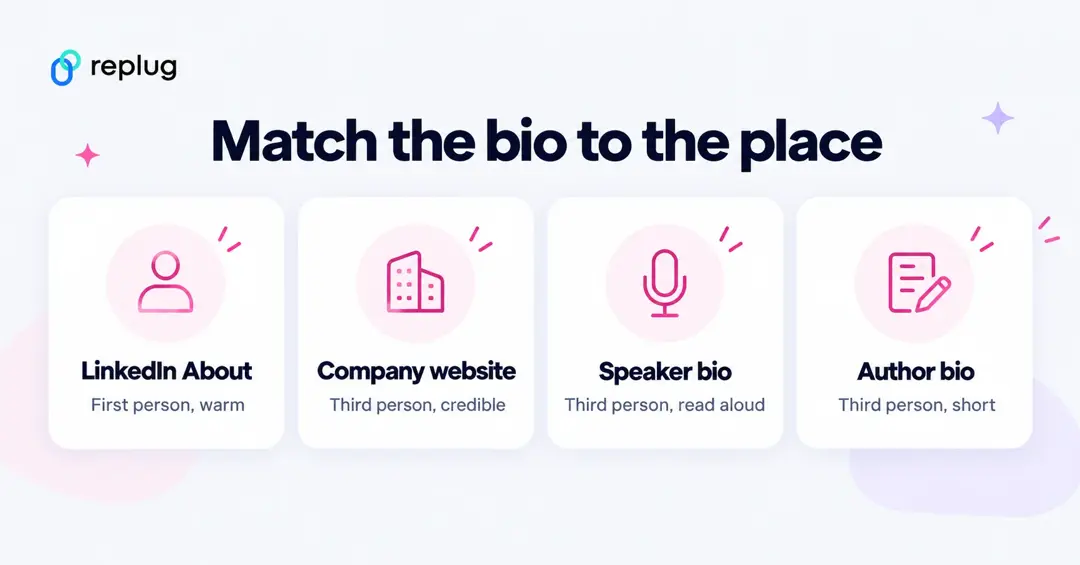
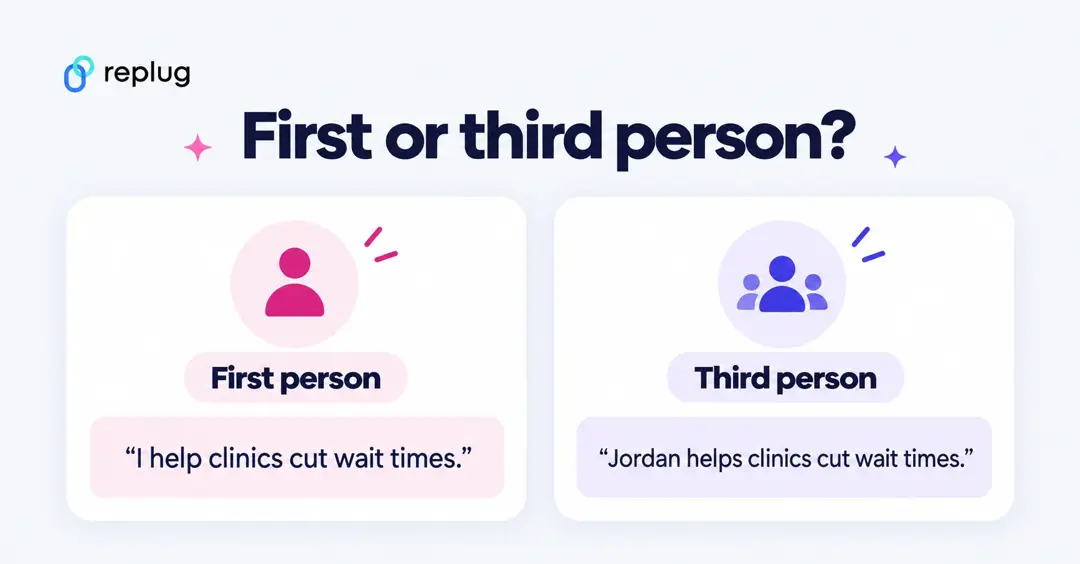
Use first person (“I”) where you speak for yourself, such as LinkedIn or your own site. Use third person (“she”, “he”, “they” or your name) where someone else presents you: a company team page, a speaker introduction, a book jacket. Whichever you pick, keep it consistent.
3. Start with your name and role
Introduce yourself clearly and confidently. Include your current position or what you’re best known for, and who you help.
4. Highlight your key accomplishments
Add 2–3 strong achievements, metrics, or projects that reflect your expertise. Be specific and only use numbers you can back up: “led the move to online booking for 12 clinics” beats “results-driven leader”.
5. Add a personal touch
One short detail about what drives you or what you do outside work makes the bio sound like a person. Keep it to a sentence.
6. Add a clear call-to-action (CTA)
Guide readers on what to do next: visit your portfolio, follow your social profiles, or book a call.
7. Add a bio link page
Many places only allow one link. A bio link page collects your important links, such as social profiles, portfolio and contact form, behind that one link, so you never miss a chance to connect.
Professional bio examples by platform
All names and companies below are fictional. Swap in your own details.
LinkedIn About section (first person)
LinkedIn’s own guide to creating a good LinkedIn profile says the About section should express your mission, motivation and skills, ideally in one or two paragraphs, and that you can rewrite your headline to promote an area of expertise. The same page notes that members with a profile photo receive up to 2X more profile views.
I help outpatient clinics cut wait times without adding staff. As operations lead at Ellis Health Partners in Austin, TX, I moved 12 clinics to online booking and rebuilt our scheduling playbook. Before that I spent six years running front desks, so I design processes for the people who use them. Outside work I coach youth soccer. If you run a clinic and want shorter waits, message me or book a call through the link in my profile.
Company website or team page (third person)
Jordan Ellis is the operations lead at Ellis Health Partners, where he oversees scheduling and patient access for 12 outpatient clinics across Central Texas. Jordan joined the company in 2019 after six years in clinic management. He holds a degree in health administration from a Texas state university and lives in Austin with his family.
Speaker bio (third person, read aloud)
Jordan Ellis runs operations for Ellis Health Partners, a group of 12 outpatient clinics in Texas. He led the clinics’ move to online booking and now helps other practices shorten wait times. Please welcome Jordan Ellis.
Keep speaker bios short enough to read aloud in under a minute and easy to pronounce. Send the host a written copy.
Author bio (third person, short)
Dana Whitfield writes about small-business finance from Portland, Oregon. Her newsletter, Cash Flow Notes, goes out every Tuesday.
How to create a bio link page?
To create a bio link page, you can use Replug’s free bio link tool.
It lets you build a customized page where you can add multiple links, videos, social icons, and other content, all accessible from a single URL. The Free plan includes 2 bio link pages, according to the pricing page (checked October 2026).
Here’s how to set it up:
Step 1: Create a new bio link page
- Log in to your Replug account. If you don’t have one, sign up (there is a Free plan; paid plans have a 14-day trial). Then click Bio Links in the left sidebar and click Create new.
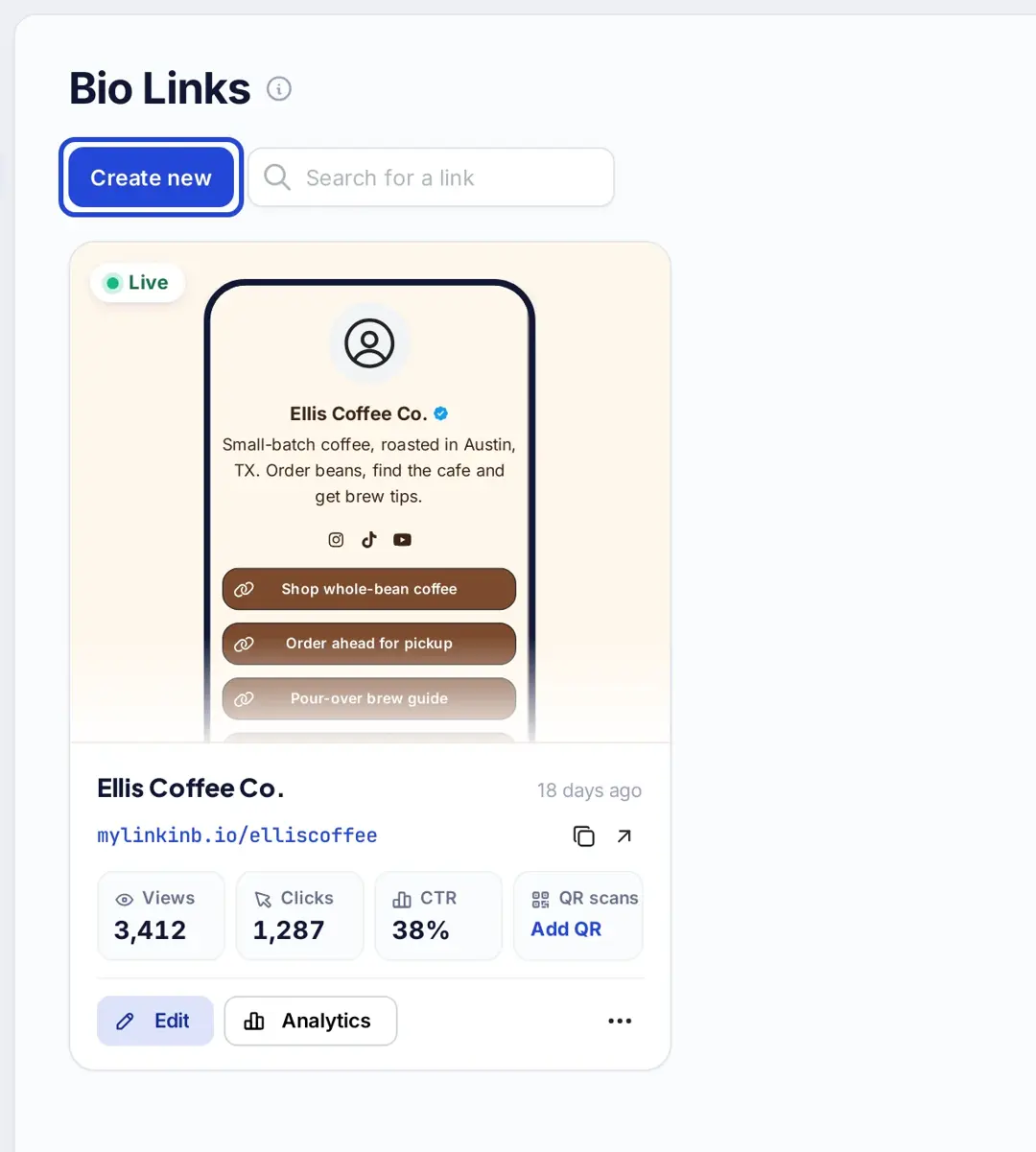
- The editor opens with three tabs on the left: Branding, Content and Settings.
Step 2: Branding & profile setup
- Start by adding your profile details on the Branding tab: photo, profile title and bio. The verified badge is available on Scale and Agency plans.
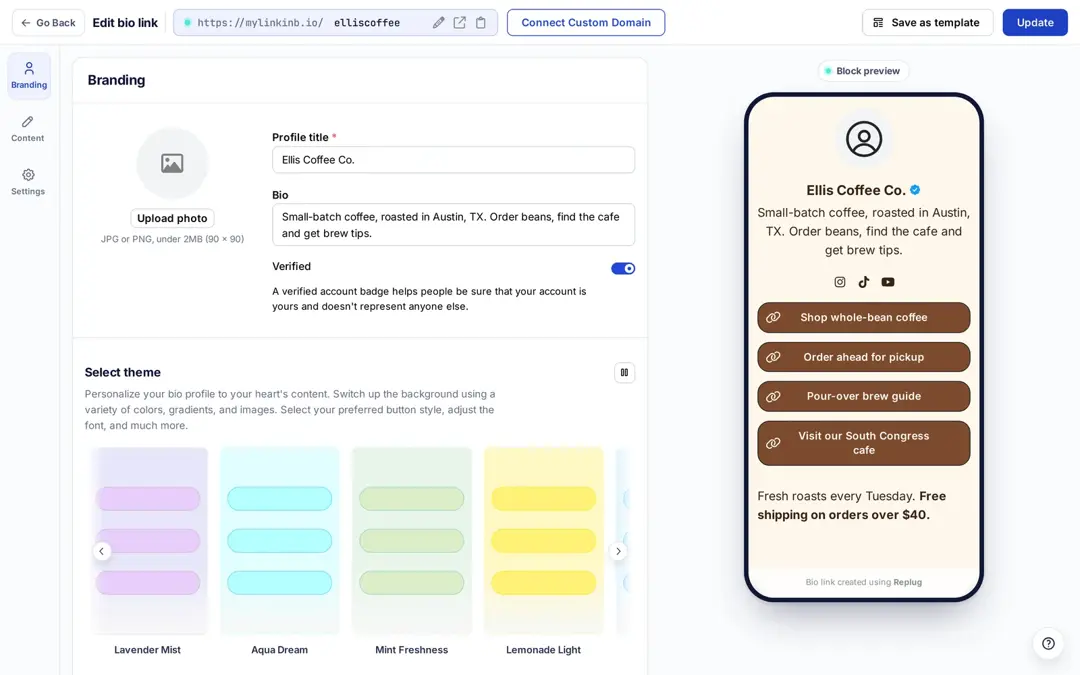
- From here you can choose a theme or create your own (custom themes are on Essentials and up), and pick button and text colors for the whole page.
- Changes aren’t saved automatically: click Publish at the top right for a new page, and Update after later edits.
Step 3: Add content & links
This is the most important step. On the Content tab you can add blocks such as:
- Social media icons (up to 8 profiles)
- Website links (up to 5 per Links block)
- Videos
- RSS feeds
- Cards and text
- On Essentials and up: a booking calendar, a vCard contact card and email sign-ups
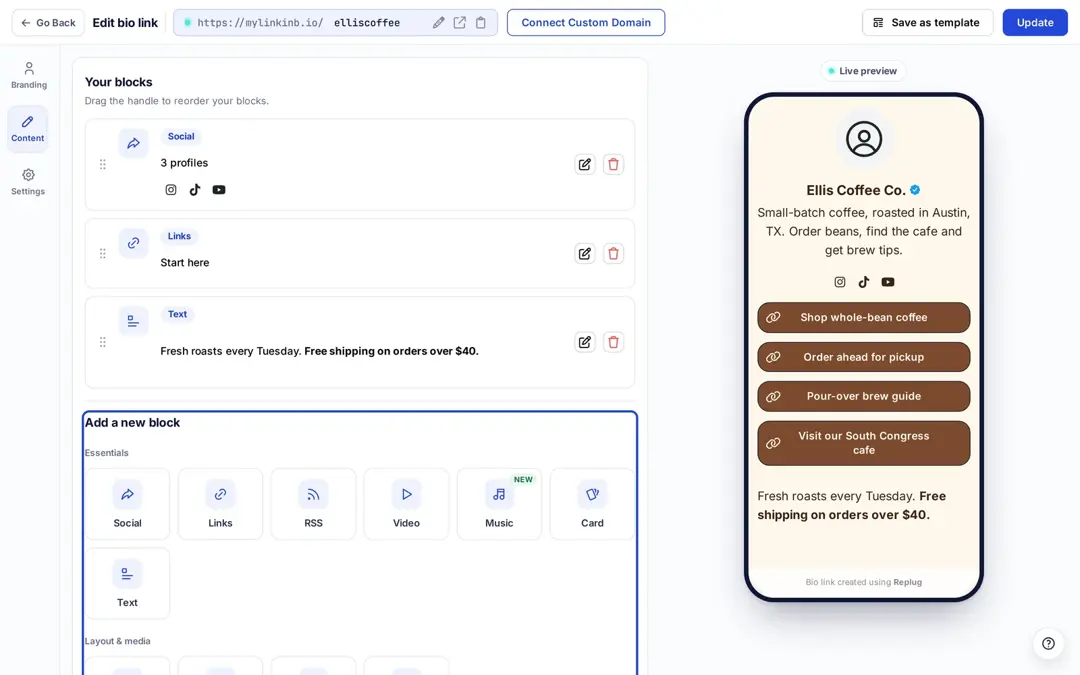
- To add website links, select the Links block and enter a title and URL for each link.
- You can add multiple content blocks as needed and drag them into order.
- Once you’re done, click Publish (or Update) at the top right. And you’re done.
Boost your bio with smart linking: Enter Replug
Once your bio is ready, it’s time to make it work harder. Replug is a link manager that helps professionals see what happens after someone reads their bio. Here’s how:
- Add retargeting pixels
Want to run ads to people who clicked your bio link? Replug lets you add retargeting pixels (Meta, X, Google, LinkedIn and others) to short links and bio pages, on Essentials and up.
- Measure clicks and engagement
Track your bio’s performance with detailed link in bio analytics. See how many people clicked, from where, and on which links.
- Customize & brand your links
With custom-branded URLs from Replug’s URL shortener free app, you control how your bio links look. Your own domain works on every plan; custom slugs start on Essentials.
07 mistakes to avoid when writing a bio
- Being too vague or generic
Phrases like “I’m passionate about helping people” sound nice but don’t tell us what you actually do. Be specific about your value.
❌ “Hardworking professional.”
✅ “Email marketer helping coaches grow their email lists.”
- Overloading with jargon
Using buzzwords or industry slang that your audience might not understand can push them away. Keep it clear and simple.
- Skipping the call-to-action (CTA)
If you don’t guide people on what to do next, many won’t do anything. Include a CTA like “Book a call,” “See my portfolio,” or “Download the deck.”
- Writing a bio that’s too long for the place
This isn’t your life story. Social bios work best in 2–3 lines; a LinkedIn About section or team page has more room, but people still skim, so lead with the most important line.
- Leaving your bio link empty or messy
If you say “Check the link below” and it leads nowhere (or to a cluttered, outdated page), it hurts trust. Keep your bio link page clean and current.
- Forgetting to show personality
A bio that’s too stiff or robotic makes you forgettable. A short personal detail goes a long way; keep humor and emojis for places where they fit.
- Never updating your bio
If your offers, job, or focus changes, your bio should too. Outdated info confuses or misleads your audience.
Quick bio templates by profession
Use these fill-in templates to spark ideas and save time. Replace everything in brackets with your own, verifiable details:
1. Freelancer bio
Hi, I’m Sara, a freelance UX designer with [years] of experience creating user-first websites and apps. I’ve worked with [types of clients] to [result you can show]. Let’s create something great, check out my portfolio.
2. Marketing specialist bio
I’m James, a digital marketer specializing in SEO and paid ads. I’ve helped [types of brands] [specific result, such as grow organic sign-ups]. Reach out for a data-driven growth strategy.
3. Real estate agent bio
Hi, I’m Lina, your local real estate agent in Austin. With [years] in the market, I help clients buy, sell, and invest with confidence. Let’s connect and find your next home.
4. Coach or consultant bio
I’m Alex, a [certification, if any] business coach helping [who] [solve what problem]. Book a free strategy call today.
5. E-commerce brand bio
Welcome to LuxeGlow! We make cruelty-free skincare [what makes it different]. Tap the link to shop bestsellers and get [current offer].
You may also like: 200+ Facebook bio ideas: How to write a perfect Facebook bio?
Final tips
A professional bio is more than a few lines; it’s your digital handshake. It shows your skills, builds trust, and opens doors.
Write one version for each place you need it, keep the facts specific and true, and add a bio link page so readers can take the next step.
Just keep it real, relevant, and updated.
Frequently asked questions

Manahil