With Instagram now flaunting 3 billion monthly active users, it’s safe to say the platform is no longer just a place to post pretty pictures; it’s where brands grow, creators thrive, and audiences connect.
But here’s the thing most people overlook: every section of your Instagram profile comes with its own set of character limits, and going over (or way under) them can quietly hurt your reach and engagement.
Does Instagram have a character limit? Absolutely, and it’s different depending on where you’re typing. Your bio, captions, comments, and DMs all play by different rules.
Before you craft your next post or revamp your profile, let’s break down exactly what those limits are, starting with the basics.
What is the character limit on Instagram?
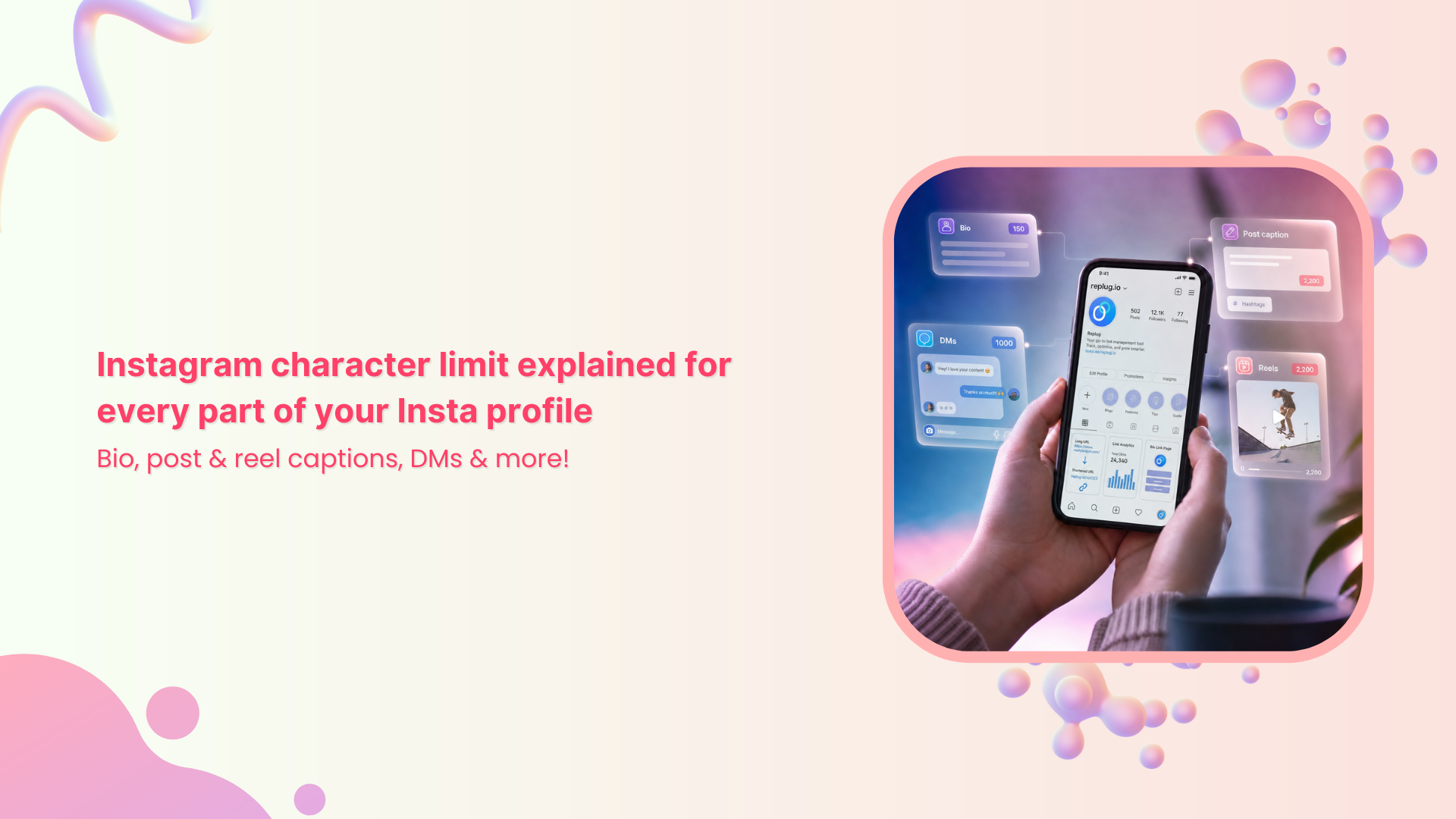
Instagram doesn’t have just one character limit. It has several, and each part of your profile plays by its own set of rules.
Your captions and comments allow up to 2,200 characters, your bio is capped at 150, and DMs max out at 1,000 characters per message. Your username and display name each get 30 characters.
So yeah, there’s a lot to keep track of! But don’t worry, we’re going to walk through each one, so you know exactly how much space you’re working with everywhere on the app.
Importance of Instagram character limit
Knowing Instagram’s character limits isn’t just a technicality; it directly affects how your content looks, performs, and connects with your audience. Get it wrong, and you’re leaving real engagement on the table.
Here’s why it actually matters:
Visibility & engagement (truncation)
Instagram only shows the first 125 characters of your caption in the feed before cutting it off with a “more” button. So if your hook isn’t in those first few words, most people will simply scroll past without reading the rest.
Algorithmic performance
Instagram’s algorithm pays close attention to how people interact with your content. If your caption is poorly structured or your bio is a confusing mess, engagement drops drastically. Plus, lower engagement signals the algorithm to push your content to fewer people.
User behavior & attention spans
People on Instagram are scrolling pretty fast. Captions around 125–150 characters tend to pull in more engagement because they’re quick to read and easy to digest. Long walls of text just don’t hold attention the same way.
Platform-specific constraints
Every section of Instagram has its own character limit defined, and they’re all different. What works in a caption won’t fit in a bio, so you need a slightly different approach for each placement.
Strategic optimization
When you know your limits upfront, you write with more intention. You front-load the important stuff, cut the fluff, and craft content that actually gets read. This ultimately means better results whether you’re a creator, a brand, or just someone trying to grow their presence.
A complete breakdown of different types of Instagram character limits
Instagram has a different character limit for pretty much every section of the app, and they’re not all the same. No matter if you’re writing a bio, dropping a caption, or running an ad, each field plays by its own specific rules.
Instagram character limits summary (2026)
| Instagram element | Character limit | Quick note |
| Username | 30 characters | Letters, numbers, periods & underscores only |
| Profile/Display name | 30 characters | Bold name shown on your profile |
| Bio | 150 characters | Includes spaces, emojis & punctuation |
| Post caption | 2,200 characters | Only the first 125 show before “more” |
| Reel caption | 2,200 characters | Keep it short; the video does the talking |
| Comment | 2,200 characters | Same limit as captions |
| Direct message (DM) | 1,000 characters per message | Split longer messages into parts |
| Notes | 60 characters | Disappears after 24 hours |
| Hashtags per post | 30 hashtags | Each hashtag is up to 24 characters long |
| Alt text | 100 characters (recommended) | Technical limit goes up to 100-125 |
| Story text overlay | ~120–190 characters | No official hard limit; keep it readable |
| Ad primary text | 125 characters (recommended) | The technical limit is 2,200 |
| Ad headline | 40 characters | Bold text below primary copy |
| Ad description | 30 characters | Smallest ad element; keep it punchy |
Here’s a full breakdown so you know exactly what you’re working with:
Instagram username character limit
Your Instagram username or handle (the one that starts with @) has a strict 30-character limit. Keep it short, simple, and easy to remember.
Stick to letters, numbers, periods, and underscores, and avoid anything too complicated that people would struggle to search for or tag.
Instagram profile name character limit
Your display name (the one that shows up in bold on your profile) also has a 30-character limit, the same as your username. This is different from your handle, so use it wisely (it allows up to 64 characters).
A lot of creators and brands use this field to include a keyword that helps people find them more easily.
Instagram bio character limit
Your Instagram bio gives you 150 characters to work with, and yes, that includes letters, spaces, emojis, and punctuation.
It sounds tight, but it’s enough to tell people who you are, what you do, and what they should do next (like check the link). Every character genuinely counts here, so be intentional with what you put in.
Related: Instagram bio character limit explained: How many characters are allowed?
Instagram post character limit
Instagram post captions give you a decent amount of room to tell your story, but there’s a catch you need to know about.
Instagram post caption character limit
Instagram allows up to 2,200 characters per caption, but only the first 125 characters appear before users have to tap “more” to read the rest.
So while you technically have plenty of space, your opening line is doing the toughest job. Lead with your hook, not your hashtags!
Instagram reel caption character limit
Reels captions also max out at 2,200 characters, the same as a regular post. That said, Reels is a fast-scrolling, video-first format, so shorter and incisive captions tend to work better here.
Don’t bury your message under a wall of text when the video itself is already doing the talking.
Instagram comment character limit
The Instagram comment character limit is 2,200 characters, the same as captions. That’s technically enough for a mini essay, but most people keep comments short and conversational.
Whether you’re replying to followers or engaging on other posts, concise comments tend to get way more back-and-forth than long ones.
Instagram DM character limit
If you’re wondering about the Instagram direct message character limit, it’s much shorter than captions. The ideal Instagram message character limit is 1,000 characters per message.
That’s usually more than enough for most conversations, but if you’re trying to send something longer, just split it into multiple messages. DMs also support emojis, links, photos, and videos, so you’ve got plenty of flexibility.
Instagram notes character limit
Instagram Notes are short status updates that appear at the top of your DMs inbox, and they come with a tight 60-character limit. They disappear after 24 hours, similar to Stories.
Think of them like a quick shoutout or a nudge to spark a conversation (not the place for anything long-form).
Instagram hashtags limit
Each post allows a maximum of 30 hashtags, and individual hashtags can be up to 24 characters long. However, stuffing all 30 in every post isn’t always the best move.
Most experts suggest using 3–5 well-chosen, relevant hashtags over a pile of generic ones for better reach and engagement.
Instagram alt text character limit
Instagram alt text has a recommended limit of around 100 characters, though the technical cap goes up to 100-125.
Alt text is what describes your image to screen readers and also helps with discoverability. Keep it clear and descriptive. A concise, accurate description in that 100-character sweet spot is all you need.
Instagram story text character limit
Instagram Stories don’t have a hard, published character limit for text overlays, but most schedulers and best practices cap it at around 120–190 characters for readability.
Since stories are visual-first, heavy text tends to clutter the screen. Keep it brief, make it bold, and let the visual do most of the work.
Instagram ad primary text character limit
While Instagram technically allows up to 2,200 characters for ad primary text, only the first 125 characters are immediately visible before the content gets cut off with a “more” link.
Most ad pros recommend sticking to that 125-character window. Pre-empt your strongest hook or offer, because that’s all most people will actually read.
Instagram ad headline character limit
The headline in an Instagram ad is limited to 40 characters. It shows up in bold right below your primary text, so it needs to be direct and punchy.
Think of it less like a full sentence and more like a sharp tagline; something that grabs attention and reinforces the main message of your ad.
Instagram ad description character limit
The description field in Instagram ads allows up to 30 characters. It’s the smallest text element in your ad and is not always visible depending on the placement.
Use it to add a quick supporting detail or a micro CTA phrase, but don’t rely on it to carry your full message. That’s what the primary text and headline are for.
Instagram character limit with spaces
A quick but important thing to know is that on Instagram, spaces count as characters just like letters do. So whether you’re writing your bio, a caption, or a DM, every blank space between words is eating into your limit.
The 2,200-character caption limit, for example, includes spaces, URLs, hashtags, and line breaks; all of it counts. Keep that in mind when you’re crafting tight copy, especially for your bio, where every character really matters.
Also read: How to add long links within TikTok character limits?
Major factors that affect Instagram character limits
Instagram’s character limits aren’t random; they’re shaped by a handful of key factors that influence how the platform works and how content gets consumed.
Understanding what’s behind these limits helps you make smarter decisions with every word you write.
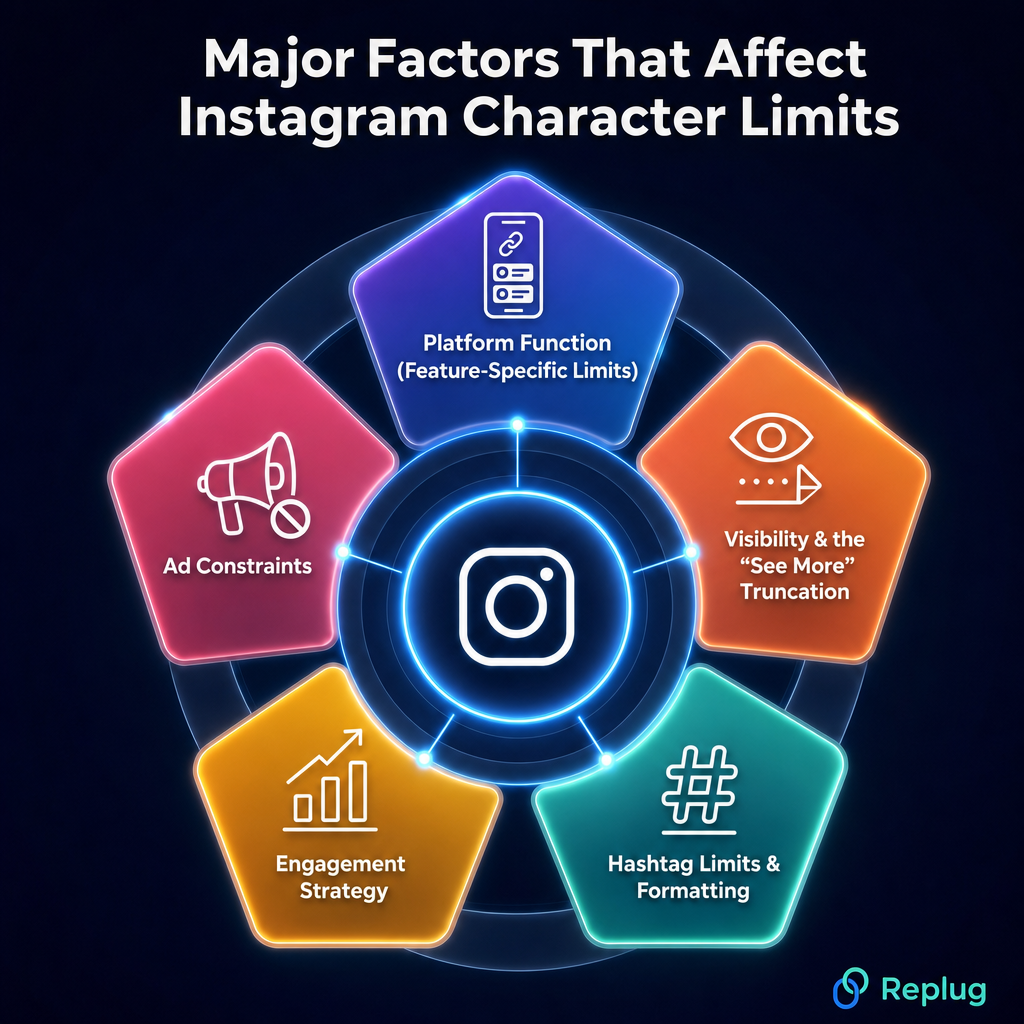
Platform function (feature-specific limits)
Every section of Instagram serves a different purpose, and the character limits reflect that.
- A bio is a quick introduction, so 150 characters makes sense.
- A caption can tell a fuller story, hence the 2,200-character room.
- A DM is a private conversation capped at 1,000 characters.
Instagram essentially sets the limit to match what each feature is actually designed to do.
Visibility & the “See More” truncation
Only the first 125 characters of your caption appear before users have to tap “more” to read the rest. This is Instagram’s way of keeping feeds clean and visual-first.
In practice, it means your real character limit for visible content is much tighter than 2,200. So if your hook isn’t in those first few words, most people will scroll right past it.
Hashtag limits & formatting
Instagram allows up to 30 hashtags per post, and they’re clickable and functional whether placed in the caption or the first comment.
Hashtags also eat into your caption’s character count, which affects how much room you have for actual copy. That’s why it’s worth being selective.
A few targeted hashtags will serve you better than maxing out all 30 with generic tags.
Engagement strategy
Character limits quietly push you toward writing better content. When you have a ceiling, you’re forced to cut the fluff and lead with what matters the most.
Captions around 125–150 characters tend to drive the strongest engagement. This is not because longer captions don’t work, but because concise, well-structured copy is simply easier for people to read and respond to while scrolling.
Ad constraints
Instagram ads have tighter limits than organic posts because ad placements are more competitive for attention.
Your ad primary text is recommended at 125 characters, the headline at 40, and the description at just 30. These constraints exist because ads appear across different placements and devices, and text gets truncated differently on each.
The tighter the space, the sharper your copy needs to be!
👉 Useful tip: Use a character counter or word count checker to ensure your content fits within these constraints.
How do different Instagram character limits impact engagement and growth on the platform?
Character limits on Instagram affect your growth more than most people realize.
The biggest thing to keep in mind is the 125-character “hook” rule (that’s all the visible text you get before Instagram cuts it off with “more”). If your opening line doesn’t grab attention, most people won’t bother tapping to read the rest.
When it comes to optimal lengths, shorter captions under 150 characters tend to work really well for straightforward messages and promotional content. They’re quick, punchy, and easy to engage with.
That said, longer captions ranging from 500 to 2,200 characters shine when you’re storytelling or sharing detailed, educational content (the kind that builds a real connection with your audience).
The magical trick is matching your caption length to what your content actually needs.
Take complete advantage of Instagram’s character limit with these useful tips
Knowing the limits is one thing, but actually working with them is where most people slip up. Here are some straightforward, practical tips to help you get the most out of every character you use on Instagram.
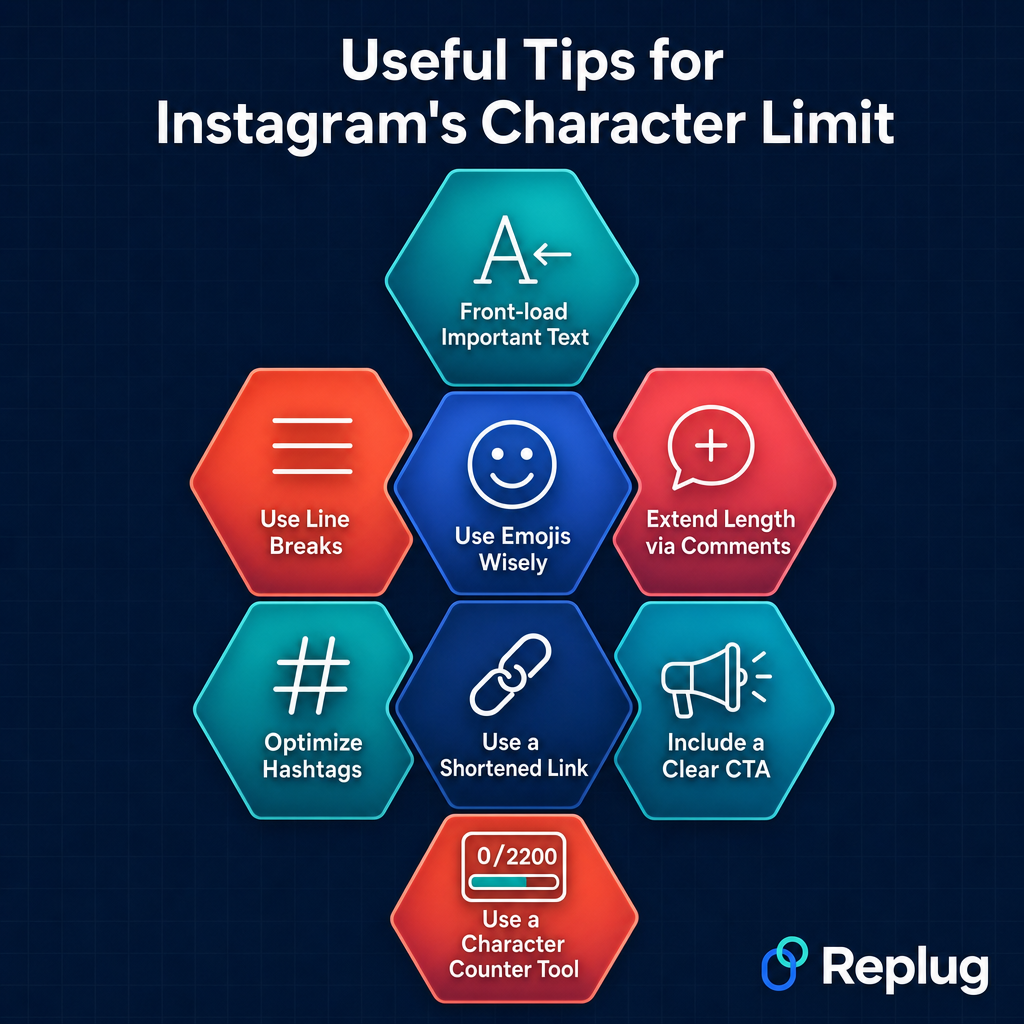
Tip #01: Front-load important text
Since only the first 125 characters show up before the “see more” cutoff, put your strongest line, hook, or key message right at the top. Don’t save the good stuff for the end, because most people won’t get there.
Tip #02: Use line breaks
Breaking your caption into short paragraphs makes it way easier to read and keeps people from bouncing off a wall of text. A clean, spaced-out caption feels more inviting and naturally encourages people to read all the way through.
Tip #03: Use emojis wisely
Emojis can add personality, break up text, and draw the eye to key points, but they also count toward your character limit. Use them to complement your message, not replace it, and avoid overdoing it, or they’ll make your caption or message look cluttered.
Tip #04: Extend length via comments
If you’ve hit the 2,200-character cap and still have more to say, drop the rest in the first comment. You can continue your text in the comments or split it across carousel posts.
Both are clean workarounds that keep your caption tight while still delivering the full message.
Tip #05: Optimize hashtags
Rather than stuffing all 30 hashtags into your caption and eating up valuable space, keep your caption copy clean and place hashtags at the very end or in the first comment. Focus on relevance over quantity.
A handful of well-chosen hashtags will outperform 30 random ones every time.
Tip #06: Use a shortened link
Instagram doesn’t make links in captions clickable, but if you’re mentioning a URL, a long one looks messy and eats up characters fast compared to a short link.
Use a free Instagram URL shortener to keep it neat, save space, and make it easier for people to type out if needed.
Tip #07: Include a clear CTA
Don’t let your caption just trail off; tell people what to do next. Whether it’s “drop a comment below,” “save this for later,” or “check the link in bio,” a simple and direct call to action phrase gives your audience a nudge and helps drive the engagement you’re actually looking for.
Tip #08: Use a character counter tool
Before you paste your caption or message into Instagram, run it through a character counter tool to make sure you’re within limits.
A social media character counter helps you check your caption, bio, or message word count before posting. It’s a small habit that saves a lot of last-minute editing.
Use Replug free tools & optimize Instagram character limits
If you’re serious about making every character count on Instagram, Replug is a tool worth knowing about.
It’s an all-in-one link management platform that lets you shorten custom links and create stunning bio link pages. A perfect tool for squeezing more value out of that tiny bio section without wasting precious characters on long URLs.
But that’s not all! Replug also offers free tools that make content creation a whole lot easier.
Struggling to stay within the Instagram caption character limit? The free Instagram caption generator helps you craft engaging captions that fit just right. And if your bio needs a refresh, the Instagram bio generator gives you a solid starting point in seconds.
Go ahead and give them a try. Your profile will thank you for it!
Frequently asked questions

Muhammad Ahsan Jamal