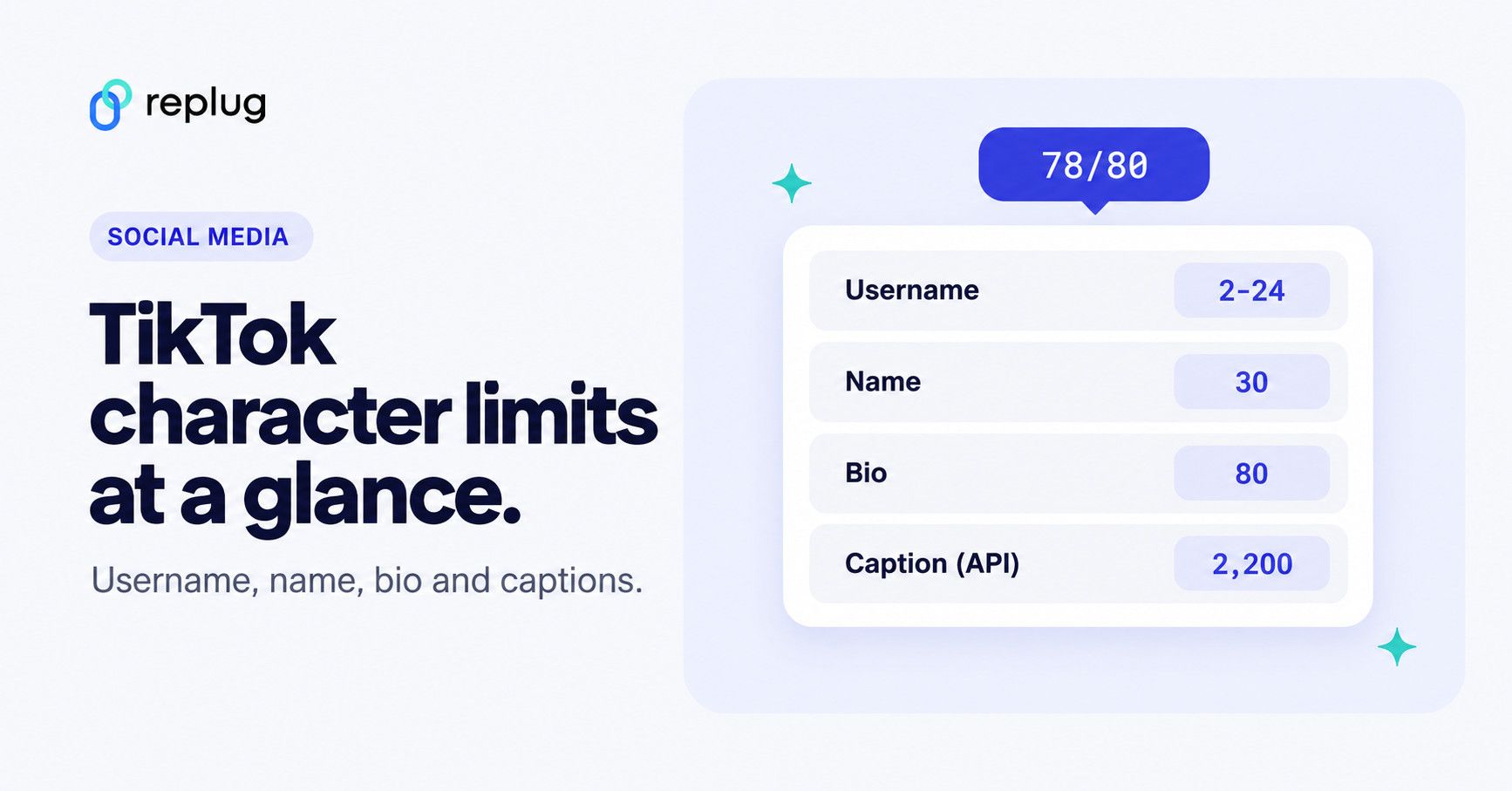
TikTok’s own help pages set these character limits: a username must be 2 to 24 characters, a name (nickname) can be up to 30 characters and a bio can’t exceed 80 characters. For captions, TikTok publishes one number: 2,200 characters for videos posted through its Content Posting API. The Help Center doesn’t list a caption or comment limit for the app itself (checked October 2026). Sources and details for each field are in the table below.
Those limits matter most when you want to share a link. A long URL eats space in a bio, and links typed into captions or comments don’t open when tapped, so you need a plan for where your link goes and how it looks.
Understanding TikTok’s character limits and link restrictions
TikTok has changed its caption length over the years, and many articles still repeat older or unofficial numbers. Here is what TikTok itself documents:
| Field | Limit (checked October 2026) | Source |
|---|---|---|
| Username (@handle) | 2 to 24 characters; letters, numbers, underscores and periods (no period at the end); change once every 30 days | TikTok Help: Changing your username |
| Name (nickname) | Up to 30 characters; change once every 7 days | TikTok Help: Changing your nickname |
| Bio | 80 characters | TikTok Help: Changing account bio |
| Video caption | 2,200 characters (UTF-16) when posted through the Content Posting API; no in-app limit listed in the Help Center | TikTok for Developers |
| Comment | Not published in TikTok’s comments help page | TikTok Help: Comments |
| Profile link | One website link, for accounts with 1,000+ followers or a Verified Business Account | TikTok Help: Adding a website link |
| In-feed ads | Spark Ads show up to 4 lines of the caption; non-Spark ad captions don’t support clickable links, @ or hashtags; the ad account name shows up to 20 characters | TikTok Ads Help |
Some creators report seeing a different caption or bio limit in their own app. If your app shows a different number, that’s your limit, but don’t plan a campaign around a number TikTok hasn’t documented. The bio has its own guide: TikTok bio character limit covers the 80-character rule, how to check yours and bio examples that fit.
Username and name: what’s the difference?
Your username is your @handle. It makes up your profile link (tiktok.com/@username), so changing it also changes your profile URL, per TikTok Help. Your name (TikTok also calls it a nickname) is the display name people see in the For You feed, comments and messages. Plan both before you print them on anything, since you can only change your username every 30 days and your name every 7 days.
Why are TikTok character limits important for content creators?
Limits keep profiles and captions short and scannable, which pushes you to lead with the point. Within them, captions can still do a lot:
- Express more about your content
Share behind-the-scenes details, context or a short backstory for your video. - Describe your video
Outline the key points of a tutorial or product video so viewers know what to expect. - Get closer to your audience
Ask a question or invite replies in the comments. - Help people find your video
Use the words people would search for, naturally, instead of stuffing keywords. - Point to your link
Tell viewers where the link is (“link in bio”), since links in captions don’t open. - Offer value beyond the video
Some creators add tips, steps or a short summary viewers can save.
The main hurdle for marketers is links. Long URLs take up valuable space in a bio and look messy in a caption, and only the profile link field turns a URL into something people can tap. Read on for how to share links within TikTok’s limits.
Strategies to share long links on TikTok
1. Put your link in the profile Links field
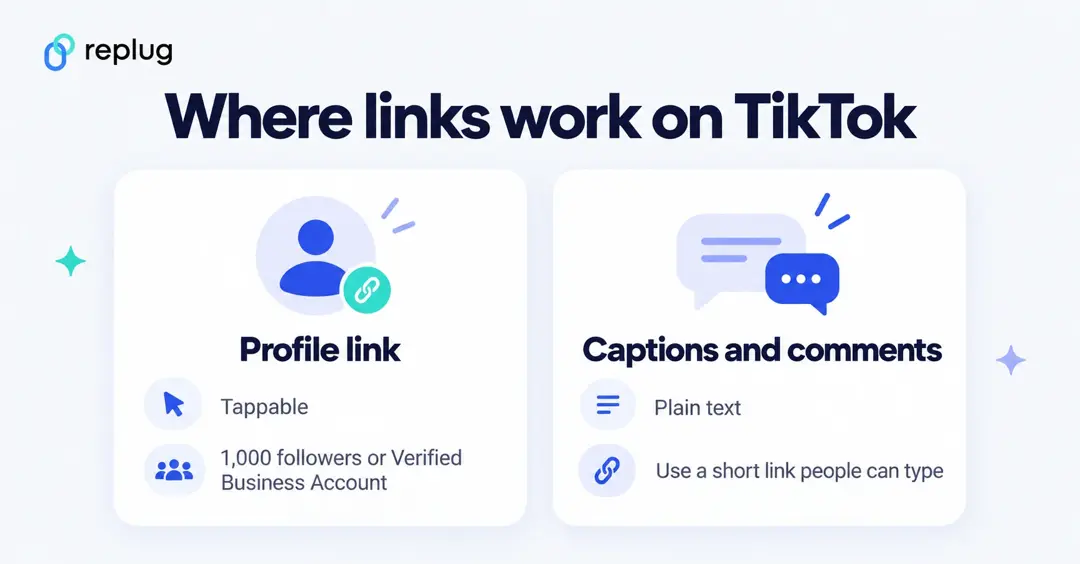
TikTok’s only tappable spot for a website on a regular account is the profile. TikTok Help says you can add a website link if you have at least 1,000 followers or a Verified Business Account: tap Profile > Edit profile, then next to Links tap Add. The same page notes that TikTok no longer supports links that open or log you into other social media apps, recommends direct links, and may ask people to open some pages in their phone’s browser.
2. Use a short, branded link
A URL shortener turns a long address into a short one that redirects. That helps in two places on TikTok: in your profile link, where a clean link looks trustworthy, and in captions or on-screen text, where people have to type it themselves. Replug creates short links on its own domain or on a branded short domain you connect, with click analytics for each link. For a broader look at tools, see our list of link management tools.
How to create a branded short link with Replug:
- Sign up or log in to Replug, then paste your long URL into the Paste a long URL to shorten field on the Home screen and click Shorten. Add UTM tags such as utm_source=tiktok first if you want TikTok traffic to show up in your website analytics.

- In the Your link window, click the pencil icon next to the short link to change the back-half to something people can read and type, such as tiktok-fall-menu. Custom back-halves are on Essentials and up, per replug.io/pricing.
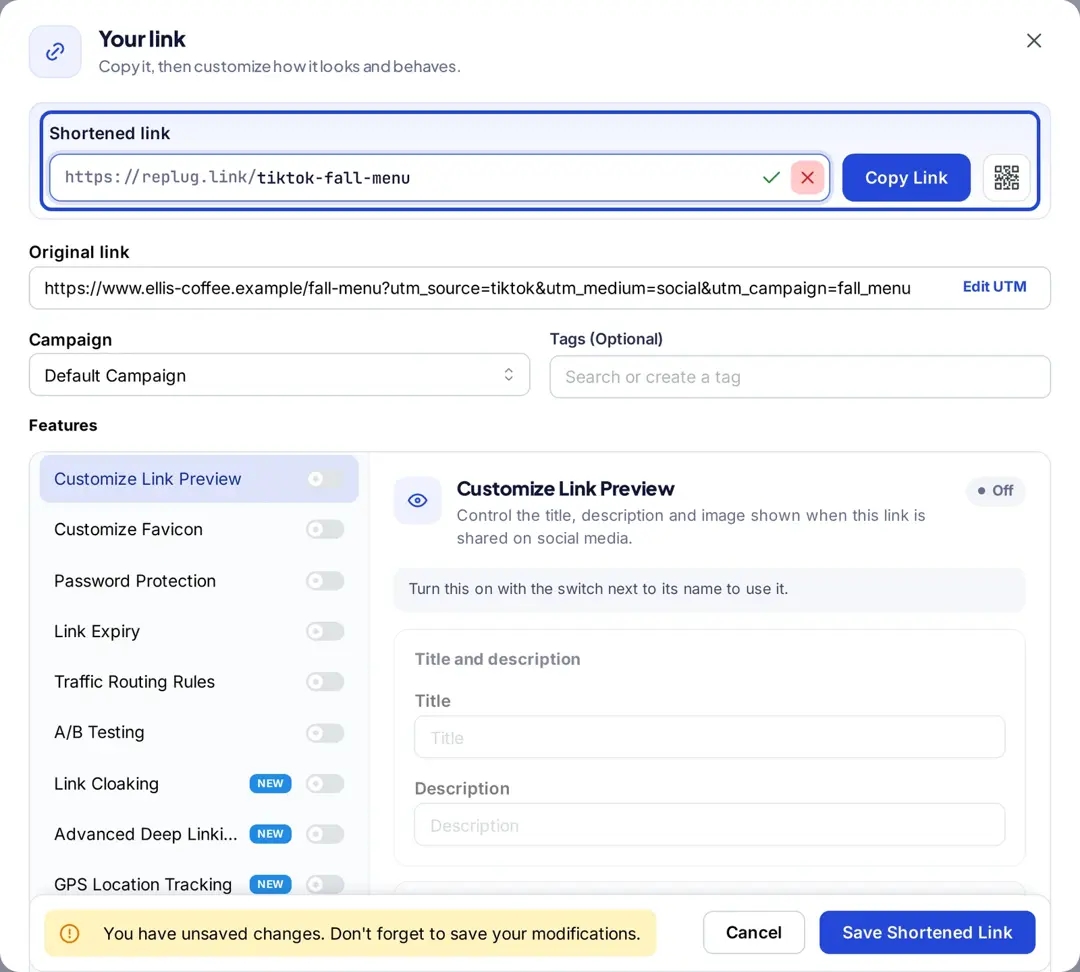
- Click Save Shortened Link, then Copy Link and paste it into your TikTok profile or caption.
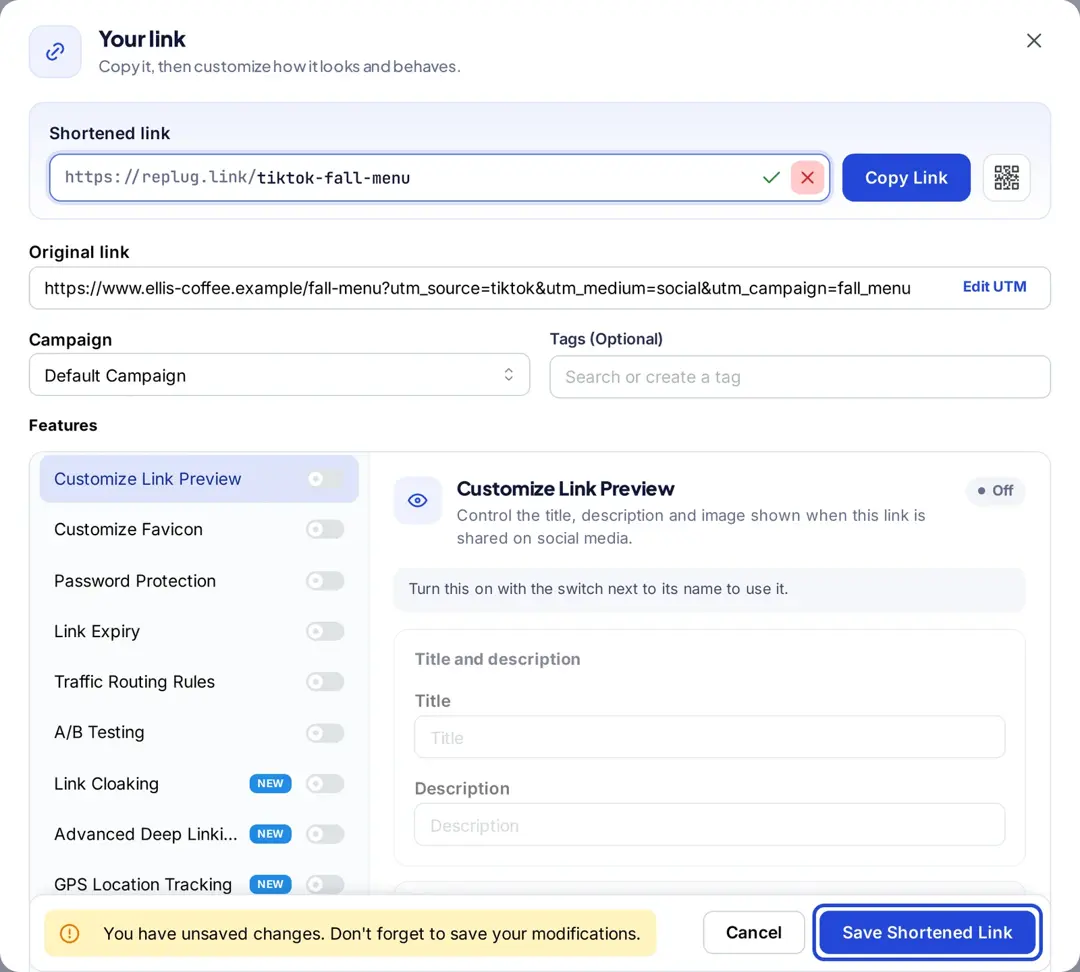
For the UTM part, our guide to UTM parameters for TikTok has copyable examples.
3. Make your bio stand out
Your TikTok bio is prime real estate. With 80 characters, use it wisely:
- Say who you are and what people get from the link
- Add a short call to action that points to the link (for example “New menu below”)
- Update your bio and link regularly to promote current campaigns or content
4. Utilizing bio link tools
Bio link tools let you share many links through the single profile link. They create a small landing page with buttons to each destination. Replug bio pages offer:
- Themes, colors and content blocks to match your brand
- Views, clicks and click-through rate for the page
- Edits any time without changing the link in your profile
If you can’t add a profile link yet, our guide to the link in your TikTok bio covers the options.
Writing captions within TikTok’s limits
There’s no documented in-app maximum, but long captions get cut off in the feed until someone taps to expand them, so put the important part first.
1. Strategic link placement
- Point to your profile link in the first line (“Full recipe at the link in my bio”)
- If you show a URL in the caption or on screen, use a short one people can type, since caption links don’t open when tapped
- Keep the call to action on its own line so it’s easy to spot
2. Caption optimization techniques
- Keywords: use the words people search for, naturally
- Call to action: tell viewers what to do next
- Context: explain why the link is worth opening
- Hashtags: a few relevant ones, not a wall of them
Keep captions engaging and scannable, with short paragraphs and line breaks.
Advanced link-sharing strategies for different TikTok features
If you have a TikTok Business account or run ads, you have more link options:
- Website link in profile: one clickable link once you have 1,000 followers or a Verified Business Account
- Ad call-to-action buttons: paid in-feed ads send people to your landing page through the ad’s button, since non-Spark ad captions don’t support clickable links (TikTok Ads Help)
- Mobile-ready pages: TikTok opens links in its in-app browser, so make sure your landing page works well on a phone
Cross-platform link sharing
- Share your TikTok content and profile link on Instagram, X, Facebook and other channels.
- Create a separate short link for each platform so you can compare clicks. You can also retarget your TikTok audience with ad platform pixels.
- Use the same link naming and UTM rules across your profiles.
Tips to track and optimize link performance
To see whether your link sharing works, track clicks and adjust:
- Use Replug’s link analytics to see clicks, unique clicks, countries, devices and referrers for each short link
- A/B test: A/B test different calls to action and caption styles
- Content: compare which videos send the most clicks to your link
- Strategy: adjust based on what the numbers show
By consistently analyzing your results, you can refine your approach and improve the effectiveness of your TikTok marketing campaigns.
The best (& FREE) TikTok caption generator
Want captions that pop? Replug’s free TikTok caption generator makes creating engaging captions effortless. Follow these simple steps to get captions tailored to your needs:
It’s fast and free, with no sign-up. Try Replug’s free TikTok caption generator and check the result against the limits above before you post.
Conclusion
TikTok’s documented limits are short: 2 to 24 characters for a username, 30 for a name and 80 for a bio, and 2,200 for captions posted through its API. Links only open from the profile link field, so put your most important link there, keep it short and branded, and point to it from your captions. Track the clicks, and change the link behind it whenever your campaign changes.
FAQs for TikTok character limits

Amna Yawar