A branded short domain is a short domain or subdomain you own, such as links.yourbrand.com or a short .link domain, that you connect to a link shortener so every short link shows your name instead of the shortener’s. To get one, you register a short domain (or pick a subdomain of the one you have), point it to your shortener with a DNS record, and add it in the shortener’s settings. The rest of this guide covers why it matters, how to choose one and how to connect it, step by step.
Long website links are hard to read, type and trust. A branded short domain turns them into compact links that start with your name, so people know who the link is from before they tap.
What is a branded short domain?
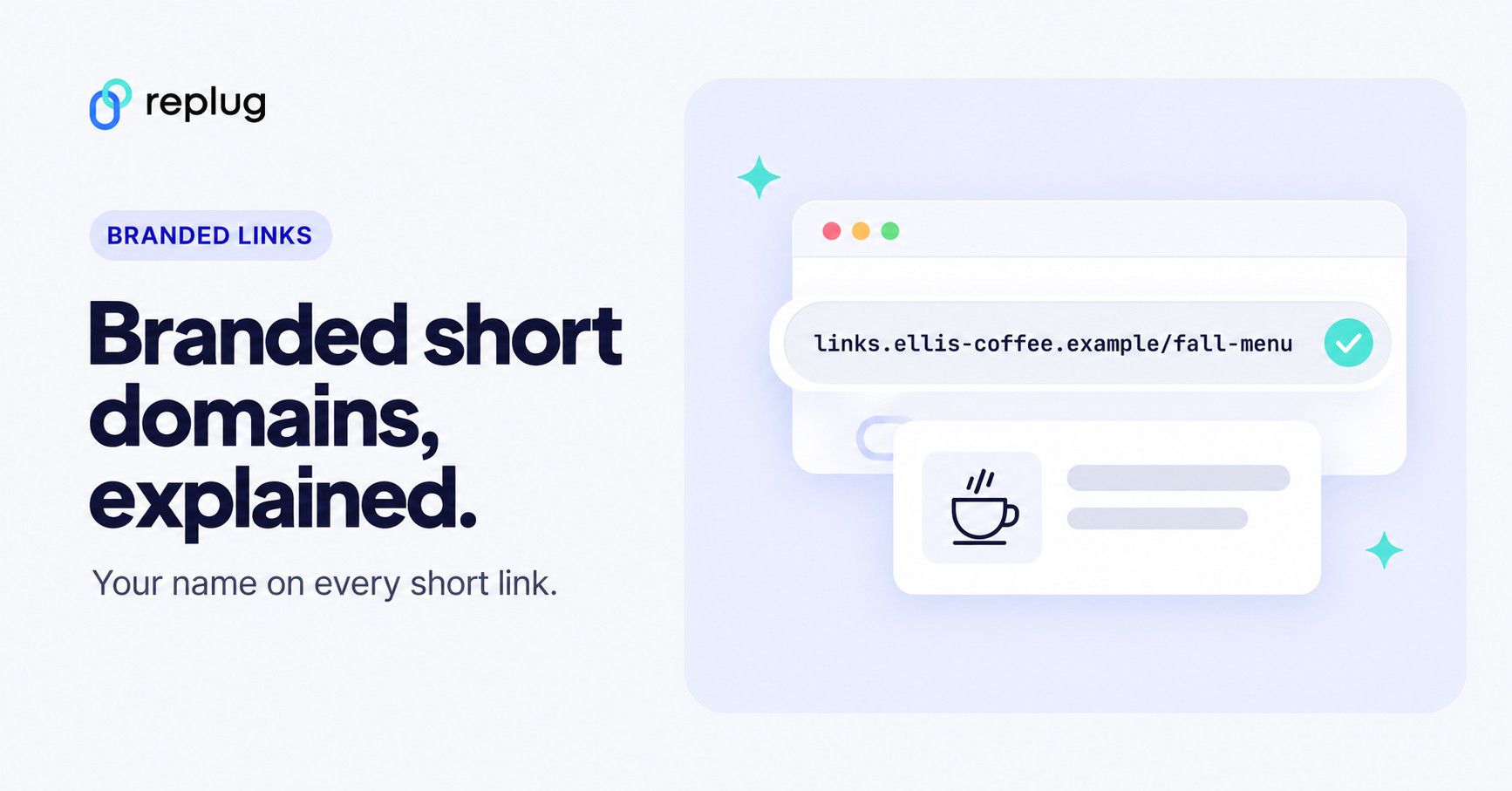
A branded short domain is a web address you control, kept short on purpose, that is used only for short links. Instead of a shortener’s generic domain, your links read like links.ellis-coffee.example/fall-menu.
In short, a branded domain is a way to transform long URLs into branded, memorable short links that people recognize.
Some large brands run their own short domains. When we requested them in October 2026, nyti.ms redirected to nytimes.com, amzn.to to amazon.com and youtu.be to youtube.com: each one is short, and each one is clearly tied to its brand.
Branded short link vs. branded short domain: What’s the difference?
Both give you a cleaner link than a long, generic one. The difference is which part you customize: a branded short link changes the part after the slash (the back-half, such as /fall-menu), while a branded short domain changes the part before it. You can do both at once.
Branded short domains take a little setup (a DNS record), but after that every link you create carries your name. For the full comparison, see branded links vs. short links; if you’re looking at vanity URLs for your main site rather than for short links, see vanity domains explained.
Why do you need to use a branded short domain?
Using a branded short domain offers several benefits for individuals and businesses:
- Brand recognition: your name is in every link you share, which reinforces your brand identity in posts, emails, texts and print.
- Consistent branding: links look the same across every channel, so people learn to expect your domain.
- Trust: people can see who the link is from before they tap, which matters in places that show the raw URL, such as text messages, printed QR codes and plain-text emails.
- Analytics and insights: link shorteners that support custom domains usually report clicks, locations, devices and referrers for each link.
- Control and portability: the domain is yours. You choose what the root address and broken links redirect to, and you can keep the domain if you ever change tools.
- Your own reputation: a generic shortener domain is shared by everyone who uses it; a domain used only for your links carries only your links’ history.
- Professionalism: a link on your own domain looks deliberate, not like a generic shortener.
One thing it won’t do is boost your main site’s SEO. Short links are redirects; Google Search Central describes how redirects are used as a signal for which URL should be canonical, which is the destination, not the short link. Pick a branded short domain for people, not for rankings.
How to choose a branded short domain
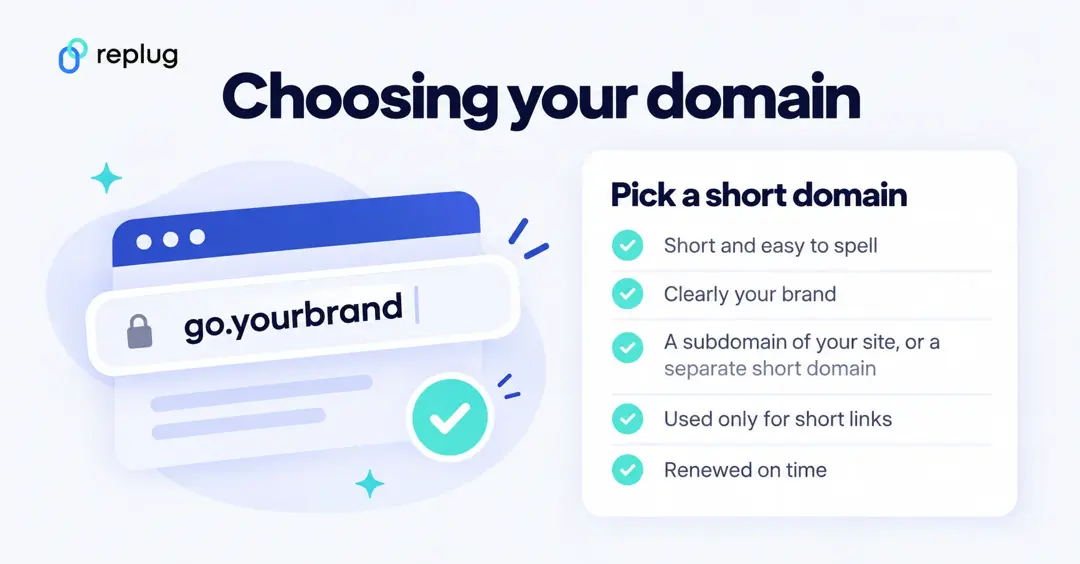
- Subdomain or separate domain? A subdomain of your site (links.yourbrand.com or go.yourbrand.com) costs nothing extra and is clearly yours. A separate short domain (a shortened version of your name on another extension) makes links shorter. Both work.
- Don’t use the root of your website. If your site already runs on yourbrand.com, connect a subdomain instead; pointing the root domain at a shortener would take it away from your site.
- Short and easy to spell. People type short links from posters, slides and podcasts. Avoid hyphens and look-alike letters.
- Clearly your brand. Someone who knows your company should recognize it at a glance.
- Use it only for short links. A dedicated domain or subdomain keeps link redirects separate from your website and email.
- Renew it on time. If the domain expires, every link on it stops working. Turn on auto-renewal at your registrar.
How a branded short domain works
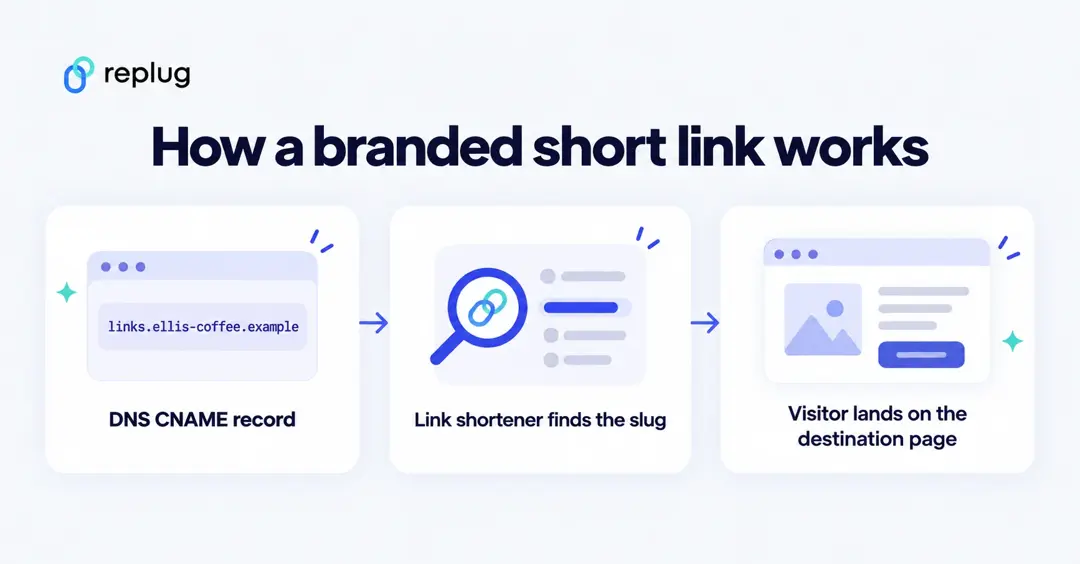
Your domain needs to send visitors to the shortener’s servers. Most shorteners ask for a CNAME record, which points one name (links.yourbrand.com) at another host name. Cloudflare’s CNAME explainer notes that no other DNS record can share a CNAME’s name, which is one reason short domains are usually set up on a subdomain rather than on a root domain that already has other records.
When someone opens links.yourbrand.com/fall-menu, the shortener looks up “fall-menu” and redirects the visitor to the full destination URL, recording the click on the way. Our explainer on how a URL shortener works goes into the redirect side.
How to set up a branded short domain?
Most link shorteners follow the same pattern: add your domain in their settings, create the DNS record they show you at your domain provider, wait for it to connect, then create links on it. Here is how it works in Replug, checked in the current app in October 2026.
Set up the branded short domain using Replug:
Step no 01: In the left sidebar, open Settings, then under Links & domains click Custom domains.
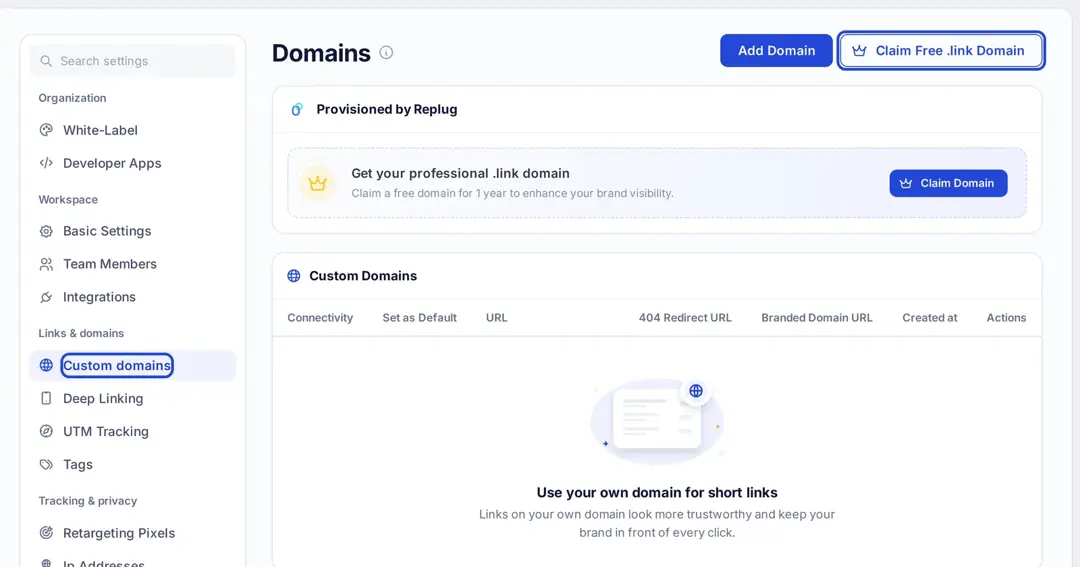
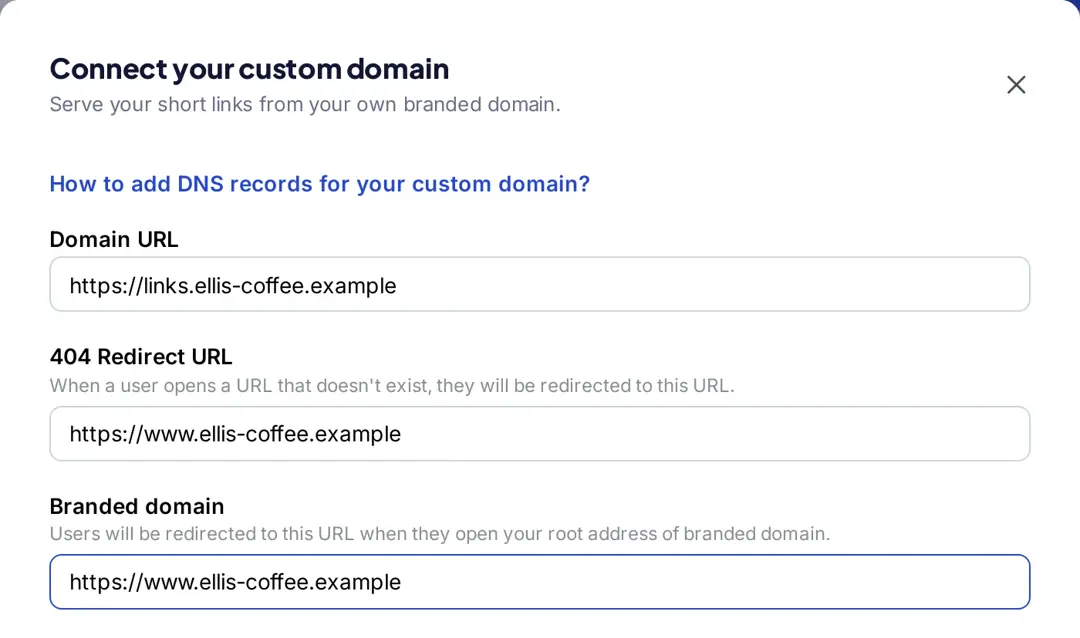
Step no 02: Click Add Domain. In the Connect your custom domain window, fill in:
- Domain URL: your branded short domain, such as https://links.yourbrand.com.
- 404 Redirect URL: where people go if they open a short link that doesn’t exist.
- Branded domain: where people go if they open the root address of your short domain (usually your website).
Step no 03: Scroll to DNS configuration. Replug shows the record to add: a CNAME with the hostname (for links.yourbrand.com, that’s links) and a Points to value with a copy button. Add that record at your domain provider exactly as shown. If your DNS is on Cloudflare, turn the proxy off for this record, as the app’s note says. Then click Save custom domain.
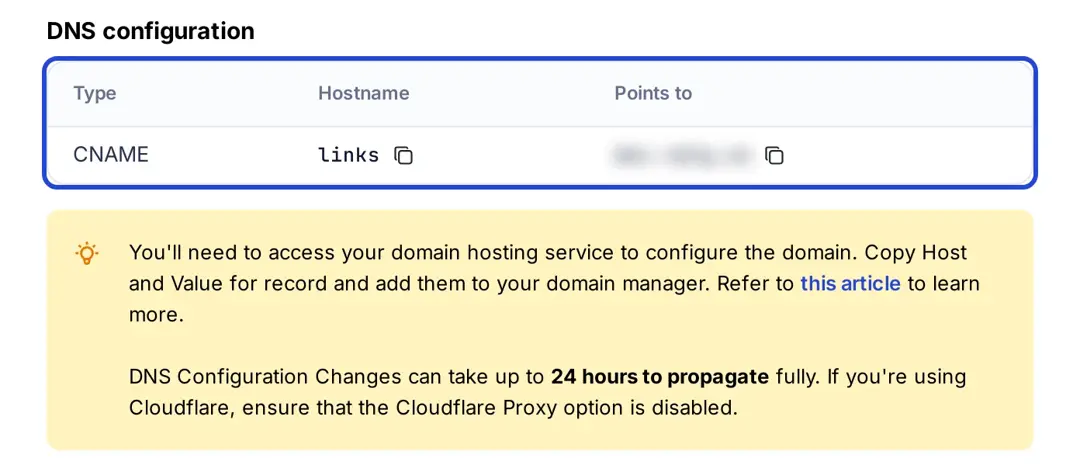
Step no 04: DNS changes can take up to 24 hours to spread. Back on the Domains page, use Check Connectivity to confirm the domain is connected, and switch on Set as Default if you want new links to use it.
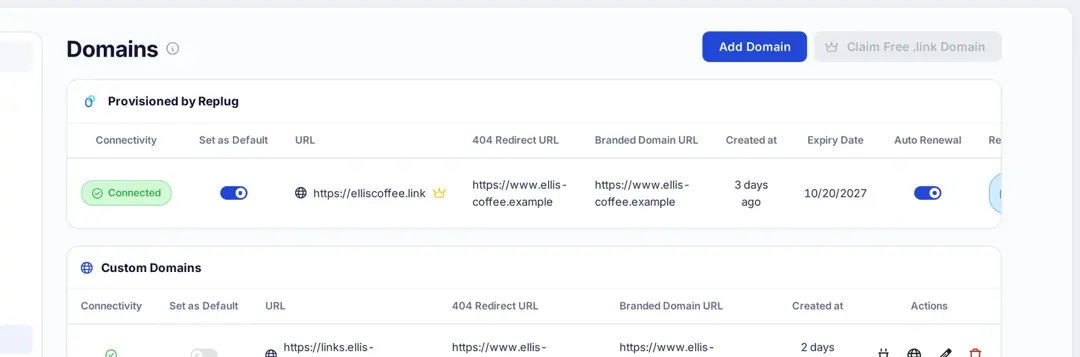
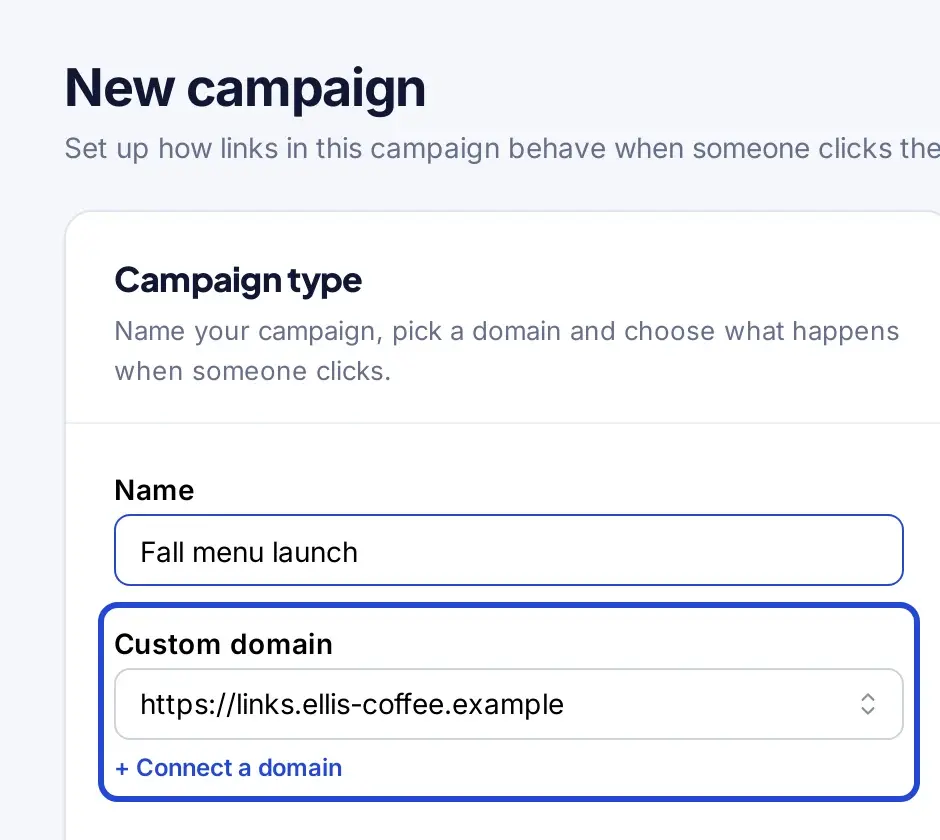
Step no 05: Use the domain for your links. When you create or edit a campaign, choose your domain in the Custom domain field; links in that campaign are then served from it. You can edit or delete a domain from the Domains page; if you delete one, the app warns that links using it go back to the default short domain and some may stop working.
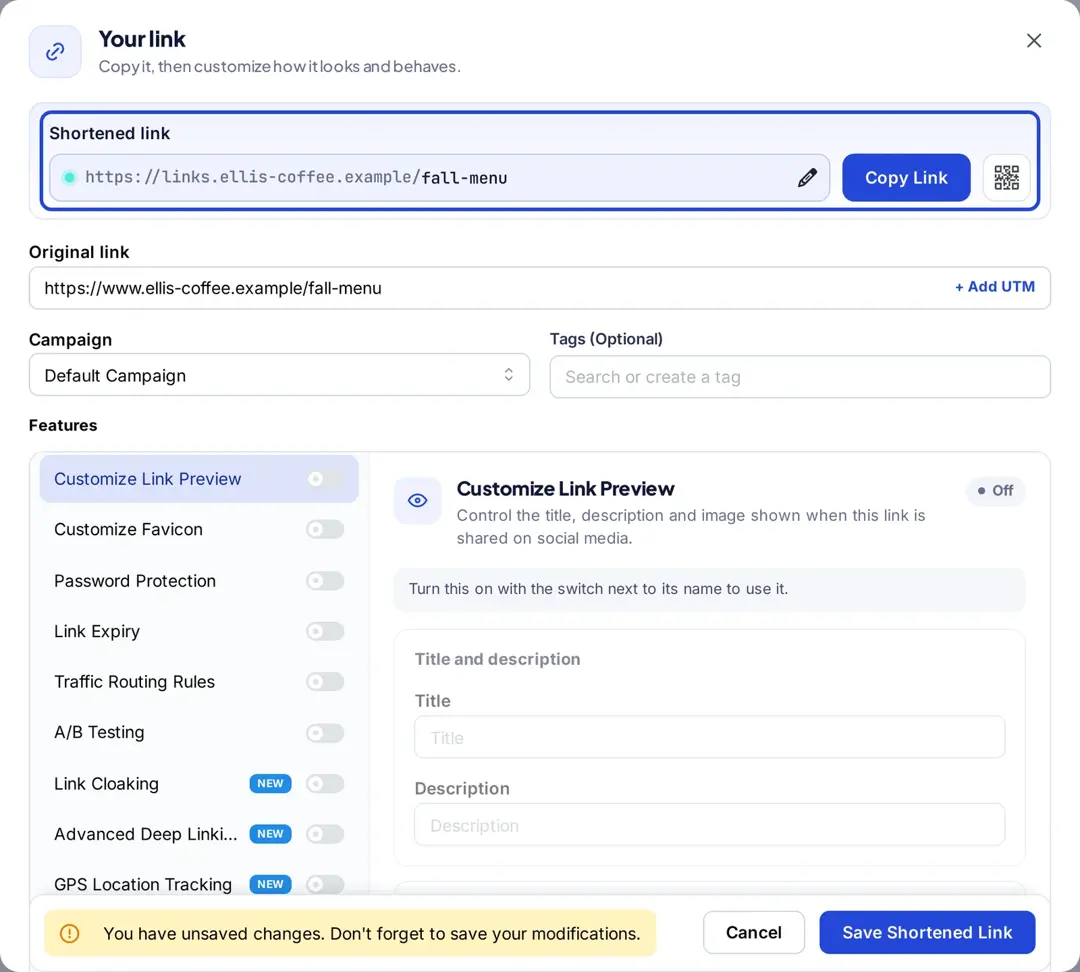
Custom domains are on every Replug plan: 3 on Free, 5 on Essentials, 15 on Scale and 50 on Agency, per replug.io/pricing (checked October 2026). Paid plans also include free .link domains (1, 3 or 10), which Replug registers and configures for you; see how to claim a free .link domain. Short links themselves come from Replug’s link shortener.
How to check a branded short link before you tap it
If you got a text or email with a short link on a domain you don’t know, check before you tap. Long-press or hover to see the full address, and compare the domain with the one on the company’s official website or app. A real brand’s short domain usually redirects to its own site; if you’re unsure, go to the company’s site directly instead. Our guide to spotting phishing URLs has more checks.
FAQs on branded short domain

Arslan Jadoon