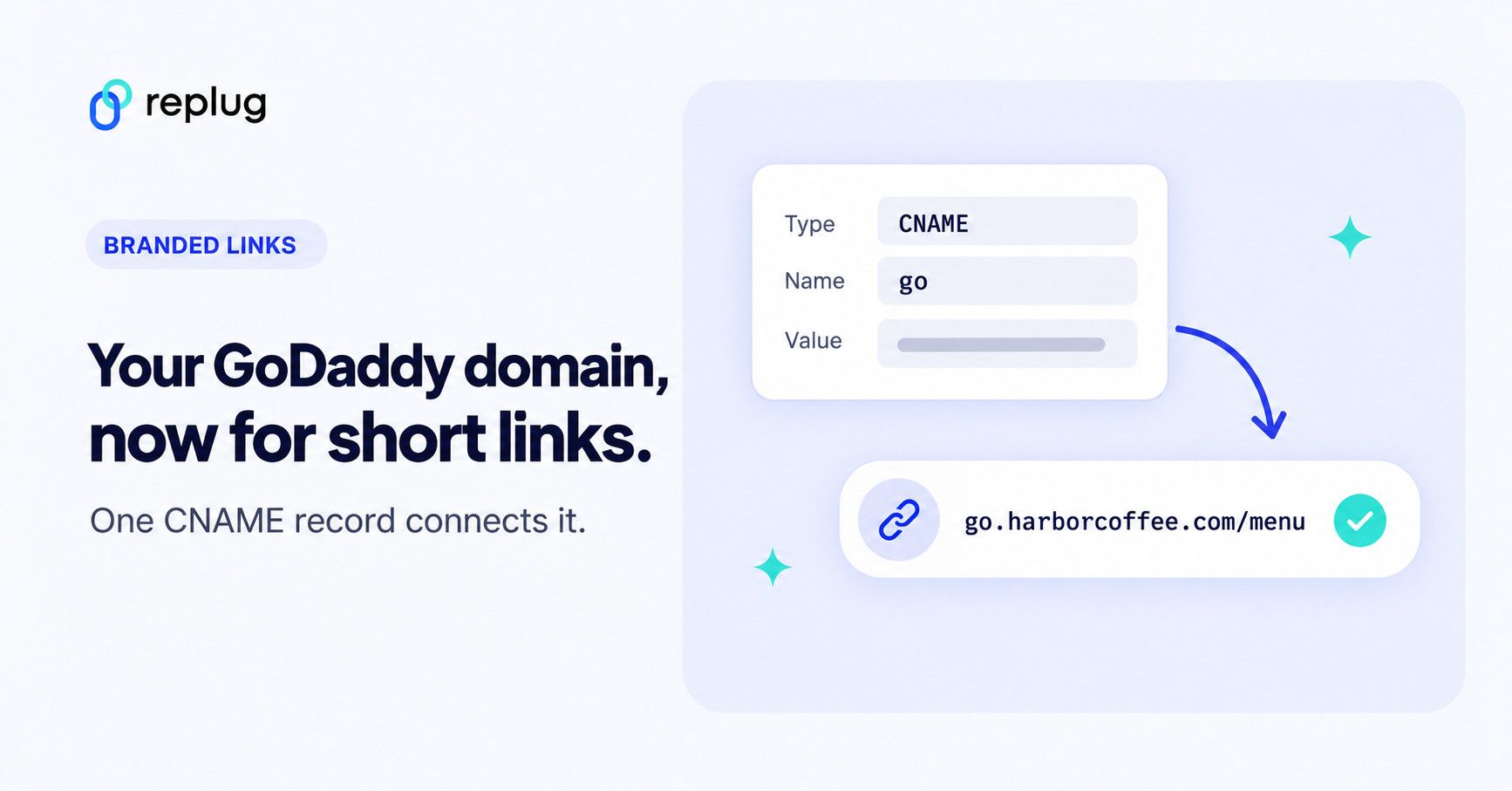
To use a GoDaddy domain for short links, add a CNAME record in GoDaddy’s DNS settings that points a subdomain, such as go.harborcoffee.com, to the host your link shortener gives you. Then add the same subdomain in the shortener and run its connection check. It often connects within an hour; allow up to 24 hours.
Updated: November 2026
The setup takes about 10 minutes plus the wait for DNS. This guide uses Replug as the shortener, but the GoDaddy steps are the same for any shortener that gives you a CNAME value. The GoDaddy menu labels below come from GoDaddy’s own help articles, checked on November 19, 2026.
Should you use a subdomain or your root domain?
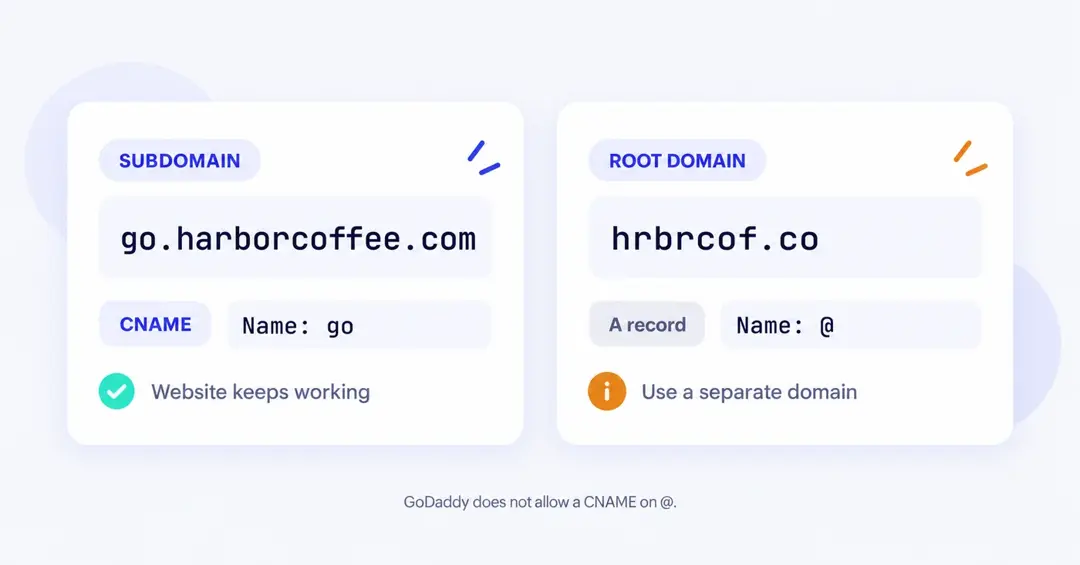
Use a subdomain of the domain you already own, such as go.harborcoffee.com. It needs one CNAME record and leaves your website untouched. Use a root domain only if you bought a separate, short domain just for links.
| Option | What you add at GoDaddy | Effect on your website | Effort | Best for |
|---|---|---|---|---|
| Subdomain of your main domain (go.harborcoffee.com) | One CNAME record with the Name go | None. harborcoffee.com keeps working | About 10 minutes | Most brands |
| Root of a separate short domain (hrbrcof.co) | An A record on @ with the IP address Replug support gives you | None, as long as that domain has no website | About 10 minutes plus a support message | The shortest possible links |
| Root of your main website domain (harborcoffee.com) | Not recommended | Your website would stop loading | n/a | No one |
The reason a root domain needs an A record: DNS rules say a CNAME can’t share a name with any other record (RFC 1034, section 3.6.2, 1987; RFC 1912, section 2.4, 1996), and the root of every domain always holds other records. GoDaddy enforces this in its form: a CNAME’s Name “cannot be the @ symbol”, according to GoDaddy’s help article on adding a CNAME record.
Replug’s dashboard shows a CNAME record. Replug also accepts an A record that points to its IP address, so for a root domain, ask Replug support for the current value instead of copying an IP address from another guide.
What do you need before you start?
You need access to the domain’s DNS at GoDaddy, the CNAME value from your shortener and a free domain slot on your plan:
- A GoDaddy login that can edit the domain’s DNS.
- DNS hosted at GoDaddy. GoDaddy notes that you can edit DNS records in your GoDaddy account only when the domain uses GoDaddy nameservers. If the nameservers point to another provider, such as your web host, add the record there instead.
- The CNAME value from Replug. You copy it from the DNS configuration table when you add the domain (next section).
- Room on your plan. Replug includes custom domains on every plan: 3 on Free, 5 on Essentials, 15 on Scale and 50 on Agency, per the pricing page in November 2026.
Using a different DNS host? The record is the same; the general custom-domain guide covers the Replug side for any provider.
How do you add the domain in Replug?
Add the subdomain in Replug first, so you have the exact value to paste into GoDaddy. Replug is a link-management platform for branded short links, bio pages, QR codes and retargeting, and you can connect a domain you own on any plan, including Free.
No domain yet? On a paid plan you can claim a free .link domain for the first year, and Replug handles the DNS for you.
- In Replug, open Settings, then Custom domains (under Links & domains).
- Select Add Domain.
- In Domain URL, enter your subdomain, for example
https://go.harborcoffee.com. - Optional: in 404 Redirect URL, enter the page people should see if they open a short link that doesn’t exist.
- Optional: in Branded domain, enter where the bare address (go.harborcoffee.com with nothing after it) should send people, usually your main website.
- In the DNS configuration table, copy the Hostname (
go) and the Points to value. - Select Save custom domain, and keep the tab open.
Copy the Points to value from your own dashboard rather than from a guide. It can differ between accounts, for example on white-label setups.
How do you add a CNAME record in GoDaddy?
In GoDaddy, the record goes on the domain’s DNS page: Domain Portfolio, then the domain, then DNS, then Add New Record. These steps follow GoDaddy’s Add a CNAME record article:
- Sign in to GoDaddy and open your Domain Portfolio.
- Select the domain (harborcoffee.com) to open its Domain Settings page.
- Select DNS to see the domain’s DNS records.
- Select Add New Record, then choose CNAME from the Type menu.
- In Name, enter only the subdomain part:
go. - In Value, paste the Points to value you copied from Replug.
- Leave TTL at the default, which GoDaddy sets to 1 hour.
- Select Save. If the domain has Domain Protection, enter the verification code GoDaddy asks for.
If you once set up GoDaddy Forwarding for this subdomain, remove it under DNS > Forwarding (GoDaddy’s steps). When you forward a subdomain, GoDaddy updates that subdomain’s DNS for the forward, which conflicts with the CNAME you just added.
How do you verify the domain and test it?
Go back to Replug, open Custom domains and select Check connectivity for the domain. When Replug finds the record, the domain shows as Connected.
If the check fails, give DNS time. GoDaddy says most DNS changes take effect within an hour but can take up to 48 hours to update globally (GoDaddy Help), and Replug’s dashboard notes that propagation can take up to 24 hours. Run the check again later.
You can also look the record up yourself. Open Google Public DNS, enter go.harborcoffee.com and choose the CNAME record type. A correct answer lists one CNAME whose data is the Points to value from Replug. An empty answer means the record isn’t visible yet or the Name is wrong. On a Mac or Linux terminal, this does the same:
dig +short CNAME go.harborcoffee.comOnce the domain is connected, Replug sets up HTTPS for it; the pricing page lists free SSL on every custom domain. Test before you share anything:
- Open a campaign, or create one, and choose the domain in its Custom domain field.
- Create a test link in that campaign.
- Open the short link in a private window on your phone and your computer.
- Confirm it loads over
https://with no browser warning and lands on the right page. If the browser shows a certificate warning, wait a few minutes and test again; contact Replug support if it doesn’t clear.
Why isn’t my GoDaddy domain connecting?
Most failures come from a typo in the Name field, an old record or forwarding on the same subdomain, or DNS that isn’t hosted at GoDaddy. Match your symptom:
| Symptom | Likely cause | Fix |
|---|---|---|
| GoDaddy won’t save the record because the name is in use | An A or CNAME record for go already exists; GoDaddy requires the Name to be “not already in use by another record” | Edit the existing record and change its Value, or delete it and add the CNAME again |
The lookup shows go.harborcoffee.com.harborcoffee.com | The full domain was typed in Name | Edit the record so Name is only go |
| Visitors land on another site | GoDaddy Forwarding is still on for the subdomain | Delete it under DNS > Forwarding |
| Records added at GoDaddy have no effect | The domain uses another provider’s nameservers | Add the CNAME at the DNS host the nameservers point to |
GoDaddy won’t accept @ as the Name | A CNAME isn’t allowed on the root domain | Use a subdomain, or an A record from Replug support on a separate short domain |
| Check connectivity still fails after an hour | DNS hasn’t updated everywhere yet | Confirm the record on Google Public DNS, then retry; GoDaddy allows up to 48 hours |
| HTTPS warning on the first visit | The certificate isn’t ready yet | Wait a few minutes and retest; contact Replug support if it persists |
What can you do once the domain is live?
With the domain connected, every link in a campaign that uses it is a branded link. A few things to set up next:
- Readable endings, such as go.harborcoffee.com/menu. Editing a link’s slug is available on Essentials and up.
- One subdomain per brand or client, each added as its own domain in Replug, within your plan’s domain limit.
- A 404 redirect, so a mistyped link lands on a useful page instead of an error.
- An end date for campaign links, so a limited-time offer stops on time. Link expiry is on Scale and up.
- Checks that catch broken links early, before a dead destination costs you clicks.
FAQ
Start with one subdomain
One CNAME record at GoDaddy is all it takes to move your short links onto your own name. If you’re still deciding whether it’s worth it, read why branded short links matter. If you’d rather skip DNS entirely, claim a free .link domain on a paid plan.
Frequently Asked Questions

Muhammad Ahsan Jamal