Quick answer: TikTok retargeting means showing TikTok ads to people who already interacted with you: they visited your site, watched your videos, used your app or are on your customer list. In TikTok Ads Manager you build these groups as Custom Audiences, and an audience needs at least 1,000 matched users before you can use it in an ad group, according to TikTok Business Help.
This guide covers the TikTok audience types you can retarget, how to create one in TikTok Ads Manager, and how to add your TikTok pixel to the links you share so people who click them can join your audiences too.
Replug is an all-in-one branded link management platform that allows you to manage your link with powerful features such as branded link shortening, link retargeting, deep linking etc., backed up by powerful link analytics.
It also offers an advanced URL shortener that helps you create branded, trackable links to boost engagement and measure performance effectively.
First, how TikTok retargeting works.
How does TikTok retargeting work?
TikTok retargeting ads reach people who already interacted with your brand. TikTok can build these audiences from a file upload, website or app activity, engagement on TikTok, or an audience partner (TikTok Business Help). For website visitors, the TikTok Pixel on your site records visits and events such as add to cart, and a Website Traffic audience groups the people behind them. Our guide to tracking pixels explains how pixels work in general.
You then select that audience in an ad group, either to show it ads (retargeting) or to exclude it, for example to stop showing prospecting ads to recent customers. TikTok lists both uses, along with building lookalike audiences from the same source (TikTok Business Help).
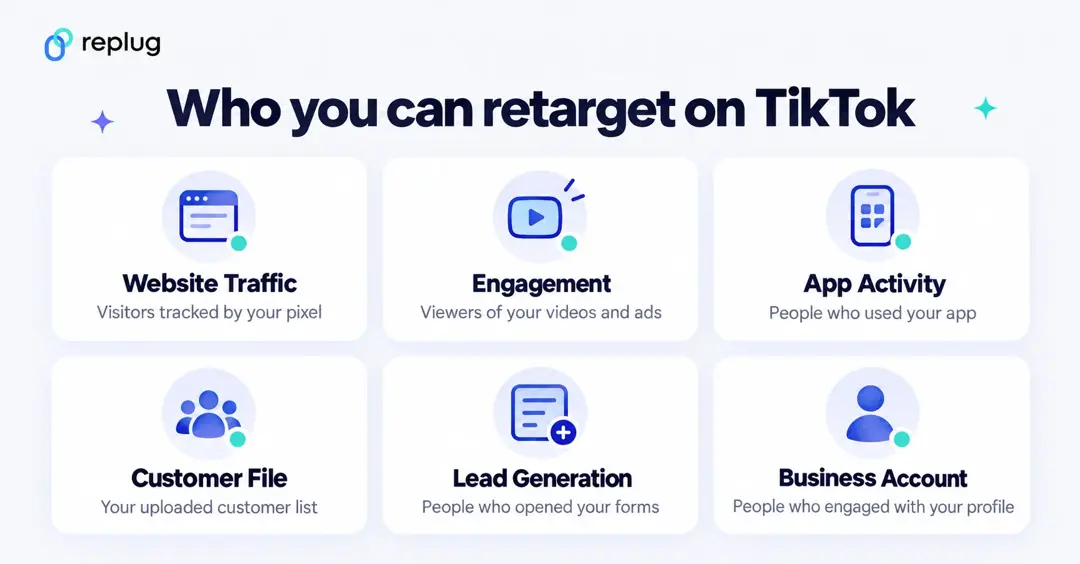
TikTok audiences you can retarget
- Website Traffic: people who visited your site or took an action on it, based on your TikTok Pixel events. You can narrow it by event, URL or event parameters, and an account can hold up to 400 custom audiences at a time (About Website Traffic).
- Engagement: people who watched or engaged with your organic videos, your ads, Instant Pages or LIVE content. Lookback windows are 7, 14 or 30 days for organic videos and LIVE, and up to 180 days for video ads; a new engagement audience can take 24 to 48 hours to build (How to create engagement audiences).
- App Activity: people who installed or used your app, set up through a mobile measurement partner such as AppsFlyer, Adjust or Branch, or through Events Manager (About App Retargeting).
- Customer File: a .csv or .txt list of emails, phone numbers or mobile advertiser IDs that TikTok matches to users; only people who opted in can be reached (About Customer File audiences).
- Lead Generation: people who interacted with your TikTok lead forms.
- Business Account: people who engaged with your TikTok Business Account; these audiences can’t be shared with other ad accounts (TikTok Business Help).
TikTok also lists Shop Activity, Offline Activity and partner audiences. To reach new people who resemble an audience, create a Lookalike Audience (Narrow, Balanced or Broad) from a source of at least 1,000 people (About lookalike audiences).
TikTok retargeting requirements at a glance
| Item | What TikTok says (checked October 2026) |
|---|---|
| Minimum audience size | 1,000 matched users to use a custom audience in an ad group (source) |
| Custom audiences per account | Up to 400 at one time (source) |
| Website Traffic audience | Needs the TikTok Pixel and the events you want to track (source) |
| Engagement lookback | 7, 14 or 30 days for organic videos and LIVE; up to 180 days for video ads (source) |
| Customer file | .csv or .txt with emails, phone numbers or mobile advertiser IDs (source) |
| Lookalike source | At least 1,000 people (source) |
How to create a TikTok retargeting audience
To build a Website Traffic audience in TikTok Ads Manager (TikTok Business Help):
- Set up the TikTok Pixel and the events you want to use (see our TikTok Pixel setup guide).
- Go to the Audience section under Tools and click Create Audience.
- Choose Custom Audience, then Website Traffic.
- Under Include, pick the event type, the time period and your pixel.
- Optional: use Add more rules to broaden (this event OR that one) or narrow (this event AND that one), and Exclude People, for example buyers.
- Leave Auto-Refresh on, name the audience and click Confirm.
Engagement audiences work the same way: choose Engagement instead, then pick ad groups or videos, the action (for example 6-second views) and the lookback window. To use organic or LIVE videos, link your TikTok account to TikTok Ads Manager or your Business Center first (TikTok Business Help).
Then select the audience in your ad group’s targeting, as an audience to include or to exclude.
Step-by-step guide to TikTok retargeting with Replug links
Your pixel only fires on your own site. If you share links to other pages, such as a product on a marketplace, a YouTube video or a partner’s article, add your TikTok pixel to the short link instead: Replug’s link retargeting tool fires the pixel when the link is clicked, then sends the visitor on. Those clicks can then feed a Website Traffic audience built on that pixel. Here are the steps in the current Replug app:
i. Log in to your Replug account
Sign up or log in to Replug. Retargeting pixels are included on Essentials (1 pixel) and on Scale and Agency (unlimited), per Replug’s pricing; paid plans come with a free trial.
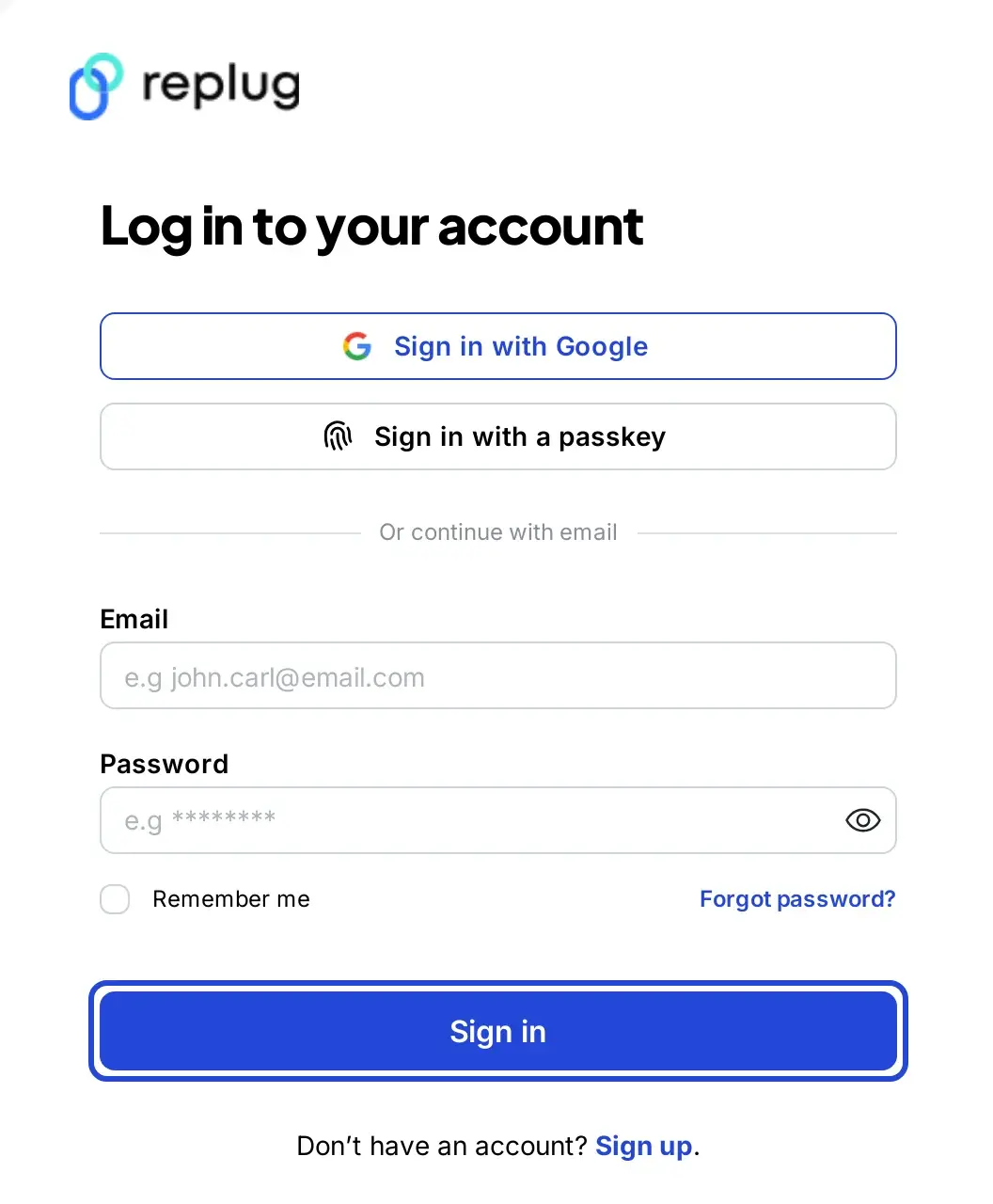
After you log in, you land on the Replug Home screen with the main menu on the left.
ii. Add your TikTok pixel
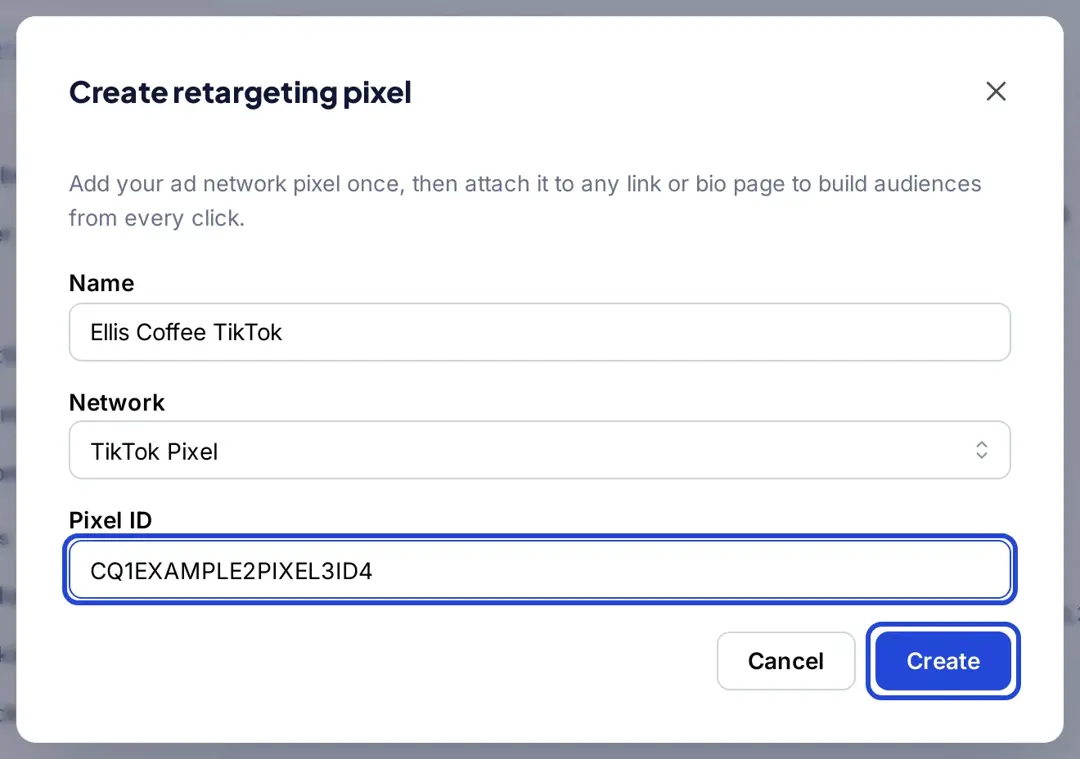
Copy your pixel ID from TikTok Events Manager. In Replug, click Settings at the bottom of the left menu, open Retargeting Pixels and click Add Pixel. Choose TikTok Pixel as the network, give the pixel a name, paste the ID and click Create.
The pixel is saved once per workspace, so you can reuse it in any campaign or bio page.
iii. Create a retargeting campaign
Click Campaigns in the left menu, then Create new.
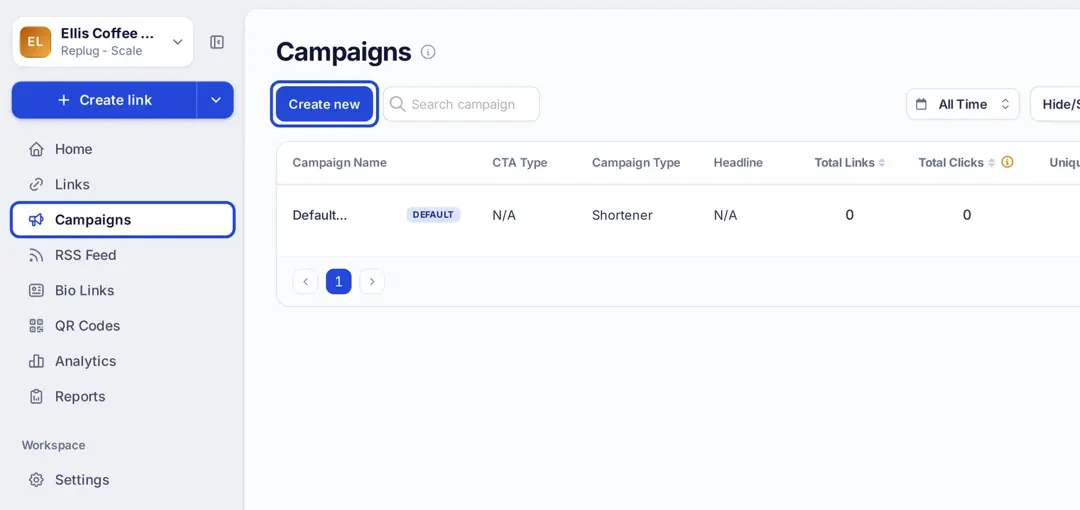
Every link you add to a campaign fires that campaign’s pixels, so one campaign per offer or audience keeps things tidy.
iv. Turn on the Retargeting pixel add-on
This is where you tell Replug to fire pixels for every link in the campaign.
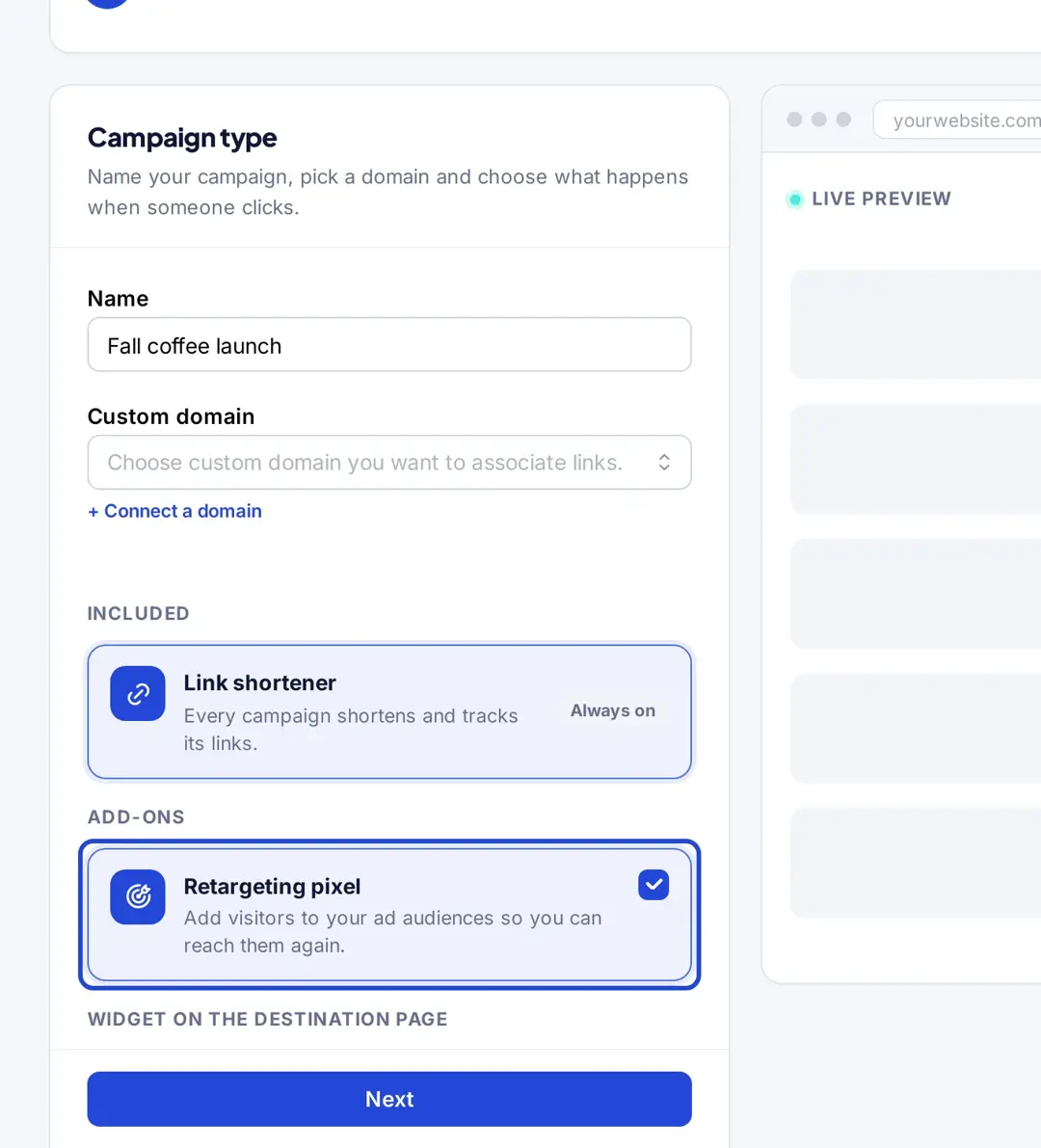
Name the campaign, choose a custom domain if you use one, and under Add-ons select Retargeting pixel.
Click Next.
v. Select the TikTok pixel and save
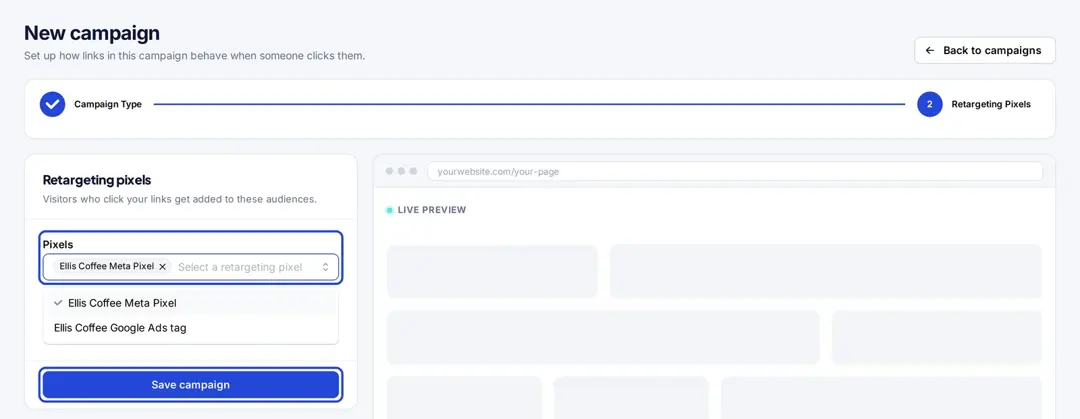
In the Retargeting Pixels step, select the TikTok pixel you added (you can select pixels from other retargeting platforms too) and click Save campaign. The screenshot shows a Meta pixel; your TikTok pixel appears in the same list.
vi. Shorten your link in that campaign. Paste the URL you want to share on the Home screen, shorten it, and pick the campaign in the Campaign field of the Your link window. Click Save Shortened Link.
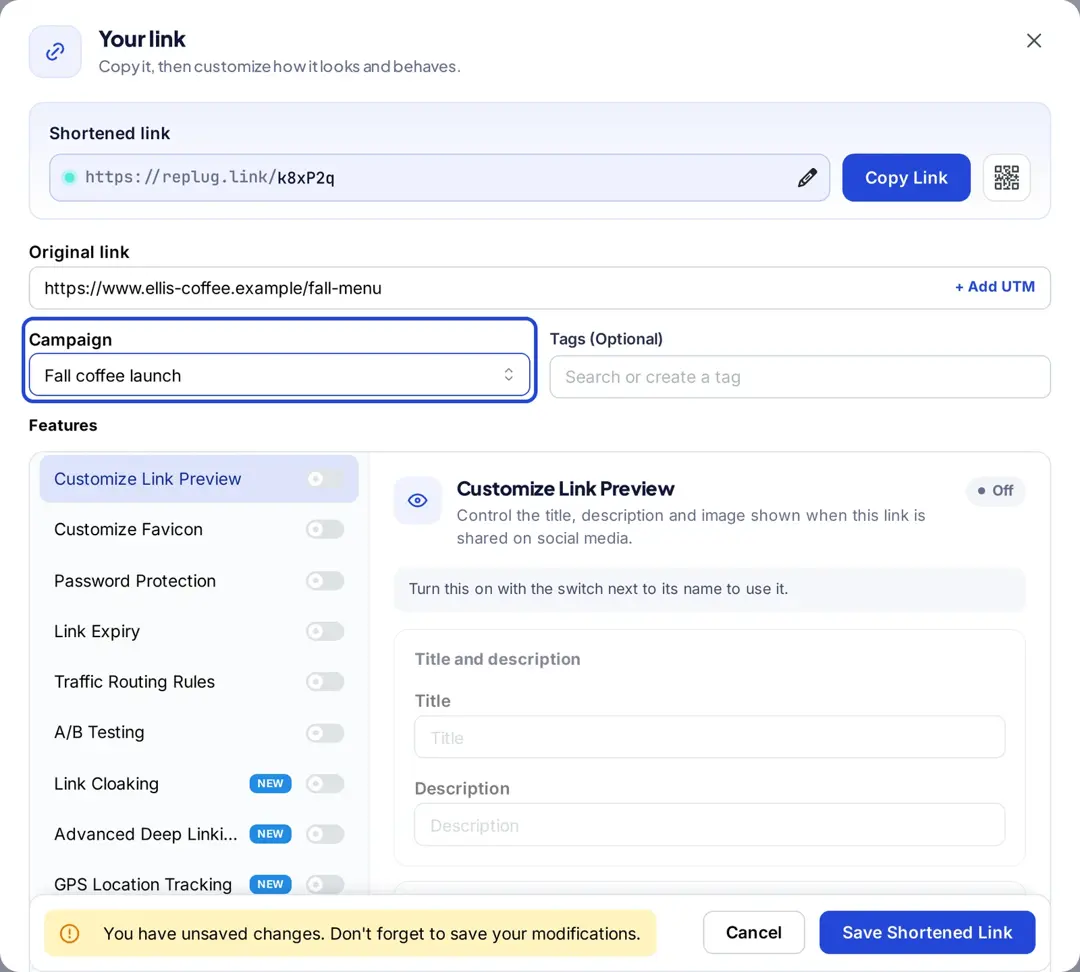
Now, when someone clicks the link in your bio, a video caption or a DM, your TikTok pixel fires before they land on the page. Replug counts the clicks in its analytics; conversions and sales are measured by your TikTok pixel or analytics on your own site, not by Replug.
Pixels from link clicks only build an audience you can use once it reaches TikTok’s 1,000-user minimum.
TikTok retargeting best practices and important tips
For effective TikTok retargeting, consider these best practices and tips:
- Pixel installation: Install the TikTok Pixel on every page and set up the events you want to retarget, such as AddToCart, before you build audiences.
- Define goals: Clearly define your retargeting goals, whether it’s driving conversions, increasing engagement, or building brand awareness.
- Segment audiences: Segment your audience based on their interactions with your website or app to create tailored retargeting campaigns.
- Exclude recent buyers: Add a purchase audience as an exclusion so you don’t pay to show the same product to people who just bought it.
- Personalization: Personalize your retargeting ads to resonate with your audience and encourage them to take action.
- Frequency capping: Set frequency caps to avoid overwhelming users with too many retargeting ads, which can lead to ad fatigue.
- Match the lookback to your buying cycle: A short window (7 to 14 days) for impulse products, a longer one for considered purchases.
- A/B testing: Use TikTok’s split testing to compare creatives, messaging, and targeting strategies to optimize performance and identify what resonates best with your audience.
- Optimize landing pages: Ensure your landing pages are optimized for conversions to maximize the effectiveness of your retargeting campaigns.
- Monitor & adjust: Regularly monitor the performance of your retargeting campaigns and make adjustments based on data insights to improve results over time.
FAQs on TikTok retargeting

Mustafa Niazi