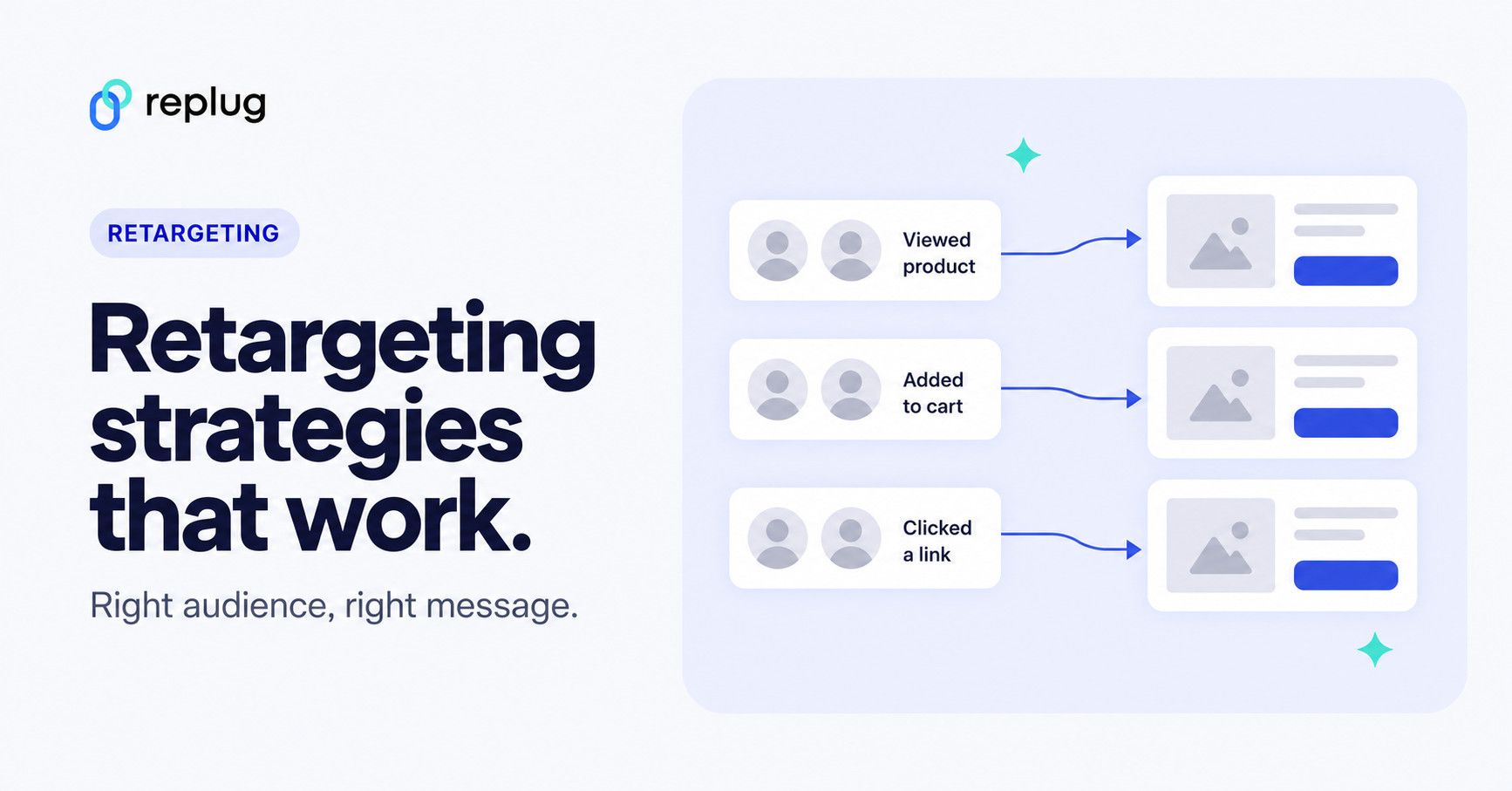
Quick answer: a retargeting strategy decides who you show ads to after they have interacted with your brand, what each group sees, where, how often, and how you measure the result. The strongest strategies split people by what they did (viewed a product, abandoned a cart, bought, opened an email, clicked a link), give each group a message that fits that step, exclude people who already converted, and cap how often anyone sees the ads.
This guide covers nine retargeting strategies, how to plan a campaign, ways to make it stand out, and the KPIs to track. If you need the basics first, start with our guide to what retargeting is.
| Sr. | Strategy | Who it reaches | How you target them | Main goal |
|---|---|---|---|---|
| 1. | Site retargeting | People who visited your website | Ad platform pixel or tag on your site | Bring visitors back to finish what they started |
| 2. | Onsite retargeting | People who are on your site right now | Pop-ups, banners or recommendations based on on-site behavior | Guide them to an action before they leave |
| 3. | Search retargeting | Past visitors who search again | Your data segments on Search ads (Google Ads) | Show up when they come back to search |
| 4. | Contextual targeting | People reading related content | Ad placements chosen by page topic, not personal history | Reach interested people without behavioral data |
| 5. | Social retargeting | People who engaged with your brand or site | Meta, LinkedIn, TikTok, X or Pinterest pixels and engagement audiences | Keep your brand in their feed |
| 6. | Email retargeting | Subscribers or customers who left an action unfinished | Triggered emails from your email platform | Recover carts and sign-ups |
| 7. | List-based retargeting | Customers and subscribers on your own list | Customer Match (Google) or customer list custom audiences (Meta) | Re-engage or upsell known contacts |
| 8. | Conversion retargeting | People close to buying, or who just bought | Audiences built from cart, checkout or purchase events | Close the sale, or cross-sell after it |
| 9. | Cross-channel retargeting | The same people across several platforms | Pixels and lists on several networks with one plan | One consistent message wherever they are |
What’s a retargeting strategy?
A retargeting strategy is the plan a brand uses to re-engage people who showed interest in a product or service but haven’t converted yet, and to bring existing customers back.
Retargeting and remarketing are often used as synonyms. Many marketers use “retargeting” for ads based on website behavior and “remarketing” for email; Google Ads, which long called the feature remarketing, now refers to these audiences as “your data” segments. Either way, the idea is the same.
For example, a prospect opens a product page, reads the details and leaves without buying. With a retargeting strategy in place, they later see an ad for that product, perhaps with a review or a delivery date, that brings them back to finish the purchase.
How does retargeting work?
Retargeting lets you show ads to people who already know you. Most of it runs on two kinds of audiences:
- Behavior-based audiences. You add an ad platform’s tracking pixel or tag to your website or app. When someone visits, the platform adds them to an audience you can advertise to. Google Ads calls these your data segments (website visitors, app users, YouTube viewers and more).
- List-based audiences. You upload customer data you collected with consent, such as email addresses, and the platform matches it to its users: Customer Match on Google, customer list audiences on Meta.
Meta’s overview of custom audiences lists the main options in one place: website visitors tracked with the Meta Pixel, app activity, catalog, customer lists, offline activity and people who engaged with your content on Meta.
What are pixels for retargeting?
A pixel is a small piece of code embedded in a website, app or email that reports what visitors do (page views, add to cart, purchases) back to the ad platform. That data powers retargeting audiences, such as e-commerce sales retargeting for shoppers who left without buying.
Every major ad platform has its own pixel or tag: the Meta Pixel, the Google tag, the LinkedIn Insight Tag, the TikTok Pixel and others. Where privacy laws require it, the pixel should only fire after the visitor gives consent.
9 types of retargeting strategies
Marketers combine several of these. Pick the ones that match where your customers drop off.
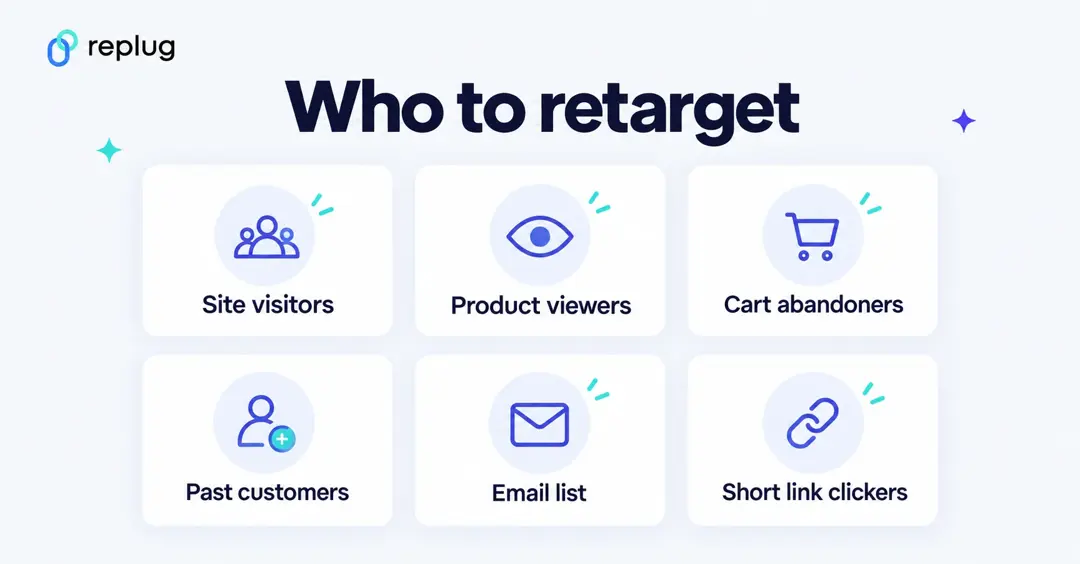
1. Contextual retargeting: Increase user engagement through content relevance
Strictly speaking, contextual advertising is not retargeting: it places ads next to content on a related topic, based on the page rather than on the person’s history. It belongs in a retargeting plan as the privacy-friendly complement: where you can’t or don’t want to use behavioral data, you can still reach people while they read about your topic, and then retarget the ones who click.
2. Onsite retargeting: Enhancing user engagement on your website
Onsite retargeting targets visitors while they are still on your site: an exit-intent pop-up with a discount, a “you viewed” product strip, or a banner pointing first-time visitors to a guide. It works on the visit itself, so it doesn’t depend on ad platforms.
3. Site retargeting: Nurturing your digital footprint
Site retargeting, the standard form, shows ads to people after they have left your website. Narrow it by page: someone who read your pricing page needs a different message than someone who read one blog post.
4. Search retargeting: Tailoring ads to search behavior for precise engagement
Search retargeting reaches people when they search again. In Google Ads, your data segments for Search ads let you show ads to past visitors as they do follow-up searches on Google after leaving your website, and adjust bids or ads for them.
5. Social retargeting: Boosting brand buzz & engagement on social media
Social retargeting shows ads on social platforms to people who visited your site or engaged with your content there: watched a video, opened a lead form or interacted with your page. It’s useful for staying in touch with people who left your site and for nudging warm followers toward an offer. Our guide to social media retargeting covers each network’s options.
6. Email retargeting: Rekindling interest with follow-up emails
Email retargeting sends a reminder to people who started something on your site but didn’t finish, like leaving items in a cart or abandoning a registration. It only works for people whose email address you already have and who agreed to hear from you.
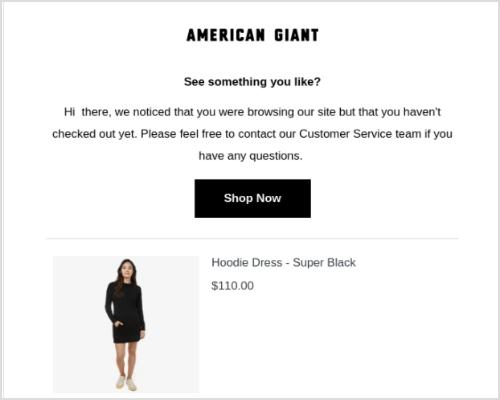
The goal is to bring them back with a gentle nudge: the item they left, an answer to a common question, or an incentive if it fits your margins.
7. List-based retargeting: Personalizing content for your most engaged audience
List-based retargeting uses your own customer or subscriber list. You upload it (hashed) to an ad platform, which matches it to its users so you can show them ads: Customer Match in Google Ads, customer list custom audiences on Meta. Use it to re-engage lapsed customers, upsell existing ones, or exclude current customers from acquisition ads. Only upload data you collected with consent, and follow each platform’s customer data policies.
8. Conversion retargeting: Revive your prospects
Conversion retargeting focuses on people who are close to converting (started checkout, requested a quote) or who just converted. For the first group, remove the last obstacle; for buyers, offer a related product or a refill. It suits longer sales cycles, where people need several touches before they decide.
Related: Conversion pixels 101: Optimize your conversion strategy
9. Cross-channel retargeting: Win with the omni approach
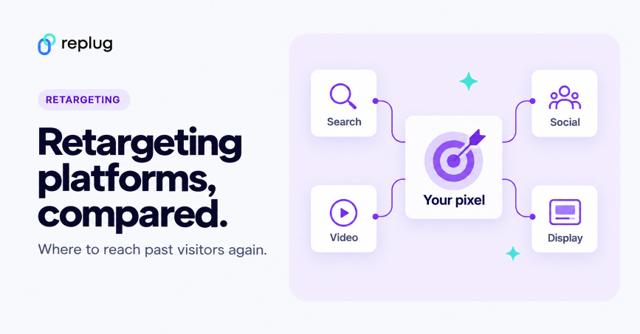
Cross-channel retargeting reaches the same audience on several platforms, such as Meta, Google and LinkedIn, with one plan and one message. Coordinate frequency across networks so people don’t see your ads everywhere at once. Our retargeting platforms guide compares the main networks.
Note: You don’t need all nine at once. Start with site retargeting and one list-based audience, then add more as you learn what works.
How does Replug help with retargeting?
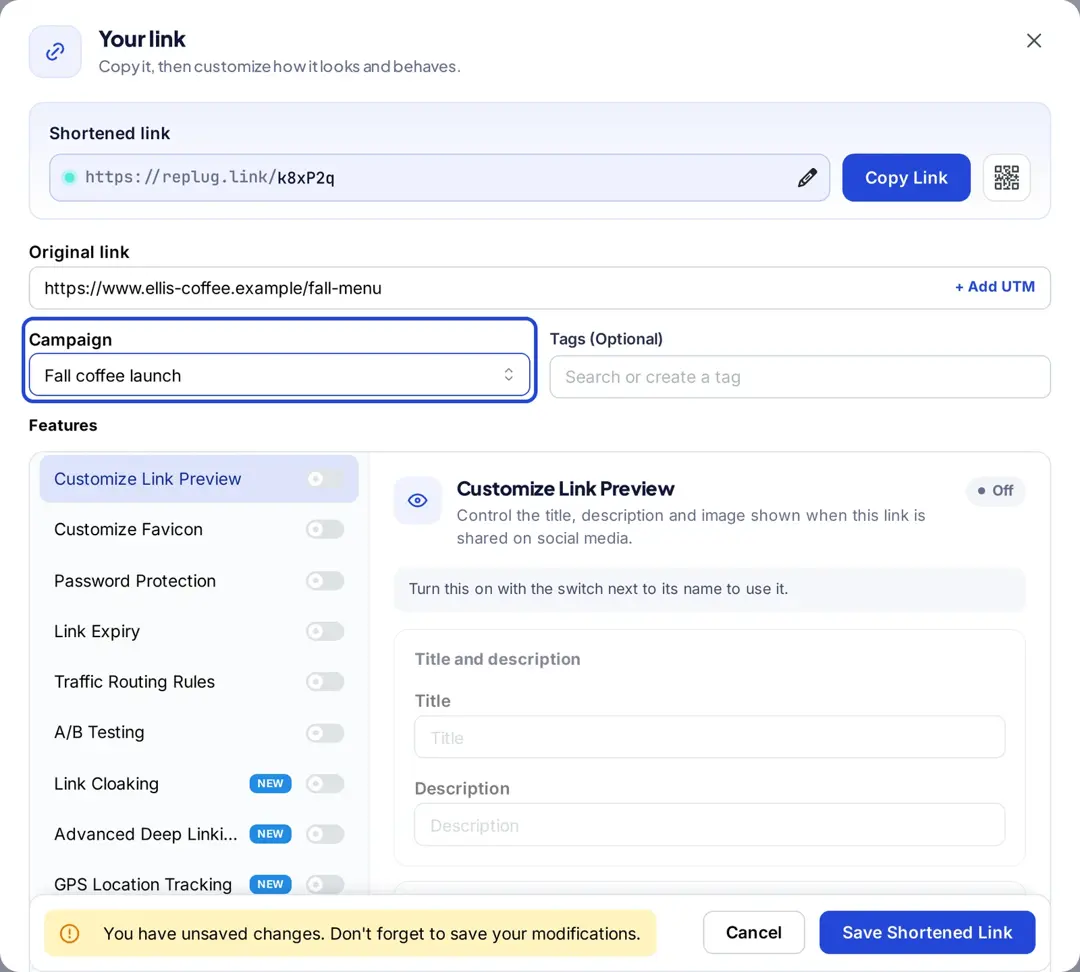
Pixels usually live on your own website. Replug adds them to the links you share instead, so you can build ad audiences even when a link points to someone else’s site, such as a news article, a marketplace listing or a partner page. According to Replug’s link retargeting page, you can add Meta, Google, LinkedIn, TikTok, Pinterest, X or Quora pixels to any short link, bio page or QR code.
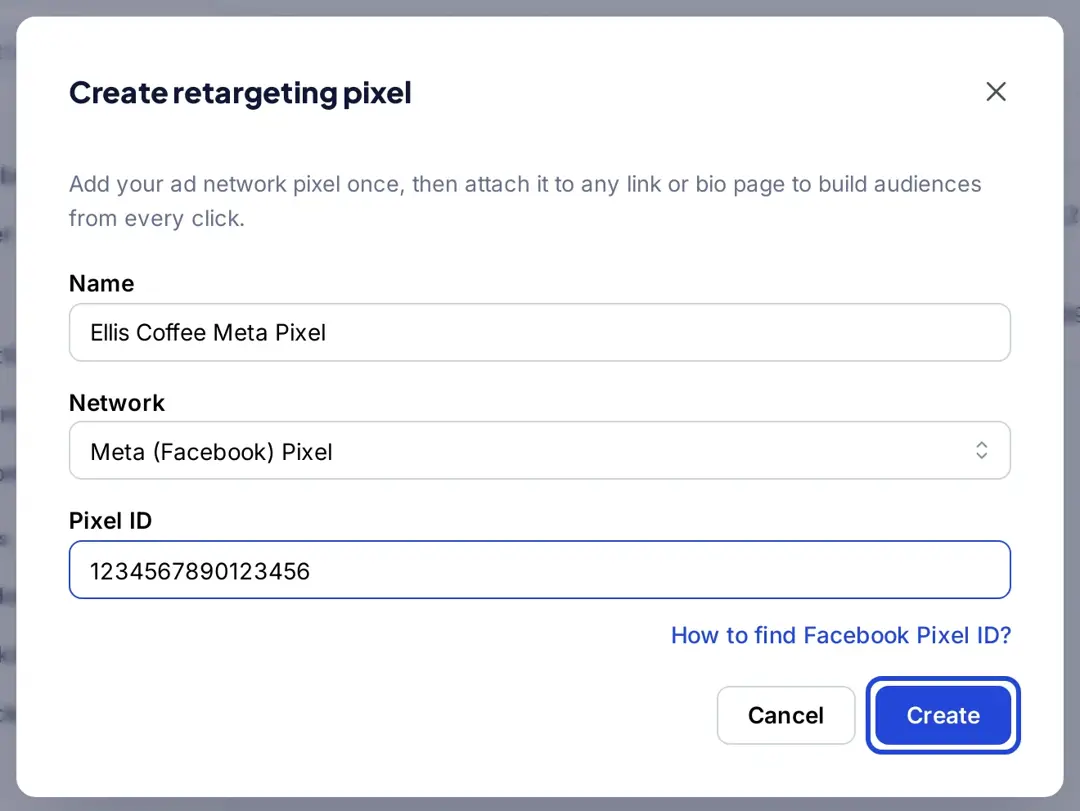
You paste your pixel ID once in Settings, add it to a campaign, and every link in that campaign fires it when clicked. People who click your links then join your audience in that ad platform. Retargeting pixels are on paid plans: one pixel on Essentials and unlimited pixels on Scale and Agency, according to Replug’s pricing page.
How to create a perfect retargeting strategy?
Retargeting campaigns need a plan before you set up any ads. These are the factors to decide in the planning phase:
1. Capitalize on the existing customers
Existing customers already know and trust you. Show them products that go with what they bought, a reason to come back, or a loyalty offer. This tends to raise customer lifetime value, and it’s cheaper to reach people who already know you than strangers.
2. Target specific website URL visitors
Build audiences from the pages people viewed. Someone who looked at a specific product should see that product or close alternatives; someone who read your pricing page might need a comparison or a case study. Page-based audiences also show you which pages produce the most interested visitors.
3. Distribute the audience for better targeting
Split your audience by behavior and give each group its own offer. For instance, separate visitors who added products to their cart but didn’t check out from those who only browsed. Cart abandoners get a reminder of the exact item; browsers get social proof or a best-seller.
4. Try an action-based targeting strategy
Target people based on what they did on your site: downloaded a checklist, watched a demo video, started a free trial. Each action tells you what they care about, so the follow-up ad can continue the same story.
5. Improve on-page visitors’ engagement
Retargeting works better when visitors engage on the first visit. Opt-in forms, useful downloads and clear next steps give people a reason to share an email address or come back, which also gives you better audiences to retarget.
6. Reach out to a custom audience
A custom audience is built from your own data instead of the platform’s interest categories: website visitors, app users, customer lists or people who engaged with your content. Most ad networks let you create one and use it for targeting or exclusion. Identifying people who already bought from you and showing them relevant ads, or excluding them from acquisition ads, keeps budget focused.
7. A/B test your retargeting ad strategy
A/B testing compares two versions to find out which performs better. The same idea applies in link management, social ads, featured images and YouTube thumbnails. Our guide to A/B testing basics walks through it step by step.
For retargeting, test one thing at a time: the ad copy, the image, the offer or the call to action. Then compare cost per acquisition, not just clicks.
When it comes to the benefits of A/B testing your retargeting strategy, you learn which elements actually move results for warm audiences, which often differ from what works for cold traffic.
9 ways to make your retargeting strategy stand out
Once the basics run, these tactics make retargeting more useful to the people who see it:
1. Retarget the audience with a discount:
Discounts attract both prospects and existing customers. Save them for people who showed strong intent, such as cart abandoners, so you don’t train everyone to wait for a coupon.
2. Retarget your email subscribers:
Your email list is one of your best audiences. Upload it as a customer list (with consent) to show ads that match your latest newsletter or offer, or to exclude subscribers from sign-up ads they no longer need.
3. Remind checkout abandoning visitors what they’re missing out on:
Retarget people who started checkout but didn’t finish with ads that show the exact items they left. If they are subscribers who gave you their email address, a cart reminder email works alongside the ads.
4. Exclude converted visitors:
Retargeting doesn’t mean retargeting everyone. Exclude people who just bought the product you are advertising, or move them to a different audience with a cross-sell, so you don’t keep selling them what they already have.
5. Use testimonials and creator content:
Warm audiences already know what you sell; what they often need is proof. Reviews, customer stories or creator content about your product (with the right disclosure) can answer the doubts that stopped them the first time.
6. Upsell to existing customers:
Offer a product that goes with what customers already bought, an upgrade or a refill. Since these customers already trust you, they are more likely to pay attention to a relevant offer.
7. Retarget based on events:
Retarget people who registered for or attended an event. For instance, if you host a free webinar on Facebook ads, you can later show attendees an ad for your paid course on Google Ads, and show registrants who missed it the recording.
8. Exclude visitors spending less time on the website:
Visitors who leave within seconds often landed by mistake. Some platforms let you build audiences based on time on site or on engagement events; focusing on engaged visitors keeps your audience smaller but warmer.
9. Cap how often people see your ads:
Seeing the same ad too often annoys people. Google Ads explains frequency capping as a limit on how many times your Display or Video ads appear to the same person; other networks have similar settings. Watch frequency in your reports and refresh your creative when it climbs.
What are the KPIs for retargeting ads?
Retargeting KPIs show whether the extra ad spend on warm audiences pays off. Track these, and compare them with your prospecting (cold audience) campaigns:
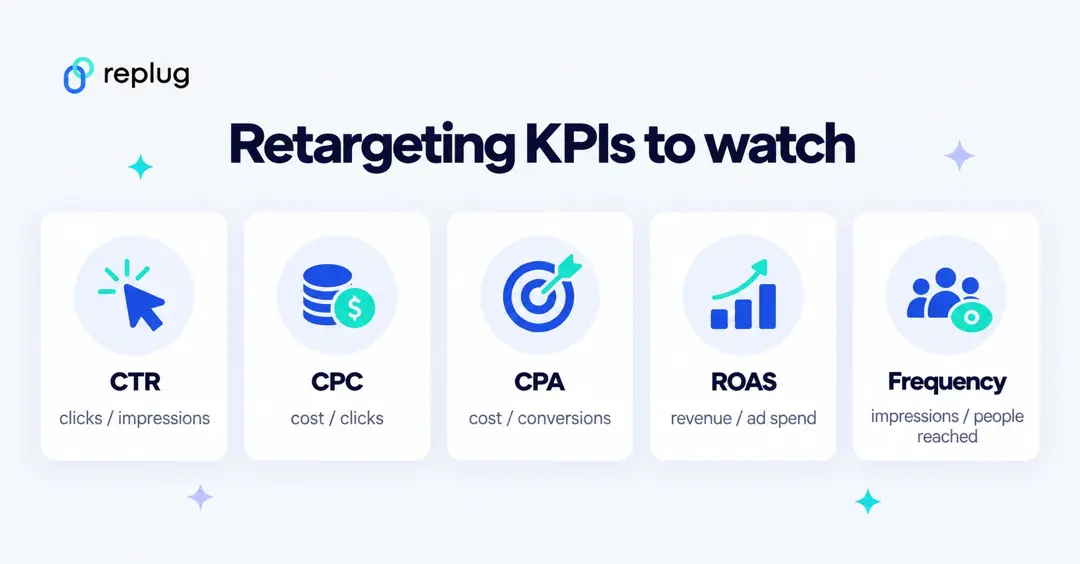
| KPI | Formula | What it tells you in retargeting |
|---|---|---|
| Click-through rate (CTR) | Clicks ÷ impressions | Whether the ad still interests people who have seen your brand before |
| Cost per click (CPC) | Cost ÷ clicks | What each visit back to your site costs |
| Conversion rate | Conversions ÷ ad interactions | How many returning visitors finish the action |
| Cost per acquisition (CPA) | Cost ÷ conversions | What each purchase, sign-up or lead from retargeting costs |
| Return on ad spend (ROAS) | Conversion value ÷ ad spend | How much revenue each unit of ad spend brings back |
| Frequency | Impressions ÷ people reached | How often the same people see your ads; a rising number signals ad fatigue |
| Cart abandonment rate | Carts not checked out ÷ carts created | The size of the audience your cart retargeting can win back |
1. Cost per click (CPC):
The cost of each click on your ad: total cost divided by clicks. In retargeting, CPC can be higher than in broad campaigns because audiences are small and competitive; judge it together with the conversion rate.
2. Cost per acquisition (CPA):
What you pay for each conversion, such as a purchase or a sign-up: total cost divided by conversions. Google Ads describes its Target CPA bid strategy as setting your desired average cost per conversion. CPA is the main number for deciding whether retargeting is worth its budget.
3. Click-through rate (CTR):
According to Google Ads Help, CTR is the number of clicks your ad receives divided by the number of times it is shown: clicks ÷ impressions. For example, 5 clicks from 100 impressions is a 5% CTR. A falling CTR in a retargeting campaign often means people have seen the ad too many times.
4. Return on investment (ROI) and return on ad spend (ROAS):
ROI compares the profit from a campaign with everything it cost. ROAS is the ad-level version: conversion value divided by ad spend, the number Google Ads uses for its Target ROAS bidding. For retargeting, compare ROAS with your cold campaigns: warm audiences usually return more per dollar, but on a smaller budget.
5. Lead generation:
For businesses that don’t sell online, the conversion is often a lead: a form fill, a demo request or a download. Track cost per lead and, later, how many of those leads become customers, since cheap leads that never buy aren’t a win.
6. Abandon cart rate:
The share of shopping carts that are created but not checked out. It shows how big your cart-retargeting opportunity is, and whether changes to checkout reduce it.
7. Conversion rate:
Google Ads Help defines conversion rate as conversions divided by the ad interactions that can be tracked to a conversion in the same period: 50 conversions from 1,000 interactions is 5%. Keep in mind that conversions can be reported up to 90 days after a click, depending on your conversion window, so recent retargeting results look lower than they will end up.
8. Frequency:
Frequency is how many times the same person sees your ads over a period. Retargeting audiences are small, so frequency climbs quickly. Use it with CTR to decide when to cap delivery or change the creative.
These are the most common retargeting KPIs. Pick one main number (usually CPA or ROAS) to judge the campaign, and use the others to diagnose problems.
Privacy and policy rules for retargeting
- Get consent where the law requires it. In many regions, tracking pixels and customer list uploads need the visitor’s or customer’s consent first.
- Respect sensitive categories. Google’s personalized advertising policy restricts targeting in sensitive interest categories (such as health) and says advertisers promoting products in those categories can’t use advertiser-curated audiences, which include remarketing lists.
- Don’t make ads feel creepy. Mention what someone viewed, not what you inferred about them.
What are the pros and cons of retargeting?
Retargeting has been around for years and most ad platforms support it. Here are its main strengths and limits:
Pros of retargeting
1. Better conversion rate:
People who already interacted with your brand know what you offer, so a relevant follow-up ad has a better chance of turning them into customers than an ad to strangers.
2. Brand positioning:
Brand positioning is how a brand sits in customers’ minds. Showing up again for people who have seen your products builds recognition, especially when the follow-up adds something new, like a review or a limited-time offer.
3. Sifting the audience:
Retargeting focuses your budget on the people most likely to act and cuts spend on people who show no interest.
4. Increase the ROI:
Because it concentrates on warm audiences, retargeting often returns more per dollar than broad targeting. Measure it with CPA or ROAS to confirm that for your account.
5. Personalized offering:
Retargeting lets you tailor ads to what people did: the product they viewed, the step they stopped at, or what they bought before.
Cons of retargeting
1. Learning curve:
Pixels, audiences, exclusions and frequency settings take time to learn. Beginners should start with one simple audience and one clear offer.
2. Limited ad reach:
Retargeting only reaches people who already found you, so it can’t replace campaigns that bring in new visitors. If your site has little traffic, your retargeting audiences will be small.
3. Dependency factor:
Retargeting depends on tracking that browsers, devices and privacy laws increasingly limit. Audiences may be smaller than your traffic suggests, so combine pixel audiences with lists you own.
4. Potential ads overexposure:
Showing the same ad to the same people over and over can annoy them. Use frequency caps, exclude converters and rotate creative.
Here are answers to some popular questions about retargeting:
FAQs about retargeting

Muhammad Ahsan Jamal