You’ve probably come across those long, clunky affiliate URLs with tracking IDs, UTM parameters, and numbers that look like they came from a robot. Not exactly something you’d want to click, let alone share.
Link cloaking fixes that.
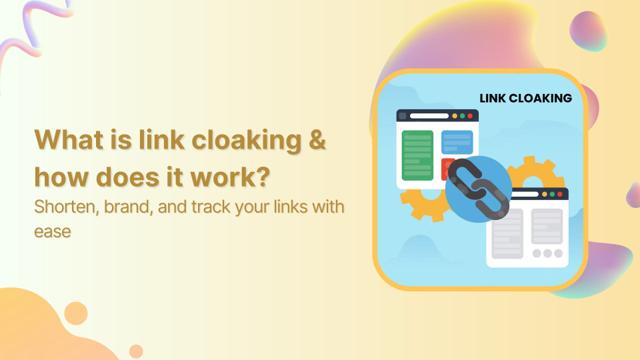
It’s a method that hides the original destination URL behind a cleaner, shorter one, often with your own domain. Unlike a standard redirect, the cloaked link stays visible in the browser’s address bar even after the page loads.
So instead of something like this:

You see this in your browser:

The user lands on the affiliate site, but all they see is your branded link. That’s URL masking, also called link cloaking or link disguising.
How does link disguising work?
Most link cloaking tools use an iFrame to load the destination page inside your branded one. It’s like placing the real page in a wrapper; your wrapper.
This means:
- The user stays on your domain
- The destination loads inside it
- The original link is hidden
That’s why it’s a go-to move in affiliate marketing. It gives you more control, cleaner links, and keeps your commissions safe.
Controversy
Link cloaking isn’t without its critics. On some platforms, it can seem deceptive, especially if it’s used to hide important information or mislead users. If you’re going to cloak links, do it transparently. Keep your audience’s trust by being clear about where the link leads.
That’s why tools like Replug.io are built with transparency in mind. You can cloak your links without compromising trust, using branded URLs, clear slugs, and built-in analytics to show exactly how your links are performing.
How to cloak a link in Replug?
Step 1: Sign in or create your account
Head over to Replug and log in. If you’re new, you’ll automatically get access to a 14-day free trial by just signing up.
Step 2: Add the destination URL
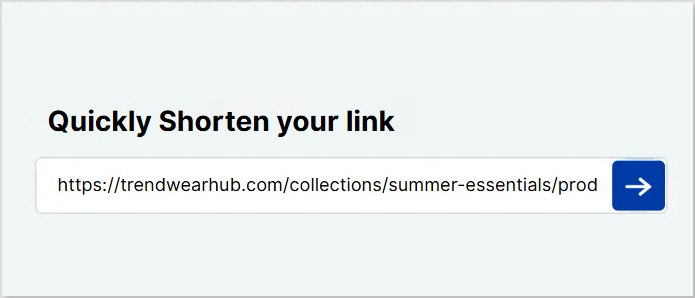
Paste the original link you want to cloak in the bar under “Quickly Shorten your link”. This is where you want your audience to land.
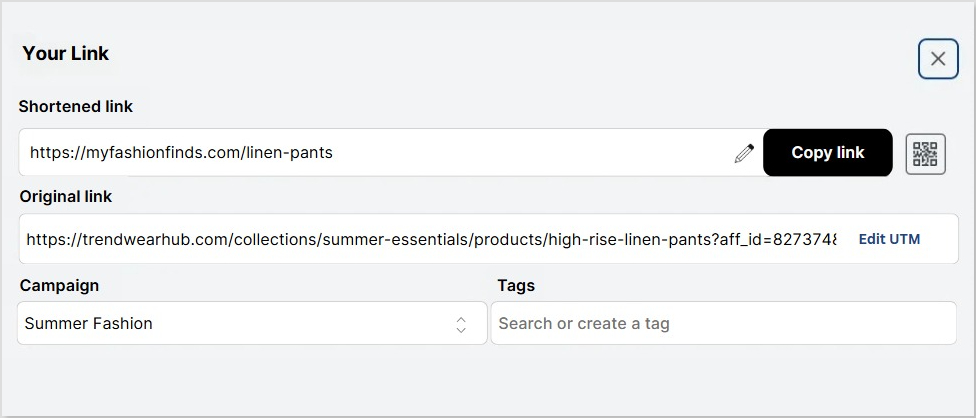
Step 3: Customize and disguise the link (additional)
Click the blue next button, and a popup will appear.
Here, you have the option to:
- Change the URL slug to mask the original link
- Connect your custom domain
- Add a custom favicon and change link preview
- Enable deep linking, retargeting pixels, CTA buttons, A/B testing, and UTM parameters to track performance and optimize engagement.
Step 4: Enable link cloaking
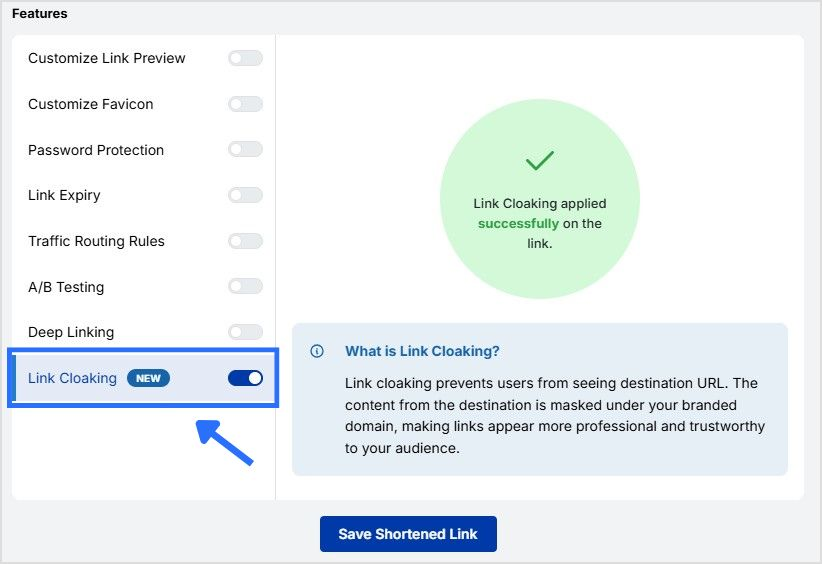
Toggle on Link Cloaking to ensure your branded link stays visible in the browser’s address bar, not the original URL. This keeps your links clean, click-worthy, and aligned with your brand.
Step 5: Save and share
Click Save Shortened Link, and you’re good to go. Share your new cloaked URL anywhere you want: social posts, emails, bios, ads; wherever you want clean, trackable links.
Conclusion
Link cloaking isn’t just about aesthetics. It’s about trust, control, and smarter affiliate marketing. When used transparently, it can protect your commissions, boost clicks, and elevate your brand presence.
Tools like Replug make it easy to mask links while keeping everything above board. So go ahead, clean up those messy URLs and give your links the makeover they deserve with this all-in-one link shortener tool. Try today!
FAQs on how to cloak a link?

Manahil