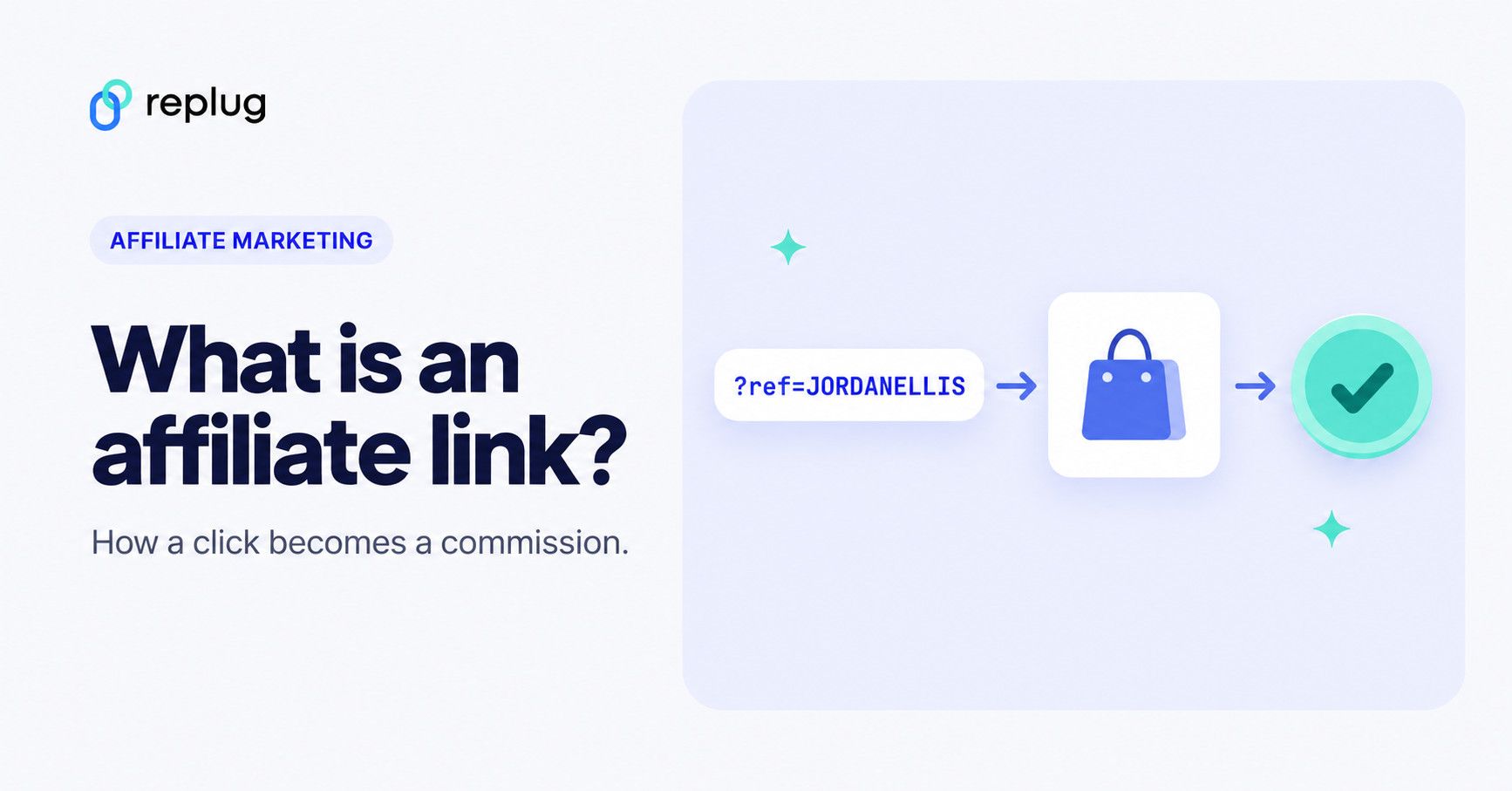
Quick answer: an affiliate link is a normal web address with your partner ID added, such as shop.ellis-outdoor.example/p/trail-runner-shoes?ref=JORDANELLIS. When someone clicks it, the merchant records that you sent them, usually with a cookie or a session that lasts for a set time. If they buy (or sign up, depending on the program) within that window, the purchase is credited to you and you earn a commission. You have to disclose that you earn from the link, and some programs, Amazon’s among them, restrict how you can shorten or redirect it.
Affiliate marketing is one of the easiest ways to earn money online – whether you’re a creator, blogger, or run a business. And it all starts with a single link: the affiliate link.
Think of it as your personal tracking link. When someone clicks it and makes a purchase, you get paid. It’s that simple. But how does it actually work? And how can you make the most of it?
Let’s walk you through the basics, plus how tools like Replug can take your affiliate strategy to the next level.
The basics of affiliate marketing
At its core, an affiliate program involves three main parties:
- Merchants (also called advertisers or retailers) who sell products or services
- Affiliates (publishers or partners) who promote those products
- Consumers who purchase the products through affiliate recommendations
The affiliate acts as an intermediary, connecting potential customers to merchants. In return for driving sales, the affiliate receives a percentage of each successful transaction.
What are affiliate links?
An affiliate link is a unique URL assigned to an affiliate (that’s you!) by a company or brand. When someone clicks on that link, makes a purchase, or completes a specific action, you earn a commission. Simple as that.
What an affiliate link looks like
Most affiliate links are the merchant’s page address plus a parameter that identifies you. Take this fictional example from Jordan Ellis, who reviews hiking gear from Austin, TX:
https://shop.ellis-outdoor.example/p/trail-runner-shoes?ref=JORDANELLIS&campaign=fall
- shop.ellis-outdoor.example/p/trail-runner-shoes is the product page the visitor lands on.
- ref=JORDANELLIS is the affiliate ID that tells the merchant who sent the visitor.
- campaign=fall is an optional extra tag some programs let you add to tell your own placements apart.
Real programs follow the same pattern. Replug’s own affiliate program, for example, gives each partner a referral link in the form replug.io/?fpr=yourname (Replug affiliate program), and Amazon Associates links carry your Associate ID as a tag on the Amazon product URL (Amazon Associates). Some programs give you a link on the network’s own domain instead, which redirects to the merchant after recording the click.
How affiliate links actually work?
When a merchant sets up an affiliate program, they generate unique tracking links for each affiliate. These links contain tracking parameters or cookies that identify:
- The affiliate’s ID – A unique identifier assigned to each affiliate partner
- The specific product being promoted – Often indicated in the URL structure
- The campaign or promotional channel – To track which marketing efforts are most effective
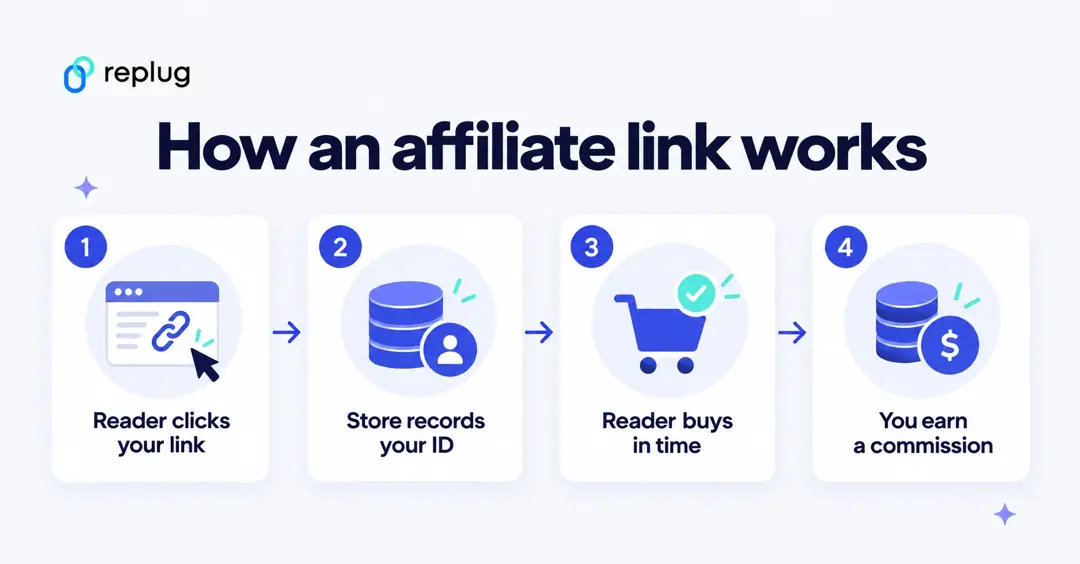
Here’s what happens behind the scenes when someone clicks an affiliate link:
- A consumer clicks on the affiliate link in a blog post, video description, or social media post
- The link redirects them to the merchant’s website
- A tracking cookie is placed in the consumer’s browser, or the click starts a session, for a period the program sets. Replug’s affiliate program uses a 30-day cookie (Replug); Amazon Associates counts purchases in a session that ends 24 hours after the click or when the customer places an order, and items added to the cart in that session can still count if ordered within 89 days (Amazon Commission Income Statement).
- If the consumer makes a purchase within the cookie’s duration, the sale is attributed to the affiliate.
- The merchant’s affiliate system records the transaction and assigns the commission to the affiliate
How affiliates get paid: common commission models
Programs pay for different actions, and the terms page of each program spells out which one applies:
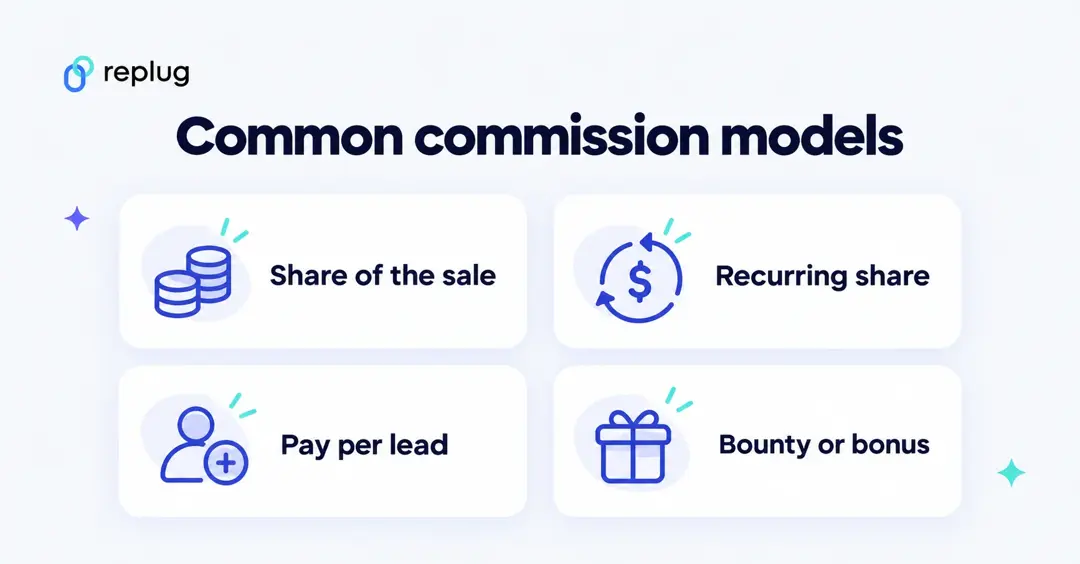
- Percentage of the sale. The most common model in retail: you earn a share of what the customer spends. Amazon Associates calculates commission income as a percentage of qualifying revenue, with rates set in its fee schedule (Amazon).
- Recurring commission. Common for software subscriptions: you earn a share of every payment for as long as the customer stays. Replug’s program, for example, pays 30% of revenue for as long as a referred customer keeps paying (Replug).
- Pay per lead or action. You earn a fixed amount when the visitor signs up, starts a trial or fills in a form, even without a purchase.
- Bounties and bonuses. Fixed rewards for specific sign-ups or promotions, which some programs run alongside their standard rates.
Payment terms matter too: many programs hold commissions for a while to allow for refunds and pay out only above a minimum balance, so read those sections before you join.
Do you have to disclose affiliate links?
Yes, in the United States the FTC expects it. Its guidance for affiliate links is to disclose the relationship clearly and conspicuously, close to the recommendation, for example: “I get commissions for purchases made through links in this post.” The FTC also notes that the words “affiliate link” alone may not be understood by readers, and that a “buy now” button isn’t a disclosure (FTC: Endorsement Guides, what people are asking). On social media, put the disclosure with the post itself, not only in your profile or behind a “more” link (FTC: Disclosures 101 for Social Media Influencers).
Programs add their own rules. Amazon Associates, for instance, requires the statement “As an Amazon Associate I earn from qualifying purchases” (Amazon Associates Operating Agreement).
Where to find affiliate programs
- Retailers’ own programs, such as Amazon Associates, where you link to products the store sells.
- Affiliate networks, which list many merchants in one dashboard and handle tracking and payouts for them.
- Software and SaaS programs, which often pay recurring commissions, like the Replug affiliate program.
- Brands you already use: look for an “Affiliates” or “Partners” link in the website footer.
Once you have your links, our guide to affiliate link tracking shows how to see which posts and channels actually send clicks.
Managing affiliate links
Every click matters in affiliate marketing. Replug helps you take control, track performance, boost conversions, and stay organized effortlessly.
Here’s where Replug comes in
Affiliate links are powerful, but let’s be honest, they’re often long, messy, and not exactly click-worthy. That’s where this efficient custom link maker comes into play.
With Replug, you can:
- Shorten and brand your affiliate links (turn that long URL into short branded URL)
- Track clicks by country, city, device, browser and referrer for every link (link tracking)
- Retarget users who click your affiliate links with ads, even if they don’t purchase right away
- Customize link previews for better engagement across social platforms
One exception: Amazon. Don’t shorten, cloak or redirect Amazon Associates links. Amazon’s Associates Program Policies say you will not use a link shortening service in a manner that makes it unclear that you are linking to an Amazon site (Amazon). Share the links Amazon gives you, and use short links for programs that allow them. More on this in our guide to affiliate link cloaking.
The Free plan includes 100 short links and 3 custom domains; custom slugs, link previews and a retargeting pixel start on the Essentials plan, and traffic routing, A/B testing and deep links on Scale and Agency (Replug pricing).
Here’s how to shorten an affiliate link using Replug
Step 1:
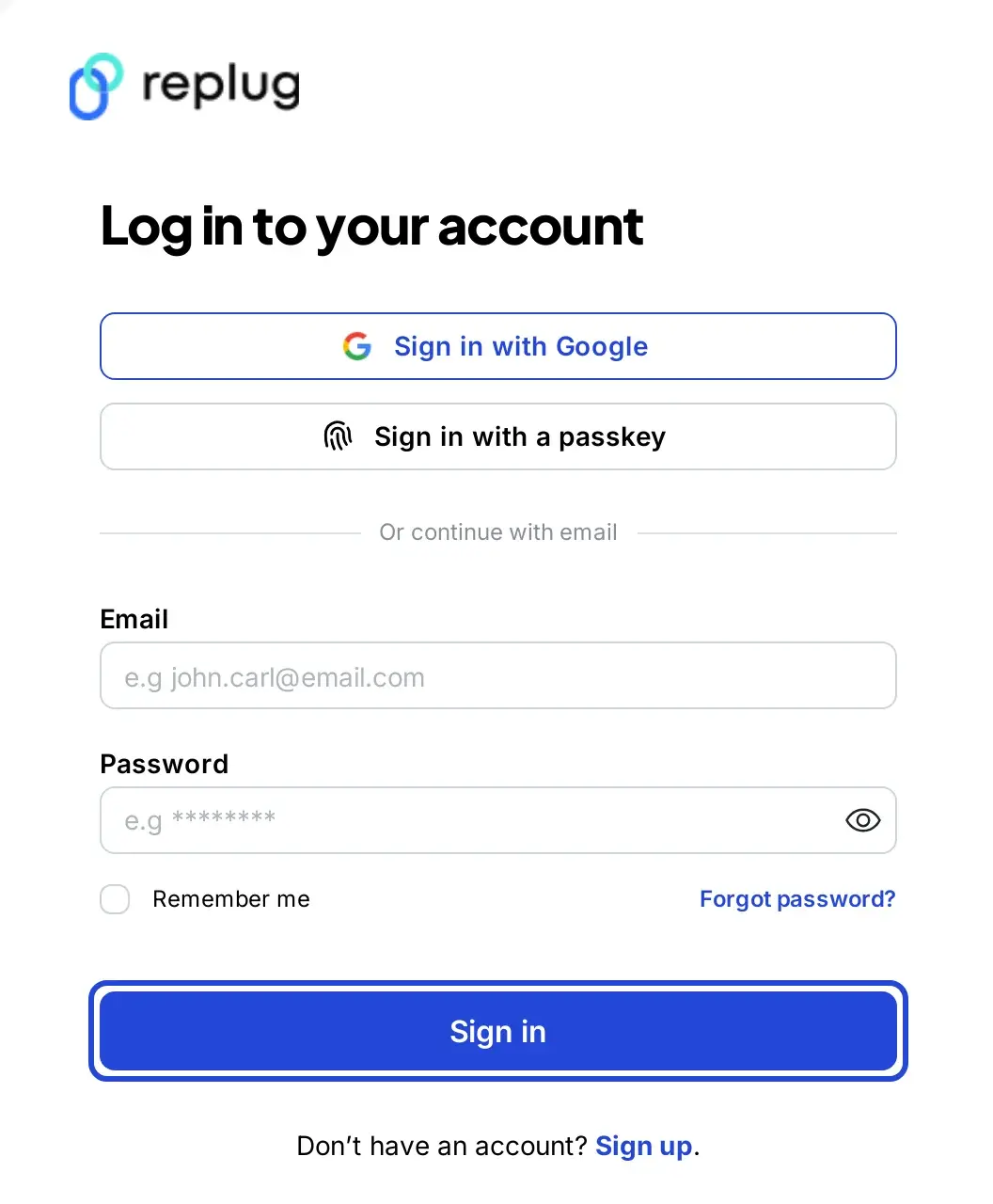
Go to Replug and log in to your account. Its affiliate link shortener lets you shorten an affiliate link in a few clicks. If you don’t have an account, sign up for free.
Step 2:
On the Replug Home screen, find the “Paste a long URL to shorten…” field, paste your affiliate link into it and click Shorten.

The Your link window opens. Click the pencil next to the shortened link to replace the random slug with a branded, recognizable one, such as replug.link/trail-shoes (custom slugs start on the Essentials plan).
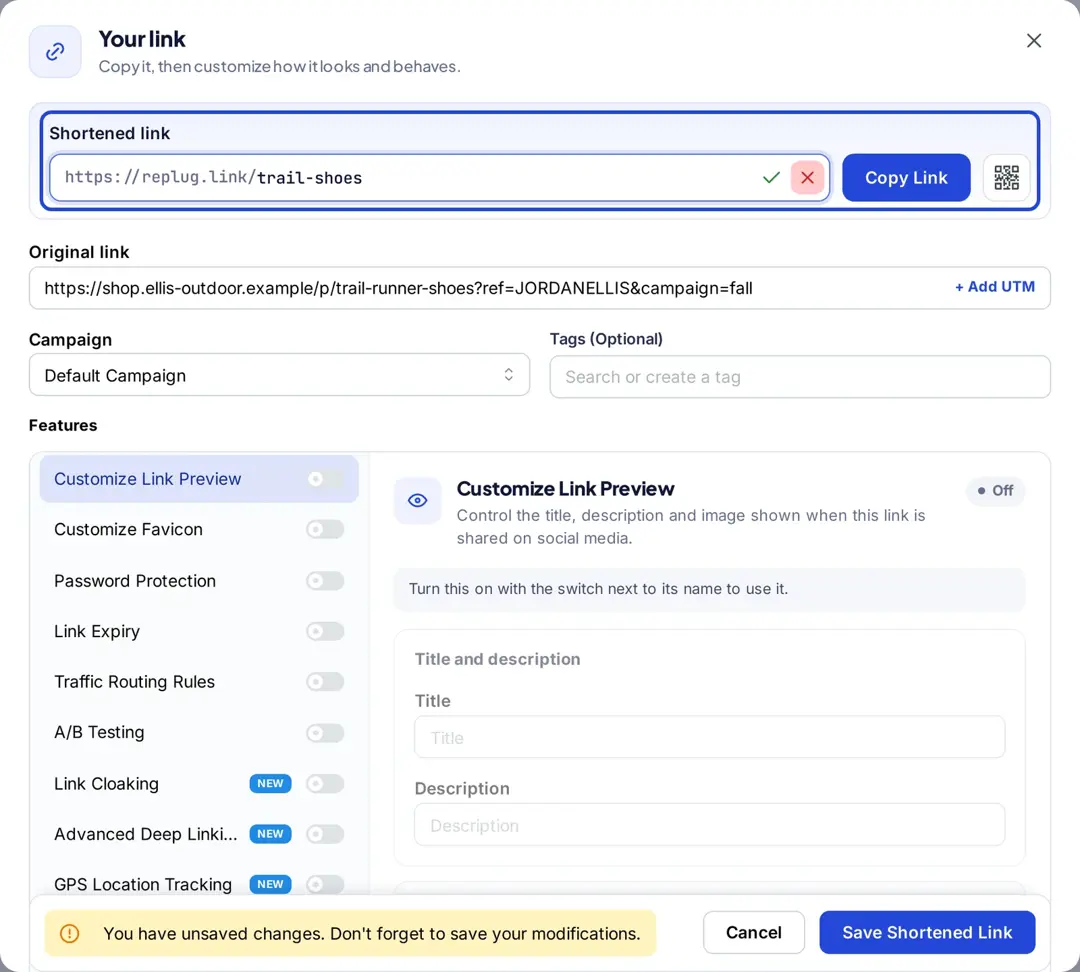
Click the check mark to keep the new slug.
Step 3: (Additional step)
Replug offers powerful tools to help you maximize your affiliate earnings:
- UTM tracking for detailed analytics
- Geo-targeting to direct users based on location
- Deep linking to improve user experience
- A/B testing to find the most effective link variations (see A/B testing basics)
- Traffic routing rules to control where visitors go (A/B testing, traffic routing and deep linking are on the Scale and Agency plans)
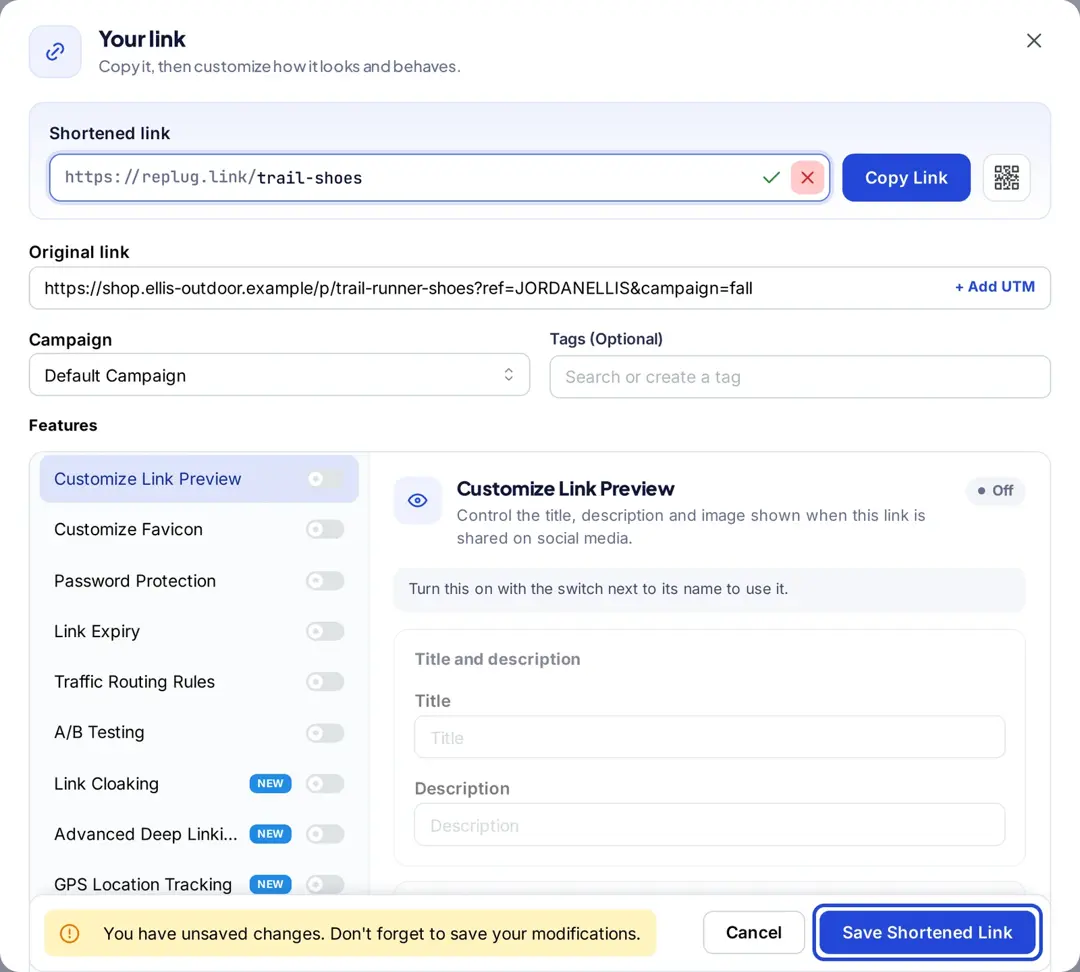
Once you’re satisfied with the customization and settings, click “Save Shortened Link”, and your optimized affiliate link is ready to share!
Final thoughts
Affiliate links are a simple yet effective way to earn passive income by promoting products you love, but managing them like a pro?
That’s where tools like Replug shine. Replug is a game-changer if you want more clicks, cleaner links, and smarter tracking.
FAQs on affiliate links

Manahil