Affiliate marketing can be a steady source of income, but only if you know which links, posts and channels actually earn. So how do you set up and track affiliate links? Let’s find out in this blog.
Quick answer: to track affiliate links, use two sources together. Your affiliate program’s dashboard tells you clicks it recorded, sales and commissions. Your own tracking tells you where the clicks came from: give every placement (a newsletter, a YouTube description, a blog post) its own short link or sub-ID, so each one shows up separately. Compare the two every week, keep what earns, and fix or drop what doesn’t. One exception: don’t shorten or cloak Amazon Associates links, because Amazon’s policies don’t allow it; use Amazon’s own tracking IDs instead.
What are affiliate links?
Affiliate links are special URLs that contain a unique identifier that associates a sale with an affiliate marketer. When a user clicks on an affiliate link and makes a purchase, the affiliate marketer earns a commission on the sale.
New to the topic? Our beginner guide explains what affiliate links are and how the tracking cookie works.
Affiliate marketing is a popular way for bloggers, influencers, and website owners to earn money by promoting products or services to their audience. It can also be a cost-effective way for businesses to reach new customers and increase sales.
What does affiliate tracking mean?
Affiliate tracking refers to the process of tracking the performance of affiliate marketing campaigns. It involves using a unique tracking URL, link, or code to monitor clicks, conversions, and sales generated by affiliate marketers.
When an affiliate marketer promotes a product or service, they include a special affiliate tracking link or code in their content. When a user clicks on the link and makes a purchase, the affiliate tracking software records the transaction and attributes the sale to the affiliate.
The tracking software then calculates the commission owed to the affiliate based on the agreed-upon commission rate and other terms and conditions of the affiliate program.
This allows businesses and affiliates to track the performance of their campaigns, monitor their earnings, and make informed decisions about their marketing strategies.
Affiliate tracking can be done using a variety of software tools and platforms, including affiliate networks, third-party tracking software, and in-house tracking systems.
These tools typically provide detailed analytics and reporting features, which allow businesses and affiliates to analyze their performance data and optimize their campaigns for better results.
How to track affiliate links by channel
Affiliate dashboards are good at telling you what sold. They are often weak at telling you where the buyer came from, because every placement uses the same link. Here is a setup that fixes that:
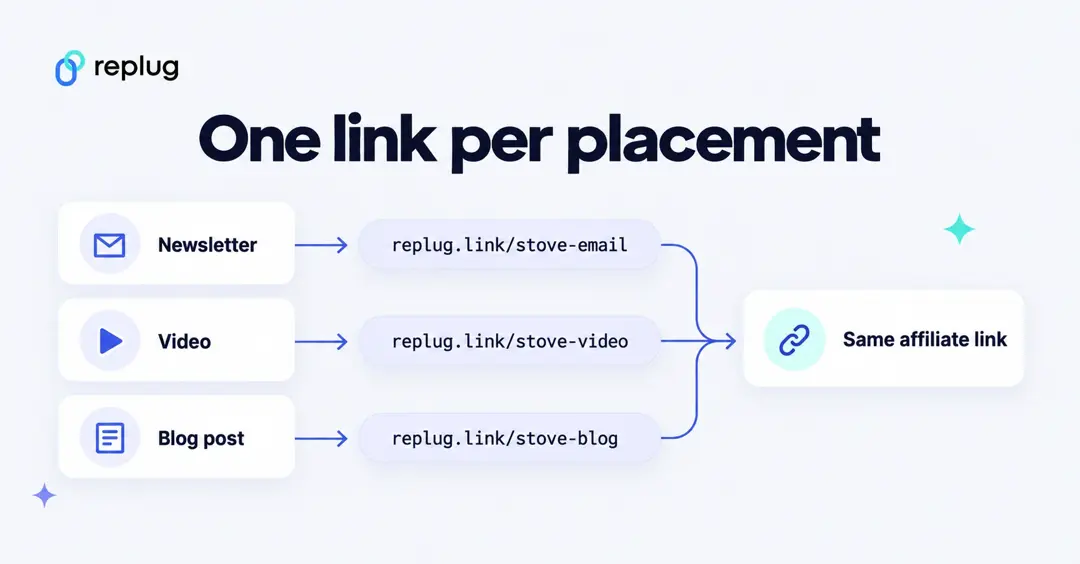
- Get your link and check for sub-IDs. Many programs let you add a sub-ID or create extra tracking IDs. If yours does, create one per channel (newsletter, YouTube, blog) and the program’s own reports will split sales by channel.
- Create one short link per placement. Shorten the affiliate URL once for each place you use it, with a readable slug such as replug.link/camp-stove-newsletter and replug.link/camp-stove-youtube. Each short link counts its own clicks, so you see which placement sends traffic.
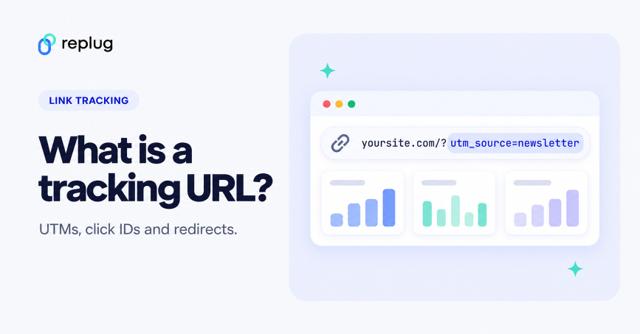
- Add UTM tags only where they help. UTM parameters (utm_source, utm_medium, utm_campaign) tell an analytics tool which campaign sent a visit (Google Analytics Help). On an affiliate link, those tags land in the merchant’s analytics, not yours, so they mainly help merchants and your own pages. Use them on links to your own site, for example a review page that holds the affiliate links.
- Compare clicks with sales every week. Put the clicks from your short links next to the sales and commissions in the program dashboard. A placement with plenty of clicks and no sales needs a better offer or audience match; one with few clicks and good sales deserves more space.
- Check your links regularly. Programs change URLs and products go out of stock. A link tool that lets you change a destination without changing the shared link saves you from editing every post.
Amazon is different. Amazon’s Associates Program Policies say you will not use a link shortening service in a manner that makes it unclear that you are linking to an Amazon site (Amazon Associates Program Policies). For Amazon links, use separate tracking IDs from your Associates account for each channel instead of short links, and read the reports Amazon gives you. Amazon’s help explains that tracking IDs let you compare sites or strategies while earnings collect under one Associates ID (Amazon Associates Help: using tracking IDs).
Network dashboard vs. your own link analytics
| Affiliate program or network dashboard | Your short-link analytics | |
|---|---|---|
| Counts | Clicks it recorded, orders, revenue, commissions | Clicks and unique clicks per link |
| Shows where clicks came from | Only if you use sub-IDs or tracking IDs | Yes: referrer, country, city, device, browser |
| Shows sales | Yes | No (sales happen on the merchant’s site) |
| Covers several programs at once | No, one per program or network | Yes, every link in one place |
| Good for | Getting paid, checking commission rates | Choosing channels, spotting dead placements |
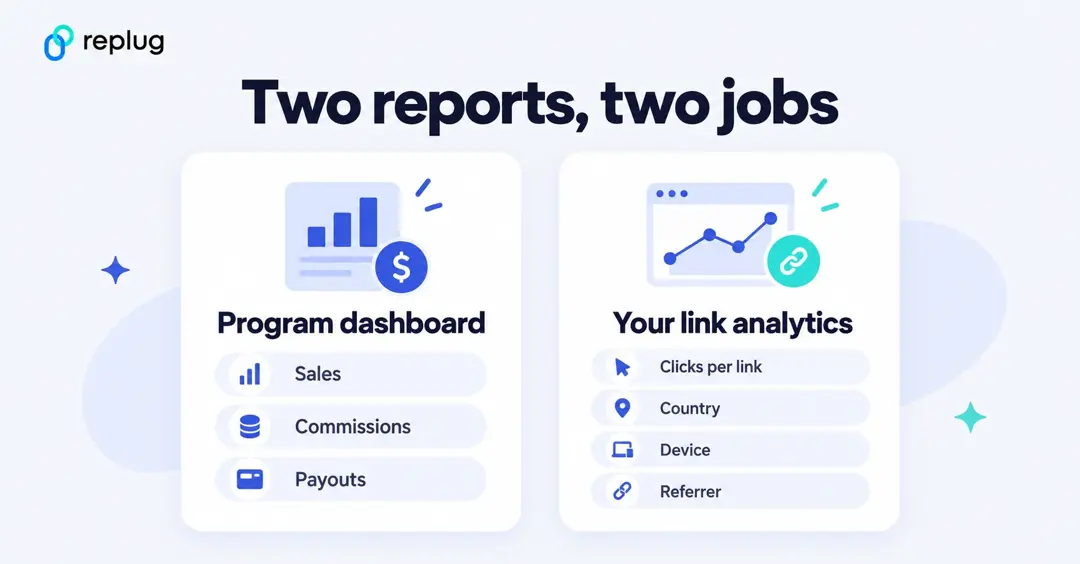
Don’t expect the two click counts to match exactly. Each tool counts clicks its own way (for example, total vs. unique clicks, or which bot visits are filtered out), and the merchant only sees visitors who actually reach its site. Watch the trend in each report rather than chasing a perfect match.
Why is link tracking important for affiliate marketers?
Let’s look into a few reasons why link tracking is important for affiliate marketing:
Monitor campaign performance:
Link tracking enables businesses and affiliates to track clicks, conversions, and sales generated by their marketing campaigns. This information can help them identify which campaigns are performing well and which ones need improvement.
Optimize marketing strategies:
With link tracking, businesses, and affiliates can analyze data to identify trends and patterns that can inform their marketing strategies. For example, they can determine which marketing channels or tactics are driving the most sales and focus their efforts on those areas.
Calculate commissions accurately:
Link tracking ensures that affiliates are credited for the sales they generate, and they receive accurate commissions based on the agreed-upon commission rate and other terms and conditions of the affiliate program.
Avoid Scam:
Link tracking can help prevent fraudulent activities, such as click fraud or cookie stuffing, which can artificially inflate clicks and conversions and result in inaccurate commission payments.
What to look for in affiliate tracking software?
When selecting an affiliate tracking software, there are several key features and factors to consider. Here are some important things to look for:
Reliability and uptime:
The software should be reliable and have a high uptime to ensure that tracking is accurate and uninterrupted.
Compatibility:
The software should be compatible with the platforms and systems used by your business and affiliates, such as website platforms, payment gateways, and advertising networks.
Customization:
The software should be customizable to meet the unique needs of your business and affiliates, such as commission structures, tracking parameters, and reporting features.
Tracking accuracy:
The software should provide accurate tracking to prevent fraudulent activities such as click fraud or cookie stuffing.
Reporting and analytics:
The software should provide detailed reporting and analytics features, such as campaign performance data, earnings reports, and conversion rates.
Integration with third-party tools:
The software should integrate with other tools and services used by your business and affiliates, such as marketing automation tools, email marketing software, and customer relationship management (CRM) systems.
Customer support:
The software provider should offer reliable customer support and resources to help businesses and affiliates use the software effectively and resolve any issues that may arise.
Best affiliate link tracking tools
Selecting the right affiliate tracking software is an important decision for businesses and affiliates, as it can have a significant impact on the accuracy, effectiveness, and profitability of their affiliate marketing campaigns.
Here are some of our recommended tools. Prices below were checked on each vendor’s own pricing page in October 2026 and can change.
Replug
Whether you’re an affiliate marketer or looking to enhance your personal brand, Replug is a top contender. With Replug, affiliates can create custom short links that feature their own branding (your domain and a readable slug), making it easy to promote their business or product across different channels.
Replug’s powerful set of features help you promote your brand across multiple channels and monitor your performance with its analytics and reporting capabilities. Affiliates can track every affiliate link in one dashboard.
Additionally, its retargeting pixels and call-to-action features can help you increase engagement and conversions on your content. Thus, making Replug an excellent choice for those looking to enhance their branding and track their performance.
Some of the key features of Replug include:
- Branded URL Shortening: The platform enables users to create custom-branded short links with its efficient short URL generator, which can help increase brand visibility and recognition.
- Link Tracking: This feature enables users to monitor how their links are performing and make data-driven decisions.
- Call-to-Action Overlays: The platform allows users to add call-to-action overlays to their links, which can help increase engagement and drive conversions.
- Custom Domains: Custom domains give the user the option to use custom domains, which can enhance the credibility and trustworthiness of the links.
- Link Rotators: The platform provides link rotators, which allow users to rotate multiple links within a single shortened URL, making it easier to manage and track campaigns.
- Retargeting: Replug enables users to create retargeting campaigns for their links, which can increase the effectiveness of their marketing efforts.
- Bio Links: Users can create custom bio link webpages to market their links on social media platforms, including Facebook, X (Twitter), and LinkedIn.
How to set up affiliate link tracking using Replug?
To set up affiliate link tracking with Replug, follow these steps:
If you haven’t already, sign up for an account with Replug.
Let’s say we want to change a long messy URL into an affiliate link.
Your links are grouped in campaigns. New links go into your default campaign, and you can make a new campaign or pick an existing one in the link window.
On the Home screen, paste the affiliate link into the “Paste a long URL to shorten…” field and click Shorten.

In the Your link window, click the pencil next to the shortened link and give it a name that says where you will post it, such as camp-stove-newsletter (custom slugs start on the Essentials plan). Then click Save Shortened Link. Repeat for each placement.
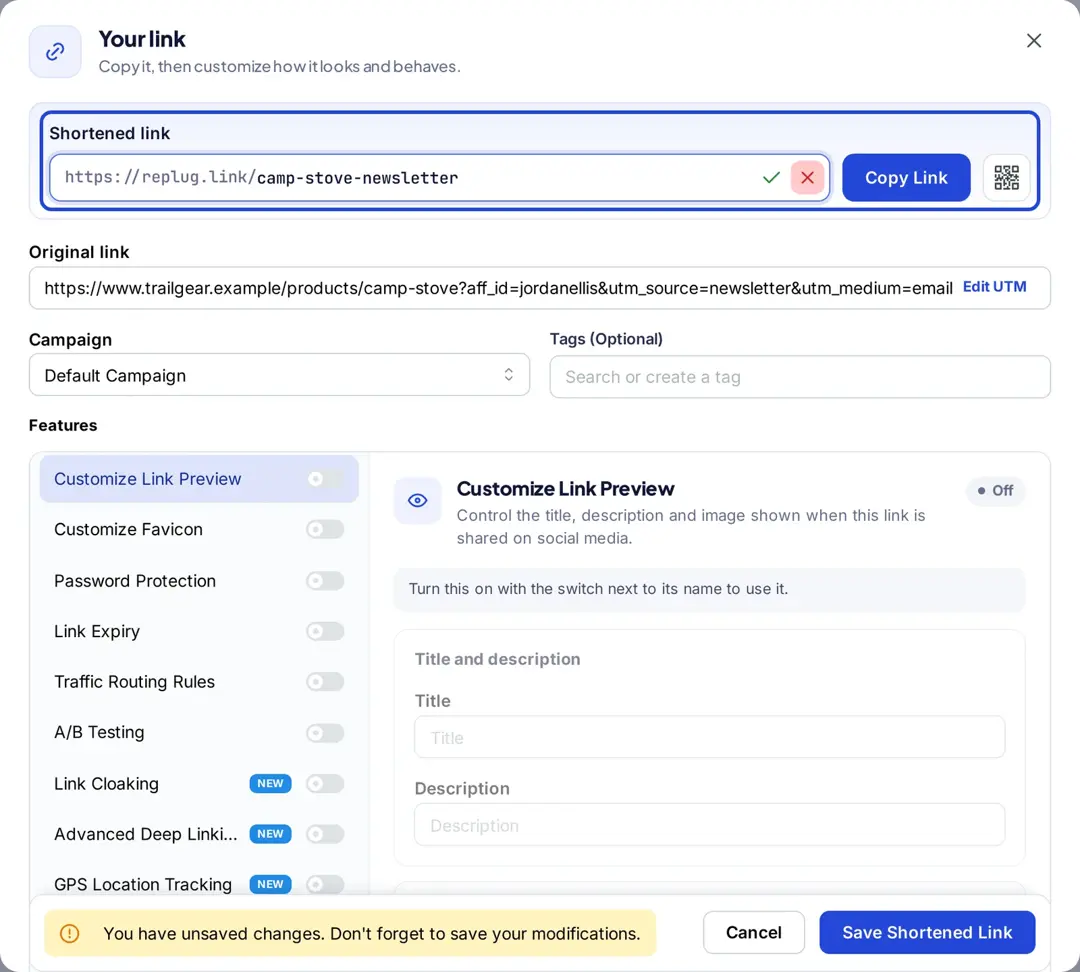
With Replug, monitor the performance of your links and make data-driven decisions. Lastly, share your branded links on social media platforms, email campaigns, or other marketing channels to drive traffic and conversions.
Replug’s analytics show clicks and unique clicks for each link, broken down by country, city, device, browser and referrer, and you can export reports or schedule them by email from the Essentials plan (Replug link tracking). Replug counts clicks; sales and commissions stay in your affiliate program’s dashboard. Link rotation and A/B testing (up to 20 destinations) are on the Scale and Agency plans, and retargeting pixels start on Essentials (Replug pricing).
Pricing: Replug has a Free plan (100 short links, 3 custom domains, 1,000 clicks a month). Paid plans are Essentials at $19/month ($9.50/month billed annually), Scale at $39/month ($23.40 billed annually) and Agency at $99/month ($79.20 billed annually), each with a 14-day trial (replug.io/pricing, checked October 2026).
Tapfiliate

Tapfiliate provides an easy-to-use platform that allows businesses to set up their affiliate programs quickly. It also allows businesses to track sales from their affiliates. Tapfiliate offers white-labeling options that allow businesses to customize the platform’s branding to match their own.
Pricing: Launch at $89/month ($74/month billed annually), Scale at $179/month ($149/month billed annually) and a custom Enterprise plan (Tapfiliate pricing, checked October 2026).
Pretty Links
Pretty Links can be a useful tool for affiliates, as it provides a way to create customized, shortened links to use in their marketing efforts. Affiliates can track clicks and conversions on their links, as well as monitor which sources are driving the most traffic and revenue.
It also provides an automatic link replacement feature, which can be useful for affiliates looking to update their links across their entire site. Pretty Links also offers advanced features such as split testing, which allows affiliates to test different variations of their links to see which performs best.
Pricing: Pretty Links is a WordPress plugin billed yearly: Beginner $99.60/year, Marketer $149.60/year and Super Affiliate $199.60/year, shown as discounted from $249, $374 and $499 (Pretty Links pricing, checked October 2026).
Sniply
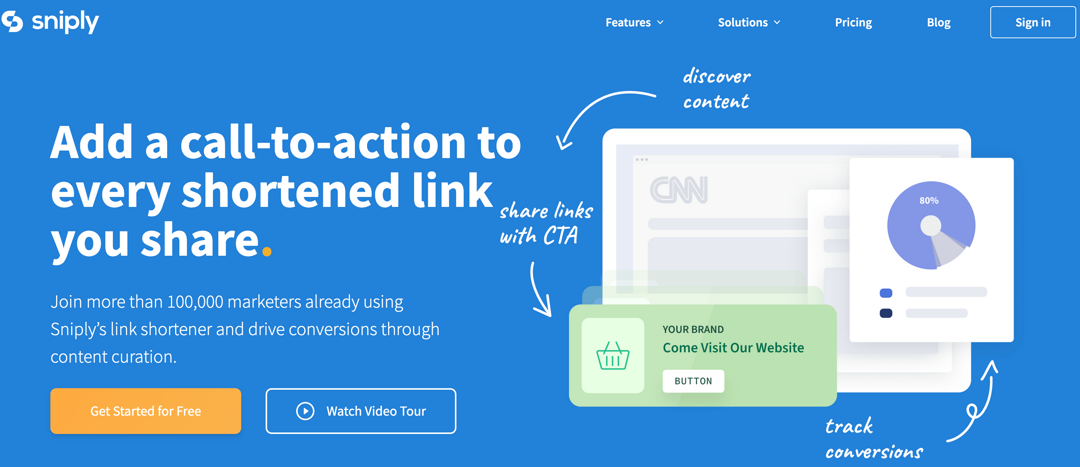
Sniply offers a unique perspective on affiliate marketing, with its call-to-action overlay feature allowing you to promote your own products or services while sharing third-party content with your audience.
By directing traffic back to your own site, you can increase visibility and potentially boost conversions. Moreover, Sniply’s analytics and reporting features help you track your success and identify areas for improvement.
Pricing: Basic $9/month, Pro $29/month, Business $59/month and Enterprise with custom pricing; every plan has a 14-day free trial (Sniply pricing, checked October 2026).
Bitly
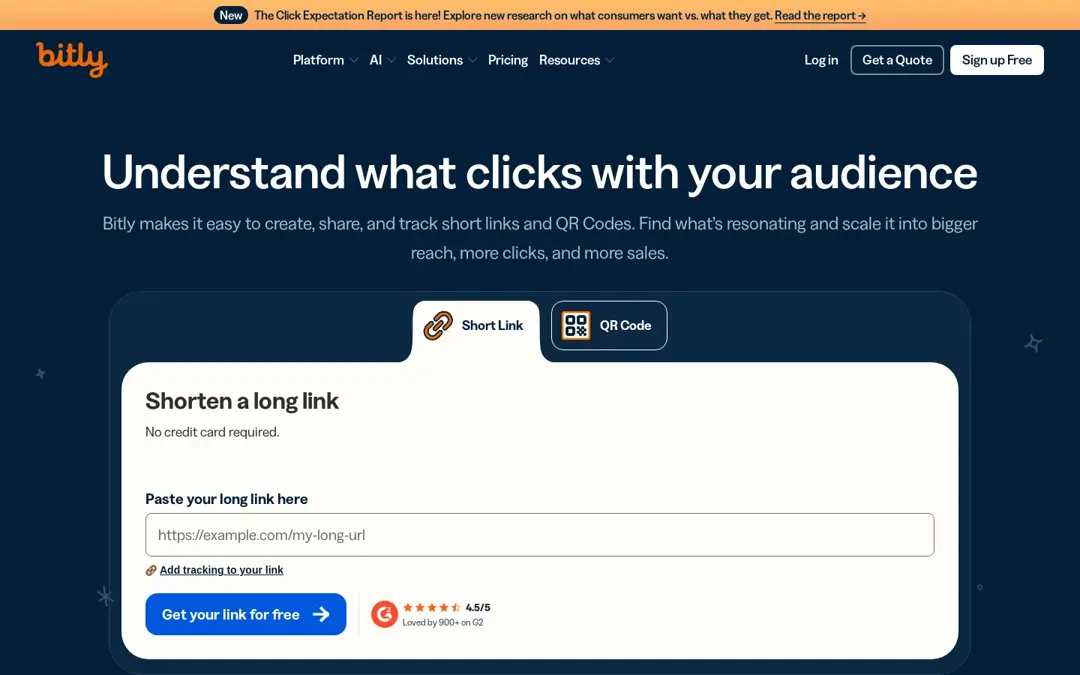
Bitly is a versatile and powerful tool for anyone looking to manage and track their affiliate links and campaigns. This link management platform allows users to create shortened, customized links to share on social media, email, or other online channels.
With Bitly, users can create branded links that incorporate their own domain name, as well as track clicks and QR Code scans on their links.
Pricing: Free plan (5 links a month), Core at $10/month billed annually, Growth at $29/month billed annually ($35 monthly) and Premium at $199/month billed annually ($300 monthly) (Bitly pricing, US prices, checked October 2026).
Voluum
Voluum is a comprehensive affiliate marketing platform that provides tools for tracking, optimizing, and managing affiliate campaigns. One of the key benefits of Voluum is its ability to track traffic from multiple sources, including paid advertising, organic search, and social media.
It also offers integrations with a wide range of advertising networks, affiliate programs, and other marketing tools, making it easy to manage all aspects of an affiliate campaign in one place.
Pricing: Plans for individuals are Profit at $119/month, Scale at $299/month and Start-up at $539/month, billed annually; business plans start at $539/month (Voluum pricing, checked October 2026).
PixelMe
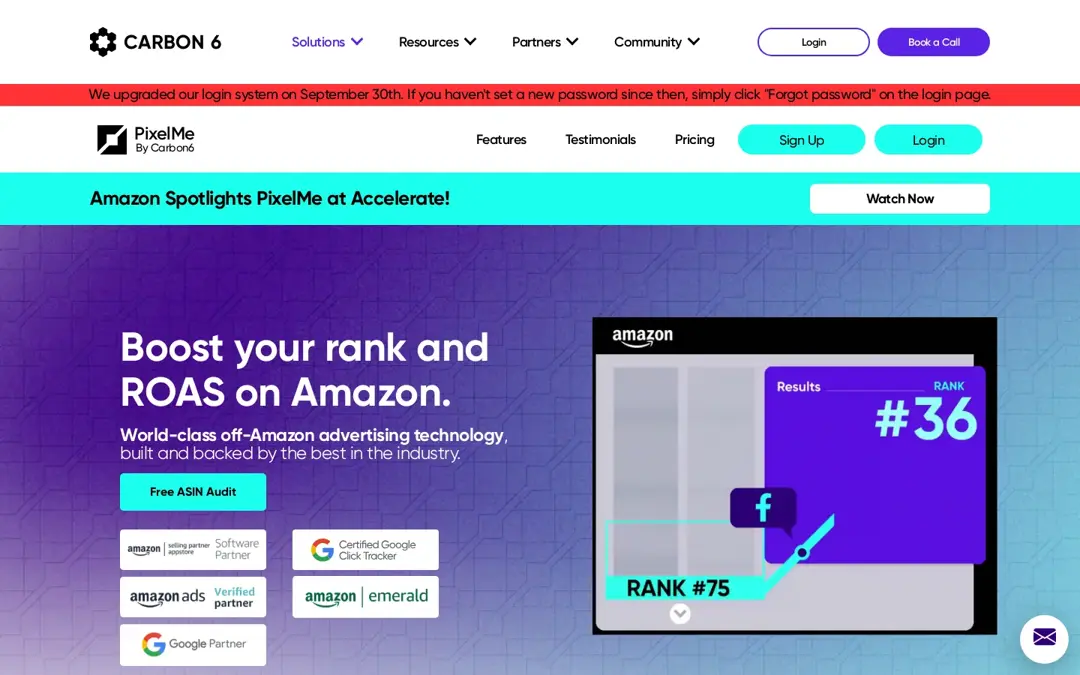
PixelMe is now part of Carbon6 and focuses on off-Amazon advertising for Amazon sellers. Customize the appearance of your links to match your brand using PixelMe. PixelMe allows users to create shortened, trackable links for their marketing campaigns. It also provides features such as retargeting and conversion tracking to help users optimize their advertising efforts. PixelMe integrates with tools, such as Google Analytics and Facebook Ads.
Pricing: PixelMe starts at $500/month, plus a one-time $500 onboarding fee and costs based on the number of ASINs (PixelMe by Carbon6, checked October 2026).
Affiliate tracking: Wrap up
In conclusion, affiliate links have become a popular and effective way for businesses to expand their marketing reach and drive sales, while also providing an opportunity for affiliates to earn a commission for promoting products or services.
By using affiliate tracking tools such as Replug and tagging links with UTM parameters, businesses, and affiliates can track the performance of their affiliate campaigns. Overall, affiliate links can be a valuable tool for businesses and affiliates alike, as they provide a way to reach new audiences, increase revenue, and build long-term partnerships.
You may also like:
What Is Affiliate Link Cloaking & How To Do It?
What Are Tracking Pixels & How Do They Work?
FAQs on affiliate link tracking

Mustafa Niazi