![How to link Instagram to TikTok profile in no time: A step-by-step guide [2026]!](/_next/image?url=https%3A%2F%2Finternal-blog.replug.io%2Fwp-content%2Fuploads%2F2022%2F12%2FHow-to-link-Instagram-to-TikTok-profile-in-no-time-A-step-by-step-guide-2026.png&w=3840&q=90)
If you’re active on both Instagram and TikTok, and let’s be real, who isn’t these days, you already know the struggle of sending followers from one platform to the other.
TikTok now has nearly 2 billion monthly active users worldwide, and its engagement rate sits at 3.70%, almost eight times higher than Instagram’s. That’s a massive, highly engaged audience you could be funneling straight to your Instagram page.
No matter if you’re a content creator, a small business, or just someone building a personal brand, connecting these two platforms is a no-brainer move. But how exactly do you do it?
Let’s start with the most common question people ask first: Is it even possible to add an Instagram link to your TikTok profile?
Is it possible to add an Instagram link to TikTok?
Yes, absolutely!
TikTok lets you link your Instagram account directly from your profile. You just head to “Edit Profile,” and tap “Add Instagram” under the “Social” section. Follow the prompts, and once connected, a clickable Instagram icon shows up right on your TikTok profile page.
Pretty neat, right?
Now, there’s one small catch. You can link social platforms like Instagram without needing to hit any follower threshold, unlike website links, which require at least 1,000 followers for personal accounts.
So whether you’re just starting out or already growing, this feature is available to you!
How to link Instagram to TikTok account
Linking your Instagram to TikTok is honestly super simple and takes less than two minutes. There are two ways to do it:
- The direct method (recommended) through TikTok’s built-in social linking feature, or
- An alternative manual method using Instagram’s “Share Profile” option.
Let’s walk through both!
Here’s how to add Instagram link to TikTok profile, step-by-step:
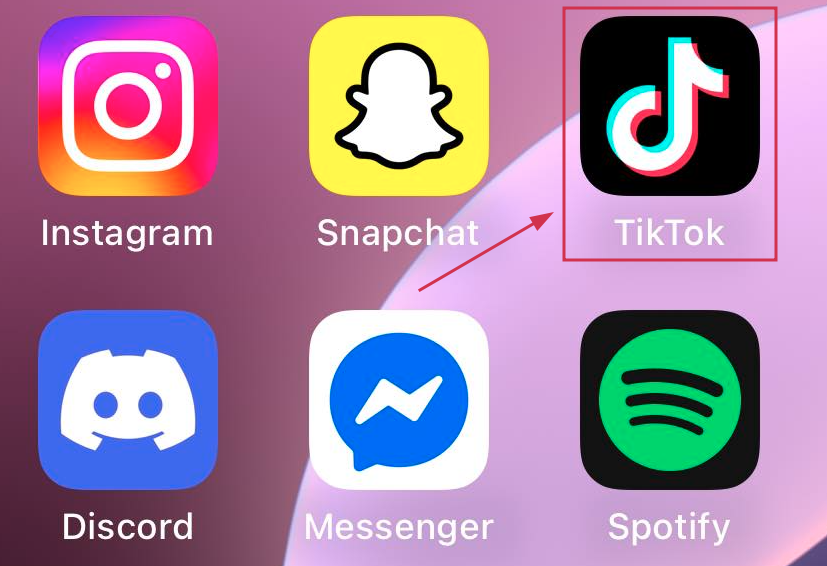
Step #01: Open the TikTok app
Grab your smartphone and launch the TikTok app. Make sure you’re logged into the account you want to link your Instagram to.
Step #02: Go to your profile
Tap the profile icon at the bottom right corner of your screen to open your TikTok profile page.

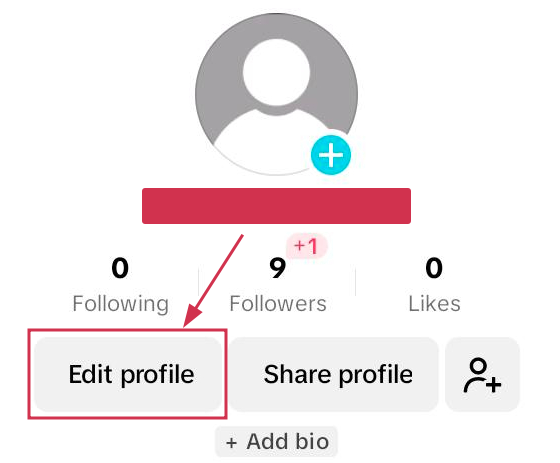
Step #03: Tap the “Edit profile” button
You’ll see the “Edit profile” button right next to your TikTok handle or just below your bio. Go ahead and tap it!
Step #04: Scroll down to the “Social” section
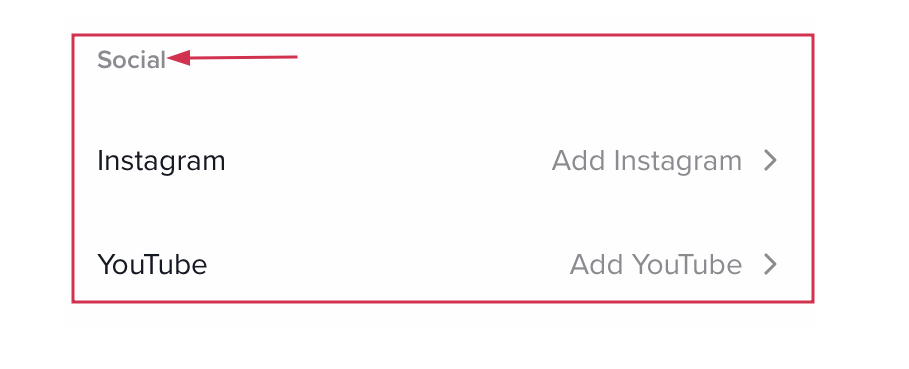
Once you’re inside the “Edit profile” screen, scroll down a little until you spot the “Social” section. That’s where all the magic happens.
Step #05: Select “Add Instagram”
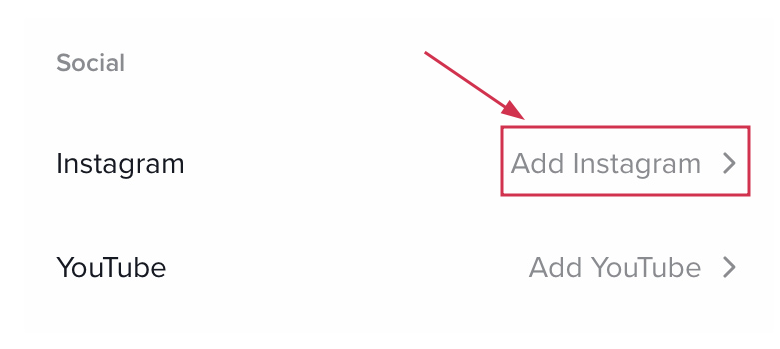
Tap on “Add Instagram,” and TikTok will prompt you to connect your account. You can choose from available platforms, including Instagram, YouTube, or Lemon8.
Step #06: Follow the login prompts
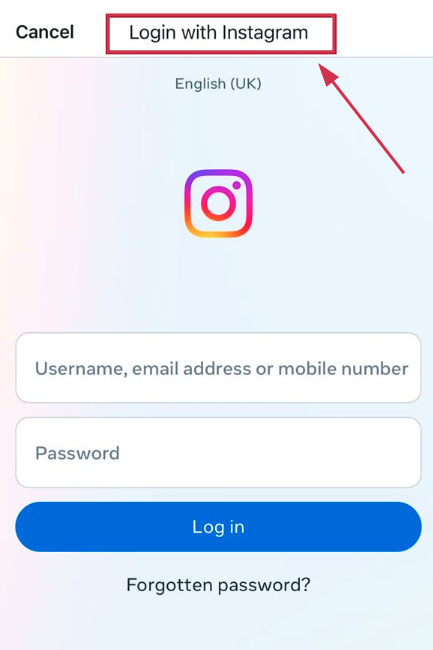
Simply log into your Instagram account when asked, hit “Authorize,” and you’re done!
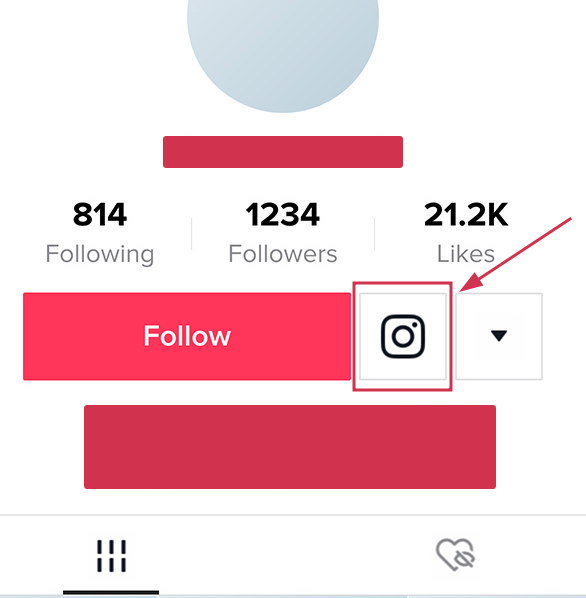
Once connected, your Instagram icon will appear right beneath your TikTok bio for anyone to tap.
Alternative method:
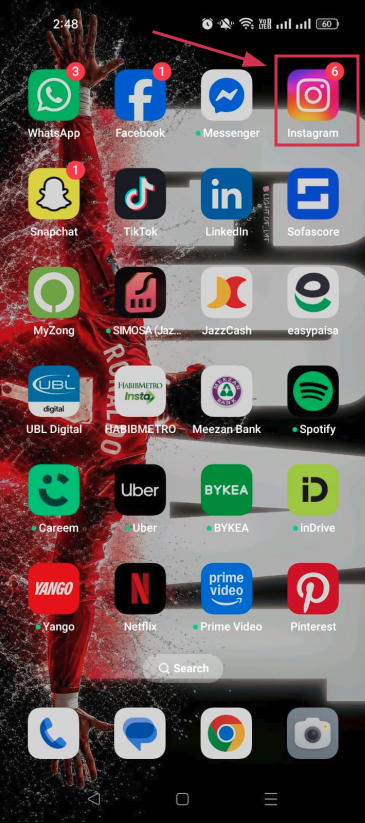
Step #01: Open the Instagram app
Head over to Instagram and make sure you’re logged into the account you want to share.
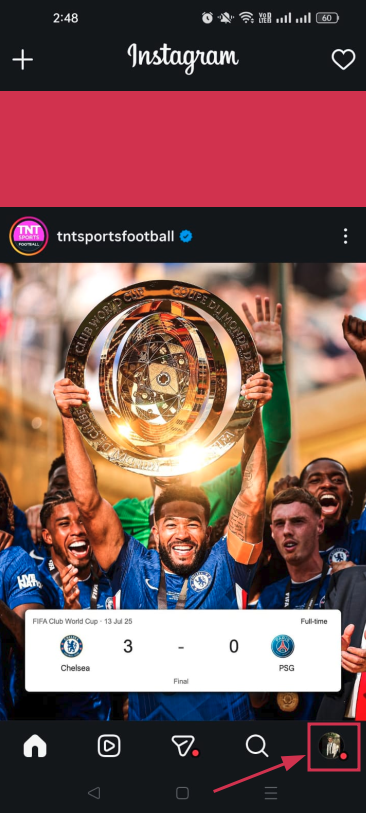
Step #02: Go to your profile
Tap your profile picture at the bottom right to open your Instagram profile.
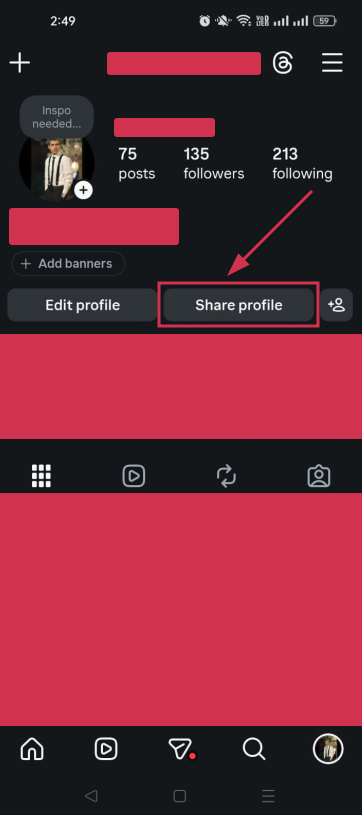
Step #03: Tap on “Share profile”
Hit the “Share profile” option. You’ll usually find it on your profile page, either as a button or through the menu.
Step #04: Tap on “Copy link”
Once the share options pop up, tap “Copy link” to copy your Instagram profile URL to your clipboard.
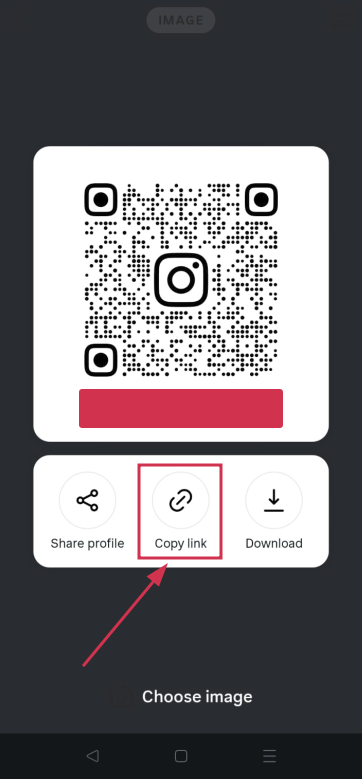
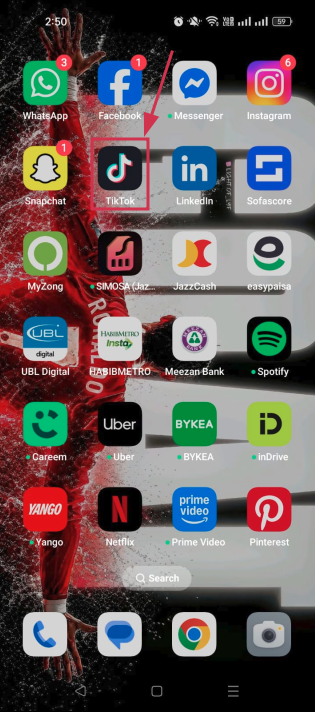
Step #05: Go to the TikTok app
Switch over to TikTok. Your copied link is ready to paste.
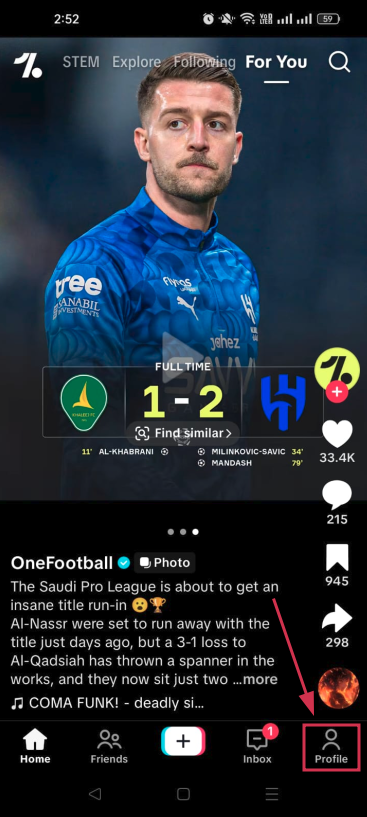
Step #06: Tap on your profile icon
Hit the profile icon at the bottom right corner of TikTok to land on your profile page.
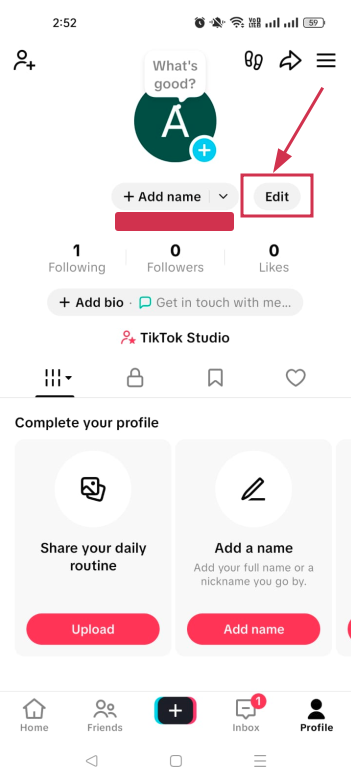
Step #07: Tap “Edit”
Just like before, tap the “Edit” button to open your profile settings.
Step #08: Paste the copied link into the “Bio” or “Website” field
Paste your Instagram link into the “Bio” field for a quick and easy fix, and tap the “Save” option. And that’s all there is to it!
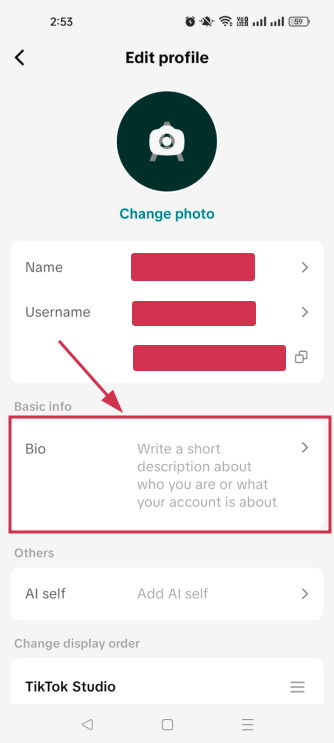
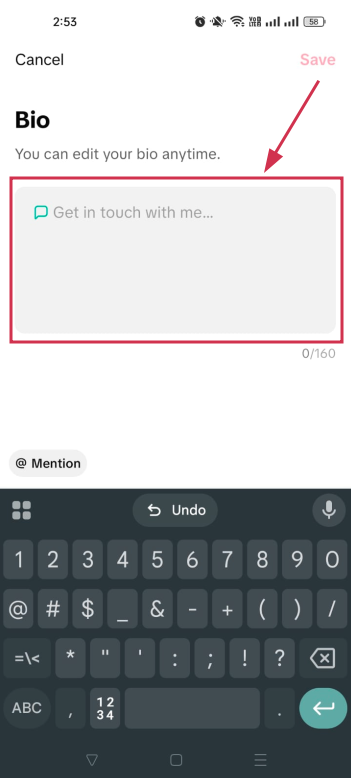
👉 Note that the “Website” field is only available for business accounts or personal accounts with at least 1,000 followers, so if you don’t see it, the “Bio” field works just fine as a workaround!
You may also like: How to link Instagram to Facebook?
How to link Instagram to TikTok business account
Good news!
The process for a TikTok Business account is almost identical to what we covered above. You follow the same steps:
Go to your TikTok profile → tap “Edit profile” → scroll to the “Social” section → and connect your Instagram.
The difference is that business accounts unlock the website link field right away (no follower count needed).
Just make sure both apps are fully updated and linked to the same email or phone number to avoid any authentication hiccups.
👉 One trade-off to keep in mind: Business accounts lose access to certain trending sounds and copyrighted music, so factor that in before switching!
Why linking Instagram to TikTok is worth it!
If you’re still uncertain about connecting your accounts, let us give you a few solid reasons to just go for it.
Linking Instagram to TikTok isn’t just a convenience thing at present. It’s actually a smart move for growing your presence and making your content work harder for you across both platforms.
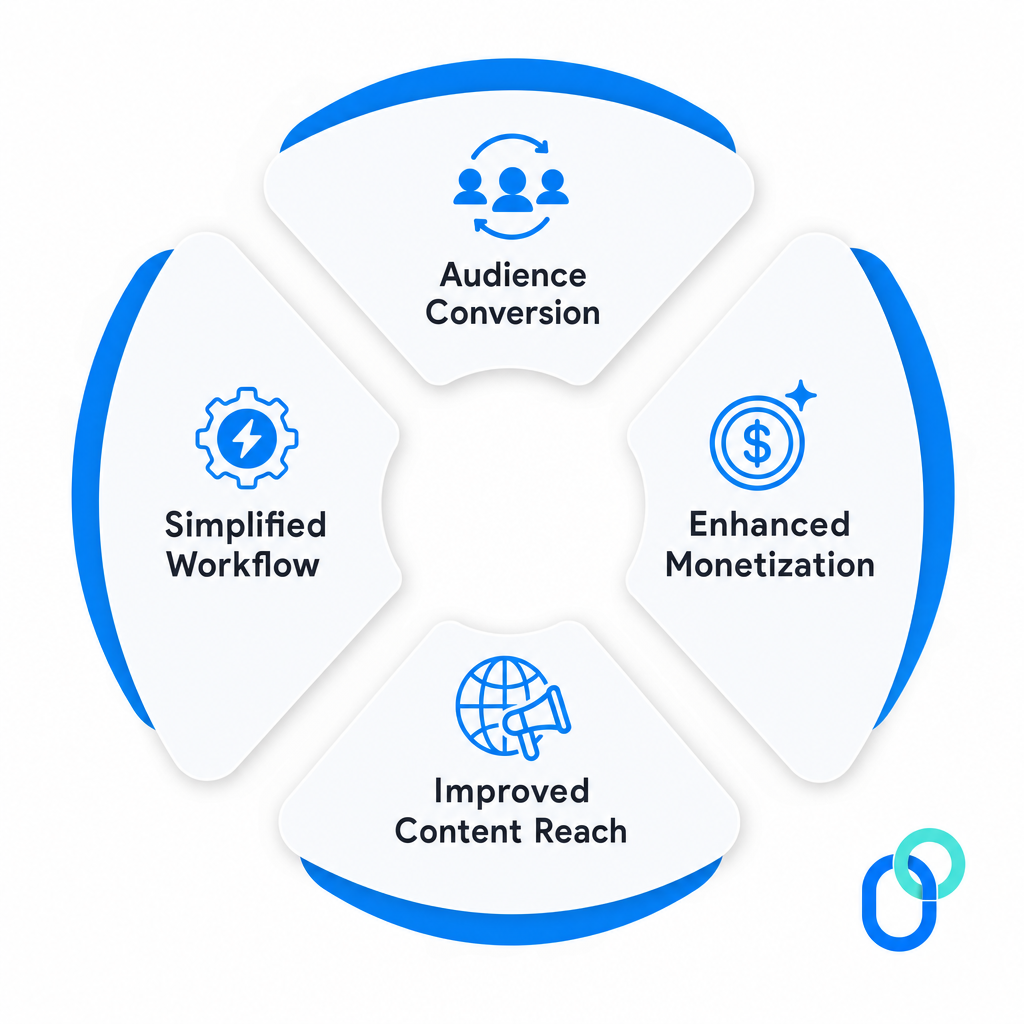
Audience conversion
Think about it: Someone comes across your TikTok, loves your content, and wants to see more of it. If your Instagram is right there on your profile, that curiosity instantly turns into a follow.
TikTok is where your content gets discovered and explodes overnight, while Instagram is your home base for building a more curated brand and nurturing a loyal community. Linking the two makes that journey seamless.
Enhanced monetization
Having a strong presence on both platforms opens up way more doors when it comes to brand deals, sponsorships, and collaborations.
Brands love working with creators who have a cross-platform audience because it means more eyes on their product. The bigger and more connected your following looks across TikTok and Instagram, the more attractive you become to potential partners (and that directly impacts what you can charge).
Improved content reach
Not everyone is present on both platforms, so linking your accounts helps you tap into two completely different audiences at once.
TikTok pulls in over 60% of users aged 16–34 who are chasing trends and rapid discovery. Whereas Instagram reaches an 18–44 age group with higher income brackets who expect more polished, longer-form content.
Bridging the two means your content gets in front of a much wider and more diverse crowd.
Simplified workflow
When your accounts are linked, managing your online presence becomes a whole lot easier. You can repurpose content across both platforms without the hassle of manually directing people from one app to the other.
Cross-posting and repurposing videos becomes easier, and guiding your audience from one platform to the next feels natural, saving you both time and effort in the long run.
Why won’t TikTok let me link my Instagram?
Running into issues while trying to link your Instagram to TikTok? Don’t worry, you’re not alone; it’s actually pretty common.
Most of the time, it comes down to one of these four reasons, and the good news is they’re all pretty easy to fix.
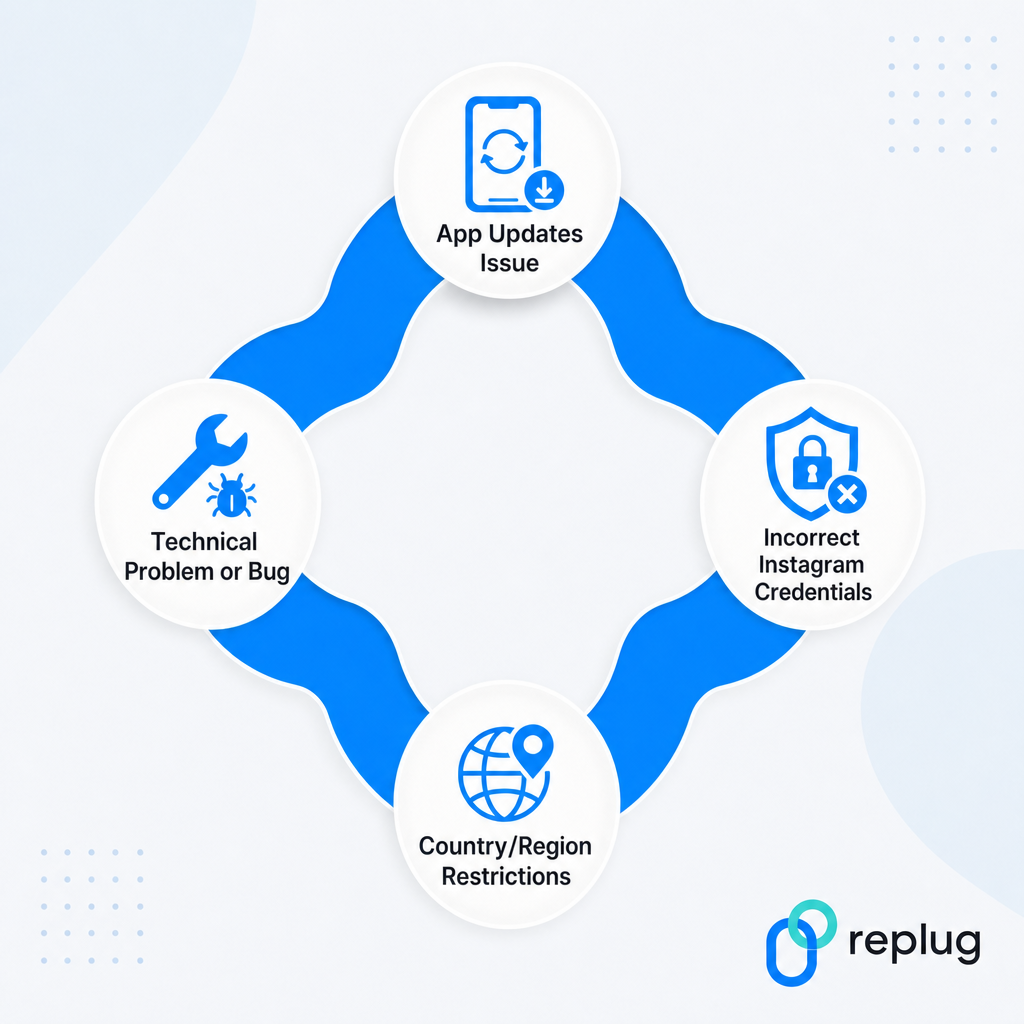
App updates issue
This one catches a lot of people off guard.
Both apps need to be fully updated to avoid authentication errors during the linking process. If either your TikTok or Instagram app is running on an older version, the connection simply won’t go through.
Head to your app store, check for any pending updates, and try linking again. That usually does the trick.
Incorrect Instagram credentials
If you’re getting an error during the login step, double-check that you’re entering the right Instagram username and password. It sounds obvious, but it’s one of the most common reasons the linking fails.
Also, if you have two-factor authentication enabled on Instagram, it can block TikTok’s linking request. Temporarily disabling 2FA, completing the connection, and then re-enabling it usually fixes this.
Country/region restrictions
This one’s a bit frustrating because it’s out of your hands.
TikTok is rolling out the Instagram linking feature gradually across different countries, with North America, Europe, and parts of Asia typically getting access first, while other regions follow weeks or even months later.
If the “Add Instagram” option simply isn’t showing up on your profile, chances are the feature just hasn’t reached your region yet.
Technical problem or bug
Sometimes it’s not you; it’s just a random glitch. Apps have bugs, and TikTok is no exception.
If you’re facing issues, try updating both apps, double-checking your login credentials, or checking your account type and region settings.
Logging out and back into TikTok, restarting your phone, or even switching from Wi-Fi to mobile data can also clear things up surprisingly fast.
What if my Instagram link isn’t showing on TikTok: Learn the troubleshooting steps!
So you’ve followed all the steps, but your Instagram link still isn’t showing up on TikTok? Super annoying, but totally fixable!
Here’s what you should try:
- Update both apps: Make sure TikTok and Instagram are both running on their latest versions before attempting to re-link.
- Log out and back in: Sometimes simply signing out of TikTok and logging back in refreshes everything and makes the link appear.
- Switch to mobile data: Wi-Fi networks, especially managed or public ones, can block app authentication. Try switching to mobile data and linking again.
- Check your account type: If you recently switched to a business account, TikTok may prioritize the website URL field over the Instagram icon. Double-check your profile settings.
- Re-link your account: Go back to “Edit Profile,” remove the existing Instagram connection, and add it again.
- Restart your phone: Sounds simple, but a quick restart clears out minor bugs that might be causing the display issue.
If none of these work, give it a day or two. It could just be a temporary glitch on TikTok’s end!
Convert Instagram & TikTok traffic into valuable leads with Replug!
Once your Instagram and TikTok are linked up, the next step is making sure that traffic actually works for you, and that’s where Replug comes in.
It’s an all-in-one link optimization platform that helps you create short links that are branded, clean, and clickable in seconds. No more ugly, long URLs cluttering your bio!


Beyond link shortening, Replug also offers some pretty handy free tools that make a creator’s life easier. Give these a try at least once:
Whether you’re a solo creator or running a full business account, Replug helps you turn every click into a real opportunity. Worth checking out!
Summing up
And that’s a wrap!
Linking your Instagram to TikTok really is one of the simplest yet smartest moves you can make as a creator or business owner. It takes less than two minutes, helps you grow across both platforms, and makes your overall social media presence feel way more connected and intentional.
No matter if you followed the direct method or the alternative route, the result is the same: more visibility, better audience flow, and more opportunities to grow.
And if you ever run into any problem, you now know exactly how to troubleshoot it. So go ahead, link those accounts, and start making your content work harder for you!
Frequently asked questions

Muhammad Ahsan Jamal