Most marketing teams carry more subscriptions than they can list off the top of their head. A few dollars here and there for a bio link tool or URL shortener feels harmless, yet it all adds up, especially when the return is not clear. That is where a closer look at Linktree pricing becomes important.
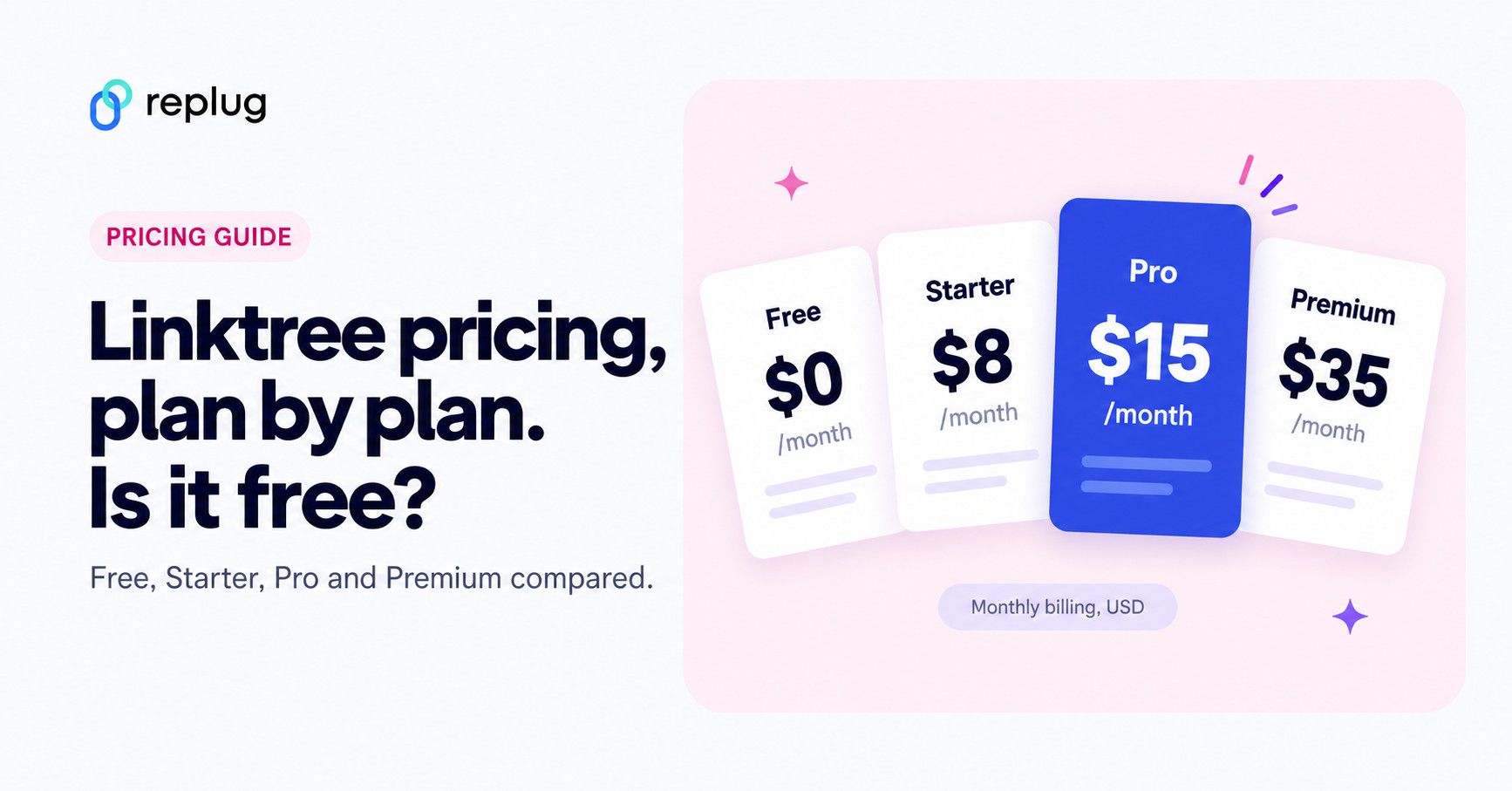
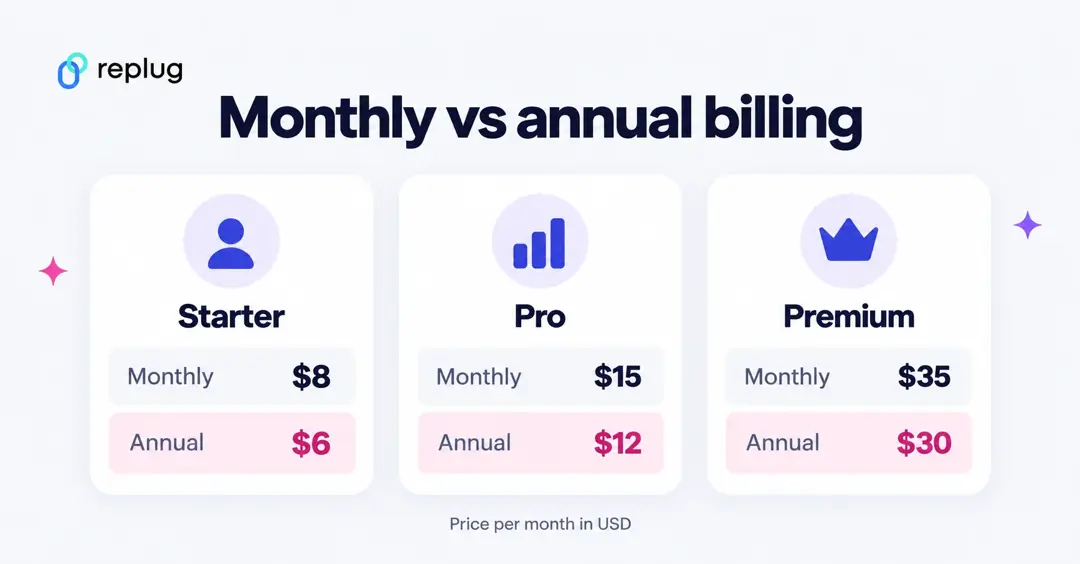
Quick answer (checked October 10, 2026): yes, Linktree is free. The Free plan costs $0 and never expires, but it shows Linktree branding, keeps 28 days of analytics and takes a 12% fee on digital product and course sales. Paid plans cost $8 (Starter), $15 (Pro) and $35 (Premium) per month, or $6, $12 and $30 per month billed annually. Agency and Enterprise plans are custom priced.
Linktree is one of the best‑known names in the link‑in‑bio space. Many users move from the free tier to a paid one almost on autopilot. The real question is whether the current Linktree pricing model aligns with what marketers and organizations actually need, especially once transaction fees are factored in.
This blog post breaks down every Linktree plan, what each tier delivers, and how the seller fees work. It also looks at where the tool falls short for serious marketing teams and compares it with Replug, a link management platform built for conversion and tracking.
By the end, you will know if Linktree pricing fits your goals or whether a tool like Replug gives you better long‑term value. So, let’s get started!
How the Linktree pricing model is structured
Linktree uses a tiered pricing model with five levels, ranging from casual creators to agencies. You can pay month to month or yearly, and the annual option gives a saving of up to 25% (25% on Starter, 20% on Pro and about 14% on Premium).
Before judging value, it helps to see the full picture of Linktree pricing in one place.
| Plan | Linktree pricing per month | Linktree pricing annually |
| Free | $0 (Free, forever) | $0 (Free, forever) |
| Starter | $8 USD/month | $6 USD/month |
| Pro | $15 USD/month | $12 USD/month |
| Premium | $35 USD/month | $30 USD/month |
| Agency/Enterprise | Custom pricing | Custom pricing |
These are US dollar prices from Linktree’s pricing page, checked on October 10, 2026. Linktree shows prices in local currency, so the numbers differ by country. Visitors in Germany, for example, see €6, €13 and €32 per month on monthly billing.
How much Linktree costs per year
| Plan | Paid monthly (12 months) | Paid annually | You save |
|---|---|---|---|
| Starter | $96 | $72 | $24 (25%) |
| Pro | $180 | $144 | $36 (20%) |
| Premium | $420 | $360 | $60 (about 14%) |
If you know you will keep a paid plan for a year, annual billing is the cheaper option on every tier. If you only need paid features for one launch or campaign, paying monthly for a month or two costs less overall.
The “Free” plan suits simple personal use, while “Starter” and “Pro” add more advanced marketing features without requiring enterprise spend. “Premium” sits at the top of the public Linktree pricing tier and is aimed at brands with significant digital product revenue. Whereas “Agency or Enterprise” plans are custom and are shared only after a sales call.
There is also a seven‑day free trial on the Pro and Premium plans, which is handy if you want to test paid features with low risk. However, the right plan depends heavily on whether you need richer analytics, stronger monetization, or team collaboration rather than just a neat profile page. If you are new to the tool, start with how Linktree works on social media.
Is Linktree free? What the Free plan really includes
Yes. Linktree’s Free plan costs $0, has no time limit and lets you add unlimited links. It is “free with restrictions,” as Linktree puts it on its pricing page. Here is what stays locked or limited until you pay, based on the plan comparison on Linktree’s pricing page:
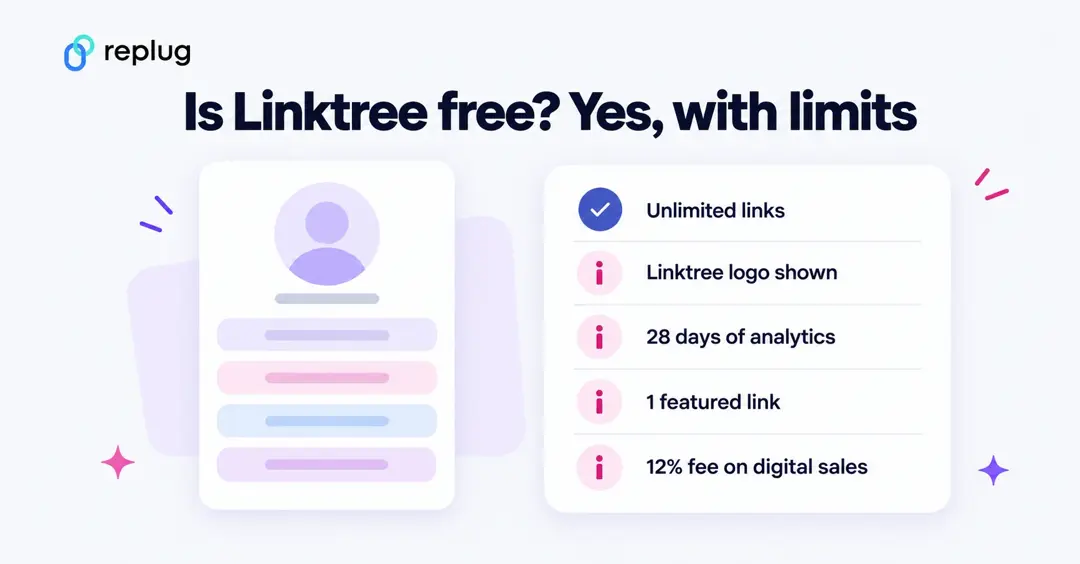
- Branding: the Linktree logo stays in your page footer and on your Linktree QR code. Hiding it starts on Pro.
- Analytics history: the last 28 days only (90 days on Starter, 365 days on Pro, all time on Premium).
- Featured links: one featured link (unlimited on paid plans).
- Seller fee: 12% on digital products and courses, plus Stripe processing fees.
- Instagram auto-replies: 1,000 sends per month.
- Support: a 48-hour response time target (24 hours on Starter, 12 on Pro, 4 on Premium).
- Marketing tools: SEO settings, email integrations and the Facebook Conversion API start on Pro.
For a personal page that links to a few profiles, the Free plan is enough. Once you sell products, run paid campaigns or need more than four weeks of data, the paid tiers start to matter.
What you actually get at each Linktree plan level
Linktree offers four main plans (Free, Starter, Pro, and Premium), each designed for different levels of creators, brands, and businesses. As you move up the pricing tiers, you unlock more customization options, advanced analytics, monetization tools, and automation features.
Here’s a breakdown of what you actually get with each plan level.
Linktree Free plan
On the Free plan, you can:
- Add unlimited links
- See simple analytics
- Generate a unique QR code
- Get social icons, videos & embeds
- Pick from basic, SEO optimized, high-converting themes
You can even sell digital products and courses, but every sale carries a 12% Linktree transaction fee, which cuts deeply into small orders.
Linktree Starter plan
The Starter plan keeps everything from Free and adds:
- Custom color palettes and extra themes so your page looks more on-brand
- Redirect links to send all traffic to one place during a launch or promo
- On‑page collection of email addresses and phone numbers
- Link scheduling, so a link goes live and disappears at set dates and times (social media post scheduling is now listed under Premium)
The seller fee drops to 9%, so more revenue stays in your business.
Linktree Pro plan
The Pro plan is the tier Linktree pushes hardest, and it is easy to see why. You can:
- Remove Linktree branding and add your own branded logo
- Use richer backgrounds so the page feels like part of your site
- Showcase what matters most with visually striking featured and animated links
- Discover which links perform best and optimize your content strategy for growth
- Drive more interaction and sales using automated replies to Instagram comments and messages
- Build custom branded short URLs that automatically include UTM tags for better campaign tracking
- Connect your Linktree audience to Mailchimp, Kit, Klaviyo, or Google Sheets for automatic syncing
The Linktree transaction fee for digital items stays at 9% here, according to the fee table on Linktree’s pricing page. The Pro plan card on the same page also advertises “Sell and earn with 0% fees” (both checked October 10, 2026), so confirm the fee shown in your account before you price your products.
Linktree Premium plan
Premium includes everything in Pro but is aimed at heavy sellers and busy brands:
- Seller fee drops to 0%, so you keep all earnings from digital products and affiliate deals, aside from normal payment processor charges (100% commission guaranteed)
- Social scheduling becomes unlimited across up to three brands
- Analytics cover the full lifetime of the account
- Concierge onboarding and richer admin controls help larger teams get moving fast
- Maximize engagement via unlimited auto-replies with built-in typo detection
- Real-time team collaboration with chat and structured approval workflows
Linktree Free vs Starter vs Pro vs Premium: side-by-side comparison
This table pulls the features people ask about most from the full comparison on Linktree’s pricing page (checked October 10, 2026). Prices are US dollars.
| Feature | Free | Starter | Pro | Premium |
|---|---|---|---|---|
| Price, billed monthly | $0 | $8/month | $15/month | $35/month |
| Price, billed annually | $0 | $6/month | $12/month | $30/month |
| Free trial | Not needed | No | 7 days | 7 days |
| Links | Unlimited | Unlimited | Unlimited | Unlimited |
| Featured links | 1 | Unlimited | Unlimited | Unlimited |
| Analytics history | Last 28 days | Last 90 days | Last 365 days | All time |
| Per-link insights | No | Yes | Yes | Yes |
| Location and referrer insights | No | No | Yes | Yes |
| Analytics export (CSV) | No | No | No | Yes |
| Hide Linktree logo | No | No | Yes | Yes |
| Custom tr.ee short link endings | No | Yes | Yes | Yes |
| SEO settings (title and meta description) | No | No | Yes | Yes |
| Email integrations (Mailchimp, Kit, Klaviyo, Google Sheets) | No | No | Yes | Yes |
| Facebook Conversion API | No | No | Yes | Yes |
| Link rules by visitor location or referrer | No | No | No | Yes |
| Instagram auto-reply sends | 1,000/month | 1,500/month | 2,500/month | Unlimited |
| Seller fee on digital products and courses | 12% | 9% | 9% | 0% |
| Extra admins | No | No | Yes | Yes |
| Support response time | 48 hours | 24 hours | 12 hours | 4 hours |
Linktree seller fees: what you actually pay on a sale
Linktree charges two kinds of fees when you sell through your page, as its help article Understanding transaction and processing fees explains: Linktree’s own transaction fee, which depends on your plan, and Stripe’s processing fee, which applies on every plan.
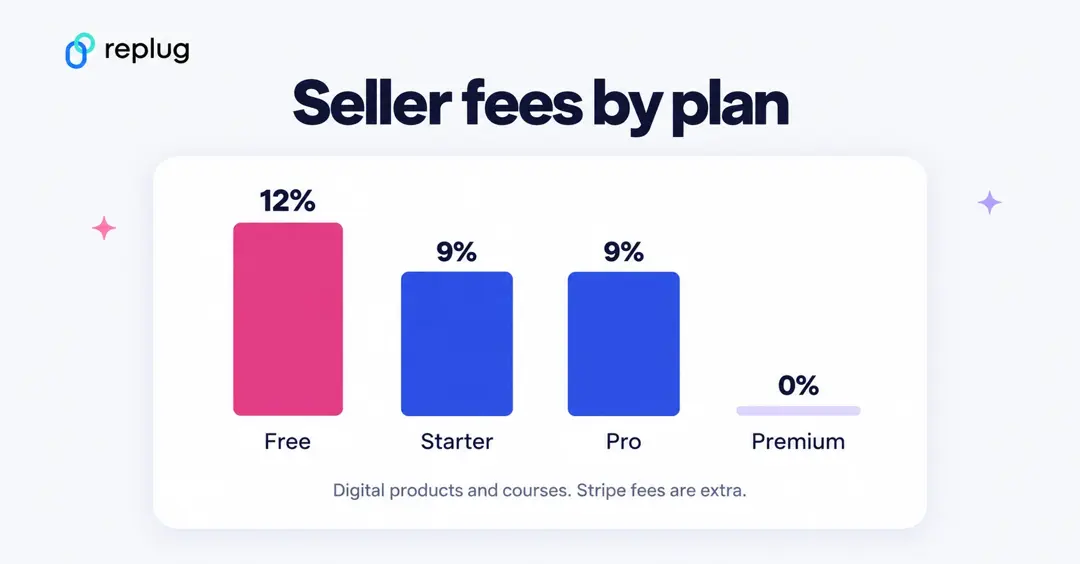
- Digital products and courses: 12% on Free, 9% on Starter and Pro, 0% on Premium, per the fee table on the pricing page. Stripe adds 2.9% + $0.30 per purchase.
- Shops, sponsored links and affiliate offers: the pricing page marks these “Keep 100% of earnings.” Linktree’s cut is built into the commission you see before you accept an offer, and Stripe charges $0.25 per payout. These features are US-only.
Here is a worked example. Say Emily, a fitness coach in Austin, sells 50 workout guides at $20 each in a month, for $1,000 in sales:
| Plan | Plan cost (monthly billing) | Linktree fee on $1,000 | Stripe fees (2.9% + $0.30 × 50) | Total cost |
|---|---|---|---|---|
| Free | $0 | $120 | $44 | $164 |
| Starter | $8 | $90 | $44 | $142 |
| Pro | $15 | $90 | $44 | $149 |
| Premium | $35 | $0 | $44 | $79 |
The break-even points follow from the same math. Premium costs $20 more per month than Pro and saves 9% of sales, so it pays for itself once you sell more than about $222 of digital products a month. Starter costs $8 and saves 3% compared with Free, so it pays off above about $267 a month in sales, if the fee saving is your only reason to upgrade.
Linktree price history
Linktree raised its prices in 2025. According to price tracker PriceTimeline, monthly prices were $5 (Starter), $9 (Pro) and $24 (Premium) in August 2025 and rose to $8, $15 and $35 by October 2025. Those are still the US prices on Linktree’s pricing page as of October 10, 2026. If you signed up before the change, check your billing page to see which price you pay.
Which Linktree plan should you choose?
- Free: you need one page of links for your bio and do not sell anything through Linktree.
- Starter ($8): you want per-link click data, 90 days of history, scheduled links and custom tr.ee short links.
- Pro ($15): you want to remove the Linktree logo, connect an email tool, add SEO settings or use the Facebook Conversion API.
- Premium ($35): you sell enough digital products for the 0% fee to cover the price, or you need data export, link rules and unlimited Instagram auto-replies.
- Agency or Enterprise: you manage many Linktrees for clients and need team seats and custom contracts.
Is Linktree really worth the spend in 2026: Where does it fall short?
There is real value in Linktree for the right use case. Setup is fast and needs no coding, so creators can publish a working bio page in minutes.
The Free plan gives non‑profits and small teams a way to centralize links without touching their budget. On Pro, Meta Pixel support and UTM tracking bring real marketing value, and Premium’s 0% seller fee is attractive for businesses selling many digital products through their bio links.
For marketing teams, however, several gaps show up once campaigns become more advanced:
- Analytics focus mostly on clicks and views of the bio page, not on deeper behavior or what happens after visitors click through
- Meta is the only native retargeting pixel, so there is no direct support for networks such as LinkedIn, TikTok, X, or Google Ads
- There is no split testing for different link orders or calls to action
- You cannot use a branded short domain for cleaner, on‑brand URLs
- The page acts as a tidy directory, but there are no lead capture overlays or on‑page widgets that push visitors toward sign‑ups or trials
That idea matters here! Many marketers need more than a simple list of links; they want a measurable path from click to conversion.
That leads to a key idea for anyone reviewing Linktree pricing as of 2026. The product is built first for creators who want a simple link hub, not for performance‑driven marketers. If you are a digital marketer, is a link directory really enough?
Replug: A smarter Linktree alternative for marketers who need more efficient features
Before stepping into features, it helps to see how Replug and Linktree compare at a high-level in terms of focus and pricing. Both tools handle bio links, but only one is built from the ground up for campaigns that live and die by data.
| Platform | Main focus | Pricing snapshot | Free option | Trial |
| Replug | Conversion‑driven link management for teams | Free plan, plus paid plans from $19/month ($9.50/month billed annually) with a 14‑day free trial; Scale plan at $39/month or $23.40/month billed annually, with unlimited bio links | Free plan (No credit card required) | 14‑day free trial on paid plans |
| Linktree | Simple link‑in‑bio pages for creators | Free tier, paid plans from $8 to $35/month on public plans | Yes, free forever plan | Pro and Premium tiers have a seven‑day trial |
Linktree pricing makes sense when all you want is a clean page of links, and that is a fair starting point. For more advanced marketing teams, Replug turns that same idea into a full conversion hub that fits neatly into your wider campaigns.
Its bio links feature lets you:
- Build custom link‑in‑bio pages on your own domain
- Mix content blocks such as links, video, RSS feeds, text, and social icons
- Customize meta titles, descriptions, and favicons
That way, your bio link feels like a real brand asset, not a generic profile.
Replug also includes branded URL shortening and vanity URLs, so every shared link carries your name instead of someone else’s. You can add ad pixels for Facebook, Twitter, LinkedIn, Pinterest, TikTok, Quora, Google, and even custom platforms, with no hard cap on how many you use.
On top of that, customizable call‑to‑action widgets and lead-capture overlays turn passive clicks into email sign‑ups, trials, and demos something Linktree’s plans do not offer as overlays on the links you share. Feeding new subscribers into an email marketing platform is what turns a bio link into a list you own.
Testing and data are also backed by Replug. You can run A/B tests on up to 20 different URLs from a single short link and control how traffic splits between them in real time. Detailed analytics show click‑through rates, locations, devices, behavior, and conversion data, all tied to clear UTM tracking.
This goes far deeper than the click counts and simple charts that underpin most Linktree pricing tiers. It makes Replug stand out strongly among Linktree free alternatives, and Replug also has a free plan (100 short links, 2 bio links and 3 custom domains) plus a 14‑day free trial on paid plans.
For marketers who live in their analytics dashboard, the mix of tracking, branding, and conversion tools can make far more sense than stretching Linktree pricing to its top tiers.
Replug plans and prices
Replug’s USD list prices, checked on replug.io/pricing on October 10, 2026. Replug uses regional pricing, so the price shown in your country may be different.
| Plan | Billed monthly | Billed annually | Highlights |
|---|---|---|---|
| Free | $0 | $0 | 100 short links, 2 bio links, 10 smart QR codes, 3 custom domains, 1,000 clicks per month |
| Essentials | $19/month | $9.50/month ($114/year) | 1,000 short links, 10 bio links, CTAs and lead forms, 1 retargeting pixel, 5 custom domains |
| Scale | $39/month | $23.40/month ($280.80/year) | Unlimited short links and bio links, unlimited retargeting pixels, A/B testing and traffic routing, 15 custom domains, 3 users |
| Agency | $99/month | $79.20/month ($950.40/year) | Everything in Scale plus white-label dashboard, API access, 50 custom domains, 10 users |
Paid plans come with a 14‑day free trial, and the Free plan needs no credit card. A/B testing and retargeting on every link start on Scale, so compare that tier with Linktree Pro or Premium if those are the features you need. See also Bitly vs Linktree vs Replug and our list of Linktree alternatives.
You may also like: A detailed overview of Bitly pricing plans: Is Bitly really worth the spend in 2026?
Final verdict
Linktree earns its place as a popular bio link tool, but for performance‑minded marketers, though, the picture is different.
As needs grow to include multi‑network retargeting, branded short URLs, A/B testing, and on‑page lead capture, Linktree starts to feel more like a starting point than a long‑term home. The price gap between tiers does not close that feature gap.
If you want your bio link and short URLs to drive real conversions rather than just clicks, Replug is worth a serious look. Try the 14‑day free trial, connect it to your existing campaigns, and see how it compares with your current Linktree pricing in terms of data, branding, and actual results.
Frequently asked questions

Muhammad Ahsan Jamal