Pinterest affiliate marketing means creating Pins that link to products through your affiliate links. When people click a Pin and buy, you can earn a commission from the affiliate program. Pinterest allows affiliate links, with a few rules: link straight to the product page, keep the Pin true to that page, disclose the commercial relationship and post affiliate Pins in moderation.
This guide walks beginners through the key steps: setting up your account, joining a program, creating Pins and following Pinterest’s affiliate guidelines.
Pinterest: Overview and features
What is Pinterest?
Pinterest is a visual discovery and bookmarking platform where people find, save and share ideas through images and videos called “Pins.” Pins are organized into themed “boards” and often link to websites, which is why Pinterest can send traffic to blogs and stores.
Key features:
- Pins: images or videos linked to external content.
- Boards: themed collections of Pins.
- Search and discovery: search and personalized recommendations.
- Rich Pins: Pins with extra information pulled from your site.
- Analytics: tools for tracking how Pins and boards perform (business accounts).
Pinterest today
According to Pinterest’s second-quarter 2026 results (August 2026), Pinterest has 640 million monthly active users, an all-time high. That audience makes it a useful channel for affiliate marketing, especially in visual categories like home, fashion, beauty and food.
Most beginners come to Pinterest to earn from affiliate links, grow followers or drive traffic to their own site. Once you’re comfortable, you can move on to high-ticket affiliate programs that pay more per sale.
This piece is for beginners who want to start Pinterest affiliate marketing. If that’s you, stick around: you might find a new way to earn online or another channel for your affiliate links.
What is Pinterest affiliate marketing?
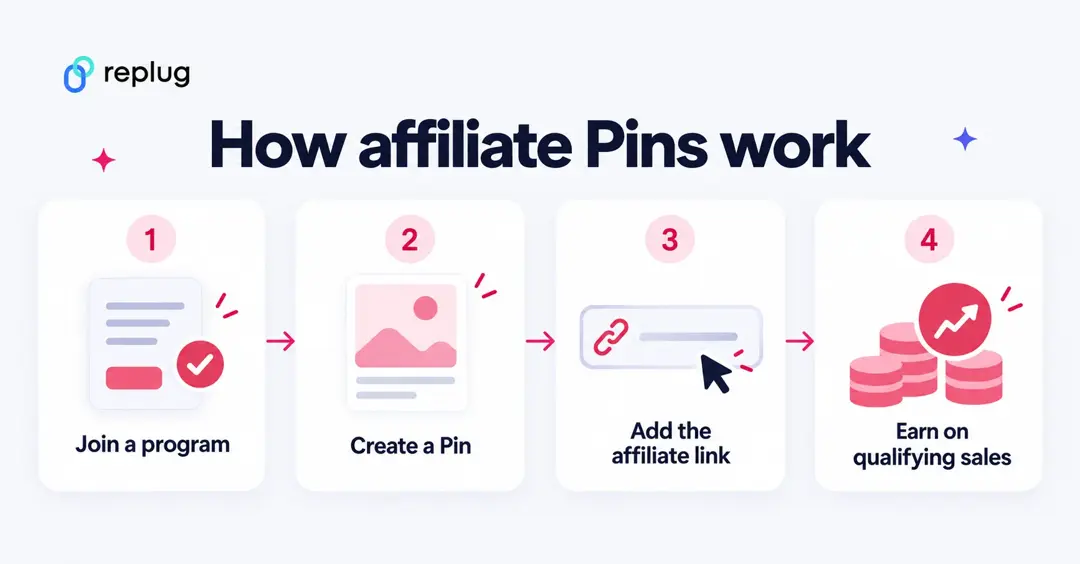
Affiliate marketing is a way for creators, bloggers and marketers to earn a commission by recommending products. On Pinterest, it means creating Pins that promote products related to your content and earning when people buy through your links.
Pinterest says it isn’t part of the affiliate agreements: you join a program or network yourself, and your commission depends on that program’s terms. Pinterest lists Rakuten, LTK, ShopStyle and Amazon Associates US as its official affiliate partners.
Many beginners worry about posting affiliate links on social media, and rightly so: some programs restrict where you can post their links. Pinterest itself allows affiliate links, but its Commercial and Branded Content Guidelines ask you to be transparent about the commercial nature of your content and to use affiliate links in moderation.
Pinterest removes accounts and content that break its community guidelines, so learn the rules before you post your first affiliate Pin.
A note on links: Pinterest asks that an affiliate Pin link straight to the shop’s product page, and it says some link shortener services aren’t supported on Pinterest. Use the affiliate link from your program as the Pin’s destination rather than a shortened or cloaked link, and save short links for places that need them, like a bio page or a printed flyer.
Why use Pinterest to promote your affiliate links?
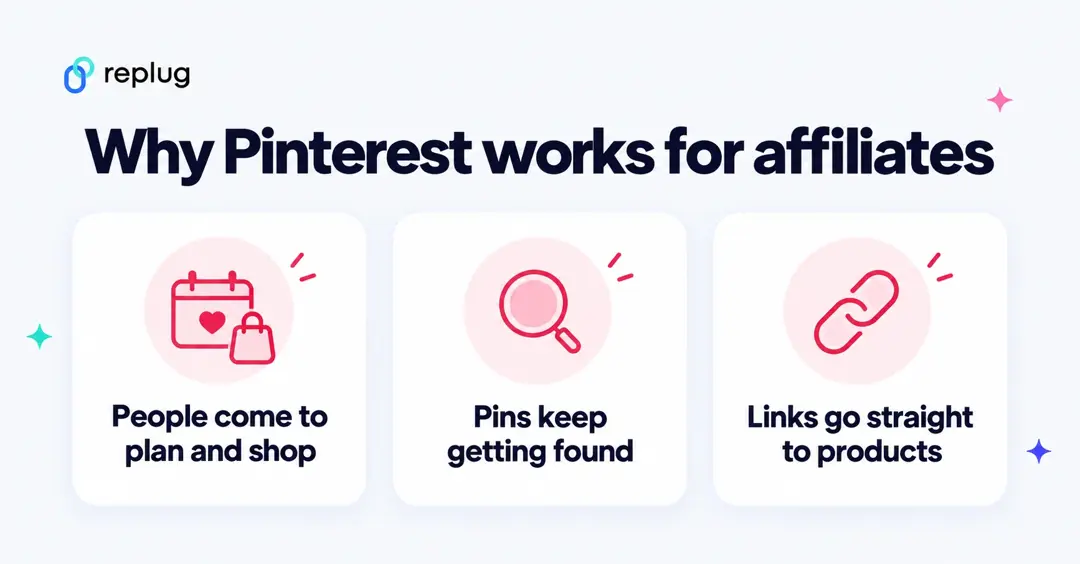
Here are 6 reasons to promote your affiliate links on Pinterest:
1. The platform has a large user base:
With 640 million monthly active users in the second quarter of 2026 (Pinterest results above), Pinterest sits alongside the big social platforms for reach.
2. Pinterest has a huge user base outside the US:
Of those 640 million users, 106 million are in the U.S. and Canada, 157 million in Europe and 377 million in the rest of the world, according to the same Q2 2026 results. That’s about 83% outside the U.S. and Canada, so check that your programs pay for international sales.
3. Popular with shoppers:
Pinterest’s company page says more than 50% of users think of Pinterest as a place to shop, which makes it a natural fit for fashion, beauty, home, DIY and lifestyle content.
4. Affiliate links are allowed:
Pinterest doesn’t stop you from sharing affiliate links; its own creator site has a guide to getting started with affiliate links. That’s one of the main reasons bloggers and affiliate marketers use it.
5. Pinterest makes it easier to make money:
Product tagging lets you tag products in your Pins in the U.S., Canada, UK, Germany, France, Italy, Spain, Austria, Switzerland, the Netherlands, Australia, Brazil, Mexico and Japan, according to Pinterest’s affiliate guide.
6. Users can drive traffic to the blogs:
Pins link to websites, so Pinterest can send steady traffic to blog posts, YouTube videos and shops, and each Pin can keep getting saved long after you post it.
Related: 7 Ways to Boost Your Website Traffic Through Social Media
How to get started with Pinterest affiliate marketing?
Here is a step-by-step guide to making money with Pinterest affiliate marketing:
Step 1. Identify your niche
Choose a niche you care about that has a following on Pinterest. Popular niches include fashion, home decor, fitness, food and travel. Use Pinterest Trends (Step 4) to check that people search for it.
Step 2. Determine your goals
Set clear, measurable goals, such as outbound clicks a month, a commission target or a follower count. Clear goals guide your strategy and show what’s working.
Step 3. Join an affiliate program or network
Sign up for reputable affiliate programs or networks that offer products related to your niche. Pinterest names Rakuten, LTK, ShopStyle and Amazon Associates US as official partners, and many brands run their own programs. Read each program’s rules on social media and link use before you start.
If you join Amazon Associates, its Operating Agreement requires the statement “As an Amazon Associate I earn from qualifying purchases,” and its Associates Program Policies say you won’t use a link shortening service in a way that makes it unclear you’re linking to Amazon. Use Amazon’s own links and don’t shorten or cloak them.
Step 4. Do your topic research
Research popular topics in your niche with Pinterest’s search bar and Pinterest Trends (in a business account, under Analyze performance), which shows trending searches by region and interest. This helps you create Pins people are looking for.
Step 5. Create your Pinterest account
Join Pinterest with a business account to get analytics and ads, or convert your personal account (business accounts are public, and your Pins and followers stay). Add a clear profile photo, a keyword-rich bio and a link to your website or blog.
Step 6: Make boards and pins
Create boards organized by themes in your niche. Design clear, eye-catching Pins with a design tool such as Canva. Give each Pin a title and description with the keywords people search for, and make sure they match the page the Pin links to.
Step 7: Apply best practices to grow your followers
Engage with other users by following, commenting and saving their content. Use relevant keywords to help people find your Pins, and post fresh content regularly.
Step 8: Add affiliate links
Generate a product link with your affiliate program and add it as the Pin’s destination link. Pinterest asks that the link go directly to the shop’s product page and that the Pin’s title and description match that page. Disclose affiliate links in the description (for example, “affiliate link” or “I earn a commission if you buy”), as the FTC’s Endorsement Guides FAQ asks, and mix in useful non-promotional Pins.
Step 9: Track performance
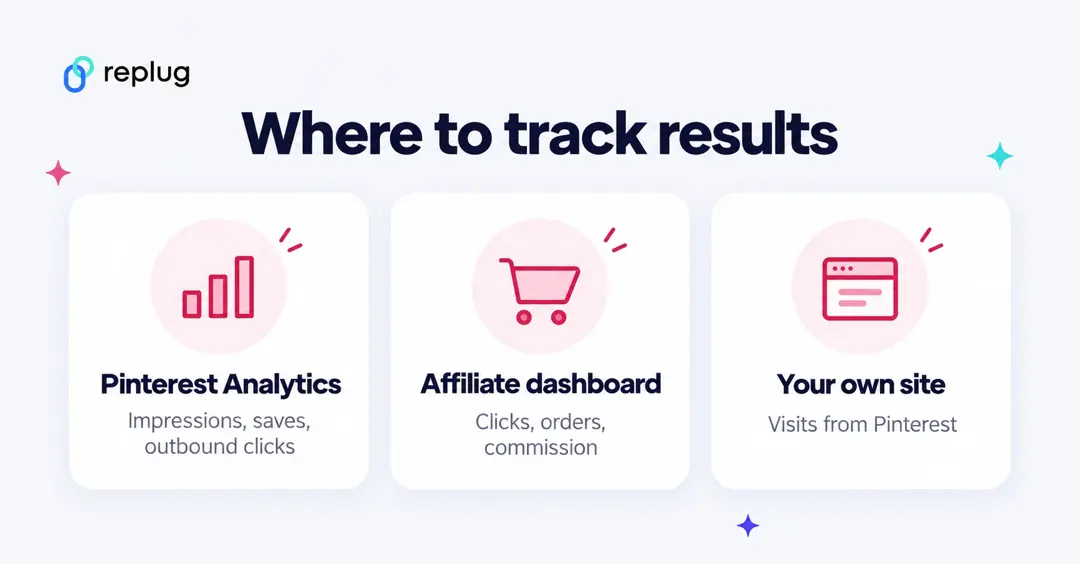
Check Pinterest Analytics for impressions, saves and outbound clicks per Pin, and your affiliate dashboard for clicks, orders and commission. If you pin your own blog posts, add UTM tags to those URLs so your site analytics show visits from Pinterest. Use what you learn to make more of what works.
Related: What Is Affiliate Link Cloaking & How To Do It? (and why not to cloak links on Pinterest)
Pinterest rules for affiliate links
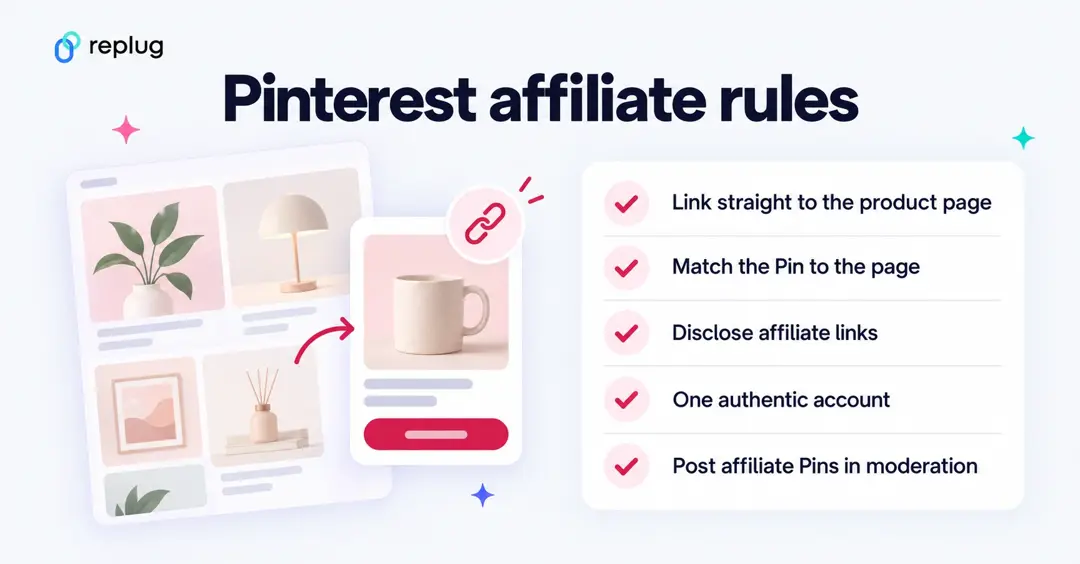
Pinterest’s Commercial and Branded Content Guidelines and spam rules come down to five habits:
- Link straight to the product page. Pinterest asks for links that go directly to the shop’s product detail page. Its spam rules follow a “no surprises” principle: Pinners should be able to anticipate where a link goes, and links with excessive or deceptive redirection may be blocked.
- Match the Pin to the page. The image, title and description should reflect what people find after the click.
- Disclose. Be transparent about the commercial nature of your content. Paid partnerships (where a brand pays you) need a clear disclosure such as #ad or Pinterest’s paid partnership label.
- One authentic account. Pinterest says you should generally operate one account and must not use fake accounts to save affiliate links.
- Moderation. Don’t create affiliate Pins repetitively or in large volumes, and don’t ask others to save your affiliate Pins in exchange for something.
Also avoid changing where an existing Pin goes: Pinterest lists “redirecting existing Pins to new destinations” as spam.
Pinterest affiliate marketing without a blog
You don’t need a blog to start. Pinterest lets you add an affiliate link straight to a Pin, so you can promote products with Pins alone. A blog or newsletter still helps: it gives you a place for reviews and comparisons, and Pins to your own posts are less dependent on any one program. If you also share links on Instagram or TikTok, a bio page such as Replug Bio Links can collect your recommendations in one place.
Best practices for affiliate marketing on Pinterest
Every marketing channel has its best practices. Go through these tips before you start:
1. Design beautiful, engaging pins:
Pin design matters. Use a design tool like Canva to create Pins that stand out, and keep the image true to the product you link to.
2. Create Pinterest pins in bulk:
Consistent publishing makes a difference. Design several Pins at once from a template so you don’t have to start from scratch each time, but don’t publish affiliate Pins in large volumes.
3. Use keywords in boards and pins:
Add relevant, niche keywords to your boards and Pins. Otherwise, your Pins are hard to find in Pinterest search.
4. Try video pins once in a while:
Video is everywhere on social media. Try video Pins alongside image Pins and compare their saves and outbound clicks.
5. Schedule Pinterest pins for consistency:
Scheduling helps you publish Pins without gaps. You could use Pinterest’s native Pin scheduling feature or try out ContentStudio for scheduling your Pinterest Pins.
6. Optimize Pinterest account for more reach:
Pinterest account optimization includes adding relevant keywords to your username, display name, boards and Pins.
7. Use affiliate links on Pinterest wisely:
Affiliate links are allowed, but Pinterest limits or removes spammy content and accounts. Send some traffic to your own posts or other helpful content to balance your affiliate Pins.
Let’s answer some of the burning questions about Pinterest affiliate marketing:
FAQs about Pinterest affiliate marketing

Mustafa Niazi