What is QR Code Marketing?
QR code is the bridge between your online and offline marketing efforts. Nurturing your consumers through the marketing funnel by giving them the correct information at the right time is the key to a successful influencer marketing campaign
Technology is meant to complement traditional print marketing and advertising instead of replacing it. The most successful and engaging marketing campaigns have one thing in common: integrating digital marketing approaches with conventional advertising.
In practice, QR code marketing means putting a QR code on something people already look at (packaging, a flyer, a poster, a table tent, a TV spot or a slide) so one scan opens the page you want them to see: an offer, a menu, a sign-up form, an app download or a review page. The best campaigns treat the code like any other channel: one clear goal, a call to action next to the code, a page made for phones, and a dynamic code so you can count scans and fix the destination later.
This guide covers why QR codes work for marketing, the goals they fit, real examples, a step-by-step campaign plan, how to get more scans and how to measure them. For QR codes in ads by medium (print, outdoor, TV, packaging and direct mail), see our guide to QR code advertising; for ideas by industry, see uses of QR codes.
Disclosure: this is Replug’s blog, and Replug, which makes QR codes and short links, is our product.
What is QR Code?
A QR code is a two-dimensional barcode that a phone camera can read. It usually holds a web address, so a scan opens a page without anyone typing a URL; it can also hold contact details, Wi-Fi settings, plain text or an email draft.
The strategic use and placement of QR codes with access to the updated and relevant information can be the most significant asset.
Why does QR code marketing matter?
DENSO WAVE, then a division of DENSO CORPORATION, announced the QR Code in 1994, according to DENSO WAVE’s history of the QR Code. The auto industry adopted it for electronic Kanban, the production-management labels used from production to shipping.
The name stands for “quick response”: the code was designed to be read at high speed. DENSO WAVE also made the specification public and said it would not exercise its patent rights, so anyone could use the code for free.
Consumer use started in Japan in 2002, when mobile phones with a built-in QR reader went on sale and people could scan a code to open a website or get a coupon, DENSO WAVE writes.
Fast forward to 2020: during the COVID-19 pandemic, businesses used QR codes more often for contactless access to menus, websites and payments, as the FBI noted in a January 2022 public service announcement.
A dynamic QR code also gives print and outdoor campaigns something they rarely had: a count of how many people responded, and where and when.
Is QR code marketing here to stay?
Almost everyone you want to reach already carries a scanner. About nine in ten U.S. adults (91%) own a smartphone, according to Pew Research Center’s mobile fact sheet (October 2026), and the camera apps on iPhone and Android read QR codes without an extra app.
Used well, QR codes can help increase brand awareness, increase sales and enhance customer engagement with the brand.
A practical way to create marketing QR codes is with a link management tool or one of the URL shorteners that also make QR codes. Tools like Replug (an all-in-one link optimization platform) put a short link inside the code, so you can count scans and keep the printed code pointing to the right page.
If you’re just getting started and want a free tool to manage and shorten your links, check out this free link shortener.
People only need their phone camera to scan the code. You can shorten a link and then create a QR code pointing to it in a few clicks, with no technical skills required.
How can you use QR codes for your marketing goals?
Increase social media following:
Social media presence for any business is no longer an option. It’s a necessity. You can use QR codes on the products for your marketing material to direct users to your social media pages like Facebook, Instagram.
This is a great way to maximize reach on social media networks. You can also ask them for a review of your product or tag them in the user-generated content with your product.
Get app downloads:
If used strategically, QR code marketing can be one of the fastest ways to increase app downloads and drive users into the mobile app marketing funnel. Burger King has put QR codes on TV: starting April 23, 2020, its commercials showed QR codes that viewers could scan to claim a free Whopper offer in the BK app, with redemptions capped at 10,000, Thrillist reported. The video below collects Burger King’s 2020 MTV VMAs commercials.
Drive more traffic to your website:
You can use the QR code to direct viewers to a page or website with detailed information. The information not covered in the print ad, such as product description, pricing list, dates and time, the procedure to place an order, can be communicated via the code. Put the code where the question comes up: on a shelf tag, a product label, a menu or a sign, and send people to the details that wouldn’t fit there.
Build email marketing lists:
QR codes can be used on marketing materials from billboards, print ads and business cards to direct users to webpages. This helps marketers to build email lists by asking users to sign up to avail certain offers.
This will be a good strategy to boost your email marketing strategy.
Enhance the user experience:
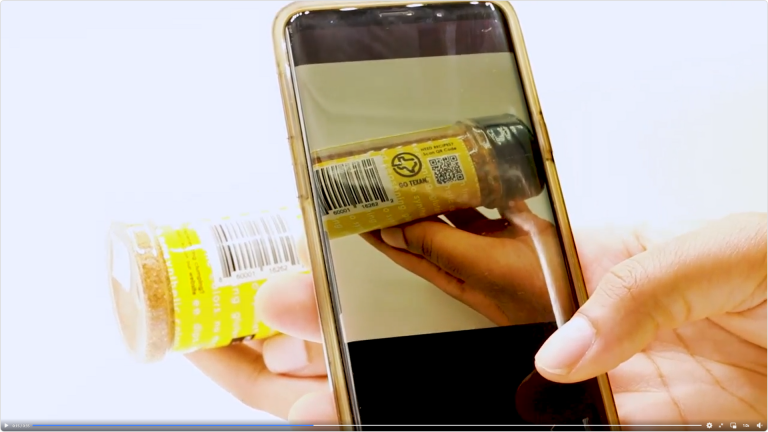
You can improve the user experience by offering them valuable and necessary information in the QR code—for example, an instructional video to set up the product, a printable sheet or recipes for a food product. Addy Daddy Seasonings, for example, prints a QR code on its seasoning bottles that opens its recipes (the brand’s Facebook video is linked under the photo).
Increase leads:
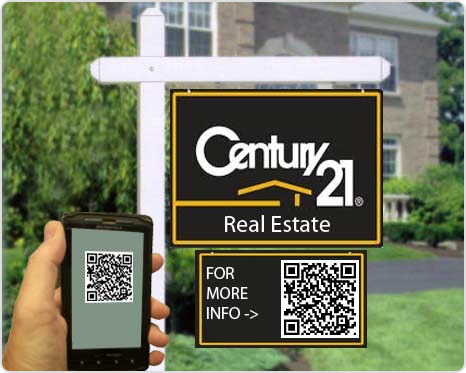
QR codes can be strategically used for lead generation according to the kind of business. For example, real estate signs often carry a QR code that opens the listing, photos and a form to book a showing; a separate code per sign shows which locations bring the most interest. Replug counts scans and clicks; the leads themselves are counted by the form or CRM behind the page.
Win customer’s trust and loyalty:
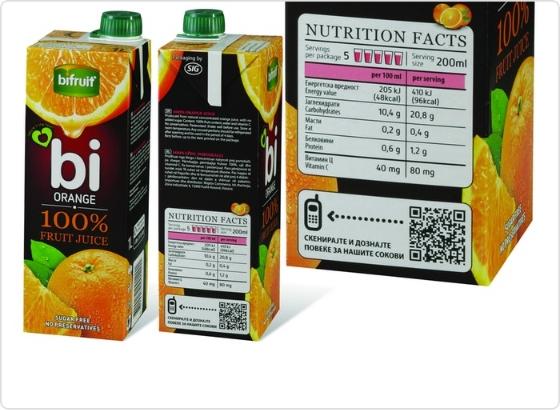
You can use QR codes on packaging to show what is behind a product: ingredients, nutrition, origin, care or recycling instructions. Being open about the product gives people a reason to trust the brand and come back.
Share contact details:
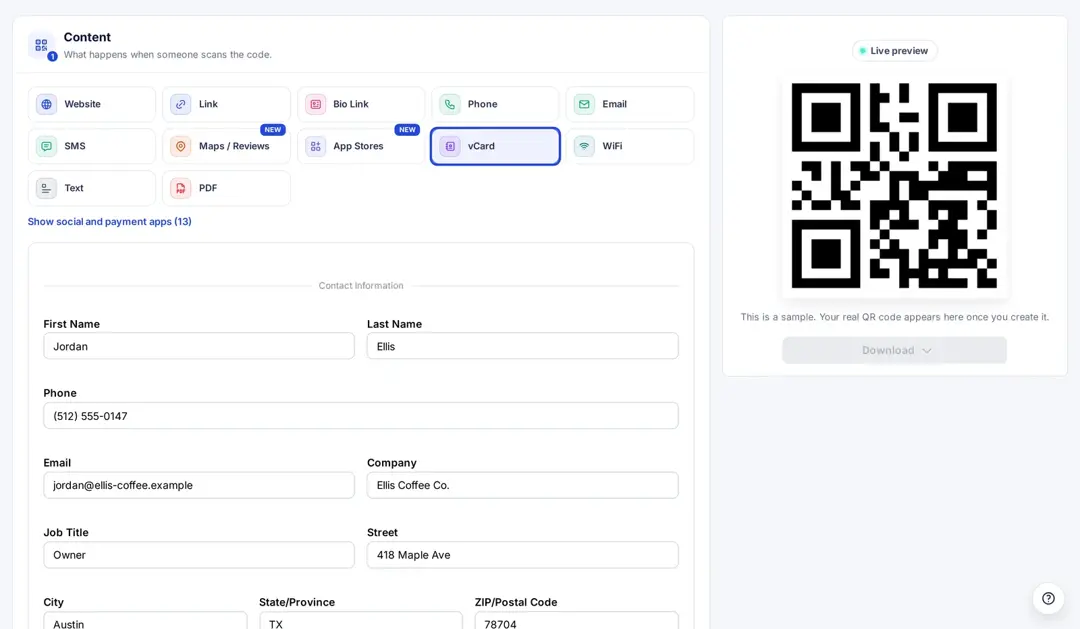
With a vCard QR code, people save your name, phone, email, company and address to their contacts in one scan. In Replug, pick vCard as the QR code type and fill in the fields; see how to create a contact info QR code for the details.
Personalize the experience:
With the flexibility to embed multiple content formats into QR codes, brands have attracted customers with personalized shopping experiences. Gift tags are a classic example: a giver records a short voice or video message, and the person who receives the gift scans the code on the tag to play it.
Increase post purchase engagement:
Avail the opportunity to engage your customer after the purchase. QR codes for rating and review pages are the one way to go about it. You can also link these to discount coupons for their future purchases, so they continue shopping with you. A code on the packaging or the receipt can open a reorder page, a how-to video or a review form.
Get reviews and feedback:
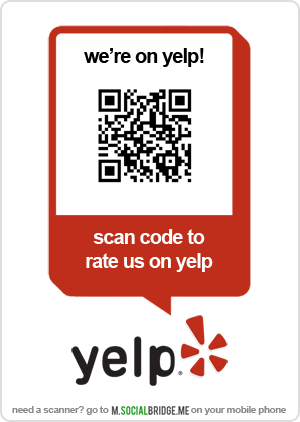
Google suggests the same tactic for local businesses: its Business Profile Help recommends asking customers to leave a review by visiting a Google link or scanning a QR code. You can use a QR code to ask for product reviews and build the customer’s trust by providing them with the information they are looking for.
Related: Uses of QR codes: Marketing, sustainability & convenience
QR code marketing Use Cases:
1-Restaurant Menus:
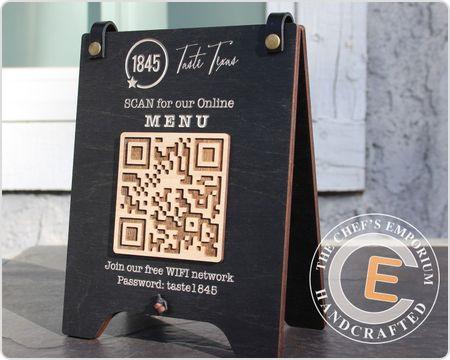
With the pandemic, restaurants looked for safe and hygienic options for their customers. From menus to payments, restaurants used QR codes to design a contactless experience for their customers.
QR code menus lower the printing price and are also more convenient to update about the availability of items, price, details etc., without reprinting.
2-OOH Advertising:
Out-of-home ads (billboards, transit, posters) reach people away from their screens. A QR code gives them a way to act on the spot, and a dynamic code tells you how many did. Keep the code large, the call to action short and the page fast, because people scan from a distance and often on the move.
A popular format is the “virtual store”: a poster that shows products on shelves, each with its own QR code that opens the product page to buy it on the spot.
It works best where people wait (stations, bus stops, malls) and have a minute to browse.
3-Adding a twist to museum:
The Sukiennice Museum in Kraków, Poland, used QR codes to tell the “secrets behind paintings”, according to a case video from the agency Leo Burnett.
Visitors scan the code next to a painting, and they get a series of stories about the artwork, its history and the painter themselves.
The intriguing stories about war, deception, insanity, love and romance added to the experience of the museum visitors.
4- Recycling:
QR codes can make recycling and refills easier: a code on a package can open local recycling instructions, a take-back program or a deposit-return page, and a code on a refill station can start a session or show what each refill saves. GS1 US, the organization behind UPC barcodes, is working with retailers on 2D barcodes such as QR codes with GS1 Digital Link through its Sunrise 2027 initiative, which lets one code on the package carry product information for shoppers.
If you print a code for recycling, link it to a page you can update as local rules change, which is exactly what a dynamic code is for.
How to plan a QR code marketing campaign
A QR code is only as good as the plan around it. Use these six steps for any campaign, from a single flyer to national packaging:
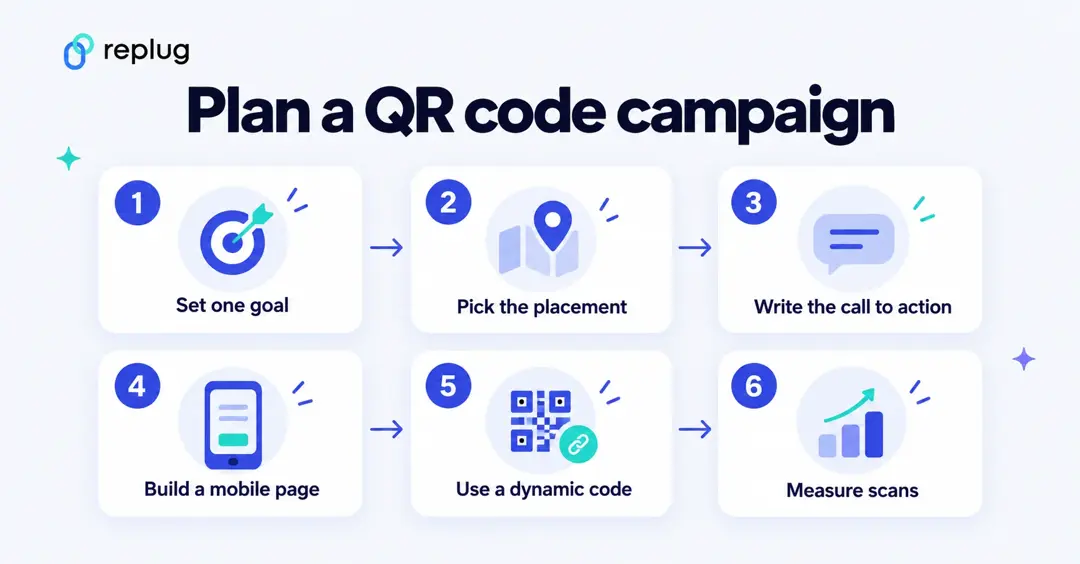
- Set one goal. Decide what a scan should lead to: a sign-up, a purchase, an app install, a review, a booking. One code, one goal.
- Pick the placement. Put the code where people have a reason and a moment to scan: packaging they hold, a table tent while they wait, a poster at a bus stop, a slide during a talk. Check light, distance and angle.
- Write the call to action. Say what the scan opens and why it is worth it: “Scan for the fall menu”, “Scan to get 15% off your first order”, “Scan to book a tour”.
- Build a mobile page. Send people to a fast, phone-sized page that matches the promise on the print, not to your homepage.
- Use a dynamic code. A dynamic QR code holds a short link, so you can count scans and, with tools that allow it, change the destination after printing. Add UTM parameters to the destination so your web analytics shows the scans as their own campaign.
- Measure scans. Use a separate code per placement (flyer, packaging, poster) so you can compare them, then put more budget behind the ones that work.
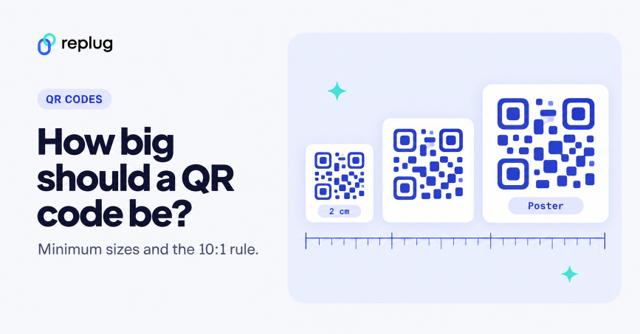
Before a large print run, print one proof, scan it with an iPhone and an Android phone from the distance people will really stand, and check the page loads well on mobile data. Our guide to QR code size covers how big to print for each distance.
How to get more scans with QR code:
- Add a call for action next to your QR code:
A QR code is like the door opening into the experience your customer wants to have. But if there is no sign on the door, nobody will enter. A compelling call to action is therefore necessary. Here’s how to write a call to action for a QR code. - QR code Placement:
Make sure your QR code is strategically placed in a well visible place where your target user can notice it and quickly scan it. It should be set against a bright background to increase its readability. - Brand your QR code:
Make sure the QR code reflects your brand identity. Colors, a frame with a short call to action and your logo in the center tell people who the code is from before they scan. Keep enough contrast (a dark code on a light background) so phones can still read it. In Replug, colors, shapes and frames are on Essentials and up, and a logo in the code is on Scale and Agency, according to Replug’s pricing page. - Mind QR code proportion:
While using it on the marketing material or packaging, make sure not to distort the ratio since it can make the scanning difficult. - Minimize the number of QR codes:
If there are multiple QR codes on the package or your print ad, it’ll confuse the audience, and thus you’ll miss the opportunity.
Ideally, you should go with one goal per QR code, but if you want to give them a holistic view of your product, then you should create a universal link and direct them to the information they are looking for. - Use interactive landing pages:
When linking your QR code to the video, file or landing page, make the content accessible on a smartphone and mobile-friendly. - High-quality QR code:
Make sure you use a high-quality QR code with well-maintained whitespace so it is easy to read and scan. - Track data:
Once your QR code marketing goes live, keep track of data. This data will tell you about your best performing and underperforming campaigns, and you can optimise them accordingly.
Benefits of dynamic QR code:
- Editable:
A dynamic QR code points to a short link, so you can change the page it opens after the code is printed. In Replug, changing a printed code’s destination is on the Scale and Agency plans. - Data tracking:
You can follow the number of scans, when they happened and the country, city, device, operating system and browser behind them. Scan tracking doesn’t tell you who scanned: no names, phone numbers or email addresses are collected by the scan itself. - Cost-effective:
A QR code generator is very cost-effective, and some platforms even offer it for free
QR code safety: make your codes easy to trust
Scammers use QR codes too. In a public service announcement, the FBI warned that criminals tamper with physical and digital QR codes, for example by placing a sticker over a real code, to send people to sites that steal login and payment details. It advises people to check the web address after scanning, to be careful entering financial information and to download apps from the app store rather than from a QR code.
As a marketer, you can make your codes easier to trust:
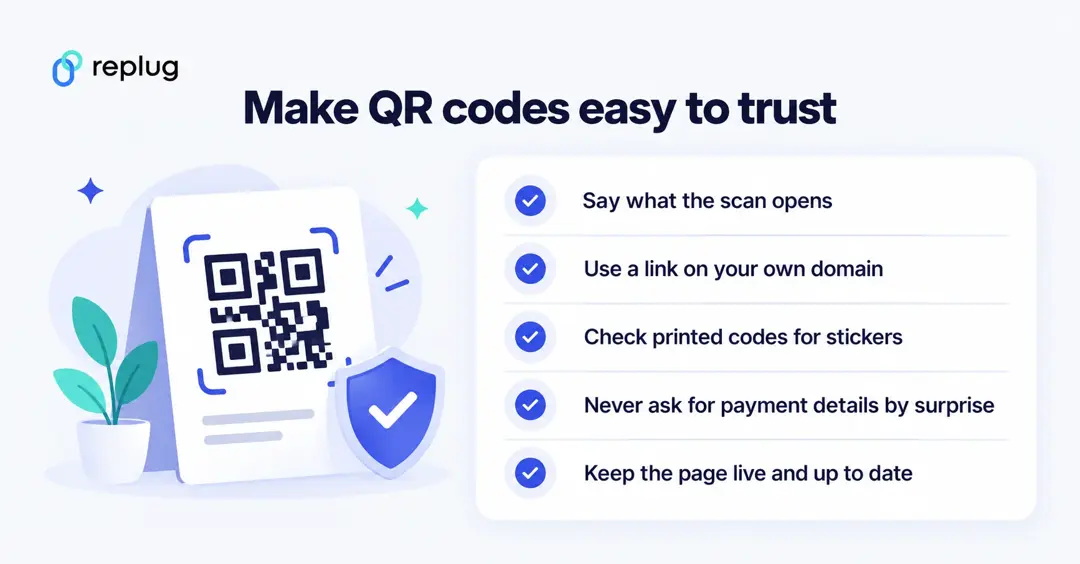
- Print a call to action that says what the scan opens, so people know what to expect.
- Use a short link on your own branded domain, so the address people see after scanning carries your name.
- Check printed codes in public places now and then for stickers placed over them.
- Don’t surprise people with a payment form; if the page takes payments, say so next to the code.
- Keep the page live: a code that opens an error page costs you the scan and some trust.
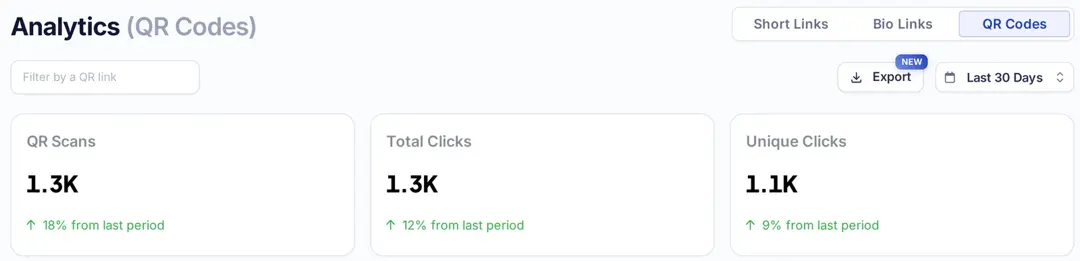
In Replug, open Analytics and the QR Codes tab to see scans, total and unique clicks, countries, cities, devices, operating systems, browsers and referrers for each code. History is 14 days on Free, 90 days on Essentials and unlimited on Scale and Agency, according to Replug’s pricing page.
Choosing a QR code generator:
Making the right choice of a QR code generator is the prerequisite of leveraging QR code marketing for your business. There are unlimited free QR code generators available, but make sure to choose with:
- The accurate data tracking feature
- Clear pricing: what happens to your printed codes if you stop paying or hit a plan limit
- High-resolution printable QR codes
- Excellent documentation
- Excellent customer support service
Frequently Asked Questions:

Wasiq Naeem