QR codes are used to open a web page from print or a screen, show restaurant menus, pay, share product information on packaging, join Wi-Fi, collect reviews, check in to events, save contact details and download apps. Anywhere a phone camera can see a code, it can replace typing a URL or a long piece of text.
This guide lists the most common uses by industry, real public examples with sources, how to make a QR code and how to measure what it does.
Disclosure: this is Replug’s blog and Replug, which makes QR codes, is our product.
Marketing is one of the most popular uses. On packaging, flyers, posters and other printed materials, a QR code gives people a quick path to more information, an offer or a sign-up page. For advertising by medium (print, outdoor, TV, packaging, direct mail), see our guide to QR code advertising.
QR codes can also support more sustainable packaging and print: a code can link to instructions, ingredients, recycling information or a digital receipt instead of printing it all, and the page behind the code can be updated without reprinting.
How to use QR Codes to boost sustainable marketing strategies?
QR codes let a small printed square carry as much information as a web page. That can cut the amount you print and keep information current:
- Less printing: link to a manual, menu, catalog or care guide instead of printing it, and update the page when it changes.
- Product information on packaging: GS1 US, the organization behind UPC barcodes, describes QR codes with GS1 Digital Link that connect a product’s identifier to web information such as product details. Through its Sunrise 2027 initiative, retailers are moving toward 2D barcodes at checkout, and GS1 US says the goal includes accessing more information, saving packaging space and avoiding printing multiple barcodes on one package.
- Recycling and disposal: point the code to local recycling instructions or a take-back program.
- Digital receipts, tickets and coupons: replace printed versions with a page or wallet pass.
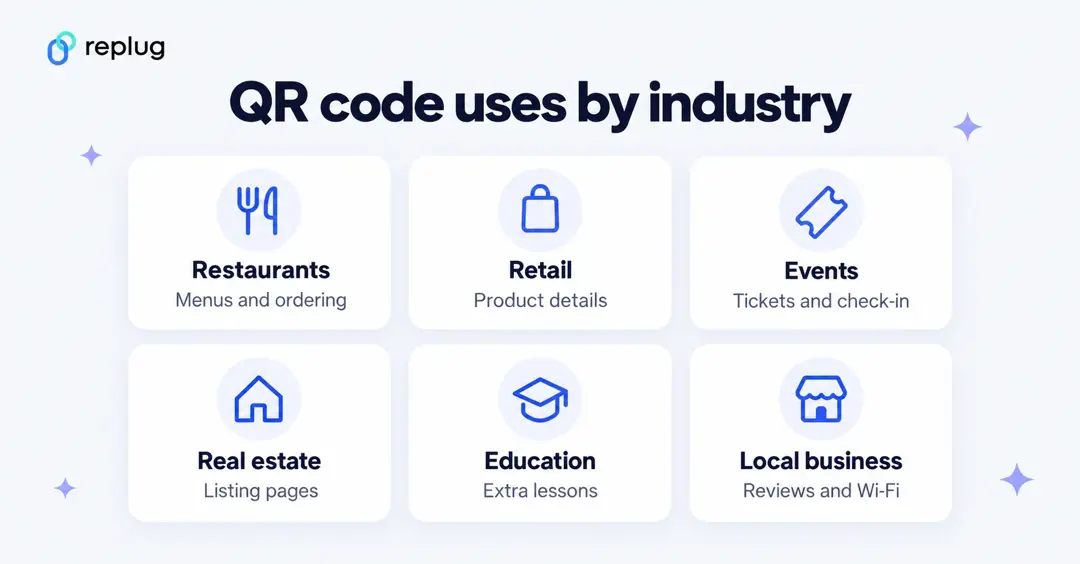
QR codes work across many places, from bookshops and restaurants to clinics and ticketed events. They can hold a website URL, contact details, a Wi-Fi network, plain text or a link to a document, so people get what they need with one scan.
In healthcare, clinics use QR codes on signs and forms to link to check-in pages, patient information or appointment booking. Anything containing personal health information should stay behind a secure, authenticated page, not in the code itself.
In e-commerce and retail, a QR code on a tag, shelf or package can open the product page, reviews or a reorder link, and many payment apps let customers pay by scanning a code at checkout.
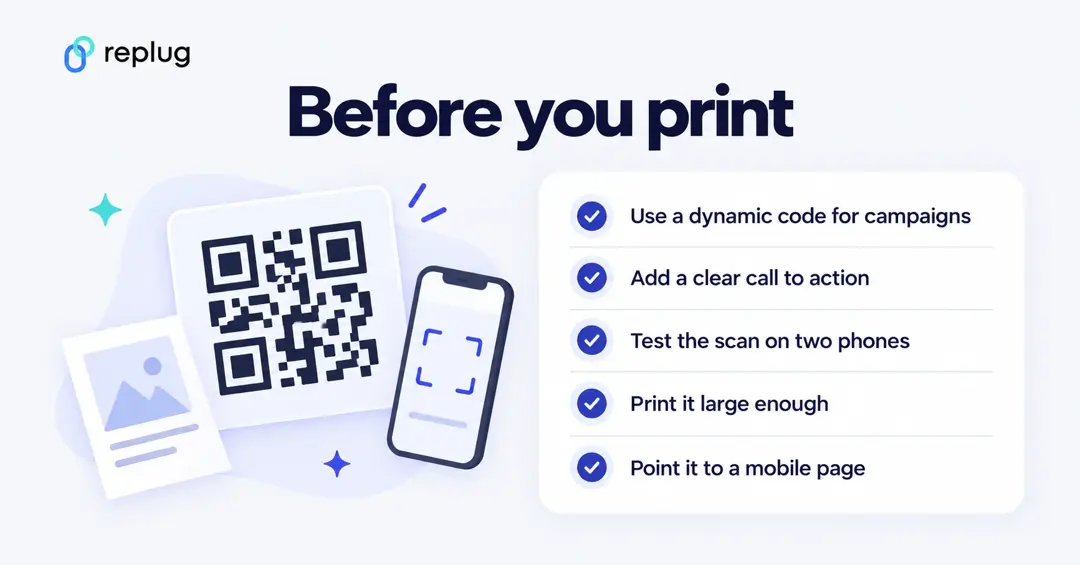
QR codes also work as a Call-to-Action (CTA): “Scan to enter the giveaway”, “Scan for the menu”, “Scan to RSVP”. Promotions, challenges and scavenger hunts give people a reason to scan.
For payments, a QR code points the customer’s phone to the merchant’s payment page or app, so the customer doesn’t need to touch a terminal. Only scan payment codes from a source you trust, and check the web address before you pay.
A real example: a QR code in a Super Bowl ad
In February 2022, Coinbase ran a 60-second Super Bowl ad that showed only a multicolored QR code bouncing around the screen. Viewers who scanned it reached a promotional page offering $15 of Bitcoin for creating an account. According to MediaPost, the ad generated more traffic than Coinbase could handle, its site crashed for a time, and Coinbase rose from No. 186 to No. 2 on the U.S. App Store.
The lesson for any QR campaign: give people a reason to scan, and make sure the page behind the code can handle the traffic.
Top 10 Ideas to Use QR Codes
Many QR code uses are already part of daily life. Packaged food can link to ingredients and allergen details, and travel bookings, boarding and event entry often use a code on your phone. Here are 10 practical ideas for businesses.
1. Direct customers to a landing page/website
The most common use: a code on a flyer, poster, business card or package that opens your website or a campaign landing page. Point it to a page made for that placement and for mobile, not just your homepage, so people land on what the print promised.
2. Shopping and e-commerce
Put QR codes on product tags, shelves and packaging to open product pages, reviews, size guides or a reorder link. At checkout, many payment apps let customers pay by scanning a code, which is quick and touch-free.
3. Use QR Codes for real estate marketing
A code on a yard sign, flyer or brochure can open the listing page with photos, a video tour and a form to book a showing. Because buyers often scan from the street, a mobile-friendly listing page matters more than a long URL on the sign.
4. Share your social media accounts
Copy your profile URL and paste it into the QR code generator, or link the code to a bio page that lists all your profiles. Put it on packaging, receipts, event signs or your shop window so people can follow you without searching for your handle.
5. Ask for reviews or feedback
Send customers straight to your review or feedback form. Google’s Business Profile Help suggests asking customers to leave reviews by visiting a Google link or scanning a QR code, and links to instructions for creating that link or code. Put it on receipts, table tents or a thank-you card.
6. Track inventory, delivery and packaging
Logistics teams use codes on parcels, pallets and equipment to look up records and update status with a phone instead of a dedicated scanner. Customers can scan a code on a delivery note to track a shipment or book a return.
7. Offer incentives and coupons via QR codes
Link a code to a coupon, a loyalty sign-up or a limited-time offer. With a dynamic code you can change the offer behind the same printed code when the promotion ends.
8. Integration with Search and social ads
QR codes connect offline and online campaigns: a code on a poster, TV spot or event screen can open the same landing page as your search and social ads, so you can compare channels in one report. Add UTM parameters to the destination so your web analytics shows the scans as their own campaign.
9. E-learning
Teachers and publishers add codes to worksheets, textbooks and slides that open a video explanation, extra exercises or a reading list. It saves students typing long links and keeps the printed page short.
10. Share Wi-Fi and contact details
A code can hold Wi-Fi details or a contact card. Android can share a saved Wi-Fi network as a QR code that a friend scans to join, according to Android Help. Cafés, offices and rentals print a Wi-Fi code for guests, and business cards often carry a vCard code that saves your details in one scan.
How are brands using QR Codes?
Brands use QR codes to give quick access to product information, offer discounts and promotions, take mobile payments and run interactive experiences such as games, contests and surveys that improve customer engagement.
Examples you can check:
- Coinbase used a QR code as the entire creative of its 2022 Super Bowl ad, linking to a sign-up offer (MediaPost, February 2022).
- Retail packaging: GS1 US’s Sunrise 2027 work with retailers and brands moves product packaging toward 2D barcodes such as QR codes with GS1 Digital Link, which can be scanned at checkout and by shoppers for product information.
- Restaurants: GS1 US notes that during the COVID-19 pandemic, restaurant customers used their smartphones to scan QR codes for touchless access to menus.
- Local businesses ask for Google reviews with a QR code, as Google Business Profile Help suggests.
How to generate a QR Code for any website or URL?
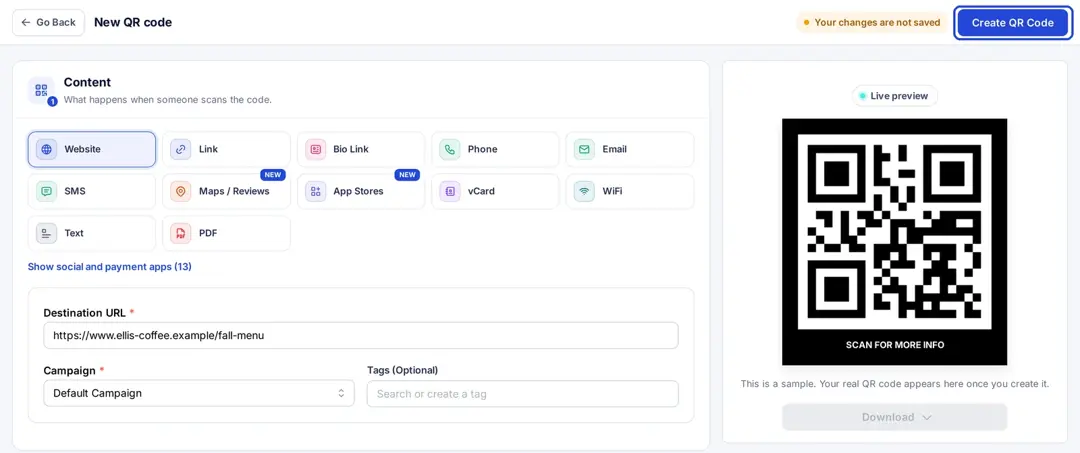
You can make a QR code for a web page, a social profile, a document, a bio page and more. Here’s how to create a QR code with Replug:
Step 1: Sign in or create a Replug account. Go to Replug and log in. If you’re new, sign up for the Free plan, which includes 10 QR codes, or start a 14-day trial of a paid plan, according to Replug’s pricing page.
Step 2: Go to QR Codes. Click QR Codes in the left menu, then “Create new”. Start blank or pick a template.
Step 3: Choose the QR code type. Pick a type such as Website, Link, Bio Link, vCard or PDF. Website, short link and bio link codes are on every plan; other types start on Essentials.
Step 4: Enter your content. Paste the destination URL or fill in the details for the type you chose.
Step 5: Customize the design (optional). Under Design you can:
- Change the QR colors (Essentials and up)
- Change shapes and add a frame with a call-to-action such as “Scan me” (Essentials and up)
- Add your logo in the center (Scale and Agency)
Step 6: Create and download. Click “Create QR Code”, then download it in SVG, PNG, JPEG or WEBP for print, websites or social posts.
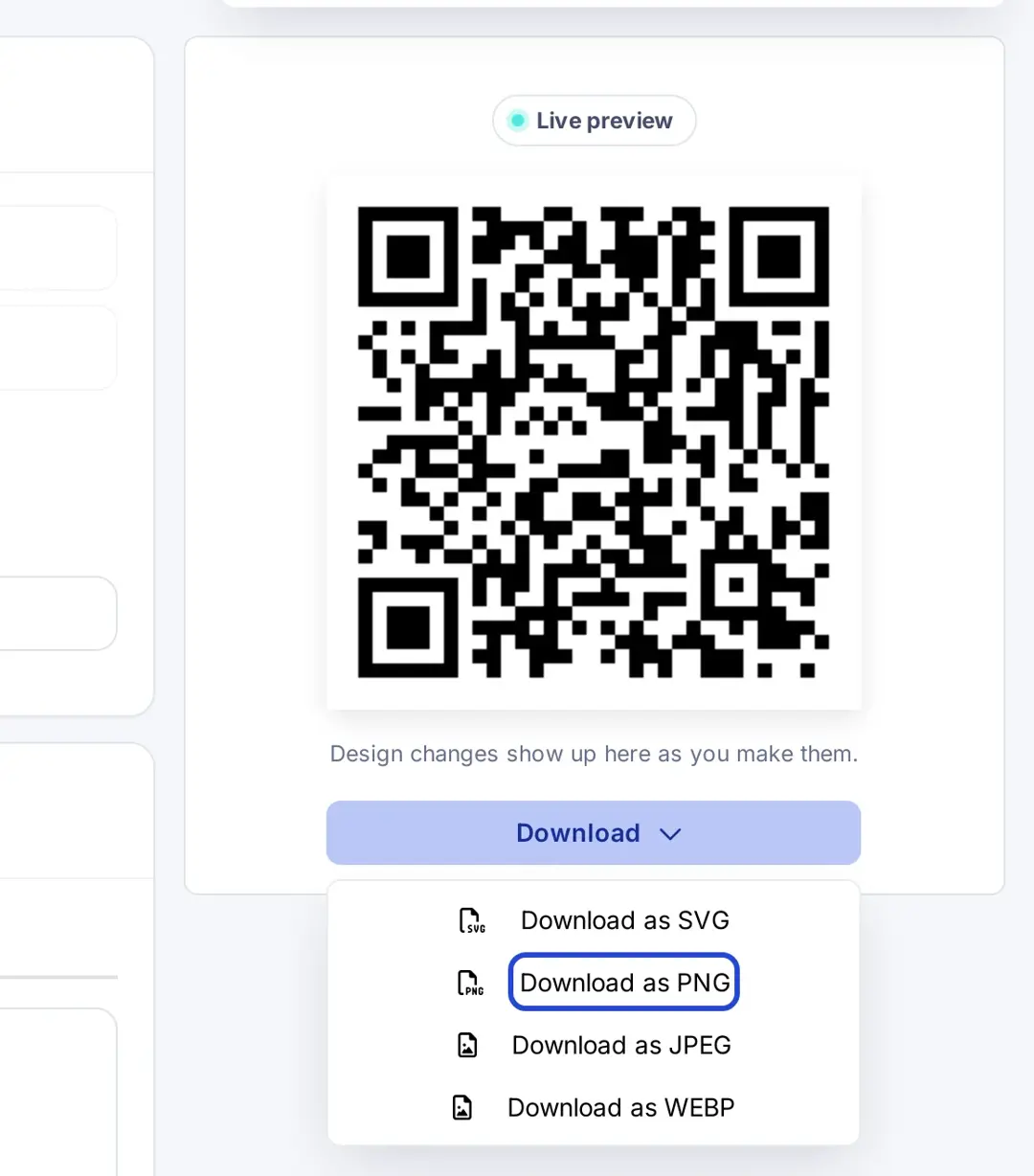
Replug QR codes are dynamic: the code contains a short link, so scans can be counted and, on Scale and Agency, you can change the destination after printing.
How to track & measure QR code success?
Creating a QR code is the first step; measuring it tells you whether the placement worked. Learn the details in our guide to QR code tracking.
In Replug, open Analytics and the QR Codes tab to see QR scans, total and unique clicks, location, operating system, device, browser and referral source for each code. History is 14 days on Free, 90 days on Essentials and unlimited on Scale and Agency. To see what people did on your site after the scan, add UTM parameters to the destination and check your web analytics.
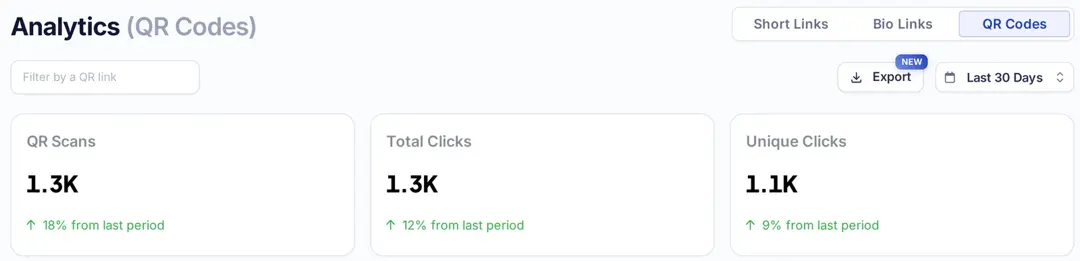
Use a separate code for each placement (flyer, table tent, packaging) so you can compare them, and pair your codes with Replug’s free link shortener for the same campaign online.
Also read: Campaign Tracking: Data-Driven Tools for Marketers
Frequently asked questions

Manahil