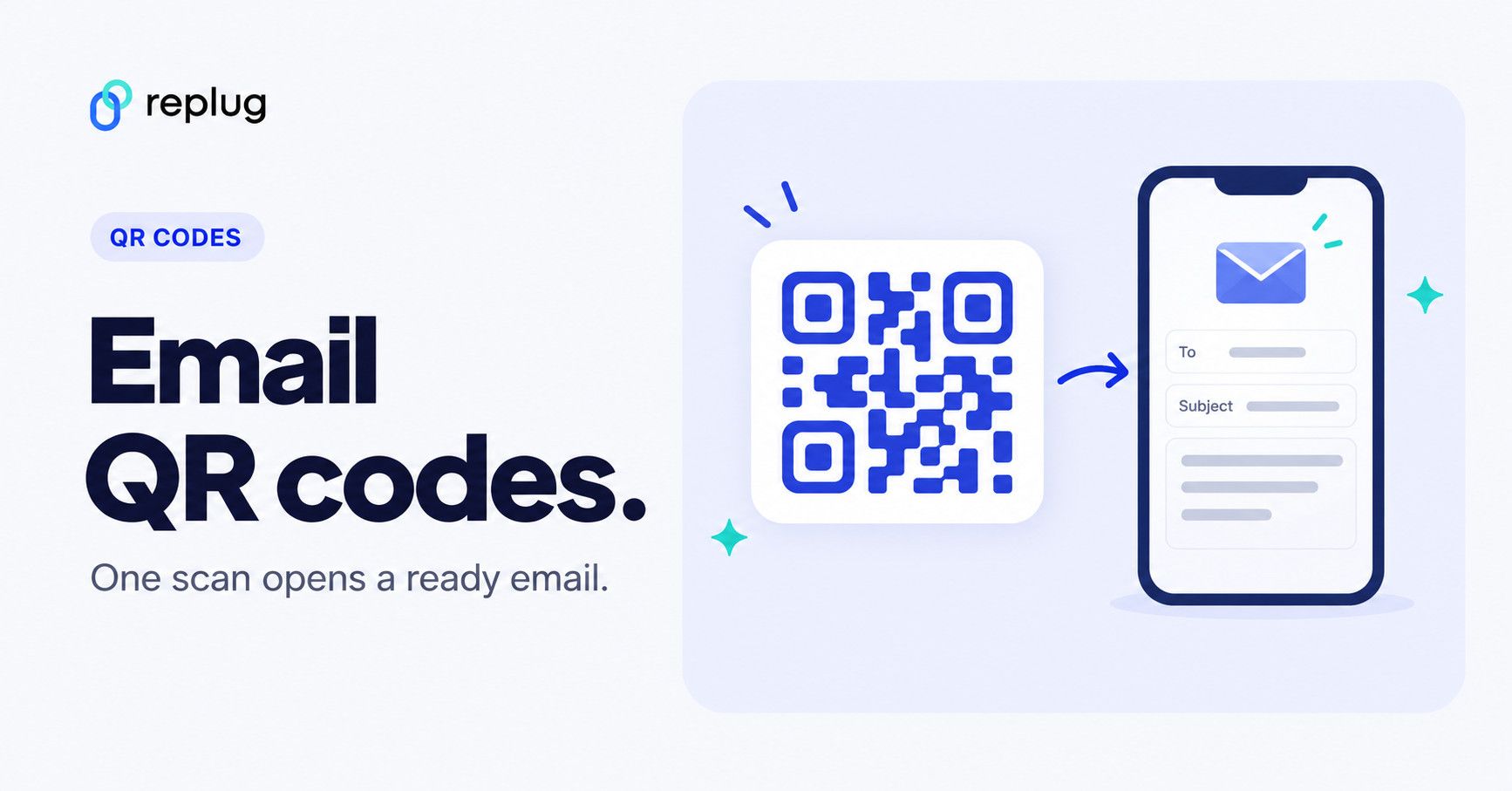
An email QR code is a QR code that opens a new email when someone scans it, with your address in the To field and, if you like, a subject line and message already filled in. To create one, enter the email address, subject and body in a QR code generator that has an Email type (Replug, for example), download the code and print it where people need to reach you. The person who scans still reviews the draft and taps Send.
This guide explains how email QR codes work, how to create one in Replug step by step, static vs dynamic codes, and where they work best. For a general walkthrough, see how to create a QR code.
Disclosure: this is Replug’s blog, and Replug, which makes QR codes, is our product.
What is a QR code for email?
Behind the scenes, an email QR code carries a mailto: link, the same kind of link as an email address you click on a website. The mailto format is defined in RFC 6068: the address comes after mailto:, optional fields such as subject and body follow a ?, separate fields are joined with &, and spaces and special characters are percent-encoded (a space becomes %20).
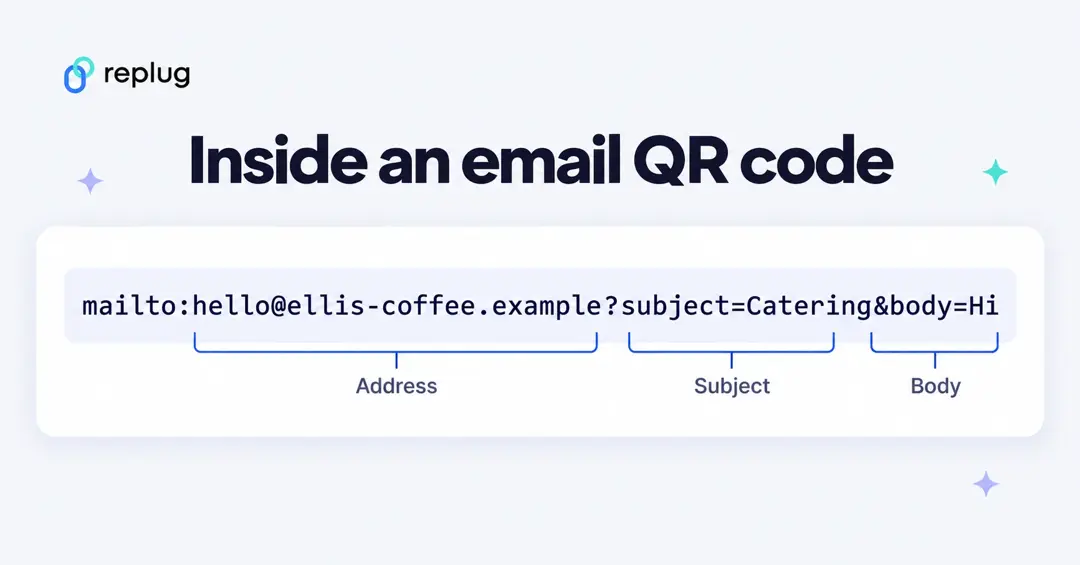
Here is a complete example you can copy and edit:
mailto:hello@ellis-coffee.example?subject=Catering%20question&body=Hi%20Jordan%2C%20I%27d%20like%20a%20quote%20for%20coffee%20service.Here’s what it looks like in action:
- Someone scans the code with the phone camera
- The phone offers to open the link in the default email app
- A new email opens with your address, subject and message filled in
- They edit it if they want and tap Send
No typing your address, and fewer typos. The email is never sent without the person tapping Send.
Why use email QR codes?
- Faster contact: people don’t have to type or copy your address. One scan, then Send.
- Good for print: business cards, posters, flyers, packaging and event booths, wherever an address in small print gets ignored.
- Organized inbox: a preset subject such as “Catering question” or “Warranty claim” tells you where the email came from and lets you filter it.
- Trackable with a dynamic code: Replug counts how many times each code was scanned, and where and on which devices.
Static vs dynamic email QR codes
A static email QR code contains the mailto link itself. It never expires and needs no account, but you can’t count scans or change the address later. A dynamic code contains a short link that redirects to the mailto link when scanned, so scans are counted and, with tools that allow it, the address or subject can be changed after printing. Replug’s email QR codes are dynamic.
How to create a QR code for an email using Replug?
Here is how to create an email QR code with Replug’s QR code generator. Website, short link and Bio Links codes are on every plan; Email and the other QR types start on Essentials, according to the QR code generator page and pricing.
Step 1: Log into Your Replug account
Sign in to Replug. If you’re new, paid plans start with a 14-day trial, according to Replug’s pricing page.
Step 2: Go the QR codes
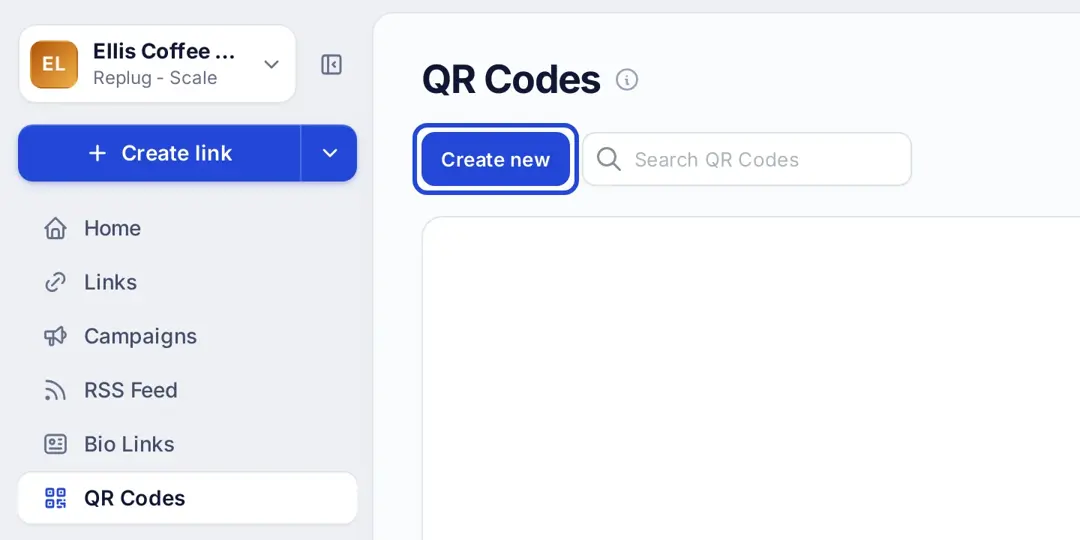
- Click QR Codes in the left menu.
- Click Create new, then Start blank (or pick a template).
Step 3: Select Email as the QR code type
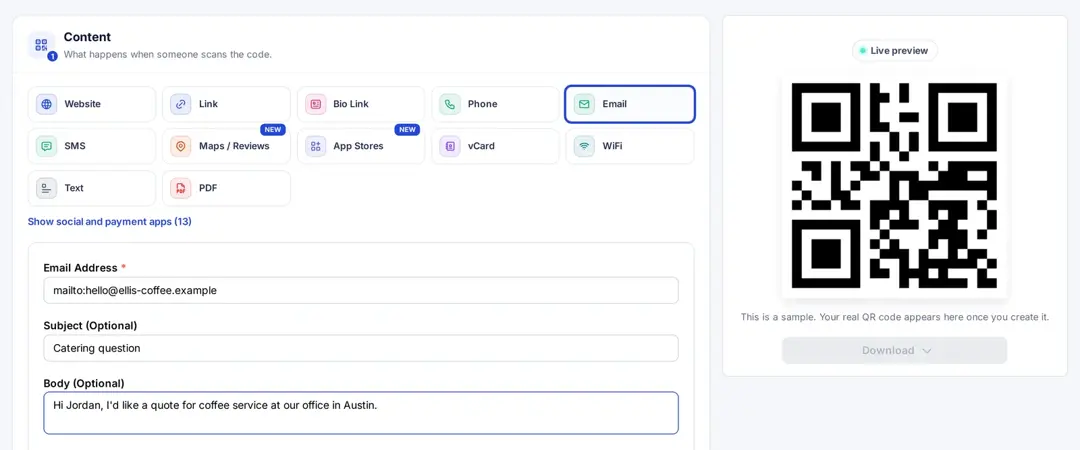
In Content, choose Email and fill in:
- Email Address (required). Replug turns it into a mailto link for you, so you can type just the address.
- Subject (Optional), for example “Catering question”
- Body (Optional), a short starter message, for example “Hi Jordan, I’d like a quote for coffee service at our office in Austin.”
- Campaign and, if you like, Tags
Step 4: Customize the design
Under Design, you can:
- Change the shape and colors to match your brand (Essentials and up)
- Pick a frame and add a short call to action such as “Scan to email us” (Essentials and up)
- Add your logo in the center (Scale and Agency)
Keep a dark code on a light background so phones can read it easily.
Step 5: Save and download
Click Create QR Code, then Download and save the code as SVG, PNG, JPEG or WEBP. Use SVG or a large PNG for print.
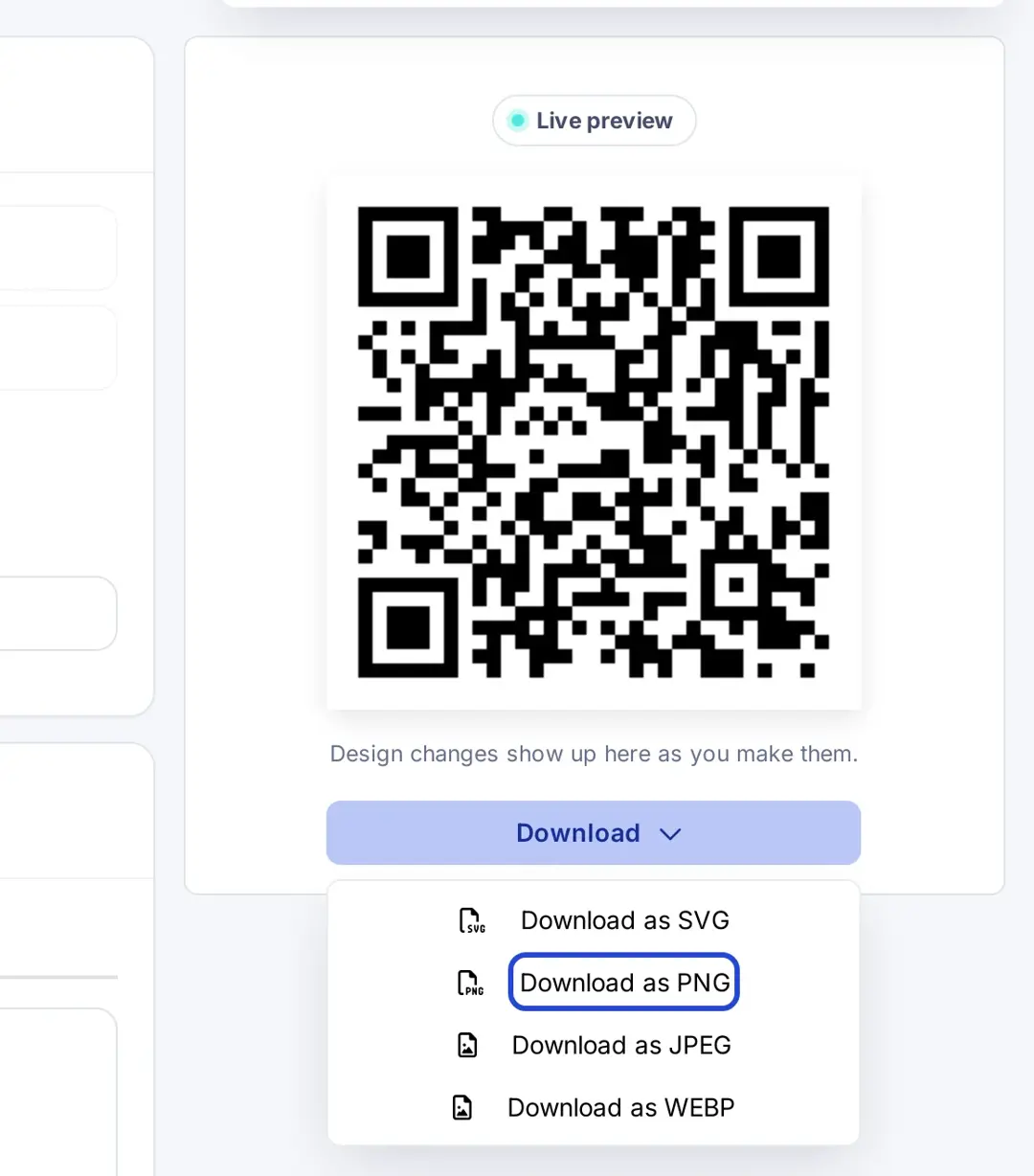
Scan the printed or on-screen code with an iPhone and an Android phone to check that the draft opens with the right address and subject. If you want a code that opens an Outlook link, such as a meeting or calendar invite, see our Outlook QR code generator page.
Related: How to create a QR code to share your contact info instantly (a vCard code saves your email address, phone and company to the contacts app instead of opening an email).
Bonus: Track scans and engagement with Replug
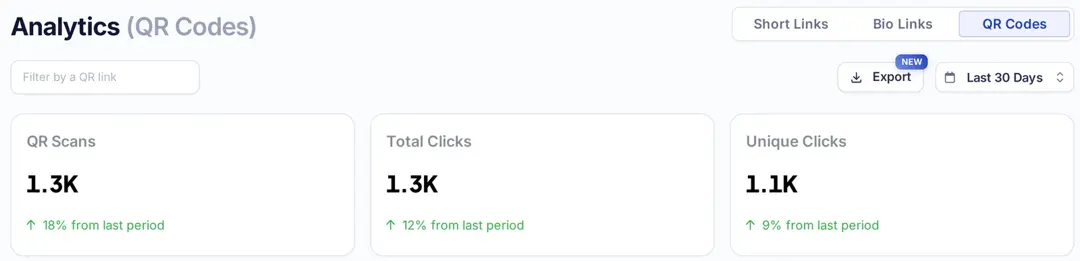
Because Replug email QR codes run through a short link, you can see:
- How many times the code was scanned, and unique clicks
- Countries and cities
- Devices, operating systems and browsers
History is 14 days on Free, 90 days on Essentials and unlimited on Scale and Agency, according to Replug’s pricing page. A scan only tells you the draft was opened, not that an email was sent; count the emails that arrive with your preset subject to see how many people followed through.
Where to use an email QR code?
- Business cards: let people email you in seconds
- Event badges and booths: collect questions and follow-ups at trade shows
- Product packaging and manuals: a support or feedback address with a preset subject
- Flyers and posters: inquiries for open houses, classes or services
- Front desks and counters: “Scan to send us your order”
Basically, if there’s space and a reason to contact you, an email code fits.
Related: Uses of QR Codes: Marketing, Sustainability & Convenience
Tips to maximize the impact
- Test the scan: try it on iPhone and Android. On iPhone you scan with the Camera app and tap the link that appears (Apple Support).
- Include a CTA: add a clear call to action like “Scan to email us”. Here’s how to write a call to action that gets scans.
- Keep the message short: a long body makes a static code dense and harder to scan, and people prefer to write their own words.
- Use contrasting colors: a dark code on a light background scans best.
- Use a separate code per placement: a different subject or code per flyer, booth or package shows which one brings emails.
Conclusion
An email QR code is a mailto link in scannable form: one scan opens a ready-to-send email with your address and subject filled in. Make it dynamic if you want to count scans or change the address later, test it on two phones, and print a short call to action next to it.
Pair your email QR codes with Replug’s URL shortener for the links you share online.
Frequently asked questions

Manahil