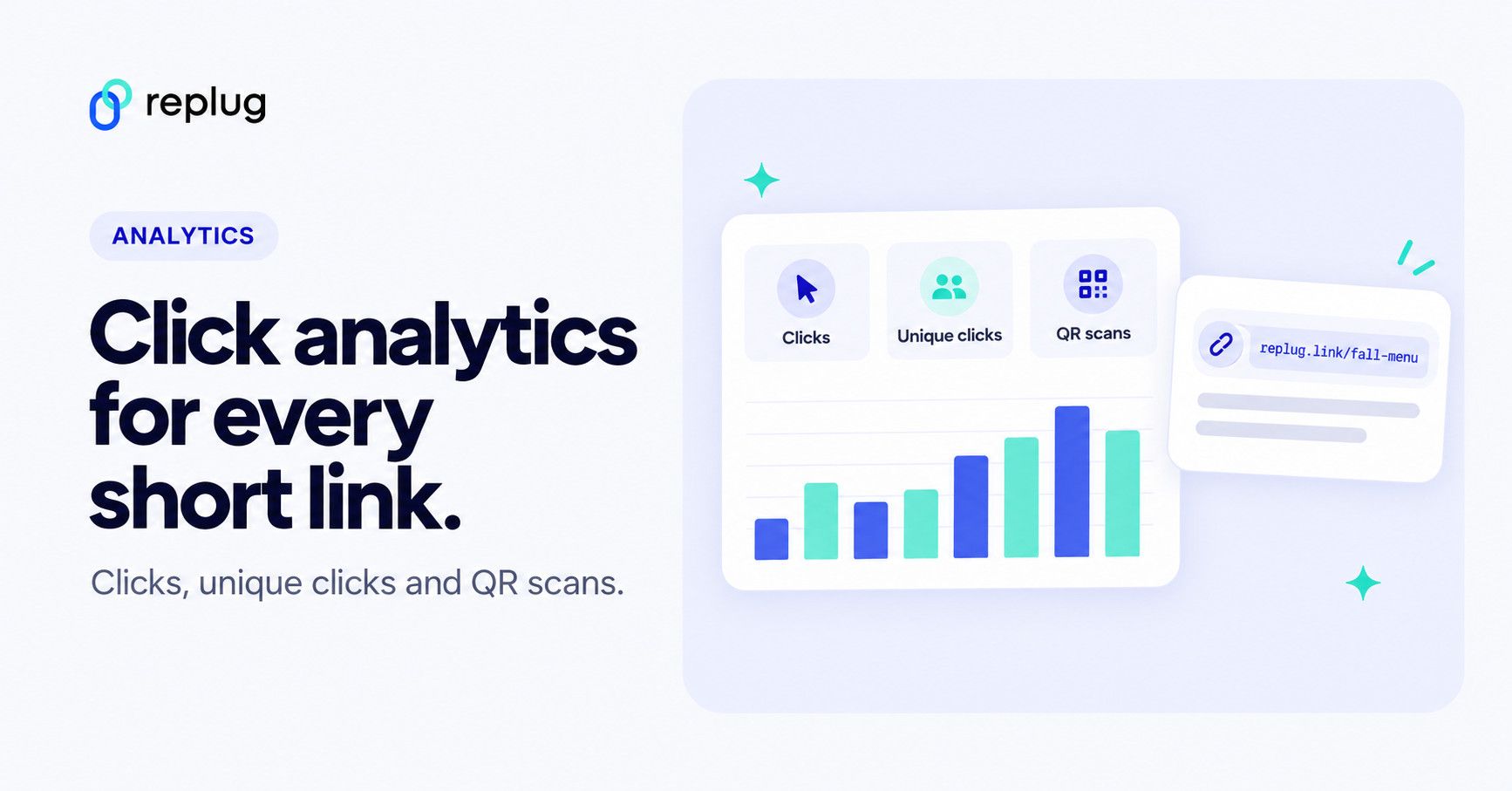
Replug click analytics shows how people respond to every short link, bio page and QR code you share: total clicks, unique clicks and QR scans over time, and where they came from by referrer, country, region, city, device, browser and operating system. Tracking starts with the first click, with no code to install. This guide shows what the analytics include, how to read them and how to set up a tracked link, step by step, in the current Replug app.
One thing to know up front: Replug counts clicks and scans, not sales or sign-ups. To see what happens after the click, add UTM parameters so your website analytics (for example Google Analytics) can credit each visit to the right campaign.
What is click analytics?
Click analytics means counting and analyzing clicks. On a website, that can mean clicks on buttons, images and other elements, often shown as heatmaps. For links you share, it means counting the clicks on each link and recording where they came from. Short-link tools do this with a redirect: the click goes to the short link first, which records it and then sends the visitor on to the destination. Our guide to click tracking explains the methods in more detail.
By tracking these clicks, businesses can gain valuable insights into user behavior, such as which pages are most visited, which links are clicked the most, and how users navigate through the website.
Why use click tracking?
There are plenty of reasons to track the links you share. Some of the main ones:
- See which channels work
Compare clicks from Instagram, email, ads or print (through QR codes) and put your time into the channels that send people.
- Reach people who clicked again
With click analytics and retargeting pixels on your links, your ad platform can add people who clicked to an audience, so you can show them a follow-up ad.
- Measure campaigns
Are your marketing campaigns bringing visitors? Replug’s campaign filter and reports show the clicks each campaign received, and UTM tags let your website analytics connect those visits to sales or sign-ups.
- Make data-driven decisions
By analyzing click data, you can decide which content, offers and calls to actions to repeat, and which to drop.
- Find where people drop off
If a link gets many clicks but your site records few sign-ups from that campaign, the problem is likely on the landing page, not the link. Click data is the top of your conversion funnel; your website analytics shows the rest.
- Optimize landing pages
Send the same audience to two pages with an A/B test and compare the clicks and the results on your site, then keep the page that works. Our guide to improvement on your landing pages has ideas to test.
Click analytics in Replug: what you get
There are many click-tracking and link-tracking tools, each with its own features and pricing. Here is what Replug includes, according to its link tracking page and pricing page:
- Analytics for short links, bio links and QR codes on every plan, including the Free plan.
- 14 days of history on Free, 90 days on Essentials and your full history on Scale and Agency.
- 1,000 tracked clicks a month on Free, 10,000 on Essentials, 50,000 on Scale and 250,000 on Agency; links keep working if you reach the limit.
- Unique clicks, location, referrer and device, browser and OS data on every plan.
Replug: The all-in-one solution
Next to analytics, Replug lets you brand, organize and protect the links you track: tags (Essentials and up) to group links, expiry dates for time-sensitive promotions and passwords for private links (Scale and Agency). Our guide to unique clicks explains how to read the difference between clicks and unique clicks.
Key features of Replug click analytics
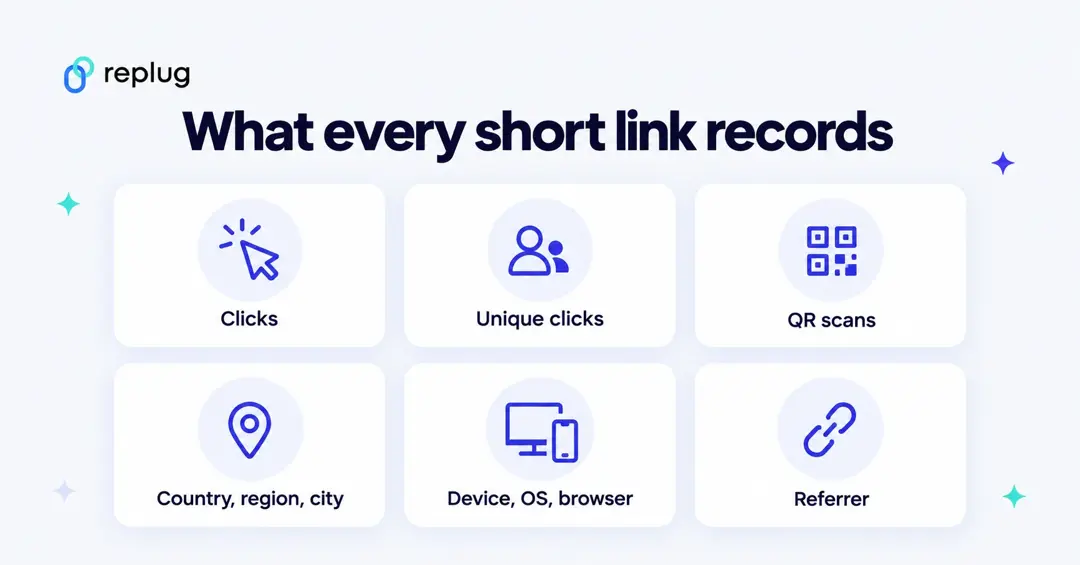
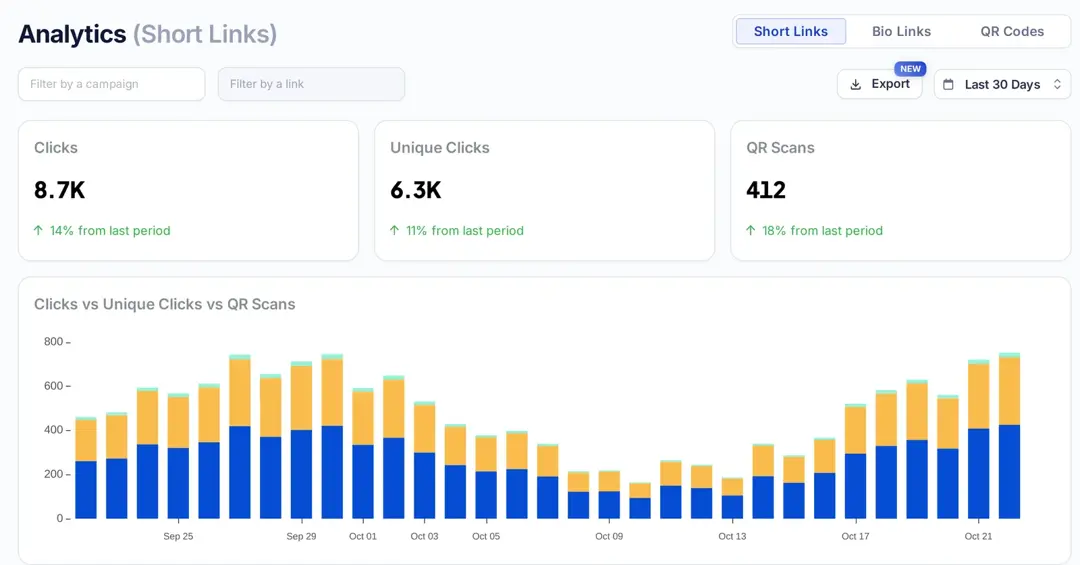
Here’s a quick overview of the metrics Replug shows for every short link, bio page and QR code:
| Metric | What it means |
|---|---|
| Clicks | Total number of times your link was clicked in the date range. |
| Unique clicks | Each visitor counted once in the date range. |
| QR scans | Visits that came from scanning a QR code, counted separately from clicks. |
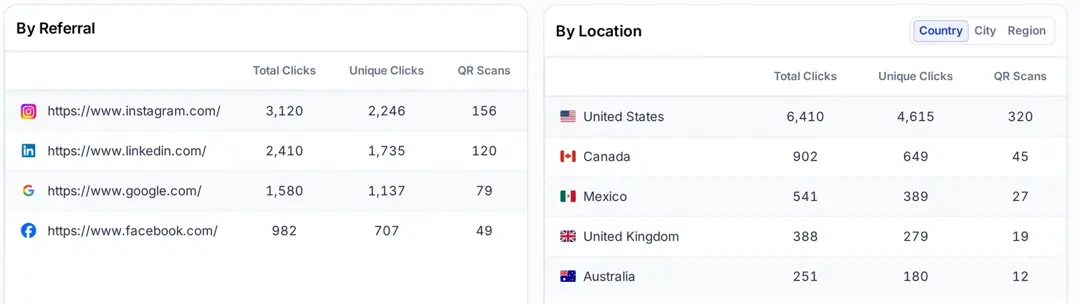
| Referrer | The site or app that sent the visitor (for example Instagram, LinkedIn or Google). |
| Location | Country, region and city for each click; street-level GPS locations from visitors who allow it, on Scale and Agency. |
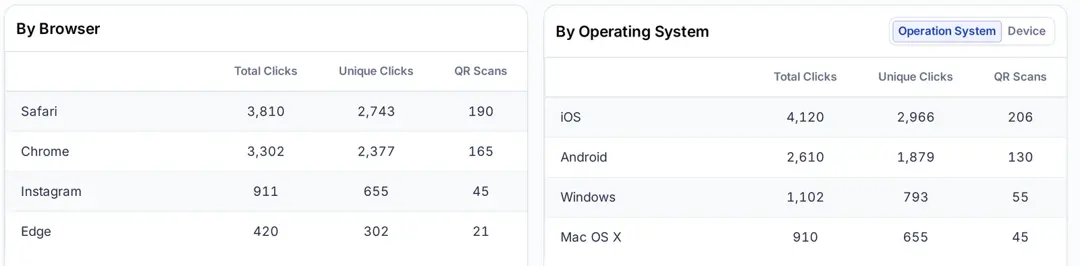
| Device, OS and browser | The device type, operating system and browser behind each click. |
Each card also shows the change from the previous period, so you can see at a glance whether a campaign is growing.
1. Click tracking and attribution
Every click on a Replug link is recorded with its referrer, location and device before the visitor is redirected. To attribute what happens on your site, add UTM parameters when you create the link: your website analytics then credits each visit to the right source, medium and campaign. You can also group links into campaigns and filter analytics by campaign or by a single link.
2. Testing with A/B tests and routing
When a link splits traffic across up to 20 destinations with an A/B test, or sends visitors to different pages with traffic routing rules, Replug’s analytics show how many clicks each variation and each rule received, on Scale and Agency. Pair that with your site’s conversion rate optimization data to pick the winner.
3. Date ranges and comparisons
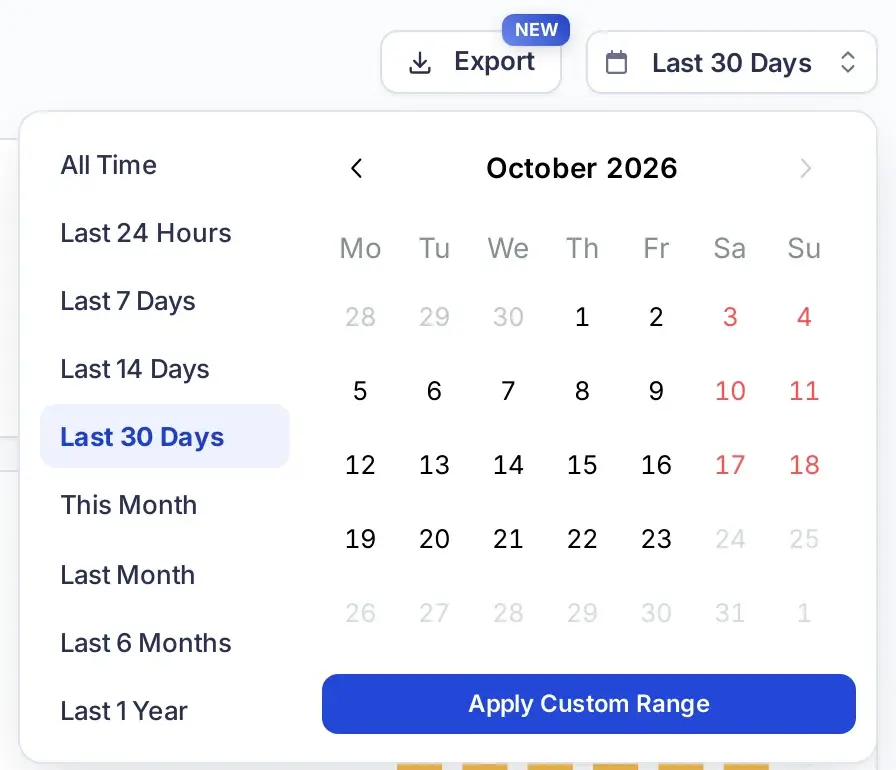
Pick a preset (last 24 hours, 7, 14 or 30 days, this month, last month, 6 months, 1 year or all time) or a custom range, and every card compares the period with the one before.
4. Customizable reports and dashboards
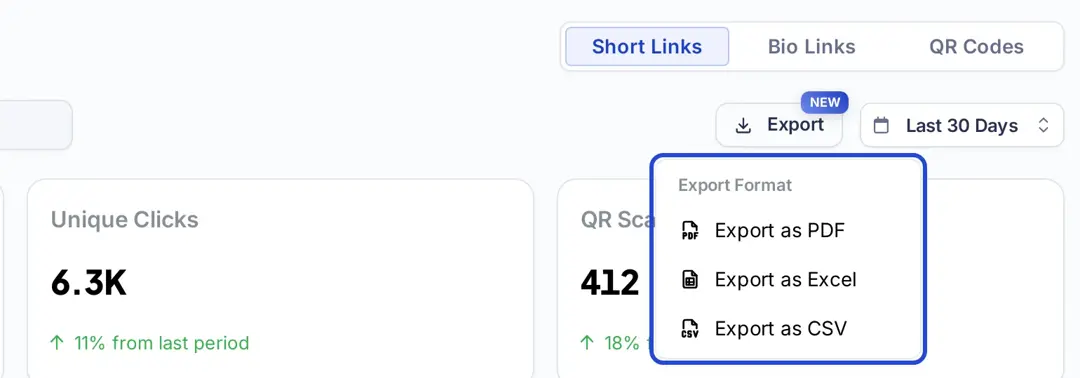
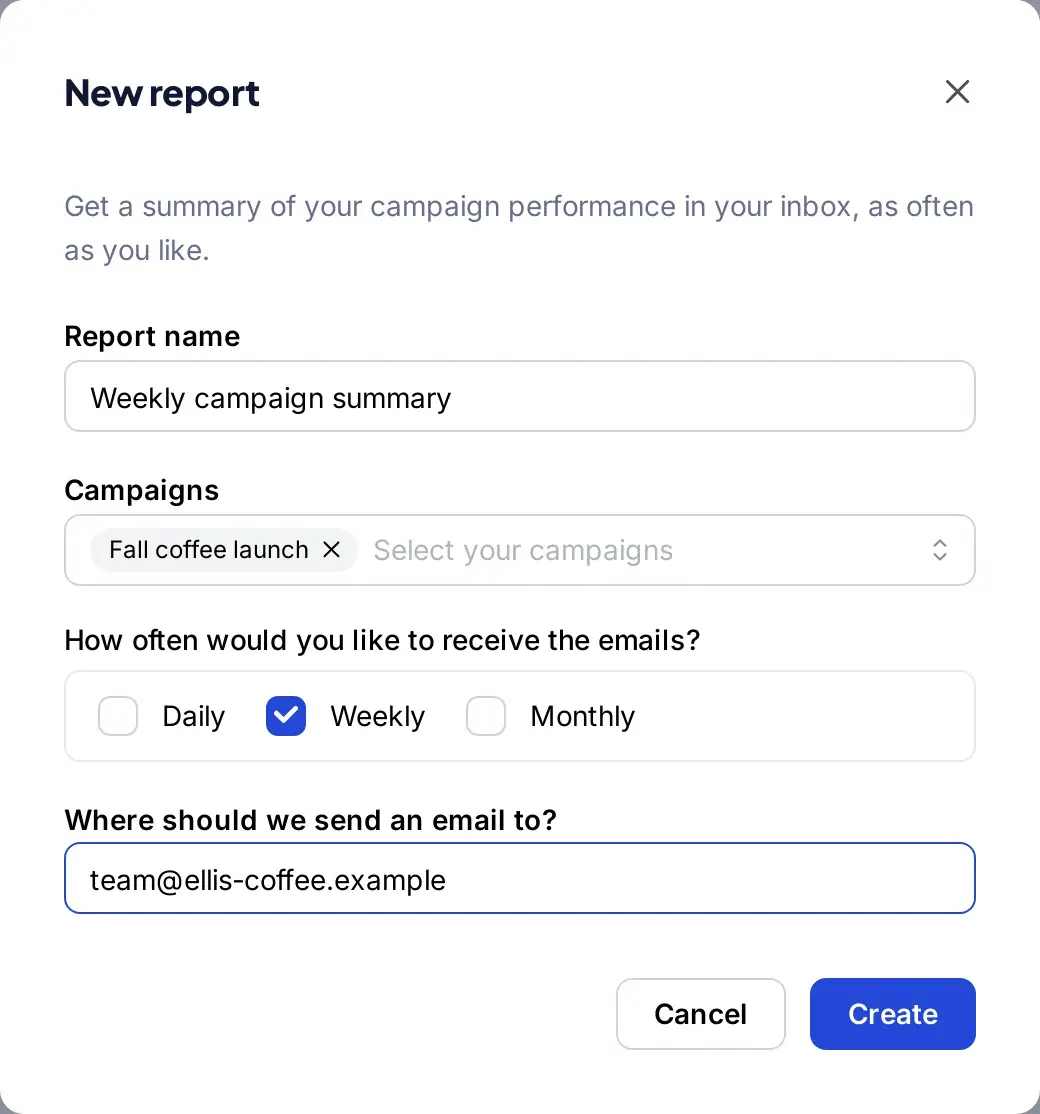
Export any analytics view as PDF, Excel or CSV for client updates or spreadsheets. From Essentials, the Reports page sends a summary of the campaigns you pick by email every day, week or month, to you, your team or your clients.
5. Bot detection and your own clicks
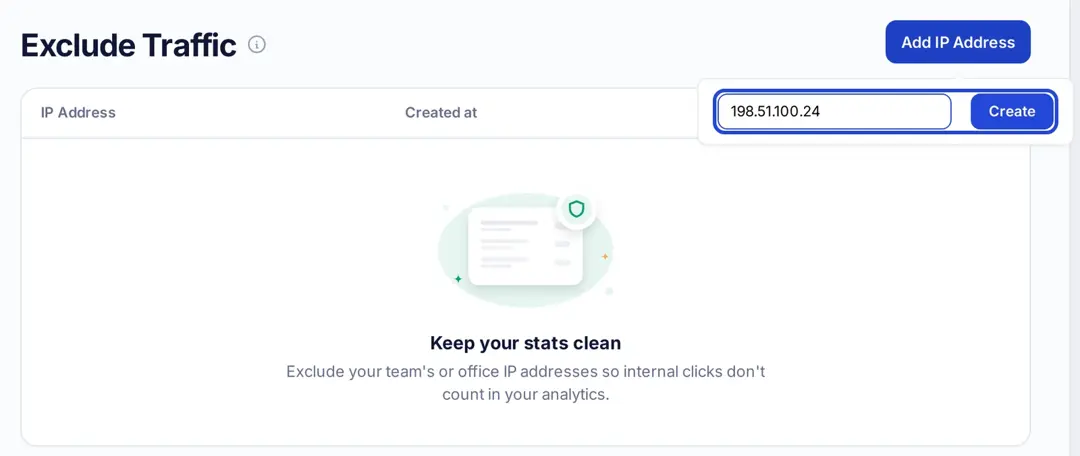
Replug’s pricing page lists click bot detection and link virus scanning on every plan. From Essentials, Exclude Traffic leaves out clicks from IP addresses you list, such as your office, so testing a link before launch doesn’t inflate your numbers; your links still work for those visitors.
6. Bio link and QR code analytics
The Bio Links and QR Codes tabs on the Analytics page show the same kind of data for your bio pages (views, clicks and sign-ups) and QR codes (scans by location, device and referrer).
How to track clicks on a link with Replug
These steps match the current Replug app. Tracking works on every plan; custom back-halves need Essentials or higher.
Step 1: Create a Replug account (or sign in)
Sign up for a free account (or log in if you already have one).
Step 2: Paste the link you want to track
On the Home screen, paste the destination URL into the “Paste a long URL to shorten…” field and click Shorten.

Step 3: Choose a campaign
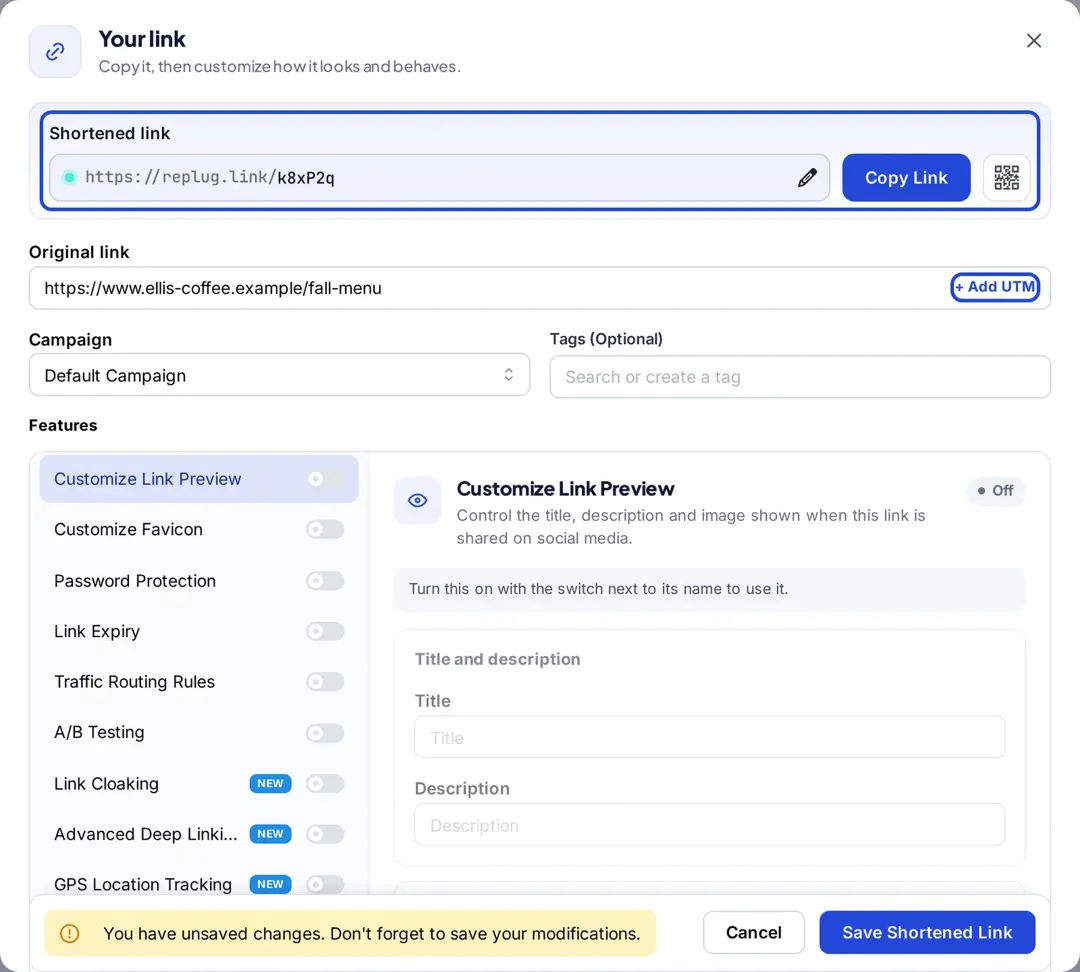
The “Your link” window opens with your new replug.link short link. Pick a campaign in the Campaign field to group the link with others; campaigns can also add a CTA or retargeting pixel to every link in them.
Step 4: Add UTM parameters
Click + Add UTM next to the original link.
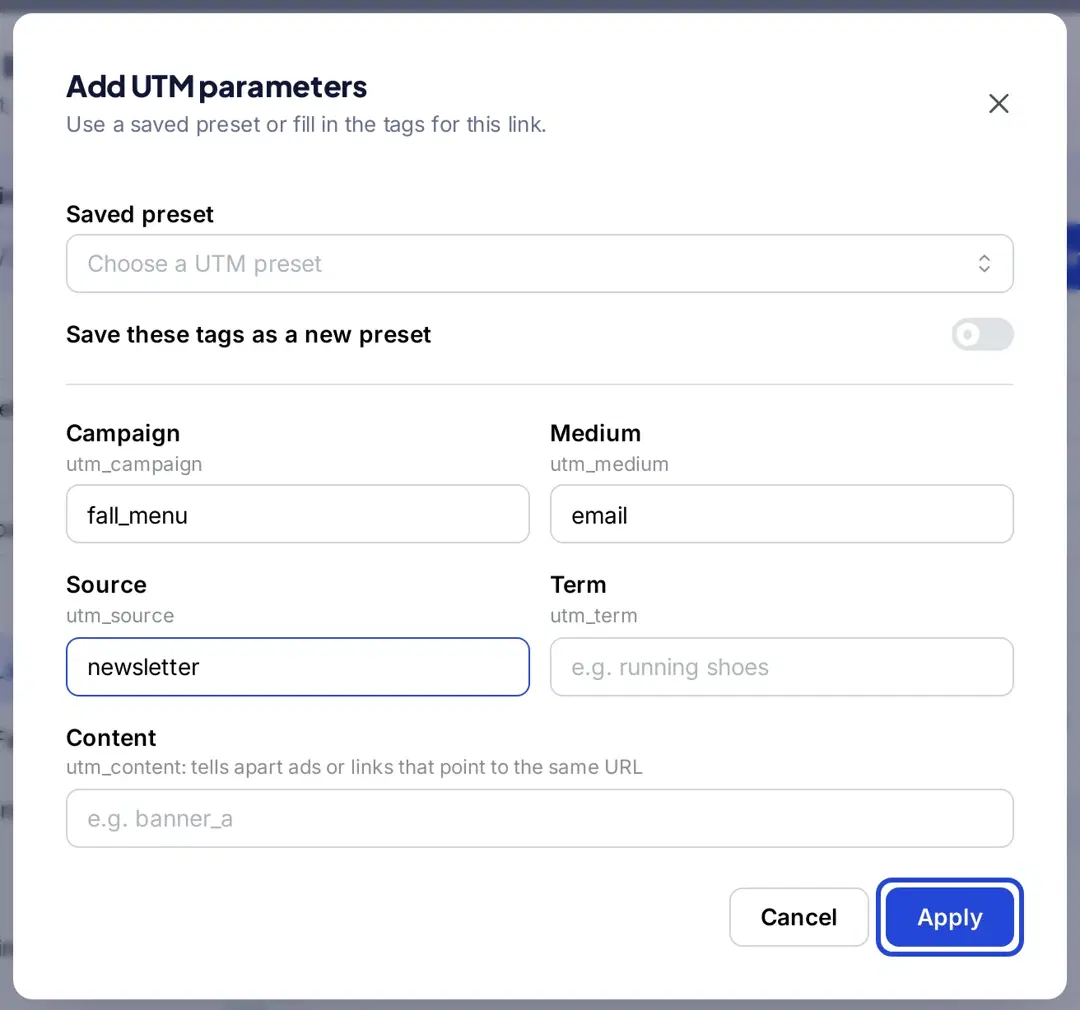
Step 5: Fill in the UTM parameters
Enter the campaign, medium and source (for example fall_menu, email and newsletter), plus term and content if you need them, and click Apply. The parameters are added to the original link, so Google Analytics can attribute the visit.
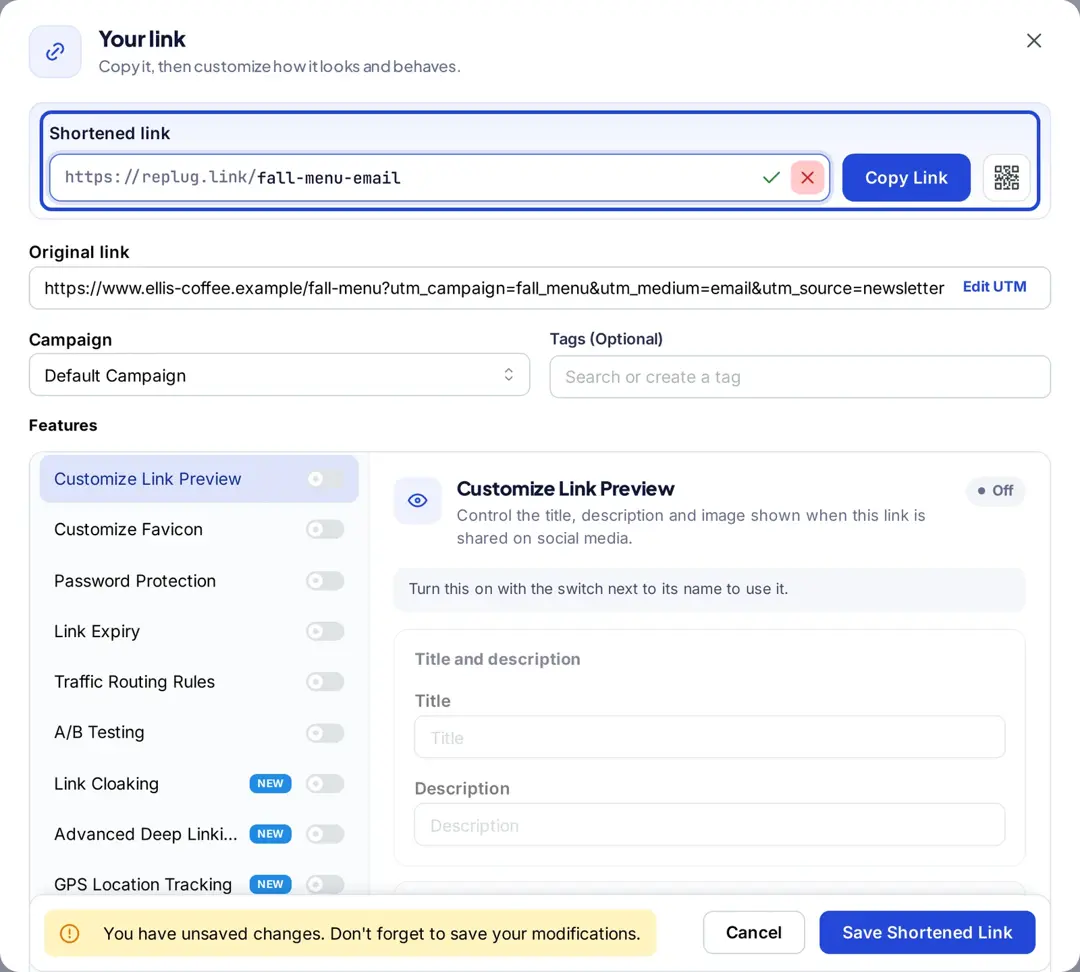
Step 6: Customize the short link (optional)
Click the pencil icon next to the short link and change the back-half to something readable, such as replug.link/fall-menu-email (Essentials and up).
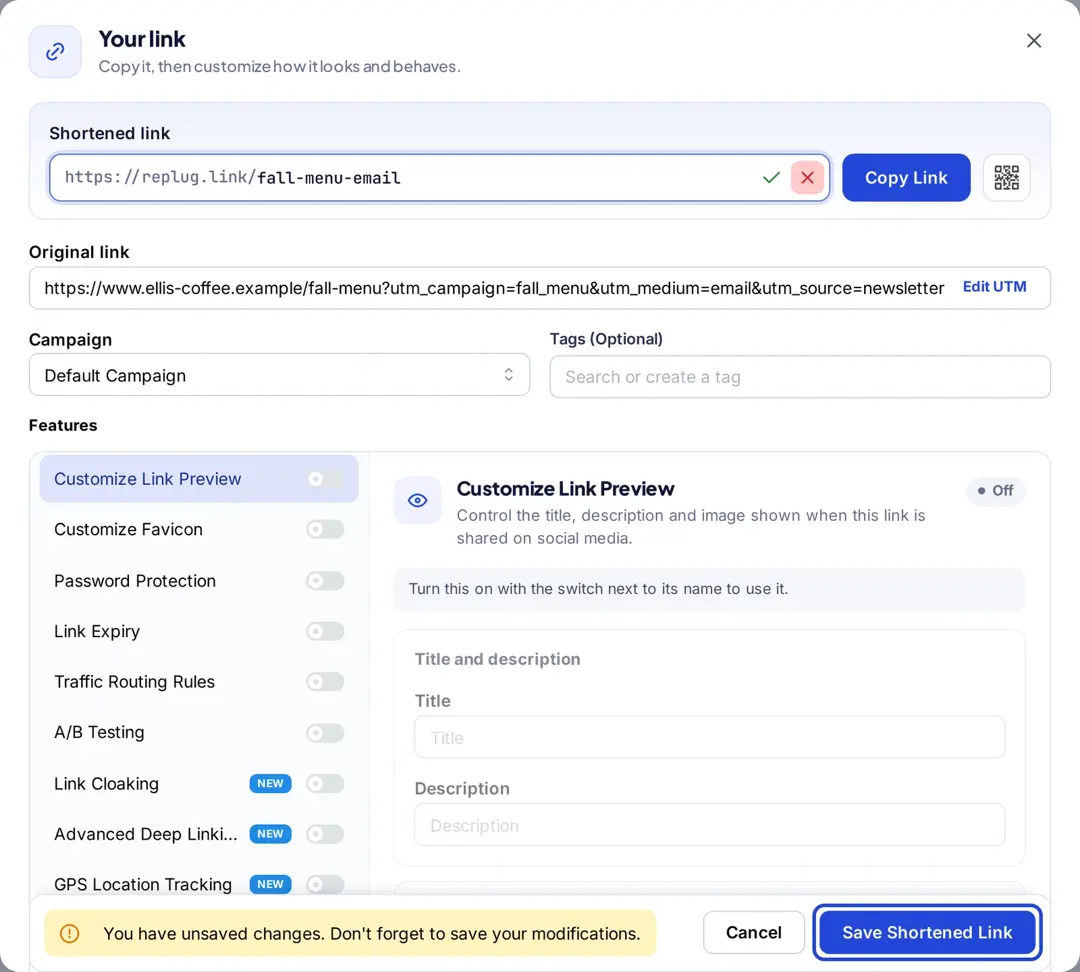
Step 7: Save and copy the link
Click Save Shortened Link, then copy the link and use it in your email, post, ad or QR code.
Step 8: Check your analytics
Open Analytics in the left menu. On the Short Links tab, use “Filter by a link” or “Filter by a campaign” and pick a date range to see the clicks, unique clicks and QR scans for that link.
And you’re good to go with your trackable links.
Replug link management solutions
Replug goes beyond click analytics and acts as a complete link management platform. Here’s how:
- White label for agencies and resellers: On the Agency plan, agencies can use Replug’s white-label functionality with their own logo and domain, client reports and branded emails.
- Call-to-action overlays: Add CTAs such as buttons, forms, banners and bridge pages to the pages you share (Essentials and up).
- Link rotator for A/B testing: Split one link across up to 20 destinations with Replug’s link rotator and compare the clicks each one gets (Scale and Agency).
- Shortened branded links: Create a short URL on your own custom domain (3 on Free, up to 50 on Agency).
- Bio-link creation: Build bio links: one page with your links, social icons and content, for social media bios.
- Retargeting pixels: Add retargeting pixels from Meta, Google, X, LinkedIn, Pinterest, TikTok and Quora to your links, so you can show ads to people who clicked.
Click analytics shows you which links, channels and campaigns bring people in, so you can spend your time and budget where it works.
FAQs

Manahil