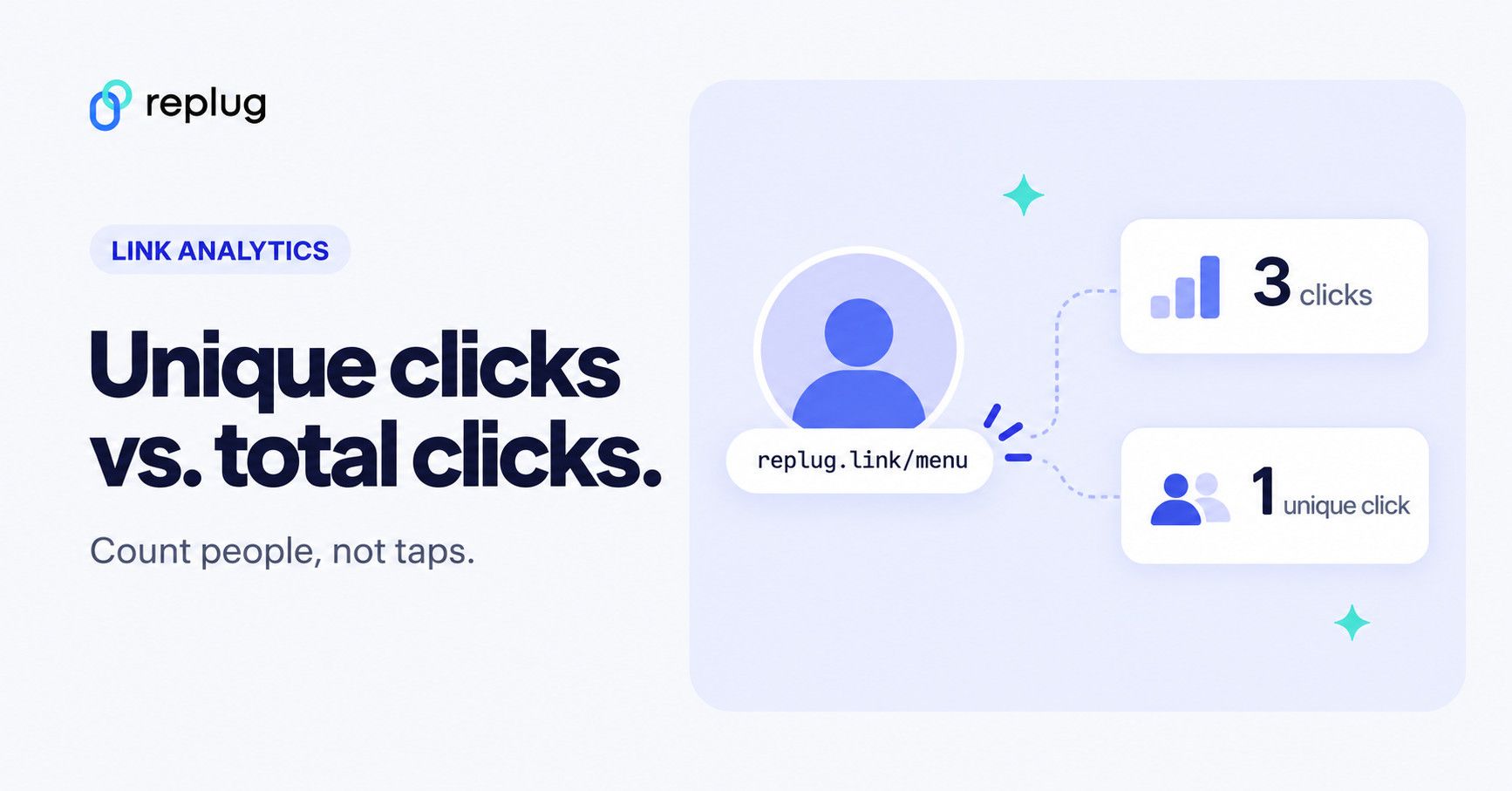
In the world of digital marketing, “unique clicks” are a big deal. They give us a clearer picture of how people engage with online content. Unlike total clicks, which count every time someone clicks on a link, unique clicks only count each person once, no matter how many times they click.
But how do we track and make sense of these unique clicks? That’s what we’ll uncover in this guide. We’ll cut through the terminology and get straight to the heart of unique clicks, why they matter, and how to track them effectively. So, let’s dive in and explore the world of unique clicks together.
Quick answer: unique clicks count how many different people (in practice, different browsers, devices or accounts) clicked a link in a given period. Total clicks count every click. If Jordan opens your link three times, that is 3 total clicks and 1 unique click. Tools recognize a repeat visitor with a cookie, a device or account ID, or a mix of IP address and browser details, usually within a time window, and they filter out known bots. Unique click rate is unique clicks divided by the people you reached (email recipients or ad impressions), times 100.
| Total clicks | Unique clicks | |
|---|---|---|
| Counts | Every click, including repeats | Each visitor once in the period |
| Jordan opens the link 3 times | 3 | 1 |
| Best for | Load and interest over time, repeat visits | Reach: how many people responded |
| Inflated by | Repeat clicks, bots, link scanners | Bots and scanners (less by repeats) |
What are unique clicks?
Unique clicks refer to the number of individual users who have clicked on a particular link or piece of content within a specified time frame. Unlike total clicks, which count every click regardless of whether it comes from the same user multiple times, unique clicks only count each user once.
This distinction is crucial for understanding the actual engagement level of a campaign or piece of content, as it provides insight into the number of distinct individuals who have interacted with it.
Unique clicks help marketers measure the effectiveness of their digital strategies and gauge audience interest and responsiveness.
Unique clicks vs total clicks: What’s the difference?
The main difference between unique clicks and total clicks lies in how they measure user engagement with digital content:

Unique clicks:
Unique clicks represent the number of distinct individuals who have clicked on a particular link or piece of content within a specified time frame. Each user is counted only once, regardless of how many times they click on the link. Unique clicks provide insights into the number of different individuals engaging with the content.
Total clicks:
Total clicks, on the other hand, count every instance of a user clicking on the link or content, including multiple clicks from the same individual. This metric measures the overall volume of clicks generated by a campaign or piece of content, regardless of whether they come from the same user.
Replug defines them the same way on its link tracking page: clicks count every visit to a link, and unique clicks count each visitor once, so someone who opens your link three times adds three clicks and one unique click (Replug link tracking). Email tools report both too: Mailchimp’s click report lists the total and unique clicks for each tracked URL (Mailchimp Help).
How to calculate unique clicks?
Determine unique clicks: Use a web analytics tool or Replug.io to find the total number of unique clicks generated by your campaign.
Find total recipients or impressions: Identify the total number of email recipients or ad impressions for your campaign.
Apply the formula: Use the formula below to calculate the unique click rate:
Unique click rate = (Total Number of Unique Clicks / Total Number of Email Recipients or Ad Impressions) × 100
Example calculation: For instance, if your campaign records 500 unique clicks from 10,000 email recipients:
Unique Click Rate = (500 / 10,000) × 100 = 5%
Interpretation: A unique click rate of 5% indicates that 5% of recipients or impressions clicked on your campaign’s links, offering valuable insights into engagement levels and potential ROI.
Different tools name this differently. Mailchimp’s click rate is the percentage of successfully delivered emails that registered a click, which is a unique click rate per delivered email (Mailchimp Help). Clicks per unique opens (also called click-to-open rate) divides unique clicks by unique opens instead, and opens can be inflated by privacy features such as Apple’s Mail Privacy Protection (Mailchimp Help). In ads, unique click-through rate uses people reached instead of impressions. Check which denominator your tool uses before you compare numbers.
There is no universal “good” unique click rate. It depends on the channel, the audience and how warm the list is, so compare each campaign with your own past results.
How unique clicks are counted

No tool can see a person directly. Each one decides that two clicks came from the same visitor using signals like these:
- Cookie or device ID: a first-party cookie or an app’s device identifier marks a browser that already clicked. Clearing cookies, switching browsers or using private mode makes the same person look new.
- IP address and browser details: some trackers combine the IP address with the user agent (browser, operating system, device). People on the same office or mobile network can look alike, and one person on Wi-Fi and then mobile data can look like two.
- Time window: a repeat click only counts as a duplicate inside the period you look at. A visitor who clicks on Monday and again next month can be unique in each monthly report.
- Accounts: ad platforms count signed-in accounts. Meta reports metrics labeled “unique” based on the number of Meta Accounts that took an action, so one person with separate, unlinked profiles can count twice (Meta Business Help Center).
- Recipients: email platforms count unique clicks per recipient, because each recipient gets their own tracked link.
That is also why unique counts rarely match between tools. Google Analytics, for example, reports users rather than unique clicks, and it has several user metrics (total users, active users, new users) that each count differently (Analytics Help). Compare unique clicks within one tool over time, not across tools.
Bots and unique clicks
Automated traffic can make unique clicks look better than they are, because every crawler, link preview or email security scanner looks like a new visitor. Mailchimp warns that bot activity can falsely inflate open and click metrics and offers bot filtering for email bot clicks (Mailchimp Help). Google Analytics automatically excludes known bots and spiders, identified with Google research and the IAB Tech Lab Spiders and Bots List (Analytics Help). If a link gets a burst of clicks seconds after an email goes out, or many clicks from a data center, treat them with suspicion.
Unique clicks in Meta ads: “Unique clicks (all)” vs. “Unique link clicks”
In Meta Ads Manager, link clicks count clicks on ad links to destinations such as a website or app store. Metrics labeled unique, including Unique clicks (all) and unique link clicks, count Meta Accounts instead of clicks (Meta Business Help: link clicks; Meta Business Help: Meta Accounts). For traffic campaigns, unique link clicks is usually the number to compare with your website visits; expect your site to show fewer, because some people leave before the page loads.
How to track unique clicks using Replug?
To track unique clicks using Replug, follow these steps:
- Create a Replug account: Sign up for a Replug account if you haven’t already. The Free plan includes 100 short links and 1,000 tracked clicks a month.
2. Generate tracked links: Once logged in, paste the URL you want to track into the “Paste a long URL to shorten…” field on the Home screen and click Shorten. Each short link is tracked on its own, so create one link per channel (newsletter, Instagram bio, flyer) if you want to compare them.

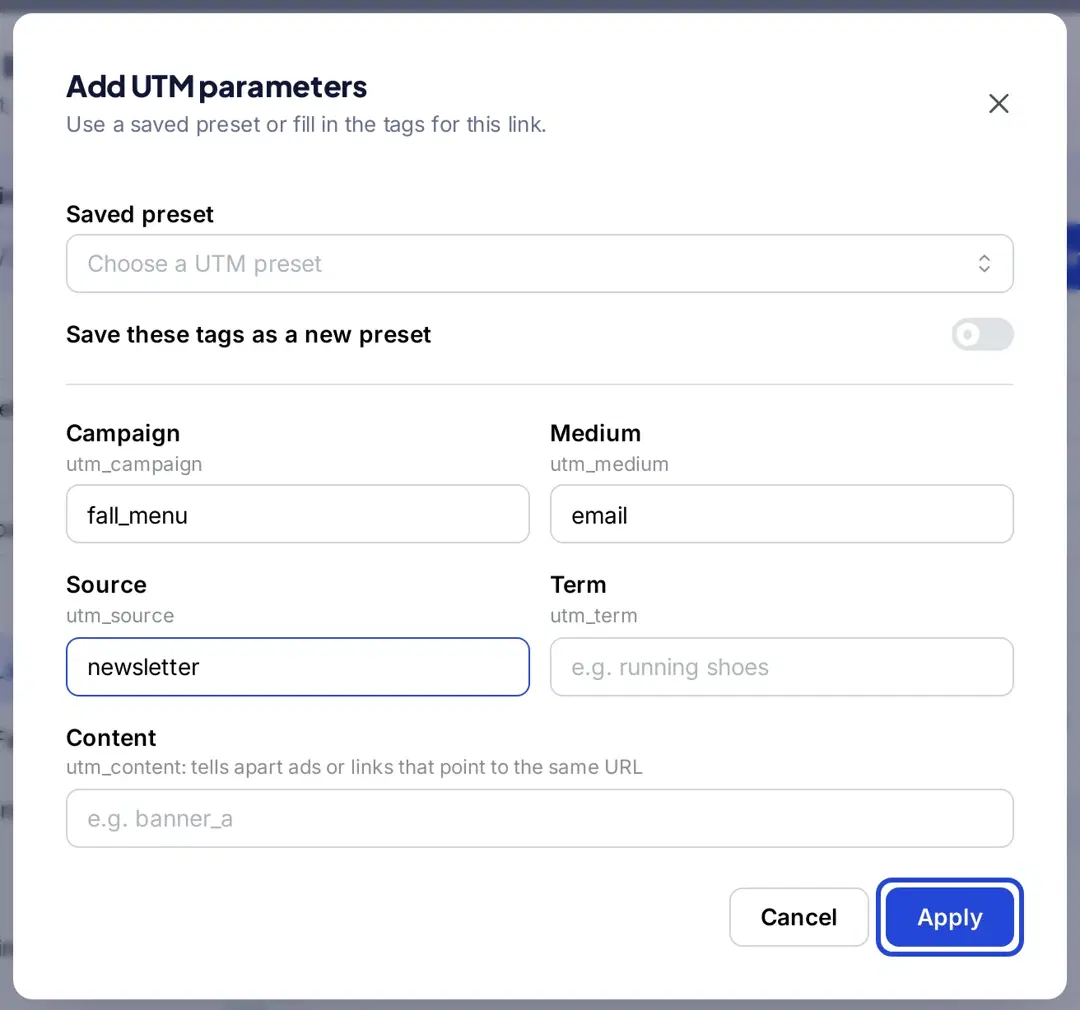
3. Add UTM parameters if you need them: Replug tracks clicks on the short link without any tags. If you also want Google Analytics to credit the visit to a campaign, click + Add UTM in the Your link window and fill in campaign, medium and source.
4. Share tracked links: Use the generated tracked links in your marketing campaigns, social media posts, emails, or any other channels where you want to track user clicks.
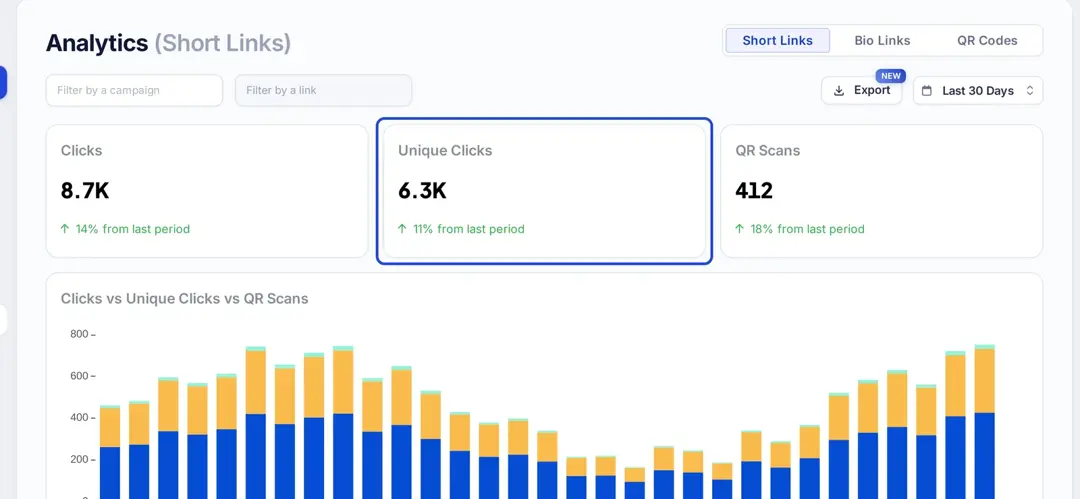
5. Access Replug analytics: Open Analytics in the left sidebar. The Short Links view shows Clicks, Unique Clicks and QR Scans for the date range you pick, next to the period before, and a chart of all three over time. Filter by campaign or by link to see one link’s numbers.
6. Review unique click metrics: The tables below the chart show total and unique clicks by referrer, country, city, browser, operating system and device. Repeat clicks from the same visitor count toward clicks but only once toward unique clicks (Replug link tracking). To keep your own visits out, add your office or home IP addresses under Exclude Traffic in your workspace settings, on Essentials and above.
7. Monitor and optimize: Regularly monitor Replug’s analytics dashboard to track unique clicks over time. Use this data to optimize your campaigns, refine your content strategies, and maximize engagement.
Analytics history is 14 days on Free, 90 days on Essentials and unlimited on Scale and Agency, and you can export reports as PDF, Excel or CSV (Replug link tracking; Replug pricing, checked October 2026).
Note: For more efficient link tracking and cleaner links, try using a reliable short URL shortener to simplify your campaigns and make performance analysis even easier.
Why are unique clicks important?
Unique clicks are important in digital marketing for several reasons:
- Accurate engagement measurement:
Unique clicks provide a more accurate measure of user engagement compared to total clicks. By counting each user only once, unique clicks eliminate the skewing effect of multiple clicks from the same individual, giving a clearer picture of actual engagement levels.
- Quality of audience engagement:
Unique clicks indicate the number of distinct individuals who have interacted with a piece of content or a campaign. This metric helps assess the quality of audience engagement and the effectiveness of marketing efforts in reaching and resonating with the target audience.
- ROI evaluation:
Understanding unique clicks allows marketers to assess the return on investment (ROI) of their campaigns more effectively. By measuring the number of unique individuals who have engaged with the content relative to the total audience reached, marketers can gauge the efficiency and effectiveness of their marketing spend.
- Optimization of campaigns:
Tracking unique clicks or simply a tracking link enables marketers to identify which campaigns, channels, or content types are driving the most meaningful engagement. This data empowers marketers to optimize their campaigns by reallocating resources, refining targeting strategies, or adjusting content to better resonate with the audience.
- Personalization opportunities:
By analyzing unique clicks, marketers can gain insights into individual user preferences and behaviors. This information can be used to personalize future marketing efforts, delivering content and offers tailored to the specific interests and needs of different segments of the audience.
Frequently asked questions

Arslan Jadoon