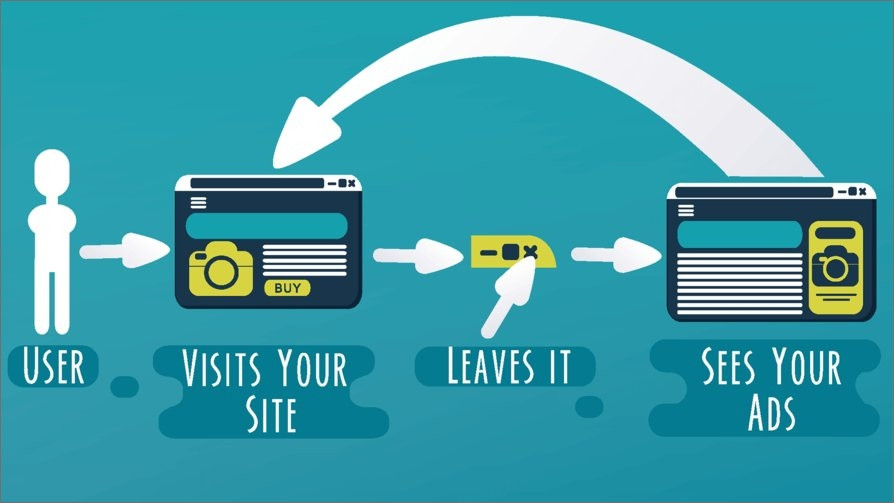
Facebook retargeting ads is a marketing strategy used for selling your products or services on Facebook while focusing on a very definitive consumer base. It is observed that only 2% of people are inspired to buy your product on the first go. Whereas, the rest of the 98% audience could be converted via retargeting. The approach Retargeting or Retargeting Pixels is to attract the users who have visited your website but haven’t explored or bought your product yet.
Fortunately, with the evolution of brand marketing, this can easily be done with the help of a ‘Retargeting Pixel. Retargeting pixel is just a snippet of code which when added to your website, drives traffic towards you by promoting your brand on social media platforms.
The beauty of this technology is that it only brings tailored audiences; people who are familiar with your product but chose not to perform any operations during their first visit.
So, basically, it assists the users in making a decision by highlighting your key features to them, all in a very convenient way.
How Do Retargeting Pixels Work in Replug?
Replug can configure retargeting pixels of social media platforms for your businesses in very simple and easy steps via its reliable link retargeting tool. A step-by-step demonstration has been given below.
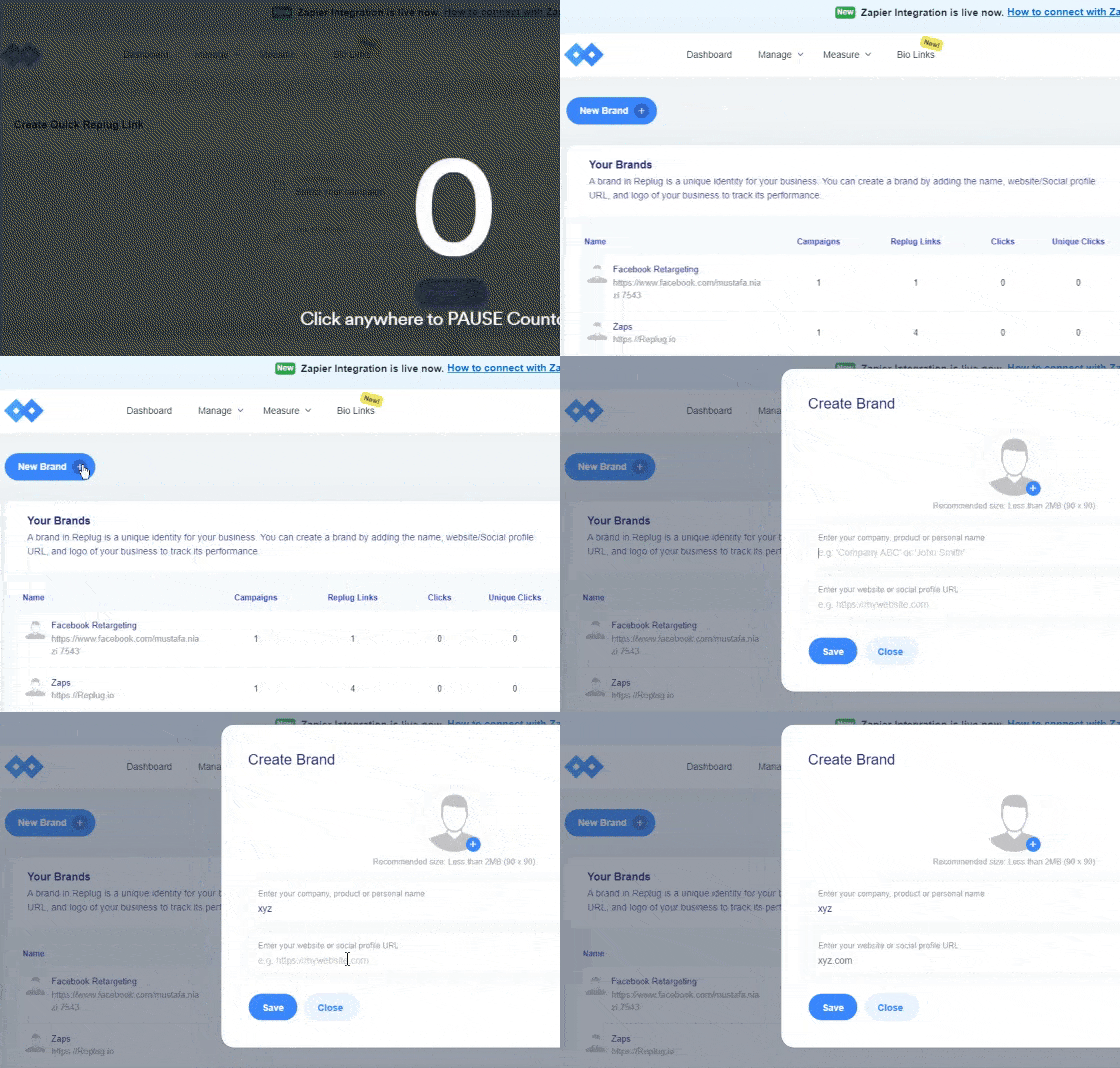
Step 1: Log into your Replug account and “Create a Brand” which you wish to advertise. Add the name of your business and your company’s official website.
This can be done by clicking on the + New Brand button as shown in the GiF below.
Step 2: The next step is to “Create a Campaign“. This campaign will help you choose the advertisement strategies for your business.
Create a new campaign by clicking on the + New Campaign button.
Note: You can choose multiple options here i.e. Brand, Campaign Name and Campaign Type.
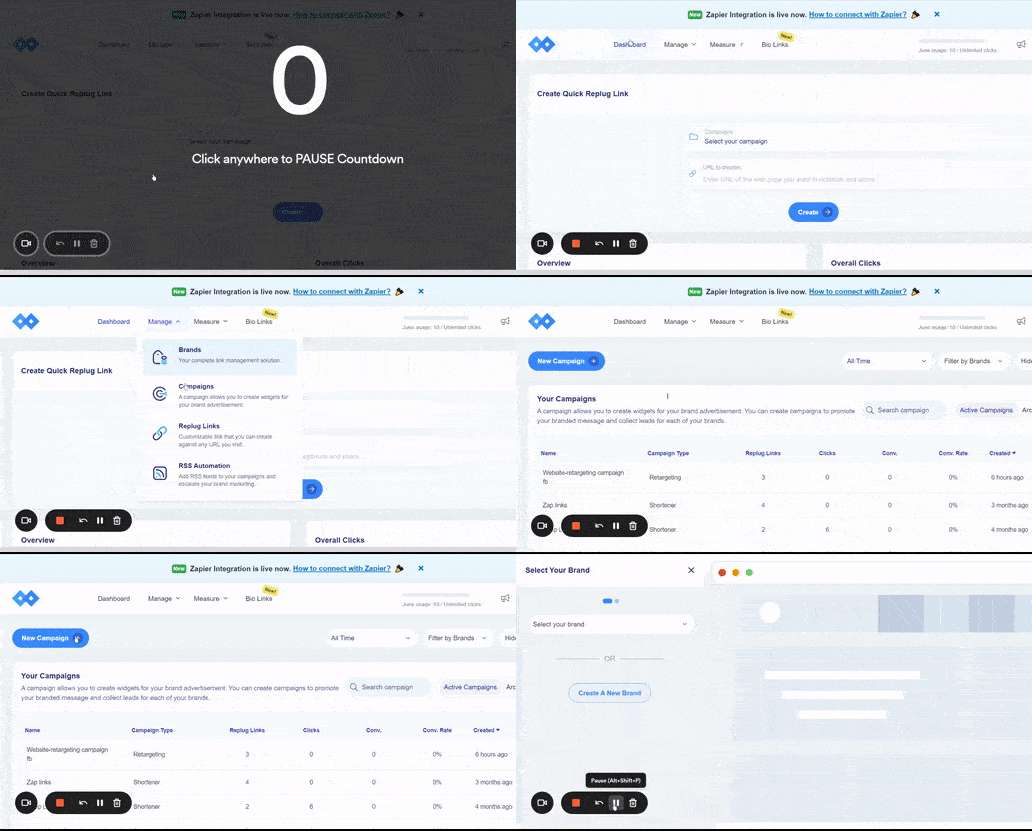
Step 3: Select the brand you created among all your listed brands in Replug.
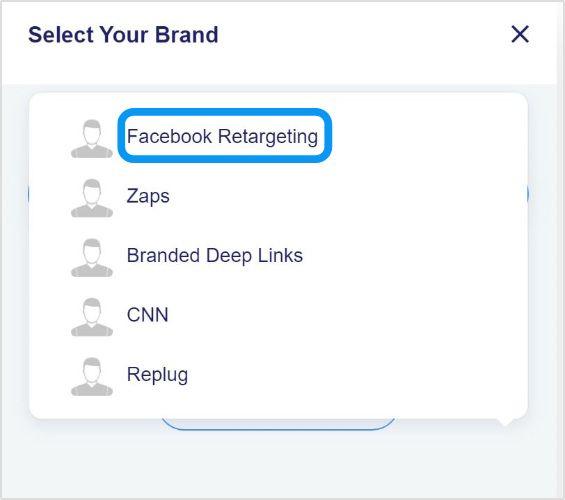
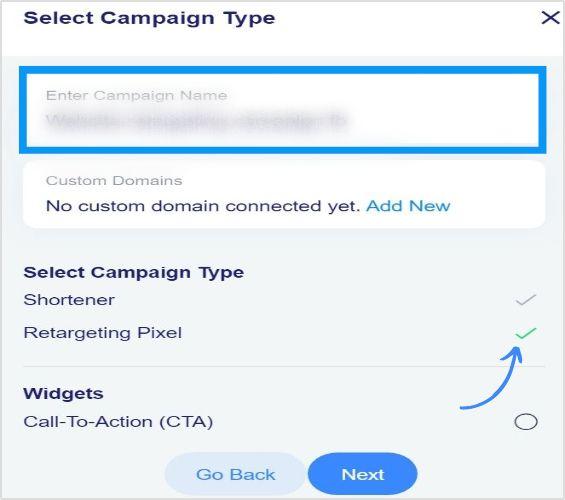
Step 4: Now type in your campaign name and select “Retargeting Pixel” as your campaign type and click next.
Step 5: In this step, you are required to add your retargeting code.
Select the social network where you want to run your campaign. Type your script name and your pixel ID and add your script.
Note: You can check the option redirecting to the original website so that the user may be redirected to the original website in case he/she enters an invalid URL.
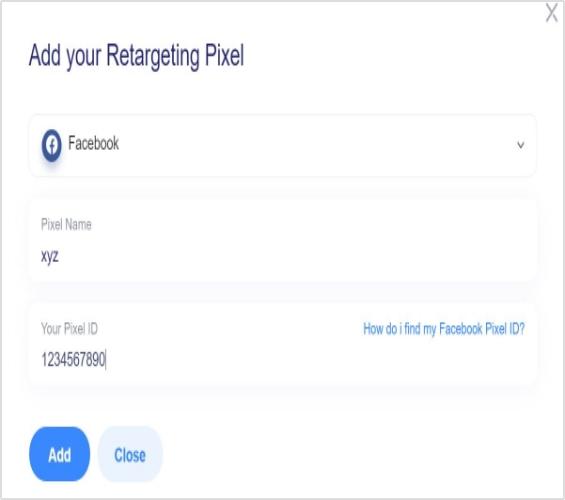
Your script added in the previous step is selected automatically now. You can create as many scripts as you want for different platforms and save your campaign.
Recap: Creating Facebook Retargeting Ads Campaign Using Replug
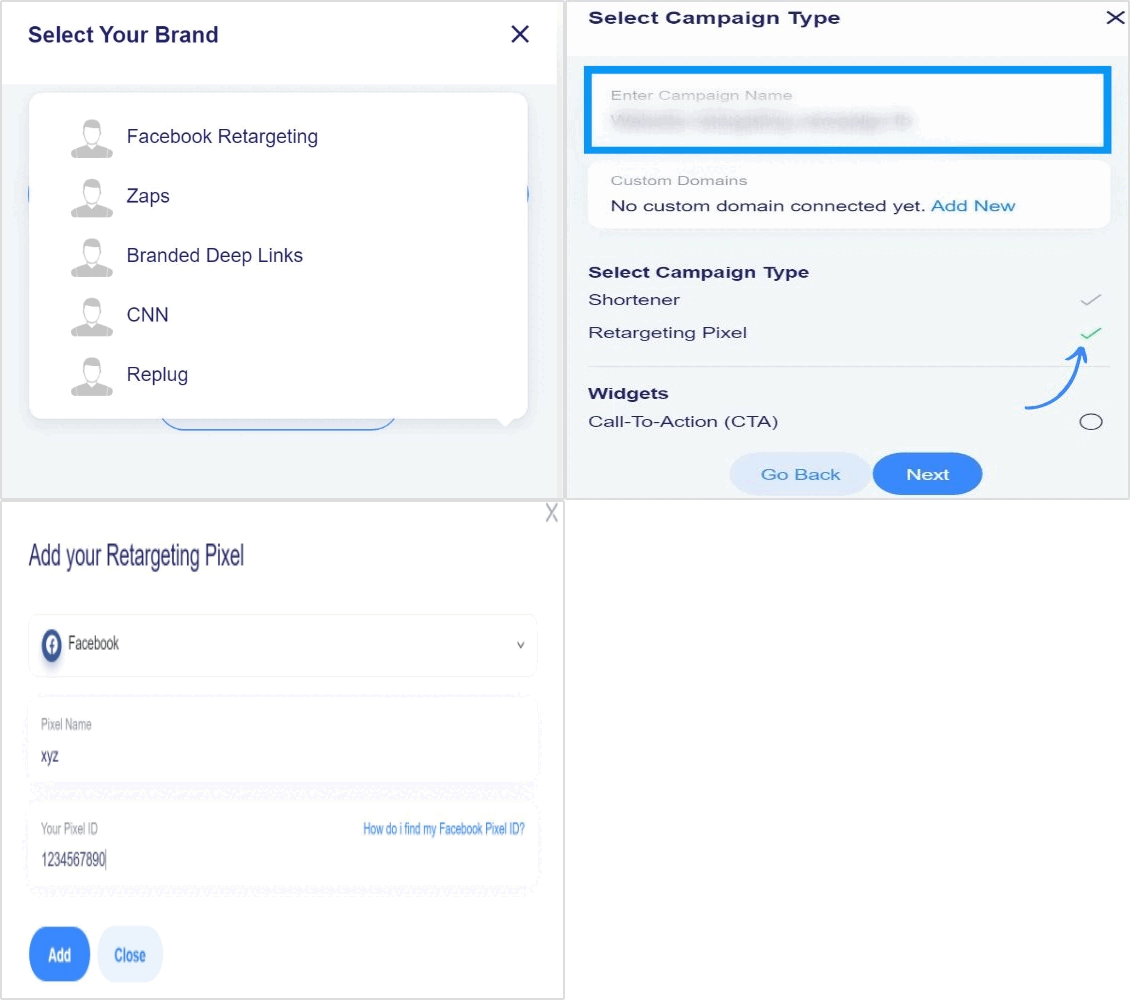
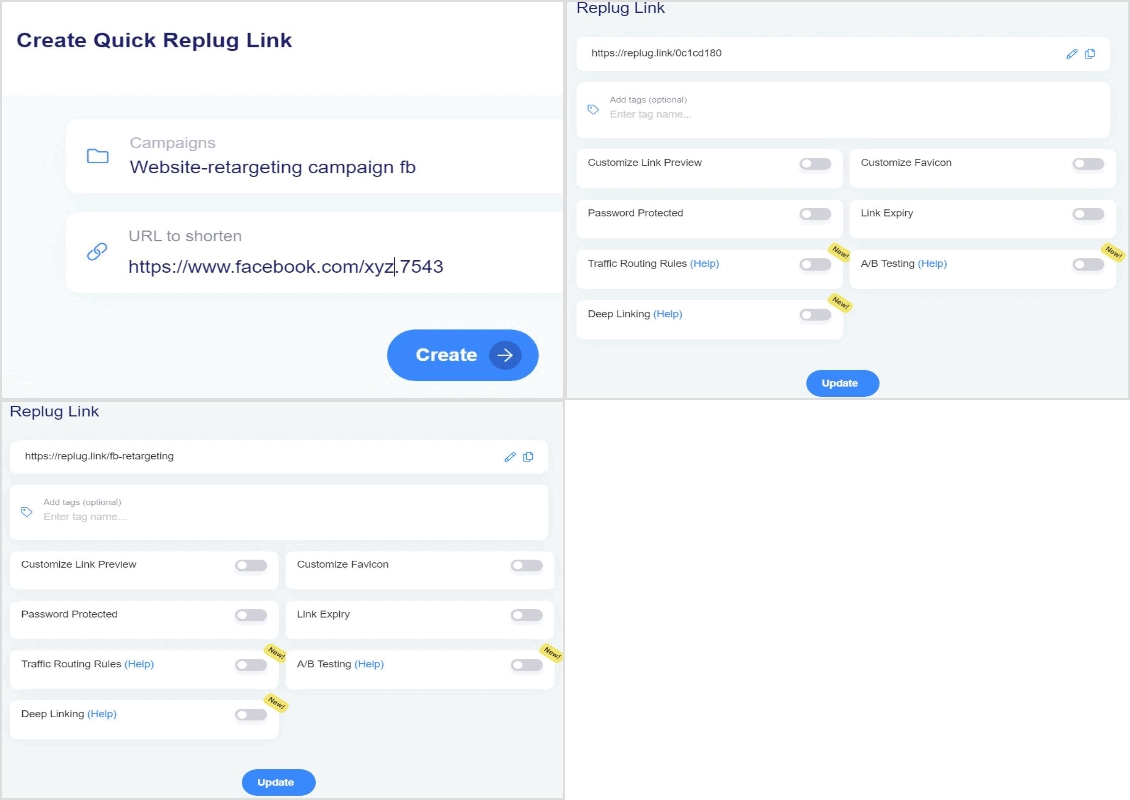
Step 6: Now, you just need to shorten the link for the Facebook retargeting ad campaign created and whenever a user visits the link, your selected pixels will be fired.
You may also like: Google Ads Retargeting: The ultimate guide for 2026
Maximize on Your Facebook Retargeting Ads using Replug
Replug makes it very easy for you to create Facebook retargeting ad campaigns as you want in a minimal amount of time. You can select all kinds of social platforms by adding your own custom networks.
All you have to do is add retargeting pixels and you’re good to go. You can also track the traffic brought in by this campaign in the analytics section and monitor all your campaigns. Once the pixel collects visitors, set up a Facebook custom audience to reach them with your ads.
To further enhance tracking and branding, must check out this custom URL shortener to create branded links that help you monitor engagement and improve campaign performance seamlessly.
Here are some quick faqs that can help boost your retargeting efforts.
FAQs

Wasiq Naeem