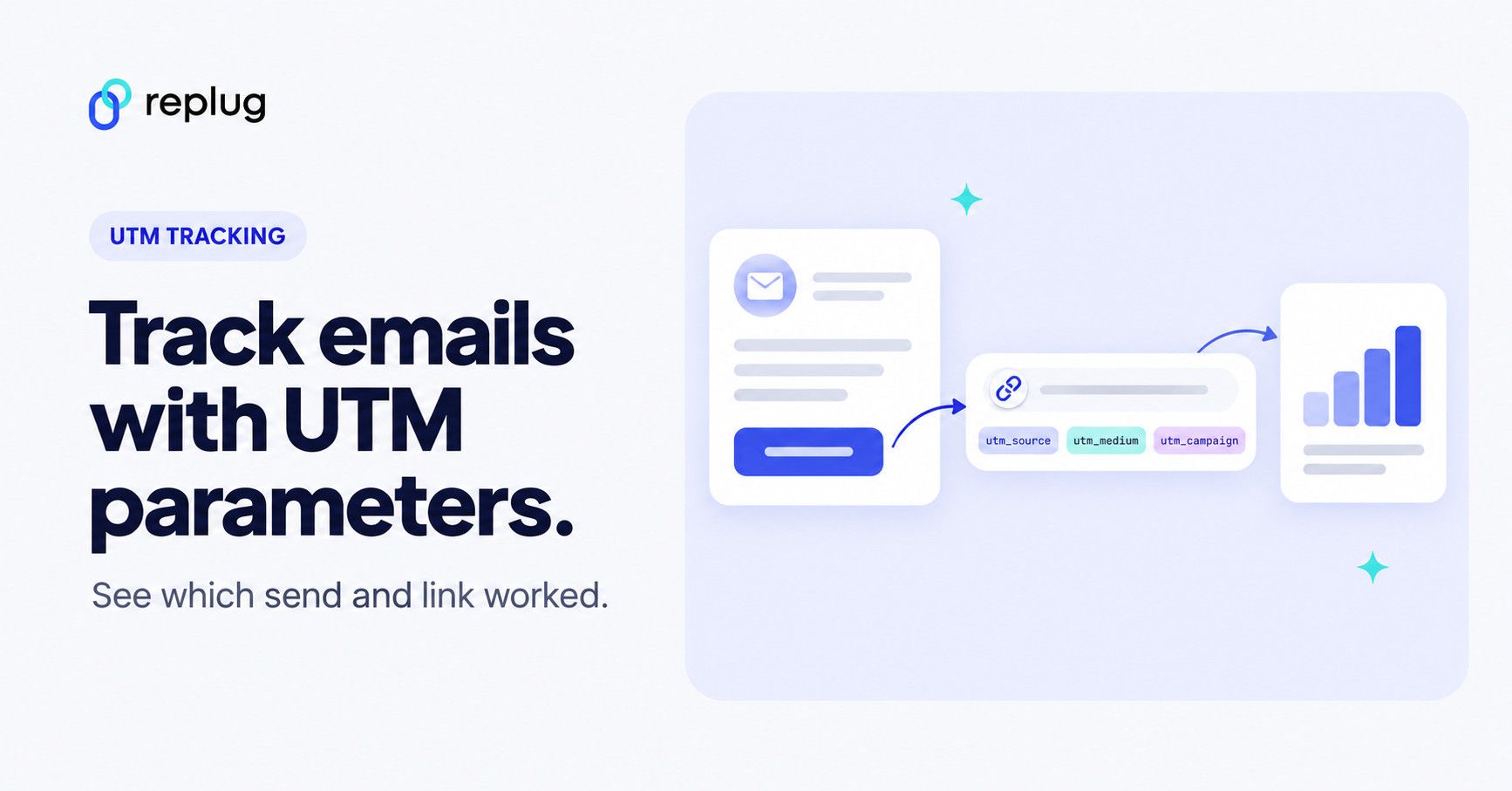
Quick answer: to track an email in Google Analytics, add UTM parameters to every link in it, at least utm_source (your list or newsletter name), utm_medium=email and utm_campaign (the send), and use utm_content to tell links in the same email apart. Google recommends always setting those three (Analytics Help). The visits then show up in GA4 under Reports > Acquisition > Traffic acquisition. Many email platforms can add the tags for you.
You’re sending emails every week and people open them, yet the conversion rate on your site is lower than you expected. What could be the problem?
The problem is that you don’t know
- Which email campaigns are doing the most for your brand?
- How do different audience segments respond to your emails?
- Which email links bring visitors who go on to buy or sign up?
- Which emails are getting the highest click-through rate?
- Which specific ad or link on a webpage is driving traffic?
- Which marketing campaigns are working and which ones aren’t?
But don’t worry, we’ve got your back. The solution?
Add email UTM parameters to your links. Your email platform already reports opens and clicks; UTMs follow the click onto your website, so your analytics can show what those visitors did next and which email, link and campaign sent them.
If you don’t know “What’s a UTM parameter?” They are special codes you can add to the end of URLs to track visitors.
So, if you’re serious about fine-tuning your email game and getting better results, it’s time to get along with UTMs.
What is a UTM in email?
In simple terms, UTM codes or parameters in an email are unique tags added to the links within your email marketing campaigns. These tags are added to the end of URLs, providing valuable information to brands about the source, medium, campaign, and more.
Here’s a newsletter link before and after tagging:
https://www.ellis-coffee.example/fall-menu

https://www.ellis-coffee.example/fall-menu?utm_source=weekly-newsletter&utm_medium=email&utm_campaign=fall-menu-2026&utm_content=hero-button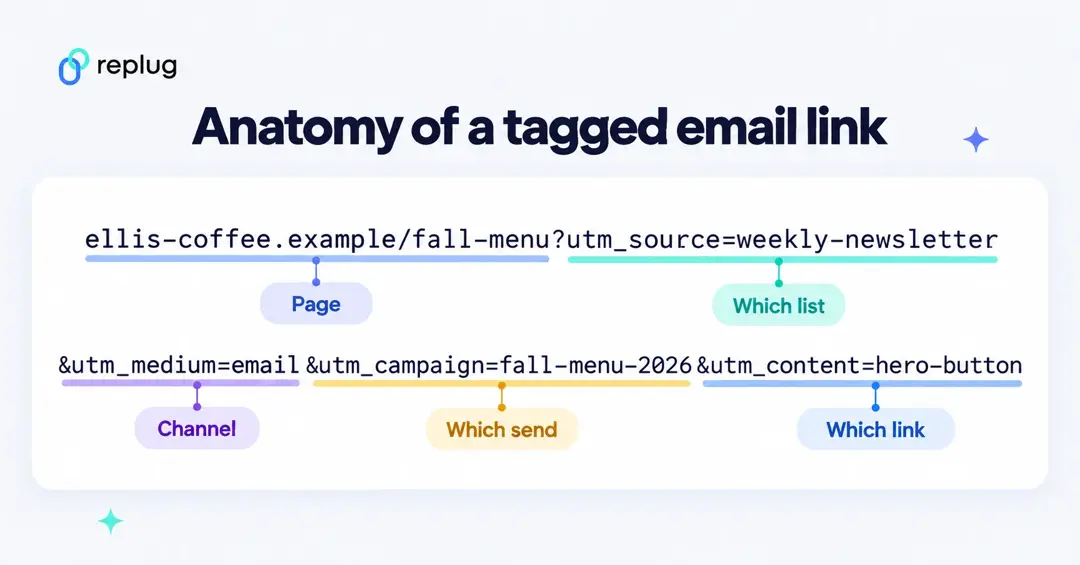
Everything after the ? is ignored by your website and read by your analytics tool. For how tracking URLs work in general (UTMs, click IDs and redirects), see what a tracking URL is.
Why do I need to use UTM parameters in email campaigns?
The use of email UTM parameters in email campaigns is really important if you want to get in-depth insights. Any email marketing platform will allow you to add UTM parameters since it is simply a change to the URL of each link you are adding in the email content. Once your email links carry UTM parameters, your analytics can report what happens after the click, per campaign and per link:
- Sessions and users from each email
- Engaged sessions and pages viewed
- Key events such as sign-ups or purchases (GA4 calls conversions key events; Analytics Help)
- Revenue, if your site sends ecommerce data
- And overall engagement
- And much more…
Opens, bounces and click-through rate still come from your email platform’s report, not from UTMs: a UTM only exists once someone clicks. Open counts are also less exact than they used to be: Apple’s Mail Privacy Protection hides whether someone opened a message from senders, according to Apple Support.
What are the benefits of UTM tracking?
UTM tracking offers several key benefits for email marketers as well as digital marketers.
- Identify top-performing content
Let’s say you include a blog post link within your email campaign. UTM parameters can tell you which blog posts generate the most website traffic from your email blasts. This helps you understand what content resonates with your audience and prioritize future content creation efforts.
- A/B testing optimization
UTM parameters are instrumental in A/B testing different elements of your email campaigns. You can create multiple email versions with different subject lines, calls to action, or content and use UTM tags to track which version performs better. This allows for data-driven decisions to improve your email marketing strategy.
- Measure long-term impact
Know that email UTM tracking allows you to measure the long-term impact of your marketing campaigns. By analyzing UTM data over time, you can see how campaigns influence website traffic and conversions even after the initial email is sent. This helps you understand the full customer lifecycle and optimize campaigns for long-term success.
- Measure ROI (Return on investment)
Mark the actions that matter (a purchase, a demo request, a sign-up) as key events in GA4, and you can compare them by utm_campaign. That shows which sends paid off, not just which ones got clicks.
- Cross-channel measurement
Email UTM tracking is valuable for campaigns spanning multiple channels. You can track how users interact with your brand across different platforms, like clicking a social media ad and then subscribing to your email list.
Types of UTM parameters for email campaigns
GA4 reads six UTM parameters. Google recommends always using source, medium and campaign; the others are optional:
| Parameter | What it means (GA4) | Email example |
|---|---|---|
utm_source (required) | The referrer: where the visit came from. Google’s examples include “newsletter4”. | weekly-newsletter, welcome-series |
utm_medium (required) | The marketing medium. Use email: GA4 puts a session in its Email channel when the source or medium is email, e-mail, e_mail or e mail (default channel group). | email |
utm_campaign (required) | The product, promotion or send. | fall-menu-2026 |
utm_content | Tells apart links that go to the same URL, for example two buttons in one email. | hero-button, footer-link |
utm_term | Paid keyword. Rarely needed in email. | (leave empty) |
utm_id | Campaign ID, if you upload campaign data to GA4. | fall26-01 |
Definitions from Google’s URL builders help page. Values are case sensitive, so Email and email become two rows in your reports: pick lowercase and stick to it.
How do I set UTM parameters?
You can tag links by hand with a free URL builder, or let your email platform add the tags. Google’s Campaign URL Builder and Replug’s free UTM builder both work the same way: enter the page URL and the tags, then copy the result.
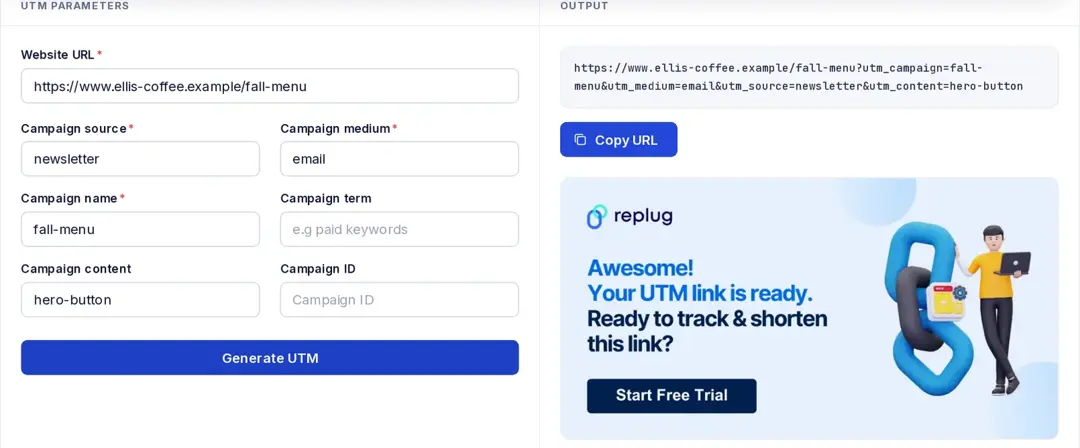
Fill in the details for the UTM parameters you want to use for a specific link:
- Website URL: the page the email link should open.
- Campaign name: Assign a unique name for this particular marketing campaign.
- Medium: Specify the marketing channel (always “email” for emails in this case).
- Source: Add in the exact source within the channel (e.g., “newsletter,” “welcome-series”).
- Content (Optional): Use this to differentiate clicks between different versions of the same link within your email (e.g., button text or a unique identifier).
- Term (Optional): for paid search keywords; you can leave it empty for email.
- Campaign ID (Optional): the
utm_idvalue, if you import campaign data into GA4.
Click Generate UTM and copy the tagged URL from the Output box. Paste it as the link behind your button or text in the email.
Let your email platform add UTMs automatically
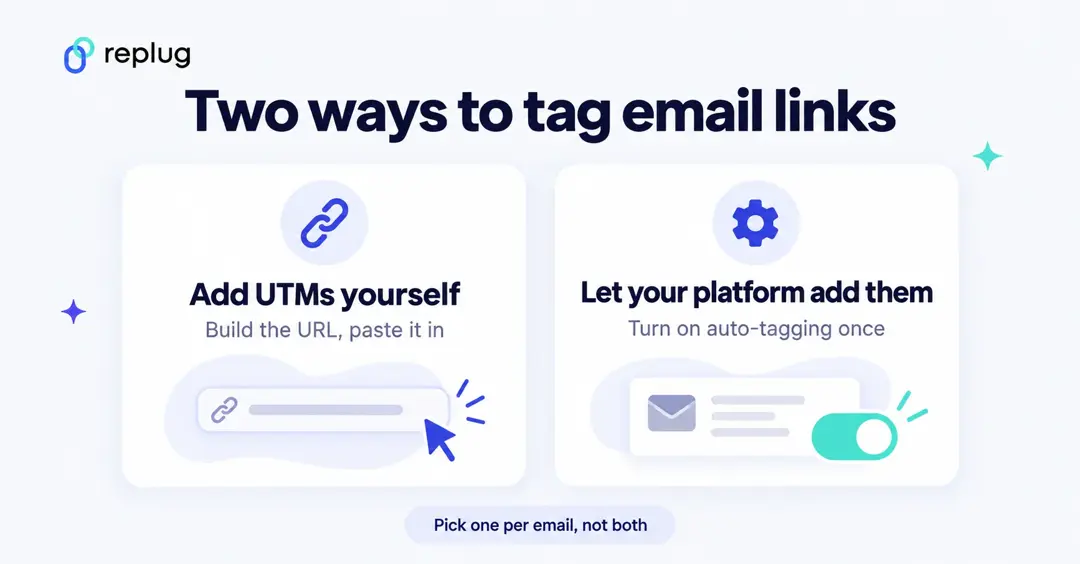
Most email platforms can tag every link for you, which avoids typos. Three examples, from each vendor’s help center (checked October 2026):
- Mailchimp: connect Google Analytics under Integrations, then tick Google Analytics link tracking in the email’s Settings & Tracking. Mailchimp fills in the campaign title, and lets you edit UTM values per email in automation flows. It advises against combining its tracking with your own UTMs, which can skew reports (Mailchimp Help).
- Klaviyo: in Settings > Other > UTM tracking, turn on Automatically add UTM parameters to links.
utm_sourceandutm_mediumare always on; since June 2, 2025 the default medium is the message type, such asemailorsms(Klaviyo Help Center). - HubSpot: create tracking URLs in Settings > Tracking & Analytics > Tracking URLs and pick Email marketing as the source; a campaign is required (HubSpot Knowledge Base).
Whichever you use, choose one method per email. If the platform tags links and you paste already-tagged URLs, you can end up with two sets of values.
Replug – A complete link management solution
If you also want short, branded links in your emails, Replug adds UTM tags while it shortens the link. The UTM builder is on every plan, including Free; custom back-halves start on Essentials, and paid plans come with a 14-day trial (see pricing).
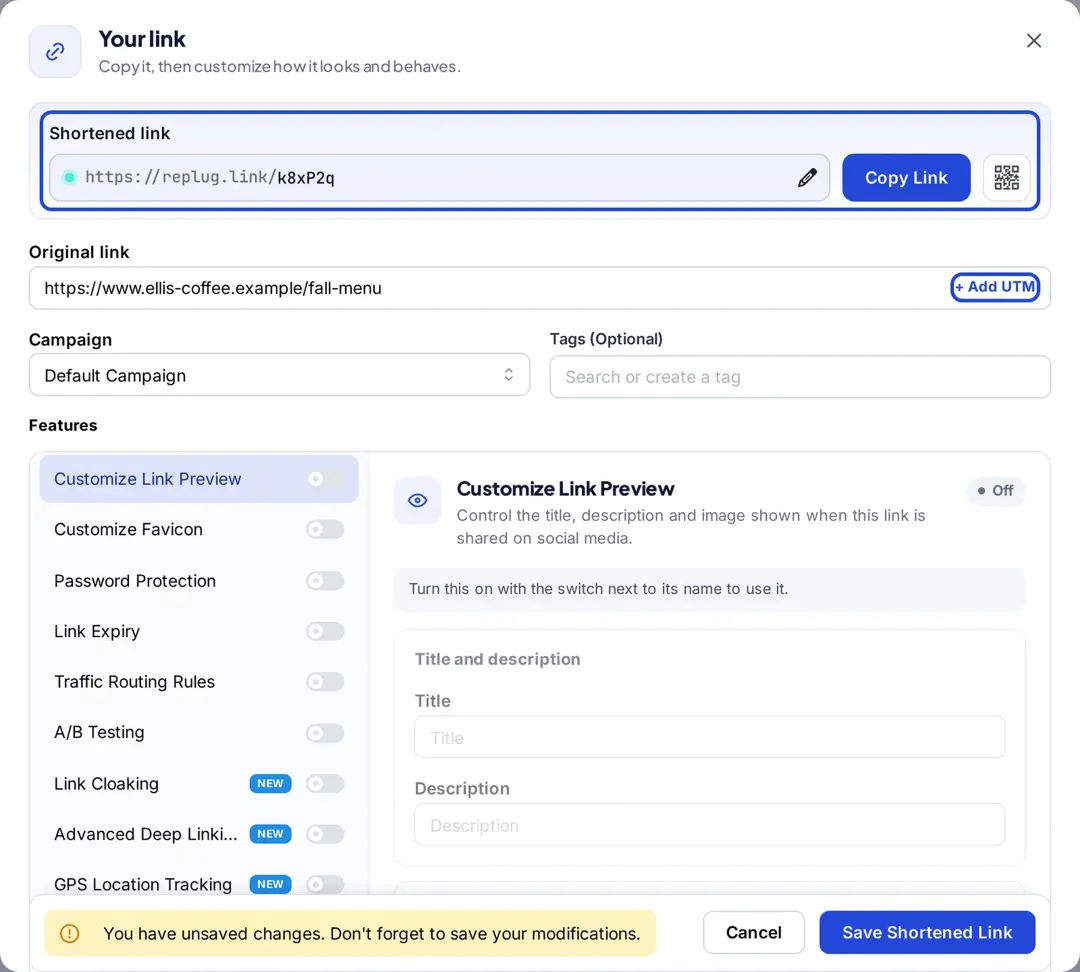
Here’s how to add UTMs to an email link in Replug:
- On the Home screen, paste the page URL into the shorten box and click Shorten.

- In the Your link window, click + Add UTM next to the original link.
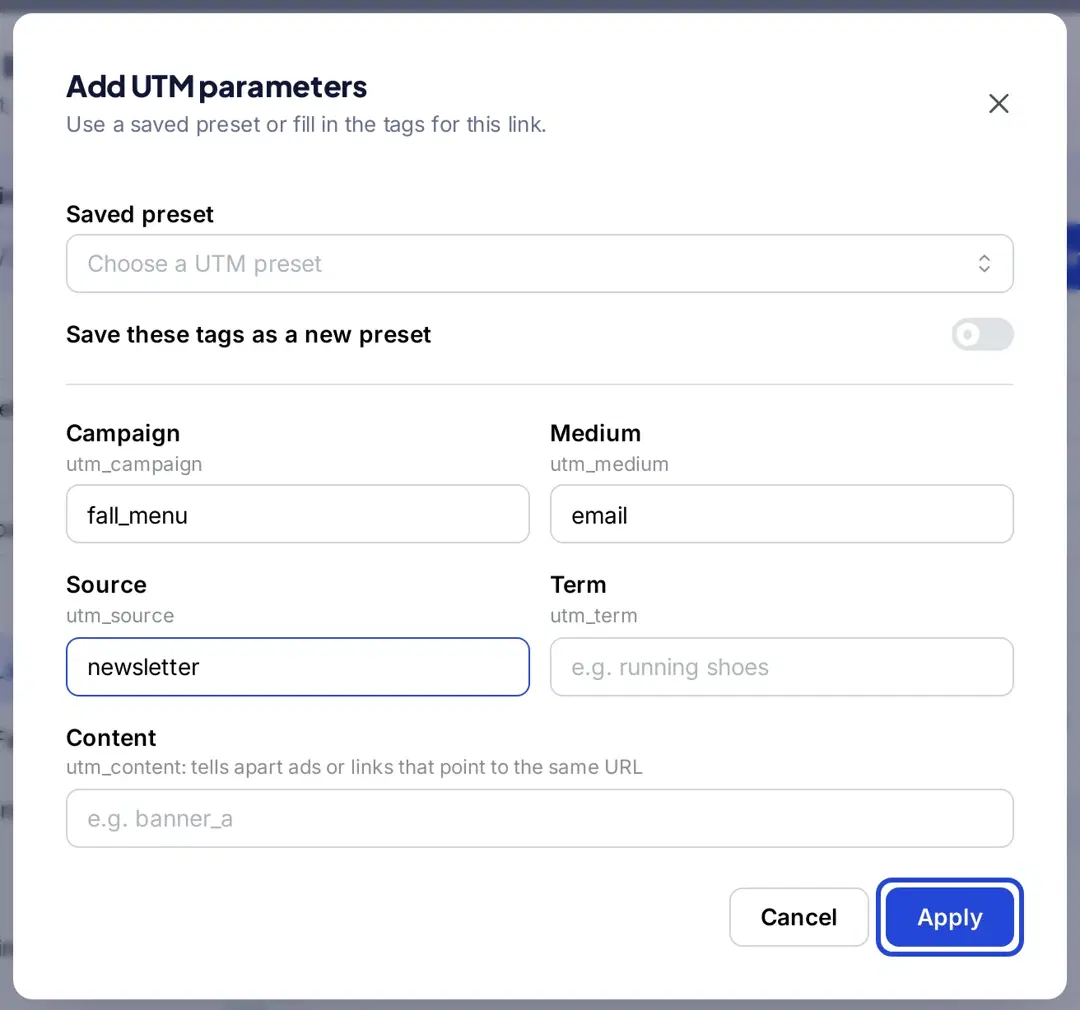
- In Add UTM parameters, pick a saved preset or fill in Campaign, Medium (
email), Source and, if you like, Content. Turn on Save these tags as a new preset to reuse them next time, then click Apply.
- The tags now sit on the original link. Click the pencil to give the short link a readable back-half (Essentials and above), for example
replug.link/fall-menu-email.
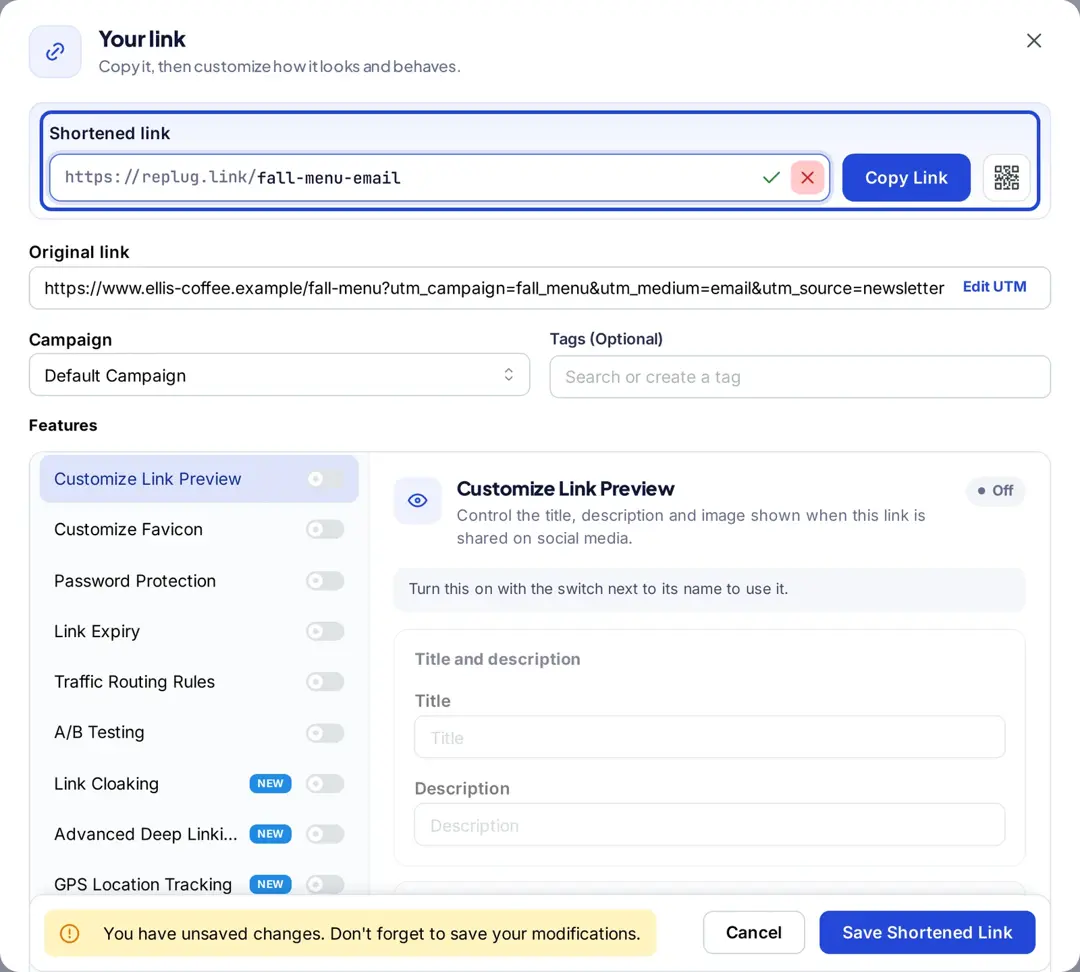
- Click Save Shortened Link, copy it and paste it into your email.
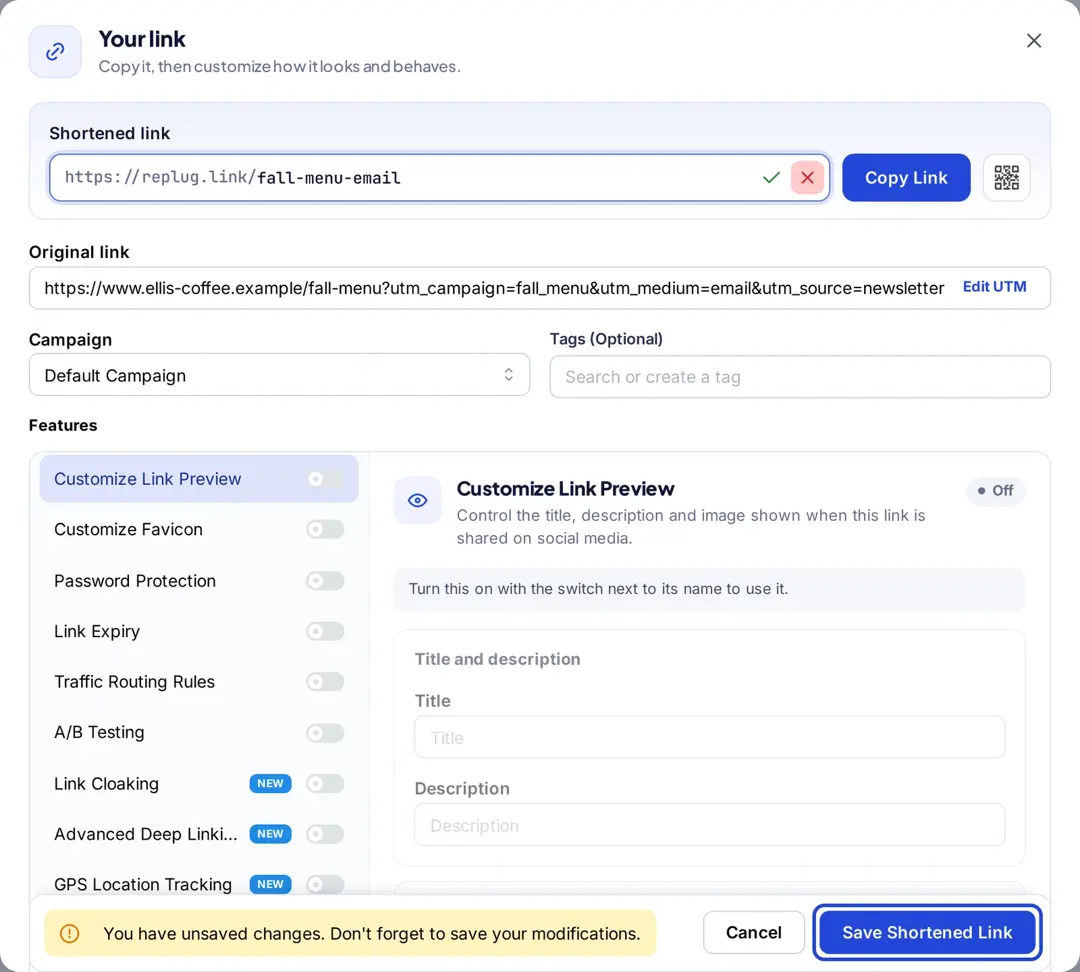
When someone clicks, the short link redirects to the tagged page, so Google Analytics records the UTM values on the page that loads, and Replug records the click in its own analytics. Mailchimp notes that Google Analytics only tracks pages that carry its code, not redirect steps, which is why the tags belong on the destination URL (Mailchimp Help).
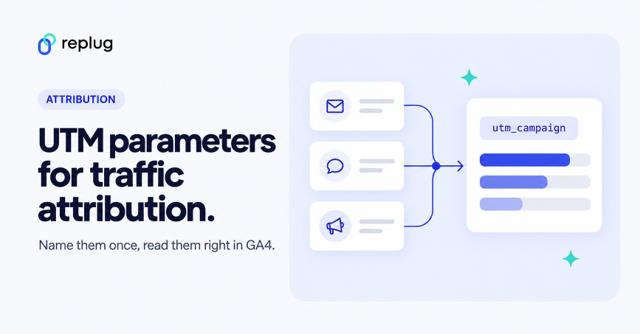
Read also: How to use UTM parameters for traffic attribution in GA4
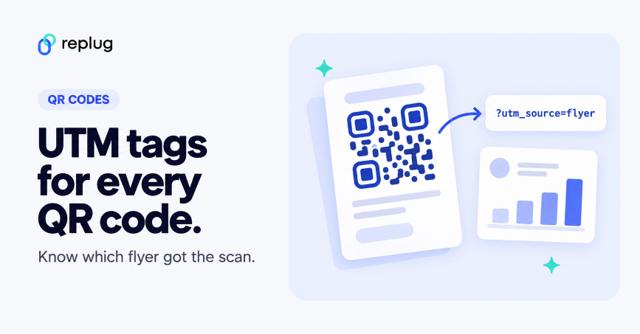
Also, check out our free link shortener to shorten and track your links. Printing the same campaign on paper? The same tags work on QR codes: see how to add UTM tags to your QR codes.
Where to see email UTM data in GA4
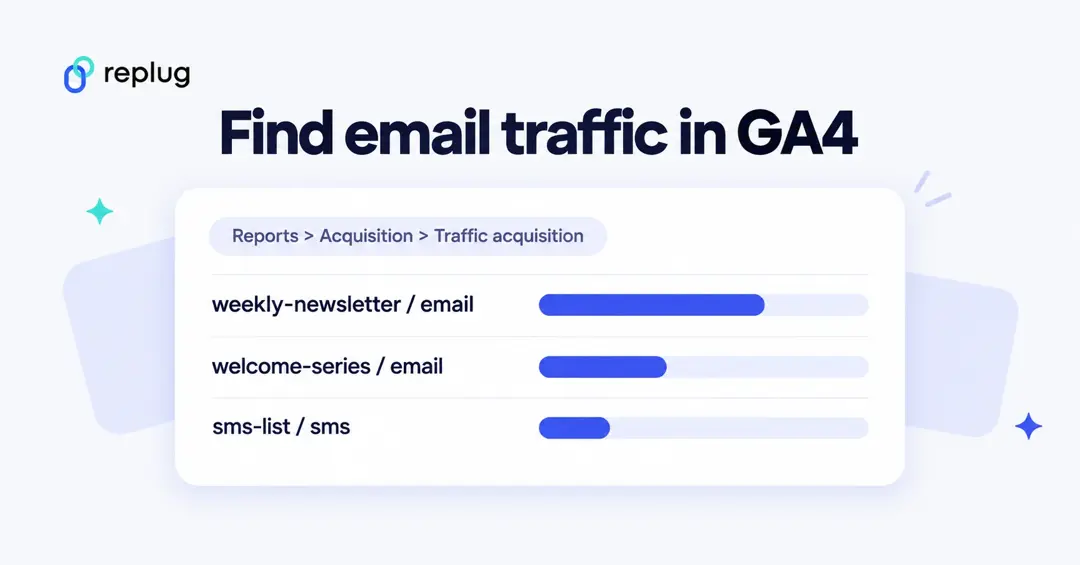
- In Google Analytics, open Reports, then Acquisition > Traffic acquisition.
- Change the table’s primary dimension to Session source/medium and search for
email, or pick Session campaign to compare sends. - Add a key event column (for example sign_up or purchase) to see which emails led to results.
Google lists Session source/medium, Session medium, Session source and Session campaign as the dimensions for tagged traffic in this report (Traffic acquisition report, URL builders). Sessions tagged with medium email roll up into the Email channel in the default channel grouping.
Common email UTM mistakes
- Mixed case or spelling:
Newsletterandnewsletterare separate sources. Keep a short naming sheet. - A medium other than email: values like
newsletterormailchimpas the medium won’t land in GA4’s Email channel. - Tagging links to other websites: UTMs only help on sites whose analytics you can see. Leave partner and social profile links untagged unless the owner asked for them.
- Two tagging systems at once: your platform’s auto-tagging plus hand-made UTMs on the same link.
- Expecting opens in GA4: analytics only sees clicks that reach your site.
UTM tracking with Usermaven
Usermaven is a fantastic alternative to Google Analytics, providing detailed analytics for your website and app. It relies on UTM parameters to track important data like where your visitors are coming from, which pages they’re entering and exiting, and even their location down to the city level.
Sign up today and get a hold of the top
- Channels / Sources
- Mediums
- Campaigns
- Terms
- Contents
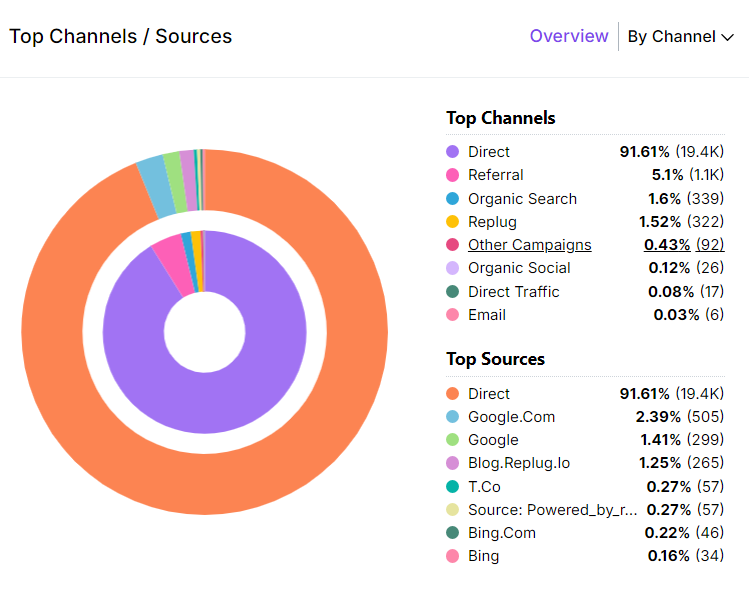
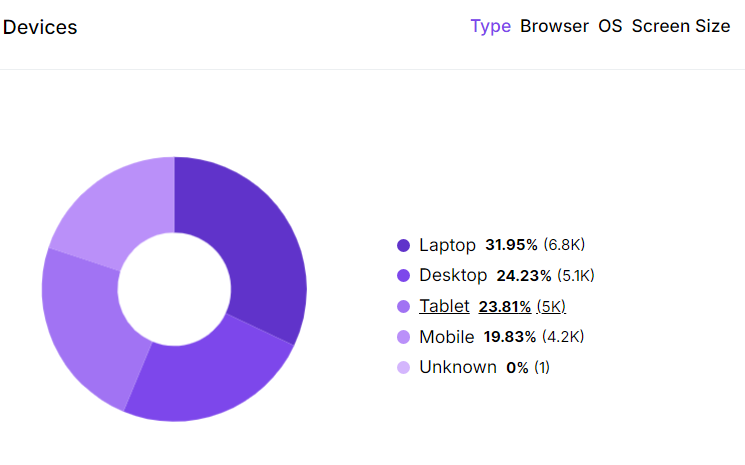
In the top pages section, monitor both the entry and exit pages to understand your audience’s behavior effectively. Besides that, explore your customer base’s geographical distribution through detailed maps, countries, and city breakdowns. You can also see what devices and browsers most of your audience prefers.
Identify high-performing keywords effortlessly with Usermaven’s keyword tracking feature, displaying total clicks and impressions. Utilize this data to optimize email campaigns and content strategies for maximum traffic.
In easier words, by analyzing such parameters, you can make the most of Usermaven’s features to improve your campaigns and get better results.
Conclusion
Email UTM parameters show what happens after the click: which send, which link and which campaign brought visitors who signed up or bought. Opens and deliverability stay in your email platform; UTMs fill in the rest.
But! Are you using UTMs in your email campaigns?
If you’re not using UTMs yet, start with your next newsletter: source, email as the medium, a campaign name, and utm_content for each button.
Frequently asked questions

Manahil