Ow.ly is Hootsuite’s built-in link shortener. You shorten links with it while you write posts in the Hootsuite dashboard, so it only works if you use Hootsuite. Replug is a standalone link management tool: branded short links, bio link pages, QR codes, call-to-action overlays and retargeting pixels, with or without a social media scheduler. This comparison shows what each one offers, what it costs and when to pick which.
Disclosure: this is Replug’s blog and Replug is our product. Ow.ly facts come from Hootsuite’s own Ow.ly page and plans page, checked October 2026.
| Ow.ly | Replug | |
|---|---|---|
| What it is | Ow.ly is the URL shortener inside Hootsuite, a social media management platform. Hootsuite moved it into the Hootsuite dashboard, so you need a Hootsuite account to use it. | Replug is a link management platform for branded short links, bio link pages, QR codes, CTAs, retargeting pixels, routing and A/B tests. |
| Price | Free inside Hootsuite; Hootsuite plans start with Standard, billed per user (see Hootsuite plans) | Free plan; paid from $19/month, or $9.50/month billed yearly (Replug pricing) |
| Best for | Teams that already schedule posts in Hootsuite and want short, tracked links in those posts | Marketers, creators and agencies who want links, bio pages, CTAs and retargeting in one tool, from any app |
Replug vs Ow.ly
Both tools shorten links and count clicks. The difference is where they live: Ow.ly is a feature of a social media platform, and Replug is a link tool you can use with any channel. “Not listed” below means we didn’t find the feature on Hootsuite’s Ow.ly or plans pages; it doesn’t prove the feature is missing. Replug plan levels come from Replug’s pricing page.
| Feature | Ow.ly (Hootsuite) | Replug |
|---|---|---|
| Use without a social media scheduler | No, it lives in the Hootsuite dashboard | Yes |
| Short links | Free, as you compose posts | 100 on Free, 1,000 on Essentials, unlimited on Scale and Agency |
| Custom (vanity) domain | Advanced plan and above | 3 custom domains on Free, up to 50 on Agency |
| UTM / tracking parameters | Yes, added as you shorten | UTM builder on every plan |
| Click analytics | Clicks on links in your posts, plus reports; traffic data in Google Analytics or Adobe Analytics | Clicks, unique clicks, QR scans, location, device and referrer; 14 days of history on Free, unlimited on Scale and Agency |
| Link in bio page | Yes, Hootbio | Bio link pages: 2 on Free, unlimited on Scale and Agency |
| QR codes | Not listed | 10 on Free, unlimited on Scale and Agency |
| Deep links to apps | Not listed | Scale and Agency |
| Call-to-action overlays | Not listed | Essentials and up |
| Retargeting pixels on links | Not listed | 1 on Essentials, unlimited on Scale and Agency |
| A/B tests and traffic routing | Not listed | Scale and Agency |
| White-label dashboard | Not listed | Agency |
| Social media scheduling, inbox and listening | Yes, that is what Hootsuite is for | No |
Link management capabilities
Let’s go through the link features most teams compare.
1. Advanced link shortening
With Ow.ly, you add a link to a post in Hootsuite’s Composer and Hootsuite offers to shorten it with Ow.ly and add tracking parameters, according to Hootsuite’s Ow.ly page. Custom vanity URLs need Hootsuite’s Advanced plan or above (Account & Settings, then Vanity URLs).
With Replug, you shorten any link from the dashboard, the Chrome extension or Zapier, choose your own domain and back-half (custom slugs from Essentials), and get detailed analytics for every link. You can also customize the link preview (title, description and image) from Essentials.
If you want links that work outside a social media dashboard, Replug is the more flexible way to shorten links while tracking every click.
2. Bio-links
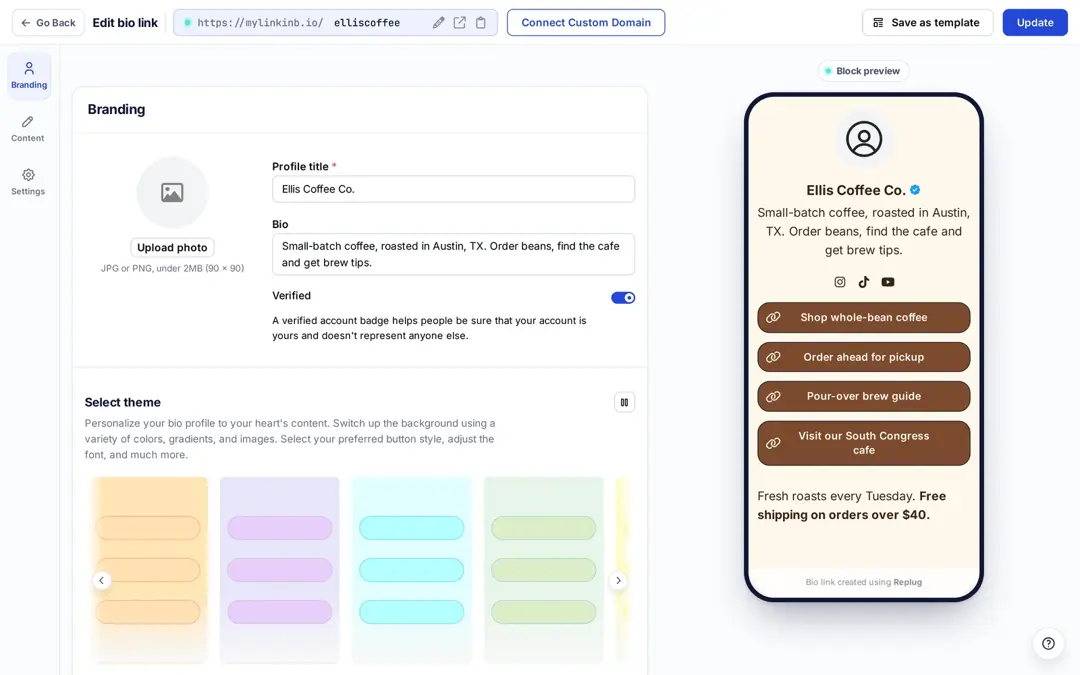
Replug lets you create bio-links: one page with your links, social icons, videos, a sign-up form and more, on mylinkinb.io or your own domain. The Free plan includes 2 bio links; Scale and Agency include unlimited.
Hootsuite has its own link in bio tool, Hootbio, for Instagram and TikTok profiles, according to its Ow.ly page. So both sides offer a bio page; with Hootsuite it comes as part of the social media plan.
3. QR codes
Hootsuite’s Ow.ly page doesn’t list QR codes. In Replug, you can create QR codes for shortened links and bio pages and track scans separately from clicks. Free includes 10 QR codes; custom colors and frames start on Essentials, and logos and destination edits on Scale and Agency.
4. Deep links
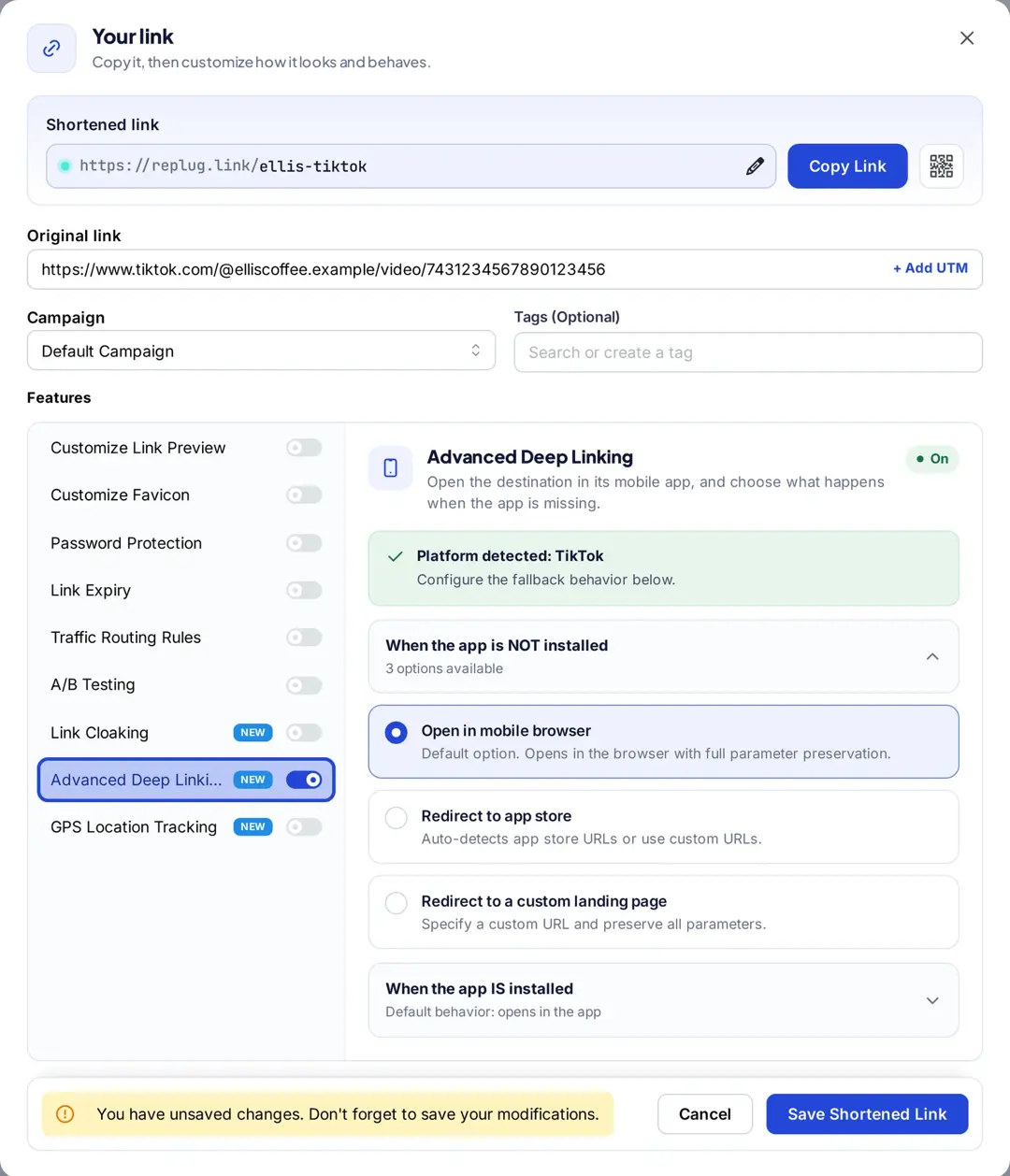
Deep links aren’t listed on Hootsuite’s Ow.ly page. With Replug, marketers can create deep links that open supported apps such as YouTube or TikTok directly on mobile, with a fallback when the app isn’t installed (Scale and Agency).
5. Custom CTAs (call-to-actions)
Replug adds a call-to-action overlay, such as a button, banner, form or bridge page, to the pages you share through a short link. CTAs start on the Essentials plan. You can also use the free CTA generator to write the copy.
Hootsuite’s Ow.ly page doesn’t list CTA overlays on shared links; Hootsuite’s AI tools help you write posts instead. If you want to put your own message on the content you share, that’s where Replug’s call-to-actions come in.
6. Retargeting pixels
Replug can add retargeting links: it fires your Meta, Google, X, LinkedIn, Pinterest, TikTok or Quora pixel when someone clicks your short link, even when the link points to a site you don’t own. That lets you build ad audiences for remarketing efforts. Essentials includes 1 pixel; Scale and Agency are unlimited. Hootsuite’s Ow.ly page doesn’t list retargeting pixels on links.
White-label solution
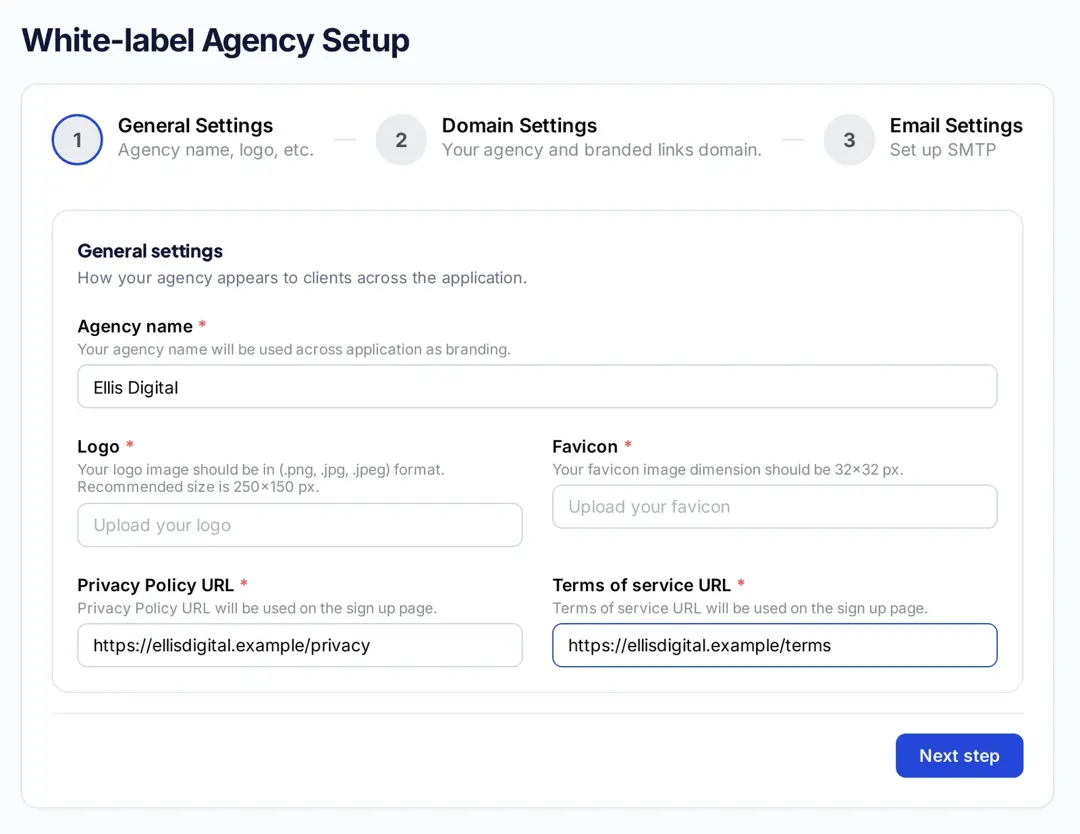
Hootsuite’s Ow.ly and plans pages don’t list a white-label option. Replug’s Agency plan includes a white-label dashboard, so agencies can offer a personalized link management tool to clients. You can:
- Use your own domains for short links and for the dashboard.
- Add your agency name, logo and favicon, plus your own privacy policy and terms links.
- Send branded email notifications and custom client reports.
- Give clients a custom login page.
- Offer the rest of Replug under your brand: retargeting links, catchy call-to-actions, traffic routing and more.
Detailed link analytics comparison
Ow.ly
Hootsuite says Ow.ly shows how many people click the links in your posts and how they drive website visits, conversions and engagement. You can create reports with traffic and clicks from Ow.ly links and view the data in Google Analytics and Adobe Analytics, according to Hootsuite’s Ow.ly page. Analytics include:
- Total clicks on the link
- Where the clicks came from (e.g., Facebook, Twitter, email)
Overall, keep in mind that Hootsuite is more focused on social media analytics. However, if you’re using Hootsuite, you can add tracking parameters to your Ow.ly links so that you can track them in an analytics tool like Usermaven.
Replug
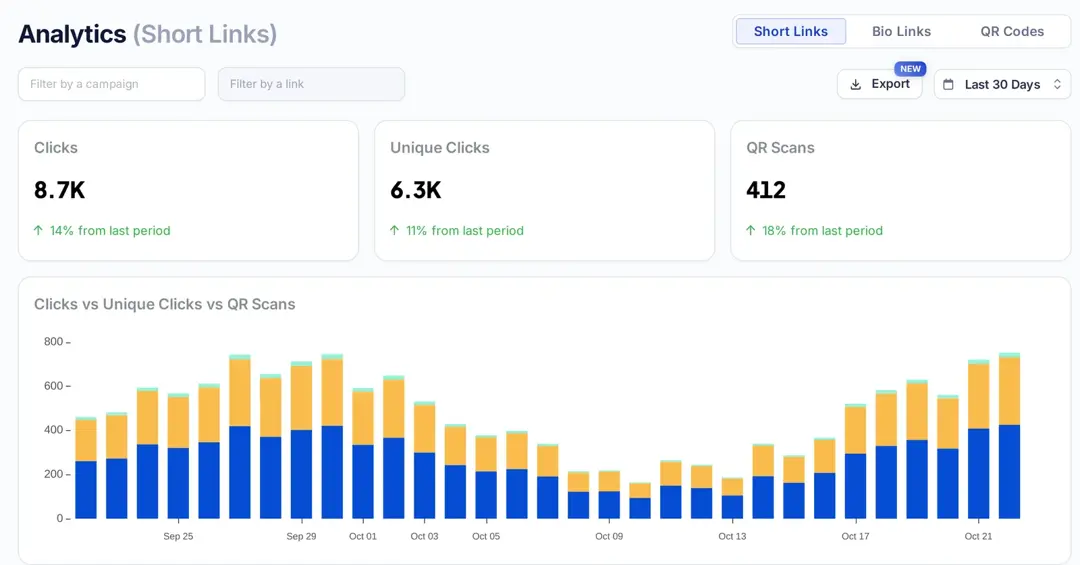
Replug tracks every short link, bio page and QR code from the first click: clicks, unique clicks, QR scans, country, region and city, device, browser, operating system and referrer. You can filter by campaign or link, export reports as PDF, Excel or CSV, and schedule email reports from Essentials. History is 14 days on Free, 90 days on Essentials and unlimited on Scale and Agency. Replug counts clicks, not sales; use your ad platform or analytics tool for conversions. More in our guide to Replug click analytics.
Integrations offered
Replug
Replug offers direct integrations with email marketing tools, ad pixels, Zapier and its own API.
CTA forms and bio page sign-up blocks can send new leads to email tools such as Mailchimp, Constant Contact, ActiveCampaign, Brevo and Kit. Retargeting pixels cover Meta, Google Ads, Google Analytics 4, Google Tag Manager, X, LinkedIn, Pinterest, TikTok and Quora. Zapier connects Replug to other apps, and the REST API comes with the Agency plan.
With these integrations, Replug works as a solution for link management next to the tools you already use.
Ow.ly
Ow.ly, being an integral part of the Hootsuite platform doesn’t have standalone integration capabilities. Instead, to integrate with other tools, users need to connect to Hootsuite itself. Hootsuite also works with Bitly: on some plans you can add tracking to Bitly links in Composer, according to its Ow.ly page.
Pricing comparison
Ow.ly itself is free, but only inside Hootsuite. Here are the plans you would pay for, checked October 2026:
| Replug | Hootsuite (includes Ow.ly) |
|---|---|
| Free: $0, 100 short links, 2 bio links, 3 custom domains | 14-day free trial on Standard, Professional and Advanced |
| Essentials: $19/month, or $9.50/month billed yearly | Standard: 99 per user/month, billed annually (up to 10 social accounts) |
| Scale: $39/month, or $23.40/month billed yearly | Professional: 199 per user/month, billed annually (unlimited social accounts) |
| Agency: $99/month, or $79.20/month billed yearly | Advanced: 399 per user/month, billed annually (vanity URLs for Ow.ly) |
| Enterprise: custom | Enterprise: custom |
Hootsuite prices are from its plans page, which showed euros from our location; your currency may differ. Replug prices are from replug.io/pricing in US dollars. The two products do different jobs, so compare the plan you would actually need: Hootsuite’s price pays for scheduling, inbox and listening, and Replug’s for link features.
Conclusion
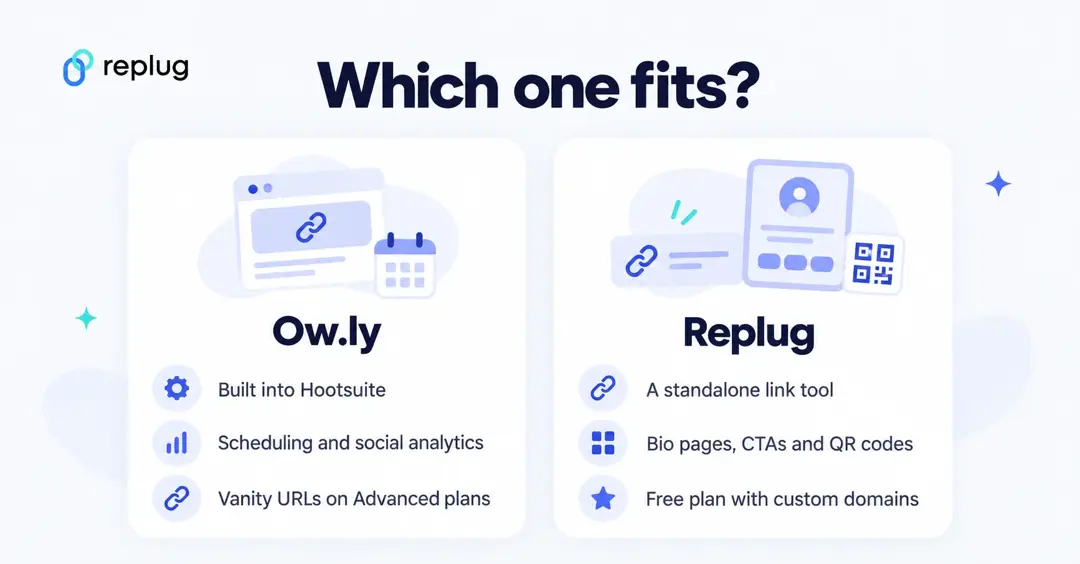
Pick Ow.ly if your team already runs social media in Hootsuite and you mainly want short, tracked links in those posts; it costs nothing extra there. Pick Replug if you want a link tool that works with any channel and scheduler, with bio pages, QR codes, CTAs, retargeting pixels and a free plan with custom domains. Comparing more tools? See our list of Bitly alternatives.
Faqs

Manahil