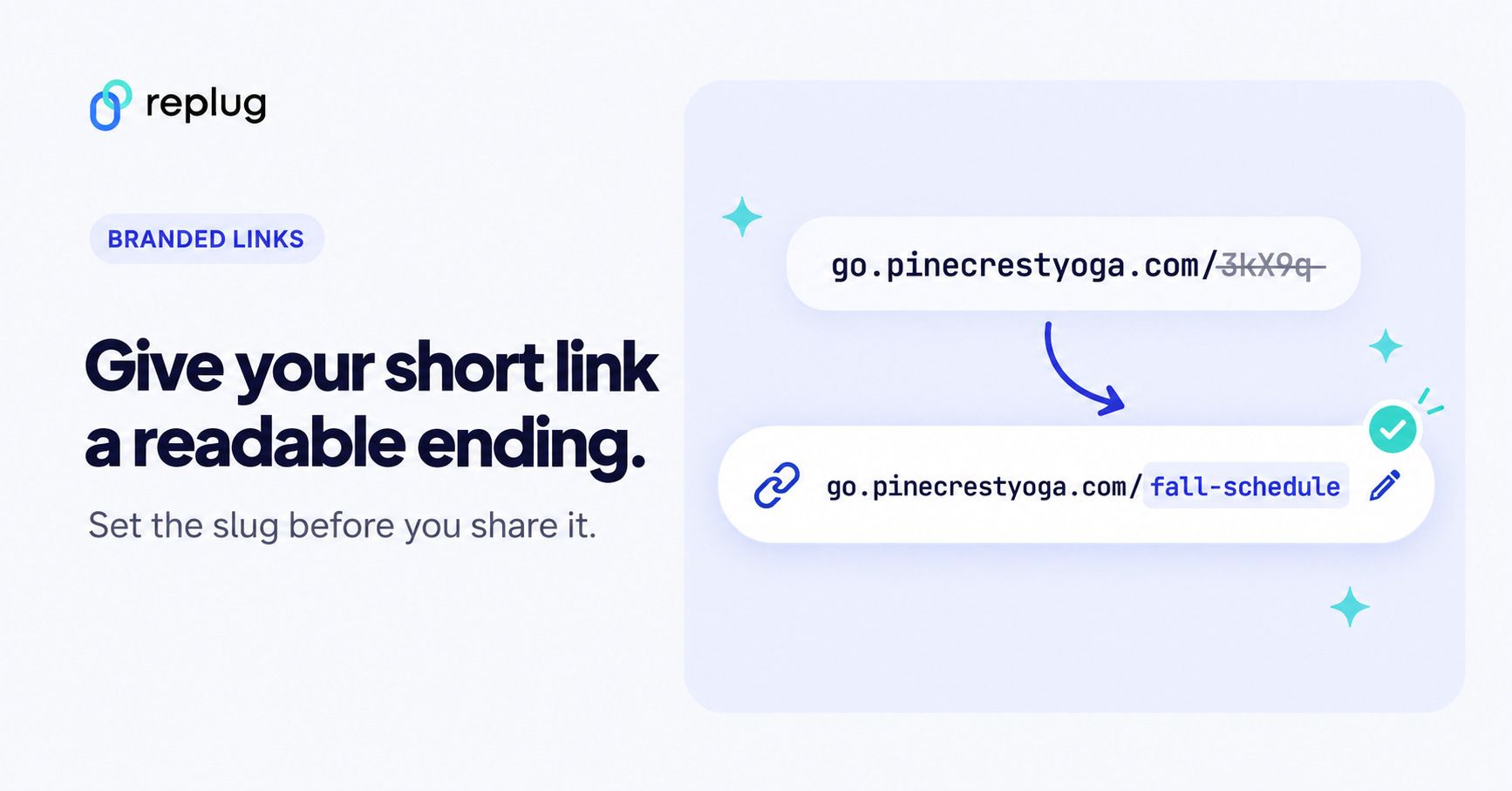
To customize a short link’s slug, open the link in your shortener, edit the part after the domain (the back-half), and save a readable phrase such as /spring-sale. Keep it short, lowercase and hyphenated, and set it before you share the link, because changing a slug later breaks every copy of the old one.
Updated: November 2026
A readable ending tells people where a link goes before they click, and it’s easier to say on a podcast or type from a flyer. That matters because people judge links by reading them: in three online randomized trials published in the Journal of Medical Internet Research in 2026, an easy-to-read web link raised trust in a vaccination email, while a shortened link with a random ending did not. This guide shows the steps in Replug, the exact rules a slug has to follow, and what breaks when you change one.
What is a short link slug?
A slug (or back-half) is the part of a short link after the domain that identifies which destination to open. In go.pinecrestyoga.com/fall-schedule, go.pinecrestyoga.com is the domain and fall-schedule is the slug.
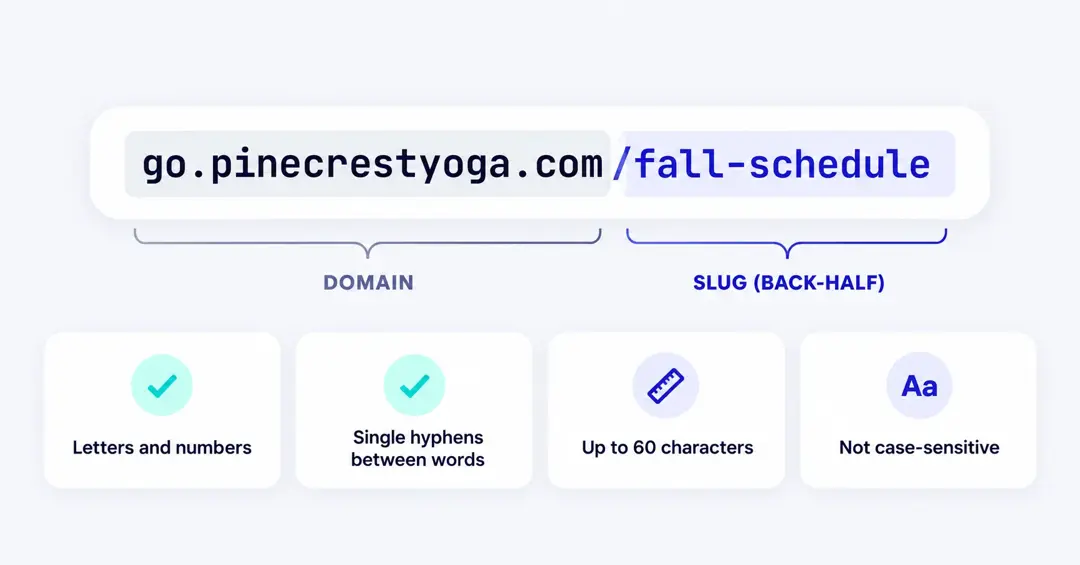
You’ll see several names for the same thing. Bitly calls it the back-half in its developer docs; other tools say alias, custom ending or keyword. A shortener gives every new link a random slug such as /3kX9q. Customizing it means replacing that string with words you choose.
How do you customize a short link slug?
In Replug, you create the link first, then click the pencil next to the generated slug, type your own and save it. Replug is a link-management platform for branded short links, bio pages, QR codes and retargeting. Plan: custom slugs need Essentials or higher and can’t be set during a free trial; on the Free plan, links keep their generated slug.
Ready to try it? Create a short link with your own ending in a few clicks.
When you create the link
- On the Replug dashboard, paste the destination into Paste a long URL to shorten… and select Shorten.
- The Your link window opens with the new link under Shortened link. Select the pencil icon (Edit short link) next to the slug.
- Delete the random slug and type yours, for example fall-schedule.
- Select the check mark (Save short link) or press Enter. If the slug breaks a rule or is taken, Replug shows an error and keeps the old one.
- Select Copy Link and open the copied link once to confirm it reaches the right page.
On a link you already made
First read what happens to the old link: if you’ve already shared it, a new slug breaks the copies that are out there.
- Go to Links, open the menu on the link’s row and select Edit.
- In the Your link window, select the pencil icon (Edit short link).
- Type the new slug and select the check mark (Save short link).
- Update every place that used the old link: posts, emails, ads and printed material.
The slug saves on its own as soon as you confirm it. Other changes in the window, such as tags or UTM parameters, still need the window’s own save.
What are the rules for a custom slug?
A Replug slug can use letters and numbers, with single hyphens between words, up to 60 characters. We tested each row below against the validation rules in Replug’s code in November 2026.
| Rule | Allowed | Not allowed |
|---|---|---|
| Characters | Letters a–z and numbers 0–9, such as webinar-nov or menu2 | Spaces, underscores, dots, slashes, emoji and other symbols |
| Hyphens | One hyphen between words: fall-schedule | A hyphen at the start or end (-fall, fall-) or two in a row (fall–schedule) |
| Accented letters | Plain letters: cafe-menu | Accents and non-Latin letters: café-menu |
| Length | 1 to 60 characters | 61 characters or more |
| Case | Any mix; it’s matched without case, so /Sale and /sale open the same link | Two links that differ only by case |
| Uniqueness | One link per slug on your own domain; on Replug’s shared short domains, one link per slug across all of them | A slug another link or bio page already uses on that domain |
These rules are stricter than the web standard. RFC 3986, the 2005 specification for URL syntax, lets a path use letters, digits and four unescaped symbols: hyphen, period, underscore and tilde.
The same specification treats the path as case-sensitive (section 6.2.2.1), and Google Search treats /APPLE and /apple as different URLs. Replug ignores case on purpose, so a reader who types a capital letter still lands on the right page. Other tools have different rules, so check them before you move links between shorteners.
If the slug you want is taken on a shared domain, add a qualifier (fall-schedule-austin) or use your own domain, where only your links compete for names.
What makes a good slug?
A good slug is one to three lowercase words that describe the destination and read well aloud. Compare these:
| Good | Weak | Why |
|---|---|---|
| /fall-schedule | /fs2026v3 | Readers can tell what they’ll get; codes mean nothing outside your team |
| /menu | /our-new-amazing-menu-for-fall | Short is easier to type from print and fits in a social post |
| /webinar-nov | /John-Webinar_Link | No personal names, no underscores (Replug rejects them), no mixed case |
| /order | /click-here | Describe the destination, not the action |
- Use one to three words, separated by hyphens.
- Describe the page, not the campaign code.
- Leave out personal names, so the link survives a staff change.
- Add a date only if the link is time-bound, such as /sale-dec.
- Say it out loud. If you have to spell it, shorten it.
The random slug is fine for links nobody reads, such as a one-off DM or a quick test. Customize the ones people will see: printed materials, bios, ads, emails and anything you say aloud. Naming slugs for web pages follows similar advice, but website slugs also play a part in search, which short link slugs don’t.
What happens to the old link when you change the slug?
The old slug stops working. Replug replaces the slug on the link instead of keeping both, so the old short link no longer opens your page and doesn’t forward to the new one.
Anyone who uses the old link after the change, from a post, an email, a bookmark or a printed QR code, reaches a dead end. Replug’s QR codes encode the short link, so a QR code that’s already printed breaks along with it. On your own domain, visitors go to the domain’s 404 Redirect URL if you set one in its custom domain settings; otherwise they see a “not found” page.
If the link is already out there, leave the slug alone. You can change where a link points instead (destination editing is on Scale and up), or create a second link with the new slug and keep the old one live.
Slug or destination: Which should you change?
Change the slug only before a link is shared; after that, change the destination or make a new link.
| Goal | Change | Replug plan |
|---|---|---|
| Make a new link readable before you share it | The slug | Essentials and up |
| Send an already-shared link to a new page | The destination; the slug stays the same | Scale and up |
| Fix a typo in a link that’s already shared | Create a new link with the corrected slug and keep the old one | Essentials and up |
| Reuse a seasonal link every year, such as /holiday-hours | The destination, each season | Scale and up |
How should a team name slugs?
Agree on a few rules before several people start creating links, so slugs stay consistent and nobody takes a name another campaign needs. Write them down where everyone can find them, next to the rest of your slug rules for a whole team.
- Pick a pattern. Topic first, then a qualifier: /webinar-nov, /webinar-dec.
- Keep a shared word list. Decide once whether it’s /pricing or /plans, /signup or /join.
- Reserve evergreen slugs. Keep /menu, /hours and /book for links that last, and change their destination when the page moves.
- Never rename a printed link. Treat any slug on paper, packaging or signage as permanent.
A custom slug reads best with your brand’s domain in front of the slug, such as go.maplerowbakery.com/menu. The domain is what people check first, and they often misread it: in a 2020 study presented at the CHI conference, participants correctly identified the website behind an average of 58% of the URLs in the study’s sample. On your own domain, every slug is yours to choose, instead of competing with every other account on a shared short domain.
FAQ
Pick the ending before you share
A readable slug takes a moment to set and lasts as long as the link. Choose it before the link goes out, keep it short, and change the destination, not the slug, once people are using it. When you’re ready, set up a branded short link with your own ending on your own domain.
Frequently Asked Questions

Muhammad Ahsan Jamal