Adding a YouTube link to an Instagram story allows the user to share a video from YouTube on their Instagram story. This allows their followers to view the video directly from the Instagram story without leaving the app and going to YouTube. (To be precise: the story itself can’t play a YouTube video. Tapping the link sticker opens the linked page, per Instagram’s Help Center, and the video plays on YouTube.)
It can also help direct more traffic to the YouTube video, increasing its visibility and gaining more views and engagement. If you post on Snapchat too, here’s how to add a link to a Snapchat story.
Quick answer (checked October 2026): in YouTube, tap Share under the video and Copy link. In Instagram, start a story, tap Stickers at the top, choose Link, paste the YouTube URL and share. Instagram’s Help Center says people who tap a link sticker are sent to the linked website, and link stickers work only in regular (organic) stories, not in ads.
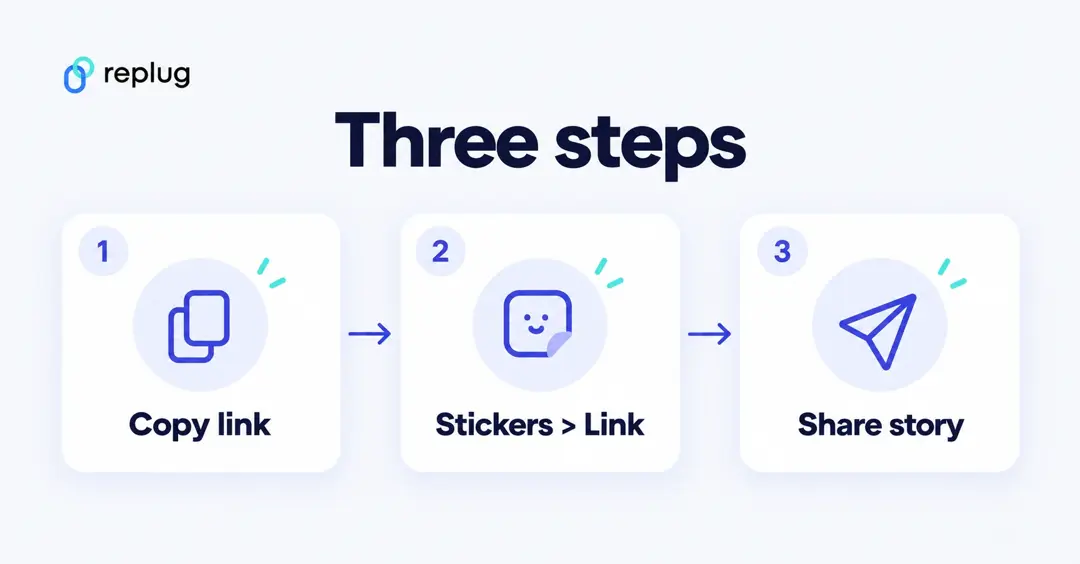
Here’s how to add YouTube links to the Instagram stories:
Step 1: Go to the YouTube app and play the video you want to share in Instagram Story.
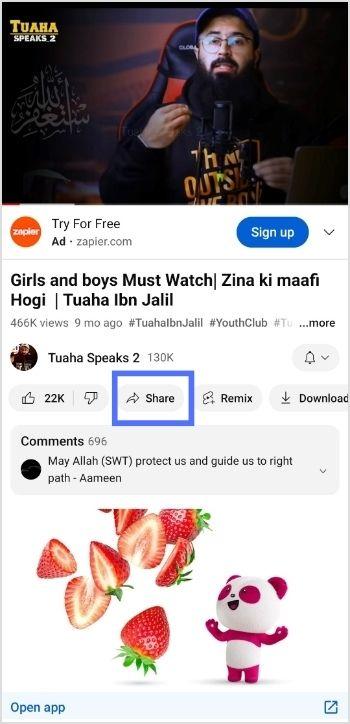
Step 2: Tap “share” right below the YouTube video.
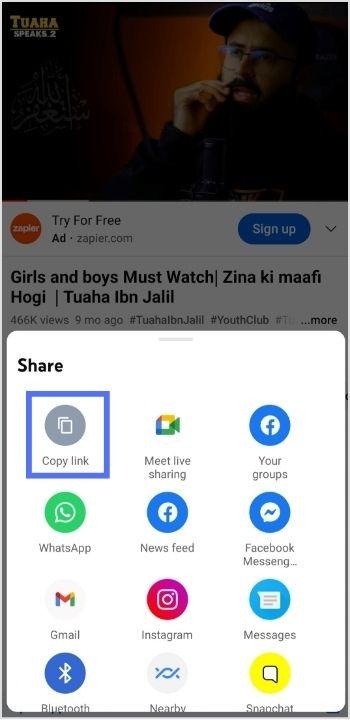
Step 3: Tap “copy link” to copy the link you want to share in the Instagram story.
Note: Before pasting the URL into your Instagram story’s link sticker, you might want to shorten a link first for a cleaner, more shareable URL that looks better in your story and is easier for followers to click. Replug is the reliable link optimization platform to perform this task in the best possible manner.
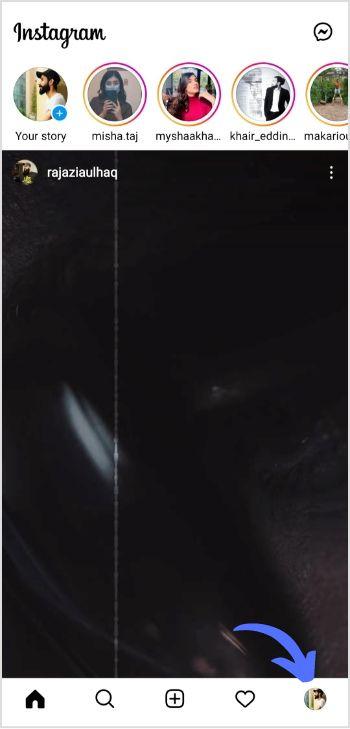
Step 4: Now open the Instagram app and tap the “profile icon’’ in the bottom right corner.
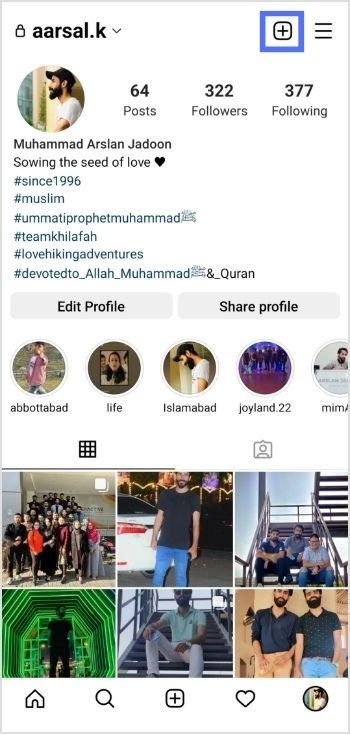
Step 5: Tap the “add (+)’’ sign in the top right corner.
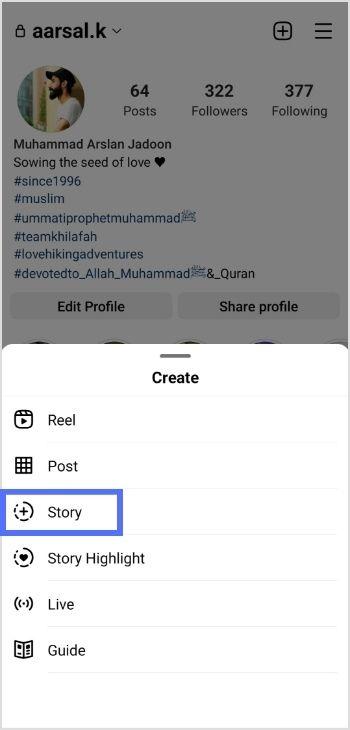
Step 6: Tap “story” to add a new story.
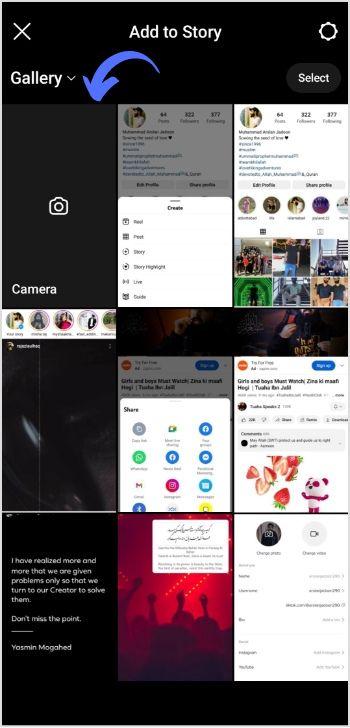
Step 7: Tap the “camera” from different gallery options.
Step 8: Tap “create or Aa” for a new story.
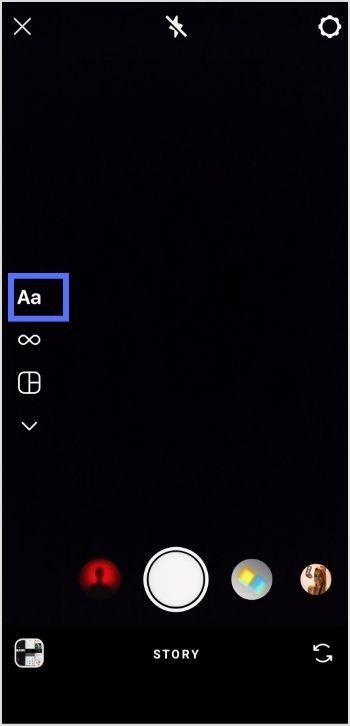
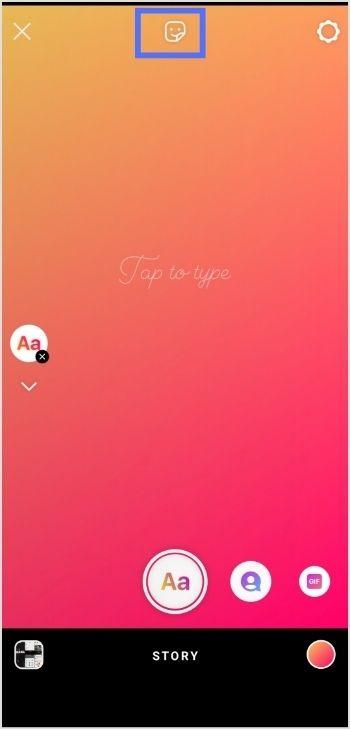
Step 9: Tap the “sticker icon” from the screen’s top.
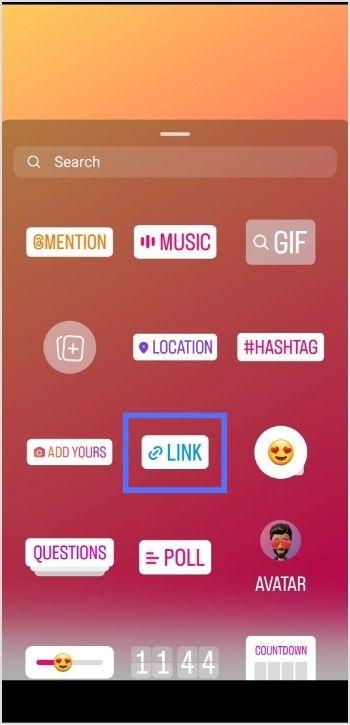
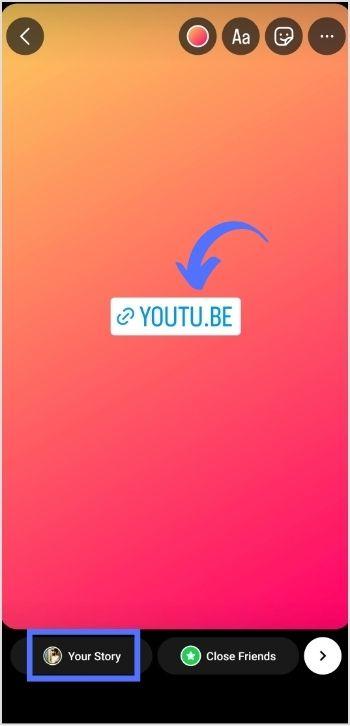
Step 10: Tap the “link sticker” from the options.
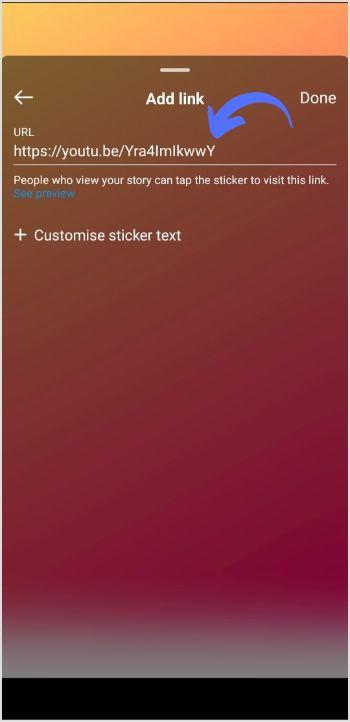
Step 11: Add link screen will open. Paste the YouTube video URL in the URL field and tap done.
Step 12: Tap “your story,” and your YouTube video link will be posted in your Instagram stories.
Who can use the link sticker?
Instagram’s sticker help page lists Link among the stickers you can add when you share a story. It also notes that not all stickers are available to everyone and that some stickers may be unavailable in certain countries, so:
- Update Instagram from the App Store or Google Play if you don’t see Link in the sticker tray.
- Link stickers are for stories. Captions on regular posts and Reels don’t turn URLs into links, so point people to your story, your Highlights or your bio instead.
- In a story ad, Instagram adds its own call-to-action sticker instead of the link sticker.
Link to the exact moment in the video
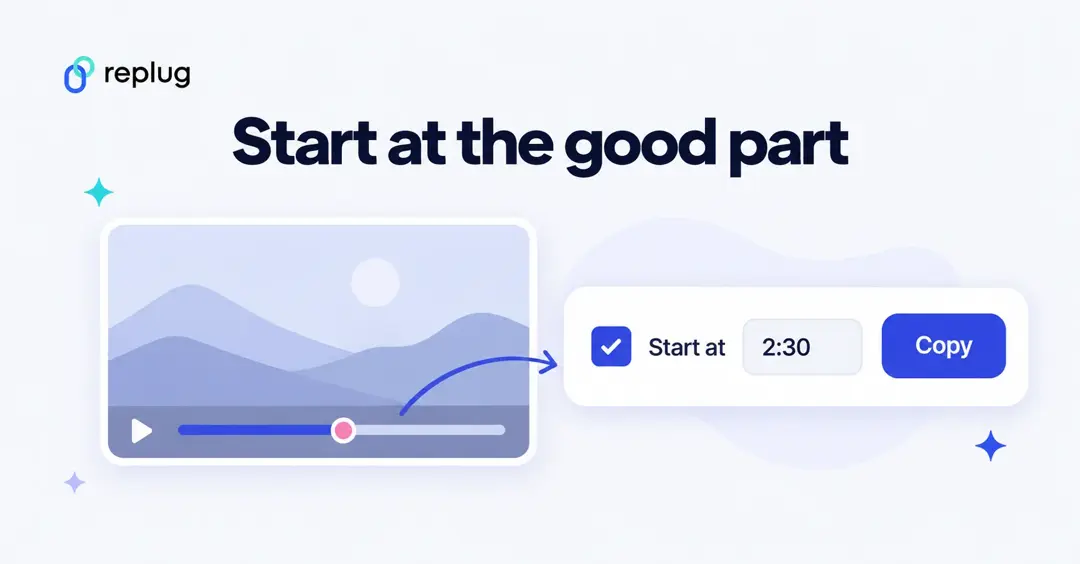
If your story teases one part of a long video, send people straight to it. On a computer, YouTube Help explains that under the video you click Share, tick Start at, enter the time (for example 2:30) and then copy the link. Paste that link into the sticker and viewers land on that moment.
What does “full video link in story” mean?
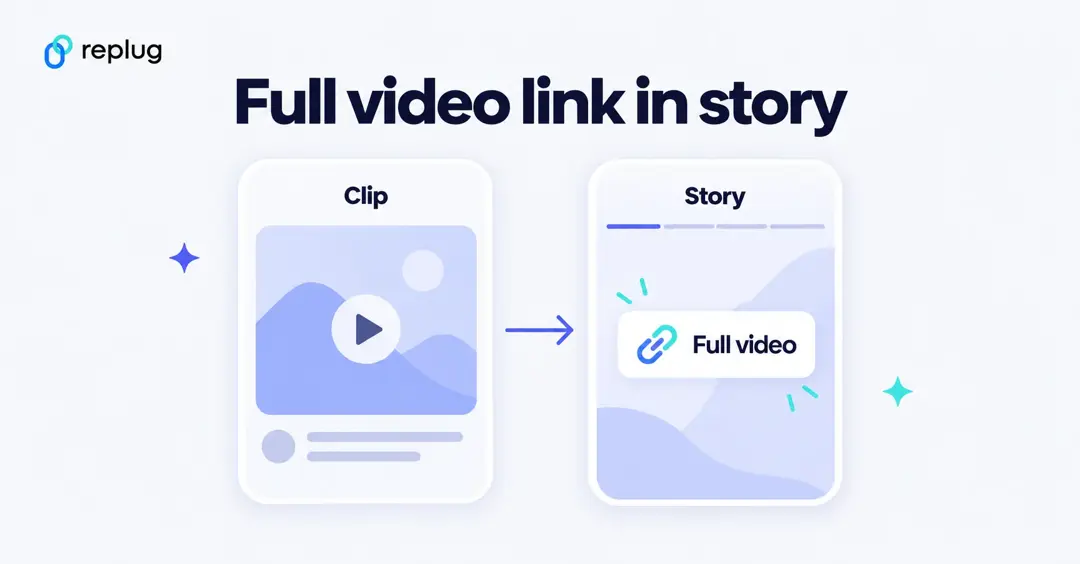
Creators often post a short clip as a Reel or story and write “full video link in story”. It means the clip is a preview and the whole video is one tap away on a link sticker in their current story (or in a story Highlight once it expires). To do the same:
- Post the clip and say where the full video is.
- Add a story with a link sticker to the full YouTube video, using the steps above.
- Save that story to a Highlight named “Videos” so people who find the clip later can still reach it.
Make the story worth tapping
- Use the video’s thumbnail or a frame as the background so people recognize what they’ll watch.
- Say what they get: “New video: 5 easy weeknight dinners” beats “link”.
- Put the sticker in the middle, away from the top and bottom edges where the profile name and reply bar sit.
- Post more than one frame: a teaser, then the frame with the sticker.
Shorten and track your YouTube link
A short, readable link looks cleaner when you also mention it in your bio or on screen. With Replug’s YouTube link shortener you get a short link with clicks, countries and devices (Free plan: 100 links and 14 days of click history, per Replug’s pricing page; custom endings such as replug.link/new-video start on Essentials). Use a different short link for the story and for your bio to see which one sends more viewers.
Sharing the other way, from YouTube to Instagram? See how to insert links in YouTube descriptions and how to add links to your YouTube channel.
YouTube link sticker not working? Quick checks
- No Link sticker: update the app; Instagram says not every sticker is available to everyone.
- Link opens the wrong video: copy it again from the Share button rather than from the browser on a playlist page.
- Video is private: set it to Public or Unlisted in YouTube Studio so viewers can watch it.
- Story expired: add the story to a Highlight to keep the link on your profile after the story is gone.
Point to note:
Adding YouTube links to Instagram stories can increase the visibility and reach of YouTube content and drive more traffic to a YouTube channel. This can benefit creators looking to grow their audience and expand their brand. Additionally, it allows viewers to access and watch YouTube videos directly from the Instagram app, making the viewing experience more seamless and convenient. Adding YouTube links to Instagram stories can be a valuable strategy for growing a YouTube channel and engaging with viewers on both platforms.
Trending Now:
How to Build Your Brand on YouTube; Branding on Youtube the Right Way!
Frequently asked questions

Arslan Jadoon