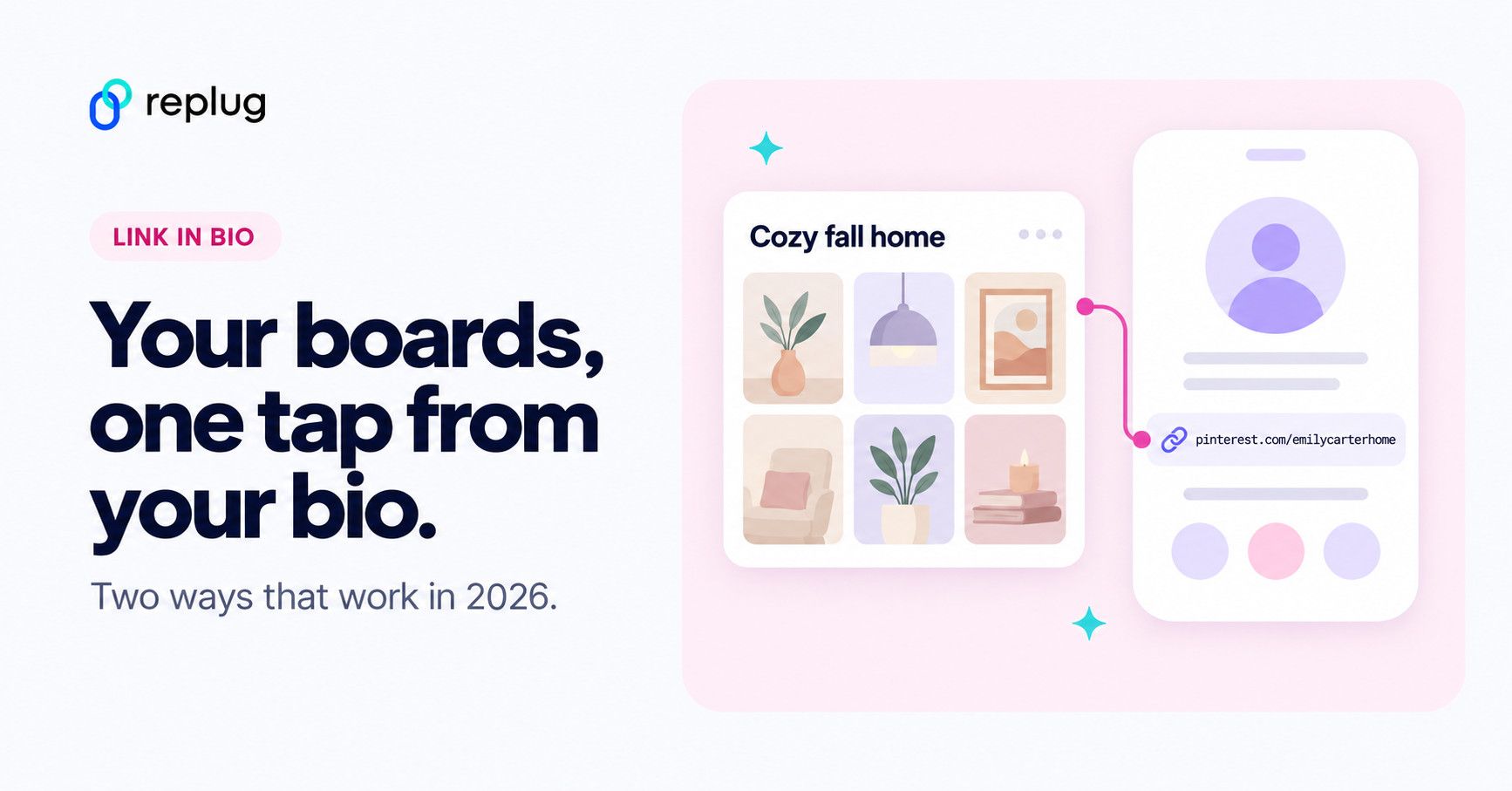
Quick answer: your Pinterest profile link is www.pinterest.com/ followed by your username (for example pinterest.com/emilycarterhome). In TikTok, tap Profile → Edit profile, tap Add next to Links and paste it. According to TikTok Help, that link option needs at least 1,000 followers or a Verified Business Account. If you don’t have it yet, or you want Pinterest next to your shop and other links, use a bio page link instead (method 2).
You know how TikTok is the place to discover new stuff – fashion, home inspo, DIY hacks, aesthetic mood boards; basically everything Pinterest is also known for?
Now imagine someone finds your TikTok, loves your vibe, and wants more. Maybe they’re looking for your outfit details, your vision board, or that recipe you teased.
They tap the link in TikTok bio, and it either goes nowhere or just dumps them on a random page.
That’s a missed opportunity.
If you’re using Pinterest to share your content, promote your blog, or even build a mood board-worthy brand, you need to connect the dots.
And that starts with adding your Pinterest link to your TikTok bio, the right way.
We’ll start with TikTok’s built-in features, and then show you how to do more (and better) with Replug’s link in bio generator. Especially handy if you’re stuck without the “Website” option or want to add more than just Pinterest.
Let’s make your bio work as hard as your content does!
Why add your Pinterest link to TikTok?
Because people don’t just watch content anymore — they click, scroll, and shop. Hence, it’s super important to create shareable content that makes your audience keep coming back for more.
Let’s say you’re:
- A lifestyle creator who posts dreamy room decor on TikTok.
- A DIY enthusiast sharing how-tos.
- A fashion lover posting OOTDs and linking Pinterest boards with outfit inspo.
Pinterest helps you extend your content. It’s where the vibes live.
When you connect your TikTok to Pinterest, you give your followers a one-click path to your vision. It keeps them in your world longer, and that’s gold if you’re building a brand, growing your following, or even selling something.
Now let’s learn how to add your Pinterest link to TikTok bio.
Method 1: How to add Pinterest link to TikTok bio using TikTok’s built-in options
TikTok only allows one clickable link in your bio. So naturally, you’ll want to make it count.
How to get your Pinterest link:
- Open the Pinterest app or website.
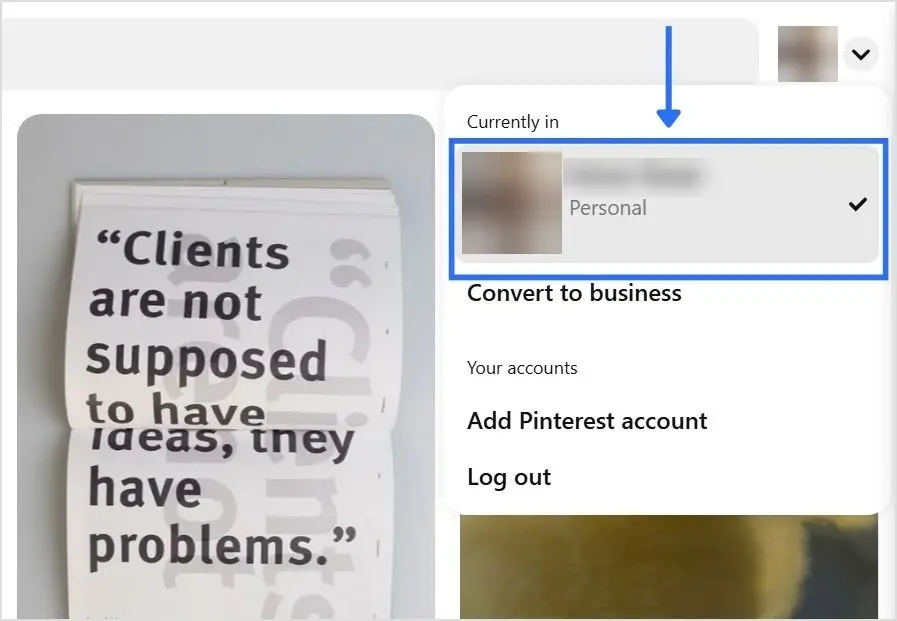
- Tap your profile photo.
- Copy the link from the browser
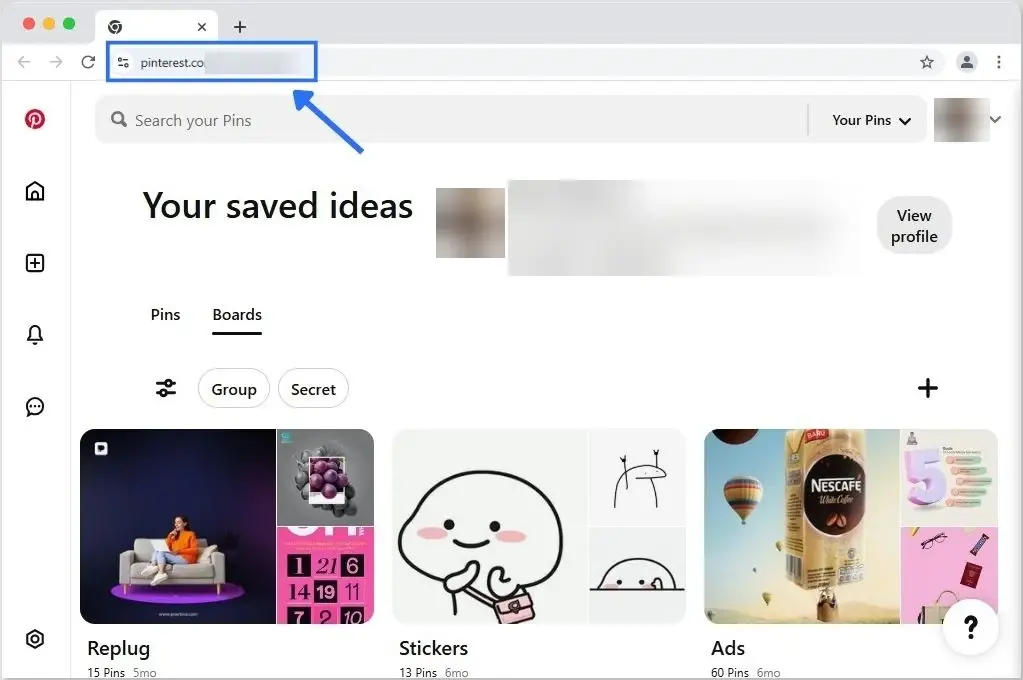
What the link looks like. According to Pinterest Help, your username gives your profile a unique web address: www.pinterest.com/ plus your username. You can see your username under your profile name. To share a single board instead of your whole profile, open the board and use the share icon, as described in Pinterest’s sharing help; the same help page shows a share icon at the top of profiles too. More ways to find it on each device are in our guide to finding your Pinterest URL.
Tip: paste the copied link into your phone’s notes first and check it starts with https://www.pinterest.com/ and ends with your username, not a pin number, so followers land on your profile.
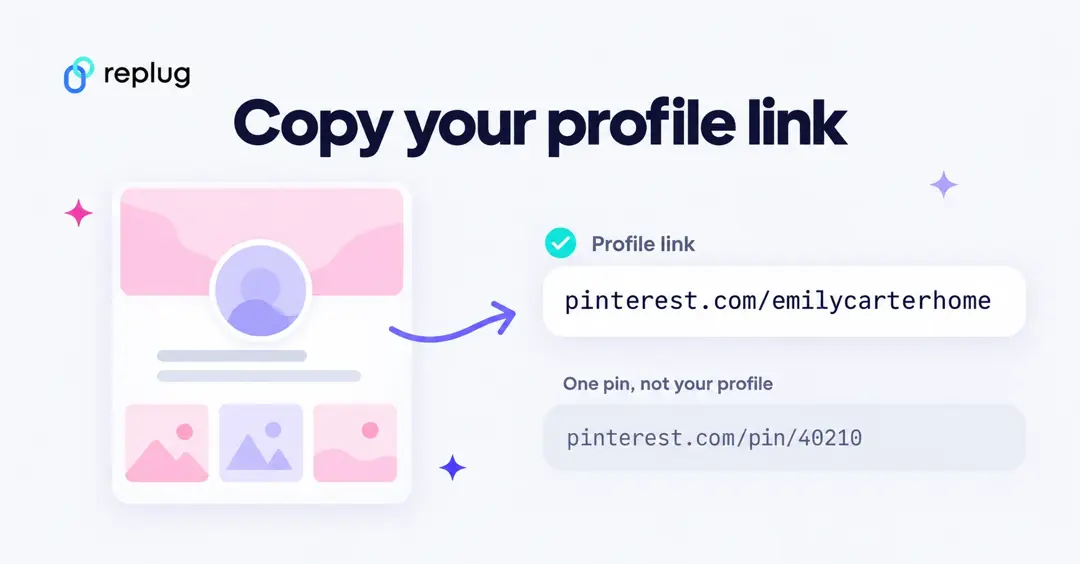
Got your link? Great! Now let’s add it to your TikTok bio.
Option A: How to add link to TikTok bio without 1000 followers
Stuck under 1K followers? You can still make it work with a Verified Business Account: TikTok’s account types page says Verified Business Accounts can post a website link on their profile. Here’s how (checked October 2026):
Switch to a Business Account:
- Go to your profile, then tap the three lines in the top-right corner.
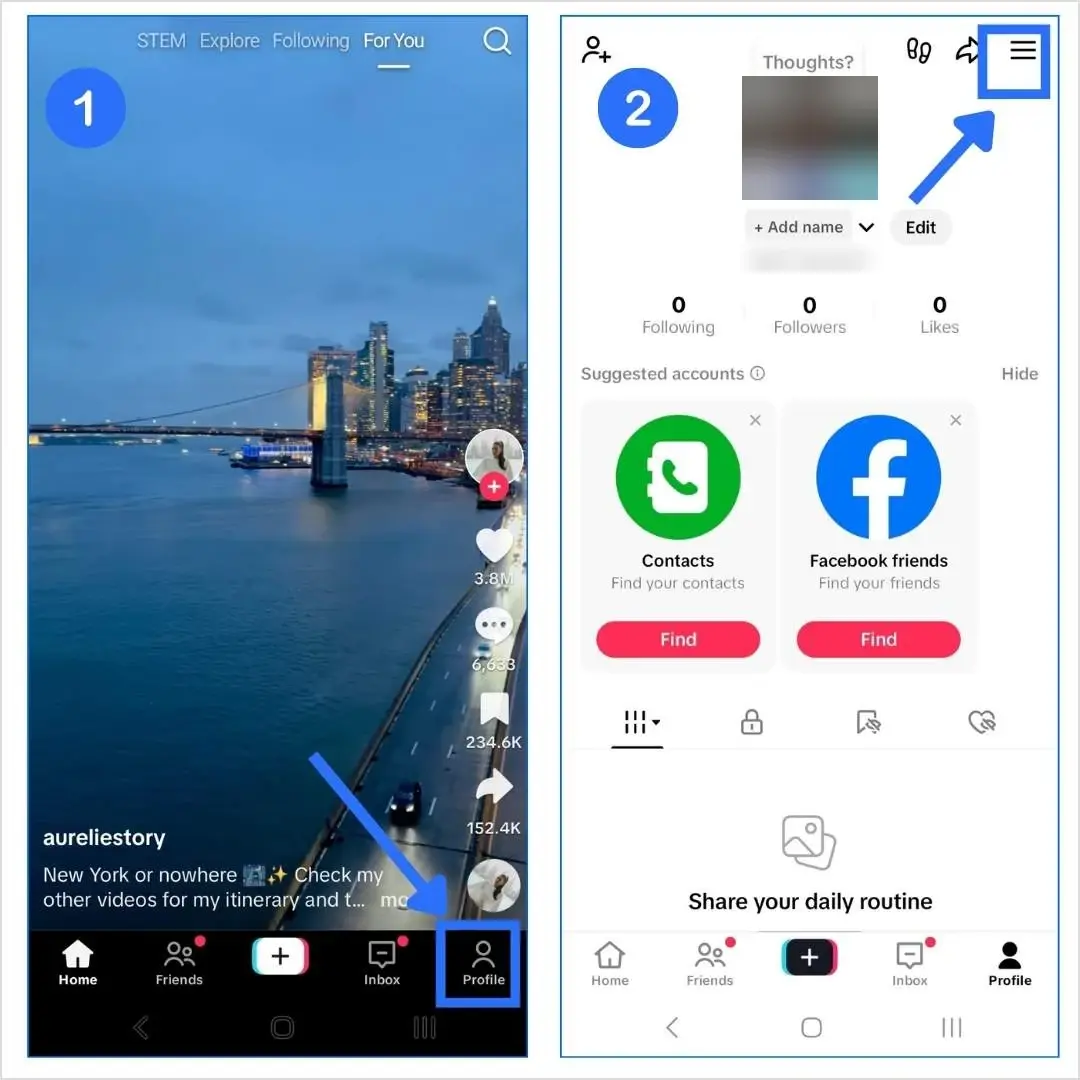
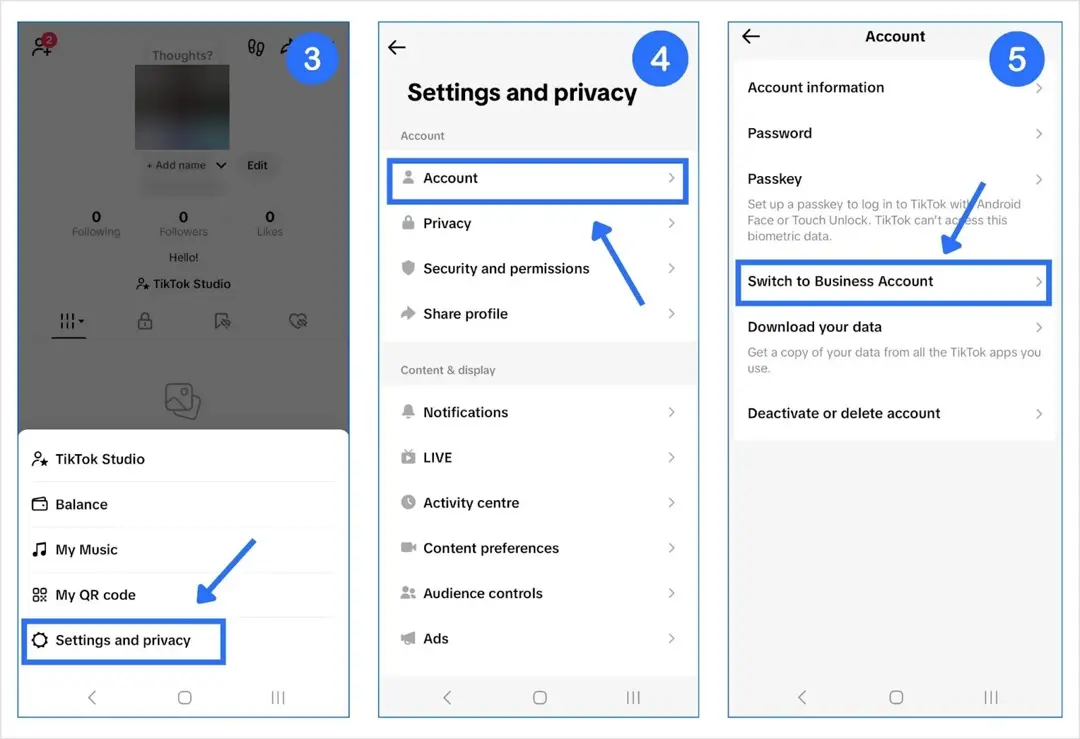
- Navigate to Settings and privacy > Account > Business verification (older versions of the app called this Switch to Business Account) and follow the steps.
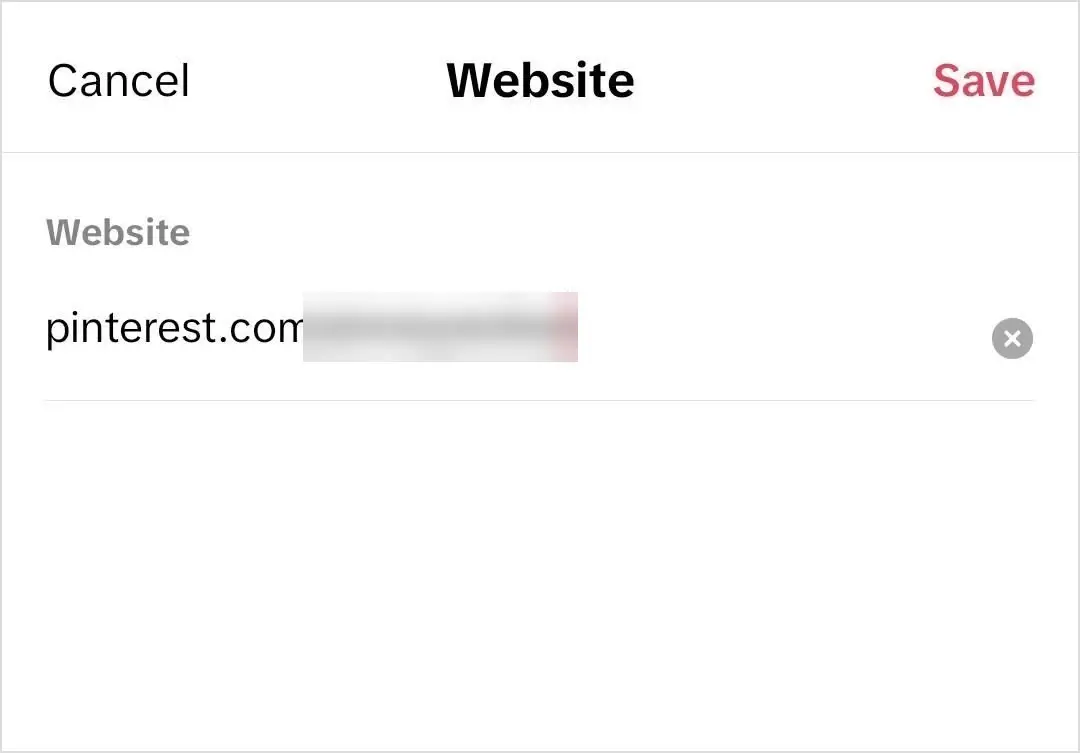
- Head back to your profile > Edit > and now you’ll see the option to add a link (labeled Links in the current app, “Website” in older versions).
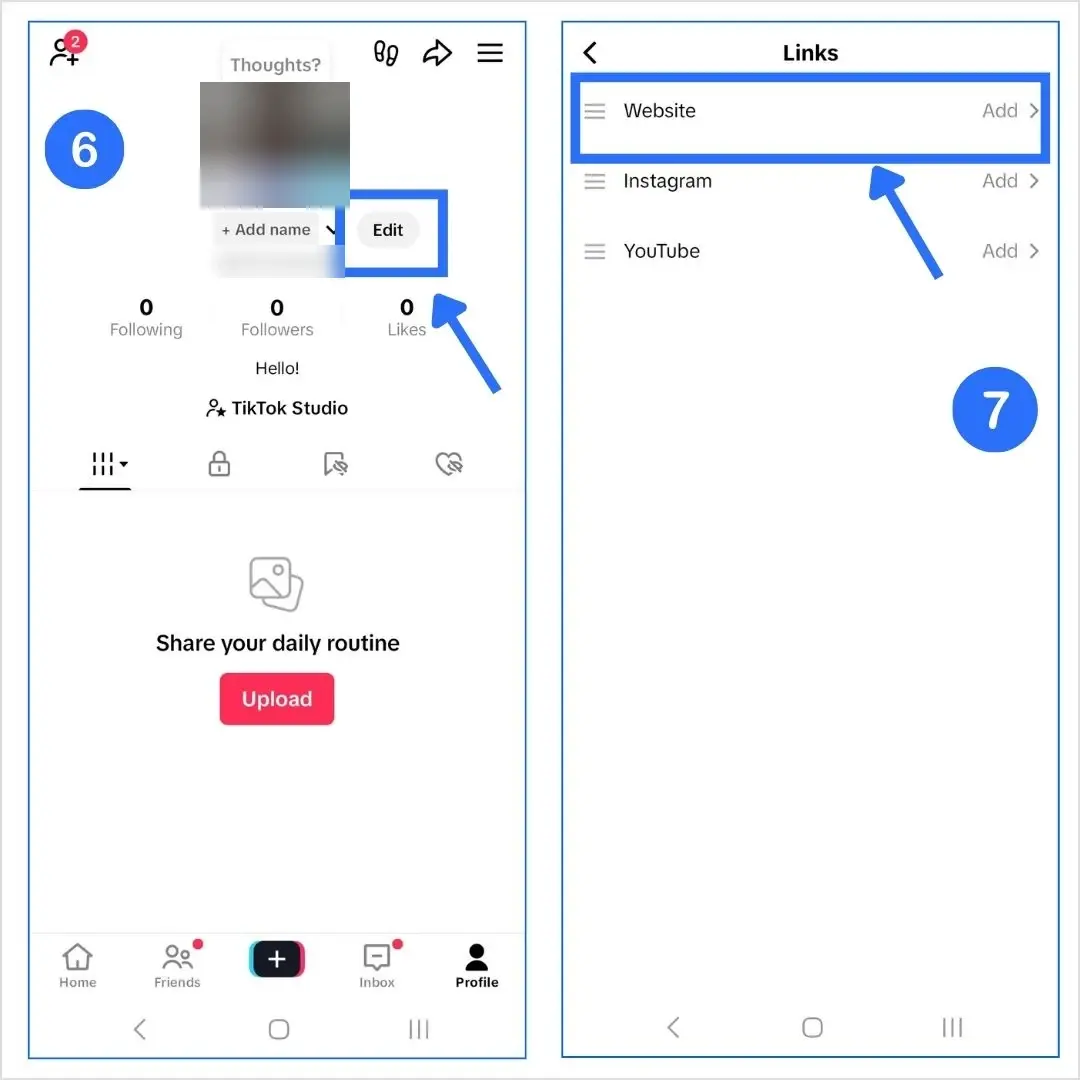
- Paste your Pinterest URL, and you’re done.
Before you switch: TikTok advises against switching back and forth between a business and a general account, because your business verification isn’t saved. Business accounts also use the Commercial Music Library instead of the general music library. If you mainly post personal content, growing to 1,000 followers or using a bio page may suit you better.
Related: How to add a linktree to TikTok bio?
Option B: If you have 1000+ followers (personal account)
If you’re using a personal account and you’ve crossed the 1,000 followers mark, here’s how to add your Pinterest:
- Open TikTok and tap your profile icon (bottom right).
- Tap Edit Profile.
- Tap Add next to Links (the “Website” section in older versions) and paste your Pinterest URL.
And that’s about it! You just added a clickable link to your Pinterest. Now, your followers can tap your bio and go straight to your Pinterest boards.
Note: TikTok only allows one link, so make it work smarter… which brings us to Replug’s URL shortener free tool. With it, you can share one short link that leads people to all your important pages, making the most of your single TikTok bio link.
Why can’t I add my Pinterest link to TikTok?
- You don’t see the link option. TikTok Help says profile links need at least 1,000 followers or a Verified Business Account. Below that, the option doesn’t appear.
- The link opens inside TikTok. That’s expected: TikTok opens profile links in its in-app browser, and its safety measures may ask visitors to open some pages in their phone’s browser.
- The Pinterest app doesn’t open. TikTok Help says it no longer supports links that open or log you into other social media apps. Add the normal pinterest.com web address; people can still reach your profile on the web.
- The link goes to the wrong place. Copy the profile link from Pinterest’s share icon or the address bar on your profile page, not from a single pin.
| Pinterest link in the TikTok Links field | Bio page link (Replug) | |
|---|---|---|
| Who can use it | 1,000+ followers or a Verified Business Account (TikTok Help) | Anyone with a link option on their profile |
| How many destinations | One | Pinterest plus your shop, blog, YouTube and more |
| Click data | Not covered in TikTok’s link help | Views, clicks on each link and click-through rate |
| Changes later | Edit your TikTok profile | Edit the page; the TikTok link stays the same |

Method 2: How to add multiple links (including Pinterest) to TikTok bio using Replug
Instead of constantly switching the one link in your TikTok bio, Replug helps you build a bio site with all your links in one. It’s like a Pinterest board, but for your entire digital presence.
Here’s how to use our TikTok bio link tool:
How to create a Replug bio link for TikTok
- Log in to your Replug account (or create one for free).
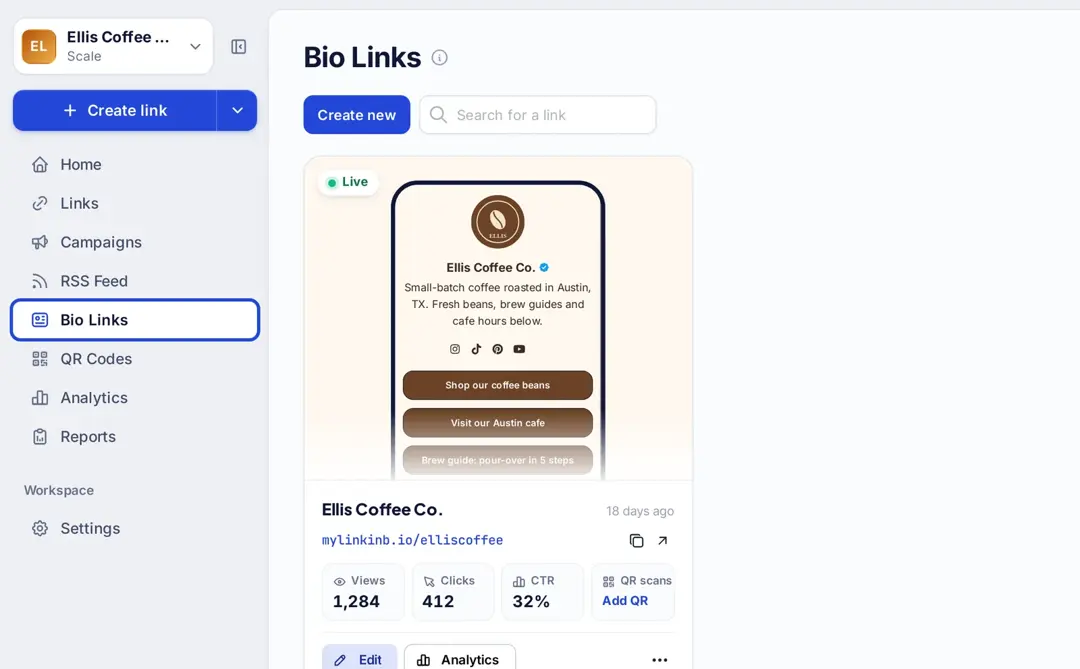
- Choose “Bio Links” in the left sidebar, then click “Create new” (or “Edit” on a page you already have).
- Click “Content”
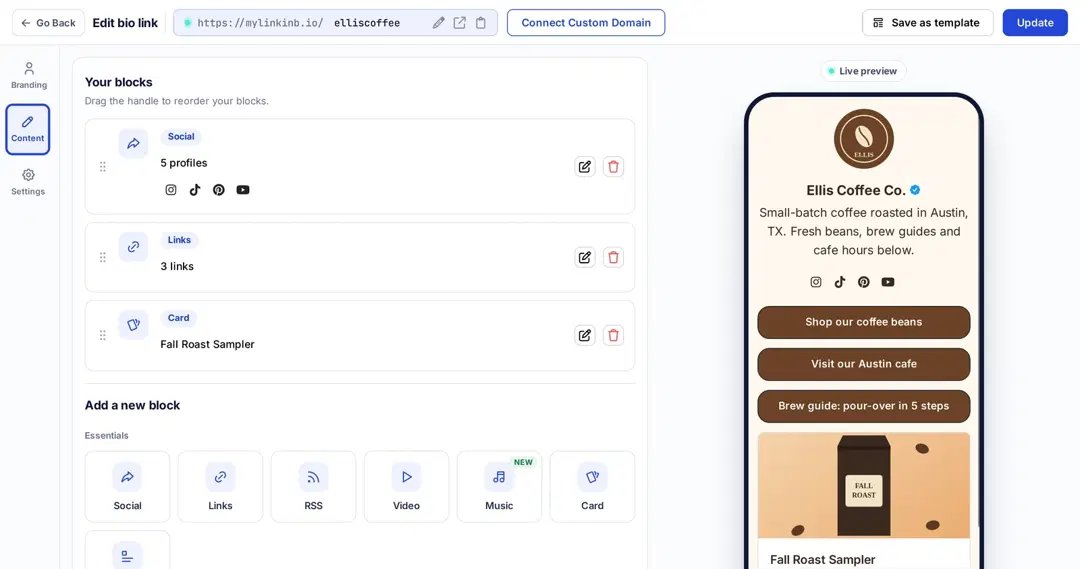
4. Add a social block for Pinterest and enter your Pinterest URL. Social icons are one of the blocks available on every Replug plan, including Free (replug.io/bio-links, checked October 2026).
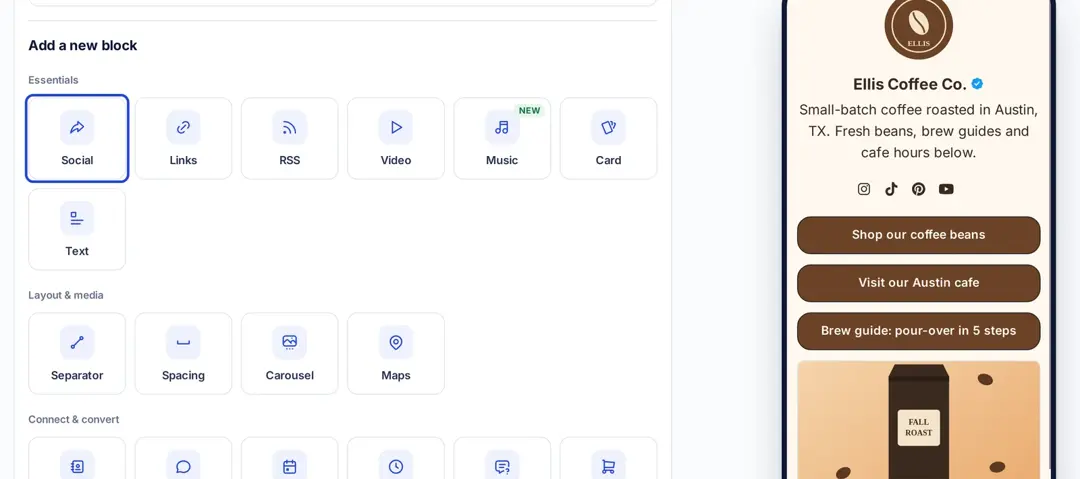
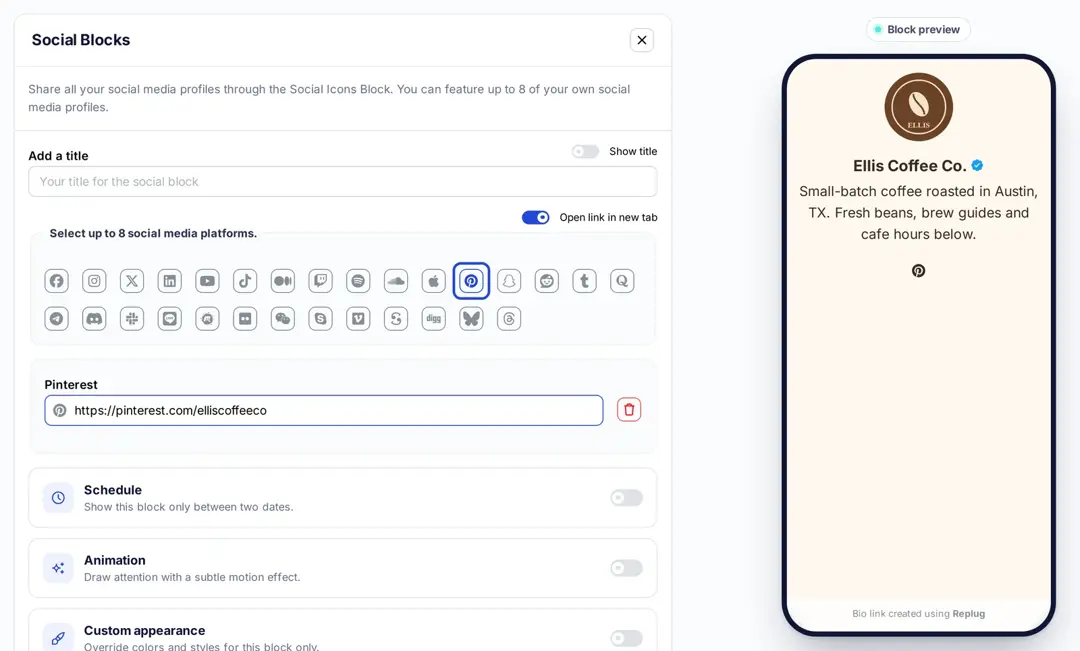
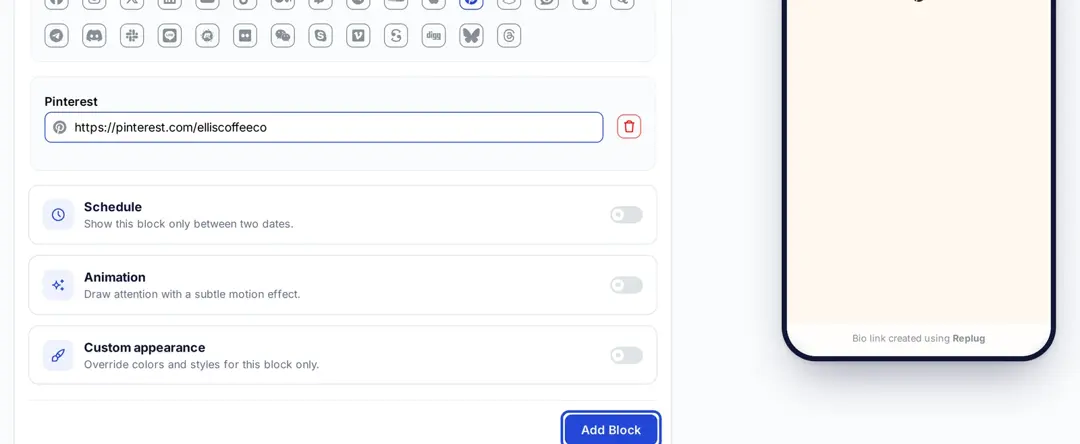
5. Click “Add Block” to add the social icons to your page.
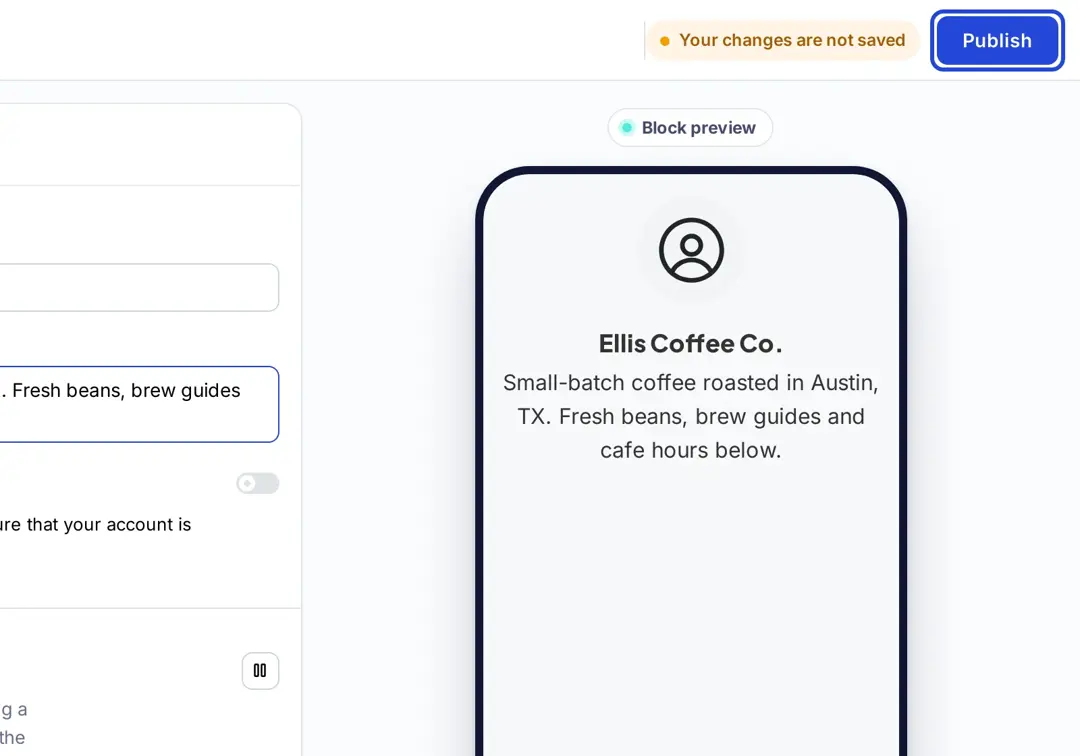
6. Click “Publish” at the top right (or “Update” if the page already exists) to save your bio link.
Bonus tip: You can also use the card block for a visual touch! Just click on the “Card” block, enter your Pinterest URL, give your card a name, and add a screenshot of your Pinterest aesthetic.
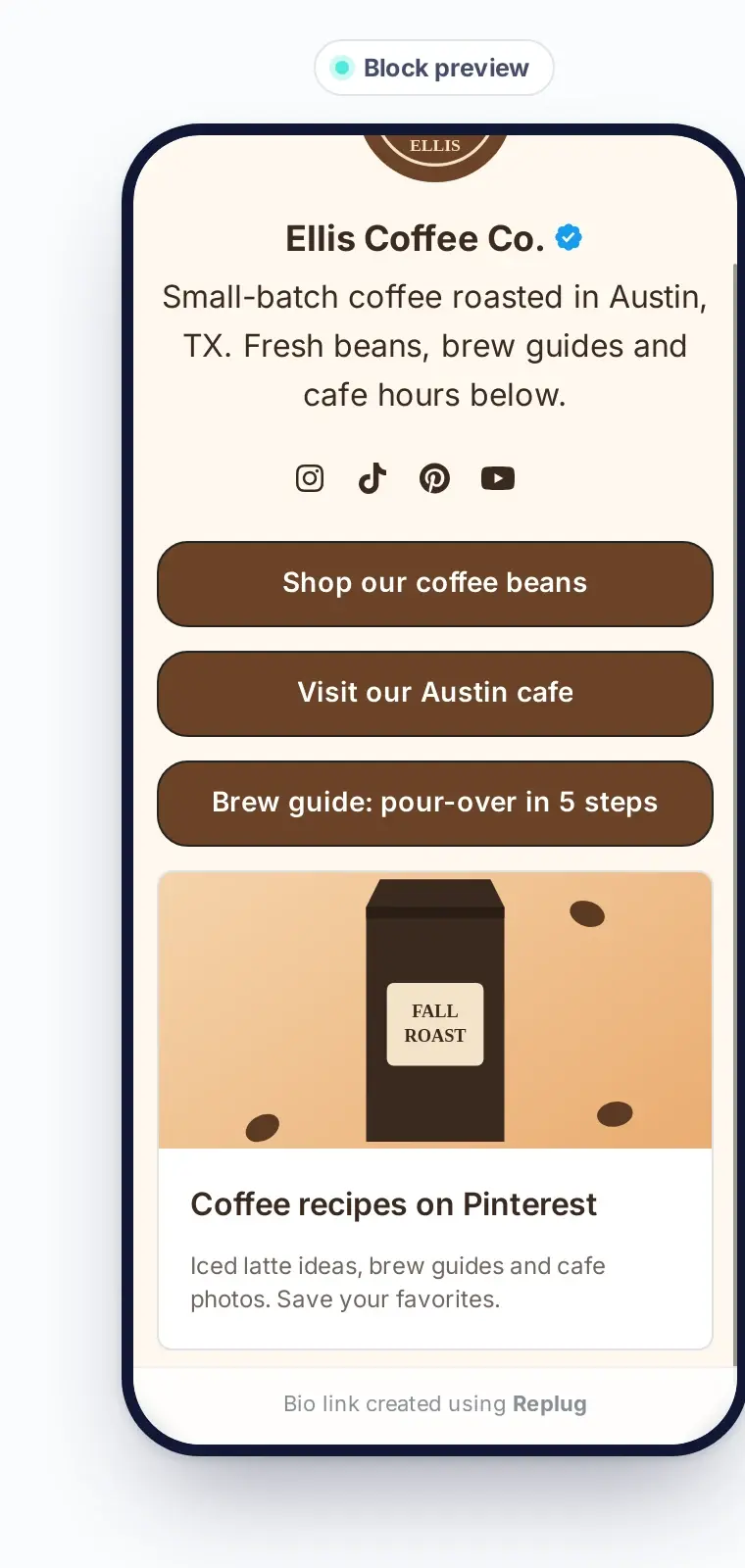
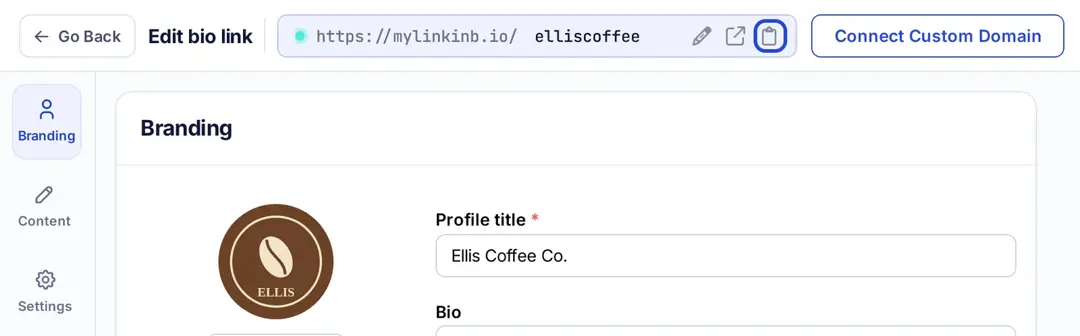
7. Once your page looks good, Replug gives you one page link (on mylinkinb.io by default, or on your own domain) to paste in your TikTok bio. Copy that link and share it in your TikTok bio.
Related: How to add a Pinterest link to your Instagram bio in minutes
Why use Replug for linking Pinterest to TikTok?
Replug lets you skip the basic and build bio links that actually work. Forget plain Pinterest drops; this amazing platform gives you control, flexibility, and aesthetic vibes that match your TikTok energy.
Here’s why creators, small biz owners, and content pros swear by it:
- Branded links: Create custom URLs that match your brand. You can even connect your own domain to make your links look clean, credible, and totally you.
- Mobile-optimized: Replug bio link pages are designed to look great on mobile (which is where everyone’s watching TikTok anyway).
- Multiple links, one bio: Link your Pinterest, Instagram, blog, shop, freebies — all in one sleek landing page. No more picking just one.
- Track your clicks: Replug’s link analytics let you see how many people click on your Pinterest board, shop link, or blog post. It’s like a behind-the-scenes look at what’s working.
- Retargeting tools: Someone clicked but didn’t follow through? Replug lets you add retargeting pixels to your bio link (Essentials plan and up) so that they can’t resist coming back to your Pinterest profile.
- Highlight TikTok videos: Add a video block to your bio link page to feature your latest or top-performing Tiktok video. Show visitors what you’re about before they scroll.
- Easy updates: Running a new campaign or updating your Pinterest? Just drag, drop, and hit publish. No need to mess with your TikTok bio every time.
- Design that fits your vibe: Choose layouts, colors, and fonts that reflect your aesthetic (themes and custom styling start on the Essentials plan; the Free plan includes 2 bio pages). Whether you’re cottagecore, Y2K, or minimalist, you’ll find a style that clicks.
Want to keep things fresh? Add your latest Pinterest board as a featured link. Running a TikTok challenge or campaign? Pin it right above your Pinterest section for more visibility.
You may also like: How to add your Discord link to TikTok bio (2 easy ways)
You’re 1 link closer to going viral
Whether you’re promoting Pinterest boards, sharing content, or growing your personal brand, it’s important to make it easy for your audience to go from watching to clicking.
Add your Pinterest link in bio, and make your bio work for you. Because let’s be honest: your content deserves more than a dead-end bio.
Try Replug today and level up your TikTok profile with bio links.
Frequently asked questions

Amna Yawar