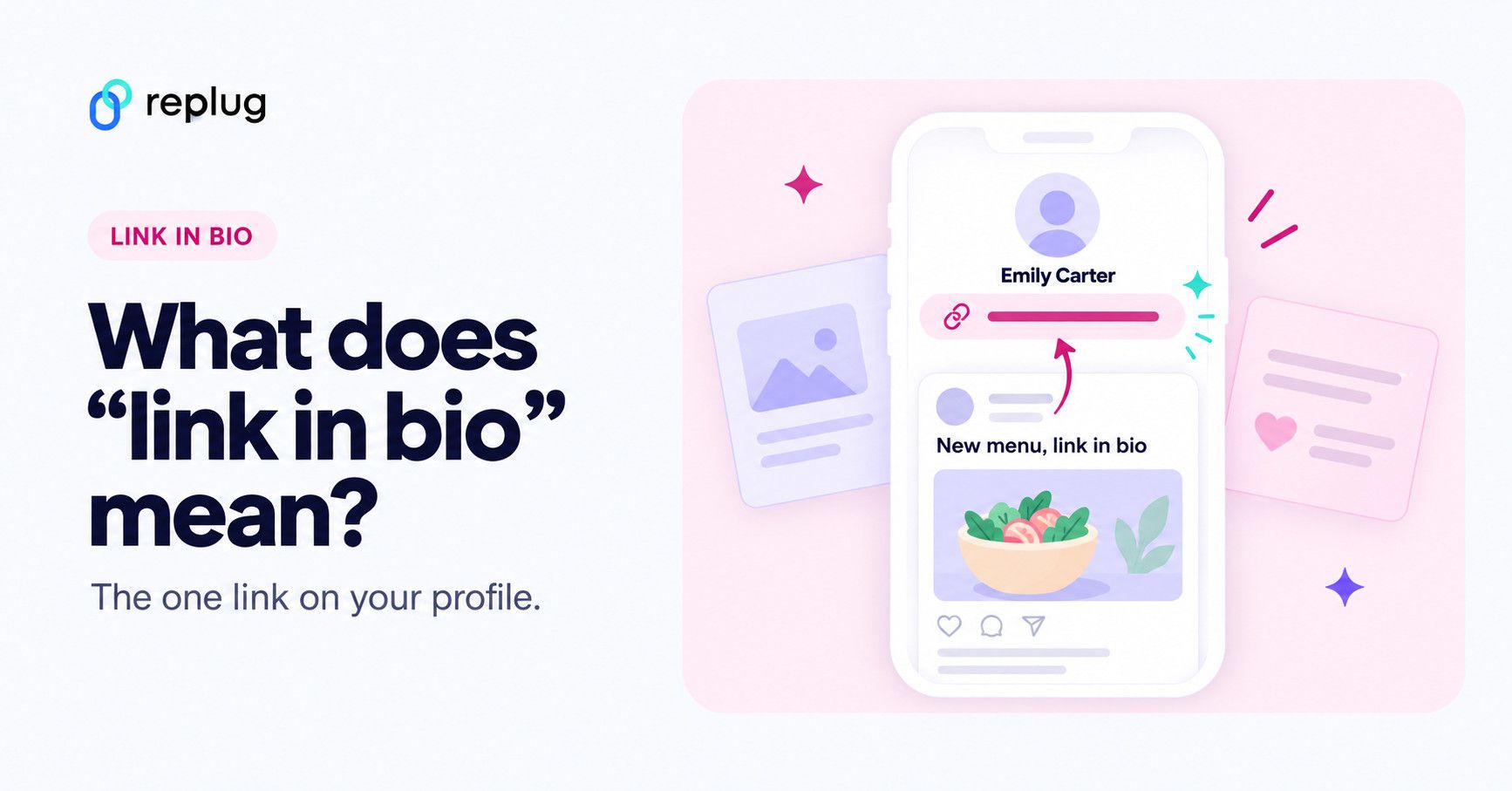
Quick answer: “link in bio” means the clickable link on someone’s social media profile, shown under their name and bio. When a post or video says “link in bio”, it is telling you to open the account’s profile and tap that link, because the link isn’t in the post itself. The link often leads to a single page (a “link in bio page”) with buttons for everything the account wants to share: a shop, a new video, a newsletter or a booking page.
Example: a baker in Austin posts a new cake on Instagram and writes “Order link in bio”. You tap her username, then tap the link under her bio, and her order page opens.
“Link in Bio” is all about breaking the limits of a single link. It’s a way to share multiple links, content, and products, making it an essential tool for individuals, businesses, and influencers.
In this guide, we’ll explore the basics, the role it plays in personal branding and marketing, and how it’s revolutionizing the way we navigate the online world. Whether you’re a social media pro or a newbie, link in bio is your shortcut to success in today’s fast paced world.
Here’s what you need to know.
What does “link in bio” mean?
Link in bio refers to a clickable URL appearing in your profile description, often on platforms like Instagram, TikTok, and X (formerly Twitter). This link allows users to direct their audience to external websites, content, products, or any other online destinations.
Since many social media platforms limit the number of links or direct clickable links in posts and comments, the link in bio or “bio link” serves as a workaround, enabling users to share multiple links or promote specific content more effectively by directing their followers to their bio section, where they can find and click on the desired link.
It has become a valuable strategy for personal branding, content promotion, and marketing.
Where the link in bio lives on each platform
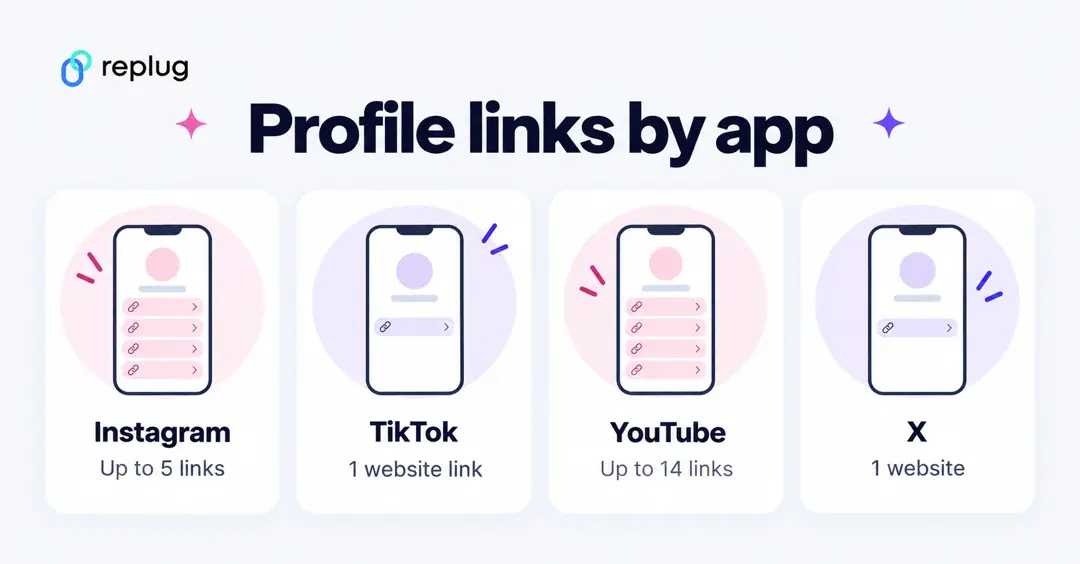
Every app puts the profile link in a slightly different place, and each has its own limit. Checked on each platform’s help center in October 2026:
| Platform | Where the link shows | How many links | Source |
|---|---|---|---|
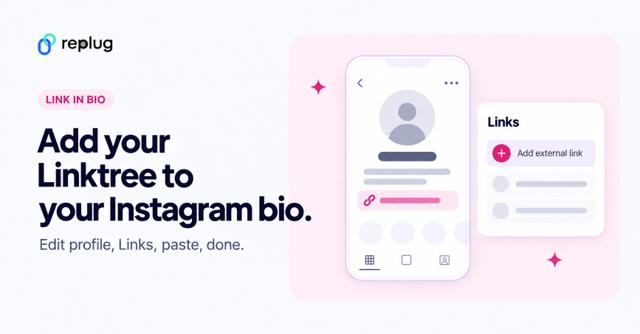
| Under the bio on the profile (Edit profile > Links) | Up to 5 | Instagram Help | |
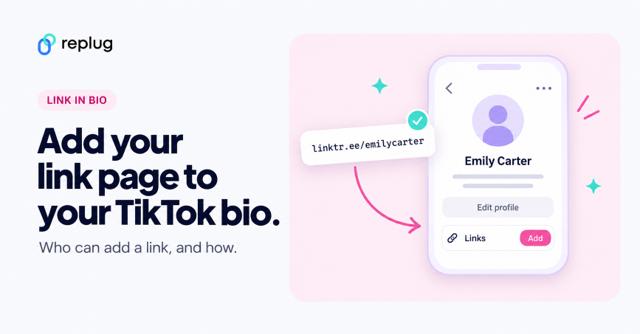
| TikTok | On the profile, below the bio (Edit profile, then Add next to Links) | A website link, for accounts with 1,000+ followers or a Verified Business Account | TikTok Help |
| In the profile’s Links section (about your personal sites or things you like) | Not stated by Facebook Help | Facebook Help | |
| YouTube | First link near the Subscribe button; the rest appear when visitors click to see more links | Up to 14 | YouTube Help |
| X (Twitter) | The Website field on the profile, next to a bio of up to 160 characters | One website field | X Help |
If you’re trying to find someone else’s link on Instagram rather than add your own, see how to find the link in bio on Instagram.
What “check the link in bio” means in a post
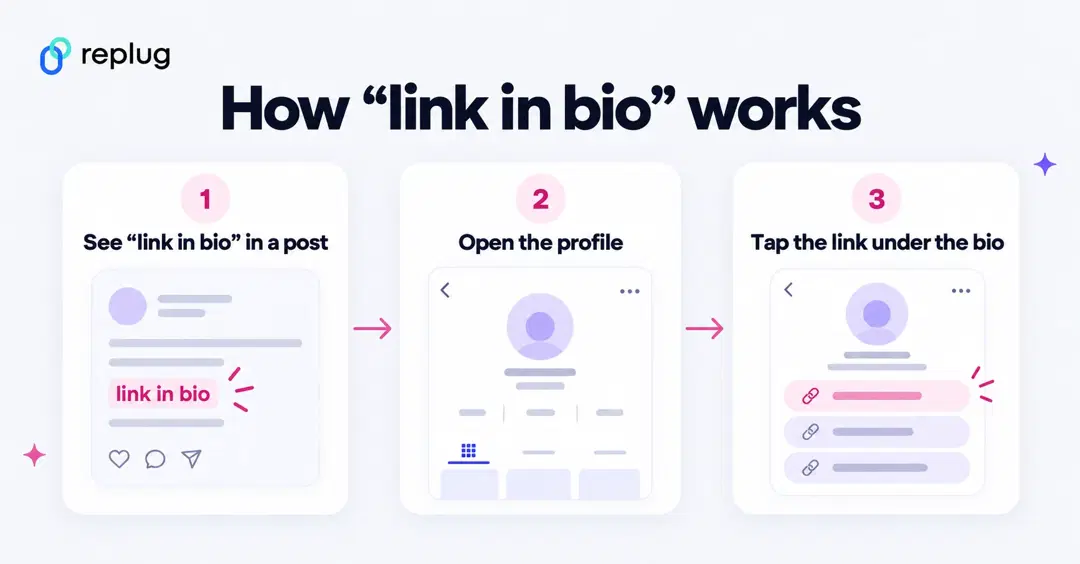
It’s a pointer, not a link. The creator is saying the thing they’re talking about (a product, the full video, a sign-up form) is behind the link on their profile. On a phone: tap the account name above the post, then tap the link shown under the bio. If the profile shows several links, look for the one whose title matches the post.
Why accounts use one page instead of one link
- Limits: some apps allow one profile link, and Instagram allows five, so a page with many buttons gets around the limit.
- One link to update: change the buttons on the page and every profile that links to it is up to date.
- Numbers you can read: a link in bio page shows views and clicks per button, which the apps themselves don’t break down.
What’s the purpose of creating a link in bio?
If you’re active on social media, you’ve probably run into the dreaded “limited links” problem. Instagram gives you five spots (generous…ish), but TikTok? Just one lonely link, and only once you have 1,000 followers or a Verified Business Account (TikTok Help). Not exactly the dream when you’ve got a podcast, a blog, a product launch, and a playlist to share. That’s where a link in bio saves the day, turning that single space into a mini hub for everything you want your audience to click on.
Here’s why you should create a link in bio:
- One link, many destinations: Social media platforms limit you to just adding a few links in your bio. A link in bio helps you make it count by leading visitors to multiple pages.
- Showcase everything: Whether it’s your website, shop, blog, videos, or sign-up forms, you can share it all in one neat place.
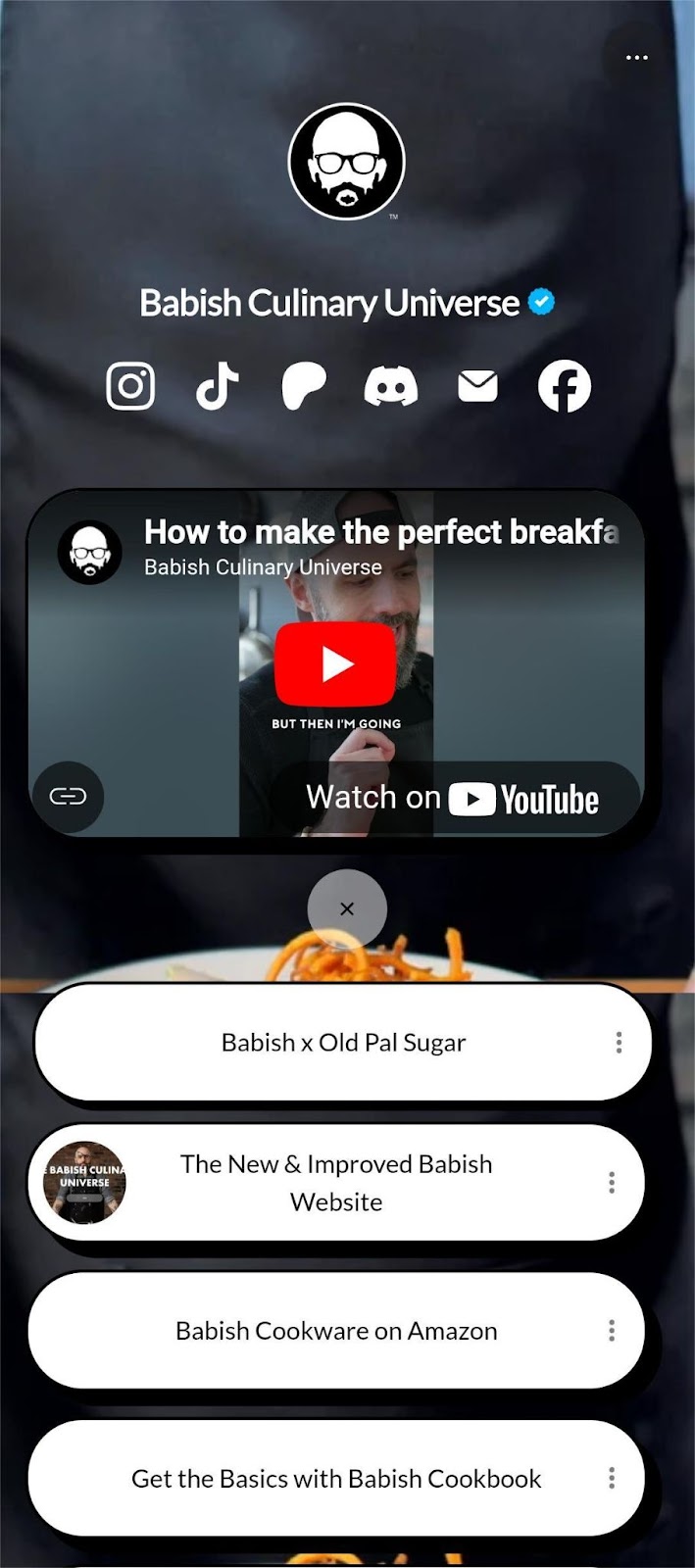
Here’s an example of the famous American Cook, Andrew Rea’s link in bio page for his series “Babish Culinary Universe”:
- Make navigation easy: No more “link in latest post” confusion. Your audience knows exactly where to go.
- Stay organized: Keep your important links tidy, clickable, and easy to update whenever you need.
- Boost engagement: Get more clicks, views, leads, and conversions by directing people to the right content at the right time.
Top benefits of link in bio
A link in bio does more than hold a single URL; it helps you organize, optimize, and amplify your online presence. Here’s a quick look at why it’s a must-have for anyone growing their brand:
- Combines all your important links into one
Instead of juggling multiple URLs, your link in bio leads followers to everything you want them to see, whether it’s your latest YouTube video, blog post, or product drop.
- Simplifies the path to purchase or action
A link in bio lets you turn browsers into buyers by placing shop links, discount codes, or sign-ups just one tap away, all in one neatly organized spot.
- Lets you retarget everyone who clicks
With tools like Replug, your link in bio becomes retargetable so that every click can feed into future ad campaigns and bring people back to your page.
- Shows what content your audience loves
You can track clicks on your link in bio from one single dashboard using a top-notch link management platform. This tells you what’s resonating—so you can do more of what works.
- Lets you create a fully branded mini landing page
Instead of a plain list of links, your link in bio can become a branded microsite that matches your aesthetic and makes your profile look polished and pro.
- Automatically updates with your latest content
Add an RSS feed to your link in bio to keep it fresh, so whenever you post a new video, blog, or podcast, it shows up without you lifting a finger.
- Boosts visibility through SEO-friendly design
An optimized, custom link in bio page can be indexed by search engines, giving your most important content extra visibility beyond just social clicks.
💡 Who benefits from a link in bio?
Creators, brands, freelancers, agencies; anyone using social media to drive traffic, grow followers, or sell online.
Want real examples and smart tips?
Read the full blog: 7 benefits of bio links you need to know: Your ultimate manual
You can also view link in bio examples to get inspiration for your own bio link page.
How to create a link in bio using Replug?
To create a winning link in bio using Replug’s bio links feature, you can follow these steps:
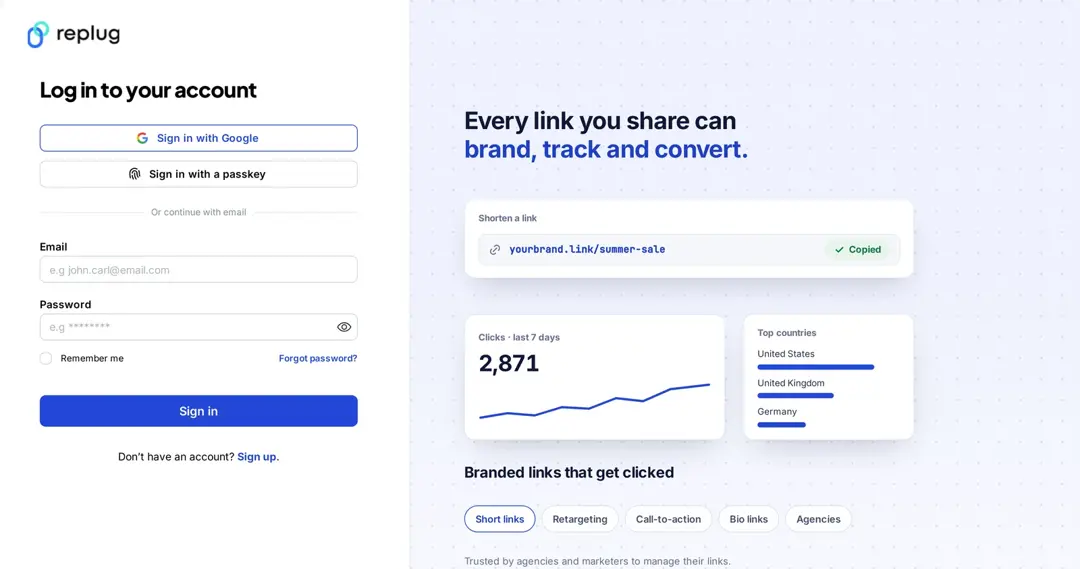
Step 1: Access your Replug account
Sign in to your Replug account, or create one if you’re new to the platform: the Free plan includes 2 bio pages with no card needed, and paid plans start with a 14-day free trial.
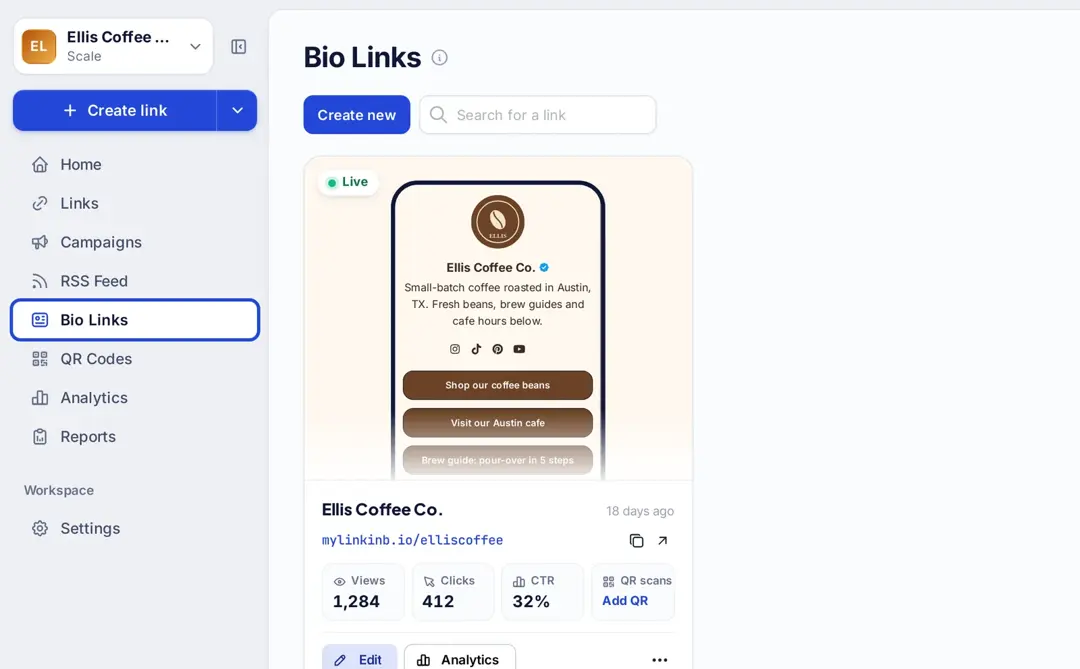
Step 2: Click on “Bio Links”
Once you’re logged in, go to the Replug dashboard and click on “Bio Links” in the left sidebar to get started.
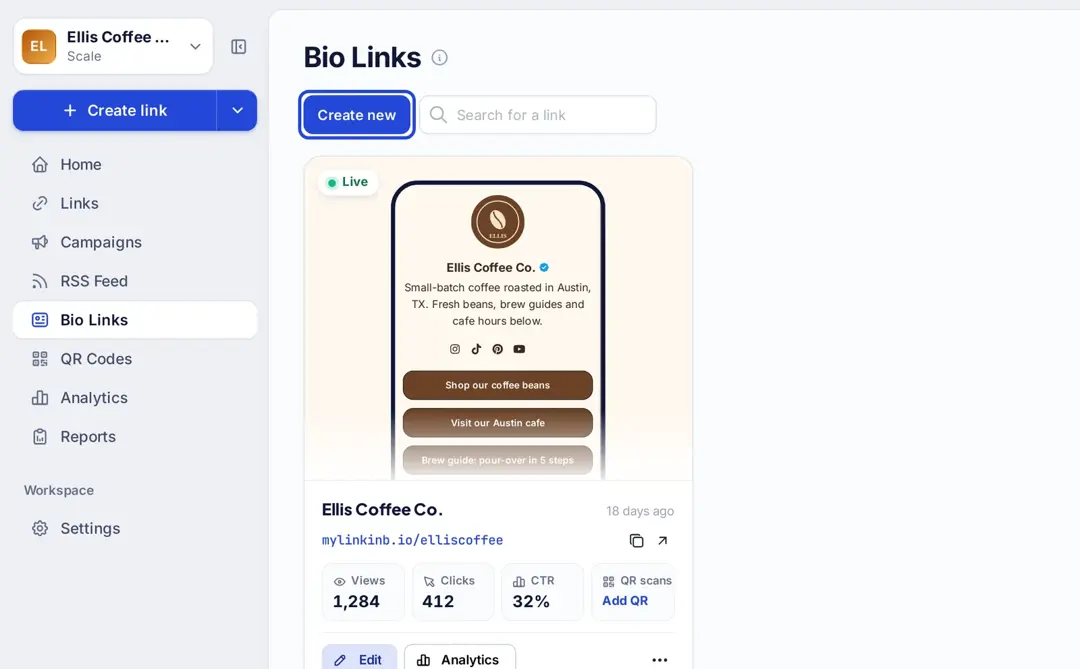
Step 3: Start creating a new link in bio
This will take you to the “Bio Links dashboard. From here, click on the “Create new” (or “Create Bio Link”) button to start creating a new bio link, then pick a template or start from a blank page.
Replug lets you easily manage your bio profile with three main categories: Branding, Content, and Settings.
- Branding: Customize the look and feel of your profile with themes, colors, fonts, and button styles.
- Content: Add and organize different blocks like links, videos, images, and more to showcase your content.
- Settings: Adjust SEO settings, control how your profile appears in social media previews, and add tracking pixels.
Step 4: Brand your link in bio
Customize your bio profile to match your personal style or brand. Upload a profile image, add your title and bio, and choose from a variety of themes, button styles, and colors.
You can also enable a background image and adjust its opacity for a more personalized look. If your account is verified, a badge will appear to help others recognize it’s officially you.
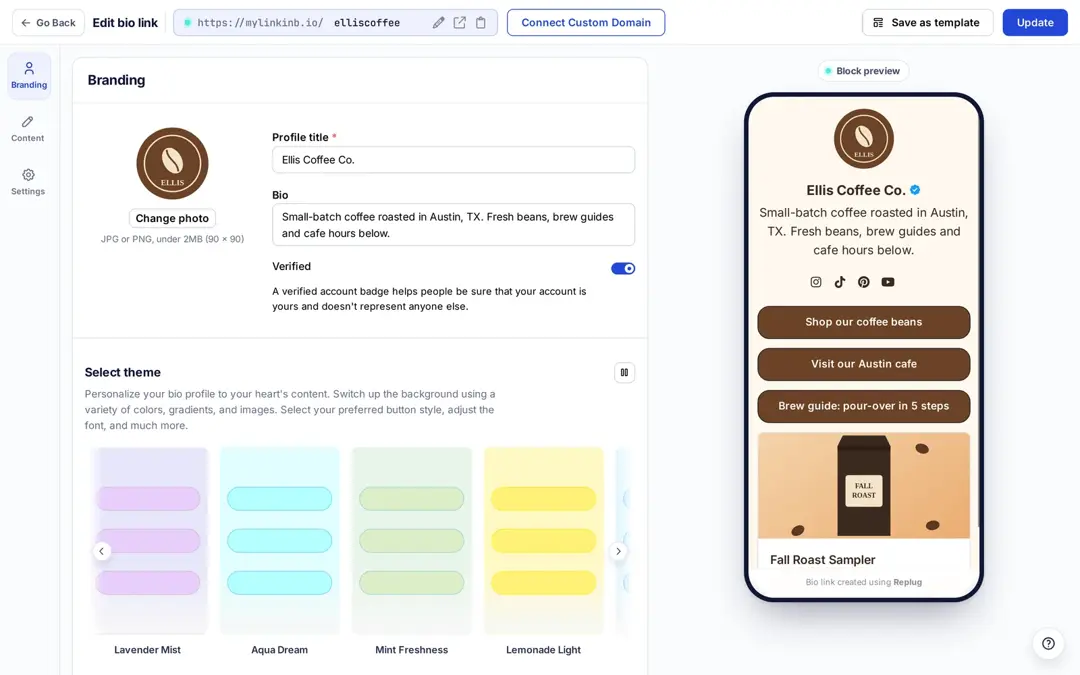
- Click the “Publish” button at the top right to save your new page. After that, the button changes to “Update”, which you click to save later changes.
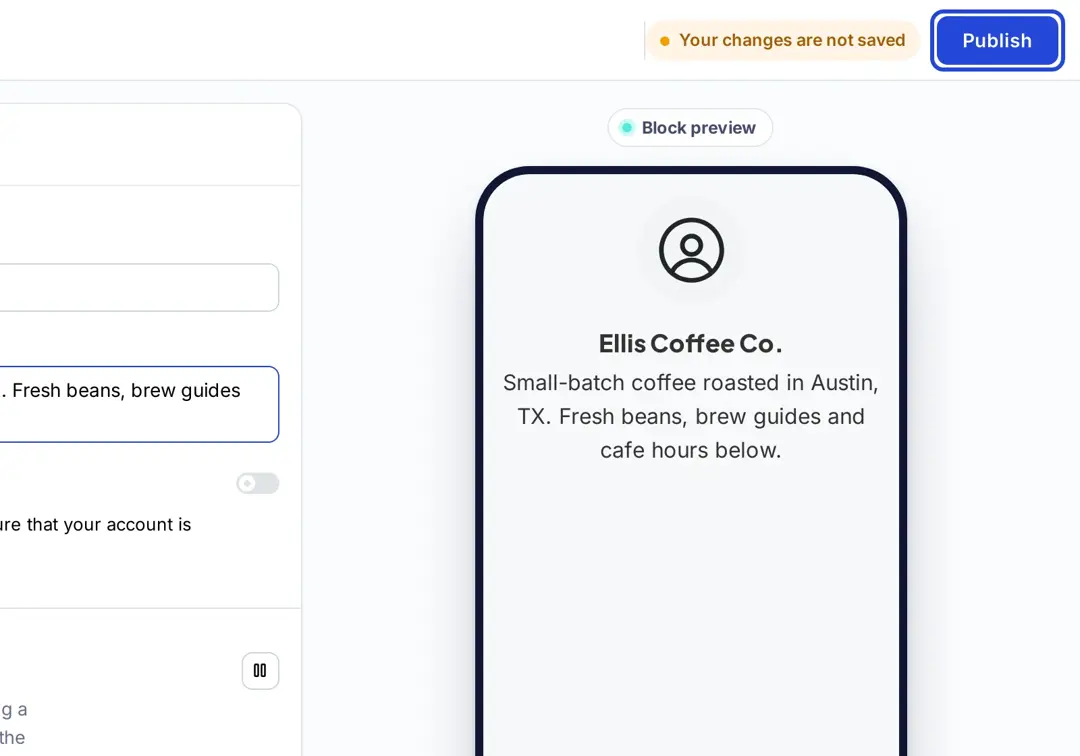
Step 5: Choose content blocks
- Choose the type of content blocks you want to add to your bio link page.
- Replug offers various content block options, including social icons, links, RSS feeds, video, music, cards, text, separators, spacing, carousels, maps, vCards, messenger buttons, calendars, countdowns, Q&A, Shopify products and subscribe forms. Select the ones that best suit your needs.
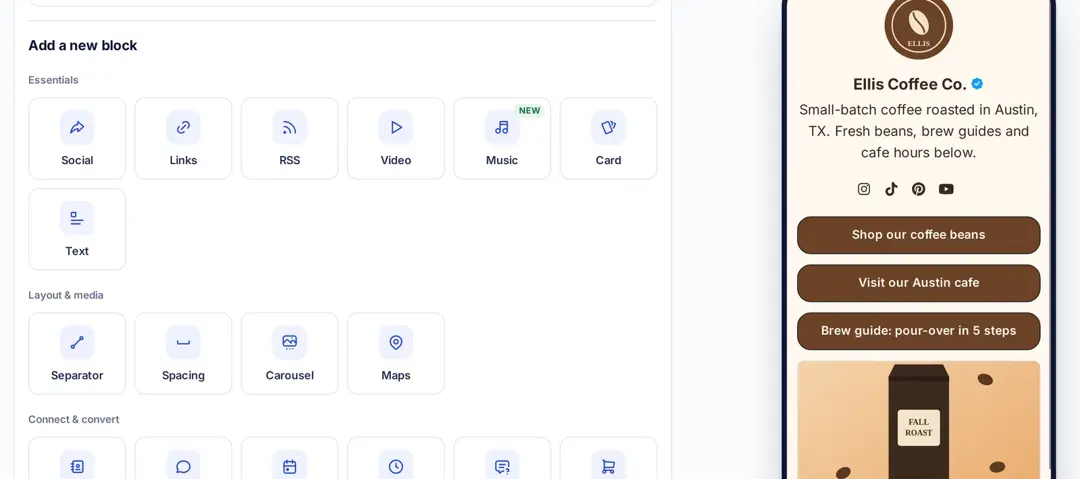
- As an example, let’s start with adding social icons. For that, click on the “Social” block button.
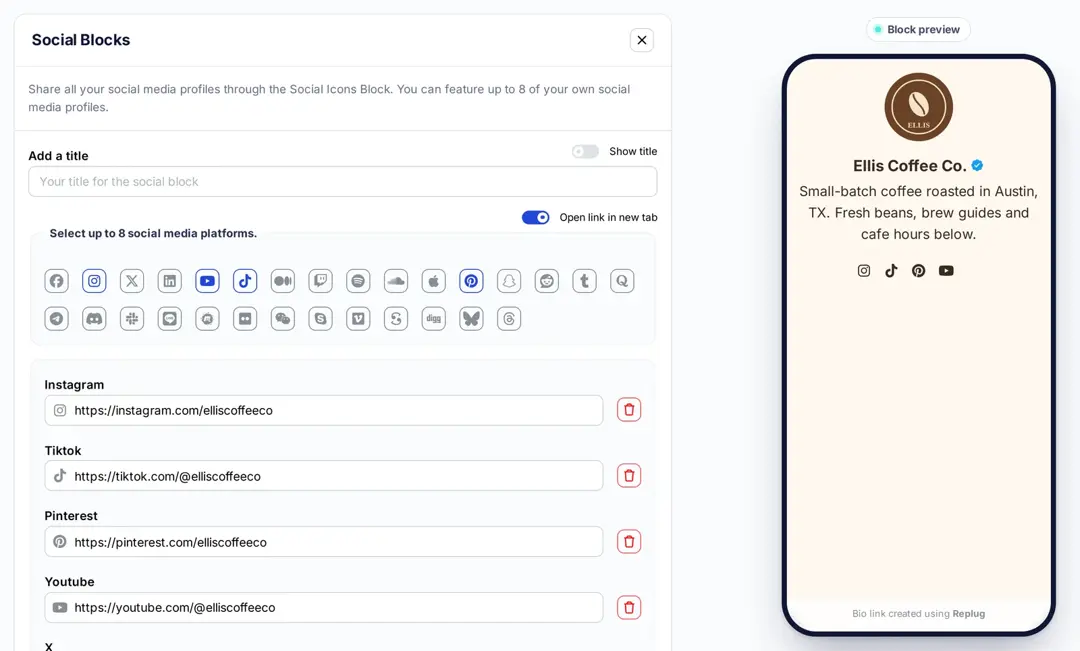
- Select up to 8 platforms, paste the link to your profile on each one and, if you like, add a title for the block. Then click the “Add Block” button.
- You can also schedule, animate, or customize the appearance of your blocks.
Step 6: Go to Settings and Customize SEO and Social Media Preview
Go to “Settings” to customize your bio link page further by adding a custom meta title, description, image, favicon image.
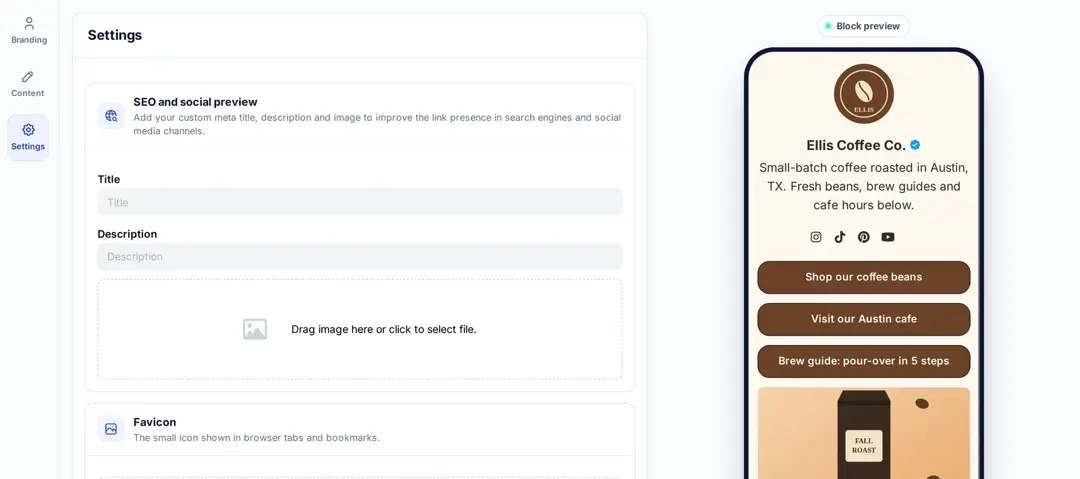
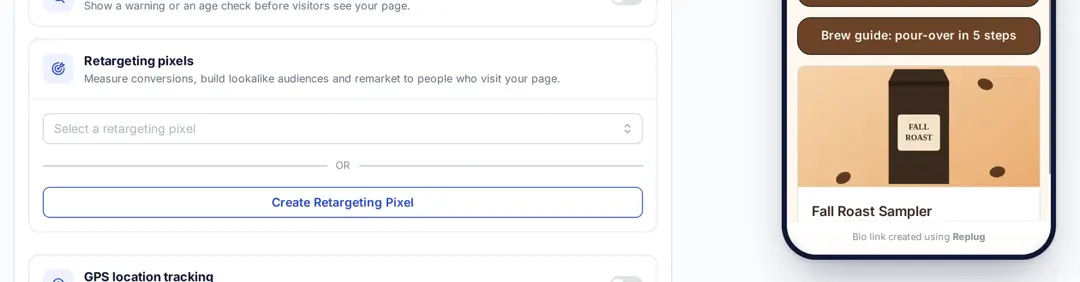
- Furthermore, you can also add tracking pixels for conversion tracking, optimization, and remarketing.
Step 7: Review link in bio page
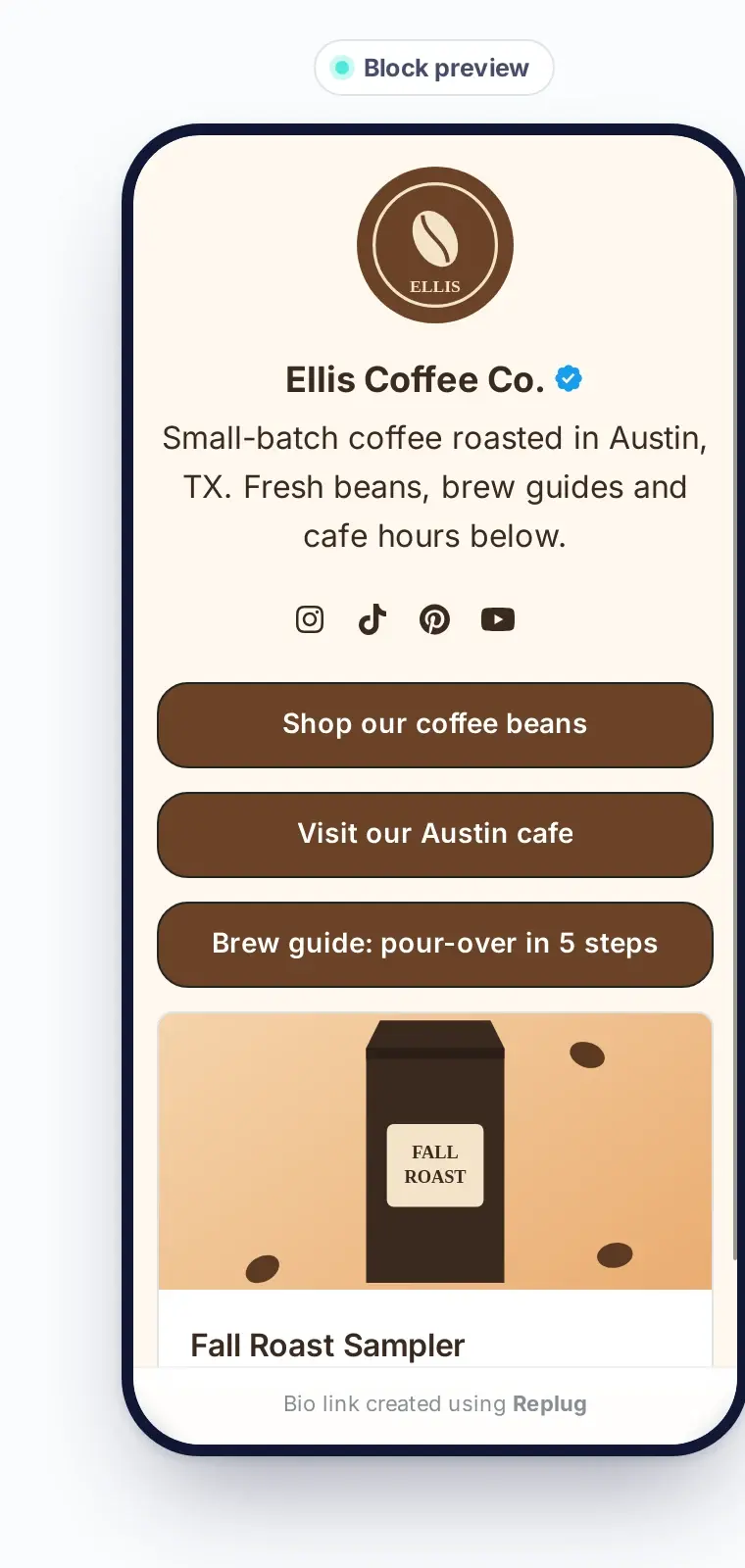
Review your link in bio page as you create it to ensure it looks and functions as you intended. Take advantage of the preview feature to see how it will appear.
Step 8: Update and create a custom URL for your bio link
- Update your bio link to save changes.
- Create a custom URL by changing the slug of your bio link. You can also connect your custom domain if you have one.
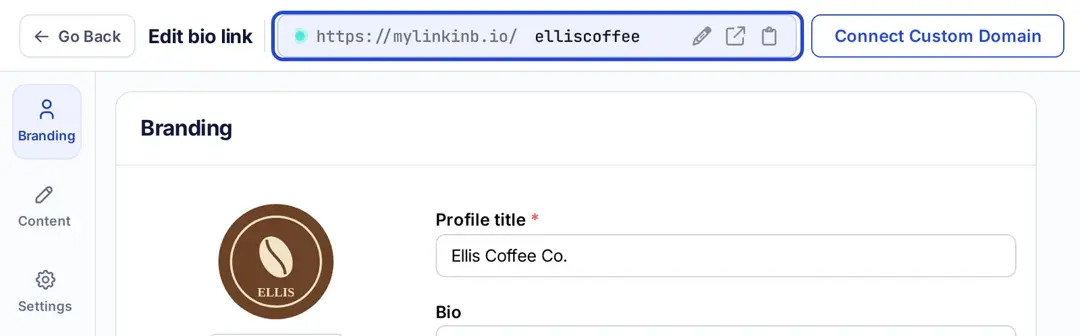
Note: Replug now lets you add a free custom domain if you’re a paying user (free .link domains: 1 on Essentials, 3 on Scale, 10 on Agency). You can also connect a domain you already own on any plan, including Free; new bio pages use mylinkinb.io by default.
With your Replug-generated bio link, you can effectively share multiple links and content with your audience, making it a valuable tool for content promotion and marketing on the platform.
Enhance this even further by using this custom URL shortener free to create branded, trackable links that boost engagement.
Tips to improve your “Link In Bio ”
Here are some additional tips for creating a great bio link:
- Make sure your bio link is short and easy to remember.
- Use a clear and concise title for your bio link.
- Add a description that tells people what they can expect to find on your bio link.
- Use an eye-catching image for your bio link.
- Share your bio link across your social profiles.
- Promote your bio link in your email signature and on your website.
You may also like:
How to Add Spotify Link to TikTok Bio?
Frequently asked questions

Manahil