Quick answer: a bio link (also written “biolink” or “link in bio”) is the one clickable link on your social media profile. Most people point it to a small landing page that lists everything they want to share: a shop, a new video, a newsletter sign-up, a booking page. The benefits: one link that works on every platform, more traffic to the pages that make you money, click data on what people tap, and an audience you can reach again with ads. The seven benefits below each come with a real, public example.
Have you ever encountered a brand or social media profile where the bio section fails to provide the information you need? That’s where bio links come into play, simplifying the process and making everything you want to share just a click away.
Whether it’s a YouTube video, social media post, blog post, or your latest product line, finding the right link sometimes feels like a treasure hunt. But no one has time to hop from page to page trying to find what they need.
The good news: we’re not stuck in the 19th century anymore. Phew! Thanks to some clever tech minds and a few social media revolutions, bio links were born.
From being an influencer to having a brand. From creating content to being an Agency—bio links let you gather all your important links, whether to your website, social profiles, or affiliate deals, into one easy-to-use spot. This one link does it all, making everything you want to share just a click away!
Curious about the full benefits of bio links and how they can enhance your online presence? Let’s get started.
What are bio links?
Most people nowadays ask the question, “What is link in bio“?
Remember when Instagram didn’t let you add links to your posts? That’s when bio links or link in bio became a thing; a clever way to share a single link in your profile. Fast forward to now, and it’s not just an Instagram hack. You’ll find link-in-bio features everywhere, from TikTok to Pinterest and X (formerly Twitter).
Each platform gives you a different amount of room. Instagram lets you add up to five links to your profile under Edit profile > Links, according to Instagram Help. TikTok shows a website link on your profile only for accounts with at least 1,000 followers or a Verified Business Account, according to TikTok Help. A bio link page turns that one slot into a menu of as many links as you need.
But here’s where it gets even better, i.e., bio link tools have evolved. Today, they don’t just let you share one link; they allow you to create a mini landing page, called a bio site, where you can link all your content, from product pages and online stores, to your latest blog posts or videos, hassle-free.
One such link in bio free tool is offered by Replug, too, which helps you host all your important links in one place. It’s like having one convenient space that showcases everything your audience needs to see.
The top 7 benefits of bio links
Bio links are loaded with powerful benefits! Here’s our list of the top 7 benefits of bio links to make your online presence stand out:
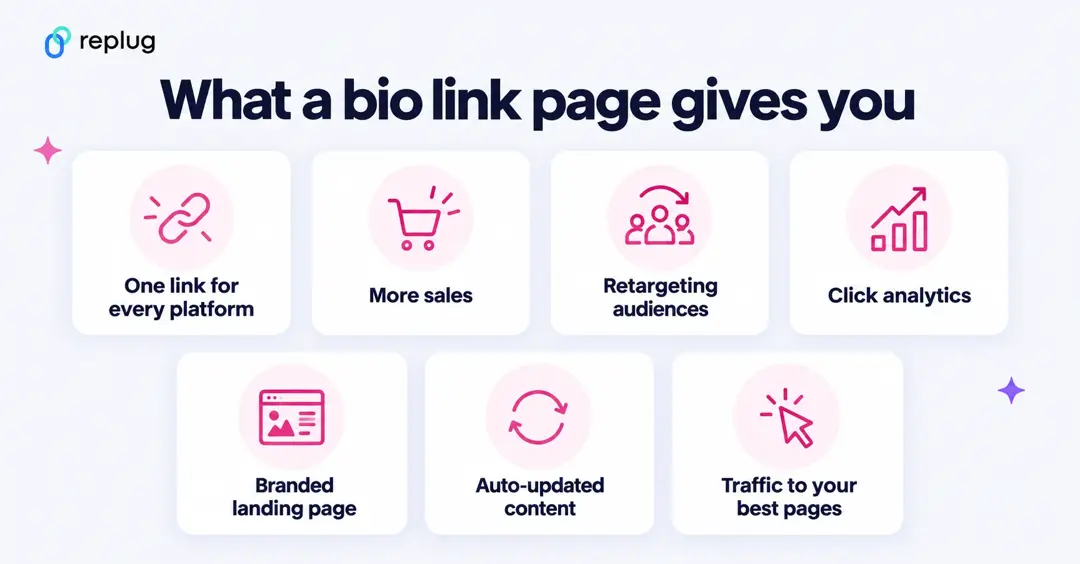
Benefit #1: You can create one link for all platforms
Done with the hassle of jumping across platforms to locate your links? Bio links are your go-to solution! They bring all your important stuff together in one easy spot, so your audience can find everything in a snap. No more searching – just one link to rule them all!
Let’s say you’re a music artist with a new EP. You want fans to listen on Spotify, Apple Music, SoundCloud, Deezer, iTunes Store, Amazon Music, and Tidal. Instead of placing one link into your social bio, you can use a bio link to create a single page with clickable options for each platform. It’s a simple and stylish way to share your music without the mess.
Here’s how the famous pop music artist Bruno Mars is using a custom bio link to promote his hit single featuring Lady Gaga:
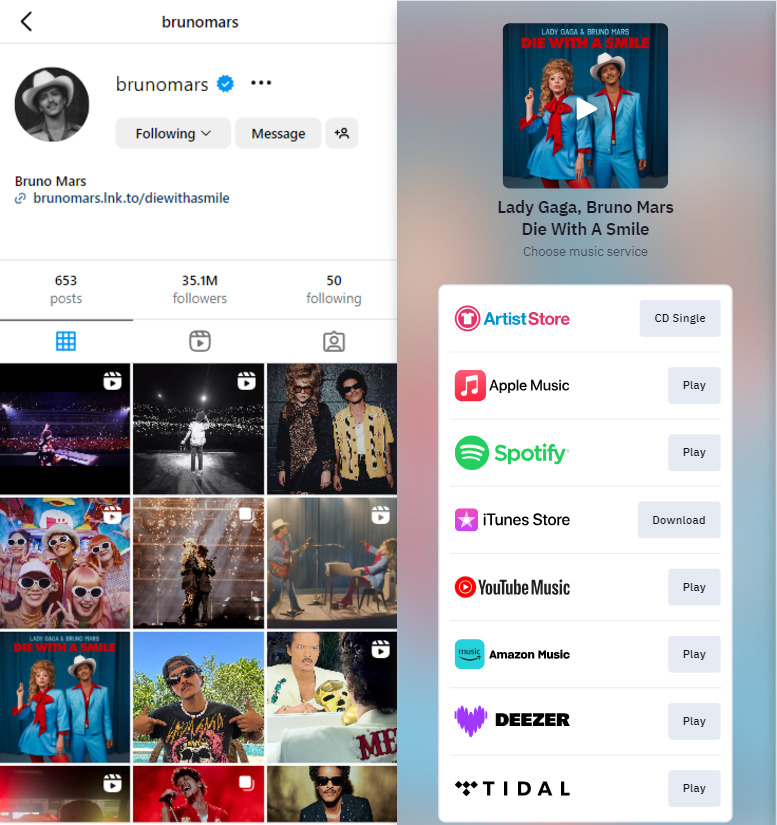
Whether you’re showcasing a blog post, a YouTube video, or a product launch, the benefits of bio links are countless. Bio links feature organizes everything beautifully in one place. You can create a customized landing page that brings all your latest updates together, making it super easy for your followers to find and engage with everything you’re sharing.
You might like: Replug Bio Links
Benefit #2: They help you boost sales
Looking to boost those sales numbers? With bio links, your audience can skip the link chaos and go straight to your website or app, making it super easy to shop, ultimately benefiting your business.
Let’s say you’re launching a fresh line of eco-friendly skincare. Instead of cramming your bios with a million links, use a bio link to whip up a cool, all-in-one page. Show off direct links to buy your must-haves, like a refreshing face mist or a hydrating serum, and throw in a “Buy One, Get One 50% Off” deal on moisturizers. Your followers just click once and boom—they’re straight to your site. Easy shopping and more sales? Yes, please!
Here’s an example of the popular eco-friendly skincare brand “cocokind” and how they’re reaping the benefits of bio links to drive sales:
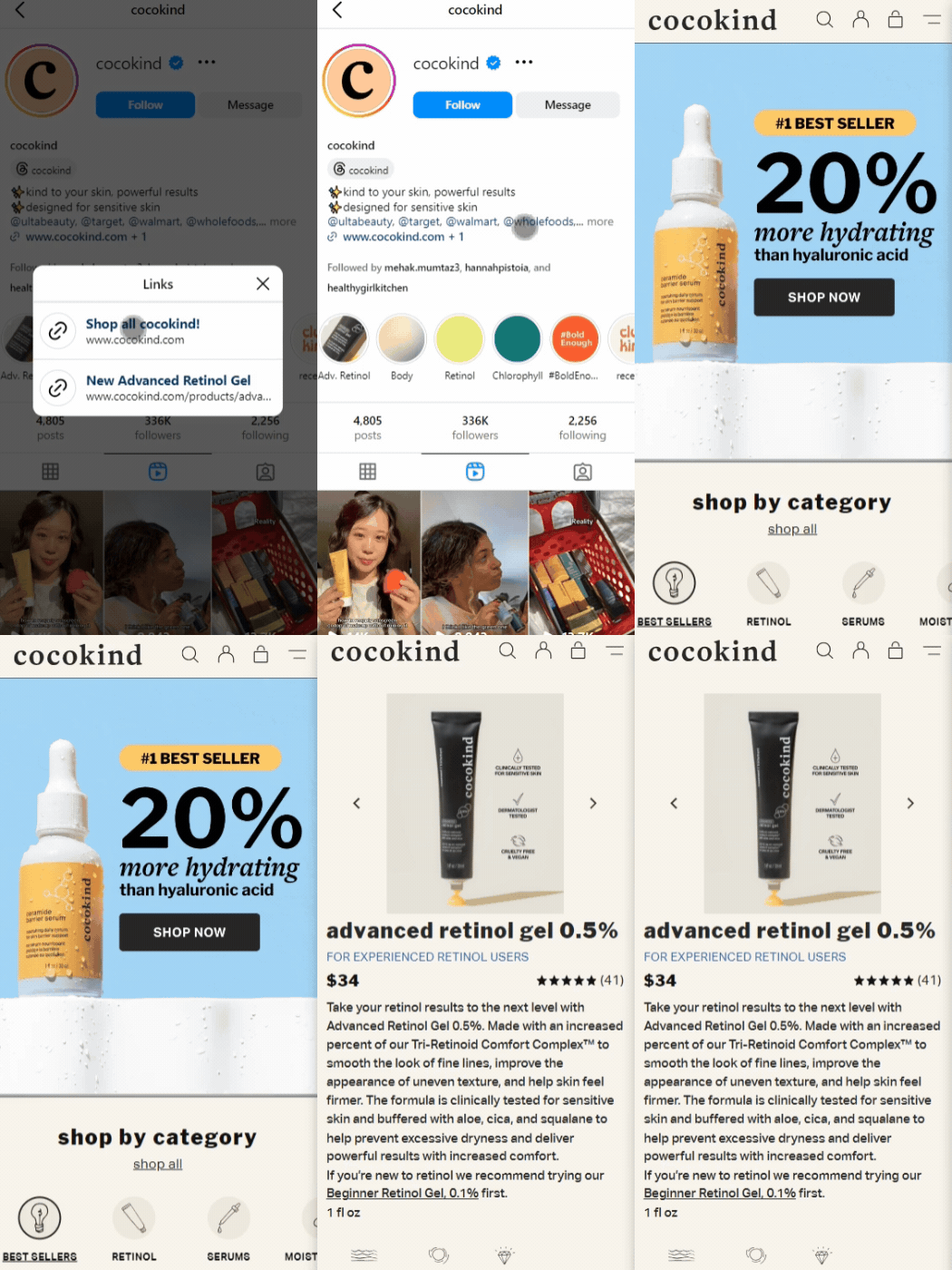
The bio link that “cocokind” is using on Instagram leads the audience straight to either the website or their featured product page for their new advanced retinol gel. It’s a win-win!
You might like: How to increase online sales: 17 Proven tips & hacks
Benefit #3: You can retarget your bio links
One of the many cool benefits of bio links is that you can retarget your audience with them! With Replug, you can add your Meta, Google, TikTok or other ad pixels to your bio page in the page’s Settings, so every visitor can join an ad audience for your next campaign. That lets you keep people up to date with your latest offers or promotions after they leave your page. Retargeting pixels are part of the paid plans (one pixel on Essentials, unlimited on Scale and Agency, per Replug’s pricing page).
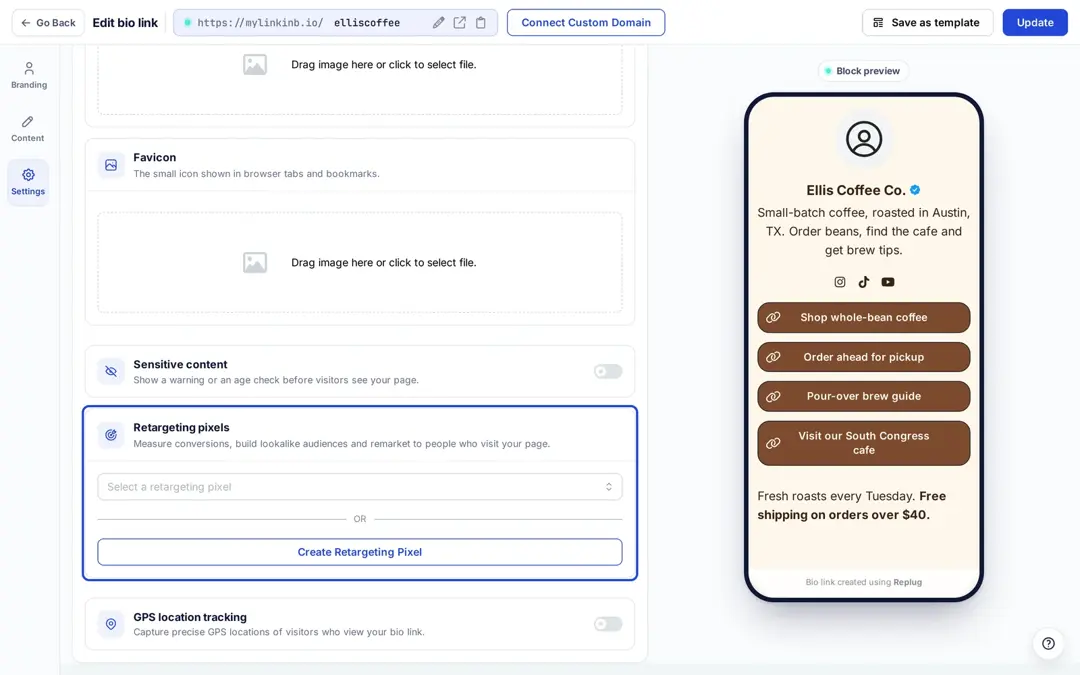
Retargeting pixels are a powerful tool to track interactions with your bio links and place personalized ads that keep your audience engaged and coming back for more.
Related: 8 Best Retargeting Platforms To Retarget Your Potential Audience
Benefit #4: They help you measure results
Okay, so here’s the thing—the benefits of bio links aren’t just limited to organizing your content. They’re also amazing for helping you understand if your marketing is resonating with your audience.
For example, if your post is getting all the clicks and sign-ups, you know you’re onto something. The best part? No more guessing games—the data’s right there, literally telling you what you should do next. Just start tracking and watch those results glow up!
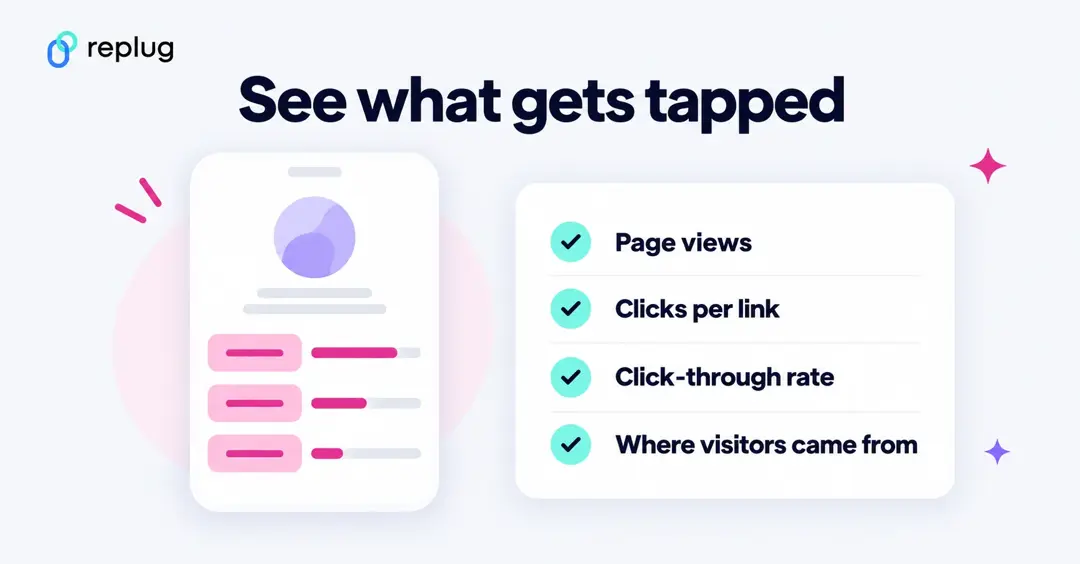
But hold up, it gets even better. You’ll see what’s working: page views, clicks on each link, click-through rate, sign-ups and where your visitors came from, which is what Replug’s bio link analytics show according to its Bio Links page. Compare those numbers after each post and you’ll know which ones actually send people to your page. How far back you can look depends on the plan: 14 days on Free, 90 days on Essentials and unlimited on Scale and Agency.
Benefit #5: They help create branded landing pages
Looking for a highly converting landing page that captures your brand’s unique vibe? With your favourite colours, fonts, and all the little details that make your brand pop? One of the endless benefits of bio links is that you don’t have to sit through endless design sessions or drop a ton of cash just to end up with something that doesn’t quite hit the mark!
With a bio page builder such as Replug’s, you can create a microsite that reflects your style and keeps your audience engaged. Here is an example page for Ellis Coffee Co., a fictional coffee roaster in Austin, TX, in Replug’s bio page editor:
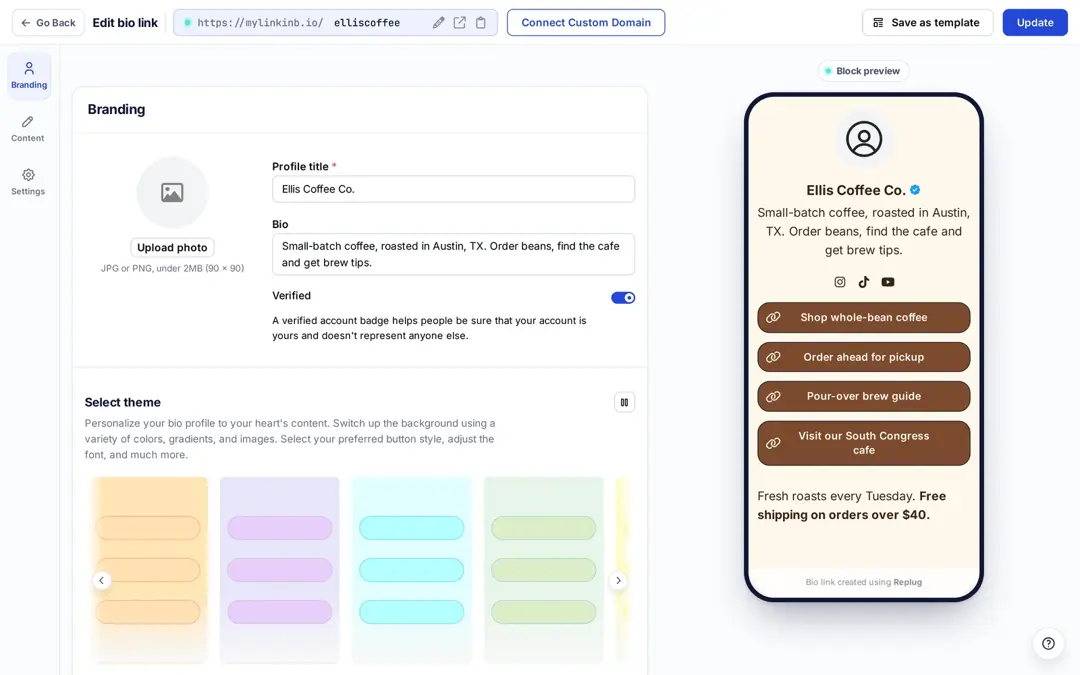
This example took a few minutes. Replug’s Bio Links page lists 39 themes, 18 fonts (or your own), 18 block types and the option to publish on your own domain; pages live on mylinkinb.io by default. The cherry on top? You can even add a verified badge!
Seriously, no cap.
You may also like: Top 15 Link in Bio Examples, Pages & Tools
Benefit #6: You can create an RSS feed
Okay, this one’s super lit and unique. Link management tools let you set up an RSS feed through its bio link feature so your audience stays updated without doing a thing. Instead of scrolling through your profile or searching for that new blog post, everything hits their feed the second you publish.
Here’s one of the coolest benefits of bio links for RSS feeds. They’re not just for blogs—they work for podcasts, videos, whatever! You can keep your followers loyal without constantly pushing updates. Talk about a time saver.
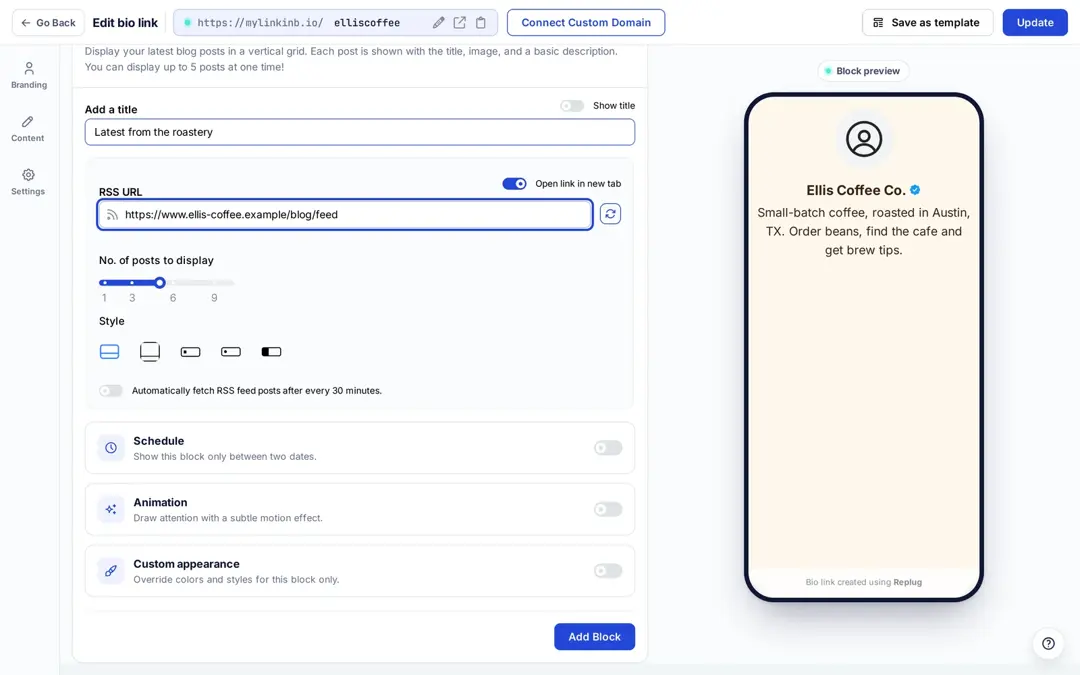
In Replug, the RSS feed is one of the blocks you can add to a bio page on every plan: paste your feed URL, choose how many posts to show and a layout, and switch on automatic fetching so new posts appear without you editing the page.
Examples? Check out the RSS feeds of Microsoft, CNBC, or Gartner to stay on top of the latest trends and news:
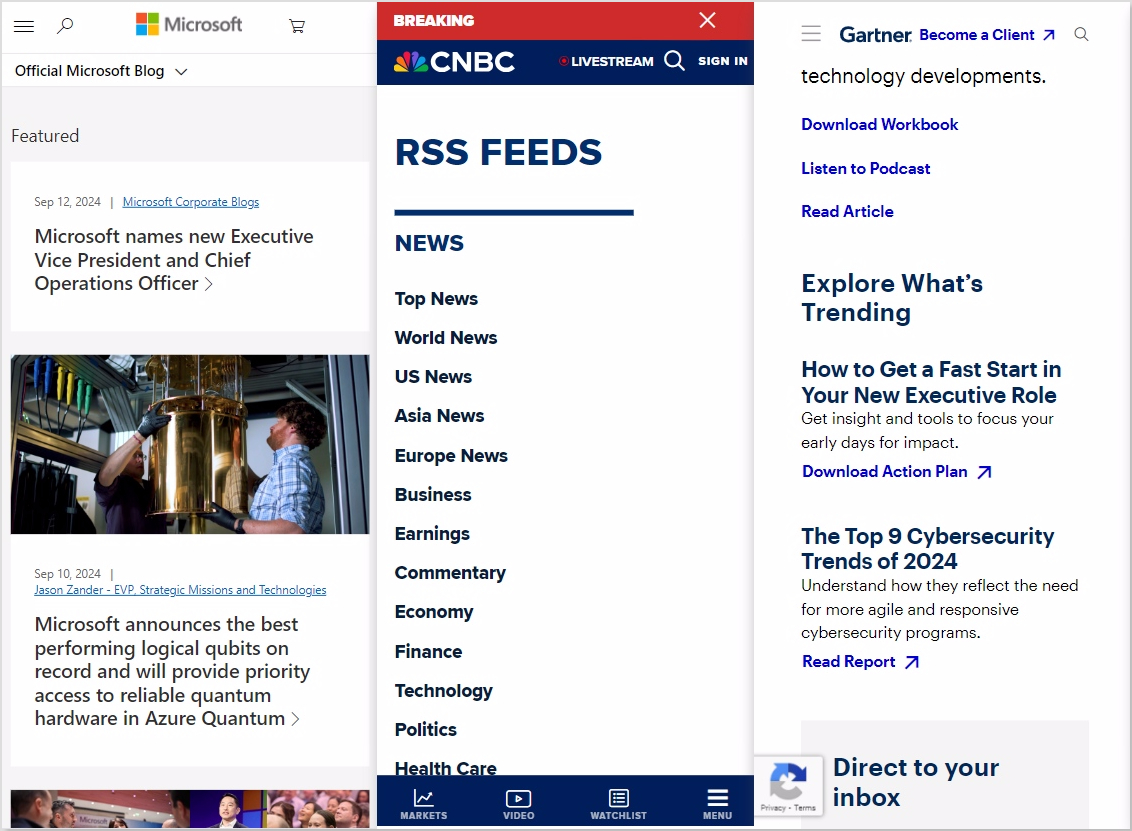
So, checking out what’s trending or hunting for the latest in health care? RSS feeds have you covered with fresh updates straight to your feed—no extra effort!
Slay.
Benefit #7: You can boost your SEO game
Let’s talk about the relationship between SEO and bio links. Link management tools let you create landing pages with their own title, description and social preview, which helps your page look right when it is shared or found in search. Be realistic, though: a bio page won’t lift your website’s rankings on its own.
Let’s say that your killer blog just dropped, packed with all the latest tips and tricks. By using a bio link to direct followers to your best posts, you’re leveraging the benefits of bio links: those posts get readers, shares and links they would never get from search alone, and that is the part of SEO a bio link can actually help with.
So, use your bio link to put your best content in front of the people most likely to read and share it. It’s a simple way to make sure your best stuff gets the attention it truly deserves.
Who can use bio links?
1. Agencies and marketers
Bio links are like a personal toolkit for marketers and agencies. Whether it’s managing campaigns, lead magnets, or case studies, you can neatly combine everything into one link. Think of it as a well-organized closet—everything you need is in one place, easily accessible, and ready to go.
Some other smart ways marketers and agencies can use bio links include:
- Event sign-ups
- Client testimonials
- Portfolio highlights
- Product demos
- Content hubs for campaigns
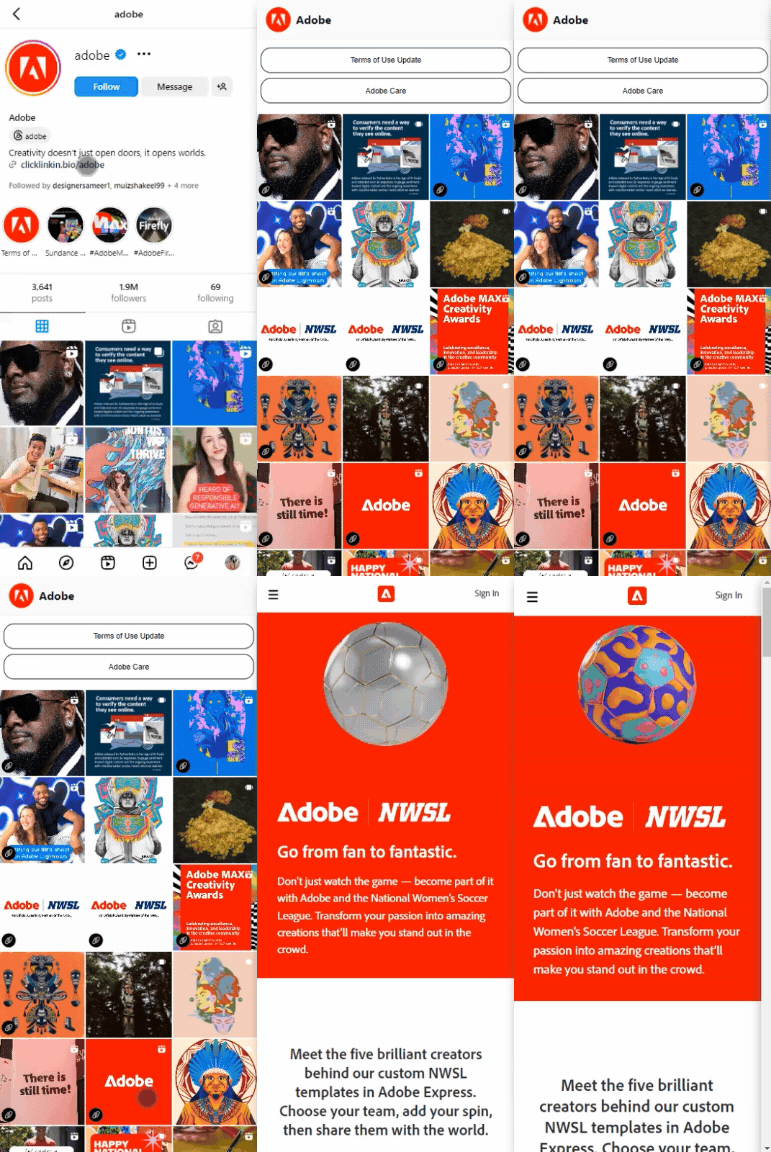
We absolutely love how Adobe uses a bio link to promote its portfolio:
Here’s how the popular marketing agency Dentsu is creatively using bio links to lead users straight to its YouTube page:
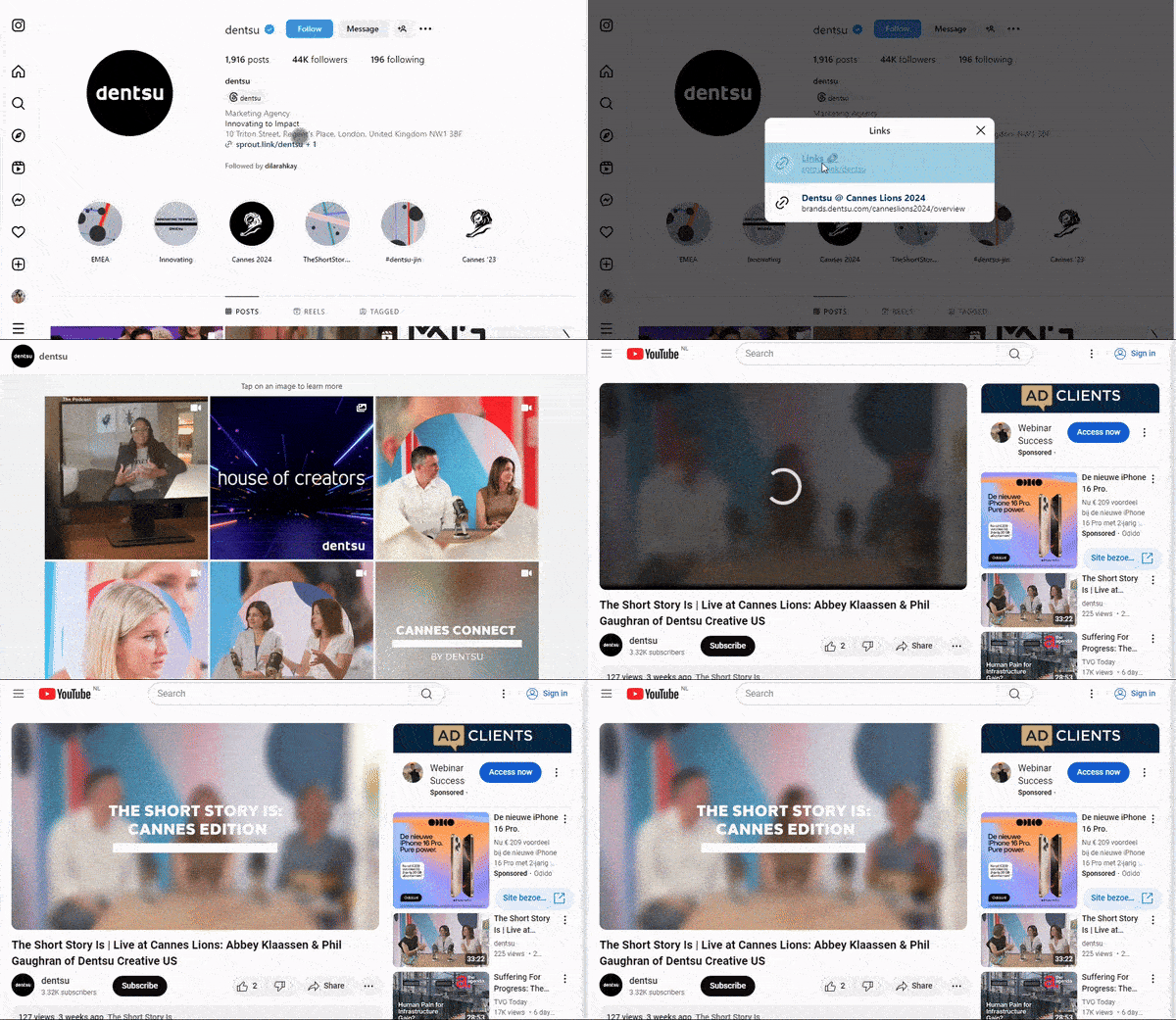
Using bio links to redirect users to your website or your social media pages can boost traffic, and followers, and even get people to subscribe to your YouTube channel. How cool is that?
FYI, more YouTube subscribers can mean extra cash in your pocket. So, why not use bio links to boost your numbers and maybe get a little richer while you’re at it?
2. Influencers and creators
For influencers and creators, bio links are ideal for showcasing promotions and affiliate codes. Think of them as a secret doorway to exclusive deals, and adding a dash of creativity along with catchy flair can make them irresistible clicks for your followers. These hidden gems feel exclusive, making your followers feel like they’re getting a special treat just for them.
Some other cool uses of bio links for influencers and creators include:
- Newsletters and subscriptions
- Event registrations
- Promoting new content
- Portfolio Showcase
- Merchandise sales
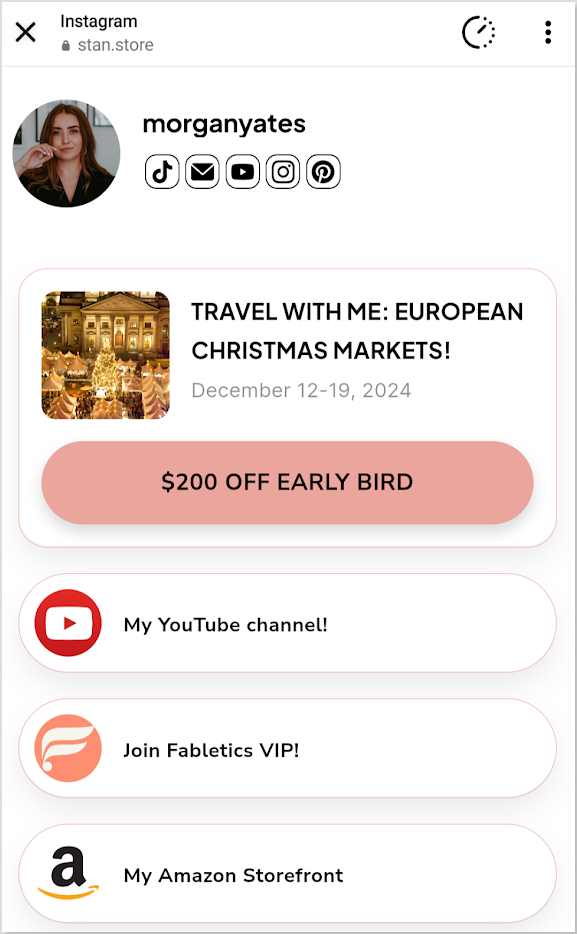
Morgan Yates, a popular lifestyle YouTuber uses bio links for promotions on her European travel offer:
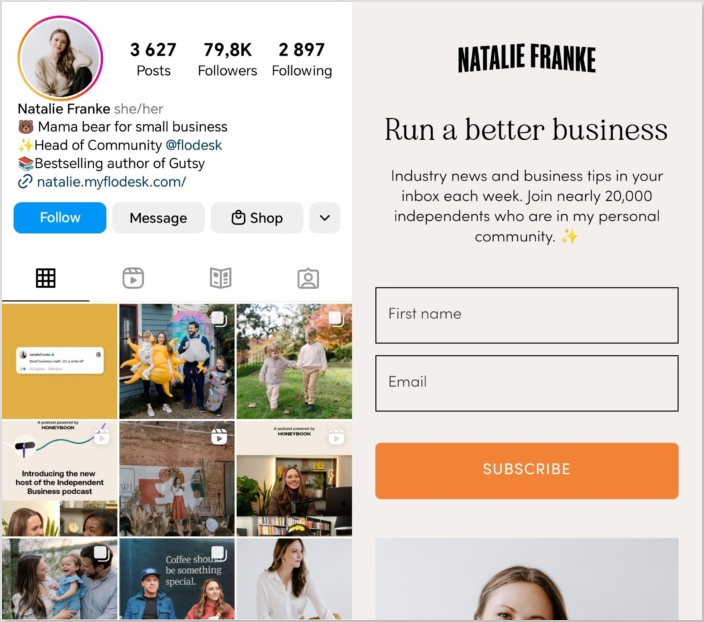
Here’s how Natalie Franke uses bio links in her Instagram bio newsletter subscriptions:
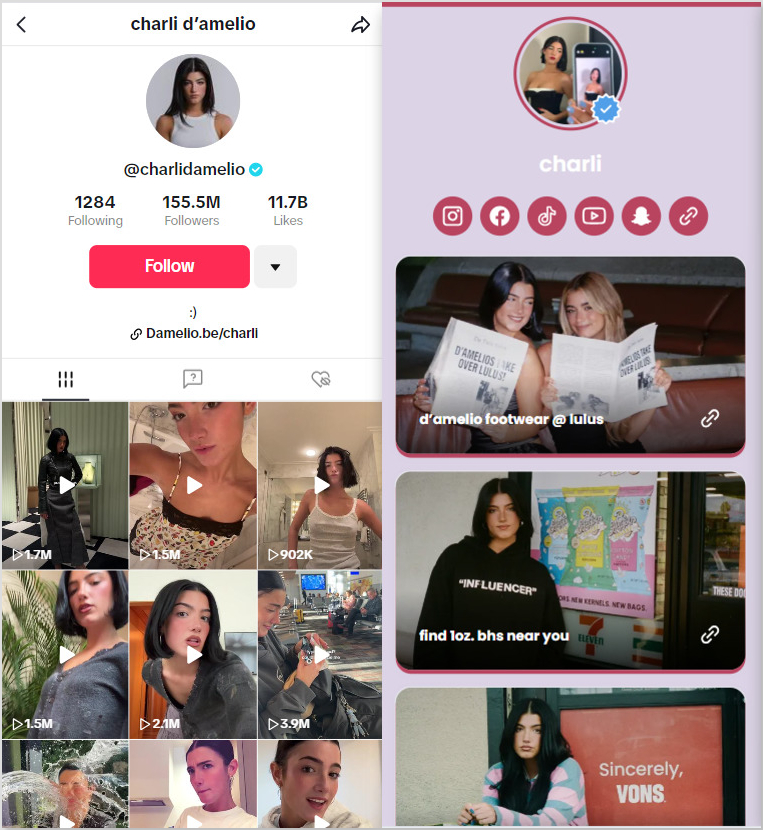
Another great example is Charli D’Amelio, the renowned influencer and American media personality. She effectively uses bio links on her TikTok to direct her followers straight to her merchandise landing page. One of the benefits of bio links for influencers like Charli is the ability to guide large audiences to a single, customized destination:
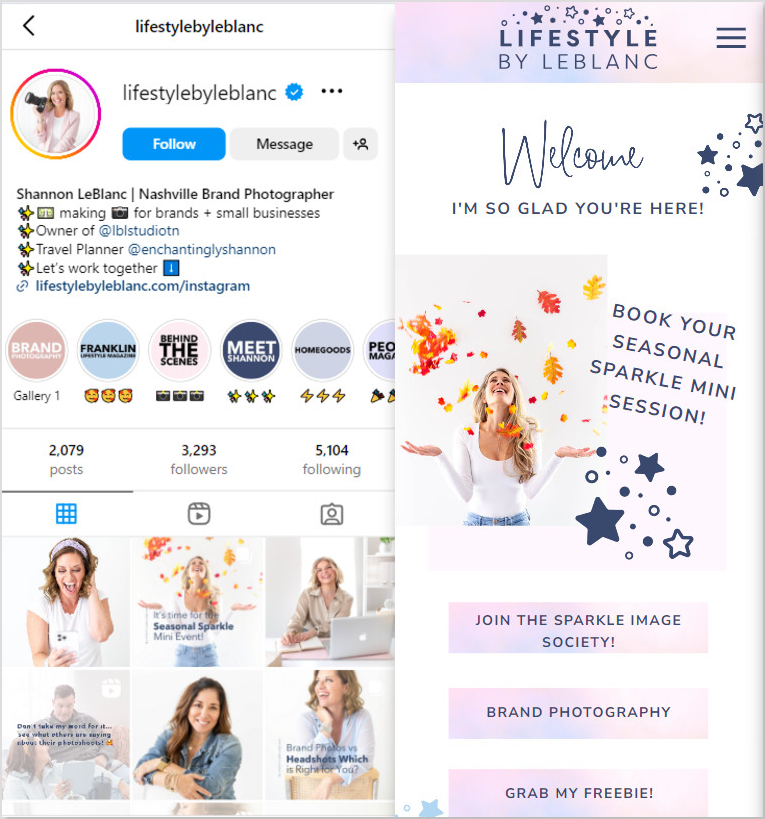
You can also creatively offer freebies through bio links just like Shannon LeBlanc does. Her mini website is to die for!
There’s just so much you can do.
You may also like: How to add multiple links in one link
3. E-commerce stores
For e-commerce, a bio link is close to essential: social posts don’t carry clickable links on most platforms, and many stores on Facebook, Instagram, TikTok and Pinterest use their profile link to send shoppers to the store. For e-commerce stores, you can use bio links to guide your customers to different product categories, special deals, and fresh arrivals.
Some other great uses for bio links in e-commerce include:
- Showcase new products and best-sellers
- Featuring customer reviews
- Leading users to an FAQ page
- Linking to loyalty programs
- Providing easy access to customer support
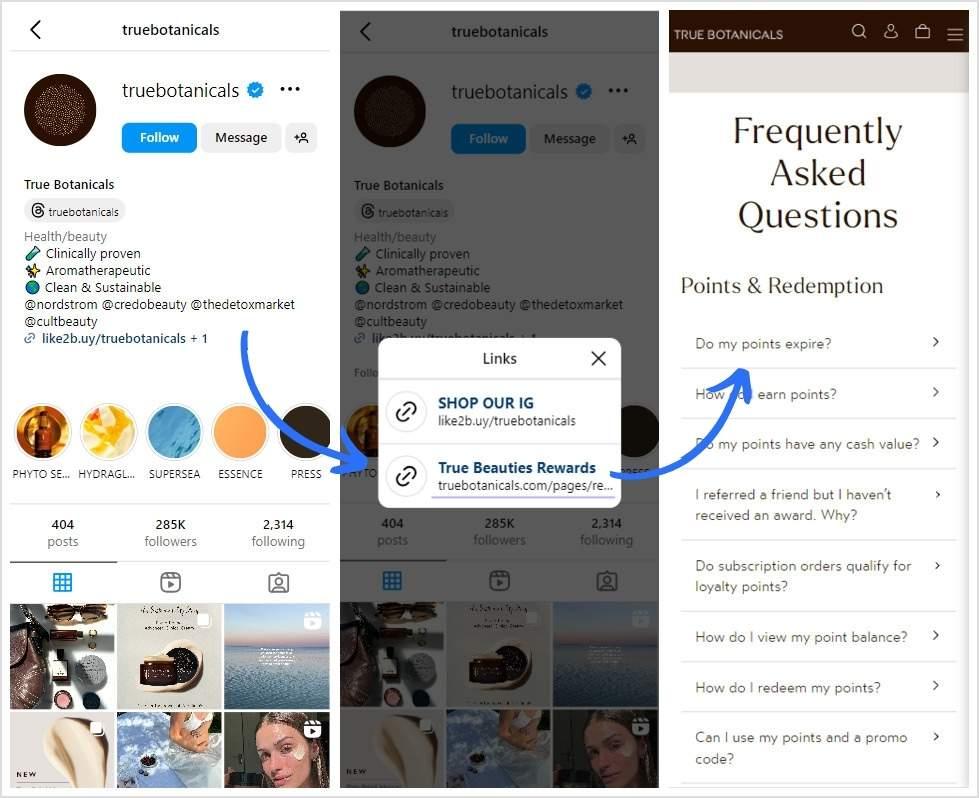
Here’s how True Botanicals is using branded bio links to lead its followers to its “True Beauties Rewards” FAQ landing page:
Another example that we absolutely love is Target:
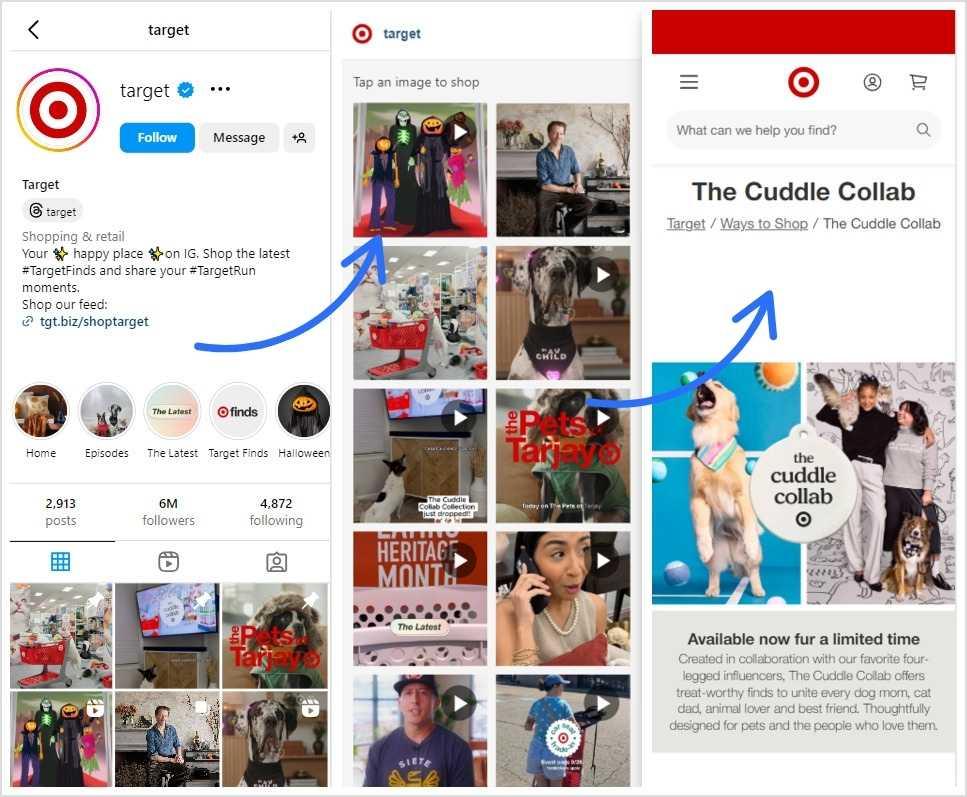
Now, isn’t Target’s landing page absolutely purrfect?
4. Freelancers and entrepreneurs
Think of bio links as your fastest ticket to getting clients. For freelancers and entrepreneurs, bio links are like a digital business card, but way cooler. If you’re a part of this clan, bio links should be your go-to tool for showcasing your portfolio, services, and contact information. This way, your clients won’t have to open thousands of messy links just to see your amazing work.
Some other great uses for bio links for freelancers and entrepreneurs include:
- Highlighting case studies
- Sharing client testimonials
- Featuring downloadable resources
- Linking to booking calendars
- Showcasing pricing packages
- Promoting newsletters
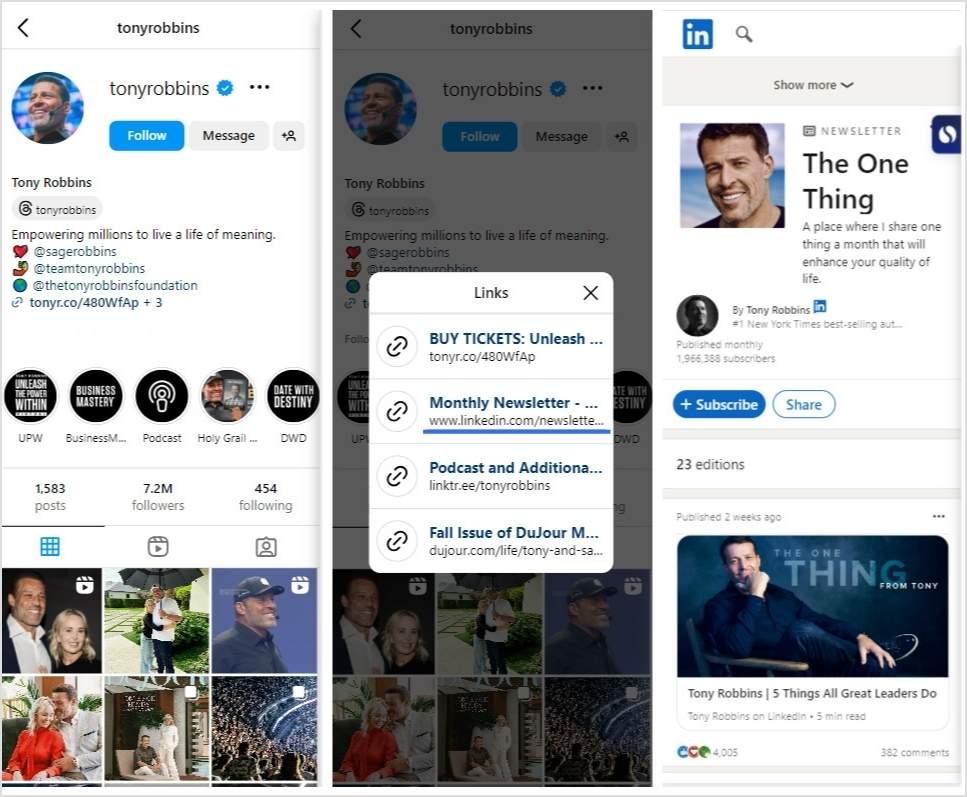
Here’s how the famous entrepreneur Tony Robbins is using a link in bio to lead his followers to his LinkedIn newsletter:
You might like: Successful influencer marketing campaigns: 7 best examples
5. Bloggers and content writers
Bio links are a total hack for bloggers and content writers. With one link, you can send your readers straight to your hottest posts, must-read articles, or even a newsletter sign-up. They make it easy for your audience to stay connected and binge your content.
More fun ways to use bio links in blogging:
- Dropping your latest viral posts
- Pushing eBooks or resources
- Showcasing guest articles
- Sharing writing resources
- Giving VIP access to exclusive reads
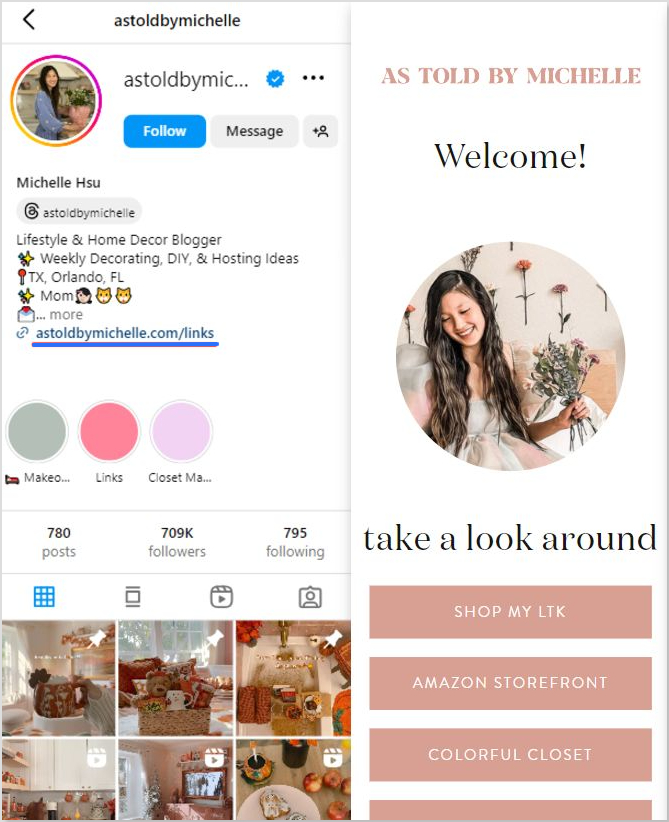
We absolutely adore how the Lifestyle & Home Decor Blogger Michelle Hsu is using bio links on her Instagram. Her microsite is beautiful, simple, and clean:
6. Podcasters and YouTubers
Bio links are a must-have for podcasters and YouTubers. With this one tiny yet powerful link, you can guide your audience directly to your newest episodes or videos. It’s like giving your followers special access to your latest content, making sure they are not behind on your latest content.
Simple ways to use bio links for podcasts and YouTube:
- Linking to your latest episodes
- Promoting upcoming content
- Sharing exclusive behind-the-scenes clips
- Featuring guest appearances
- Directing to merch or fan pages
Here’s how Jay Shetty, the infamous podcaster is using a bio link on Instagram:
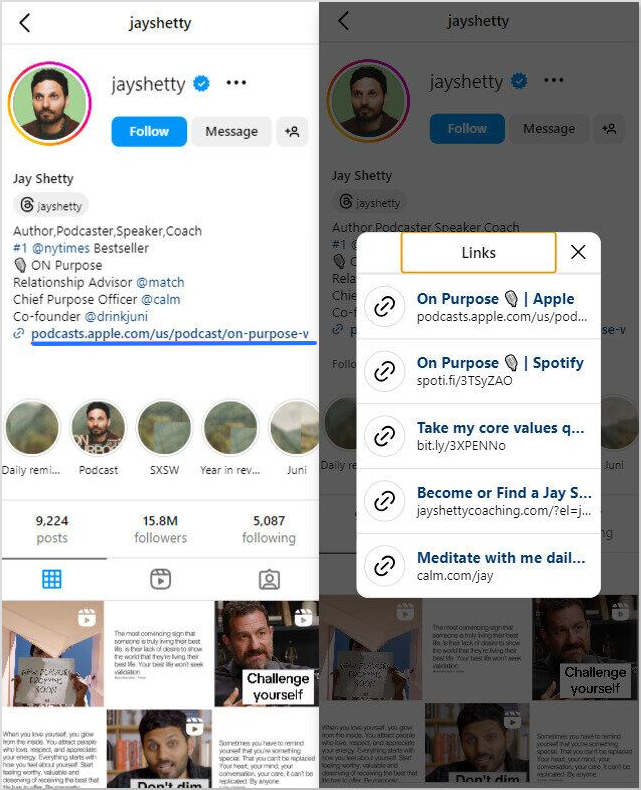
The bio link guides his fans to links to his podcasts on Spotify and Apple, and other relevant pages. He didn’t have to clutter his bio with multiple links, saving him from the mess and his fans from the confusion.
When a bio link page is worth it (and when it isn’t)
A bio link page adds one tap between your profile and the final destination, so it pays off only when people need a choice. Use this as a quick check:
- Worth it: you promote three or more things at once (a shop, a video, a newsletter, a booking page), you post on several platforms, or you want to know which link each post drives people to.
- Worth it: you run ads and want to add the people who visit your page to a retargeting audience.
- Not needed: you only ever send people to one page. Link straight to it and skip the extra tap.
- Maybe not needed: on Instagram, two or three links may fit in the profile’s own five link slots, so a separate page only helps if you also want design control or click data.
How to set up a bio link page in Replug
- Sign up for free and open Bio Links in the menu, then click Create new and pick a template or start blank.
- Under Branding, add your photo, profile title and bio, and pick a theme. Under Content, add blocks such as links, social icons, video or an RSS feed.
- Under Settings, set the page’s SEO title, social preview and, on paid plans, your retargeting pixels.
- Click Update, copy your page link (mylinkinb.io/yourname by default, or your own domain) and paste it into your profile.
The Free plan includes 2 bio pages; Essentials includes 10 and Scale and Agency are unlimited, per Replug’s pricing page, checked October 2026.
Long story short…
Bio links aren’t just some fancy URL hack—they’re basically your online sidekick, making sure your followers can find everything you’ve got going on without doing the digital scavenger hunt.
Whether you’re trying to boost sales, flex your SEO game, or just keep your content organized, bio links do the heavy lifting.
So, if you’re not using bio links yet… uh, what are you even doing? It’s time to give your audience a one-stop shop for all your good stuff. Because believe you me, your future self will thank you when those clicks start rolling in.
Ready to level up your online presence? Check out Replug’s advanced bio link feature to create stunning landing pages, and stop playing hide-and-seek with your links. And while you’re at it, try our link shortener free to track and optimize every click effortlessly.
Frequently asked questions

Amna Yawar