It is necessary to deactivate your Facebook account before you can deactivate your Messenger account. Once you have deactivated your Facebook account, the option to deactivate your Messenger account will become available.
Deactivating your Messenger account from a computer or laptop is impossible. You can only deactivate a Messenger account from the Messenger application settings on your smart devices, i.e., mobile or tablet.
Here’s how to deactivate Messenger app quickly:
Step 1: Open the messenger app from your mobile phone.
Step 2: Tap the profile icon in the top right corner.
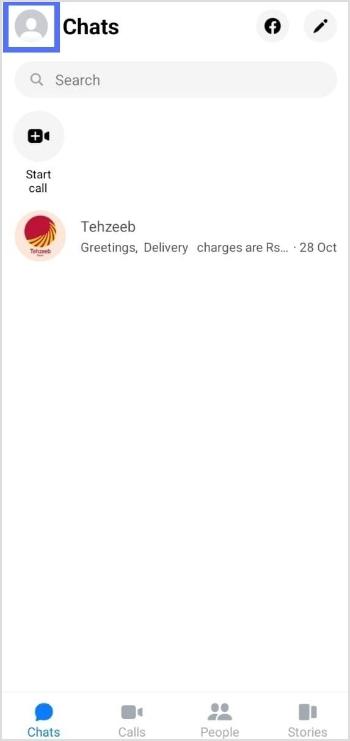
Step 3: Tap account setting from the account menu.
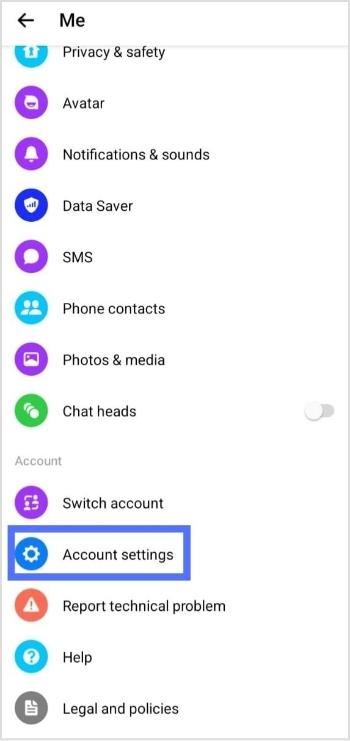
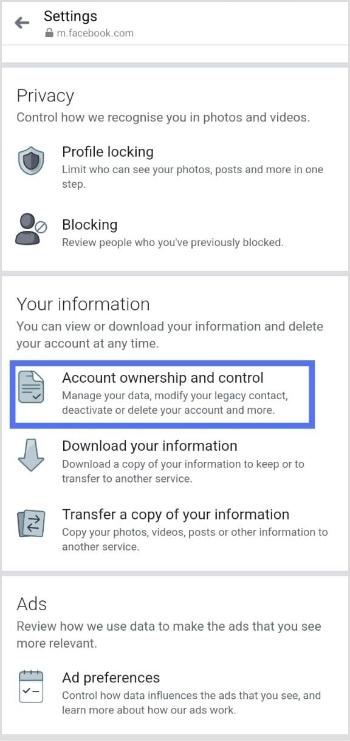
Step 4: Tap account ownership and control.
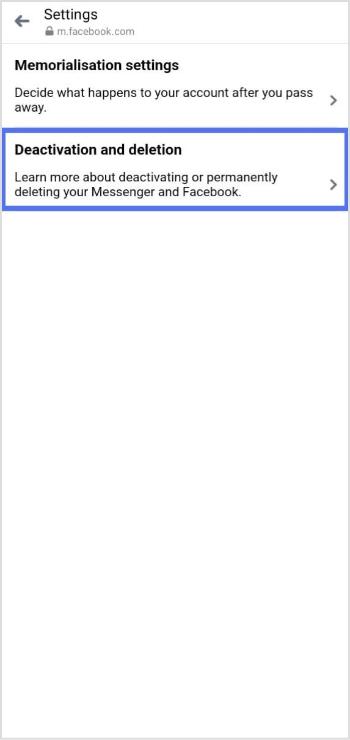
Step 5: Tap deactivation and deletion.
Step 6: Select Deactivate account, then tap continue to account deactivation.
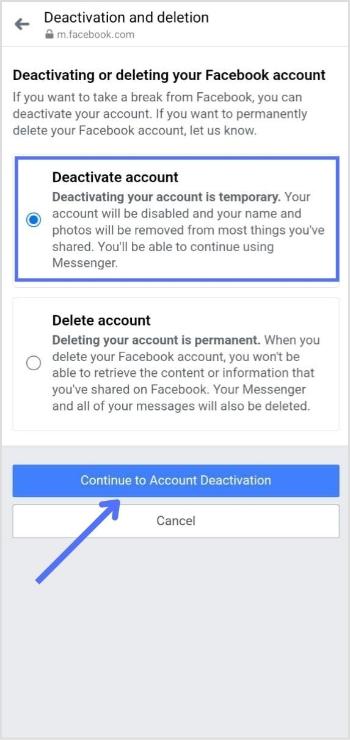
Step 7: Enter the password and tap continue, and your Facebook account is deactivated.
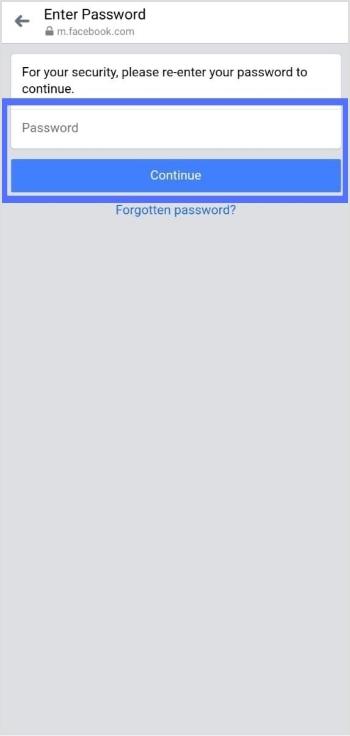
Important note: This will deactivate your Facebook account since you can’t deactivate Messenger without deactivating Facebook.
Now your Facebook account is deactivated, you can easily deactivate your Messenger account.
Step 8: Again tap the profile icon in the top right corner.
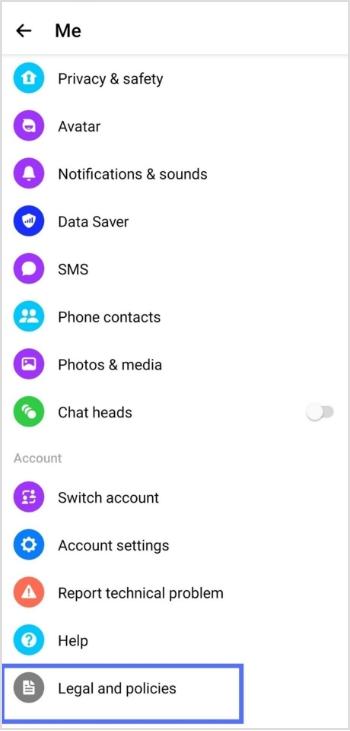
Step 9: Scroll to the bottom and select legal and policies.
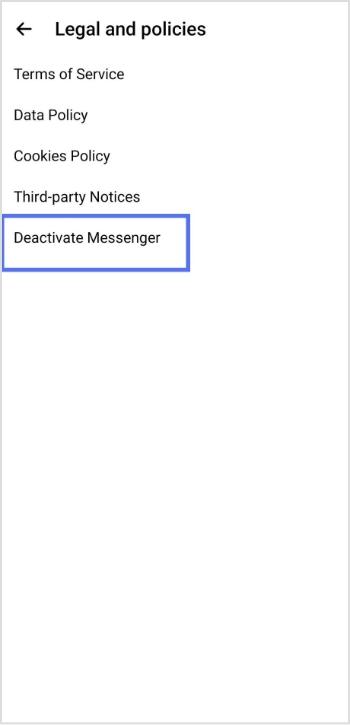
Step 10: Tap deactivate Messenger.
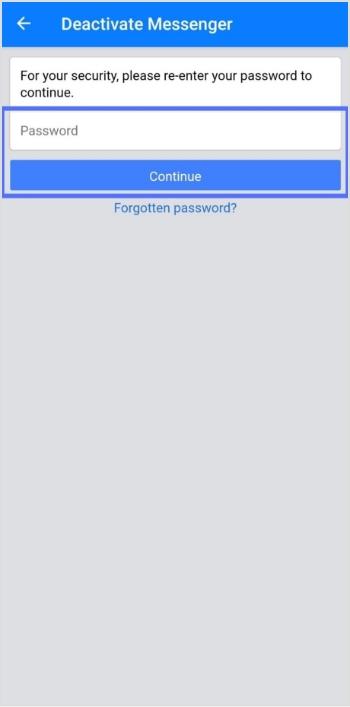
Step 11: Enter your password and tap continue. Your Messenger account will be deactivated.
To reactivate Messenger, simply log in with your username and password.
Deactivating your Facebook account will not automatically deactivate your Messenger account, as the two are separate platforms.
If you deactivate your Messenger account, your profile will not appear in search results, but your past messages and comments will still be visible to others. If you want your messages to disappear after a certain time, you can turn on the vanish mode by swiping up while in a conversation.
Important Note: If you manage many links, perhaps sharing guides or resources about privacy and account settings, Replug.io can help you keep your URLs organized and trackable in one place. Also, if you plan to share this guide with friends afterward, using this efficient link shortener makes the URL cleaner and easier to share!
You may also like: How to delete a TikTok account?
Trending Now:
Frequently asked questions

Arslan Jadoon