Dropping random links in your Discord server chat can look a little shady sometimes.
Long URLs flood your message with previews. Affiliate links raise red flags. And those random characters? Yeah. They scream “don’t click me.”
You can disguise a link in Discord using a few formatting tricks. But if you’re serious about growing clicks, building trust, and keeping your brand looking clean, you’ll want to go beyond the basics.
In this guide, we’ll cover:
- How to disguise a link in Discord (basic methods)
- How to hide a link behind clickable text (masked links), on desktop and mobile
- Why Replug is a smarter, more professional solution
- What you can do with Replug beyond just shortening links
Let’s get into it.
Quick answer: to hide a link behind text in Discord, type [your text](https://your-link.com). To post a link without the preview box, wrap it in angle brackets: <https://your-link.com>. To do both, combine them: [your text](<https://your-link.com>). This works in servers and DMs on desktop, web, iPhone and Android.
Why Discord links can hurt your clicks
If you’re a Discord server, you’ve probably seen a suspiciously long link dropped into a Discord chat that no one dares to click. Something like:
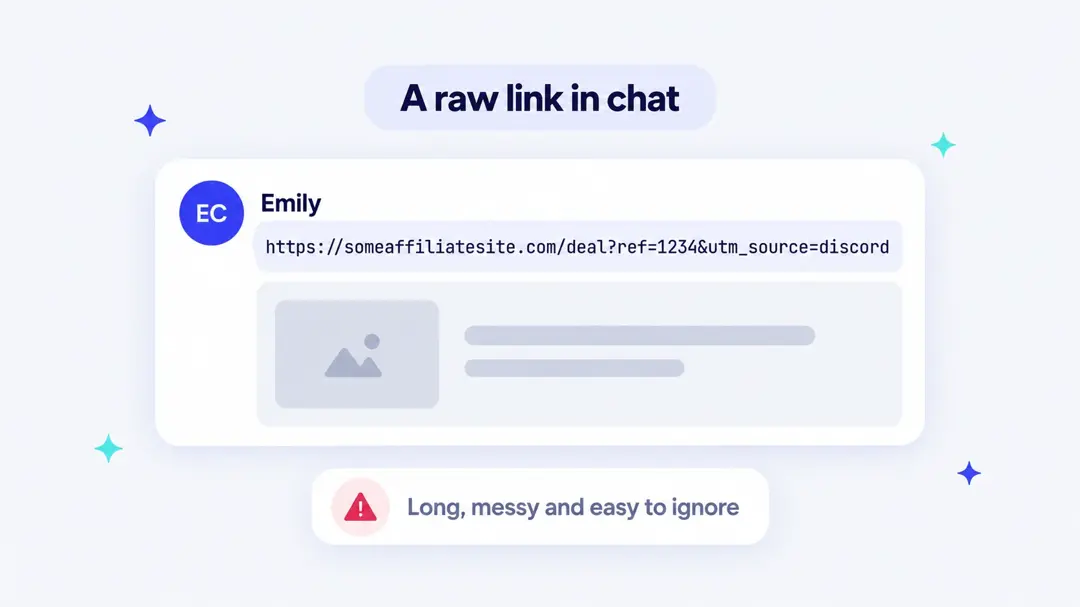
It’s long and distracting.
On top of that, for years Discord didn’t support hyperlink text in normal messages. You couldn’t just make a clean, clickable word unless you were using embeds or bots. Discord added masked links for everyone in 2023 (see the next section), but many people still paste the raw URL.
This creates a big problem for:
- Affiliate marketers
- Content creators
- Community leads
- Anyone trying to get clicks, not confusion
So if you’re wondering how to hide a link in Discord, there are a few formatting tricks. But if you’re thinking long-term, you’ll want a better method.
How to hide a link behind text in Discord (masked links)
A masked link shows words of your choice and opens your URL when someone clicks or taps them. Discord’s help center lists it as part of its Markdown formatting, and it works in regular chat, DMs, webhooks and bot embeds.
 shows clickable text instead of the URL](/_next/image?url=https%3A%2F%2Finternal-blog.replug.io%2Fwp-content%2Fuploads%2F2026%2F10%2Fhow-to-disguise-link-in-discord-masked-2026.webp&w=1080&q=75)
On desktop or in the browser
- Type the text you want people to see inside square brackets, for example
[Join the giveaway]. - Right after it, with no space, add the link inside parentheses:
[Join the giveaway](https://emilycarter.link/giveaway). - Press Enter. The message shows Join the giveaway as a clickable link.
Shortcut on desktop: type your text, highlight it, then paste a link (Ctrl+V or Cmd+V). Discord turns the highlighted text into a masked link for you.
On iPhone and Android
The mobile app uses the same syntax. Type [your text](https://your-link.com) in the message box and send it. Brackets and parentheses are on the symbols keyboard (the 123 or ?123 key).
Hide the text link’s preview too
A masked link can still create a preview box under your message. Put the URL inside angle brackets within the parentheses to stop it: [Join the giveaway](<https://emilycarter.link/giveaway>).
Where masked links don’t work
Masked links render in messages, but in some places Discord shows the raw text with the brackets instead:
- Your profile’s About Me and custom status
- Server and channel descriptions
- Channel and role names
- Inside code blocks (text between backticks)
For your profile, a short, readable link works better. Read more about sharing your Discord profile link or use one bio link page for all your links.
Good to know: masked links hide the URL from the message text, not from the person clicking. On desktop, hovering over the text shows the real address, and Discord can show a “Leaving Discord” prompt with the full URL before opening it. That is why the address itself still matters, and why a recognizable branded link gets more clicks than a random one.
Basic ways to disguise a link in Discord
If you’re just trying to reduce the messiness and avoid previews, here are three simple ways to go about masking links in Discord:
1. Angle brackets
Wrap the link like this:
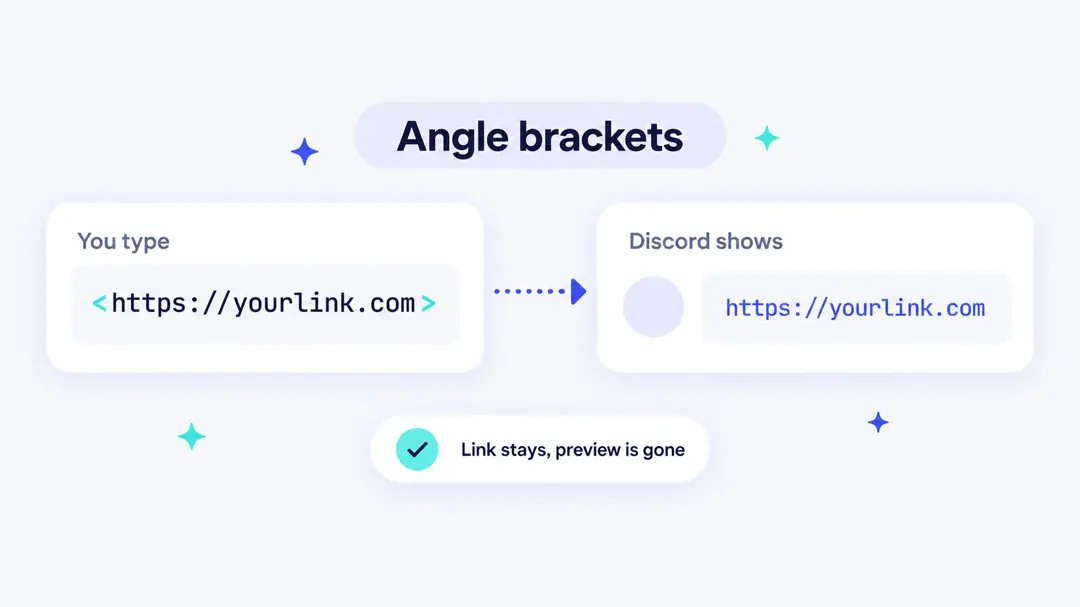
This disables the preview and keeps the message clean.
2. Spoiler tags
Hide the link behind spoiler formatting:
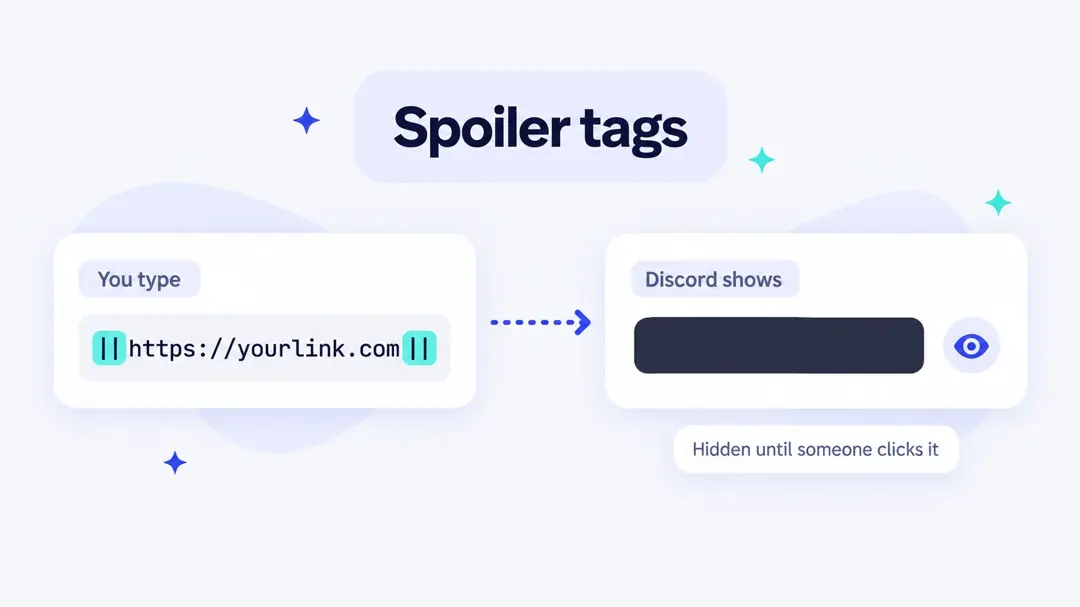
Users have to click to reveal it. This is useful if you’re sharing sensitive or exclusive content.
3. Asterisks
Grab the link you want to share and wrap the link like this:
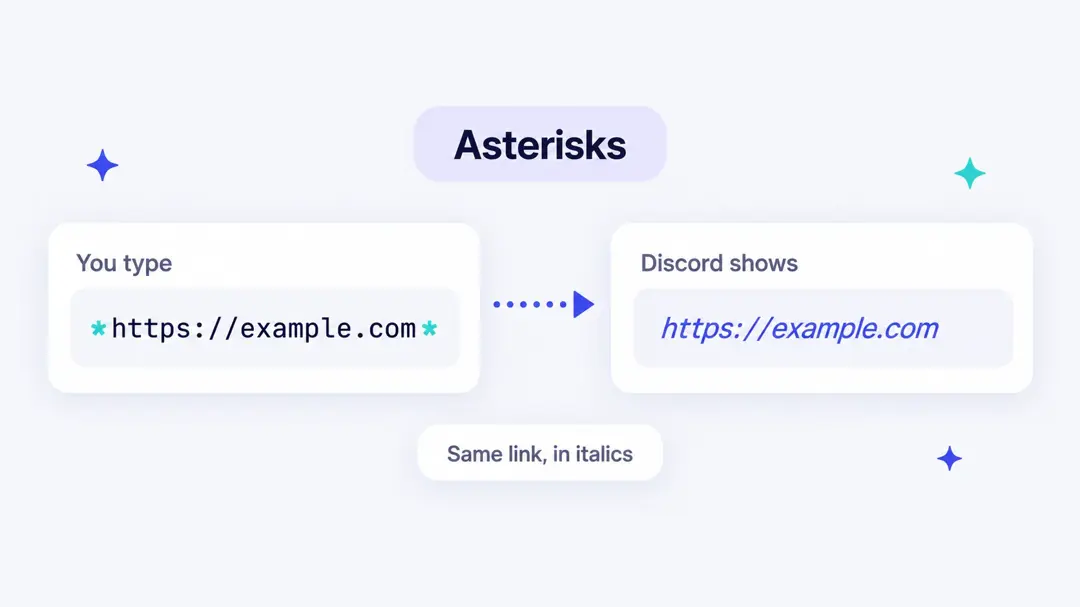
This disables the preview and keeps the message clean. The link still works; it just looks less intrusive.
Heads-up: asterisks are Discord’s italic and bold formatting (*italic*, **bold**), and Discord’s help center doesn’t list them as a way to stop previews. If the preview has to go, use angle brackets, which are the reliable option.
Note: To hide both the link and its preview, use spoiler tags (Discord notes that server invite embeds can’t be hidden this way). If you only want to stop the preview but still show the link, angle brackets are your best bet.
4. Turn off previews
For your personal settings:
- Go to User Settings > Text & Images (called Chat in newer versions of the app)
- Toggle off “Show embed and preview website links pasted into chat”
This only changes what you see. Other people still get previews for the links you send.
5. Remove the preview after sending
Already sent a link with a big preview? On desktop, hover over the preview under your own message and click the X in its corner, then confirm that you want to remove the embeds. The link stays in the message. Moderators with the Manage Messages permission can do this on anyone’s message.
Server owners can also stop previews for a whole role: open Server Settings > Roles, pick the role and turn off Embed Links. Links from members with that role then post without previews.
These options cover basic Discord link formatting. They’re temporary fixes. Not solutions. If your link still looks like a mess of random letters and tracking IDs, most people still won’t click.
Which method should you use?
| You want to | Type or do this | What people see |
|---|---|---|
| Hide the URL behind words | [text](https://link.com) | Clickable text, plus a preview |
| Hide the URL and the preview | [text](<https://link.com>) | Clickable text only |
| Show the URL without a preview | <https://link.com> | The full URL, no preview box |
| Hide the link until clicked | ||https://link.com|| | A spoiler box they tap to reveal |
| Stop previews for yourself | User Settings > Text & Images (Chat) | Only changes your own view |
| Remove a preview you already sent | Hover the preview, click X | The message without the preview |
| Make the URL itself short and trusted | A branded short link (steps below) | e.g. emilycarter.link/giveaway |
Let’s be real: hiding a link ≠ building trust
Disguising your link should do more than just “hide” it. It should make it look professional. On-brand. Click-worthy.
That’s where Replug comes in.
How to disguise a Discord link in Replug?
Step 1: Log in to Replug
Head over to Replug’s Discord URL shortener and sign in to your account. If you don’t have one yet, you can create a free account in just a few clicks.
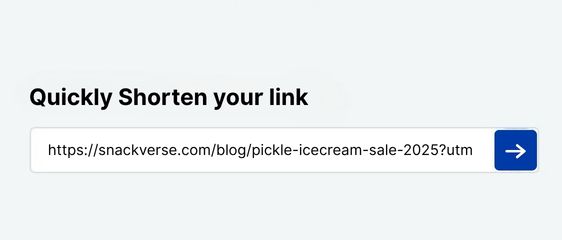
Step 2: Shorten link
Copy the link you want to shorten and paste it in the bar under “Quickly Shorten your link”
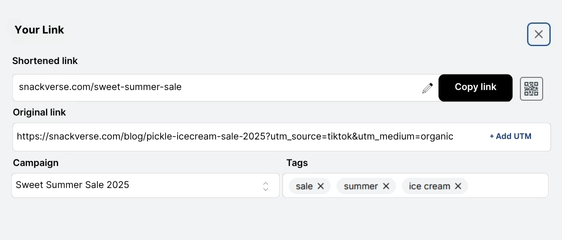
Step 3: Disguise your link
Disguise your URL by connecting your custom domain and changing the slug of your shortened link.
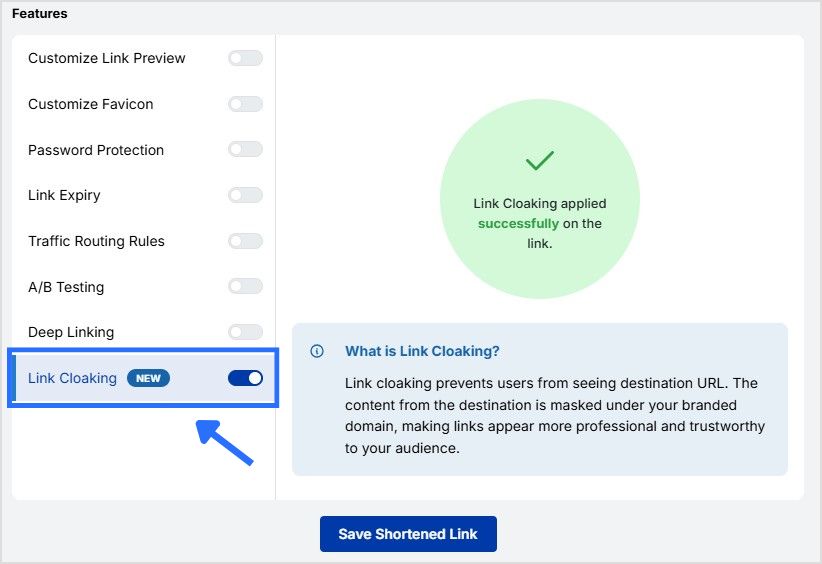
Step 4: Enable link cloaking
Turn on link cloaking in Replug so users only see your custom, disguised link in the browser’s address bar, instead of the original URL. It keeps your link clean, branded, and more trustworthy.
Note: cloaking only works when the destination site allows it to be shown inside another page. Many sites block that, including Discord itself (server invites and profile links), so Replug lets you know when a link can’t be cloaked. For those links, a custom domain and a readable slug from step 3 do the job. Learn more about what link cloaking is.
Step 5: Save your link
The final step is to save your shortened link. Once done, your disguised or masked URL is ready to be shared in Discord with your community!
Why Replug is a smarter way to disguise links in Discord
Think of Replug as your Discord link’s glow-up. Instead of looking like a raw affiliate dump, your links get a clean, branded, professional look, and you can track everything behind the scenes.
Here’s what you can do:
1. Create branded short links
Forget pasting this:
With Replug, you can share this instead:
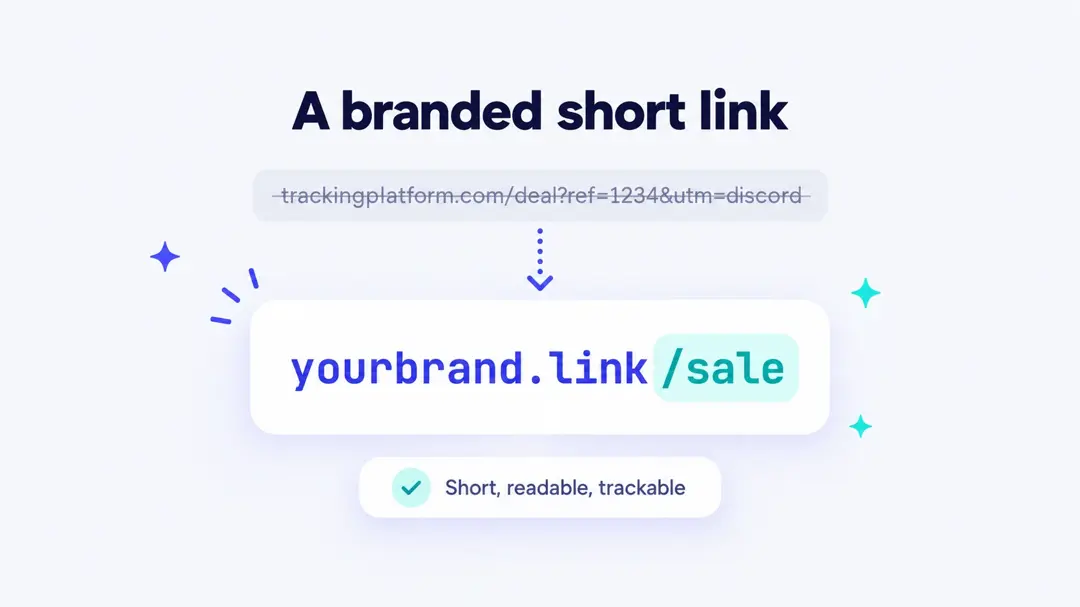
This is more than shortening. It’s called a vanity URL, a link that matches your brand and earns trust.
You can create one easily using this short URL shortener, designed to help you share branded, trackable links with ease.
However in Discord, that goes a long way.
2. Get full analytics and link tracking
While Discord gives you zero visibility into link clicks, Replug gives you the full picture through the link analytics dashboard:
- How many people clicked
- When they clicked
- Where they came from
- What device they used
Perfect for understanding which Discord channels, DMs, or announcements are performing best.
3. Customize your preview and text
With Discord hyperlink text being limited, Replug gives you control over how your link appears elsewhere.
You can:
- Set a custom title
- Add a preview image
- Write your own description
Instead of letting Discord embed something random (or nothing), you own how it shows up.
4. Use dynamic QR codes
Need your link offline? On merch? In event banners? Replug creates dynamic QR codes for every link. And if your destination changes later, you can just edit it, no need to reprint.
That’s especially useful for cross-promotion across social, physical, and community spaces.
5. Add clickable bio pages
If you’re a creator, streamer, affiliate, or run a community, Replug helps you avoid spamming multiple links. You get a bio link page; one smart link that hosts everything.
So instead of choosing one link, you just post one clean URL. You can even customize it for specific audiences, ideal if you’re targeting Discord traffic.
6. Works everywhere, not just Discord
Once you’ve got your short link, it’s ready to drop anywhere:
- TikTok
- Email campaigns
- Blog bios
- YouTube descriptions
- And of course, Discord
Whether you’re sending it in a DM, using it in a bot, or adding it to a server announcement, your link stays clean and consistent.
Use disguised links honestly
Discord’s rules prohibit phishing and other links meant to trick people, and server moderators can use AutoMod to block messages that contain links. A few habits keep your links welcome:
- Make the text describe where the link goes. “Get the free study planner” is fine; text that pretends to be a different site is not.
- Use a domain people can recognize as yours, so the address they see on hover matches who sent it.
- Don’t post links in servers that don’t allow promotion, even with clean formatting.
- If you share affiliate links, say so in your message.
Recap: Discord formatting vs Replug
| Feature | Discord | Replug |
| Hide previews | ✅ | ✅ |
| Use custom domain (vanity URL) | ❌ | ✅ |
| Track link clicks | ❌ | ✅ |
| Customize preview title/image/text | ❌ | ✅ |
| Add all your links in one | ❌ | ✅ (bio link) |
| Generate dynamic QR codes | ❌ | ✅ |
| Look professional across all platforms | ❌ | ✅ |
Final thoughts
So, how to disguise a link on Discord?
Yes, you can hide it using brackets, spoiler tags, or by turning off previews. But those are just band-aids.
If you’re building a brand, sharing affiliate links, or running a community, you need a tool that helps your links stand out, not disappear.
That’s what Replug does. And if the link you share most is your server invite, you can also give it a custom server URL.
From clean, branded links to full analytics, bio pages, and custom QR codes, Replug helps you do more than just shorten your links.
It stands out as a complete link optimization platform, designed to maximize engagement and simplify your marketing efforts.
Ready to upgrade your links?
- Make your links click-worthy
- Track performance
- Build trust in every server
Frequently asked questions

Manahil