If you’ve ever asked yourself, “how do I share my Discord profile without making people search for my username?”, you’re not alone.
Sharing your Discord profile link is a much faster way to connect. While Discord doesn’t offer a native profile link for every user, there’s a simple workaround that works perfectly.
In this guide, we’ll show you how to find your Discord URL on mobile, and how to customize it using Replug.io for better presentation and tracking.
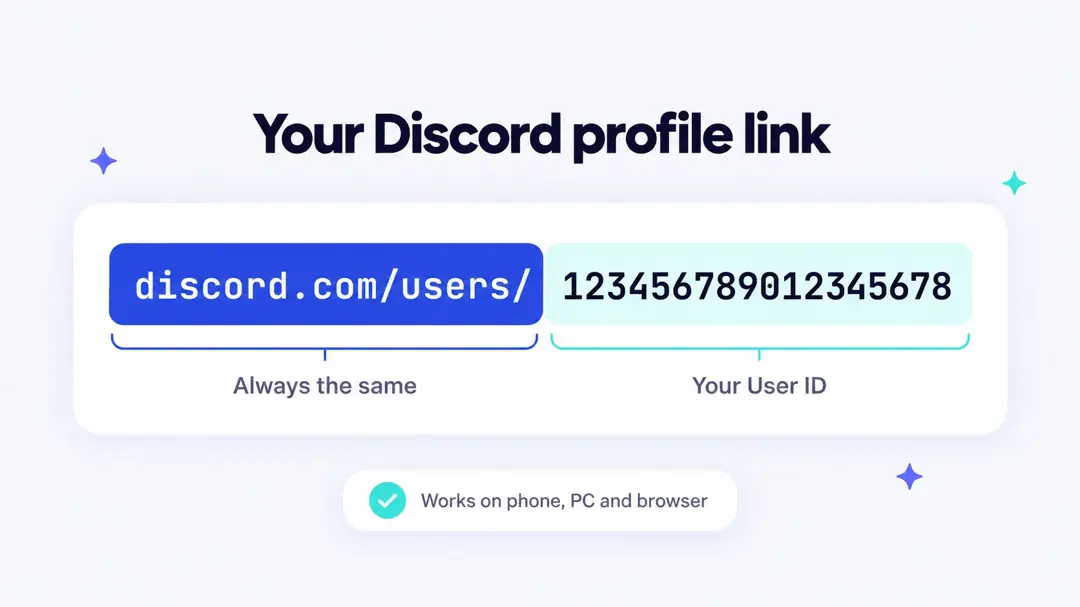
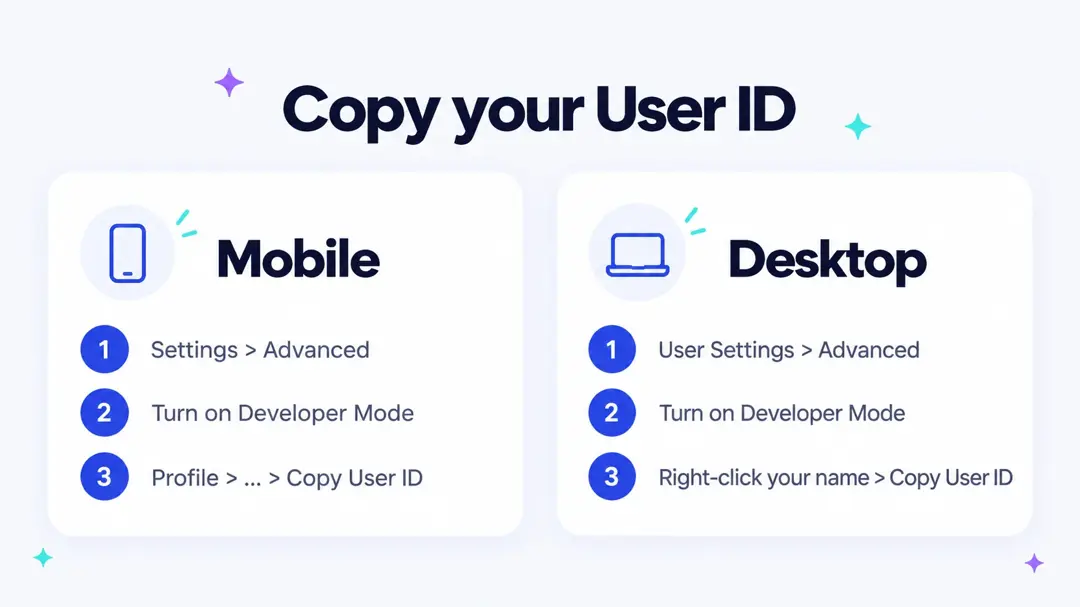
Quick answer: your Discord profile link is https://discord.com/users/ followed by your User ID. Turn on Developer Mode (Settings > App Settings > Advanced on mobile, User Settings > Advanced on desktop), copy your User ID, add it to the end of that address and share the result. It works the same on iPhone, Android, Windows, Mac and the web app.
What is a Discord profile link?
A Discord profile link is a direct URL that takes someone straight to your user profile. Instead of searching your exact username (which can be hard to remember and easy to mistype; Discord replaced the old #0000 tags with unique usernames), they can click a single link and view your profile instantly.
Simple, right? But the process to find your Discord URL isn’t very obvious unless you know where to look.
How to find your Discord URL on mobile?
Here’s a step-by-step method to get your unique Discord profile link:
- Open your Discord profile
- Open the Discord app on your phone
- Tap your profile picture (bottom-right corner)
- Click the gear icon (settings) on the top-right corner

- Enable Developer Mode
- Scroll down to “Advanced” and enable Developer Mode.

- Copy your user ID
- Go to your profile again
- Tap the three dots in the top-right corner

- Create your profile link
- Select Copy User ID
- Paste your User ID to your clipboard in your mobile.
- Your Discord profile link uses this format: https://discordapp.com/users/USERID. Simply replace “USERID” with the user ID you copied to your clipboard.
- If that link doesn’t work, try using https://discord.com/users/USERID instead, again swapping out “USERID” with your actual user ID.
- Anyone can open this link in a browser on their smartphone, tablet, or computer.

- Share your link
- You can now send it via WhatsApp, Messenger, email, or anywhere else.
The menus are the same on iPhone and Android. Discord’s help center lists the mobile path as: tap your avatar in the bottom-right corner, tap the cogwheel in the top-right corner, scroll to Advanced under App Settings and turn on Developer Mode. You only need to do this once.
How to find your Discord profile link on PC, Mac or browser
On the desktop app (Windows, Mac or Linux) and on discord.com in a browser, the steps are a little different from mobile:
- Click the cogwheel next to your name in the bottom-left corner to open User Settings.
- In the left menu, open Advanced and turn on Developer Mode.
- Close settings. Right-click your own name in a server’s member list or on a message you sent, then choose Copy User ID. You can also click your avatar in the bottom-left corner and pick Copy User ID from the menu.
- Open a new browser tab or a notes app and type
https://discord.com/users/, then paste your ID right after the last slash. - Open the link once to check that it shows your profile, then copy and share it.
Discord profile link format
Your User ID is a long number (usually 17 to 19 digits) that never changes, even when you change your username or display name. That is why a profile link built from it keeps working. Here is how the common Discord link types compare:
| Link type | Format | Example | What it opens |
|---|---|---|---|
| Profile link | discord.com/users/USERID | discord.com/users/123456789012345678 | Your profile, with an Add Friend button |
| Old profile link | discordapp.com/users/USERID | discordapp.com/users/123456789012345678 | Redirects to the discord.com version |
| Server invite | discord.gg/CODE | discord.gg/AbCd123 | A server, not your profile |
| Username | No link | emilyplays | Nothing on its own; people paste it into Add Friend |
Emily Carter, a streamer in Austin, would copy her ID (say 123456789012345678) and share https://discord.com/users/123456789012345678. The numbers in these examples are placeholders, so use your own ID.
Discord profile link not working? Quick fixes
- The link shows the wrong person or an error: check that you pasted only the numbers. If you copied a message ID or server ID by mistake, the link will not open your profile. Copy the ID again from your own name and use Copy User ID.
- The person cannot see the profile: the link opens inside Discord, so they need a Discord account and have to be signed in.
- They see “Friend Request Failed”: Discord shows this when the receiver is not accepting friend requests. Open Settings > Content & Social > Friend Requests and turn on Everyone (or at least Server Members) so people from your link can add you.
- Your bio, badges or connected accounts are hidden: that is the Profile Privacy setting under Settings > Data & Privacy. With Friends Only, people who are not friends yet see your avatar, banner, display name and username but not your bio or connections.
- You cannot find Copy User ID: Developer Mode is off. Turn it on under Advanced in settings and the option appears.
- The link opens a browser tab instead of the app: that is normal on some phones. The person can sign in on the web page or open the link from inside the Discord app.
Other ways to share your Discord
Share your username
Discord usernames are now unique, so your username alone is enough for someone to find you. Friends add you by going to Add Friends > Add by Username on mobile, or Friends > Add Friend on desktop, and typing it exactly. On desktop you can copy your username by clicking your avatar in the bottom-left corner and using the copy icon next to your name.
Share a server invite link
If you want people to join your community rather than add you as a friend, share a server invite instead. Open the server, click Create Invite (or the invite icon next to a channel name) and copy the link. By default an invite lasts 7 days; use Edit Invite Link to change the expiry. To make the invite easier to remember, you can shorten your Discord invite or read how a Discord vanity URL works.
Also read: How to add your Discord link to TikTok bio (2 easy ways)
Before sharing, consider enhancing your link’s appearance and functionality using Replug.
Enhance your Discord URL with Replug
Replug is a powerful link management platform that allows you to customize and track your shared links. By using Replug, you can:
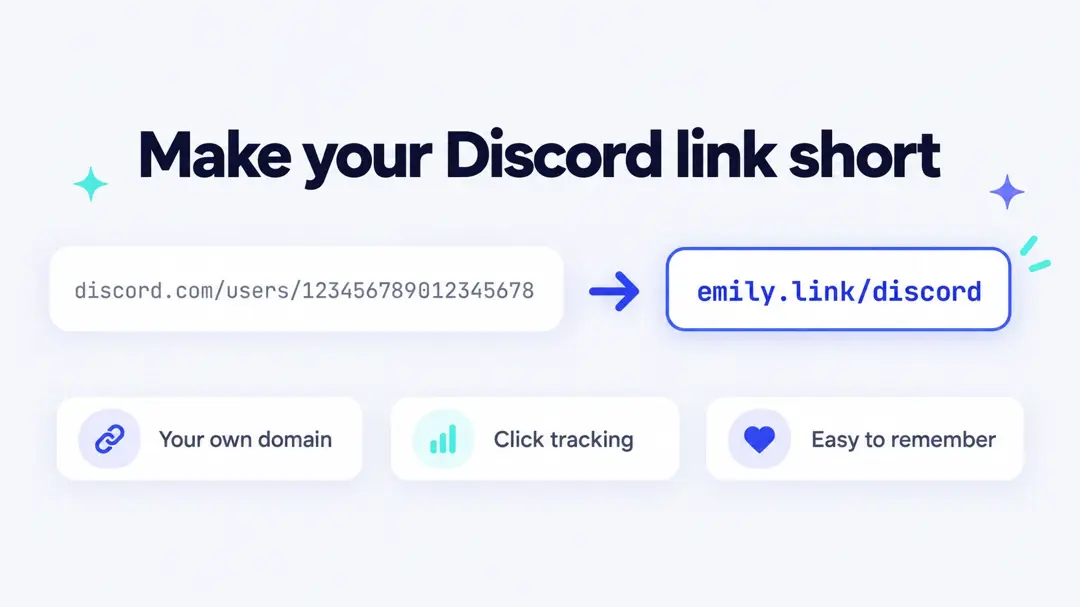
- Shorten your link: Transform a lengthy (and numeric) Discord URL into a concise, branded link with this efficient link shortener. You can shorten your Discord invite the same way.


- Track with UTM parameters: Use Replug’s built-in UTM builder to monitor where your Discord traffic is coming from and evaluate your campaigns.
- Create QR codes: You can create customizable, branded dynamic QR codes for your Discord profile. This makes sharing easier and quicker across all platforms.
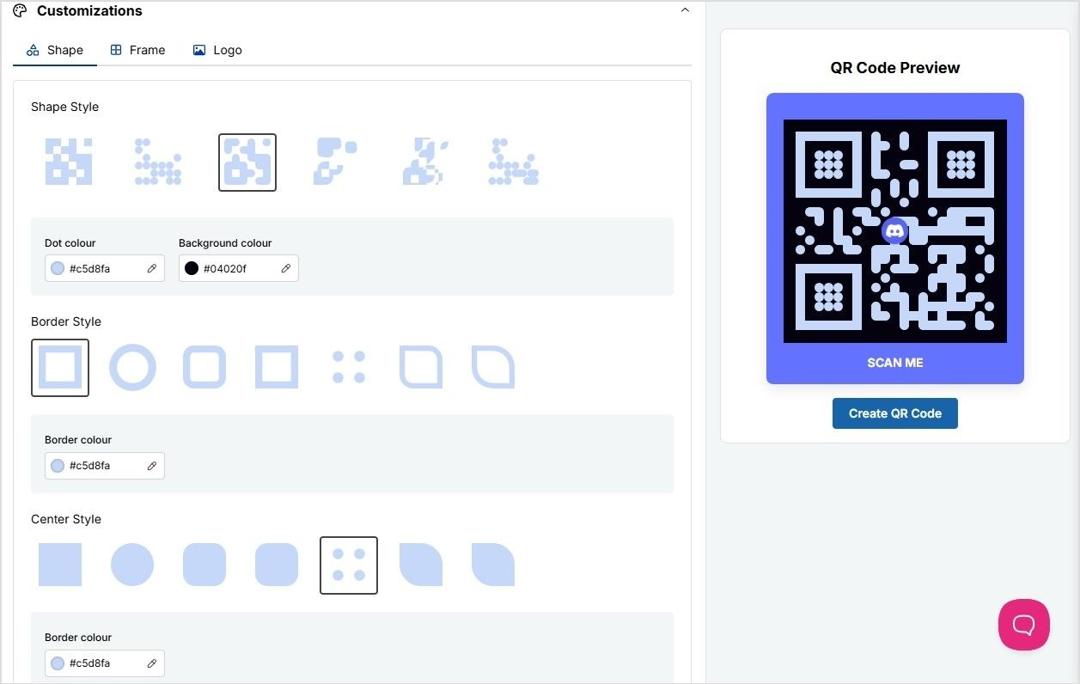
- Make links dynamic: If your original Discord invite link expires, just change the destination URL within Replug; no need to resend a new link.
- Set link expiration dates: Perfect for temporary servers, you can make links that deactivate automatically after a certain time.
- Redirect based on location: Redirect users to different Discord servers or landing pages depending on where they’re located.
- Add password protection: Keep your Discord server invite private by locking your links with a password.
- Keep links healthy: Replug monitors your links and alerts you if any go offline or break, so you’re not sending people to dead ends.
Using Replug not only makes your Discord URL more attractive but also provides valuable insights into your audience’s engagement.
Read also: How to find Steam URL: Step-by-step guide
How to share your Discord profile link
Once you’ve copied your Discord profile link, consider sharing it through the following channels:
- Direct messages: Send it to friends or colleagues via chat apps.
- Social media bios: Include it in your Twitter, Instagram, or LinkedIn profiles.
- Email signatures: Add it to your professional email signature for easy access.
- Online portfolios or websites: Display it on your personal or professional websites.
- Link-in-bio page: Put it next to your other profiles on one bio link page, so a single link in your Instagram or TikTok bio covers everything.
- QR codes: Print a QR code of your profile link on stream overlays, event badges or business cards.
- Stream and video descriptions: Add it to your Twitch panels or YouTube video descriptions so viewers can find you after the stream.
Why it helps to share your Discord URL
Sharing your Discord URL makes it easier for people to connect with you, especially if you’re a gamer, creator, community manager, or just someone looking to network. Instead of sending instructions on how to find your profile, you just drop a link.
Bonus: Polish your profile before you share
Before sharing your Discord link, make sure your profile is ready to impress:
- Profile picture: Use a clear and recognizable image.
- Bio: Write a concise and informative bio that reflects your personality or professional background. Need ideas? Start from these bio templates you can copy.
- Banner (for Nitro users): Add a customized banner to enhance your profile’s visual appeal.
- Linked accounts: Connect your other social media or professional accounts for broader networking opportunities.
A well-maintained profile makes a strong impression and encourages others to connect with you.
Final thoughts
Knowing how to find your Discord URL is a quick win that can make sharing your profile easier and more effective. And if you want to level up your link game, tools like Replug can help you present and track your Discord profile link more professionally.
So go ahead! Generate your link, Replug it, and start connecting smarter.
FAQs

Amna Yawar