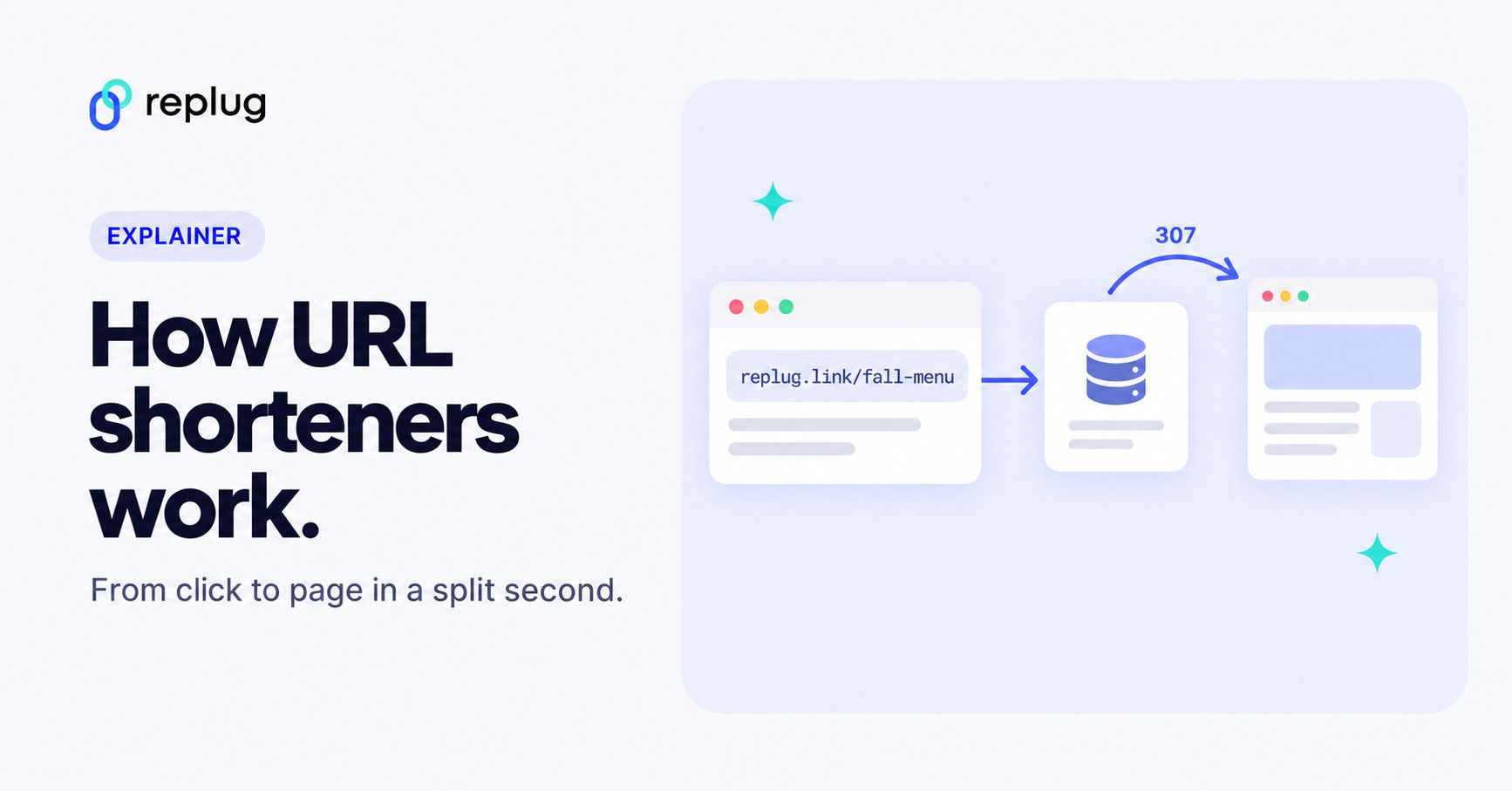
Quick answer: a URL shortener stores your long URL in a database under a short code (the part after the slash, such as fall-menu in replug.link/fall-menu). When someone opens the short link, the shortener’s server looks up that code, logs the click, and answers with an HTTP redirect (a 301, 302, 307 or 308 status code plus a Location header) that sends the browser on to the long URL. The whole round trip usually takes a fraction of a second.
It’s no surprise that marketers, influencers, and bloggers use all sorts of tools, software, and plugins that improve their content reach, engagement, and conversion.
One such essential tool is a URL shortener that trims down long URLs into shorter, more manageable links. Undoubtedly, short URLs have become a crucial part of the modern-day digital marketing ecosystem.
The purpose of a URL shortener is to shorten the link, thus making it much easier for users to share, publish, and analyze the URL. However, if you’re curious about how URL shorteners work, then this blog is going to reveal the process for you.
The technology behind URL shorteners
Before moving onto the step-by-step process, it’s essential to understand both the URL structure and the underlying system that makes this link shortening possible.
Technical architecture of a link shortener
Link shortening is the process of converting a long, complex URL into a shorter, more concise version without altering its destination.
A link shortener relies on a streamlined architecture comprising four main components that work together to create, store, and redirect URLs.
At a glance:
- User interface (UI): The front end where users paste long URLs and receive short links.
- Backend server: Validates input, generates short codes, stores mappings, and manages redirects.
- Database: Stores long-to-short URL mappings and ensures fast retrieval. Often built with scalable systems like MySQL or MongoDB.
- Integration: Ensures smooth communication between UI, backend, and database for quick link creation and reliable redirection.
How does a URL shortener work: Replug’s process defined
Behind the scenes, URL shortening follows a simple workflow:
1. Entering the URL: You start by submitting a long link into a URL shortener, either through its website or application.

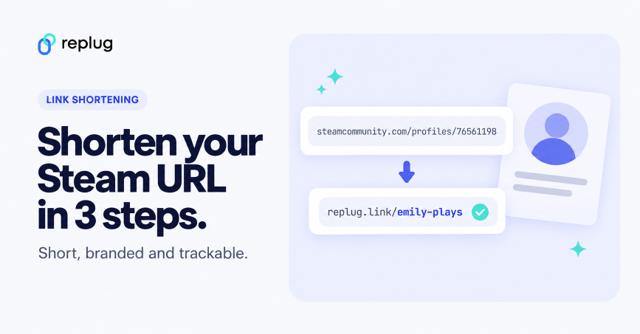
2. Creating a Short Code: The tool then generates a unique, shortened code or identifier, usually a mix of letters and numbers, like replug.link/15a6b0ad.
Note: The first part of the short URL (e.g., replug.link) serves as the default short domain. Brands can also configure a custom short domain for branding purposes.
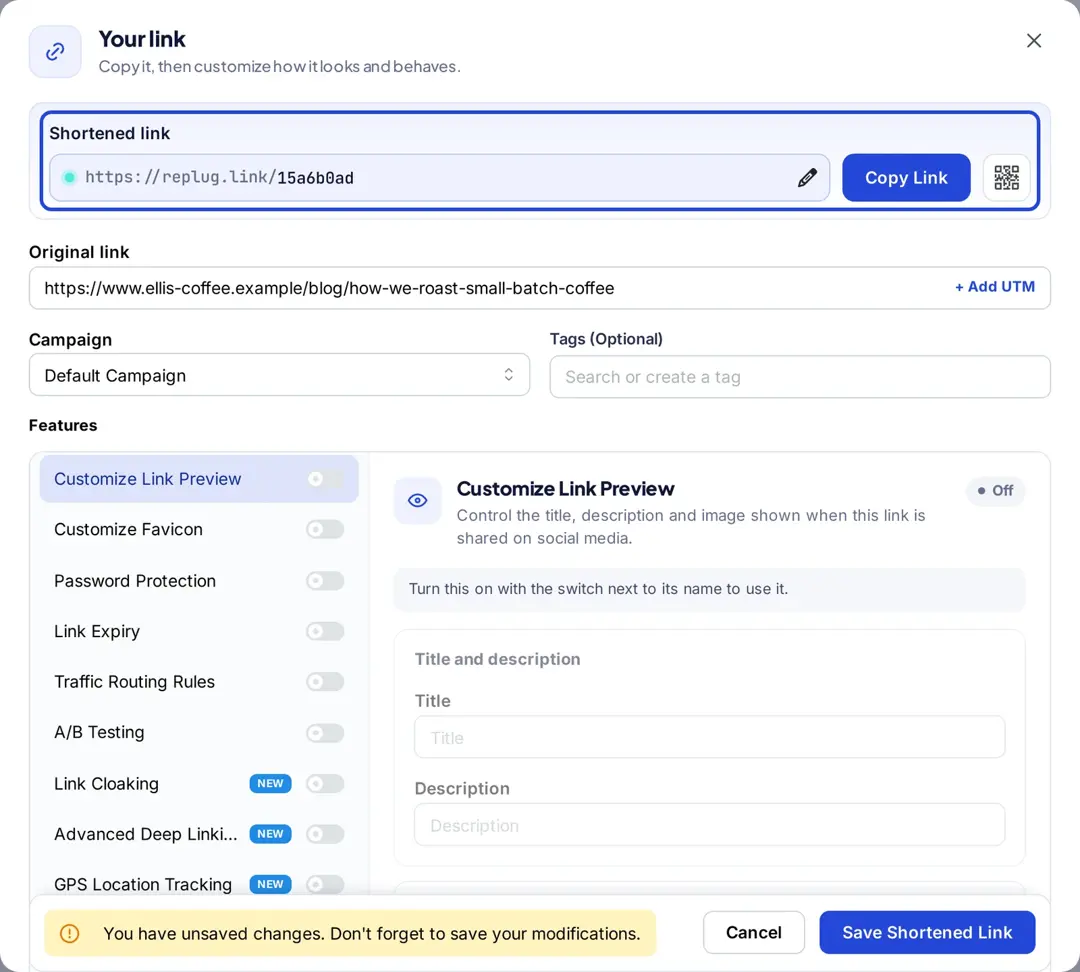
3. Saving the Mapping: This short code is saved in the service’s database, where it’s linked to the full, original URL you entered.
4. Handling Click Requests: When someone clicks on the shortened link, the server recognizes the short code and processes the request.
5. Redirecting to the Original Page: The system looks up the original URL associated with the short code and issues an HTTP redirect, guiding the user’s browser to the intended destination.
What happens in the redirect (301 vs. 302 vs. 307 vs. 308)
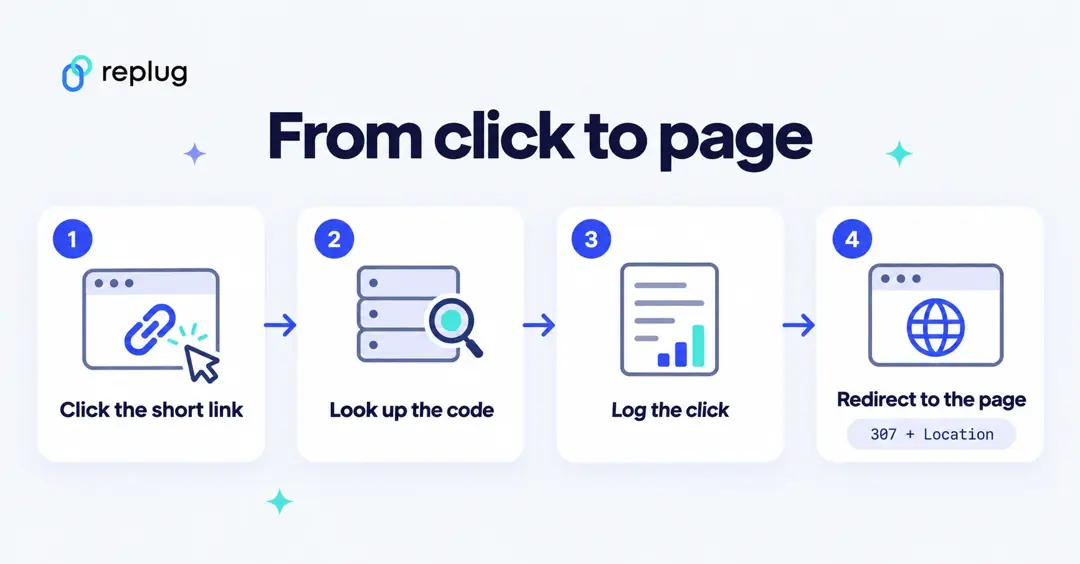
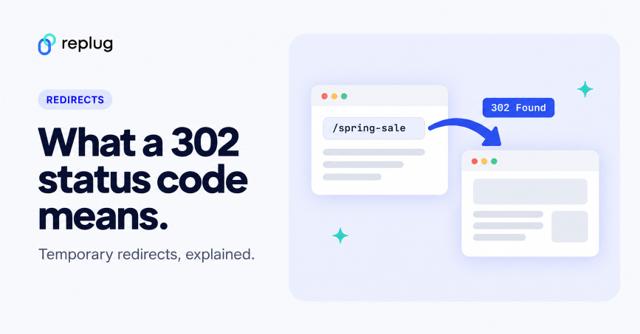
A redirect is a normal HTTP response whose status code starts with 3 and whose Location header holds the next URL; the browser loads that URL right away (MDN Web Docs, Redirections in HTTP). A short link exchange looks roughly like this:
GET /fall-menu HTTP/2
Host: replug.link

HTTP/2 307
location: https://www.carterskitchen.com/menus/fall-2026?utm_source=instagram
Which code a shortener sends matters, because browsers and search engines treat them differently. The definitions come from the HTTP standard (RFC 9110), and Google explains how Search treats each one in its redirects documentation:
| Code | Meaning | How Google Search treats it | Typical use in a shortener |
|---|---|---|---|
| 301 Moved Permanently | The resource has moved for good | Permanent: shows the target in results | Links whose destination will never change |
| 308 Permanent Redirect | Permanent, keeps the request method and body | Permanent | Same as 301, for non-GET requests |
| 302 Found | Temporary | Temporary: shows the source page | Links you may point somewhere else later |
| 307 Temporary Redirect | Temporary, keeps the request method and body | Temporary | Same as 302; common in modern frameworks |
Temporary codes suit short links whose destination you might edit, rotate or A/B test, because browsers don’t treat them as a permanent move. In our October 2026 check, a public replug.link short link answered with a 307, and Replug’s pricing page lists 301 redirect codes as an option on every plan.
How the short code (slug) is generated
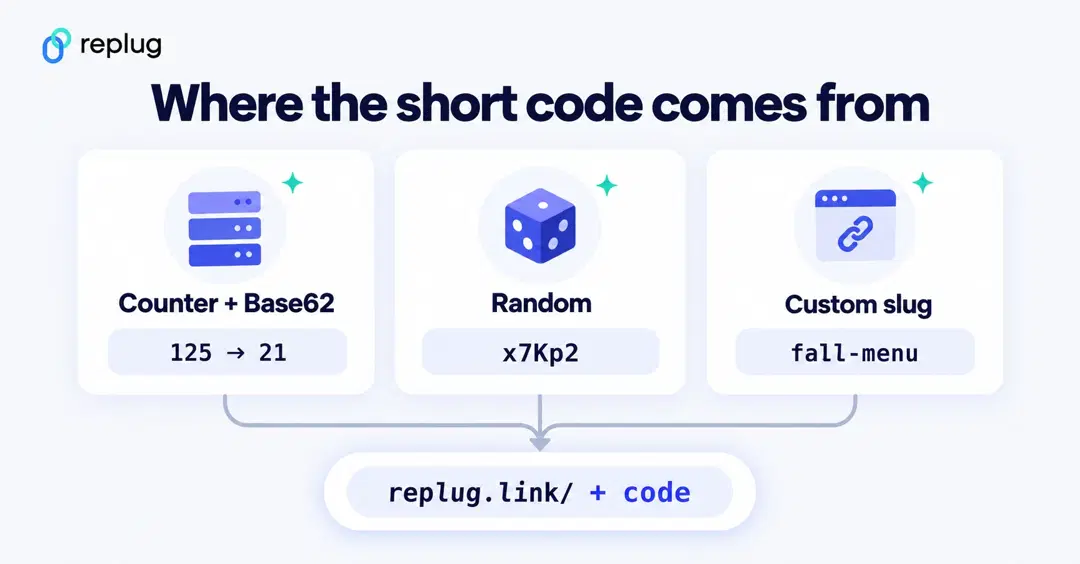
The short code is the key the whole system depends on, so it has to be unique. Shorteners use one of a few approaches:
- Counter plus Base62: each new link gets the next number from a counter, and that number is written with the 62 characters 0–9, a–z and A–Z. Seven Base62 characters give 627, about 3.5 trillion, possible codes.
- Random codes: the server picks random characters and checks the database to make sure the code isn’t taken yet.
- Hashing: the server hashes the long URL (for example with SHA-256) and keeps the first few characters, with a collision check, so the same long URL can map to the same code.
- Custom slugs: you type the ending yourself, such as fall-menu. The service only has to confirm it’s free on that domain. In Replug, custom slugs start on the Essentials plan; the free plan gets an automatic code.
Because a code only has to be unique per domain, two brands can both own /menu on their own branded short domains.
Where the mapping lives: database and cache
Each short link is a small record: the domain, the code, the destination URL and settings such as an expiry date, a password or routing rules. Because every click needs a lookup, the database is indexed on domain plus code, and busy shorteners keep popular links in an in-memory cache so a viral link doesn’t send millions of identical queries to the database. When you edit a link, the cached copy has to be refreshed too, which is why a change can take a moment to show up everywhere.
How click tracking works
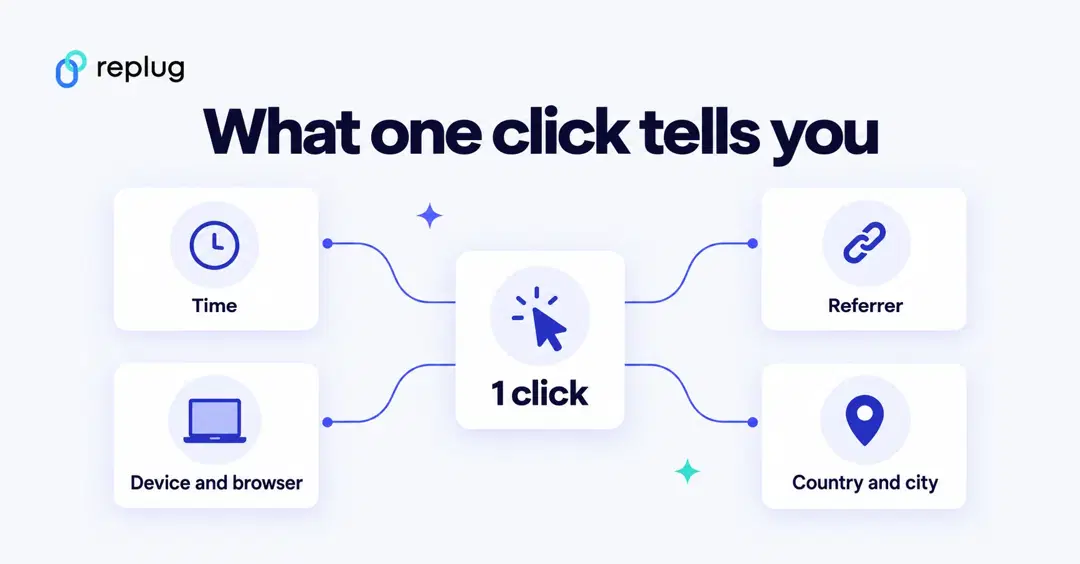
A shortener sees every request before the redirect, so it can count it. From one request it can read:
- the time of the click;
- the Referer header, when the browser sends one, which shows the site or app the click came from;
- the User-Agent header, from which it works out the device, operating system and browser;
- the IP address, which is mapped to a country and city.
Good shorteners record the click without making the visitor wait (the redirect goes out first and the click is processed in the background), and they filter out bots and link-preview crawlers so the numbers reflect people. Replug reports clicks, unique clicks, countries, cities, devices, browsers and referrers, and lists click bot detection on every plan (pricing page). A shortener can count clicks on its own links; it can’t see email opens or what people do after they reach your site unless you add UTM parameters or a retargeting pixel.
Rules, routing and the extras that run on a click
Because the server answers every click, it can make a decision first: send iPhone users to the App Store, visitors from Canada to a Canadian page, or split traffic between two pages for a test. Replug checks up to 10 routing rules in order and sends anyone who matches none to the link’s main URL (link rotator page). Password prompts, expiry dates and call-to-action pages work the same way: the server shows an extra step before the redirect.
Link rot, expiry and what happens if a shortener shuts down
A short link is only as durable as the service and the page behind it. Pew Research Center found that 38% of webpages that existed in 2013 were no longer accessible a decade later (Pew Research Center, “When Online Content Disappears,” May 2024). Shorteners add one more layer that can fail: when Google wound down its goo.gl shortener, it deactivated links that had shown no activity in late 2024 after August 25, 2025, while keeping active links working (Google Developers Blog, updated August 1, 2025).
- Replug links don’t expire on their own; you can set an expiry date on the Scale and Agency plans.
- Putting links on your own domain means you control the address, even if you change tools later.
- On plans with destination edits (Replug: Scale and Agency), you can repoint a link whose page moved instead of reprinting it.
For the step-by-step version (in Replug, on a phone and in other tools), see our guide on how to shorten a link.
Replug – The best URL shortener in 2026
Replug is more than a URL shortener; it’s a complete link management tool. It helps brands create branded short links, track performance, and retarget audiences for higher engagement.
Here are some reasons to consider this top-notch platform.
Branded link customization
Replug provides rich customization options. You can use your custom domain to create branded short links that match your brand’s identity. This adds a professional touch to your links and enhances brand recognition.
Centralized link management
Categorize, tag, and search links to ensure nothing gets lost in the clutter. Add expiry dates and password-protect your links (Scale and Agency plans), and customize link previews (Essentials and up).
Advanced link analytics
Replug doesn’t just shorten links; it gives you actionable insights. Its analytics let you track the number of clicks, user locations, devices, and referral sources. With this data, marketers can measure performance, identify top-performing campaigns, and fine-tune strategies for better ROI.
Campaign tracking with UTM parameters
For advanced campaign tracking, Replug allows you to add UTM parameters directly to your links. Whether it’s email, social media, or paid ads, these tags help you analyze traffic correctly and understand which channels deliver the best results.
QR code generator for easy sharing
Replug automatically generates QR codes for your short links, bridging the gap between the offline and online worlds. Businesses can add QR codes to posters, brochures, packaging, or event materials, making it effortless for customers to scan and access digital content instantly.
Smart dynamic link rotation
Replug supports intelligent link rotation, enabling a single link to direct users to different landing pages based on conditions such as country, city, device, browser, OS, IP, day or date (traffic routing is on the Scale and Agency plans). This is especially useful for A/B testing, regional campaigns, or time-sensitive offers, helping marketers maximize conversions.
Retargeting with every click
Replug takes short links to the next level with retargeting. Easily integrate retargeting pixel codes directly in your links (one pixel on Essentials, unlimited on Scale and Agency) and track clicks from the Replug dashboard.
Privacy and security
Replug prioritizes data safety. Every plan includes HTTPS on short links, link virus scanning and click bot detection (per the pricing page), and new links are checked against Google Safe Browsing, PhishTank and VirusTotal (per the QR code page).
On top of these features, Replug offers flexible pricing plans that cater to individuals, small businesses, and large enterprises, making it a scalable choice for anyone serious about link management.
Common use cases of URL shortening
URL shorteners have moved far beyond just making links look tidy. Today, they play a vital role in marketing, web development, and content distribution.
Here are some of the most common use cases where shortened links add real value:
Implementing URL shortening in web development
This is considered one of the most common yet practical technical aspects of URL shorteners. Implementing URL shortening in your well-built web application can enhance user experience, improve click-through rates, and provide valuable analytics.
Using shortened links in advertising campaigns
In paid advertising, every character counts, and messy links can discourage clicks. Shortened URLs keep ad copy clear and attractive while maximizing space in search ads, display banners, and sponsored posts.
More importantly, advertisers can attach tracking parameters to short links, enabling them to monitor impressions, clicks, and conversions associated with specific campaigns. This allows for better performance measurement and smarter budget allocation, making shortened URLs a must-have for digital advertising.
Shortened URLs for SMS and email campaigns
SMS messages have strict character limits, and long links can look disorganized or even break in transmission.
Similarly, in email campaigns, shorter links look more professional and trustworthy. Marketers use URL shorteners to make links more compact while tracking clicks and click-through rates (open rates come from your email tool, not the shortener).
Blog post short links for sharing
For bloggers, short links make content easier to distribute across multiple platforms. Instead of relying on long, cluttered URLs, they can generate short links for each new post, either manually or through automation when publishing.
Readers can then share these links seamlessly on social media or messaging platforms. Shortened blog links also enable bloggers to track engagement, providing them with valuable insights into which posts resonate most with their audience.
Link cloaking for affiliate links
Affiliate marketers often use cloaked links to make long and complex affiliate URLs look cleaner and more trustworthy. Cloaking replaces the messy affiliate link with a short, branded URL that encourages more clicks while reducing the risk of link hijacking.
It also helps maintain consistency in marketing campaigns and provides accurate tracking for conversions and commissions.
Short URL integration in social media scheduling tools
Social media scheduling tools often integrate URL shorteners to simplify the posting process. When marketers schedule posts, the tool automatically shortens long links, keeping the captions clean and concise.
Beyond aesthetics, this integration offers built-in tracking, allowing users to measure clicks and engagement across various platforms. This automation saves time and ensures that every link shared is both manageable and trackable, without requiring any extra manual effort.
Summing Up
URL shorteners have become essential tools for digital marketers, providing cleaner links, enhanced tracking, and a better user experience. By understanding how they work and the technology behind them, marketers can make more intelligent choices for their campaigns.
Whether you’re sharing links on social media, in emails, or through ads, using a reliable link shortening platform ensures professionalism, performance, and measurable results.
Start optimizing your links today with a trusted solution like Replug!
Frequently asked questions

Muhammad Ahsan Jamal