Picture this: you have a website, and you want to know where your visitors are coming from to improve your strategies. But there’s a tricky kind of traffic called “dark traffic.” It’s like visitors arriving in disguise – you can’t tell where they’re really from. This is a problem because you can’t figure out what’s working or not in your marketing.
Dark traffic happens because sometimes, visitors directly type in your website’s address or use bookmarks. Also, links shared in private messages or some apps can’t be tracked properly. So, even though they’re visiting your site, you don’t know where they’re coming from.
Solving this puzzle is essential. By understanding dark traffic better, you can make your marketing smarter and improve how you reach people. Tagged short links from Replug are one way to label the links you share, so fewer of those visits end up unexplained.
Let’s dive into the world of dark traffic, learn why it’s a challenge, and find ways to uncover the hidden paths your visitors take to reach your website.
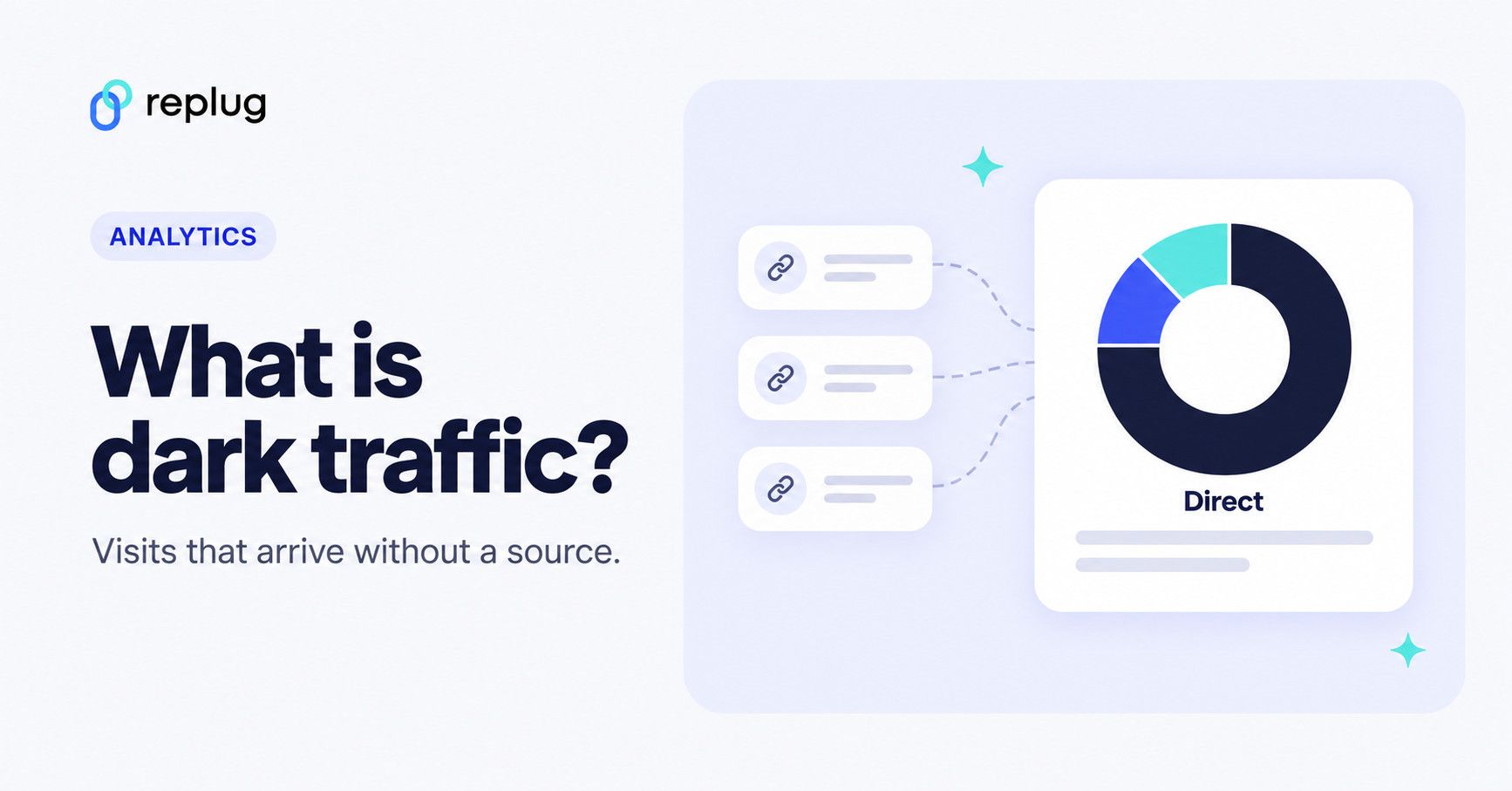
Quick answer: Dark traffic is website traffic your analytics can’t credit to a source. In Google Analytics 4 it shows up as (direct) / (none) in the Direct channel, mixed in with people who really did type your address. Most of it comes from links opened in texts, chat apps, email apps and documents, which don’t pass a referrer. You can’t remove it completely, but UTM tags on every link you share move much of it back into the right channel.
What is dark traffic?
Dark traffic is website or app traffic that is reported as direct even though the visitor came from somewhere: a link in a text, a chat, an email app or a PDF. Google Analytics files a visit under the (direct) source and (none) medium when it has “no clear referral source”, according to Google’s Understand (direct) / (none) traffic help page. Its default channel group then puts those sessions in the Direct channel, which Google describes as people arriving “via a saved link or by entering your URL.”
Dark traffic can make it difficult to understand the true sources of your traffic and the effectiveness of your marketing efforts.
Dark traffic vs. dark social
Dark social is the part of dark traffic that comes from private sharing: someone copies your link into WhatsApp, iMessage, Slack, a text or an email, and the friend who taps it arrives without a referrer. Dark traffic is the wider bucket. It also includes typed and bookmarked visits, links in PDFs and Word files, and visits whose tracking was lost on the way.
Link shorteners see the same thing. Bitly’s help page on link referrers says clicks from emails and text messages, and links pasted or typed into a browser, are shown as Direct in its link metrics. So if you searched for “dark traffic on Bitly,” that Direct row is it.
What are the causes of dark traffic?
There are several reasons why dark traffic may occur, including:
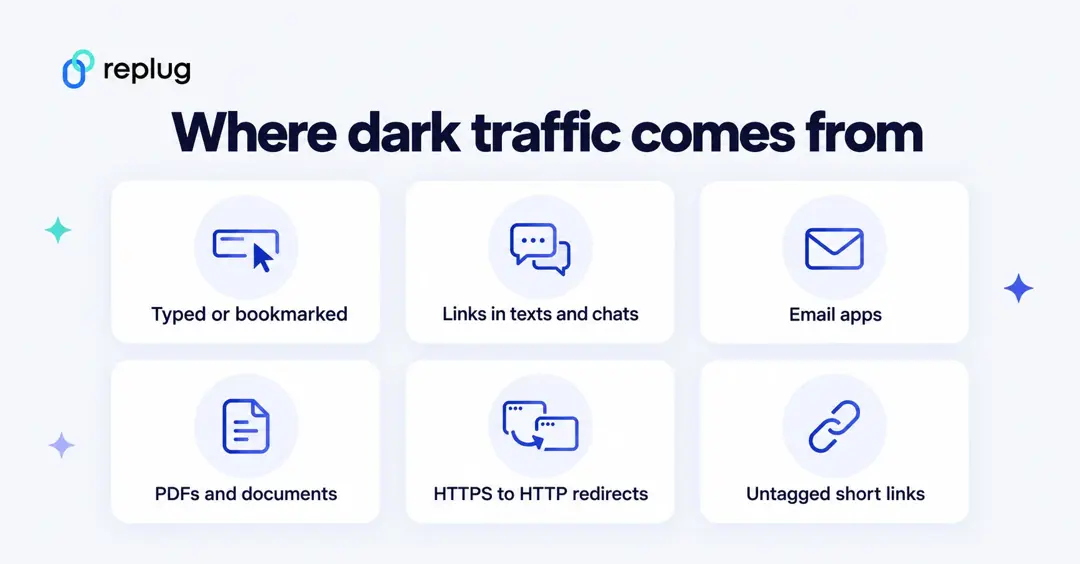
Direct bookmarks:
Users manually typing in your website’s URL or using a bookmarked link.
Untracked links:
Links shared through private messaging apps or email that are not properly tagged with tracking parameters.
Mobile apps:
Traffic from mobile apps might not pass referral information correctly.
HTTPS to HTTP redirects:
Browsers don’t send the referrer from a secure (HTTPS) page to a non-secure (HTTP) one. That is the behavior of the default strict-origin-when-cross-origin policy, per MDN’s Referrer-Policy reference. Google also notes that redirects, such as from HTTPS to HTTP, can strip UTM parameters from the URL.
Social media apps:
Links clicked within social media apps might not always be accurately tracked.
Documents, PDFs and offline links:
Google lists links from offline documents such as PDFs and Word files among the causes of (direct) / (none), alongside people typing the URL (Analytics Help).
Short links and redirects without UTM tags:
A redirect doesn’t pass much context on its own. Google’s help page says URL shorteners “can also strip away referral details.” The short link still counts the click in the shortener’s own analytics, but your site analytics only knows the source if the destination URL carries UTM tags.
Ad blockers and privacy tools:
Ad blockers can interfere with the cookies Analytics uses to identify where a visit came from, and that traffic is then classified as (direct) / (none), per the same Google help page.
How to find dark traffic in Google Analytics 4
- Open Reports > Acquisition > Traffic acquisition. Google describes this report in its Traffic acquisition help page.
- Look at the Direct row under Session primary channel group (Default channel group).
- Add Landing page + query string as a secondary dimension, or open the Landing page report and filter it to Direct.
- Read the landing pages. Your homepage getting direct visits is normal. A deep URL, such as one blog post or a product page, getting hundreds of direct sessions in a day almost always means someone shared that link in a chat, text or newsletter.
- Compare dates with your own sends and posts. A direct spike on the day you texted customers or posted in a community is dark social you can now tag next time.
There is no report that separates “real” direct visits from dark ones. Treat unusual direct traffic to deep pages as a signal, not an exact number.
How to resolve the dark traffic problem?
To deal with dark traffic, consider the following steps:
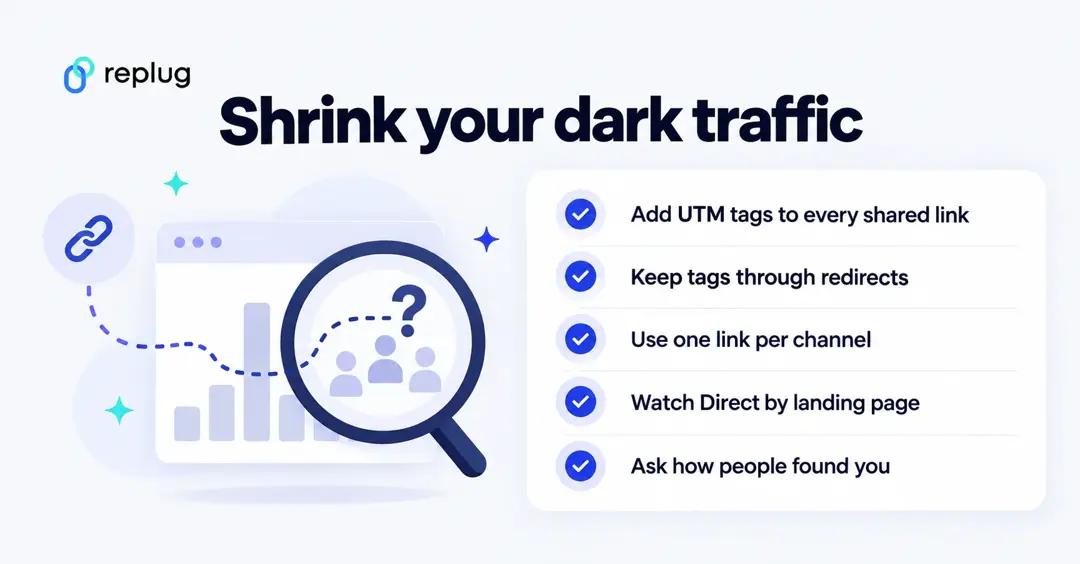
Implement UTM parameters:
Use UTM parameters in your links whenever you share them online. UTM parameters are tags added to the end of URLs that help track the source, medium, campaign, and other relevant information about the link. This can help you better categorize your traffic and attribute it accurately.
For example, the link you paste into an SMS campaign could look like this:
https://www.ellis-coffee.example/fall-menu?utm_source=sms&utm_medium=text&utm_campaign=fall_menuGoogle Analytics reads utm_source, utm_medium and utm_campaign and files the visit under that source instead of Direct (Analytics Help on UTM parameters). For a deeper guide, see what a tracking URL is.
Note: A long UTM link is ugly in a text or a chat. When you shorten a link in Replug, the UTM builder (on every plan, including Free, per Replug’s pricing page) adds the tags to the destination, so the short link stays readable and Google Analytics still sees the source. Replug also counts every click on the short link, with countries, devices and referrers, in its own link analytics.
Use analytics tools:
Utilize web analytics tools like Google Analytics or Usermaven to track and analyze your website’s traffic. While these tools may not completely eliminate dark traffic, they can provide insights into trends and patterns that might help you identify sources of direct traffic that should be categorized differently.
Monitor referral sources:
Regularly check your analytics data to identify unexpected spikes in direct traffic. Investigate the source of these spikes to determine if they are the result of dark traffic or if there might be new referral sources that are not being properly tracked.
Educate team members:
Ensure that everyone who shares links on behalf of your organization is aware of the importance of using properly tagged links with UTM parameters.
Give each channel its own link: one for the newsletter, one for SMS, one for the WhatsApp community, one for the QR code on your flyer. Separate links make the comparison easy even when the referrer is missing.
Improve tagging:
If you’re using social media or other platforms to share links, ensure that these platforms are correctly handling referral information. Some platforms might strip out referral parameters, leading to inaccurate tracking.
Monitor trends:
Keep an eye on traffic patterns and trends. If you notice a consistent pattern of dark traffic from a specific source, it might be worth investigating and finding ways to properly attribute that traffic.
Regularly review and clean data:
Periodically review your analytics data to identify and clean up any discrepancies or misattributions.
Ask people how they found you:
Add a short optional question to sign-up or checkout forms (“How did you hear about us?”). Answers like “a friend sent it to me” or “a group chat” fill in what no tracking tag can see.
While it’s challenging to completely eliminate dark traffic, taking these steps can help you minimize its impact and gain a clearer understanding of your website’s true traffic sources.
Dark traffic scenario
Imagine you’re the owner of a thriving online fashion store, and your website is bustling with activity. You’re excited about the traffic flooding in, but there’s a twist. A significant portion of your website’s visitors fall under the mysterious realm of “dark traffic.”
You log into your analytics dashboard and notice that a substantial chunk of your traffic is labeled as “direct traffic.” This is the category that includes visitors who type in your website’s URL or use bookmarks to access your site. While this is expected to some extent, you suspect that not all direct traffic is as it seems.
You’re aware that social media shares and private messages could be contributing to this direct traffic, but without proper tracking, you can’t pinpoint the exact sources. This puts a wrench in your efforts to measure the effectiveness of your marketing campaigns accurately.
You know that understanding your traffic sources is crucial for making informed decisions. You want to know which campaigns are driving the most visitors and which platforms are performing best. Without proper attribution, your marketing strategies could miss the mark.
Solution: Unmasking the shadows
Armed with the knowledge that dark traffic can skew your insights, you decide to take action:
- UTM parameters: You start incorporating UTM parameters into your links whenever you share content. These magic tags allow you to tell Google exactly where the visitors are coming from. Now, whether it’s a link shared on X, in a WhatsApp message, or through email, you’re covered.
- Segmentation: In Google Analytics 4 you add a comparison for the Direct channel (or build a segment in Explore). This lets you isolate direct traffic and see how much of it lands on deep pages.
- Page analysis: In the Landing page report, you look for anomalies. Certain pages seem to have unusually high direct traffic. You cross-reference these with your marketing campaigns and recent shares.
- Education: You make sure your team is well-versed in using UTM parameters. You emphasize the importance of tagging links correctly to avoid the shadowy realm of dark traffic.
- Refinement: Armed with insights from UTM-tagged links, you refine your marketing strategies. You identify which platforms are truly driving traffic and adjust your efforts accordingly.
- Continual monitoring: You understand that dark traffic isn’t entirely escapable, but you commit to regular monitoring and adjustments to keep it at bay.
By unveiling the sources of your dark traffic, you’re not only improving your data accuracy but also making more informed decisions about your marketing efforts. The hidden paths are no longer a mystery – you’re shedding light on the shadows and navigating your website’s success with clarity.
FAQs

Arslan Jadoon