Have you ever wondered why everyone keeps asking for your exact TikTok profile link?
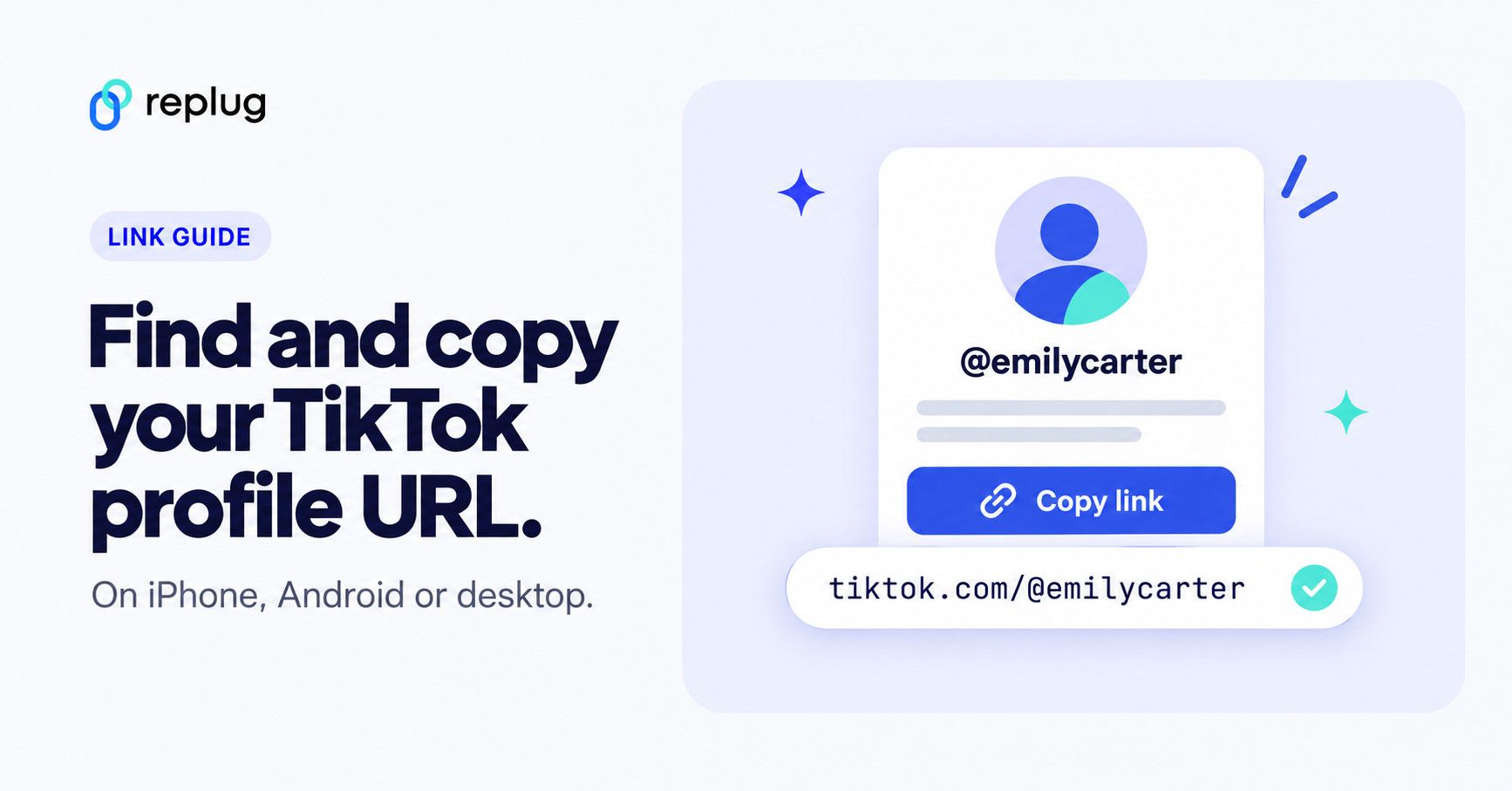
Short answer: your TikTok URL is https://www.tiktok.com/@ followed by your username, for example https://www.tiktok.com/@emilycarter. To copy it in the app, tap Profile at the bottom, tap Share profile, then tap Copy link. On a computer, open your profile on tiktok.com and copy the address from the browser bar.
With TikTok skyrocketing to roughly 1.6–1.9 billion monthly active users worldwide in 2025, it’s not just a place for dance trends anymore. It’s a global hub where creators, brands, and everyday people build communities and make real connections.
No matter if you’re sharing your latest skit, promoting a small business, or just want friends to find you faster, knowing your TikTok URL is an essential first step.
But if you’re scratching your head, wondering “What is my TikTok URL?”, you’re in the right place.
Buckle up, guys!
In the next section, we’ll break down exactly what a TikTok URL is and why it matters, then show you three easy ways to grab yours seamlessly.
What is a TikTok URL?
When we talk about URLs, we’re really just talking about web addresses, the exact link that takes someone straight to a specific place on the internet.
In TikTok’s case, a “TikTok URL” is the address that leads directly to your TikTok profile, so anyone can view your videos and follow you without having to search for you manually.
It’s kind of like your digital calling card, super helpful if you want to share your profile on Instagram, WhatsApp, your website, or in an email.
Think of it as the internet’s way of pointing right at you on TikTok. Without your unique URL, someone would need to search through the app to find your account, which isn’t always easy if your username isn’t super unique!
What is the TikTok URL format?
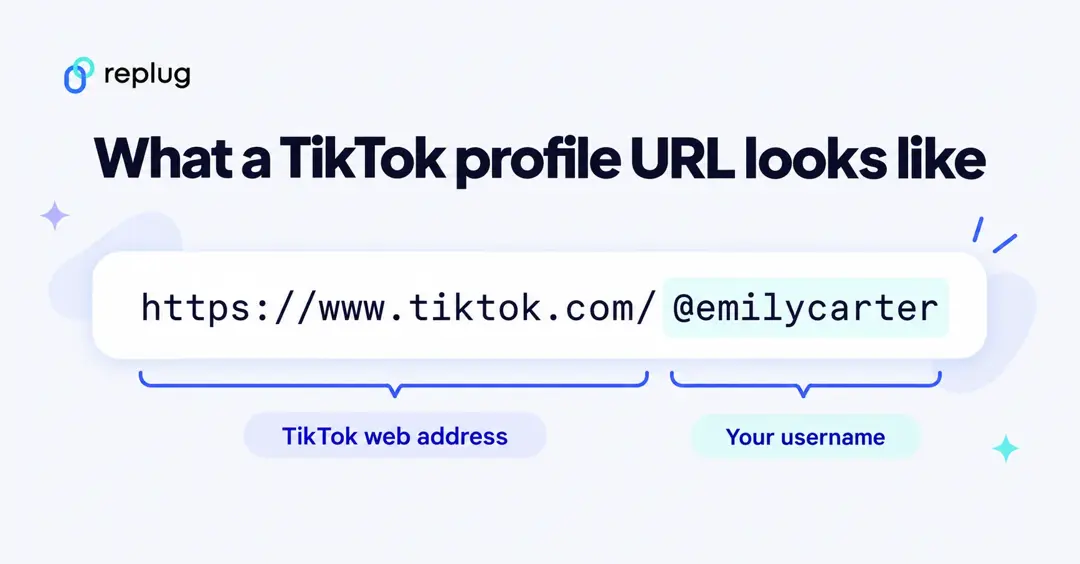
The standard TikTok profile URL follows a very simple structure:
https://www.tiktok.com/@username
In this format, replace “username” with your exact TikTok handle (the one that starts with the @ symbol).
What is an example of a TikTok URL?
Here’s a real example of what a TikTok URL looks like:
https://www.tiktok.com/@charlidamelio
This exact link takes you to Charli D’Amelio’s TikTok profile (one of the platform’s most-followed creators).
Note: Once you know your TikTok URL, sharing your profile with the world becomes a whole lot easier!
Proven methods to get your TikTok account/profile URL
Here’s the deal: finding your TikTok URL doesn’t have to be confusing anymore.
Whether you’re using the app, typing it based on your username, or grabbing it from a desktop browser, there are simple ways to do it. And once you’ve got it, you can share your profile easily anywhere online.
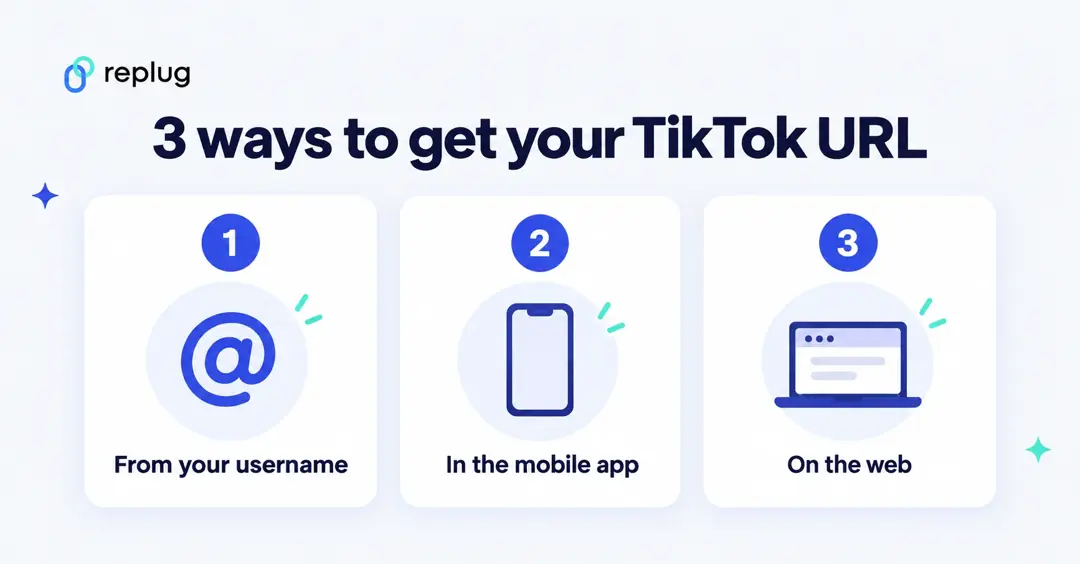
Method #01: From the username on TikTok
This is the quickest way to figure out your profile address if you know your actual username:
1. Open TikTok.
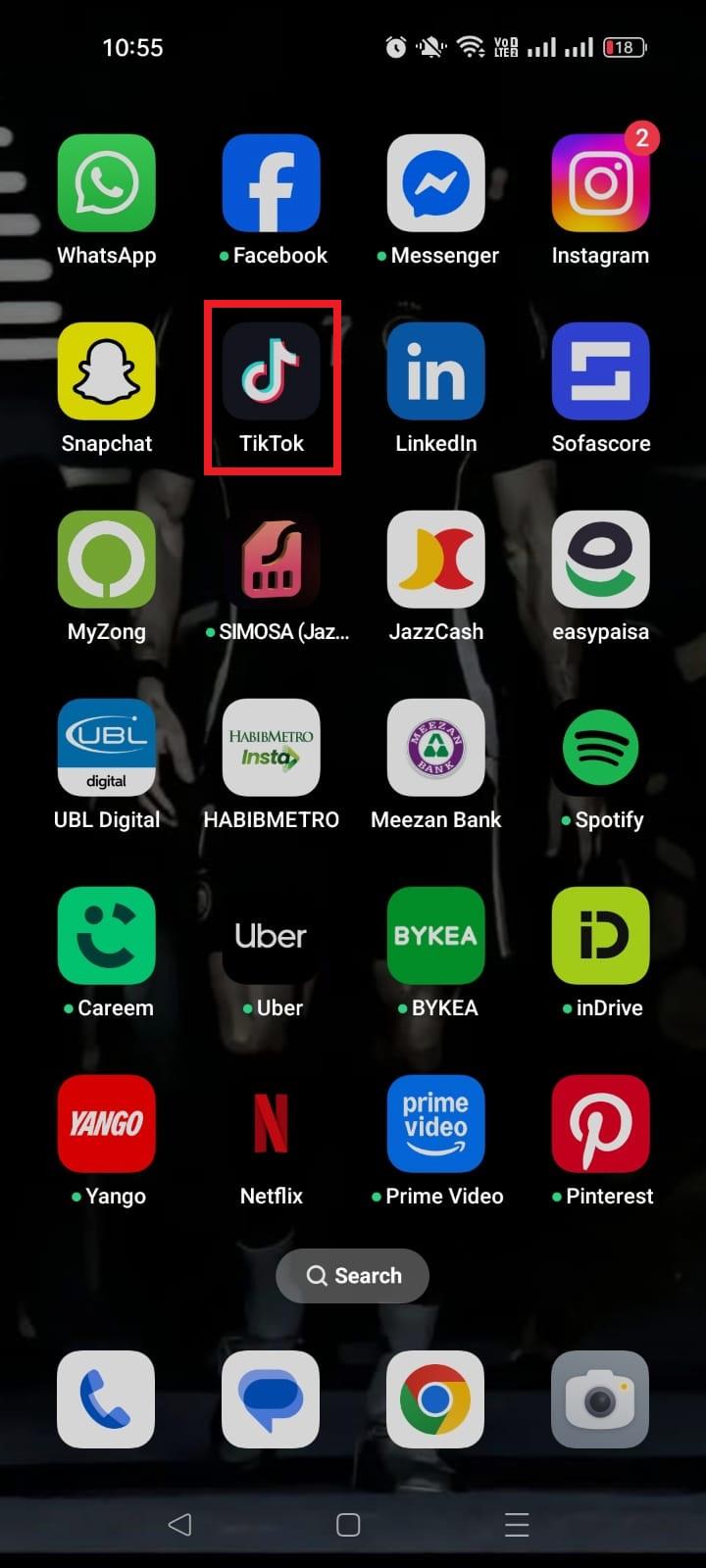
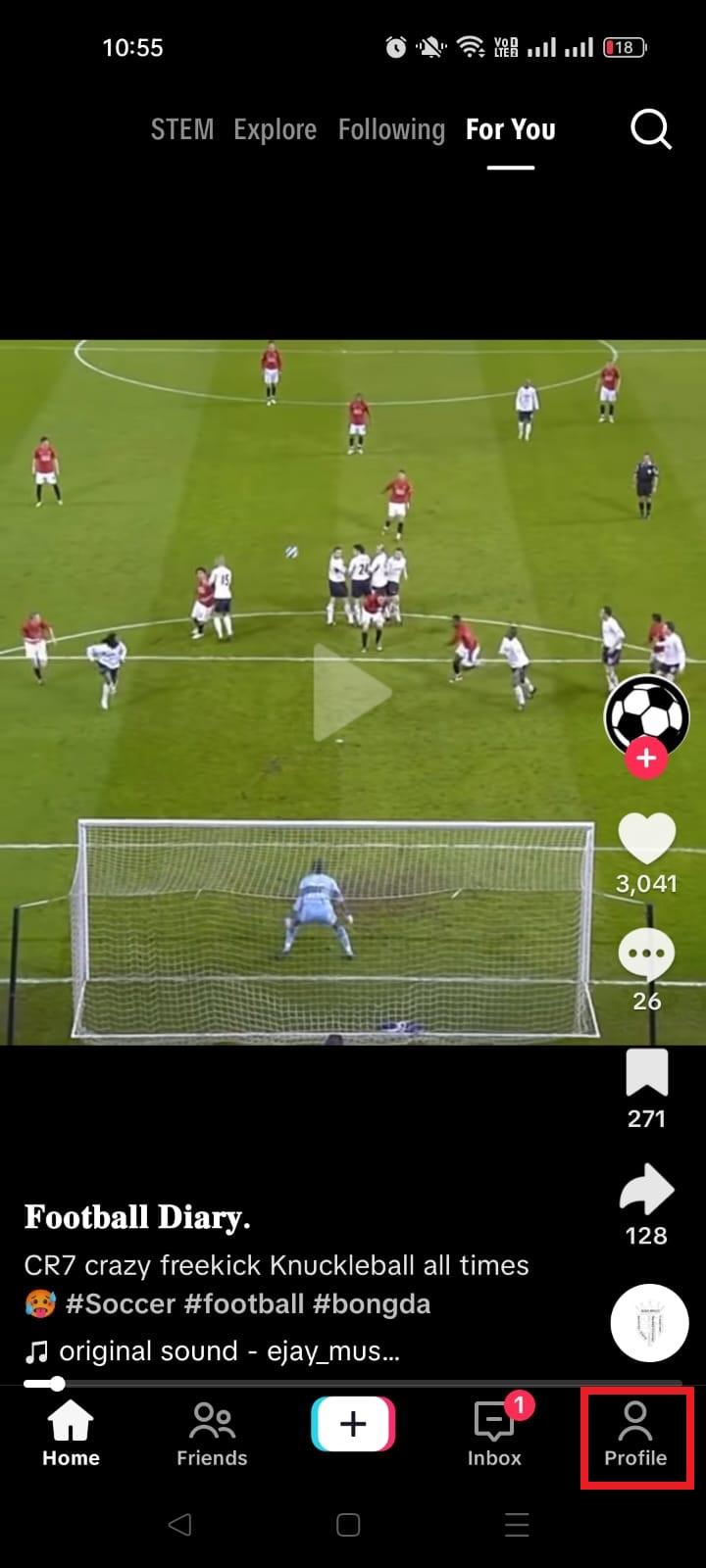
2. Go to your profile page.
3. Look at your username. It starts with an “@” sign.
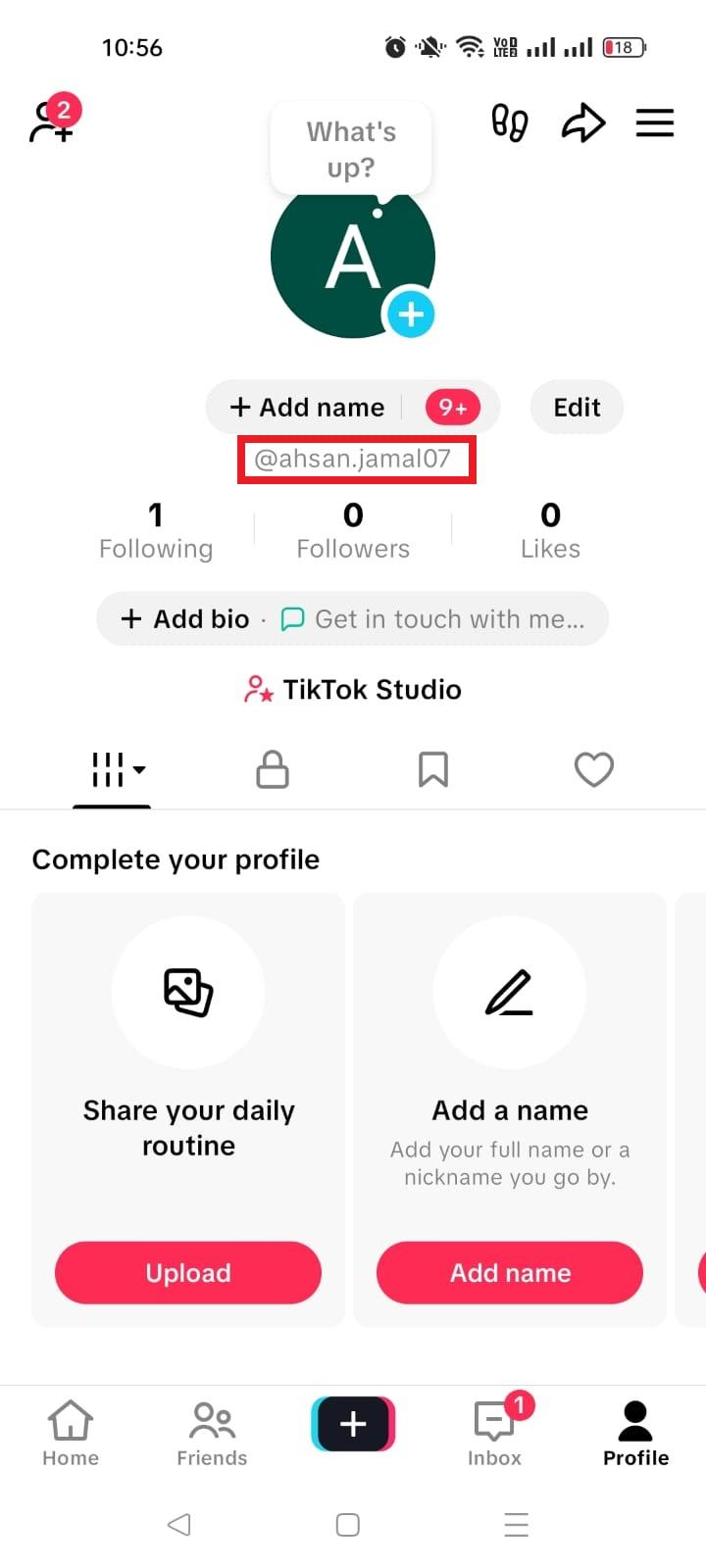
4. Use the standard TikTok URL structure:
https://www.tiktok.com/@yourusername
Replace “yourusername” with your actual handle.
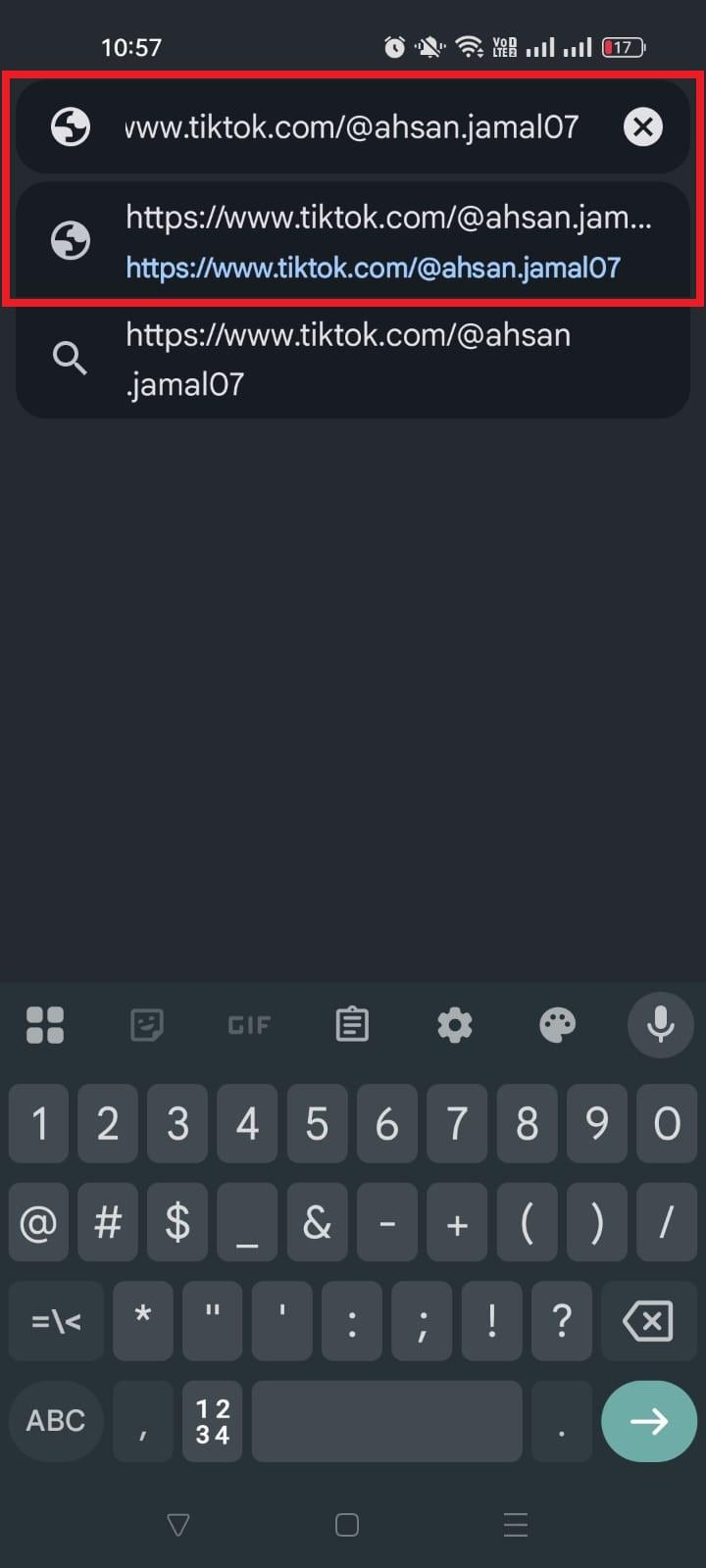
That’s it!
You now have your TikTok profile link that you can share anywhere (in emails, on your website, or on other social channels).
This method is great if you just want a clean way to share your TikTok account URL without copying it from the settings.
Method #02: Using the TikTok mobile app
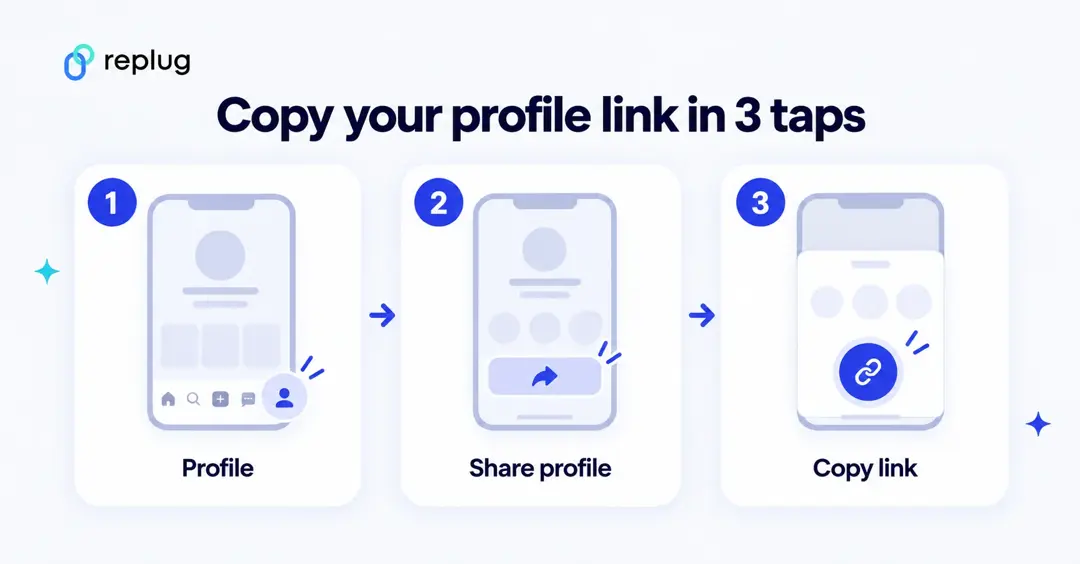
If you want TikTok to grab the link for you in a few taps:
1. Open the TikTok app on your phone.
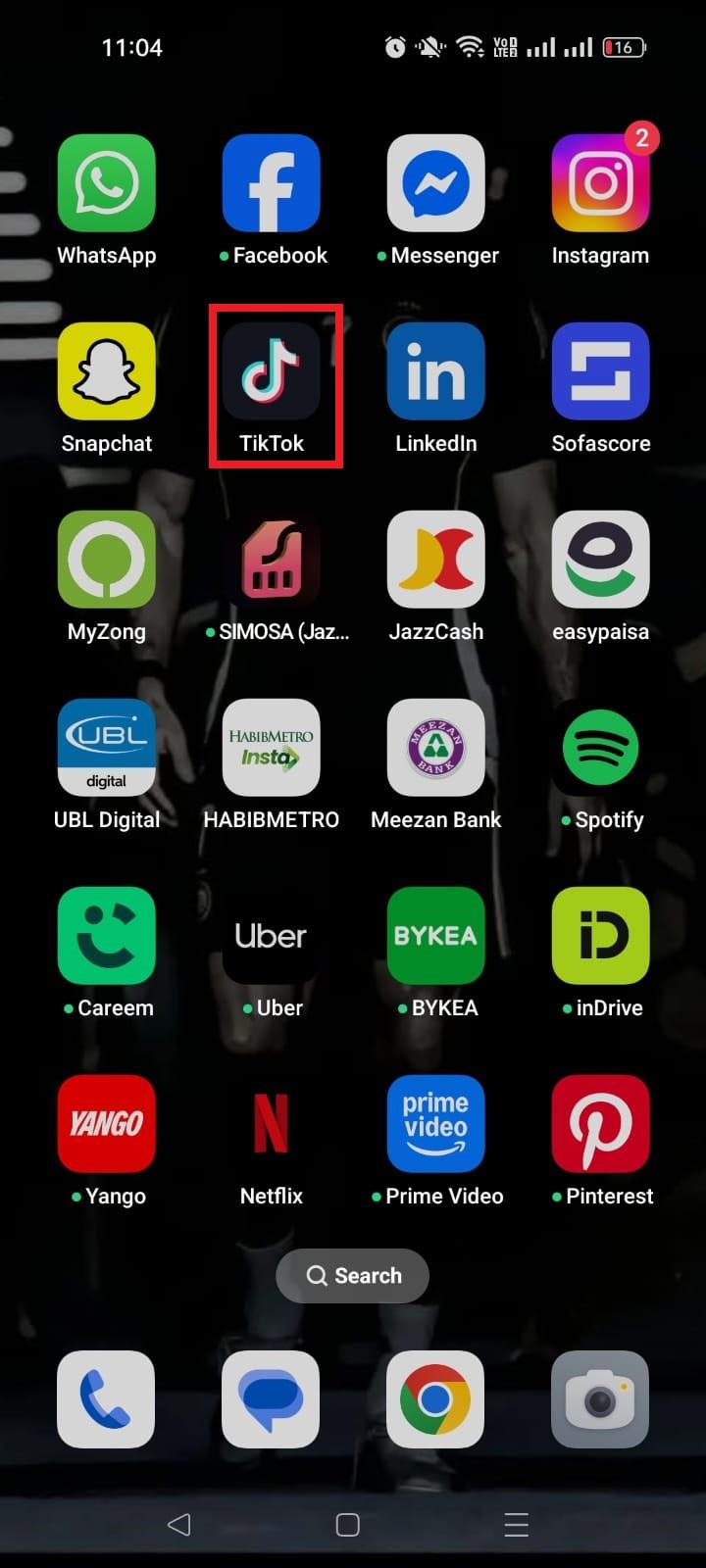
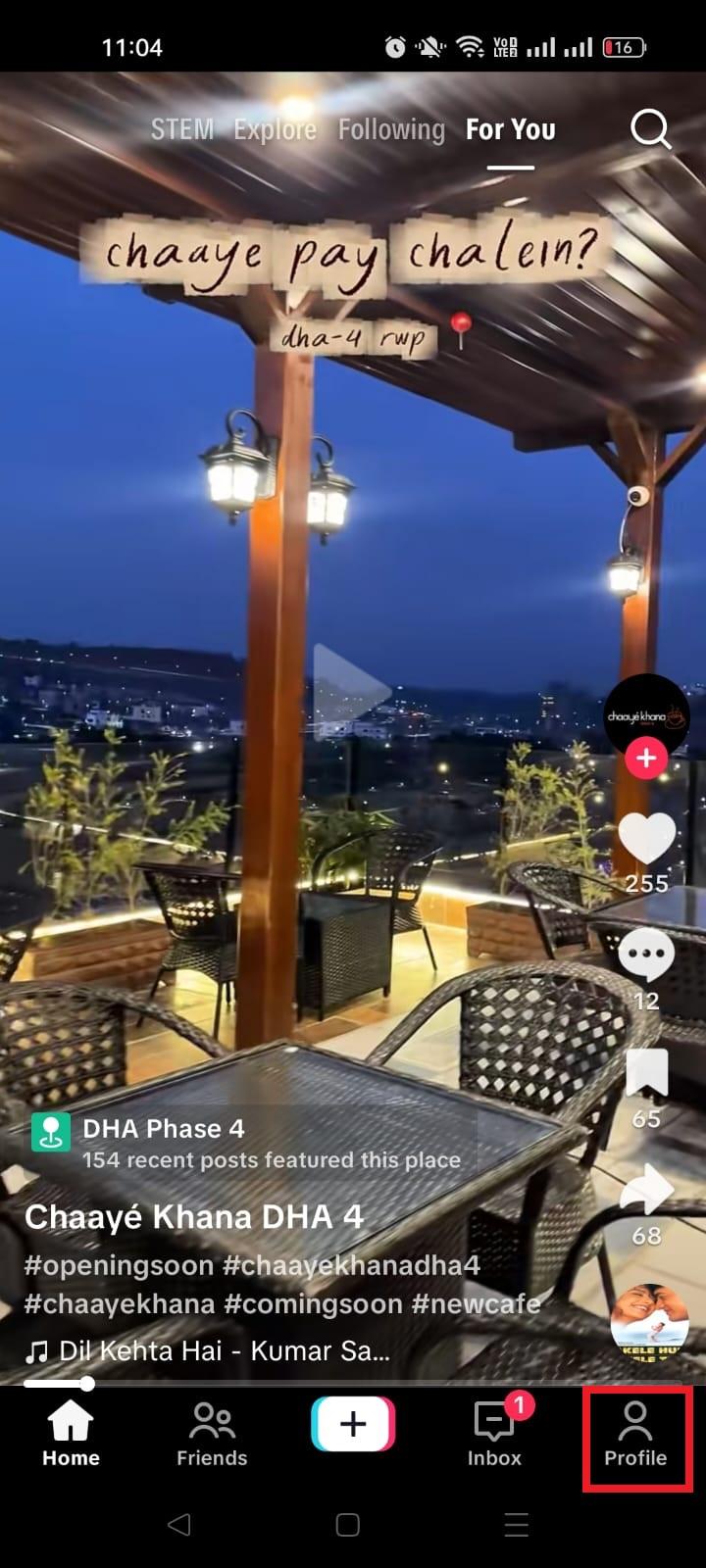
2. Tap the “Profile” icon at the bottom right to go to your profile.
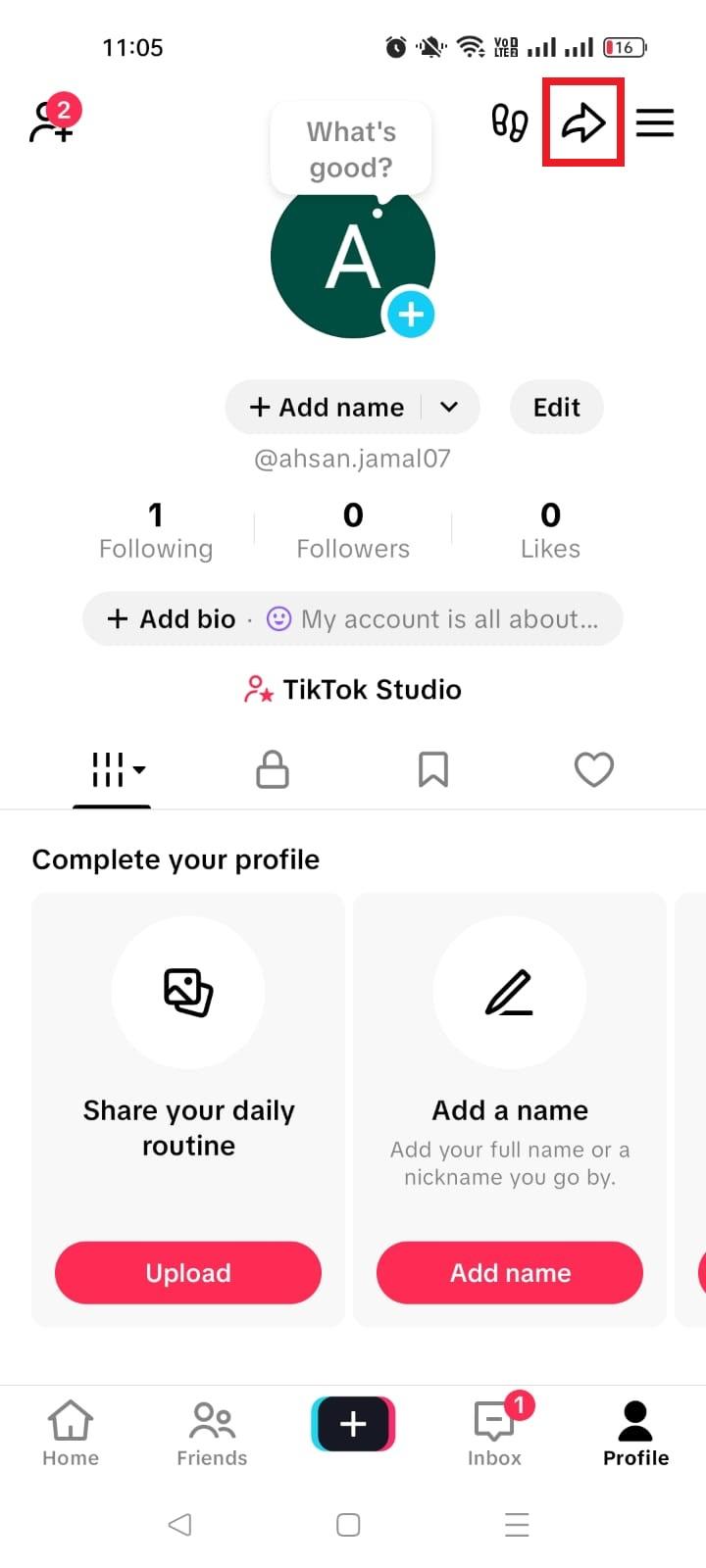
3. Tap the “Share profile” icon (it usually looks like an arrow pointing right).
4. On the pop-up screen, tap “Copy link.” TikTok will copy your full URL to your clipboard.
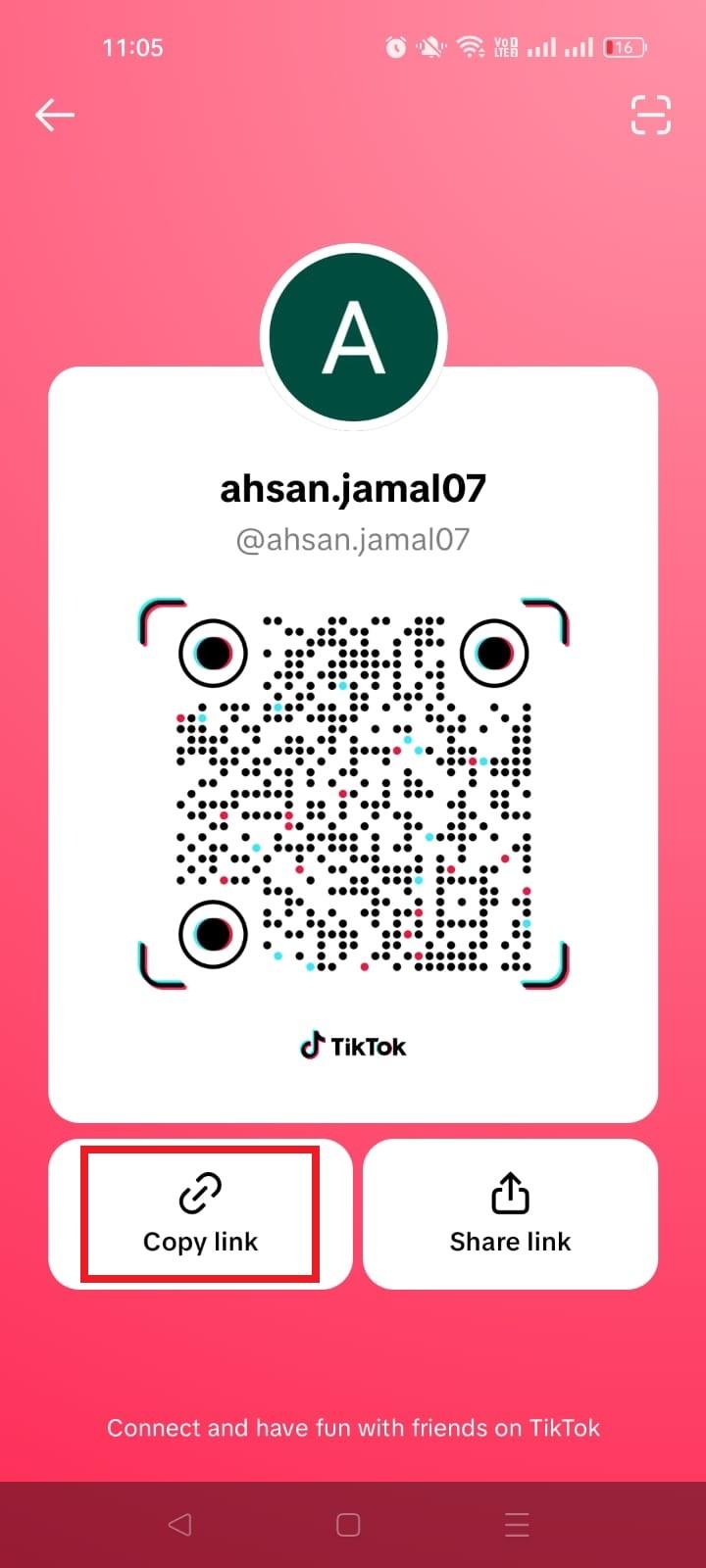
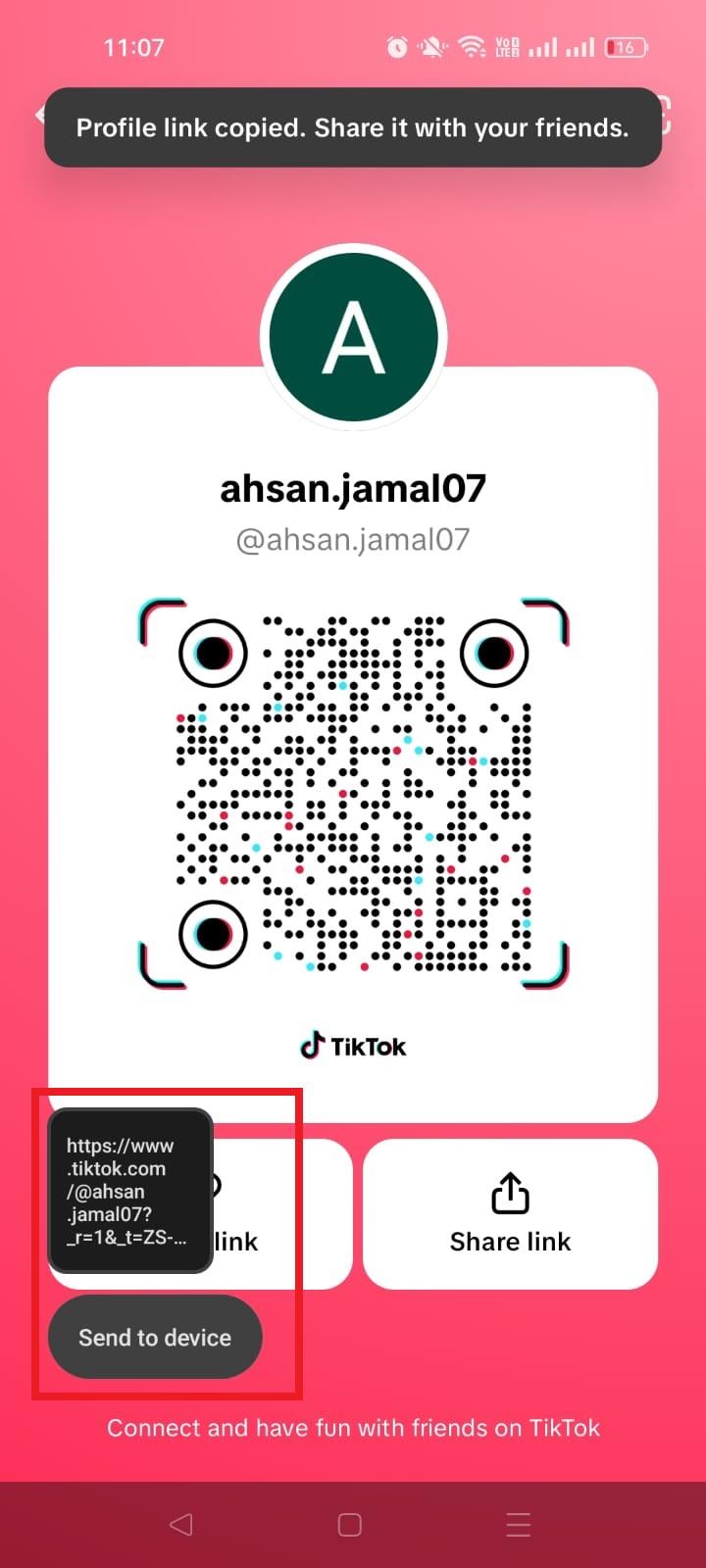
Now you can paste it anywhere you want!
This is especially handy if someone literally asked me, “What is my TikTok URL on the app?” and I want to show them exactly where to click.
Method #03: Via TikTok web
If you’re on a PC/laptop:
1. Visit “https://www.tiktok.com/en/” and log in with your account.
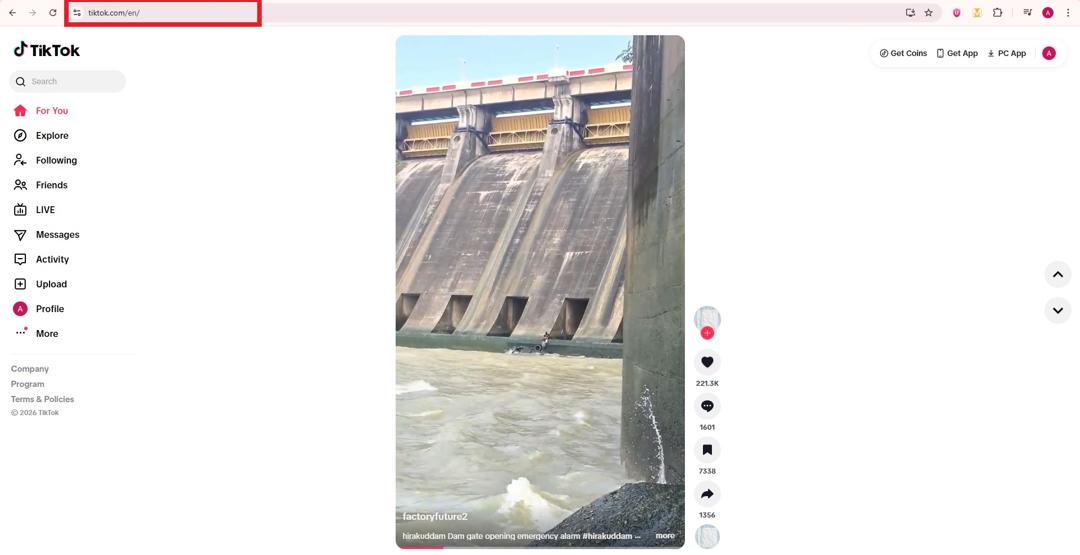
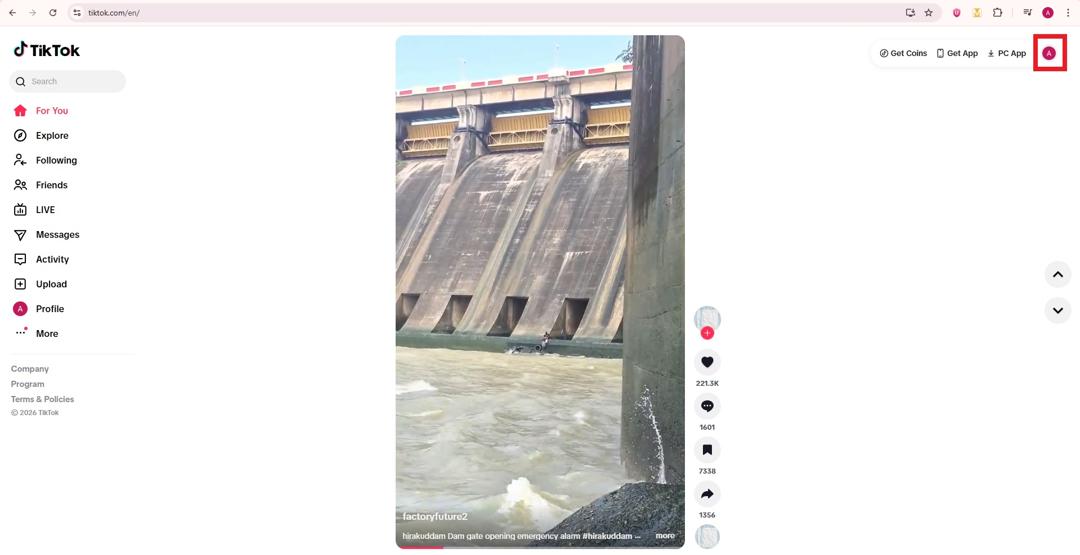
2. Click your “profile picture” in the top right corner.
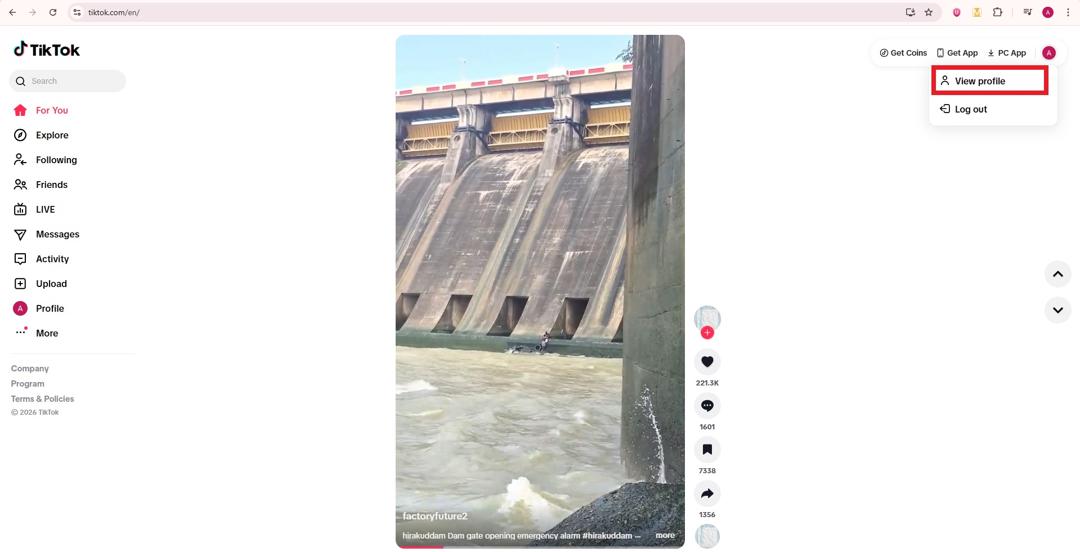
3. From the dropdown menu, select “View profile.”
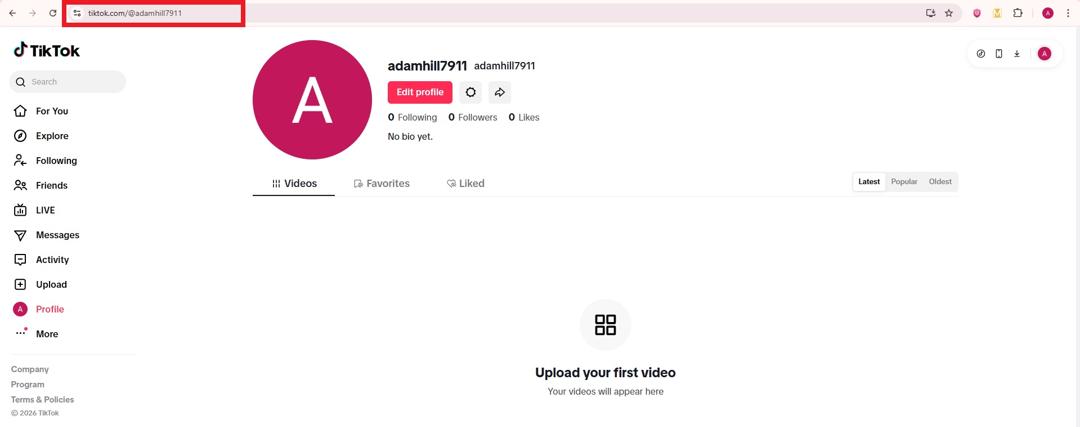
4. Once your profile loads, look at the browser’s address bar. That’s your TikTok profile URL.
5. Highlight it by double-clicking it, and then press “Ctrl + C” to copy it to your clipboard.
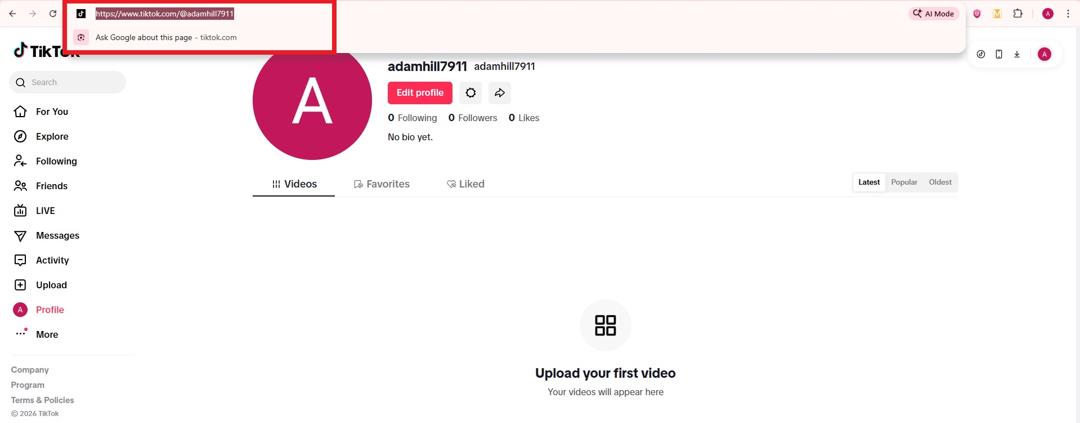
This method is perfect when you’re on a computer or desktop and want to share your link quickly without fumbling through your phone.
With these three methods, getting your TikTok URL becomes a whole lot easier, whether you’re on mobile or desktop. Once you have it, you can share your profile instantly and grow your audience with less effort.
Read also: How to get Snapchat URL: A detailed guide for Snapchat users in 2026
More ways to get or share your TikTok profile link
The three methods above cover most people. These extra routes help when you are on a computer without the address bar handy, when you want someone to scan your profile in person, or when you need a link to another creator.
Copy your link with the Share button on desktop
- Go to tiktok.com in your browser and log in.
- Open your profile (click your profile picture, then View profile).
- Click the Share arrow near the top of your profile, next to the profile buttons.
- Choose Copy to copy your profile link. The same menu also offers Embed if you want to show your profile on a website.
This is the quickest answer to “how to copy my TikTok profile link on PC” because you do not have to select the address bar text by hand.
Share your profile with a QR code
TikTok gives every account a QR code that opens your profile when scanned. According to TikTok’s help center, you can find it like this:
- In the TikTok app, tap Profile at the bottom.
- Tap the Menu ☰ button at the top, then tap My QR code.
- Let others scan it with their phone camera or the in-app scanner, or save the image to print on flyers, packaging or a table card.
If you want a printed code you can track and change later, create one that points to your TikTok URL with a QR code generator. Our guide on how to create TikTok QR codes walks through it.
How to copy someone else’s TikTok profile link
- In the TikTok app, go to the creator’s profile.
- Tap their profile picture or the Share button at the top of the profile.
- Tap Copy link (or pick the app you want to share to).
On a computer, open their profile on tiktok.com and copy the address bar, or use the same Share arrow and choose Copy. If you only know their username, type it into the format https://www.tiktok.com/@theirusername.
Quick reference: where to find your TikTok URL on each device
| Device | Steps | What you get |
|---|---|---|
| iPhone (TikTok app) | Profile → Share profile → Copy link | Profile link, often with ?_t= and _r= tracking codes at the end |
| Android (TikTok app) | Profile → Share profile → Copy link | Same as iPhone |
| Desktop browser | tiktok.com → profile picture → View profile → copy the address bar, or Share → Copy | Clean link such as https://www.tiktok.com/@username |
| Any device, no app | Type https://www.tiktok.com/@ plus the exact username | Clean profile link |
| In person | Profile → Menu ☰ → My QR code | A scannable code that opens the profile |
Whichever route you use, the address always ends with your username after the @ sign. If the username in the link is spelled differently from the one on your profile, the link will not open your account.
Why must one care about his/her TikTok URL?
Even something as simple as your TikTok URL deserves a bit of thought. It’s how people find, follow, and interact with your profile online.
But there are some real reasons why you should care about how and where you share it.
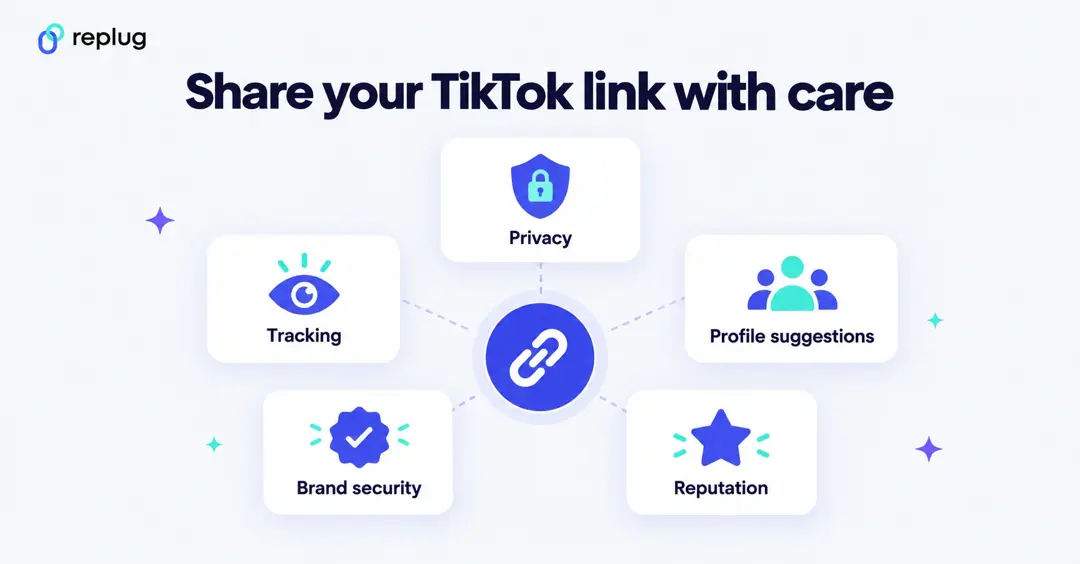
Unintentional privacy exposure (Doxxing risk)
Sharing your TikTok link can sometimes expose more than you intend. If someone clicks the link, it can reveal your account details and make your profile easier to track down, which could lead to unwanted attention or doxxing.
TikTok’s guidelines take privacy seriously and warn against sharing personal information that could cause harm.
Tracking & data harvesting
TikTok collects a lot of information to personalize your experience and for advertising, including data tied to your activity and how links are accessed (even via profiles). This means clicks on your URL could feed into tracking systems you might not be thinking about.
Persistent profile suggestion
If someone opens or shares your TikTok link, the platform may suggest your profile to others, which is great for growth, but not ideal if you prefer privacy or didn’t mean to boost visibility.
Brand security & “link in bio”
For creators and businesses, a clean TikTok URL is essential for top-notch brand security. It’s what you put in your “link in bio,” on your website, and in promotions, so people know exactly they’re going to the right place.
Reputation management
Once someone has your TikTok URL, it’s tied to your online reputation. If your content or profile information changes, others may form impressions based on what they see, so managing when and how you share that URL matters most!
Staying aware of these points helps you use your TikTok URL in ways that support your goals, no matter if that’s privacy, growth, or brand building (without surprises).
Different types of URLs you can find on the TikTok platform in 2026!
On TikTok, you’ll run into a few different kinds of links depending on what you’re trying to share, from your profile to shopping pages and even live streaming addresses.
Knowing what each type of TikTok URL looks like helps you use and share them the right way.
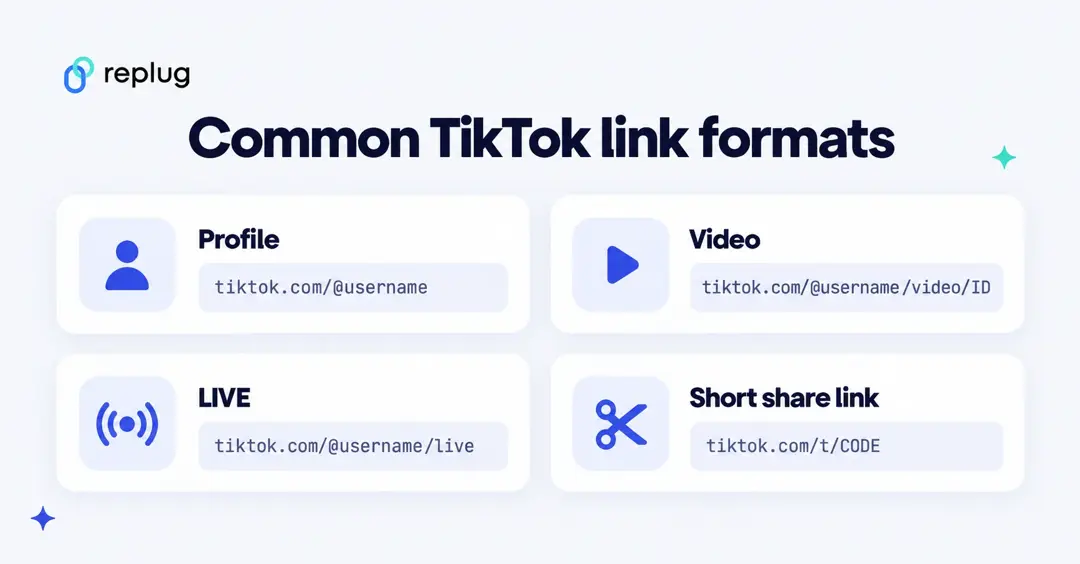
What is my TikTok mobile app URL?
This is the link you get when you tap Share → Copy Link in the mobile TikTok app. It still leads to your profile but may include extra tracking bits that indicate it came from the app (like _t= or _r= in the link).
For example:
https://www.tiktok.com/@coolusername?_t=12345&_r=1
This still points to your profile, no matter what device someone opens it on.
What is my TikTok website URL?
This is the clean, browser-friendly version you see when you open TikTok in a web browser and look at your profile’s address bar.
It usually follows this simple format:
https://www.tiktok.com/@coolusername
Perfect for sharing on websites or messages without extra tracking info.
What is my TikTok account URL?
This is another way of saying your profile link. The main link that takes people straight to your personal TikTok page.
It looks the same whether you phrase it as a website URL or an account URL:
https://www.tiktok.com/@coolusername
Just replace “coolusername” with your own.
What is my TikTok shop URL?
If you’re selling through TikTok Shop, you’ll have a specific shop link that leads to your storefront or product page inside the platform’s e-commerce area. It usually looks like a TikTok Shop link tied to your profile or products.
For instance:
https://www.tiktok.com/shop/coolstore
This takes customers straight to your item collection.
What is my TikTok RTMP URL?
This one’s a bit more technical. If you’re using custom RTMP to stream live to TikTok from external software (like OBS or Streamlabs), TikTok gives you a server RTMP URL plus a stream key.
For example, your RTMP info might include something like:
rtmp://live.tiktokcdn.com/…
You plug this into your streaming software to go live.
What is my TikTok live URL?
Your TikTok live URL is the link that takes someone directly to a user’s live broadcast on TikTok. You can usually get it by copying the link while a live stream is active or by editing a profile URL to point to the live section.
A common format looks like: https://www.tiktok.com/@username/live
For example:
https://www.tiktok.com/@coolcreator/live
This will open that user’s live session if they’re currently broadcasting.
What is my TikTok video URL?
A TikTok video URL is the unique link that takes someone straight to a specific video post. You can share it by tapping “Share → Copy link” on a video you’re watching.
A standard example looks like:
https://www.tiktok.com/@username/video/7036641620883737861
Replace the username and video ID with the real ones.
What is my TikTok channel URL?
On TikTok, the term channel URL is often just another way to refer to your profile link (the web address for your account page). This is where people find all your videos, bio, and posts.
For instance:
https://www.tiktok.com/@coolusername
Takes someone to that person’s channel profile effortlessly.
What is my TikTok server URL?
A TikTok server URL is part of the technical setup for live streaming with external software (such as OBS or TikTok LIVE Studio). It’s the address your streaming tool connects to, alongside your stream key.
For example, when setting up a live stream, you might see an RTMP-style address like:
rtmp://live.tiktokcdn.com/…
This directs your software to TikTok’s live servers so your broadcast goes live on your account.
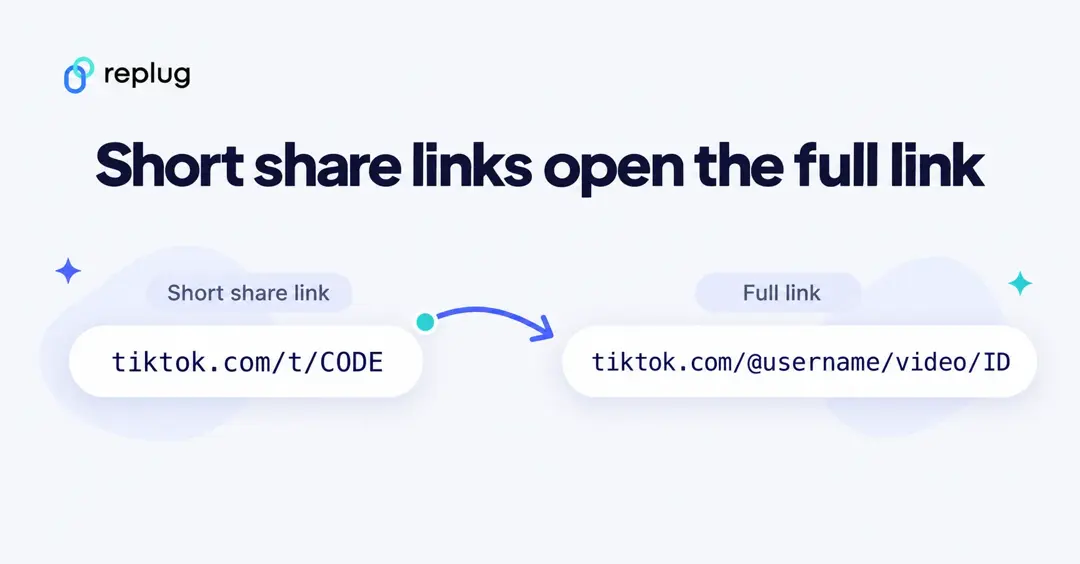
What is a TikTok short link (tiktok.com/t/…)?
When you copy a link to a video from the app, TikTok often gives you a shortened share link instead of the full address. These look like https://www.tiktok.com/t/ or https://vm.tiktok.com/ followed by a short code. When someone opens it, TikTok redirects them to the full video or profile URL.
Short share links work fine in messages, but the full tiktok.com/@username link is easier to read, easier to check at a glance and better for your bio, email signature or website.
In short, each of these URLs serves a different purpose, from basic profile sharing to live streaming or e-commerce. Knowing what they do makes it easier to use TikTok to its full potential!
How to remove tracking codes from a copied TikTok link
Links copied from the app often end with extra text after a question mark, such as ?_t=ZT-…&_r=1 on a profile link or ?is_from_webapp=1&sender_device=pc on a video link. These parameters tell TikTok how the link was shared. They are not needed to open the page.
- Paste the link into a notes app or the address bar.
- Delete everything from the question mark (?) to the end.
- Check that what is left looks like https://www.tiktok.com/@username (or …/@username/video/ID for a video).
- Open it once in a private browser window to make sure it still works.
If you share the same link often, shorten the clean version with a link shortener so it stays short and you can see how many people click it.
How to change your TikTok URL: A step-by-step guide!
Changing your TikTok URL basically happens when you update your TikTok username, since your profile link is built from your username.
Updating this can give your profile a fresh look or better match your brand, and it’s easy to do right from the app.
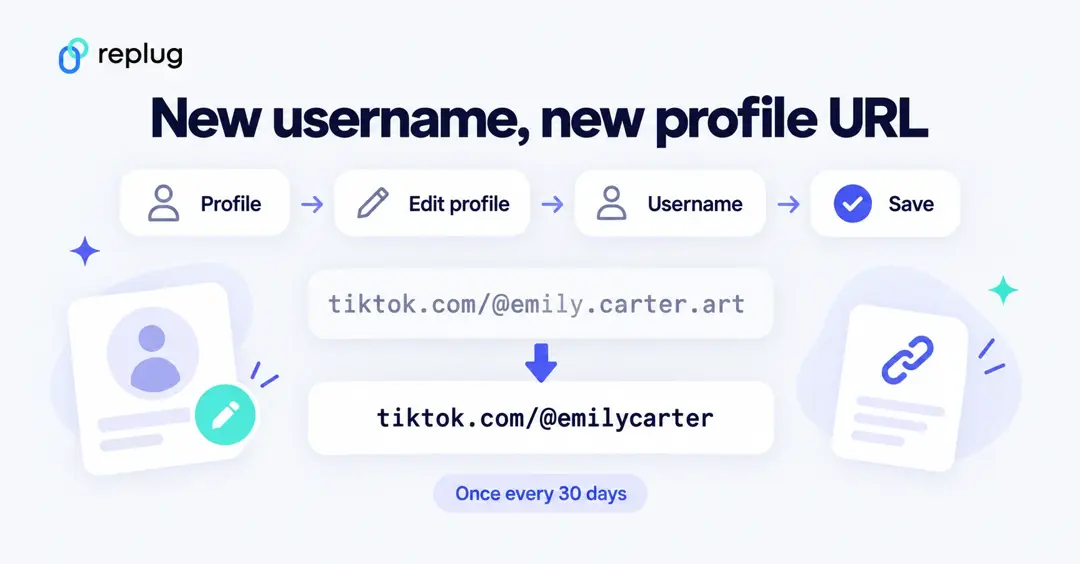
Here’s how to do it step by step:
1. Open TikTok and log in: Launch the TikTok app on your phone and make sure you’re signed in to the account you want to update the URL of.
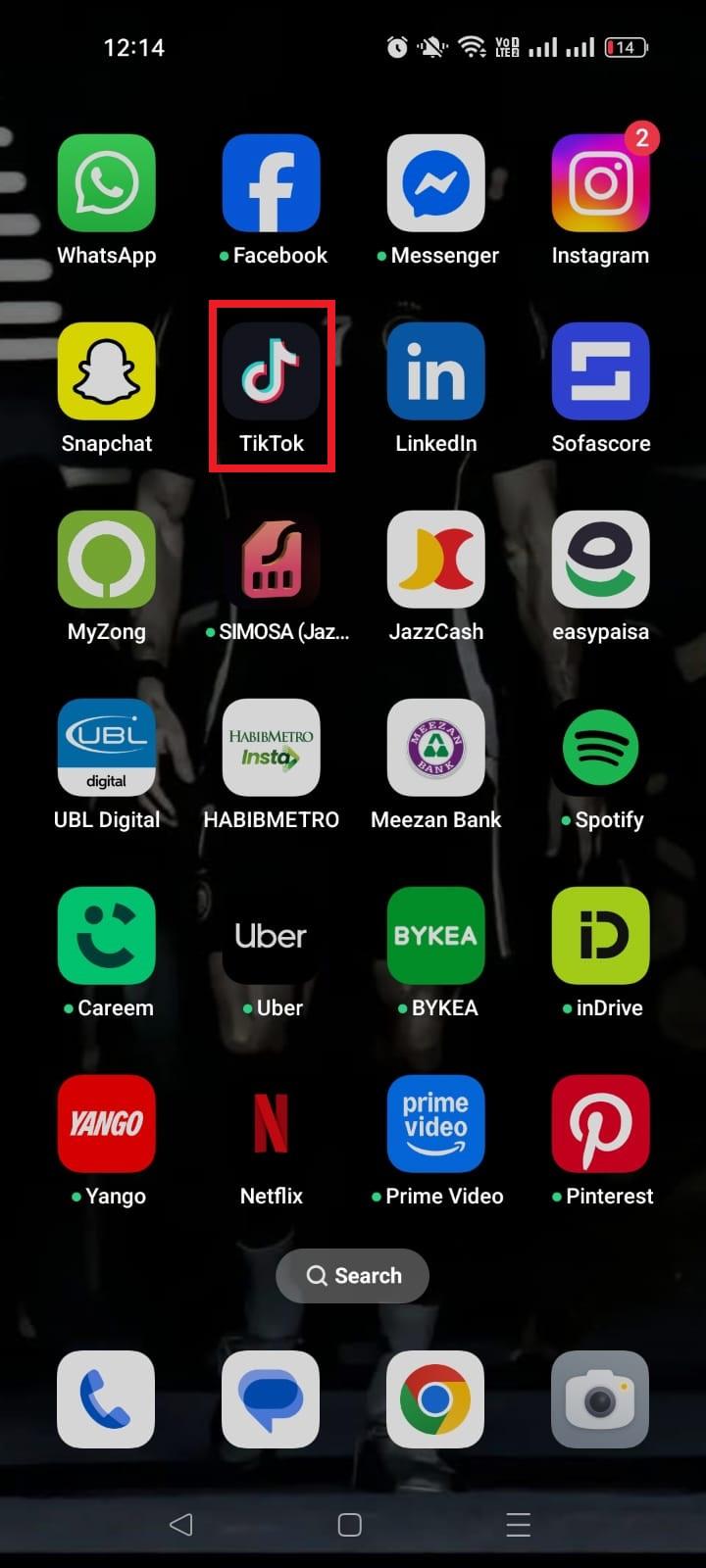
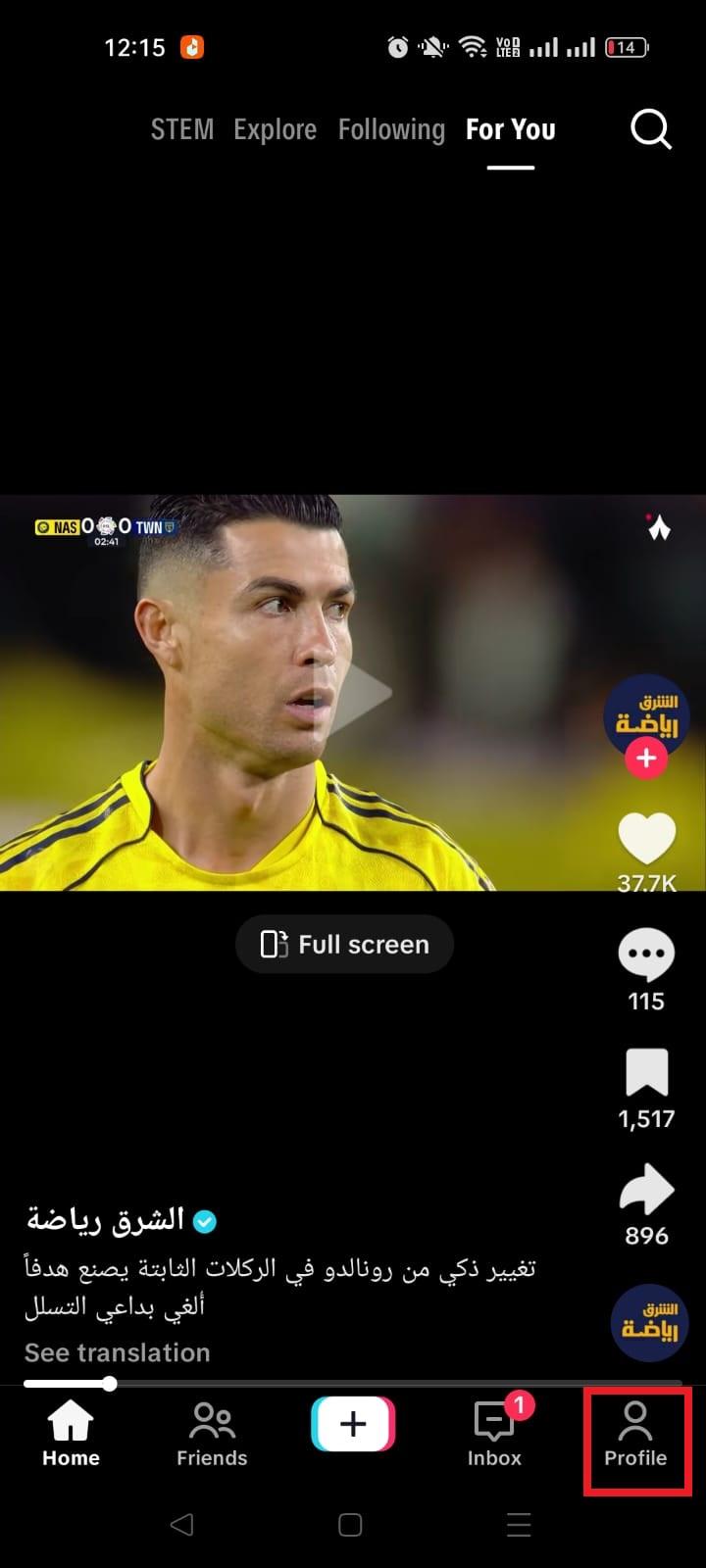
2. Go to your profile page: Tap the “Profile” icon at the bottom right corner. This is where you can see your current username and profile details.
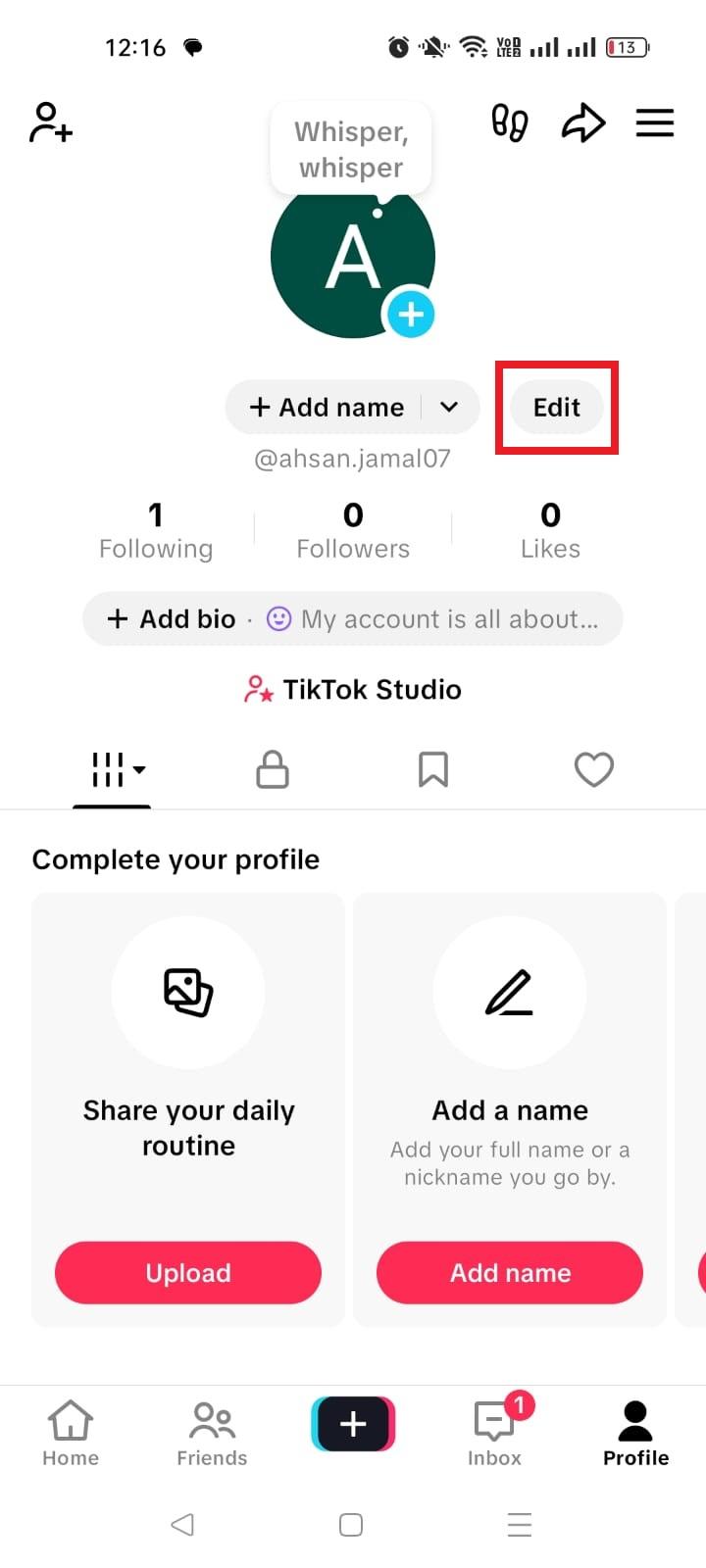
3. Tap “Edit profile”: Just below your profile photo and username, you’ll see the “Edit” button. Tap that!
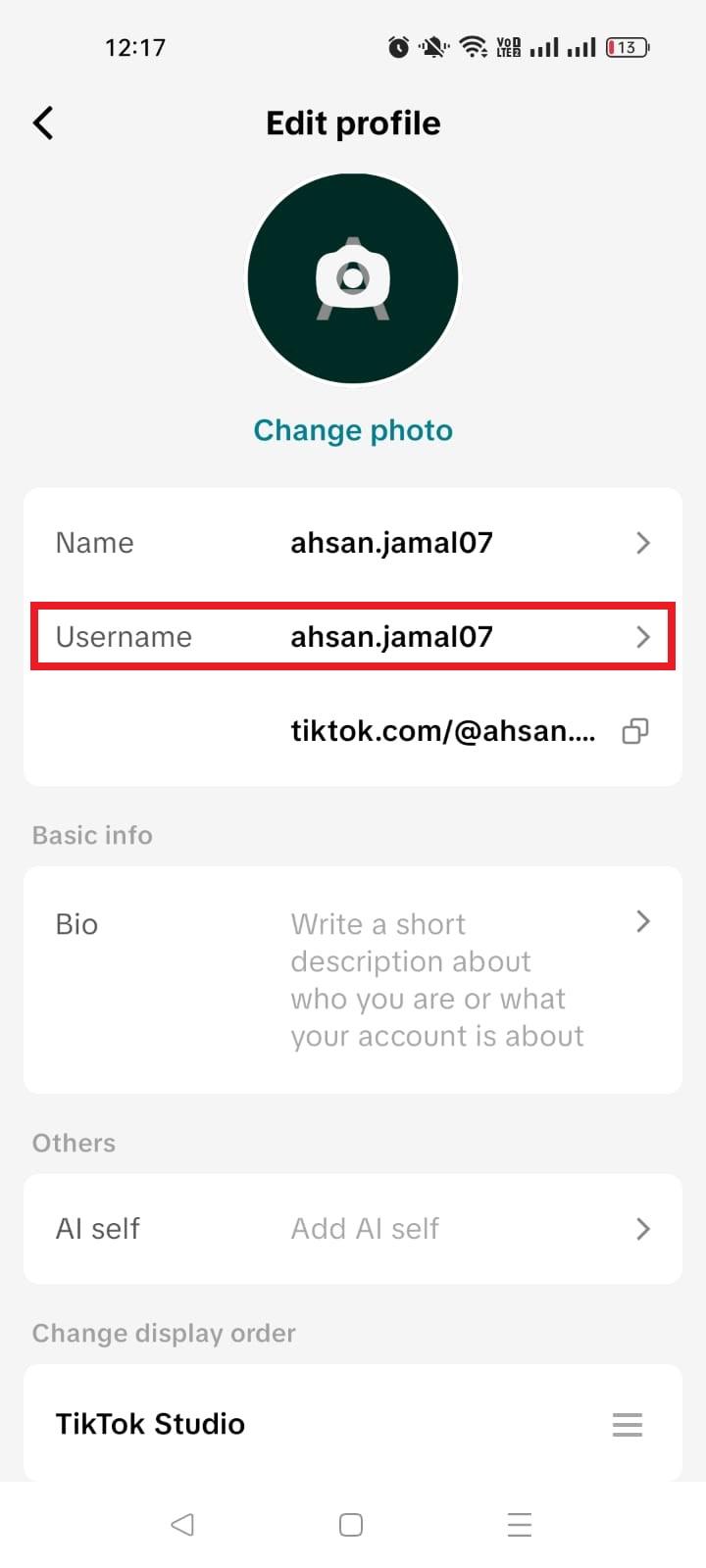
4. Select the username field: On the “Edit profile” screen, tap the option that says “Username.”
5. Enter your new username: Type in the name you want. TikTok will automatically check if it’s available. If someone else is already using it, you’ll need to try a different one.
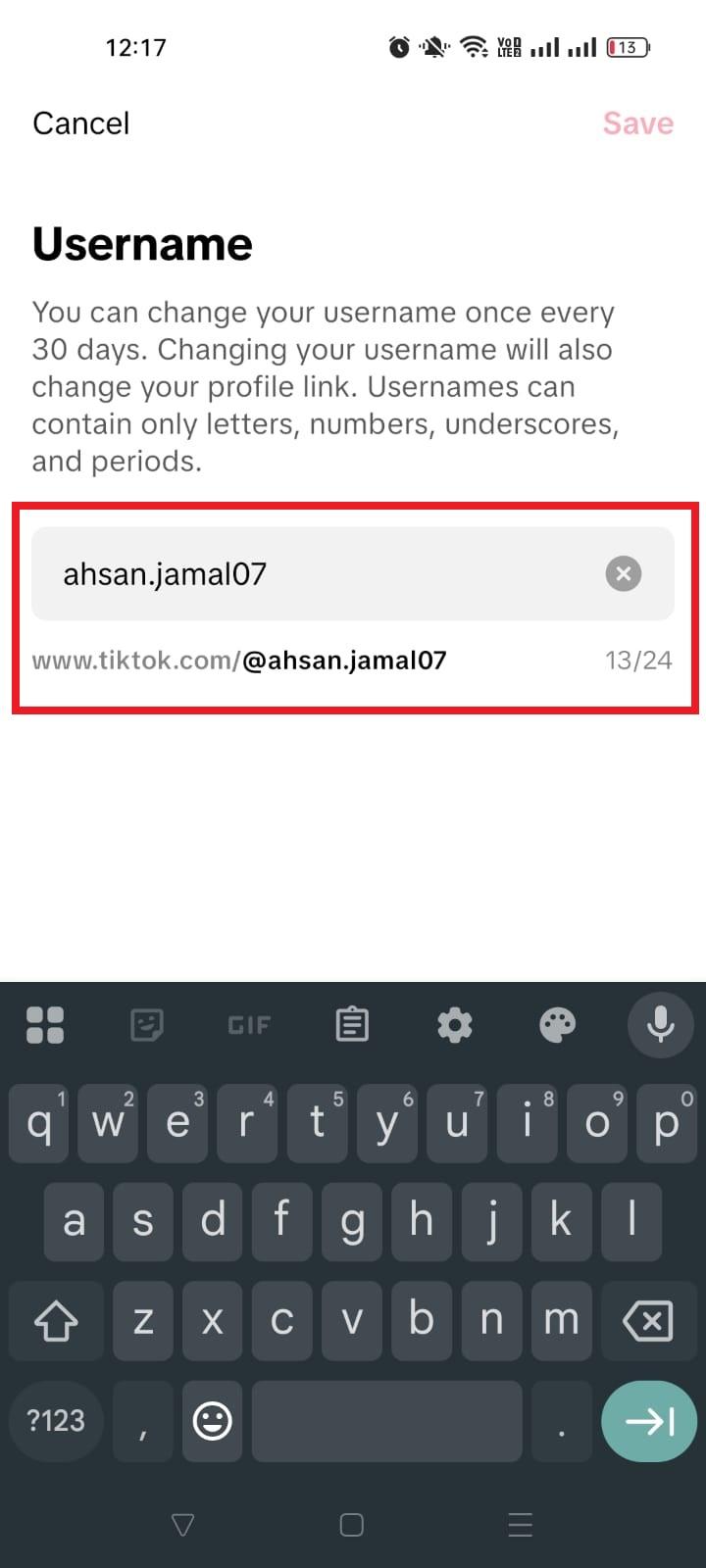
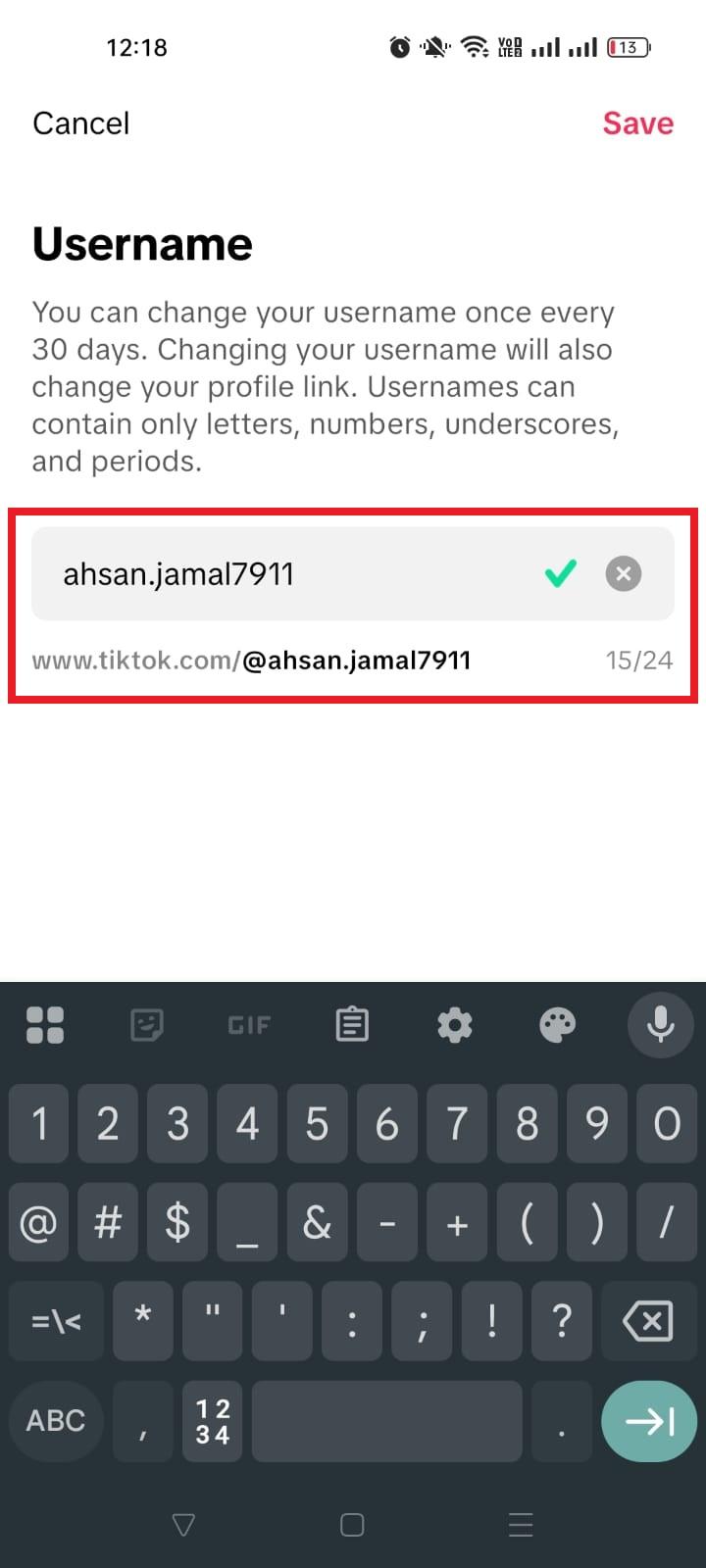
6. Save your changes: Once you’ve entered your new username and it’s available, tap “Save” (usually in the top-right corner). Your profile link, and therefore your TikTok URL, will update instantly.
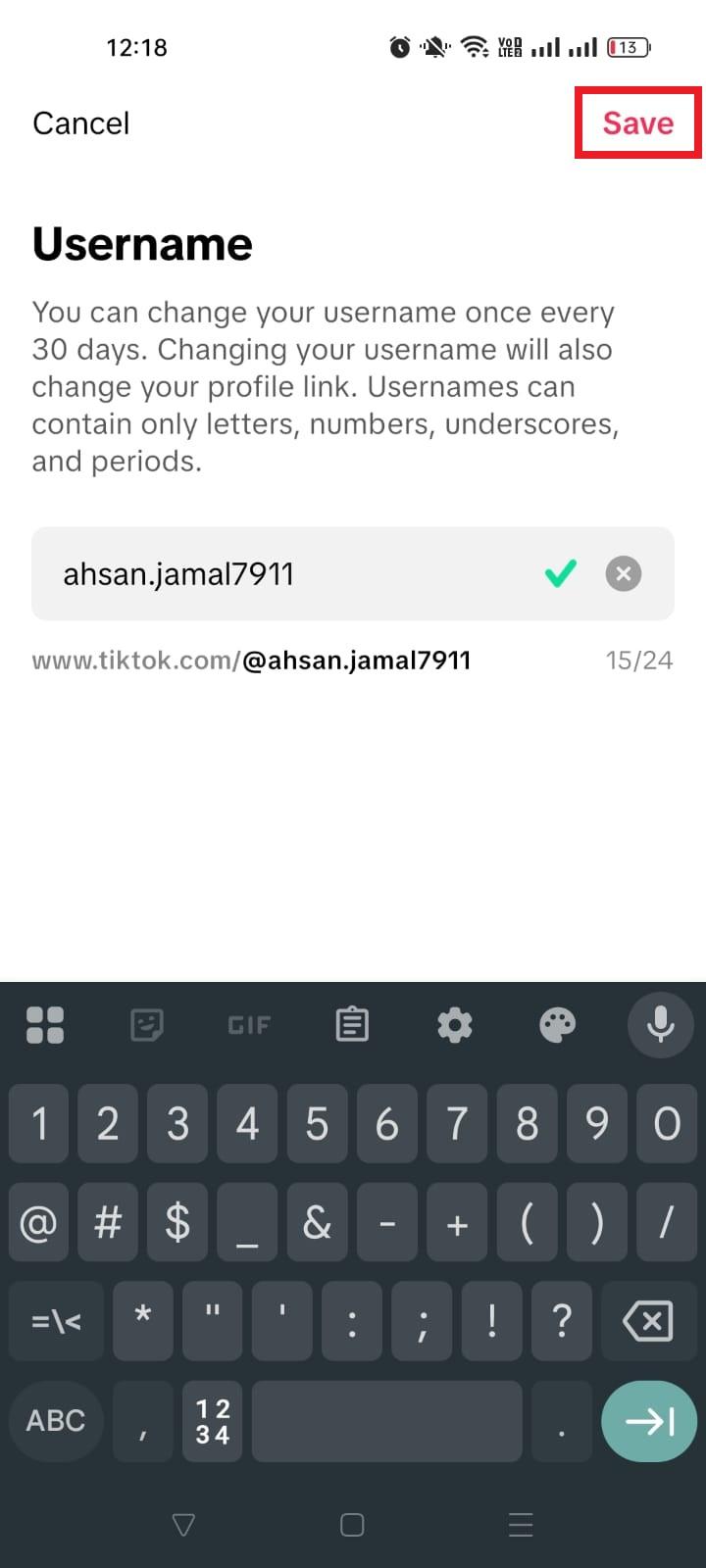
📌 Things to keep in mind: TikTok only lets you change your username once every 30 days, so make sure you’re happy with your new name before saving.
That’s it!
Now you’ve got a brand-new URL that matches your vibe or brand. If you’ve shared your old link anywhere (like in your Instagram bio), be sure to update it so people can still find you hassle-free!
Username rules that affect your TikTok URL
Because your profile link is built from your username, TikTok’s username rules decide what your URL can look like. According to TikTok’s help center:
- Your username must be 2 to 24 characters long.
- It can only contain letters, numbers, underscores and periods, and it cannot end with a period.
- You can change it once every 30 days.
- Changing your username also changes your profile link, so links that use the old username stop pointing to you.
- If you give up a username, you cannot add it to an account again for a short period.
Your nickname (the display name above your username) is separate. Changing your nickname does not change your URL.
TikTok profile link not working? Common fixes
- “Couldn’t find this account”: the username in the link is misspelled or out of date. Copy a fresh link from the app with Share profile → Copy link.
- The link opens the wrong person: you changed your username and someone else now uses your old one, or the link has a typo. Update every place you shared the old link.
- People see no videos: your account is private. Visitors can still open your profile URL, but only approved followers see your posts.
- The link opens the app store instead of your profile: the person does not have TikTok installed. Share the full https://www.tiktok.com/@username link, which also opens in a mobile browser.
- Sharing fails in the app: TikTok’s own troubleshooting steps are to switch between Wi-Fi and mobile data, clear the app cache, restart the app and your phone, and update to the latest version.
Shorten your TikTok profile URL using Replug!
If you want your TikTok profile link to look cleaner, more professional, and easier to share, using a short link generator like Replug is a smart move.
Replug is an all-in-one link management platform that not only shortens messy, long URLs but also lets you track clicks, brand your links, and even create smart bio pages, all from a single dashboard.
Here’s why this helps:
Long TikTok links with tracking codes or extra characters can be hard to read and don’t always look great in bios, messages, or marketing posts.
With Replug, you turn them into short, branded links people are more likely to click, and you get useful data to see how they’re performing in real time.
Here’s how to shorten your TikTok account URL with Replug: 4 simple steps to follow!
1. Sign up or log in to Replug: Head to Replug’s website and sign up for a free account. It’s quick and beginner-friendly. Once signed up, log in to your account.
2. Paste your TikTok profile link: Once you’re in the dashboard, look for the link shortener box titled “Quickly Shorten your link” and paste your full TikTok URL (e.g., https://www.tiktok.com/@yourusername).
3. Generate & customize: Click the blue right arrow button to shorten the link. Replug will create a clean, short version within seconds. You can also edit the slug (the part after the slash) to make it match your name or brand.
4. Save & share: Your new short link is ready! Copy it, and add it to your TikTok bio, Instagram, website, or anywhere you want to promote your profile. Want more than one link there? Build a TikTok link in bio page instead.
🌟 Bonus: With Replug’s tracking and analytics, you can see how many people click your link and where they’re coming from.
How to add a link to your TikTok bio
Once you have your TikTok URL, you will probably want to point people from TikTok to your other pages too. TikTok’s help center says you can add a website link to your profile if you have at least 1,000 followers or a Verified Business Account.
- In the TikTok app, tap Profile at the bottom.
- Tap Edit profile.
- Next to Links, tap Add.
- Follow the steps to add your website.
TikTok no longer supports links that open or log you into other social media apps, but you can still link to those platforms’ websites. Because you only get one website slot, many creators link to a single bio link page that lists their shop, YouTube, newsletter and other profiles. Keep your bio text within the TikTok bio character limit so the link stays visible.
Summing up
From figuring out what your TikTok URL is to customizing and shortening it, and even understanding the different types of links you might share, you now have everything you need to manage your TikTok presence like a pro.
No matter if you’re growing your brand, sharing content with friends, or using tools like Replug to tidy up your links and track clicks, having a clear handle on your URLs makes your life easier.
And for those who want to save videos for editing or offline viewing, Replug’s free TikTok downloader lets you quickly grab clips without fuss.
So go ahead, update that profile link, share it everywhere, and start turning those clicks into real engagement and growth!
Frequently asked questions

Muhammad Ahsan Jamal