Long Google Drive links can be frustrating to share. They look messy in emails, often break in chat messages, and feel unprofessional on social media.
Many of us face this issue daily when sharing documents, folders, or images through Google Drive. These links not only take up space but also reduce click-throughs when used in marketing campaigns.
Here’s the good news: you don’t need to settle for clunky links!
With a custom URL shortener like Replug, you can shorten Google Drive links online and even manage them in bulk. Whether you’re looking for a Google Drive link shortener free option or a more advanced paid plan, Replug gives you clean, trackable, and branded links.
Short answer: Google Drive has no built-in link shortener, and Google’s old goo.gl service stopped making new links in 2019. To shorten a Drive link, open the file’s Share menu, set General access to Anyone with the link, click Copy link, and paste it into a URL shortener such as Replug. You get a link like rplg.co/q3-report (or one on your own domain) that opens the same file, plus a count of how many people clicked it.
Let’s get started!
What is a Google Drive link?
A Google Drive link is a unique URL generated to share files or folders stored in Google Drive. Depending on the sharing settings, the link can be public (anyone with the link can access it) or private (restricted to selected people).
While useful, these links are often long and complex. For example:
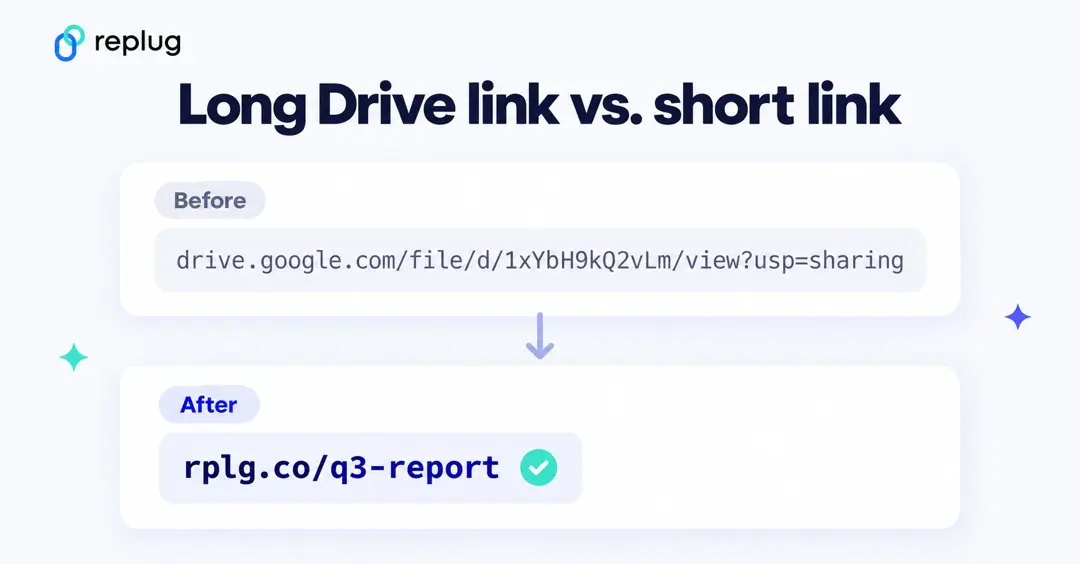
The shortened version is neat, easy to share, and less likely to break across platforms.
Drive links follow a few fixed patterns. The long string in the middle is the file ID; it never changes while the file exists, which is why a short link that points to it keeps working.
| What you share | What the link looks like |
|---|---|
| A file (PDF, image, video) | drive.google.com/file/d/FILE_ID/view?usp=sharing |
| A folder | drive.google.com/drive/folders/FOLDER_ID?usp=sharing |
| A Google Doc | docs.google.com/document/d/FILE_ID/edit?usp=sharing |
| A Google Sheet | docs.google.com/spreadsheets/d/FILE_ID/edit?usp=sharing |
| Google Slides | docs.google.com/presentation/d/FILE_ID/edit?usp=sharing |
| A Google Form | docs.google.com/forms/d/e/FORM_ID/viewform |
The ?usp=sharing ending only tells Google how the link was copied. You can delete it before you shorten the link and the file still opens.
How to shorten a Google Drive link?
The easiest way to shorten a Google Drive link is by using a URL shortener. There are plenty of options available in the market, both free and paid.
Google also had its very own URL shortener, goo.gl, which was quite popular for shortening Drive links and sharing them easily across platforms.
However, Google’s official shortener goo.gl was discontinued in March 2019 (it stopped creating new links then, and in August 2025 Google switched off old goo.gl links that were no longer in use), which is why most people now rely on Google URL shortener alternatives like Replug.
Replug is an advanced custom URL maker free that offers both free and paid plans. Beyond just creating short links, it provides powerful features like vanity domains, custom slugs, link expiry, and password protected links, making it an ideal choice for marketers, businesses, and anyone who frequently shares files online.
How to shorten a Google Drive link using Replug (Step-by-step)
Follow these steps to shorten your Google Drive link:
Step 1: Copy your Google Drive link
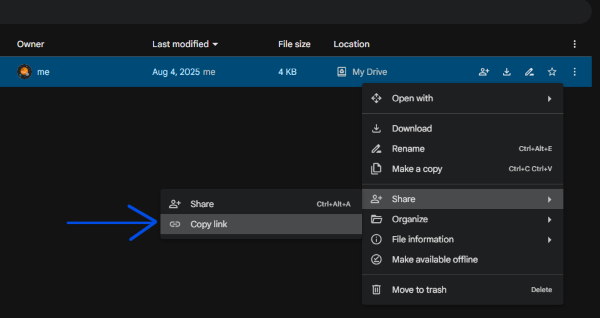
Open Google Drive and right-click the file or folder. Click Copy link.
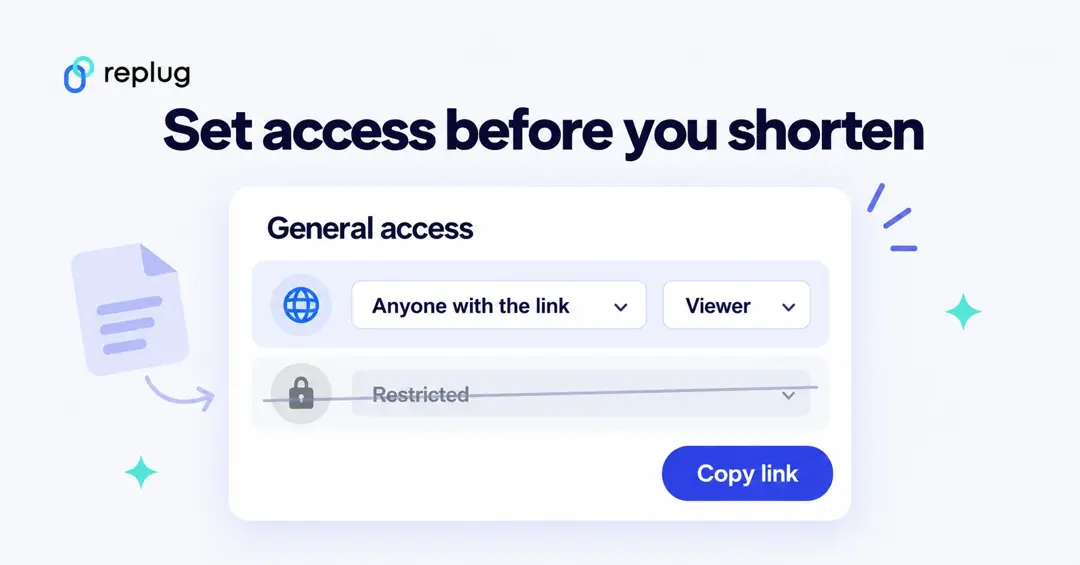
Check who can open the file first. A short link doesn’t change Drive permissions. In the Share window, look at General access: if it says Restricted, only the people you added can open the file and everyone else sees a “You need access” page. Switch it to Anyone with the link and pick Viewer, Commenter or Editor, then click Copy link. Viewer is the safe default for anything you post publicly.
Step 2: Sign in or sign up
Head to Replug and start a free 14-day trial.
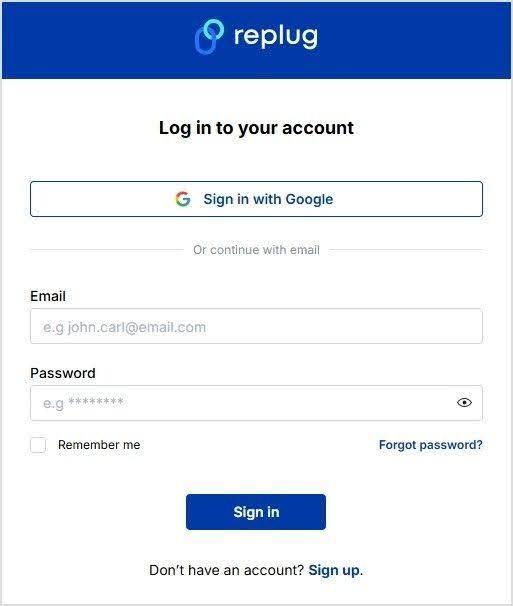
Already have an account? Simply log in to your dashboard.
Step 3: Paste your long URL
In the dashboard, paste your Google Drive link into the field under “Quickly shorten your link.” Replug will instantly generate a short link for you.
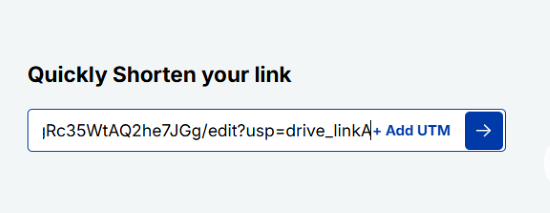
Alt text: Paste your drive link – replug.io
Step 4: Create a custom URL (optional)
By default, Replug gives you a short link with a random slug.
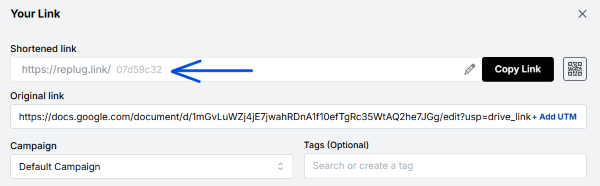
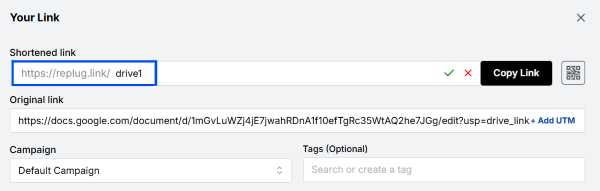
You can customize this slug to something more professional and recognizable. Custom slugs are available on the Essentials plan and above; on the Free plan Replug picks the ending for you.
Step 5: Enable link cloaking (optional)
Replug lets you cloak your links so the shortened URL appears as a vanity link in the browser. This is especially useful for affiliates and content marketers who want a more branded and trustworthy link.
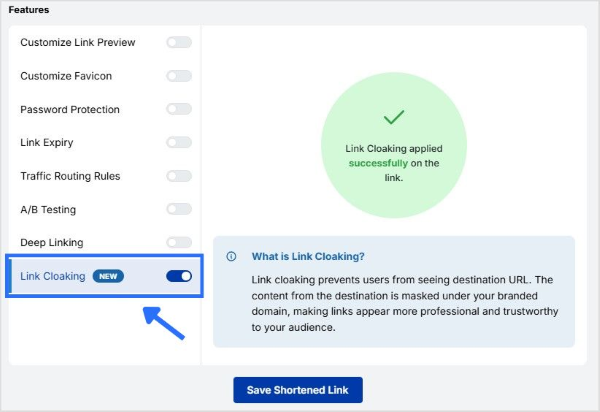
Step 6: Save the shortened URL
Click “Save Shortened Link” and copy it to share.
Also read: How to shorten Google Form link?
How to shorten a Google Drive link on your phone
- Open the Google Drive app and find the file or folder.
- Tap the three-dot menu next to it and choose Share. Under General access (or Manage access), make sure the link is set to Anyone with the link.
- Go back to the three-dot menu and tap Copy link.
- Open app.replug.io in your phone’s browser, paste the link into the shorten box and copy the short link it creates.
The short link opens the Drive app for people who have it installed and the browser for everyone else, so you don’t need a separate link for phones.
Swap the file later without breaking your short link
Once a link is printed on a flyer or sent to a mailing list, you can’t take it back. There are two ways to point people at a newer file without sharing a new link:
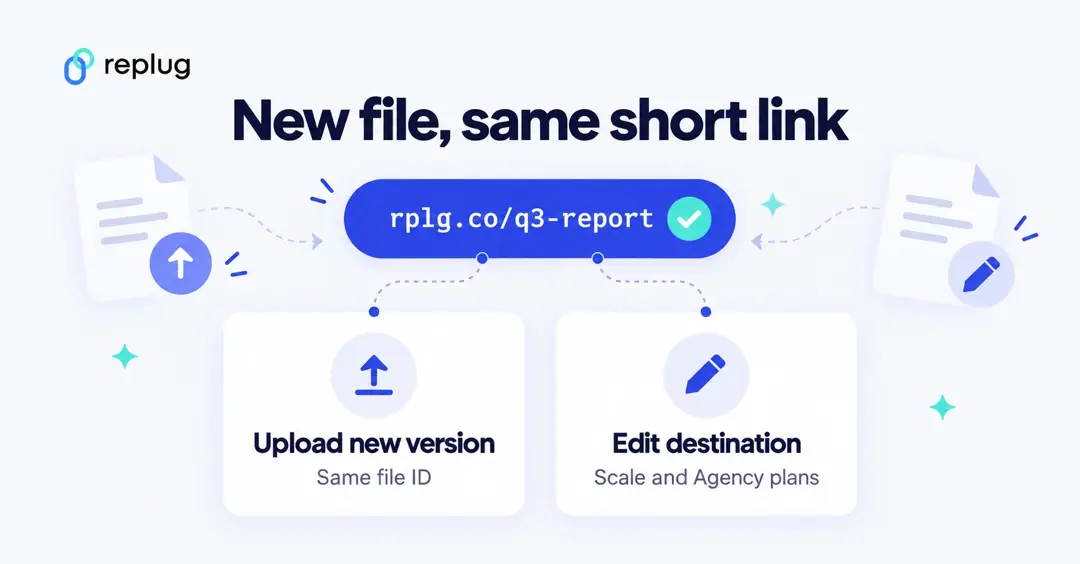
- Replace the file in Drive. For uploaded files such as PDFs, select the file on drive.google.com, click More → Manage versions → Upload new version. The file keeps its ID, so the Drive link and any short link pointing to it now open the new version. (Google Docs, Sheets and Slides don’t need this; edits show up at the same link automatically.)
- Change where the short link goes. On Replug’s Scale and Agency plans you can edit a short link’s destination at any time, and the short link and its QR codes keep working. This is the option to use when the new file is a different Drive file or a page that isn’t on Drive at all. On the Free and Essentials plans the destination stays the one you set, so create a new short link instead.
Short links that download, copy or preview a Drive file
You can change what happens when someone opens your link by editing the Drive URL before you shorten it. Replace FILE_ID with the ID from your own link:
| You want people to… | Use this URL | Works for |
|---|---|---|
| Download the file straight away | drive.google.com/uc?export=download&id=FILE_ID | Uploaded files (PDF, ZIP, images). Large files show a virus-scan notice first. |
| Get their own editable copy | docs.google.com/document/d/FILE_ID/copy | Docs; use /spreadsheets/ or /presentation/ for Sheets and Slides |
| Download a Doc as a PDF | docs.google.com/document/d/FILE_ID/export?format=pdf | Docs, Sheets and Slides |
| See a clean preview without the editing menus | docs.google.com/document/d/FILE_ID/preview | Docs, Sheets and Slides |
These links follow the same sharing setting as the file, so it still needs Anyone with the link access. Test the long URL in a private browser window before you shorten it.
How to see how many people opened your Drive link
Drive doesn’t show you how many people opened a publicly shared link. On work and school accounts the Activity dashboard lists viewers from your own organization, but people outside it, and anyone who isn’t signed in, don’t appear.
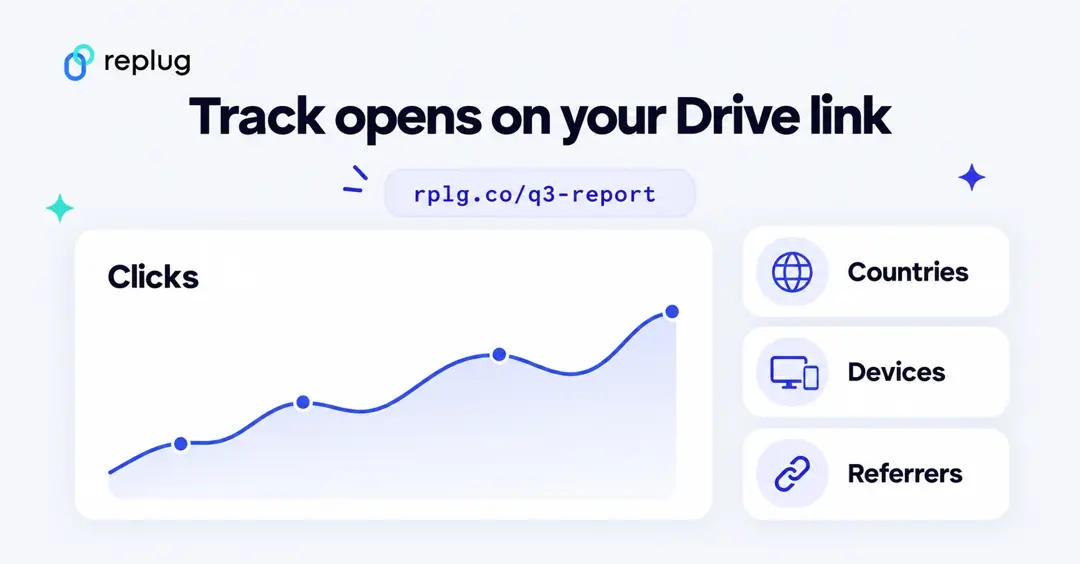
A short link fills that gap. Every Replug link records clicks, unique visitors, countries, cities, devices, browsers and the site the click came from, so you can see whether your class handout, press kit or client folder was actually opened. Click history is kept for 14 days on the Free plan, 90 days on Essentials and with no time limit on Scale and Agency. See link tracking for what each report shows.
How to shorten links in Google Docs
If your Drive link sits inside a Google Doc, you often don’t need a short link at all. You can hide the long URL behind readable text:
- Select the words you want people to click, such as “Q3 report”.
- Press Ctrl + K (Cmd + K on a Mac) or click Insert → Link.
- Paste the Drive link in the search or paste a link box and click Apply.
When you paste a Drive link on its own line, Docs may also offer to replace the URL with a chip that shows the file name. Either way the reader sees a clean label. A short link is still the better choice when the document will be printed, exported to PDF for people who will type the link, or shared somewhere you want to count clicks.
Shortening a lot of Drive links at once
If you share many files, such as one folder per client or one worksheet per lesson, you don’t have to shorten them one by one. Replug lets you import links in bulk from a CSV file, then tag and search them from one dashboard. Pair each short link with a QR code if the file is going on a poster, a slide or a printed handout.
Google Drive short link not working? Common fixes
- “You need access” or a request-access page. The file is set to Restricted. Change General access to Anyone with the link; the short link itself doesn’t need to change.
- “Sorry, the file you have requested does not exist.” The file was deleted, moved to the trash or the owner’s account was closed. Restore it from the trash, or point the short link at the new file.
- “Too many users have viewed or downloaded this file recently.” Google limits downloads of very popular public files. Ask people to make a copy instead, or host a copy somewhere else and update the short link.
- The link opens the wrong account. People signed in to several Google accounts may open Drive in the wrong one. Ask them to open the link in a private window or switch accounts from the profile picture.
- The short link shows an old version. Upload the new file with Manage versions rather than as a separate file, or edit the short link’s destination.
What are the benefits of shortening Google Drive links?
Here are some prominent benefits of shortening your Google Drive links:
Easier sharing
Long Google Drive links can look messy and confusing. A shortened link is simple, clean, and easy to share in emails, chats, or social media posts without cluttering your message.
More professional
Short links give your content a polished look. When customized with your own branded slug, they not only look trustworthy but also help reinforce your brand identity.
Perfect for marketing
Whether you’re adding links to ads, posts, or printed materials, shorter links fit in neatly and make a stronger impression. They’re more clickable and user-friendly than long strings of characters.
Branded and cloaked links
Instead of a generic Google URL, you can cloak a link under your own branded domain. This makes the link look like it belongs to your business, boosting trust and recognition.
Also read: 5 benefits of using a URL shortener
Conclusion
We’ve all seen how long Google Drive links can be frustrating to share; they break in chats, and look unprofessional on social media. In this guide, we explored how to shorten those Google Drive links step by step with Replug.
By using Replug, you don’t just get shorter links; you also unlock benefits like branded domains, custom slugs, link cloaking, and performance tracking. These features make your links cleaner, more professional, and marketing-ready. The same steps work if you need to shorten a Zoom meeting link.
👉 Take control of your Google Drive links today with Replug.io, and simplify the way you share.
Frequently asked questions

Manahil