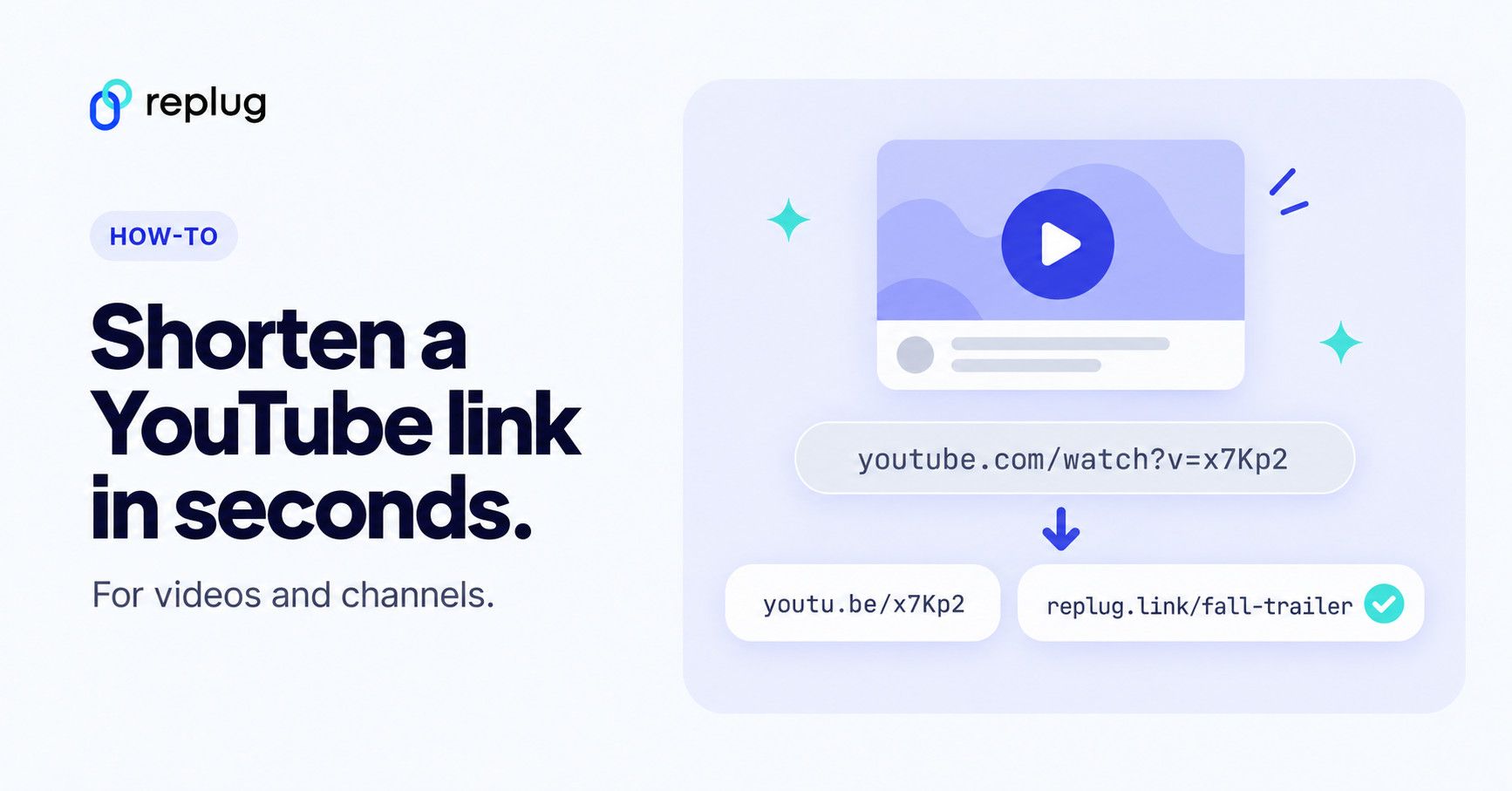
Quick answer: to shorten a YouTube link, click Share under the video and copy the link YouTube gives you. It uses YouTube’s own short domain, youtu.be, so youtube.com/watch?v=VIDEO_ID becomes youtu.be/VIDEO_ID. If you want a link with your own words in it (such as replug.link/fall-trailer) and click counts you can see, shorten the YouTube link with a link shortener like Replug.
YouTube is one of the most popular places to share video, from tutorials and trailers to podcasts and product demos. If you’re a brand with a vast presence on YouTube, a content creator, a marketer, or a casual user, sharing YouTube links is essential for reaching a wider audience.
However, long URLs can appear cluttered and unprofessional, especially on social media, in emails, and in marketing campaigns.
Shortening a YouTube URL makes it cleaner, easier to share, and increases the chances of getting clicks on it. In this guide, we’ll explore two simple ways to shorten YouTube links, using YouTube’s built-in short URL feature and Replug’s short link generator.
Let’s get started!
Method 1: Using YouTube’s built-in short URL feature
This is the easiest and quickest way to shorten a YouTube URL directly from the platform.
Step 1: Play the video
Search for a video of your choice on YouTube and play it.
Step 2: Click the share button
Below the video, you’ll see the “Share” button. Click on it! This will open a window with sharing options.
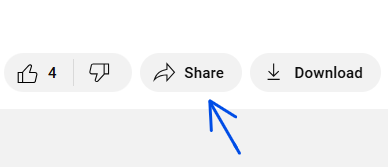
Step 3: Copy the shortened URL
In the pop-up window, you’ll see a shorter version of the video’s URL. This link is much shorter and cleaner than the one in the address bar (URL bar).
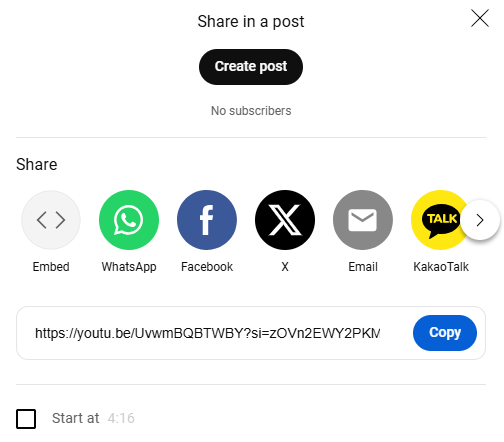
Simply click the “Copy” button to copy the shortened URL to your clipboard. Then, share it as you like.
You can also build the short link by hand. YouTube launched youtu.be as its own shortener in December 2009 and explained the swap: replace https://www.youtube.com/watch?v= with https://youtu.be/ and keep the video ID (YouTube Official Blog). For example:
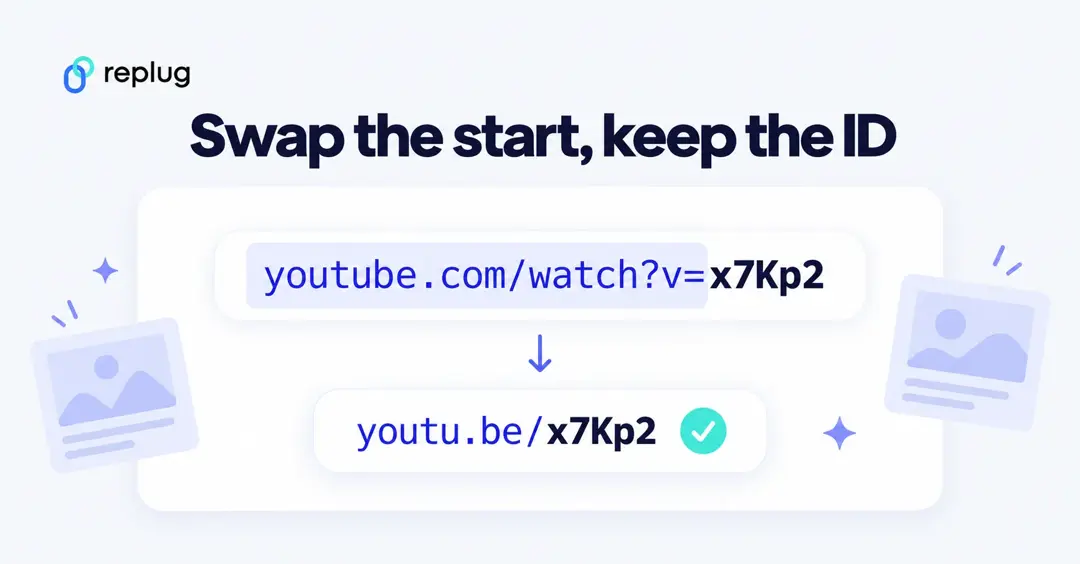
- Long: https://www.youtube.com/watch?v=VIDEO_ID
- Short: https://youtu.be/VIDEO_ID
Shorten a YouTube link that starts at a specific time
In the same Share panel, check Start at and enter the time before you copy the link; YouTube’s example is “2:30” to start at 2 minutes and 30 seconds (YouTube Help, Share videos and channels). The short link then carries the start time with it.
Links copied from the Share button may end with ?si= and a string of characters. The video plays without that part, so you can delete it before sharing if you want the shortest possible link.
Shorten a YouTube channel link
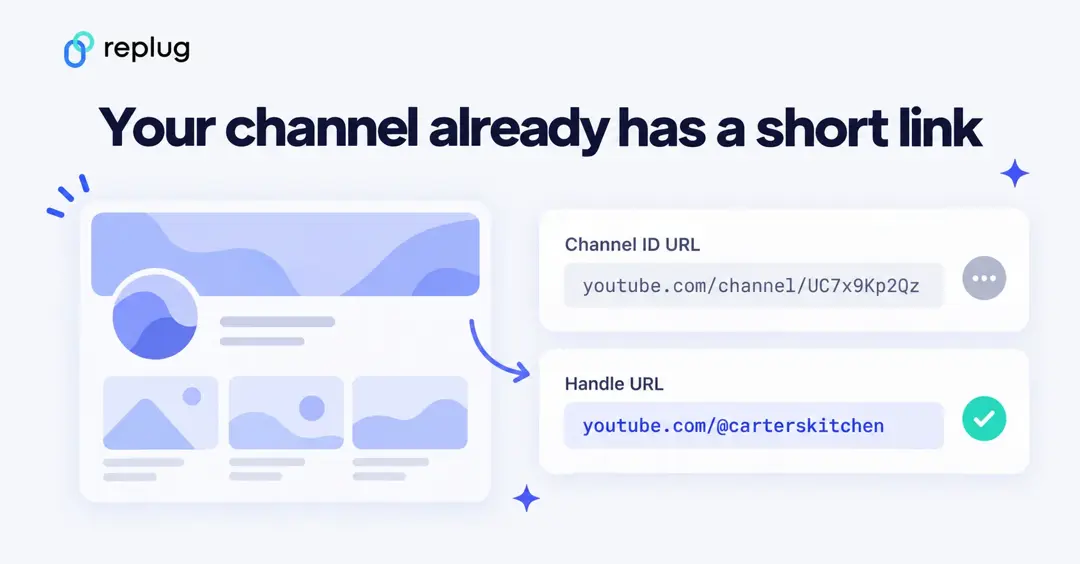
Channel links don’t have a youtu.be version, but most channels already have a short address: the handle URL, such as youtube.com/@carterskitchen. According to YouTube Help, a handle URL is created automatically when you choose your handle, you can see it in YouTube Studio under Customization → Basic info, and new custom URLs (the old youtube.com/c/ style) can no longer be set up. The long ID-based address (youtube.com/channel/UC…) still works too. To share a channel, YouTube Help says to copy the URL from the channel page’s address bar.
If you want the channel link on your own domain or want to count clicks, shorten the handle URL with Replug the same way as a video link (Method 2). Sharing a playlist instead? See how to share YouTube playlists.
Also read: How to add links to YouTube bio?
Method 2: Shorten YouTube links using Replug
If you want a more professional and branded short URL that doesn’t look spammy or messy, you can use a Youtube URL shortener tool like Replug.
Unlike the previous method, this advanced link shortener lets you customize URLs for your YouTube channel, shorts, and videos, making them more memorable and trustworthy. If you don’t have your channel address handy, start by finding your YouTube URL.
Getting started is simple:
Sign up for a free Replug account, or log in if you already have one, and start creating short, branded links in seconds!
Step 1: Copy and paste your URL
Once logged in, go to the Home page and paste the original YouTube URL into the Paste a long URL to shorten… box at the top.

Click Shorten, and the Your link window will appear.
Step 2: Shorten your YouTube URL
Click the pencil icon next to the short link and personalize it by adding a branded keyword or phrase to make it more recognizable (choosing your own ending starts on the Essentials plan; on the free plan Replug gives the link an automatic ending on replug.link). Then, click the checkmark, and your shortened YouTube link will be saved.
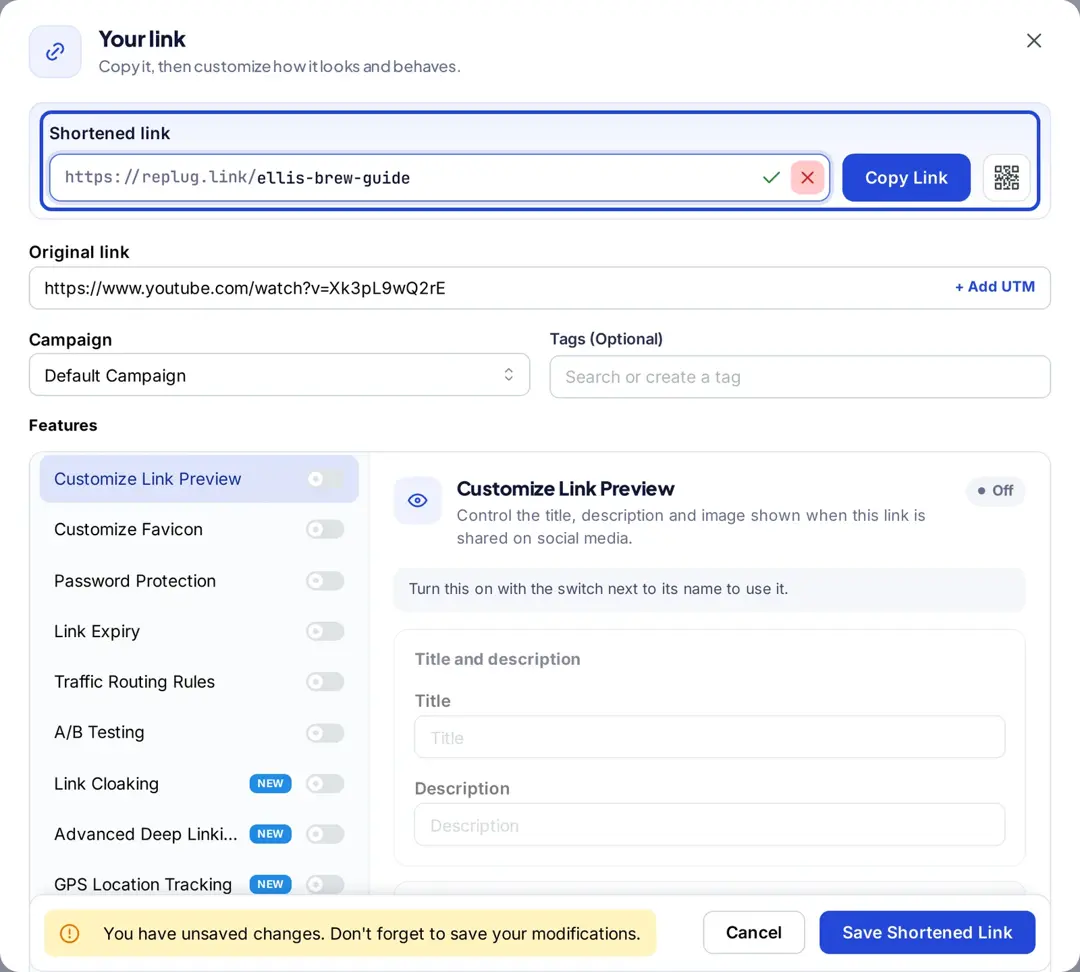
| Add UTM parameters: If you’re sharing the link for marketing purposes, you can add UTM parameters to track clicks and analyze performance. Replug makes it easy to add these parameters without manually editing the URL. |
Step 3: Enhance your link with advanced features
Within the same pop-up window, you’ll find additional customization options, including:
- Customize link preview: Control how your link appears when shared (Essentials and up).
- Customize favicon: Add a branded icon to your link (Essentials and up).
- Password protection: Restrict access to various users (Scale and Agency).
- Link expiry: Set a time limit for link validity (Scale and Agency).
- A/B testing: Compare different versions for performance (Scale and Agency, up to 20 URLs).
- Pixel retargeting: Track and retarget users who click your link (pixels are added to the link’s campaign).
Choose any of these features to maximize engagement and security.
Step 4: Copy and share your branded URL
Once you’ve customized your link, click Save Shortened Link.
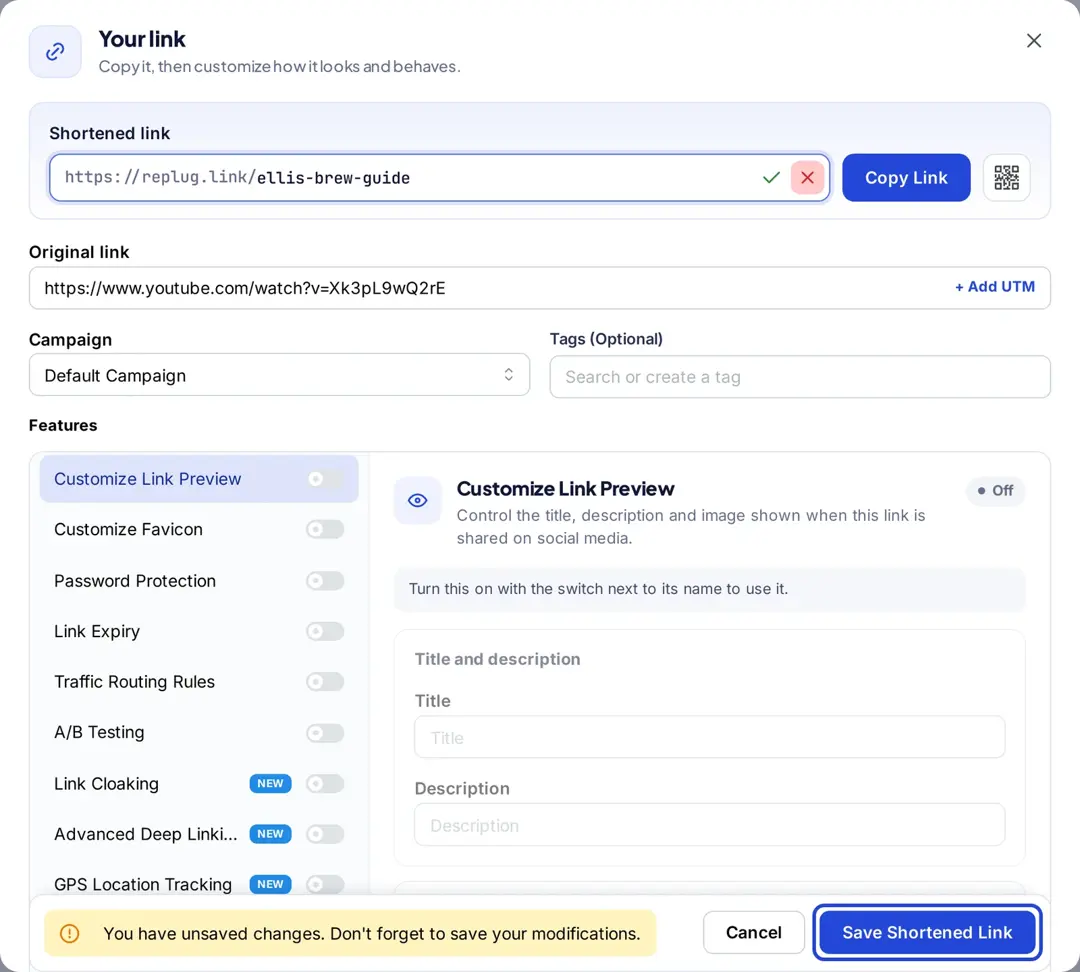
Copy it and share this link directly with friends or post it on social media platforms like Twitter, Facebook, Reddit, Blogger, Tumblr, or Pinterest. Want your own words instead of a YouTube URL? Here is how to hide the URL of a YouTube video.
Also read: How to shorten a link using a URL shortener?
youtu.be or a branded short link: which should you use?
| YouTube’s youtu.be link | Replug short link | |
|---|---|---|
| Cost | Free, built into YouTube | Free plan: 100 short links, no card |
| What it looks like | youtu.be/VIDEO_ID | replug.link/x7Kp2; your own words from Essentials; your own domain on any plan |
| Works for | Videos (not channel pages) | Videos, Shorts, channels, playlists, any URL |
| Click counts | Not for the link itself; YouTube Analytics reports views | Clicks, countries, devices and referrers for each link |
| Change where it points | No, it always opens that video | Yes, on the Scale and Agency plans |
Use the youtu.be link when you just need a shorter link fast. Use a branded short link when you’re sharing the same video in several places and want to know which one sent the views, or when the link should say what it is, like replug.link/fall-trailer. Plan details are on Replug’s pricing page.
Key benefits of using a URL shortener
A URL shortener offers many benefits, from making your links cleaner and easier to share to boosting trust and engagement with your audience.
Replug not only shortens your YouTube URLs but also adds powerful features like branding, analytics, and retargeting. This means you can share polished links while tracking and improving engagement.
- Custom domains & vanity URLs: Brand your links with your own branded short domain to make them look professional and credible.
- Click tracking & analytics: Track every click by device, location, time, and more, all viewable in your dashboard.
- Retargeting integration: Add tracking pixels from Facebook, Google, Twitter, and others to retarget viewers and build warm audiences.
- QR codes for YouTube videos: Instantly generate scannable and dynamic QR codes for offline promotions, packaging, or event marketing.
- Shorter, shareable links: Clean, compact URLs that look professional and fit perfectly in bios, emails, and captions.
- Better engagement rates: Short links appear more trustworthy, increasing the chances of clicks and views.
- A/B testing with smart links: Send clicks on one link to different videos or landing pages to see which drives the most engagement (Scale and Agency).
- UTM parameter support: Add campaign tags to track YouTube traffic in Google Analytics without messy long links.
- Seamless social sharing: Optimized links that look polished across platforms like Instagram, X (Twitter), TikTok, and LinkedIn.
- Centralized link management: Manage all your YouTube links, campaigns, and analytics from one easy dashboard.
Conclusion
In this blog, we discussed how to shorten a YouTube URL, its significance, and walked through two simple methods to do it. First, we looked at YouTube’s built-in short URL feature for quick sharing.
Then, we explored how Replug.io helps you create custom, branded short links with advanced features like UTM tracking, retargeting, A/B testing, and centralized link management.
If you haven’t already, give Replug’s URL shortener a try and experience the difference it can make in managing and optimizing your links.
Frequently asked questions

Muhammad Ahsan Jamal