Google Forms are perfect for collecting feedback, running surveys, or managing event registrations. But here’s the catch: the default links they generate are long, messy, and hard to share.
Not only do these cluttered URLs look unprofessional, but they’re also difficult to remember, tricky to fit into social media bios, and almost impossible to use on printed material.
The good news? You can shorten your Google Forms link in just a few clicks. In this guide, we’ll walk you through:
- How to shorten a Google Forms link using Google’s built-in option
- Why shortening links matters (aesthetics, user experience, branding, security, analytics)
- How to take it further with Replug: for branded links, click tracking, QR codes, and more
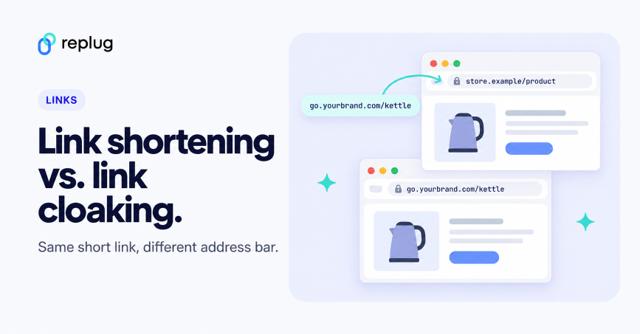
By the end, you’ll know not only how to create a short, neat link for your form but also how to maximize its impact for sharing, branding, and conversions. The same approach works if you need to turn a PDF into a link, and if you are unsure which technique you need, compare link shortening vs. link cloaking.
Short answer: publish your form, open the Send window, click the link icon, tick Shorten URL and click Copy. You get a short forms.gle link that doesn’t expire. If you want a link with your own name in it, such as rplg.co/rsvp, or want to count clicks, paste the form link into Replug instead. Replug’s Free plan includes 100 short links and 3 custom domains.
Why shorten Google Forms links?
Before we get into the steps, let’s answer the big question: why bother shortening at all?
Here are the top five reasons:
- Visual appeal: Shortened links look cleaner and more professional, especially when shared in emails, on social media, or in presentations.
- User experience: A short link is easier to type, remember, and share. It improves overall accessibility.
- Branding & trust: Branded links increase CTR, look professional, build trust, and are far more memorable than random strings of characters.
- Character limitations: Platforms like X (formerly Twitter), SMS, and messaging apps often have word or character limits. A long Google Forms link can get cut off or even break.
- Tracking & analytics: While Google’s built-in shortener only makes the URL shorter, a custom link shortener gives you click tracking, engagement insights, and campaign performance plus detailed analytics.
How to shorten Google Forms link (built-in method)
Google Forms actually includes a simple option to shorten your link. Here’s how:
- Open your Google Form.
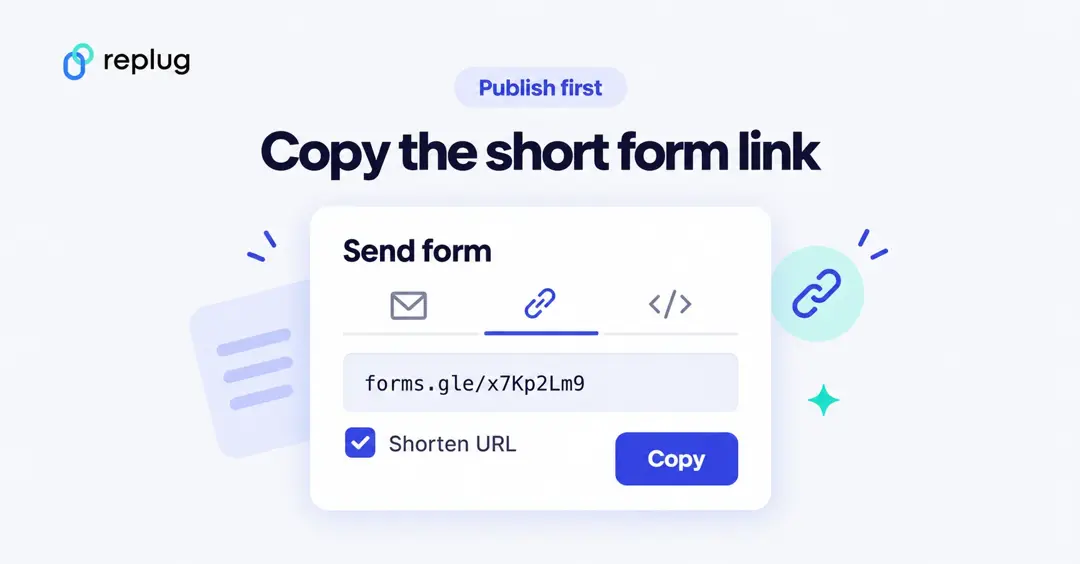
- Click the Send button in the top-right corner.
- Select the link icon (the chain symbol).
- Tick the Shorten URL checkbox.
- Click Copy to grab your new, shorter link.
That’s it! In seconds, you’ll have a cleaner link that’s easier to share.
Don’t see Send? Google Forms now asks you to publish a form before anyone can fill it in. If you see a Publish button at the top right, click it first; according to Google’s help page, people with the link can’t open an unpublished form. After publishing, you can copy the short link with the Shorten URL box, or use Copy responder link to grab the full address.
Make sure you copy the responder link (it ends in /viewform or starts with forms.gle), not the address in your browser while you edit. The editor link ends in /edit and only works for you and your collaborators.
👉 Limitation: This method only shortens the link. You can’t rename it, brand it, or track performance.
How to shorten and customize Google Forms Link with Replug in 5 easy steps
If you want more than just a cleaner link, this is where Replug.io comes in.
Here’s how to shorten your Google Forms link with this leading link shortener, and brand it using advanced customization features:
Step 1: Copy your Google Forms link
Open your Google Forms link and copy it (via Send → Link icon → Copy).
Step 2: Log in to Replug
Visit Replug and log in to your account. If you’re new, sign up for a free account to get started.
Step 3: Create a shortened link
After signing in, go to your Replug app dashboard.
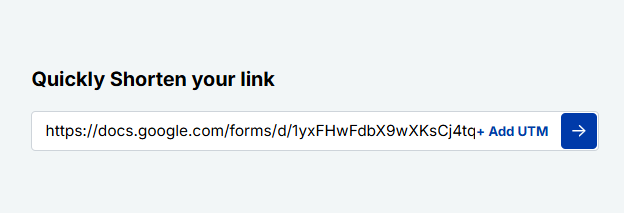
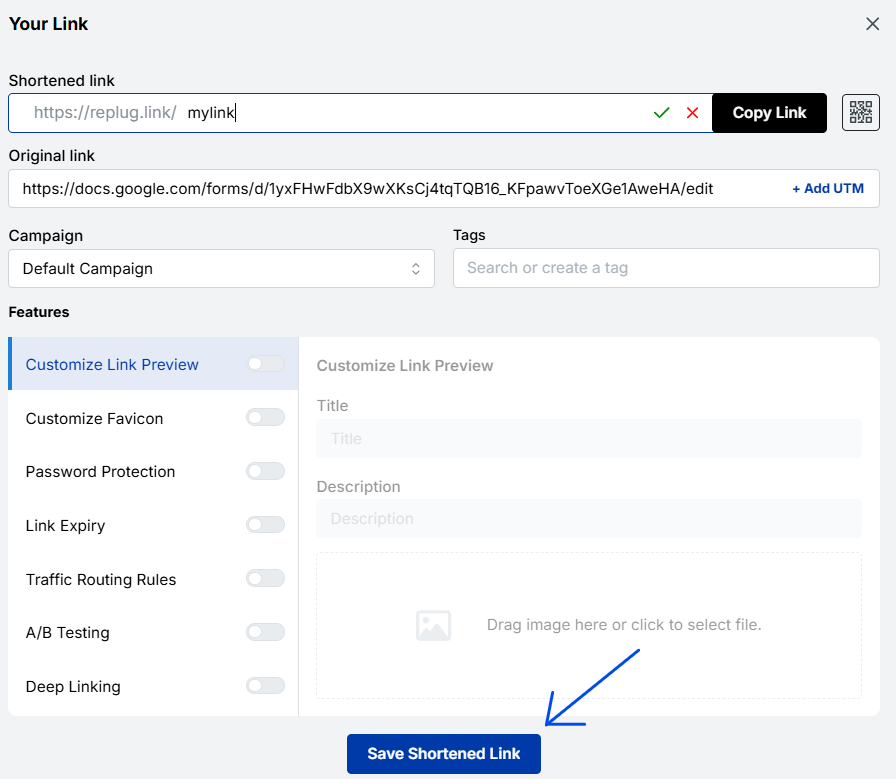
Paste the Google Form URL into the “Quickly Shorten your link” field located in the upper left corner.
Customize the slug as per your liking. Custom slugs are available on the Essentials plan and above; on the Free plan Replug picks the ending for you.
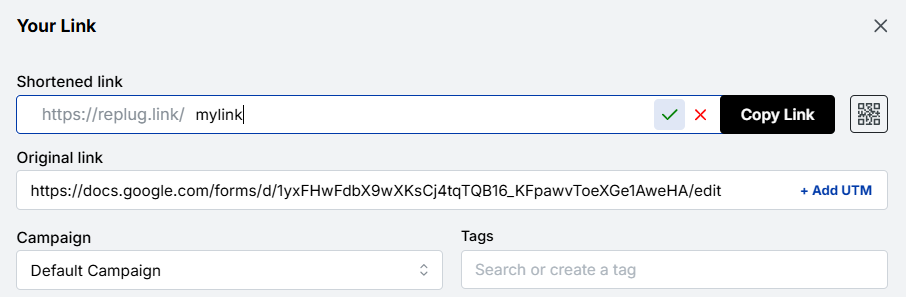
And press the tick button in front of it.
Here, you can also generate editable QR codes to share your links effortlessly offline (see static vs dynamic QR codes for the difference). Or add UTM tracking parameters to monitor your link performance.
Step 4: Customize advanced features (optional)
Here’s the exciting part: In addition to customizing your link, you can also do the following.
- Add link preview: Create eye-catching link previews for better engagement on social media.
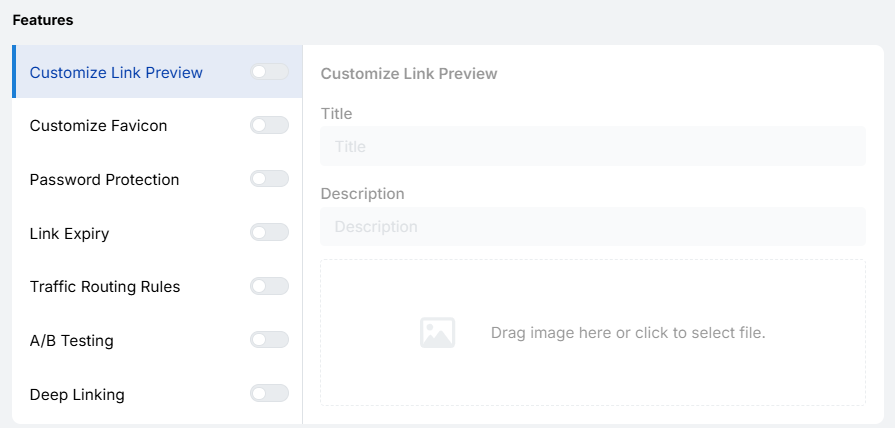
- A/B test URL: Compare multiple URLs to find the best-performing version.
- Expiration dates: Set an expiry date for your link if it’s for a limited-time campaign (Scale and Agency plans).
Step 5: Save and share
Click the “Save” button to generate the shortened link. Copy your new link and share it across email, social media, or any other platform.
And you’re done!
Read also: How to make a QR code for Google Forms?
What are the benefits of creating a Short Google Forms link with Replug?
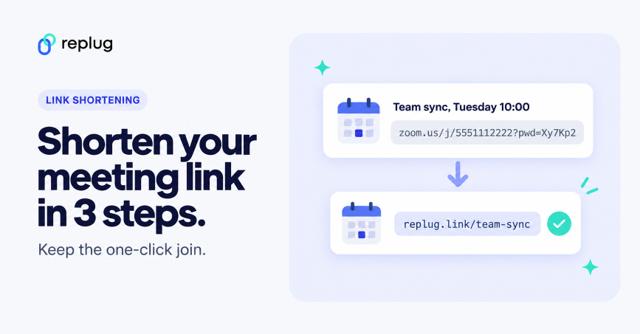
Unlike the built-in method, Replug makes your Google Forms link short, trackable, and brand-consistent. It works the same way for Zoom links and other long URLs. With Replug, you can:
- Create branded, memorable links
- Track clicks and engagement with detailed link analytics
- Generate QR codes for offline sharing
- Add a retargeting pixel for ad campaigns with Replug’s retargeting feature
- Run A/B tests on different URLs
- Set expiration dates for time-limited forms
Do Google Form links expire?
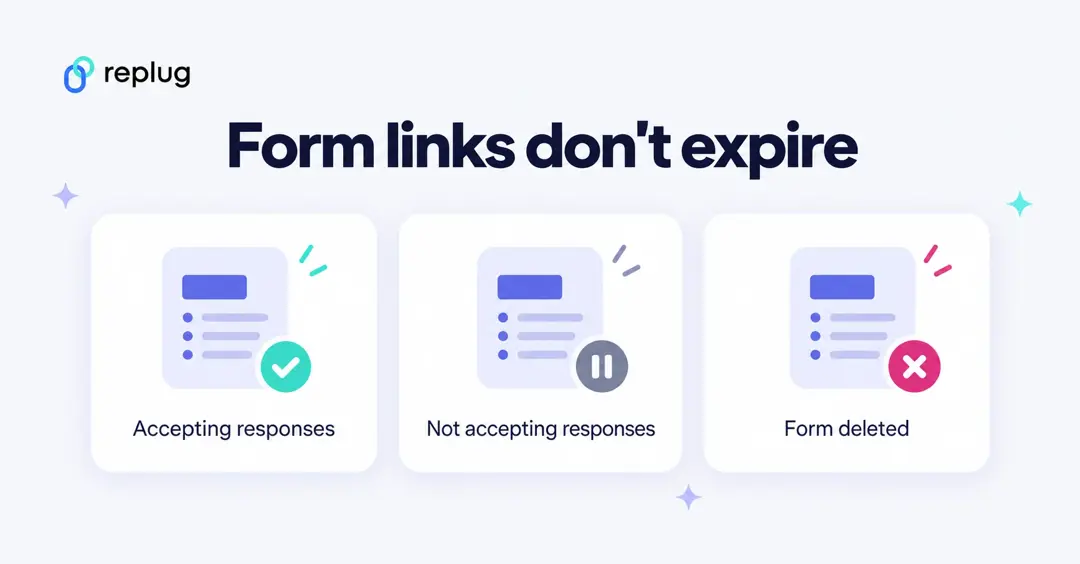
No. A Google Form link, long or forms.gle, keeps working for as long as the form exists. What changes is what people see when they open it:
| What happened | What people see | How to fix it |
|---|---|---|
| You turned off Accepting responses (Responses tab) or unpublished the form | “This form is no longer accepting responses” or a page saying the form isn’t available | Turn responses back on or publish the form again. The link doesn’t change. |
| The form is limited to your organization (Settings → Responses) | A Google sign-in page or “You need permission” | Turn off the restriction to let anyone respond. |
| “Limit to 1 response” is on | A sign-in prompt, because Google needs an account to count responses | Turn it off if you want people to answer without signing in. |
| The form was deleted | “Sorry, the file you have requested does not exist” | Restore it from the trash in Google Drive within 30 days, or point your short link at a new form. |
Google Forms has no built-in setting to close a form on a date. If you want a link that stops working after a deadline, set an expiry date on the Replug short link (Scale and Agency plans), or close the form by hand when the deadline passes.
Can you customize or rename a Google Form link?
Not inside Google Forms. The Shorten URL box always gives you a random forms.gle ending, and there’s no way to choose the words. Renaming the form only changes its title, not its link.
To get a readable link, shorten the form link in Replug and type your own ending, such as rplg.co/fall-survey or go.yourschool.org/field-trip on your own domain. People can type it from a slide or a poster, and they can tell what it opens before they click.
Is there a Google URL shortener integration for Google Forms?
The Shorten URL checkbox is the only shortener built into Google Forms. Google’s general-purpose shortener, goo.gl, stopped creating links in 2019, and in August 2025 Google switched off goo.gl links that were no longer in use. Links made by Google apps keep working, so existing forms.gle links aren’t affected.
If you need a short link created automatically, for example one per new form or one per response, connect Google Forms to a link shortener through Zapier. Replug’s Zapier and API access is included in the Scale and Agency plans.
Pre-fill answers before you shorten the link
A pre-filled link opens your form with some answers already filled in, such as the event name or the class period. It is a long URL, so it is a good candidate for a short link.
- In the form editor, click the three-dot menu at the top right and choose Get pre-filled link.
- Fill in the answers you want to set in advance.
- Click Get link, then Copy link.
- Paste that link into Replug and give it a clear ending, such as rplg.co/rsvp-austin.
You can make several pre-filled links from one form, one per location or team, and give each its own short link.
See where your form responses come from
Google Forms counts responses, not visits, and it can’t tell you whether people found the form through your newsletter, an Instagram story or a poster in the hallway. To find out:
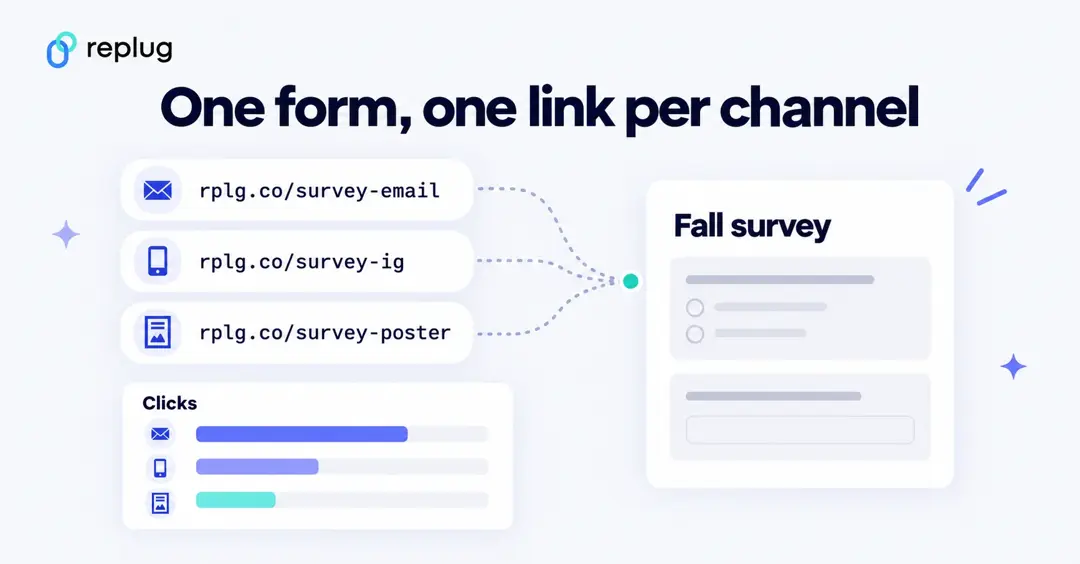
- Create one short link per channel that all point to the same form, for example rplg.co/survey-email, rplg.co/survey-ig and rplg.co/survey-poster.
- Use the poster link to make a QR code, so print scans are counted separately.
- Compare clicks per link in Replug with the number of responses in Google Forms. A channel with many clicks and few responses usually means the form is too long or asks for something people don’t want to share.
Replug shows clicks, unique visitors, countries, devices and referring sites for each link. Click history is kept for 14 days on the Free plan, 90 days on Essentials and with no time limit on Scale and Agency.
Comparison: Google Forms Shortener vs. Replug
For your ease, we’ve put together a quick comparison table between Google Forms Shortener and Replug. This way, you can see at a glance what each tool offers and decide which fits your needs best.
| Feature | Google Forms | Replug |
| Shortens link | ✅ | ✅ |
| Customize link slug | ❌ | ✅ |
| Use branded domain | ❌ | ✅ |
| Track clicks & analytics | ❌ | ✅ |
| Generate QR codes | ❌ | ✅ |
| Retargeting pixels | ❌ | ✅ |
| A/B testing | ❌ | ✅ |
| Expiration dates | ❌ | ✅ |
Conclusion
In this blog, we talked about why shortening Google Forms links isn’t just about saving space; it’s about creating links that are easy to share, trustworthy, and professional. While Google’s default option does the job, it falls short when it comes to branding, insights, and overall impact.
That’s where Replug steps in. With branded links, detailed analytics, retargeting, and A/B testing, it transforms a simple form link into a tool that drives engagement and optimizes conversions rate.
Ready to turn your Google Form links into growth engines? Try Replug today!
Frequently asked questions

Manahil