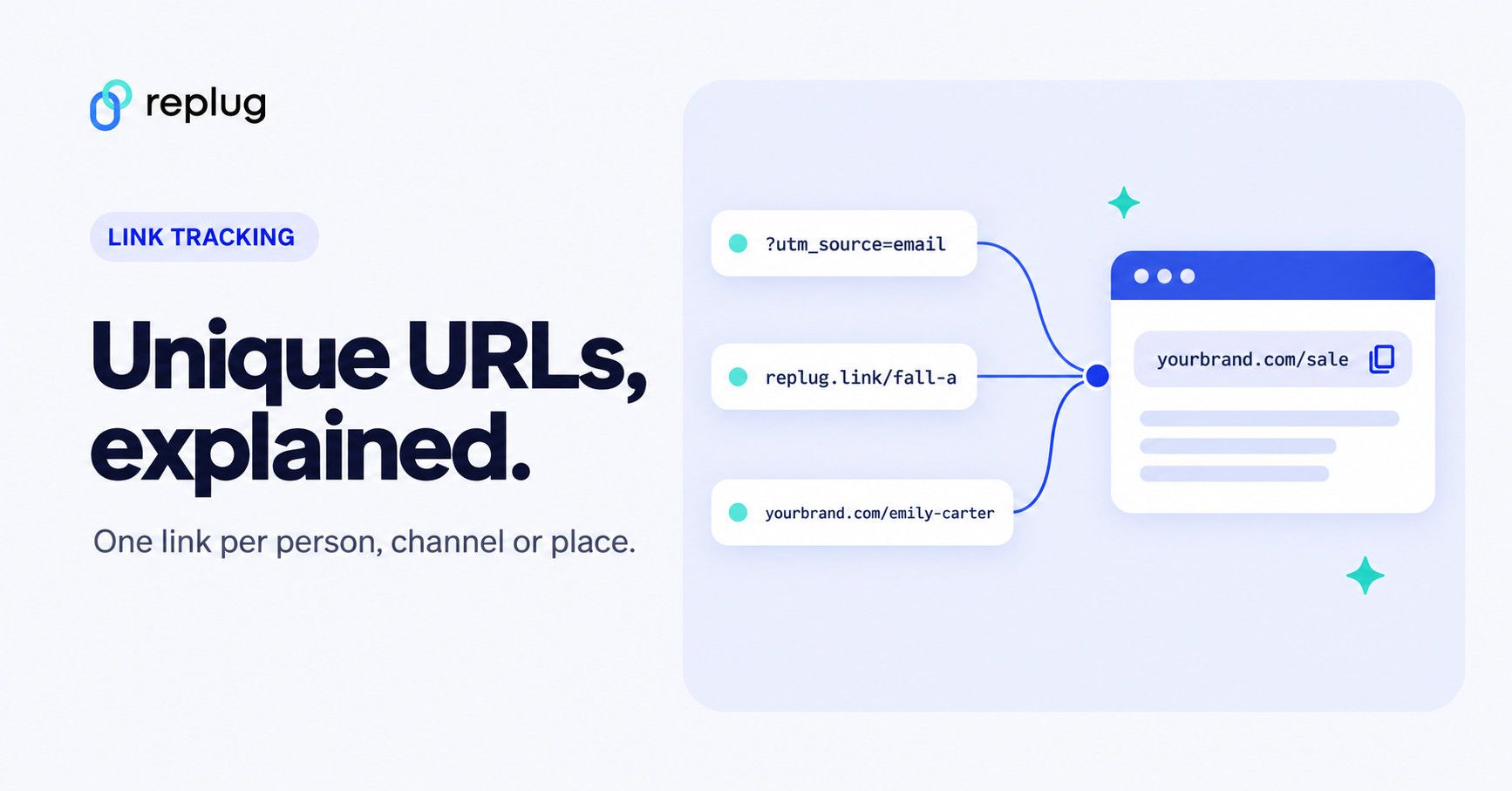
Quick answer: a unique URL is a web address made for one person, one channel or one purpose, so you can tell exactly where a visit came from. The three common kinds are tracking URLs (the same page with different UTM tags per channel, such as ?utm_source=newsletter), personalized URLs or PURLs (one link per recipient, such as yourbrand.com/emily-carter), and unique short links (a separate short link for each post, email or flyer that opens the same page). You can make all three by hand, with a UTM builder, or with a link shortener such as Replug.
Have you ever wondered what sets certain web addresses apart from the rest? Why do some URLs feel tailor-made to cater to your interests and preferences?
The answer lies within the domain of unique URLs. Unlike their conventional counterparts, these special links possess the ability to deliver customized experiences, guiding users to content that resonates with them on a deeper level.
Follow along as we uncover the secrets behind creating and utilizing unique URLs and discover how they can uplift your online journey.
Get ready to unlock the potential of unique URLs and enhance your digital impact.
What are unique URLs?
Unique URLs are special web addresses that are customized and tailored to individual users or specific purposes. They go beyond the standard URLs you see on the web and add a personal touch.
These unique addresses can include elements like user identifiers, preferences, or customized URL parameters.
The primary purpose of unique URLs is to enhance user experiences and provide personalized content. They allow businesses to deliver targeted information, track user behavior, and measure the effectiveness of their marketing efforts.
With unique URLs, website owners can create customized landing pages and provide a more personalized, engaging experience for their visitors.
Unique URL vs UTM link vs personalized URL vs short link
These terms overlap, so here is how they differ in practice:
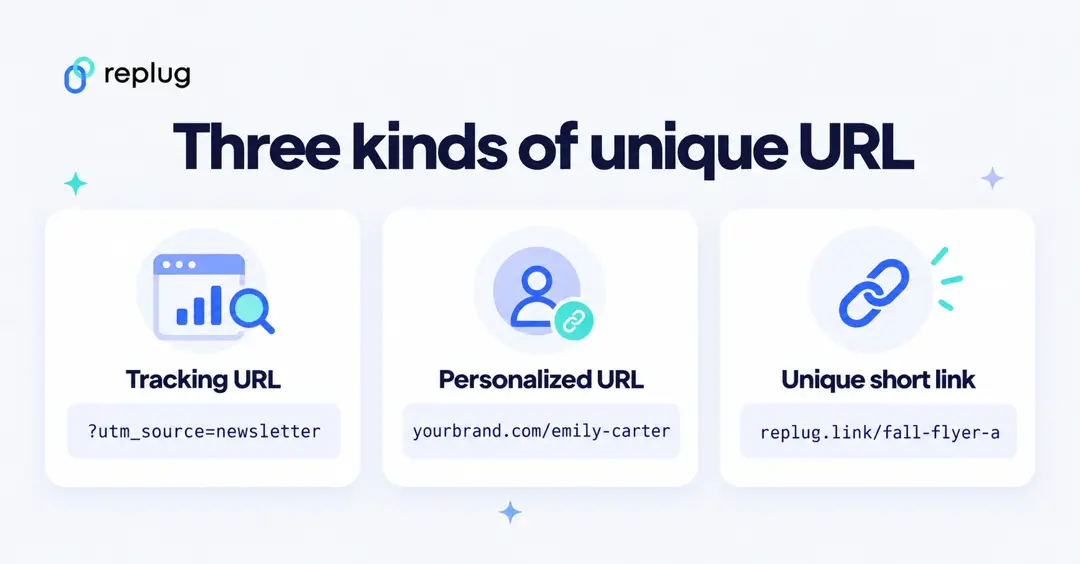
| Type | Example | Unique per | Best for |
|---|---|---|---|
| Tracking (UTM) URL | yourbrand.com/sale?utm_source=newsletter&utm_medium=email | Channel or campaign | Seeing which channel sends visits in your analytics |
| Personalized URL (PURL) | yourbrand.com/emily-carter | Recipient | Direct mail, sales outreach, VIP invites |
| Unique short link | replug.link/fall-flyer-a | Placement (post, email, flyer) | Counting clicks per placement without touching the page |
| Custom profile URL | yourbrand.com/u/emilycarter | User account | Memorable profile or portfolio pages |
They also combine well: a unique short link can point to a page that carries UTM tags, so your link tool counts the clicks and your analytics tool records the visits. According to Google Analytics Help, the three tags to use are utm_source (for example newsletter), utm_medium (for example email) and utm_campaign (for example spring_sale).
How to create unique URLs using Replug?
When it comes to creating unique URLs, Replug.io offers a comprehensive suite of features that empowers businesses to take control of their online presence and deliver personalized experiences.
What does Replug do?
With Replug, you can add a call-to-action (CTA) to any link you share with your audience and drive traffic back to your site. You can collect leads by adding your own branded CTA to any page on the web.
Replug also provides analytics and insights, allowing you to track visits and conversions from the links you have shared.
Precisely, it is an efficient link shortener and a remarkable link-tracking platform that helps you build brand recognition and allows you to add eye-catching, branded call-to-actions or pixels for retargeting to any page on the web.
Additionally, Replug offers bio links that let you drive more traffic to your landing pages through platforms like Instagram and Twitter.
Here’s how to get a unique URL with Replug
Let’s explore how Replug simplifies creating unique URLs and releases their potential for your digital strategy.
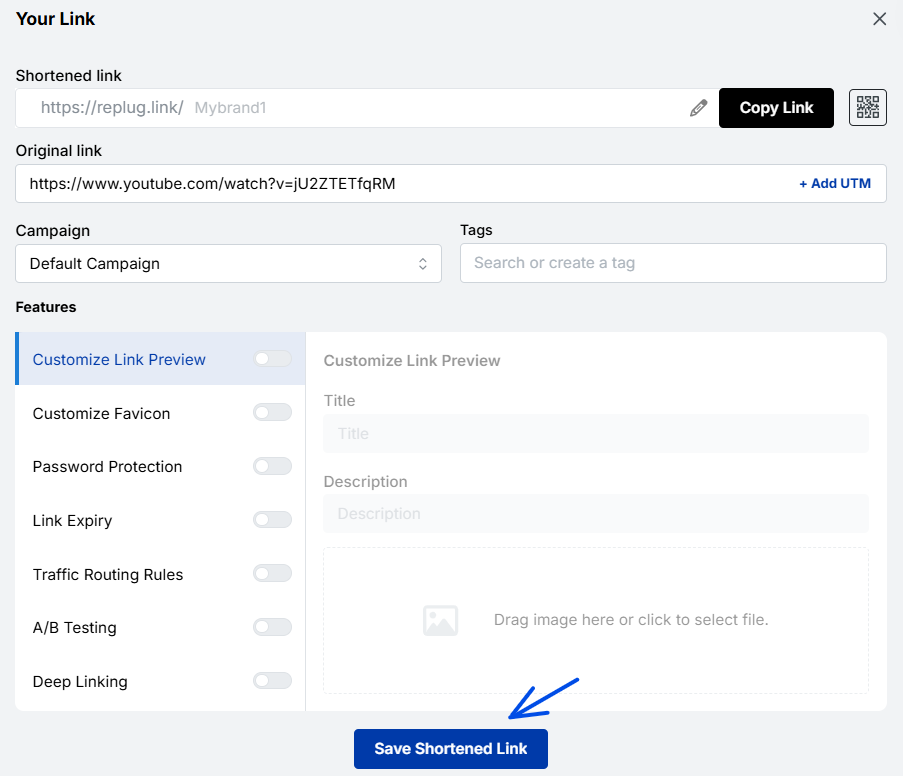
Step 1: Sign in to Replug or create a free account.
Step 2: On the main home page, locate the “Quickly Shorten your link” bar in the top-left corner. Paste the URL you want to uniquely shorten, here. (In the current dashboard, this is the shorten bar on the Home page; paste the link and click Shorten.)
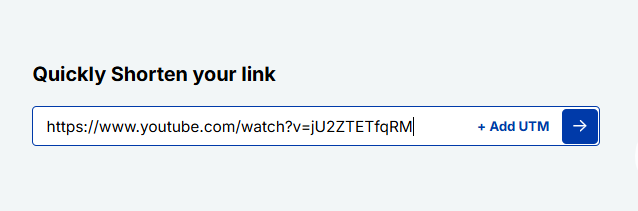
Step 3: Press Enter. The following screen will appear.
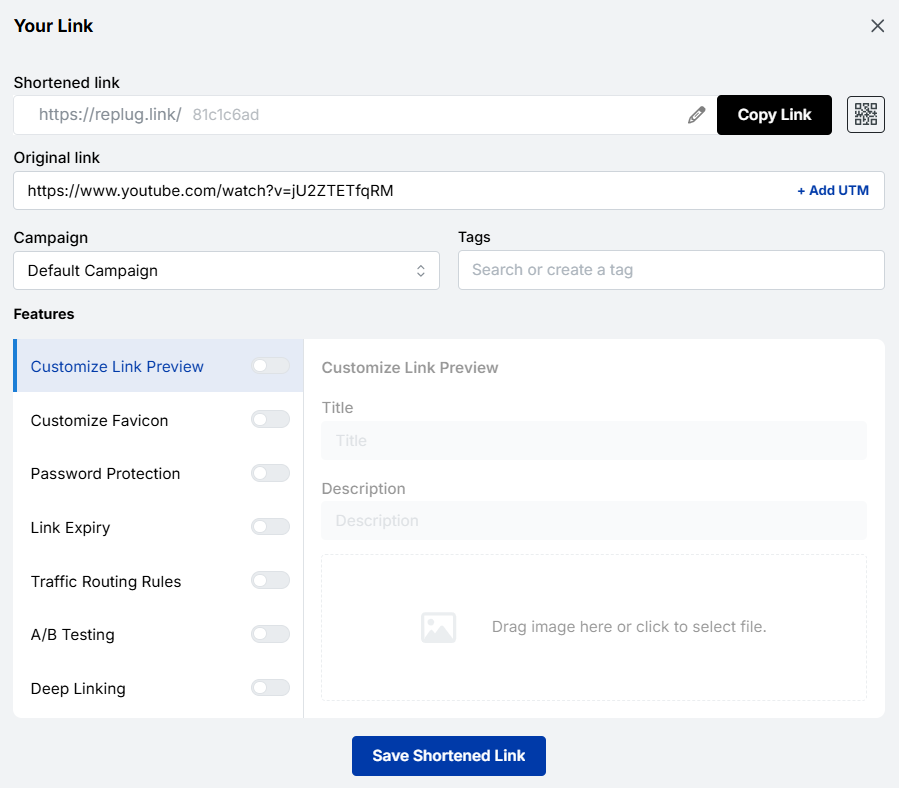
Here, you’ll spot the “Campaign” option. Go with the default campaign, or choose one from your existing campaigns in the dropdown menu.
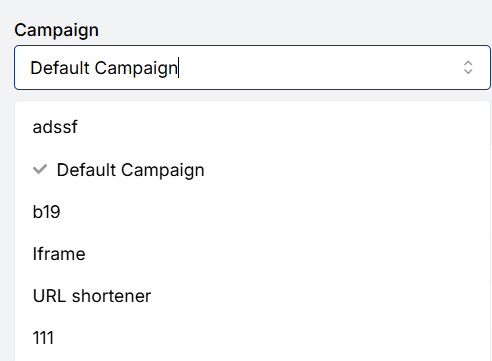
Note: Creating a campaign takes only a few seconds. It can be the name of your project, allowing you to navigate it easily. For instance, if you’re creating a unique URL, your campaign can be titled “unique URL”.
Step 4: After that, customize your URL slug to make it unique. Once done, click the check mark to save the customization. (Choosing your own slug is on the Essentials plan and above; on the free plan Replug gives each link an automatic, still unique ending.)
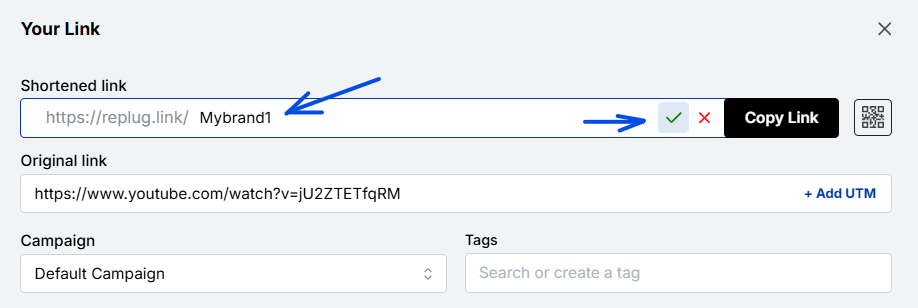
Additional step:
- You can also create a dynamic QR code for your link here.
- Besides, by clicking the “+ Add UTM” option, you can add UTM parameters to your link, if needed.
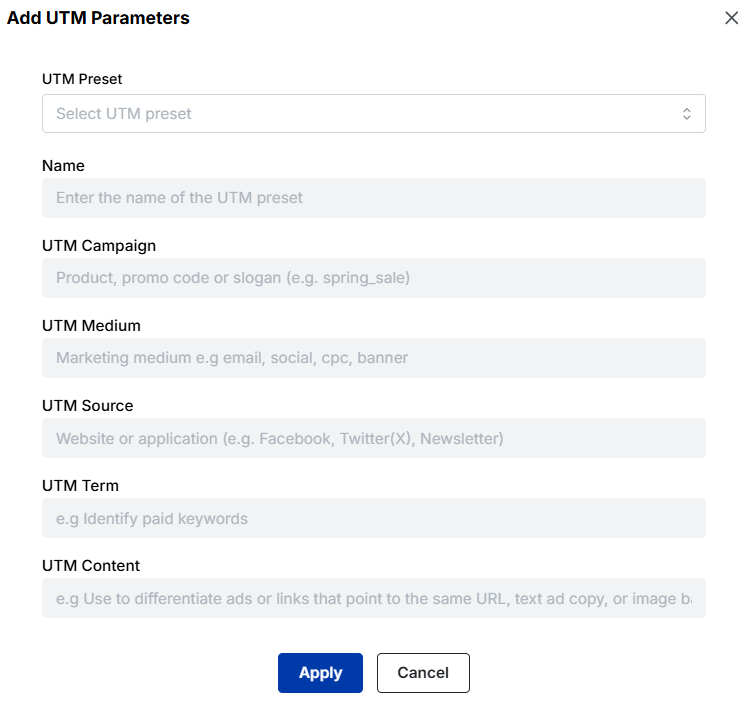
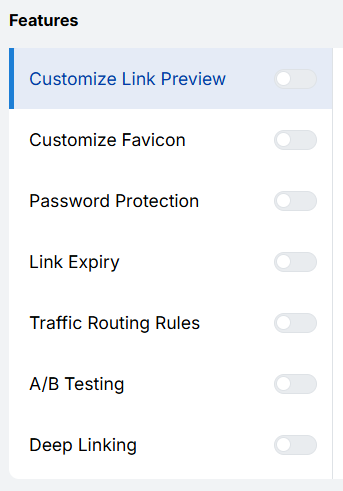
Step 5: Now, in this step, you can add extra cool features to your URL, which include (per Replug’s pricing page, October 2026: custom previews and favicons start on Essentials; password protection, link expiry, traffic routing, split testing with up to 20 URLs and deep links are on Scale and Agency):
- Customize link preview
- Customize favicon
- Password protection
- Link expiry
- Traffic routing rules
- Split testing
- Deep links
Step 6: Once done, click the “Save Shortened Link” button.
And you’re done!
Actionable link data: Replug’s analytics at your service
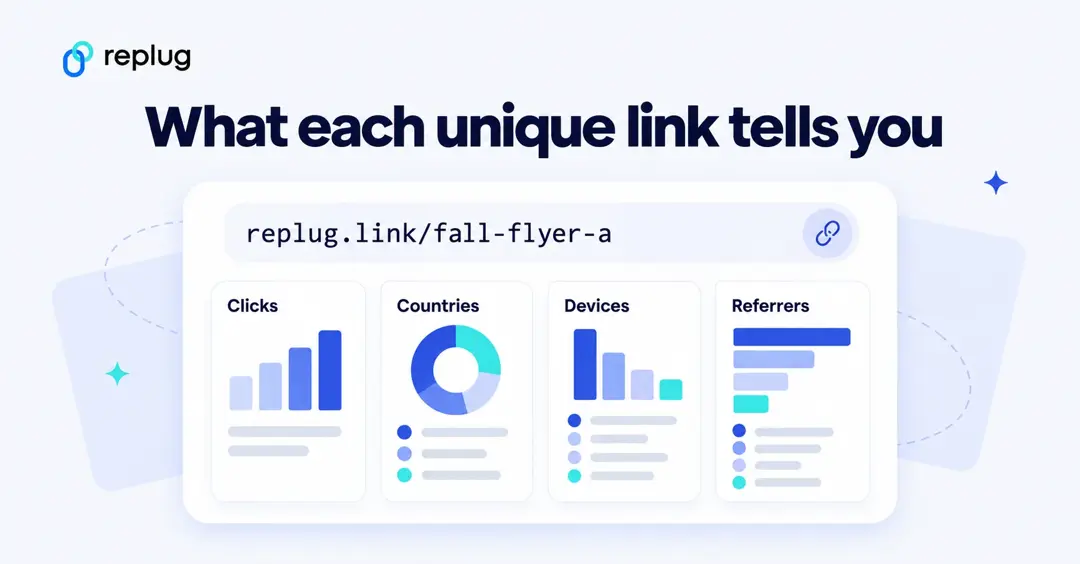
Replug not only provides powerful URL management capabilities but also offers rich analytics for each of your links. With Replug’s analytics feature, you can gain valuable insights into the performance and impact of your links, empowering you to make data-driven decisions and optimize your online strategies.
By using this amazing feature, you can track key metrics such as click counts, traffic sources, and your audience’s geographic distribution. You can also dive deeper into user behavior by analyzing details like click times, devices used, and referring websites.
Additionally, Replug lets you set up conversion tracking to measure the effectiveness of your campaigns and accurately assess the return on your marketing efforts.
Other methods to generate unique URLs
If you need to create distinct, trackable, or personalized URLs (rather than the same generic link everyone gets), there are some additional simple methods you can use.
These help with tracking, engagement, and giving users their own “space”, so you know exactly where traffic is coming from and who’s clicking what.
Add campaign parameters
One common way to make URLs unique and trackable is by adding tracking parameters (like UTM parameters) to the URL.
Tip: Replug’s free UTM builder adds the tags for you, so you don’t have to type them by hand.
For example, you might append,
“?utm_source=facebook&utm_medium=social&utm_campaign=black_friday_sale” to the base link.
These parameters let you see where your visitors came from and which campaign drove them.
Create personalized user links
Another method is to generate links specific to each user, so that when “User A” clicks their link, it differs from “User B’s”.
These personalized URLs (sometimes called pURLs) can include a user-ID, name, or other unique identifier. They’re great for one-to-one campaigns, tracking individual engagement, or giving users their own landing space.
Generate custom short links
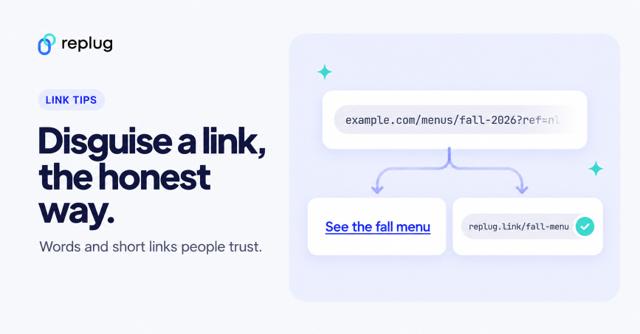
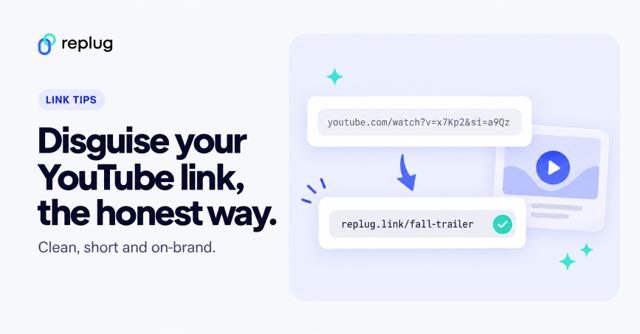
Instead of awkward long URLs, you can create short, branded vanity URLs that are easier to share and remember. These custom short links are not only cleaner visually but also offer analytics so you can track clicks, changes, or destinations.
Customize a user profile URL
Finally, when you have user profiles (on a site or network), you can allow each user to have a unique, customized URL (such as example.com/username) rather than something generic like example.com/profile/12345. This makes the link memorable, improves user experience, and can even help with SEO in some cases.
Also Read: What is a URL slug: Its impact on SEO, examples, best practices, & more
How to create a unique URL for each recipient
Personalized links take a little planning, but the steps are the same whatever tool you use:
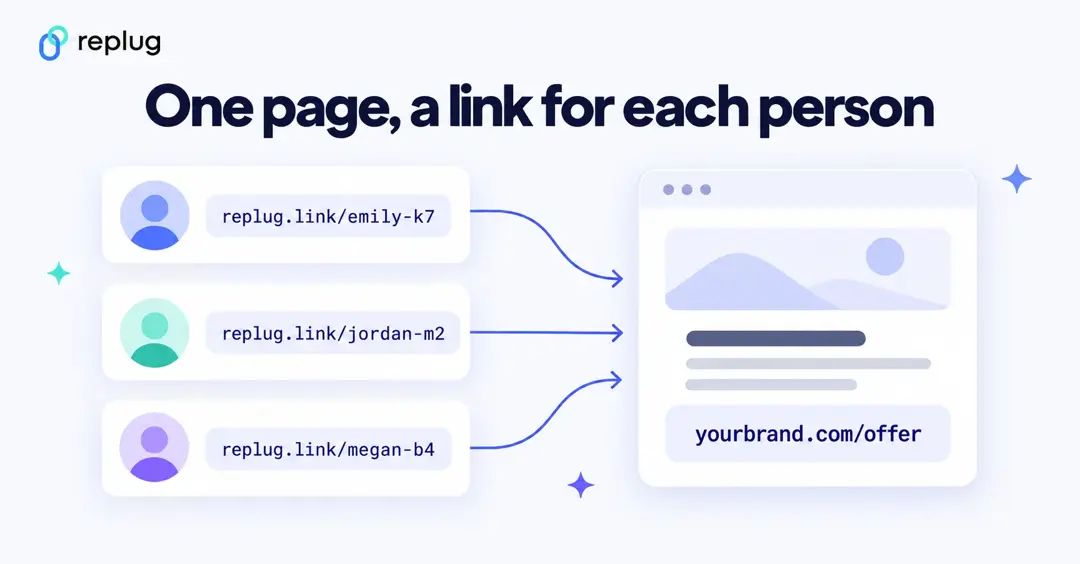
- Pick the unique key. Use a first name plus a short code (emily-k7) or a customer ID. Avoid email addresses and phone numbers in the link itself.
- Choose the domain. A branded domain such as go.yourbrand.com looks more trustworthy in an email or on a postcard than a generic one. Replug lets you connect your own domain on every plan, including Free.
- Create the links. For a handful of people, create them one by one. For a big list, generate them from a spreadsheet: Replug’s bulk link import is on the Scale and Agency plans, and email tools can insert a different link per contact with merge tags.
- Add campaign tags. Point every personal link at the same landing page with the same UTM tags, so your analytics groups the visits under one campaign while each short link counts its own clicks.
- Test before you send. Open a few links in a private window and check that the page, the tags and the personal details are right.
Unique URL best practices
- Keep personal data out of the URL. Google Analytics Help says URLs and URL parameters sent to Analytics must be free of personally identifiable information, such as email addresses. Use an ID or a code instead.
- Write one naming rule and stick to it. Lowercase, hyphens instead of spaces, and the same spelling for each channel (always newsletter, never Newsletter or news-letter), or your reports split one source into several.
- Use a short link on print and social. Long tagged URLs are hard to type and get cut off; a short link or QR code hides the tags but keeps them.
- Decide how long the link should live. Personal offers and event links often need an end date. Replug’s link expiry is on the Scale and Agency plans.
- Keep a record. List each unique URL with who or where it belongs to, so you can read your click reports later.
Do unique URLs hurt SEO?
Not if you set them up sensibly. A unique short link redirects to your normal page, so search engines still see one page. Tracking parameters can create several addresses for the same content; Google’s canonicalization guide notes that some duplicate content is normal and not a spam violation, and recommends telling Google which version is the main one, for example with a rel=”canonical” tag on the landing page. Use tagged and personalized links in emails, ads and social posts, and keep the clean URL for your internal links and sitemap.
Some top-notch unique URL examples
Here are some great real-world examples of unique URLs to help inspire you.
A clean example of a link tagged for a Facebook campaign
https://www.example.com/?utm_source=facebook&utm_medium=social&utm_campaign=spring_sale
URL showing how you can use custom tracking parameters
https://example.com/?mtm_campaign=product_launch&mtm_source=twitter&mtm_medium=social&mtm_content=tweet
Note: Here, “mtm_” instead of “utm_” to identify which social channel and what content type triggered the click.
A link used in an email newsletter to track how many clicks came through that specific channel
https://www.yourwebsite.com/landing-page?utm_source=newsletter&utm_medium=email&utm_campaign=monthly_update
An example of using tracking parameters for print/offline campaigns by redirecting to a tagged URL
http://www.domain.com/?utm_source=magazine&utm_medium=Magazine-A&utm_campaign=fall-2016-product-line&utm_content=full-page-ad
Best use cases for unique URLs
Unique URLs are special links you create so each recipient, source, or situation leads to a slightly different web address. This small tweak unlocks a lot of value.
Check out the top scenarios for using unique URLs.
Marketing & analytics
You can use unique URLs (for instance, links with tracking codes) to see exactly where your traffic is coming from and how people behave once they land.
Using parameters like “utm_source” or “utm_medium” helps you measure campaign performance in tools like Google Analytics and Usermaven. It also means you can compare which channels or messages are working best, and optimize accordingly.
Branding & sharing
When you give someone a link tailored for them (or their group), it feels more personal and thoughtful. People still click more when the link seems custom.
Also, unique URLs can help partner pages, influencer referrals, or social sharing be tracked and attributed back to your brand more cleanly.
User personalization
Finally, unique URLs allow you to customize what the user sees once they click. For example, the link might include a user ID or segment code, so the landing page shows their name, preferred product category, local currency, or language. This makes the experience feel relevant and boosts engagement.
Make your links truly yours: Introducing Replug’s white-label feature
Replug’s white-label solution empowers users (the white-label dashboard is part of the Agency plan) to customize their experience like never before. With the ability to add their own branding elements to URLs, emails, reports, logos, and favicons, users can create a seamless brand identity.
By rebranding Replug, users can make it appear as if they developed the product or service themselves without investing extensive time and resources in its creation.
White-labeling becomes the go-to choice for companies looking to expand their offerings and reach new customers without the expense of building new products from scratch.
Unlocking the power of this top-notch feature allows users to establish a consistent and credible brand presence. By incorporating their own branding elements into Replug, they can deliver a personalized experience that captivates their audience and builds trust.
With Replug’s white-label solution, users can maximize their brand’s impact, extend their reach, and conquer new markets. It’s a fantastic opportunity to customize Replug and effortlessly advance their brand to new heights.
How to set up Replug’s white-label feature?
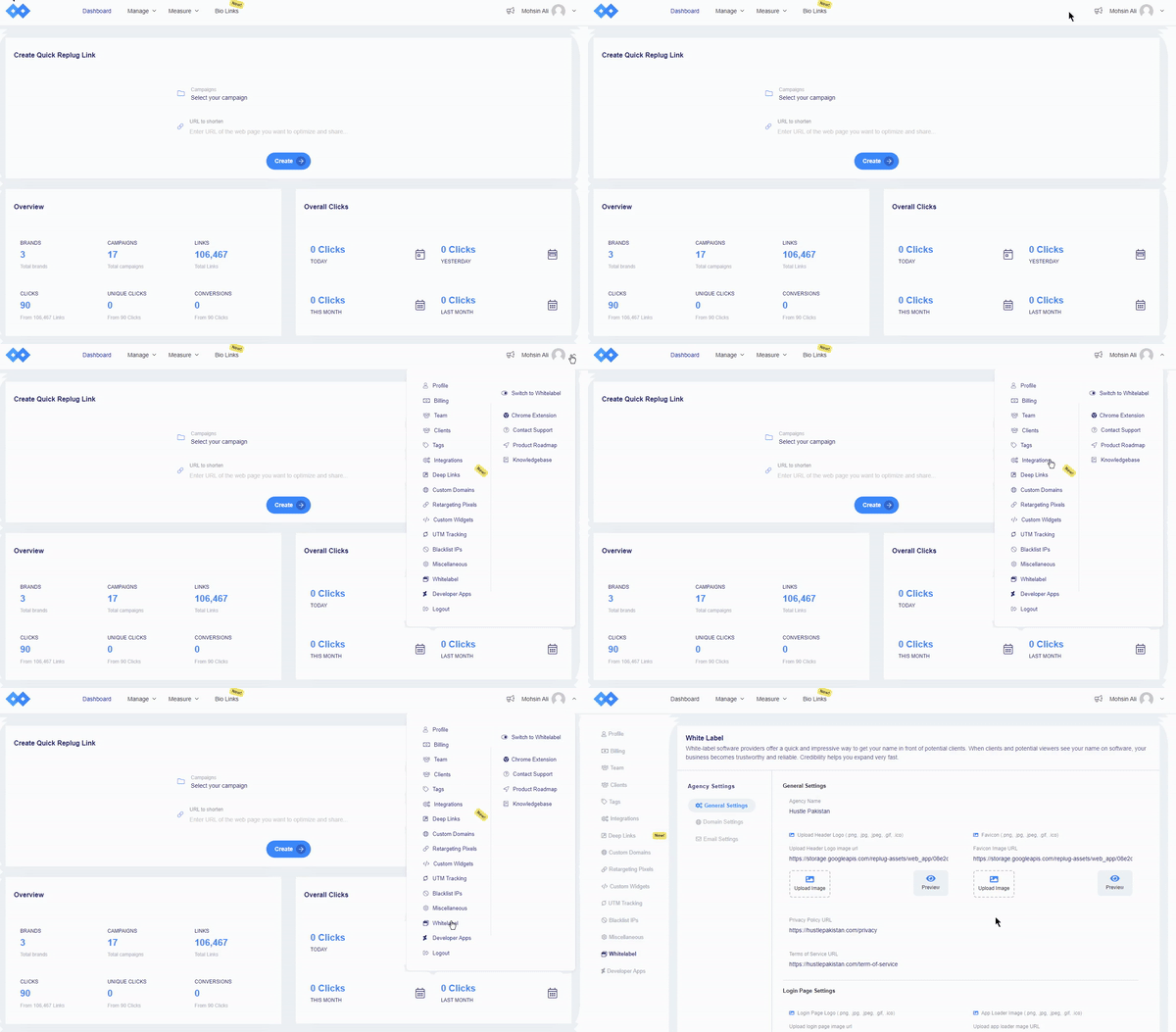
Navigate to Replug settings and click on the “white-label” option. You need to fill in the given field settings to set up your custom white-label URL shortener. The given field settings are:
- General Settings
- Domain Settings
- Email Settings
Note: Read this setup guide for a complete know-how!
Once you have filled the required fields, switch to white-label. To do that, just click your profile name or icon in the top-right corner.
FAQs on unique URLs

Muhammad Ahsan Jamal