Have you ever shared an interesting post, recommended a funny video, or perhaps even critiqued an article that missed the mark? We’ve all been there.
However, what you may not realize is that the way you share these online treasures can have a significant impact on your brand identity.
If you’ve been using plain, generic short links to share content, it’s time to take a closer look. By doing so, you may unknowingly promote other brands instead of your own.
We’ll get straight to the point and discuss the difference between branded links vs. short links inside this blog. We’ll help you understand the implications of your choice and how it can affect your brand’s online presence.
So, let’s get straight to it!
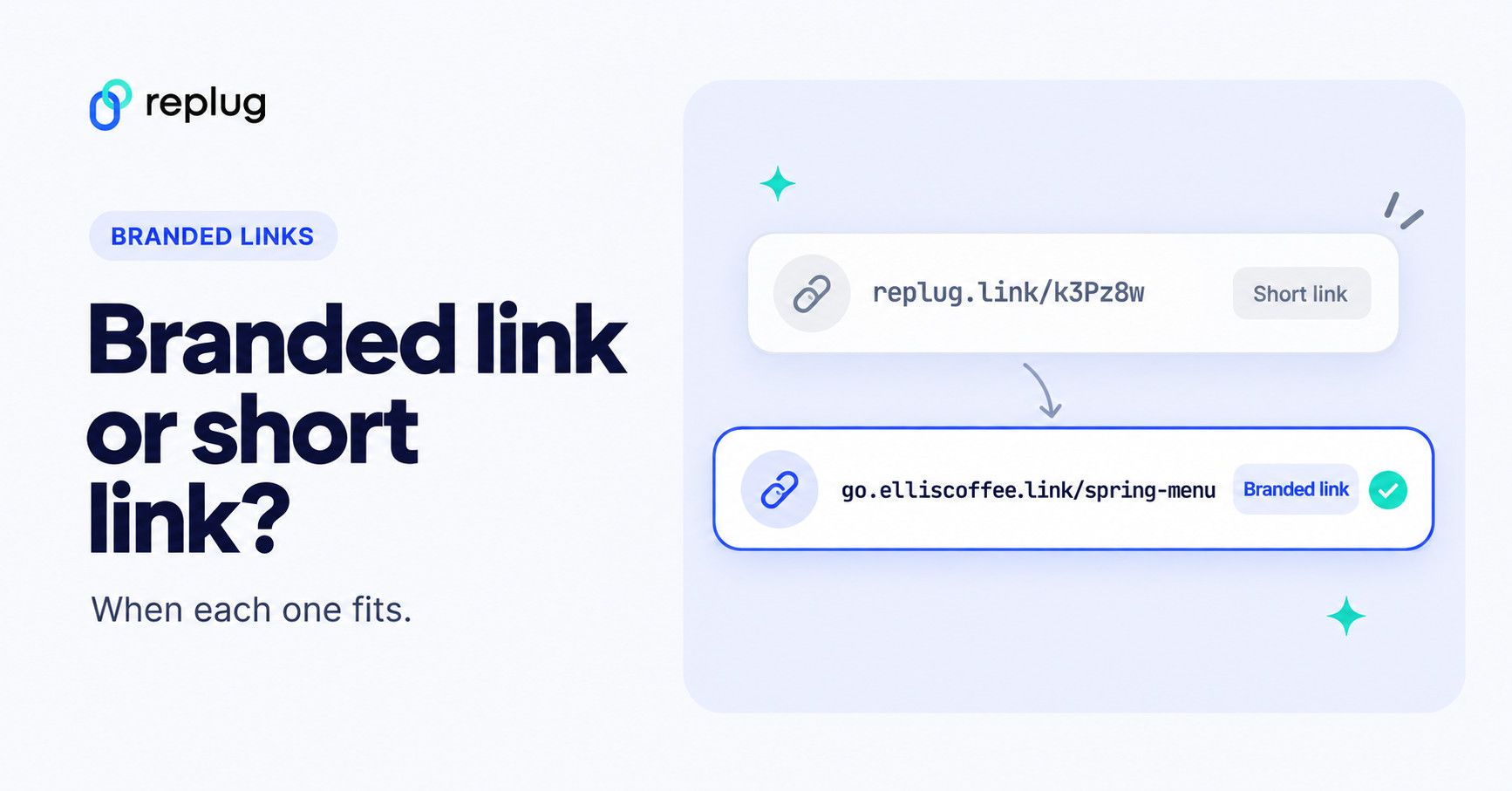
Quick answer: a short link is any shortened URL. A generic short link uses the shortener’s shared domain (for example bit.ly/3XyZ9aL or replug.link/k3Pz8w); a branded link is a short link on a domain you own (for example go.yourbrand.com/spring-menu). Both redirect to the same kind of destination and both can be tracked. The difference is whose name people see before they click and who controls the domain. Use branded links for anything public that carries your name (ads, email, SMS, print) and generic short links for quick, low-stakes sharing.
What is a short link?
A short link, also known as a “short URL” or a “generic short link”, uses a public domain from a third-party service to compress a long version of a web address or URL.
Short links are created to simplify lengthy URLs, making them easier to share, remember, and use. They play a key role, especially in contexts where character limits are a concern, such as social media or printed materials.
Generic short links typically redirect users to the original, longer URL when clicked.
Check out this example of a short link:
👉 Example: bit.ly/3XyZ9aL
This type of link uses a generic shortening domain and a random string of characters. It’s quick to create and works across any platform, but doesn’t reflect your brand identity.
What makes short links so practical & powerful
- Higher click-through rates (CTRs): Short links are clean, simple, and visually appealing, encouraging users to click more often compared to long, cluttered URLs.
- Enhanced recognition: Even generic short links can reflect consistency and professionalism, helping users associate your content with reliability and trust.
- Data-driven insights: These links provide measurable analytics, such as click counts, location, and device type, enabling you to optimize your campaigns with actionable data.
- Seamless user experience: Shortened links load quickly, look better across platforms, and make sharing effortless, improving the overall experience for your audience.
Major use cases for short links
- SMS marketing: Short links save character space in text messages while tracking engagement, making them perfect for concise, measurable mobile campaigns.
- Social media: Generic short links appear clean, fit better within character limits, and enable consistent tracking across platforms like X, Instagram, and LinkedIn.
- Email campaigns: Using short links keeps your emails neat and improves click tracking, helping marketers measure the effectiveness of each link more accurately.
- QR codes for URLs: Short links integrate seamlessly with QR codes, ensuring faster scans, shorter URLs, and flexible tracking of offline-to-online traffic.
- Organic sharing: These links make content easier to share across blogs, forums, and emails, increasing reach without cluttering the message.
- Offline marketing materials: Placing short links on posters, flyers, or packaging makes it easy for users to type or scan, bridging the gap between offline and online engagement.
- Customer support & feedback: Support teams use such links to quickly direct users to FAQs, surveys, or troubleshooting pages without confusing them with long URLs.
Read Also: How to shorten a link using a URL shortener?
What is a branded link?
A branded link, also known as a “custom short link” or a “vanity URL”, is a type of shortened URL that includes a brand’s or organization’s name or a custom keyword as part of the link.
Unlike generic short links that use a random combination of characters and numbers, branded links are customized to reflect the brand’s identity, making them more recognizable and trustworthy to users.
3 key elements of a branded link are:
- Domain – The custom name that represents your brand (e.g., go.yourbrand.com), helping build recognition and trust.
- TLD (top-level domain) – The extension that follows the domain (e.g., .com, .io, .link), which can be chosen to align with your brand’s identity or industry.
- URL slug – The customizable part after the slash (e.g., /summer-sale), used to describe the content or campaign clearly and memorably.
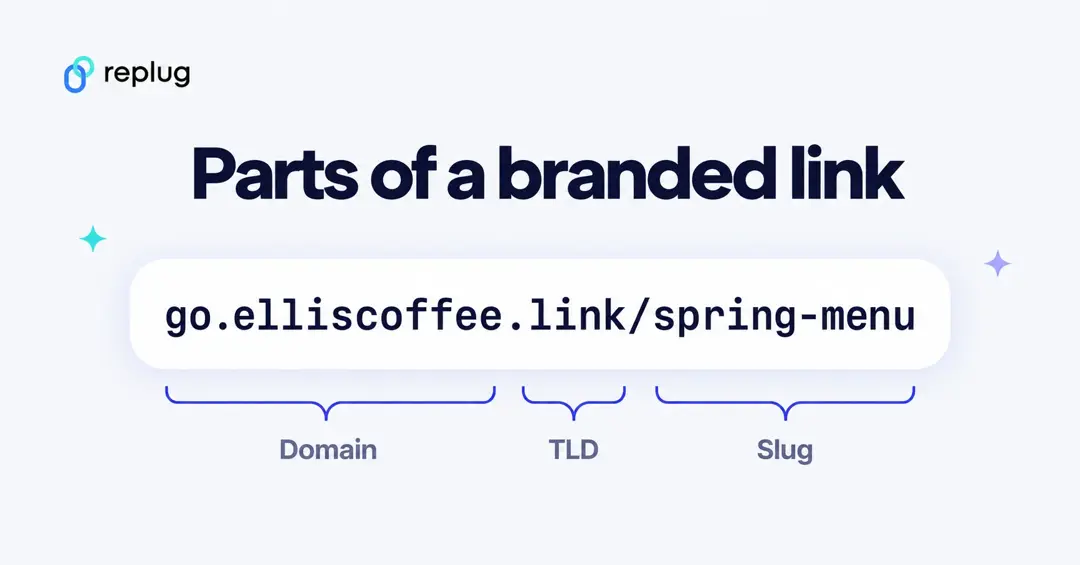
Example of a branded link:
👉 Example: go.yourbrand.com/offer
A branded link uses a custom domain (e.g., go.yourbrand.com, link.yourbrand.co, etc.). It reinforces brand recognition, looks more trustworthy, and still provides all the tracking and analytics benefits of a short link.
What makes branded links so practical & powerful
- Stronger brand identity: Branded links carry your custom domain, reinforcing your brand’s identity every time someone shares or clicks your link.
- Increased trust & credibility: Users are more likely to click links that clearly display a recognizable brand name, making them appear legitimate and secure.
- Easy to remember & share: Simple, descriptive branded links are easier to recall and share, helping your campaigns gain more organic traction.
- Enhanced brand awareness: Every branded link acts as a micro touchpoint, spreading your brand name across social media, email, and digital channels.
- Actionable insights & control: You can track clicks, sources, and audience behavior in detail, allowing you to optimize your campaigns with data-driven precision.
- Clean & consistent link appearance: Branded links look professional and tidy across all platforms, maintaining consistency in tone and presentation.
- Clearer context: Descriptive, keyword-rich branded links help people understand your content before they click. They don’t change your search rankings by themselves, because a short link only redirects to your page.
Major use cases for branded links
- Marketing campaigns: Use branded links to track and analyze engagement across multiple campaigns, improving ROI measurement.
- Social media marketing: Create short, on-brand links for platforms like X, Instagram, and LinkedIn to increase clicks and maintain brand consistency.
- Affiliate marketing: Provide affiliates with custom-branded URLs to ensure trust, improve conversions, and monitor performance.
- Email marketing: Include branded links in newsletters or promotional emails to increase click-through rates and minimize the risk of being filtered as spam.
- Influencer collaborations: Give influencers branded links to share, securing brand visibility and accurate tracking of their impact.
- Paid advertising: Use branded short links in PPC ads or sponsored content to make URLs look cleaner and more credible.
- Event promotion: Share memorable branded links for event registrations, webinars, or launches to simplify access and tracking.
- Offline & print media: Utilize branded URLs in flyers, posters, or business cards for easy recall and consistent branding.
- Product launches or updates: Direct audiences to specific landing pages for new products or announcements with clear, branded links.
See Also: Link shortening vs link cloaking: What’s the difference?
Branded links vs. short links: Which is better?
Branded links offer several advantages, particularly in strengthening your brand identity and enhancing user trust. They are valuable for businesses and individuals seeking to establish a cohesive online presence and improve user engagement.
Short links, on the other hand, are helpful in cases where you need a precise link to share with friends or family members, without worrying about online presence.
| Feature | Branded Links | Short Links |
| Domain | Uses a custom, brand-specific domain (e.g., brand.co/link). | Uses a third-party domain (e.g., bit.ly, tinyurl.com). |
| Branding | Reinforces brand visibility and consistency in every link. | Offers no brand identity or recognition. |
| Credibility & Trust | Instantly recognizable and trusted due to brand association. | It may appear suspicious or spammy to users. |
| Click-Through Rate | Often higher, because people can see whose link it is. Test it with your own audience; we know of no independent public study with current numbers. | Can be lower when people don’t recognize the shortener’s domain. |
| Use Case | Ideal for marketing, promotions, and professional brand communication. | Suitable for quick personal sharing or temporary links. |
| Best For | Businesses, marketers, and organizations focused on brand growth and analytics. | Individuals or small-scale, non-branded usage. |
The choice depends on your priorities
The choice between branded links and short links eventually depends on your specific goals and the context in which you plan to use them.
Branded links: If strengthening your brand identity, increasing trust, and improving user recognition are important to you, branded links are an excellent choice. They excel in marketing campaigns and content sharing where branding matters.
Short links: If brevity and saving space are crucial, short links are suitable. They are especially dominant in platforms with character constraints. They also make shared URLs look easier to remember, improving overall user experience.
What you need to use a branded domain
- A short domain or a subdomain. Either buy a short domain that matches your brand (yourbrand.link, ybrnd.co) or use a subdomain of your main site, such as go.yourbrand.com. A subdomain costs nothing extra and keeps your main brand in every link.
- Access to your DNS settings. Your link tool gives you a DNS record (usually a CNAME) to add at your registrar or DNS host. That record sends visits for the domain to the shortener.
- A fallback page. Decide where people go if they open the bare domain or a link that doesn’t exist. Most tools ask for a root redirect and a 404 redirect.
- A naming habit. Agree on lowercase, hyphenated slugs (/spring-menu, /fall-sale) so links stay readable and consistent across your team.
In Replug you can connect your own domains on every plan, including Free (3 custom domains on Free, 5 on Essentials, 15 on Scale and 50 on Agency), and paid plans include free .link domains (1 on Essentials, 3 on Scale, 10 on Agency), according to Replug’s pricing page (checked October 2026). The steps are below.
How to create a branded short link using Replug
Are you ready to start using branded links for your own brand? Replug, a powerful free link shortener and branding tool, simplifies the process of creating custom, branded short links.
Let’s walk through the steps to create these links and amplify your brand’s reach.
Step 1: Add your custom domain
The first step in creating branded links with Replug.io is to incorporate your custom domain.
While Replug provides a default shortener domain (replug.link), using your custom domain strengthens your brand identity and reputation.
- Open your Replug dashboard and click “Settings” at the bottom of the left sidebar. Then select “Custom domains” under Links & domains.
- Click on “Add Domain” to begin setting up your custom short URL.
- In the “Connect your custom domain” window, provide the essential details: the Domain URL (for example https://go.yourbrand.com), the 404 Redirect URL (where people land if a link doesn’t exist) and the Branded domain (your main website, for people who open the domain on its own).
- Add the CNAME record shown under “DNS configuration” at your domain registrar or DNS host, then click “Save custom domain”. The window notes that DNS changes can take up to 24 hours and that Cloudflare’s proxy must be turned off for this record.
- After successfully connecting your custom domain, you can manage it within your Replug account. Check connectivity status, edit domain settings, or delete domains as needed.
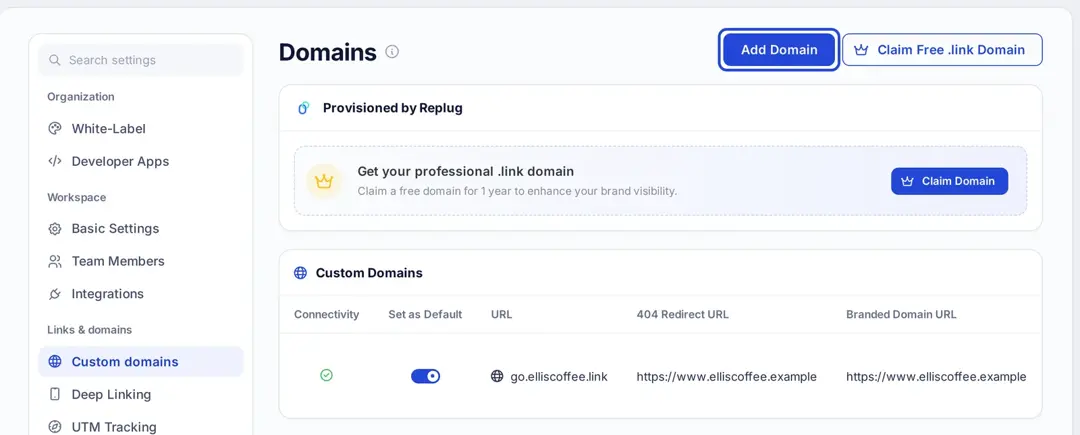
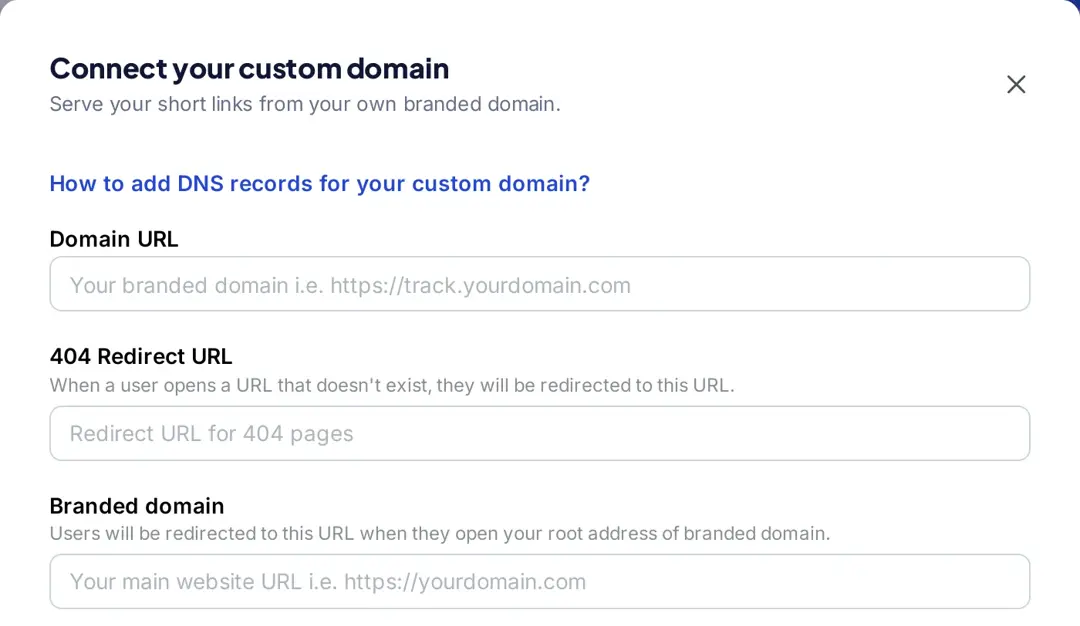
With your custom domain integrated into Replug, you’re now ready to create your custom-branded link. Here’s how:
Step 2: Create a branded short link
- Sign in to Replug, or create an account for free.
- On the Home page, paste your long URL into the “Paste a long URL to shorten…” box.
- Next, click “Shorten”. Replug will automatically generate a short link for your long URL and open it in the “Your link” window, on your default domain.
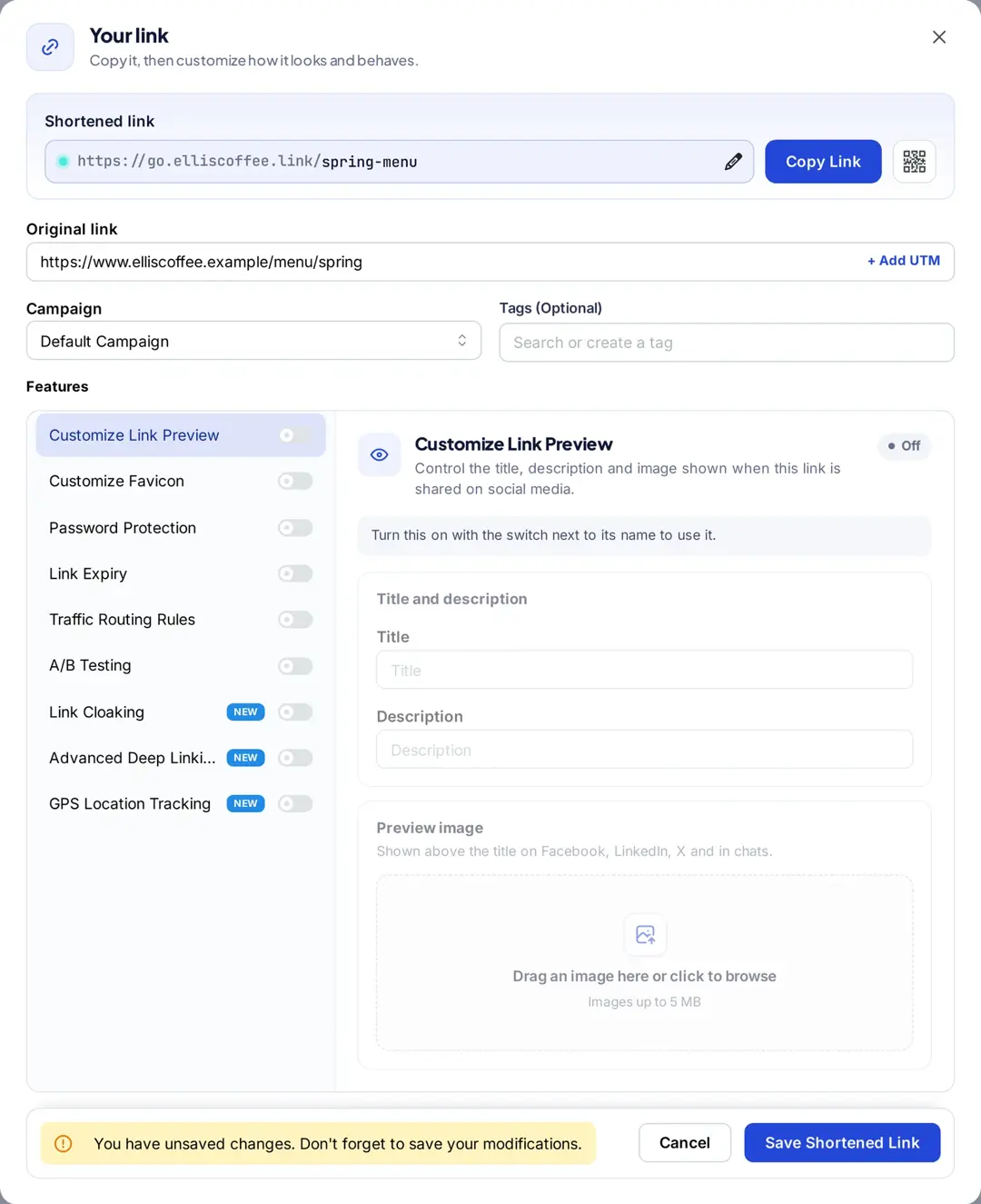
- You can rename the link easily. All you need to do is click the pencil icon and change the slug of your short link (custom slugs are available from the Essentials plan).
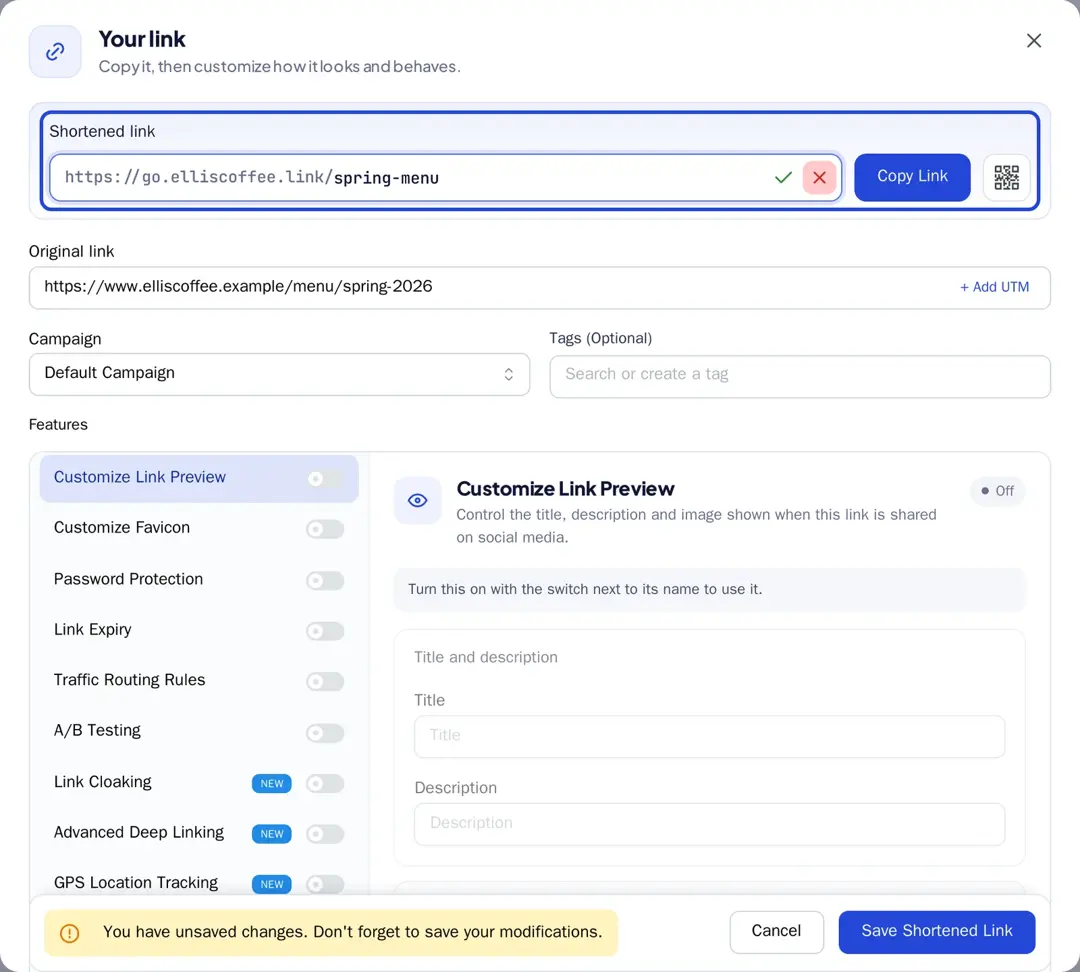
- Finally, click “Save Shortened Link”. Now your link is ready to share anywhere on Instagram, Discord, or in an email campaign.
Note: You can add some amazing Replug features to your generated link, like customizing your link preview, adding custom favicons (Essentials and up), A/B test your links (Scale and Agency), and more! You can also add retargeting pixels or custom CTAs (Essentials and up) to your link-shortening campaigns.
How to measure branded vs. generic link performance
The only CTR number that matters is your own. To compare fairly, change one thing at a time:
- Send the same message to two random halves of an email list or SMS audience: one half gets a generic short link, the other a branded one.
- Point both links to the same page with the same UTM tags, except utm_content (for example utm_content=generic and utm_content=branded).
- Compare clicks divided by recipients for each version, and conversions per version in your web analytics.
- Wait for enough recipients before you decide; a difference of a few clicks on a small send can be chance.
Leading brands & businesses prefer branded short links
Let’s take a look at how some of the most popular brands use branded links to their advantage:
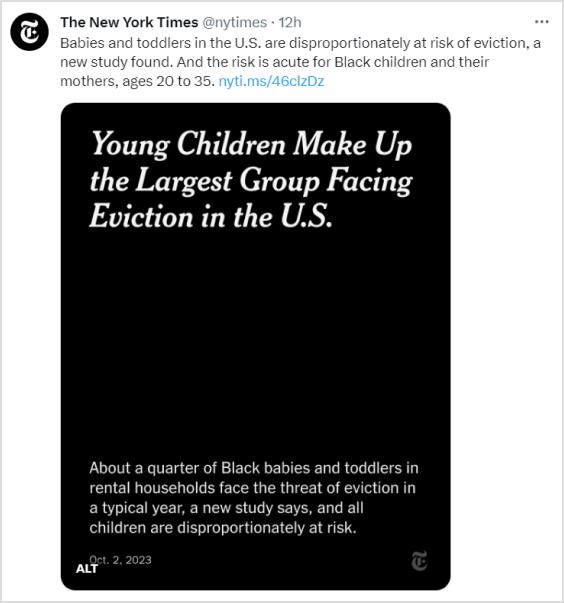
The New York Times – nyti.ms
The renowned newspaper, “The New York Times”, simplifies sharing long article URLs on social media and beyond by using the branded link nyti.ms. This branded link not only shortens the URL but also reinforces the brand’s identity with every click.
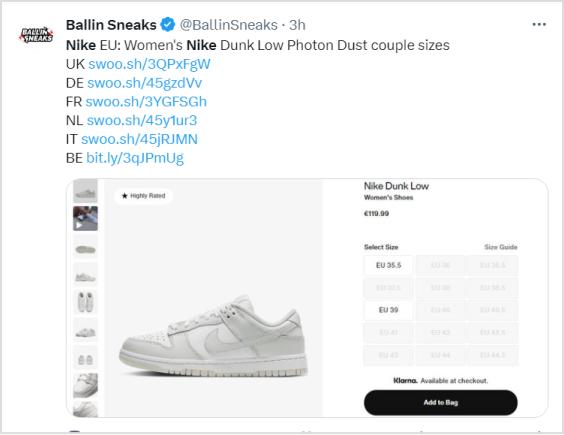
Nike – swoo.sh
When it comes to sports and lifestyle, Nike is a standout name. They utilize the branded link swoo.sh to create a memorable link for their products and promotions. This reinforces the Nike brand with every shared link.
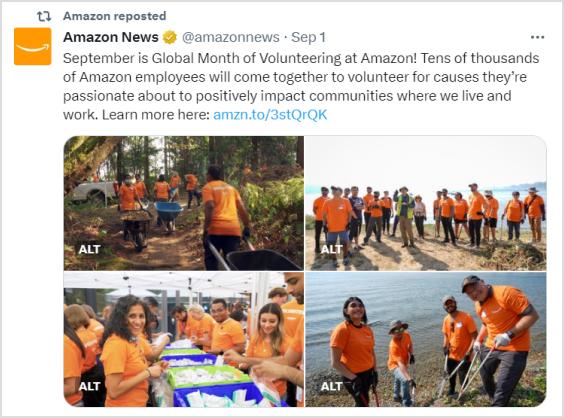
Amazon – amzn.to
E-commerce giant “Amazon” opts for the branded link amzn.to, to shorten product URLs. This not only saves space in printed materials but also keeps the focus on their products rather than the URL itself.
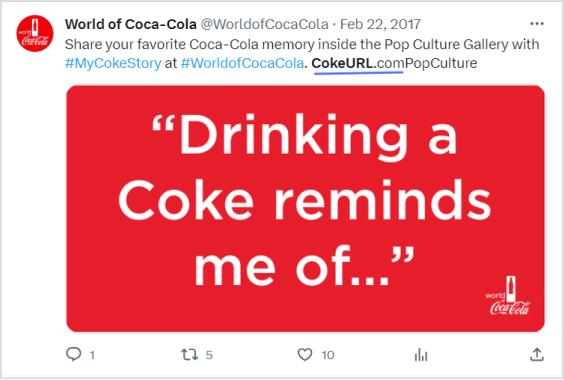
Coca-Cola – cokeurl.com
Coca-Cola, a global beverage icon, maintains brand consistency by using branded links, such as cokeurl.com. This approach guarantees that every link shared aligns with their brand image.
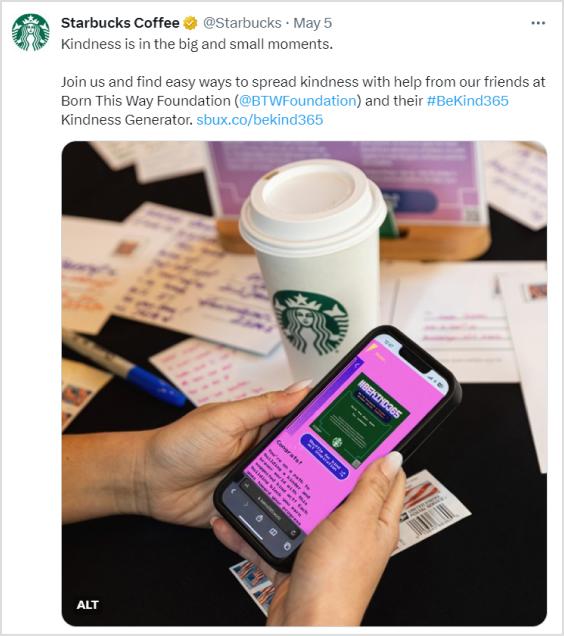
Starbucks – sbux.co
Starbucks is a renowned global coffee chain that utilizes branded links with the domain sbux.co to simplify the sharing of promotional content. This reinforces their brand identity and keeps their links looking clean and professional.
Conclusion
At the end of the day, the choice between branded links and generic short links comes down to your goals.
Short links are ideal when you need something quick, simple, and space-saving. But if you want to strengthen brand identity, build trust, and boost engagement, branded links clearly stand out. That’s why brands like Nike, Amazon, and Starbucks rely on them.
It’s not just about shortening a URL, it’s about making every click count.
With tools like Replug, you don’t have to choose between convenience and branding; you can get both. Whether you’re sharing on social media, in emails, or even offline, branded links let you stay consistent, professional, and memorable.
So instead of sending traffic through someone else’s domain, take control of your links and make them work harder for your brand.
Frequently asked questions

Muhammad Ahsan Jamal